-
-
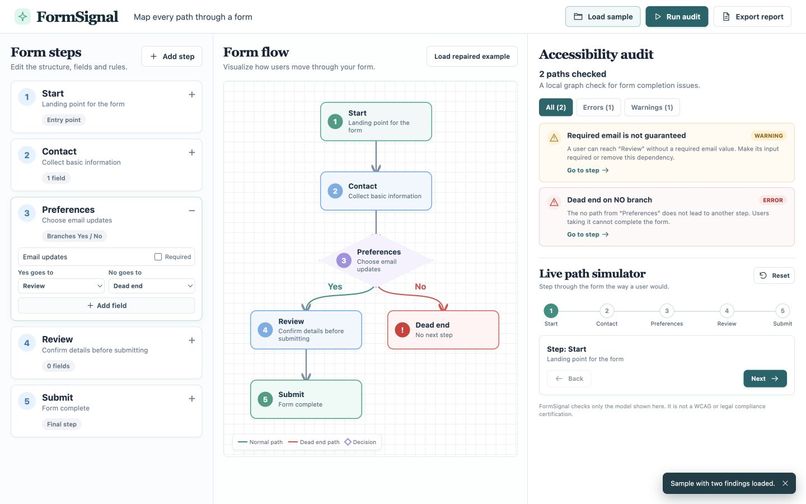
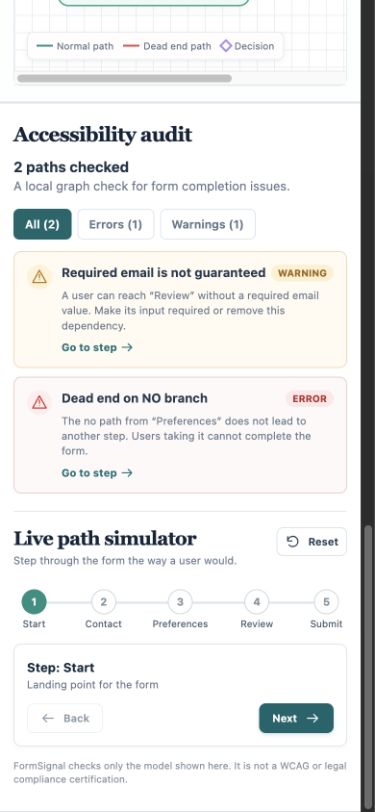
Broken No branch and missing required email guarantee
-
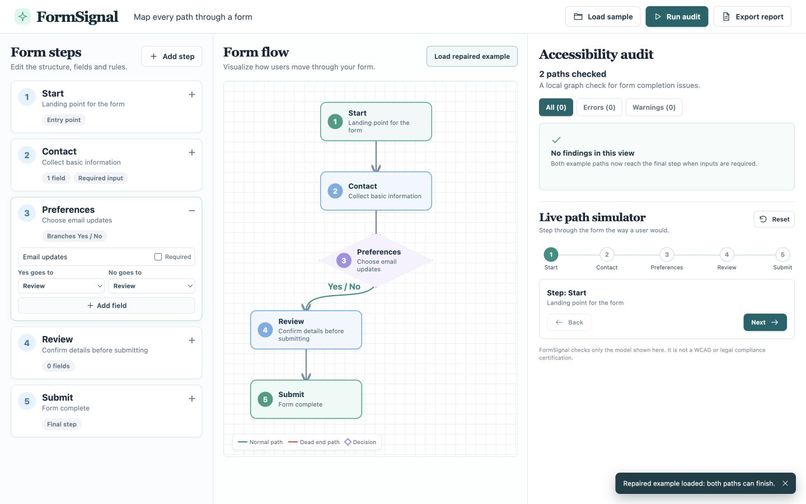
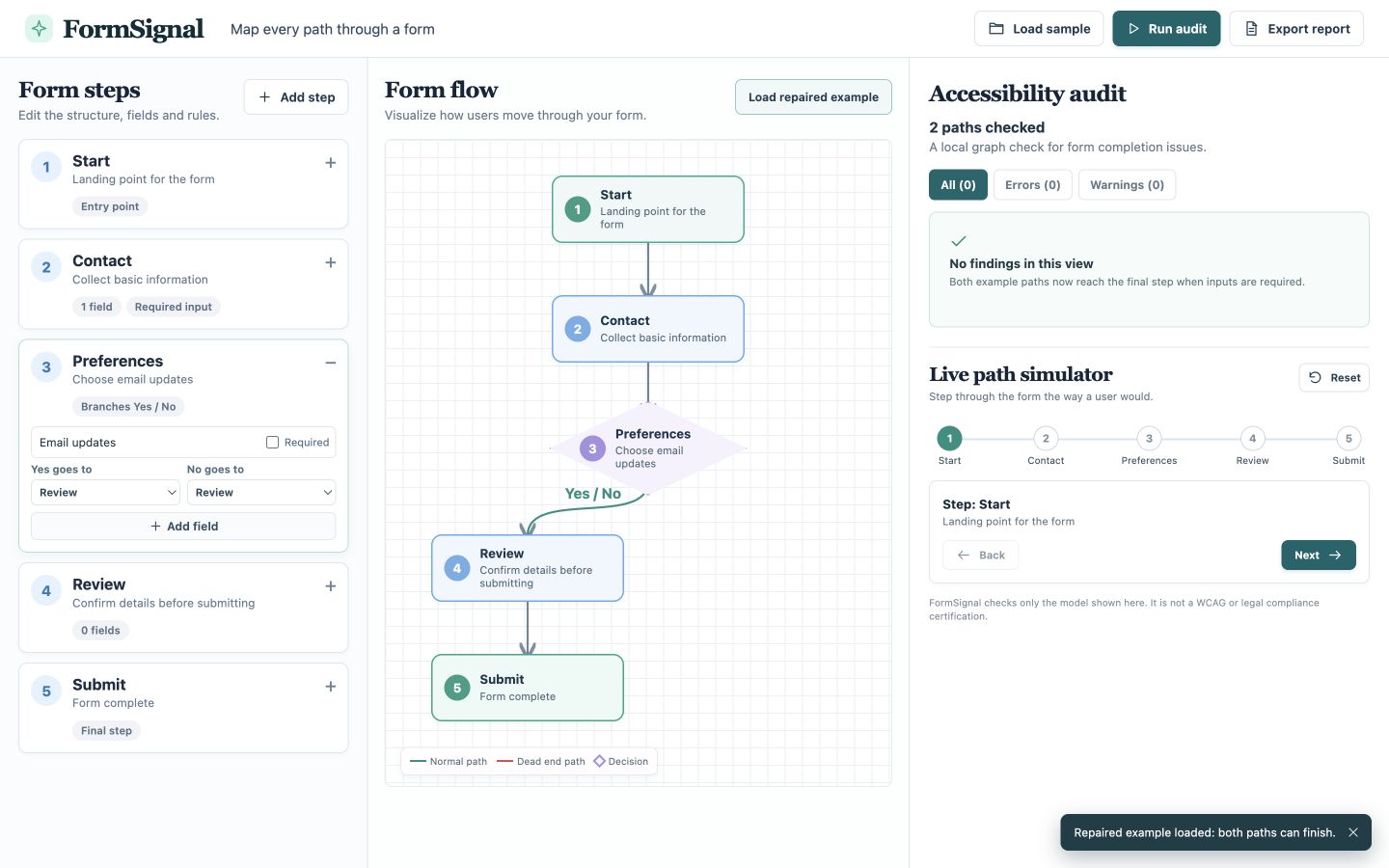
Repaired routes: both Yes and No complete with zero findings
-
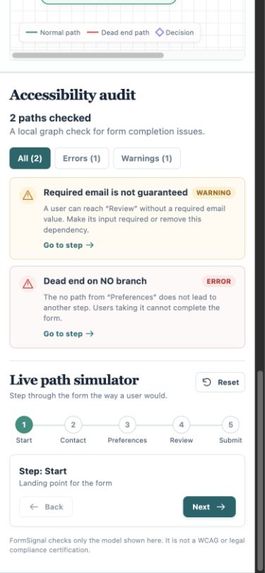
Responsive mobile audit and flow controls
FormSignal
Inspiration
Conditional forms can look complete along the happy path while a different answer leads nowhere. A later review step can also expect a value that an earlier optional field never guaranteed. FormSignal makes those problems visible before a form is shipped.
What it does
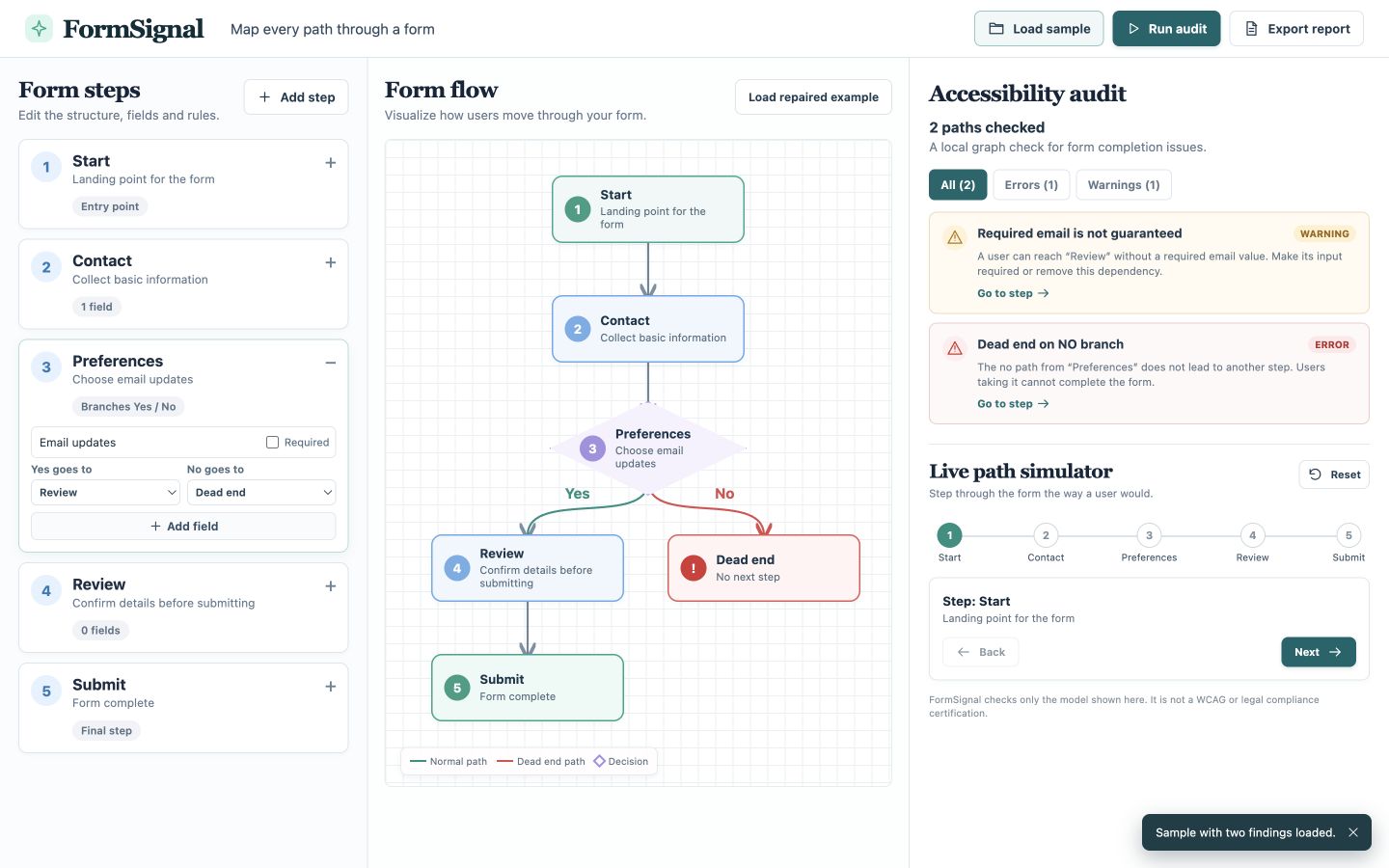
FormSignal turns a small form flow into an interactive directed graph. It checks every configured Yes/No route for dead ends, cycles, and unreachable steps. It tracks which required fields are guaranteed along each path and warns when a later step depends on a value that may be absent. A local simulator lets a designer choose a branch, experience the blocked path, change the route or field rule, and rerun the audit. The report exports as JSON in the browser.
The included fictional newsletter example starts with two findings: its No branch stops, and Review expects an email that Contact does not require. In the repaired example, both branches reach Review and email is required; both routes then complete with no findings.
How we built it
The React interface maintains a serializable flow of nodes, fields, and transitions. auditFlow performs a depth-first walk from Start, carrying the path history and a set of guaranteed field IDs. It records complete and blocked paths, identifies a repeated node as a cycle, then compares reached IDs with all defined steps to find unreachable nodes. Findings map back to the relevant step in the editor. SVG connectors visualize the example flow, and the simulator advances through the same route data.
The app runs entirely in the browser. It has no backend, network model call, account requirement, paid dependency, or real user data.
Challenges and accomplishments
The main challenge was explaining why a route is blocked without implying accessibility certification. The UI separates errors from warnings and shows the exact step to edit. The graph distinguishes a missing route from a complete path and compresses repaired Yes/No branches when both lead to the same step.
The prototype has a working sample and repaired flow, a live path simulator, local JSON export, responsive desktop/mobile layout, three passing graph-engine tests, and a successful production build. The 2:38 English-captioned demo shows real clicks, edits, required-input validation, route completion, and report export.
Limitations and next steps
FormSignal audits the model entered in the app, not a live website. It does not verify screen-reader output, keyboard focus order, actual user input, or legal compliance. This prototype supports up to eight steps. Future work could import form schemas, support richer conditions, and pair automated checks with human accessibility testing.
Built with and AI disclosure
React 19, React DOM 19, Vite 7, JavaScript, HTML, CSS, SVG, Node.js test runner, pnpm, GitHub and GitHub Pages. OpenAI ImageGen supplied the visual concept; OpenAI Codex assisted with source code, interface copy, examples, and tests. No external dataset, model API, or hardware was used.
Try it and inspect the source
- Live prototype: https://estona815.github.io/formsignal-gibc-v2-2026/
- Public source and setup instructions: https://github.com/estona815/formsignal-gibc-v2-2026
- Demo video: https://youtu.be/Jh8YHoPZYtk

Log in or sign up for Devpost to join the conversation.