The problem
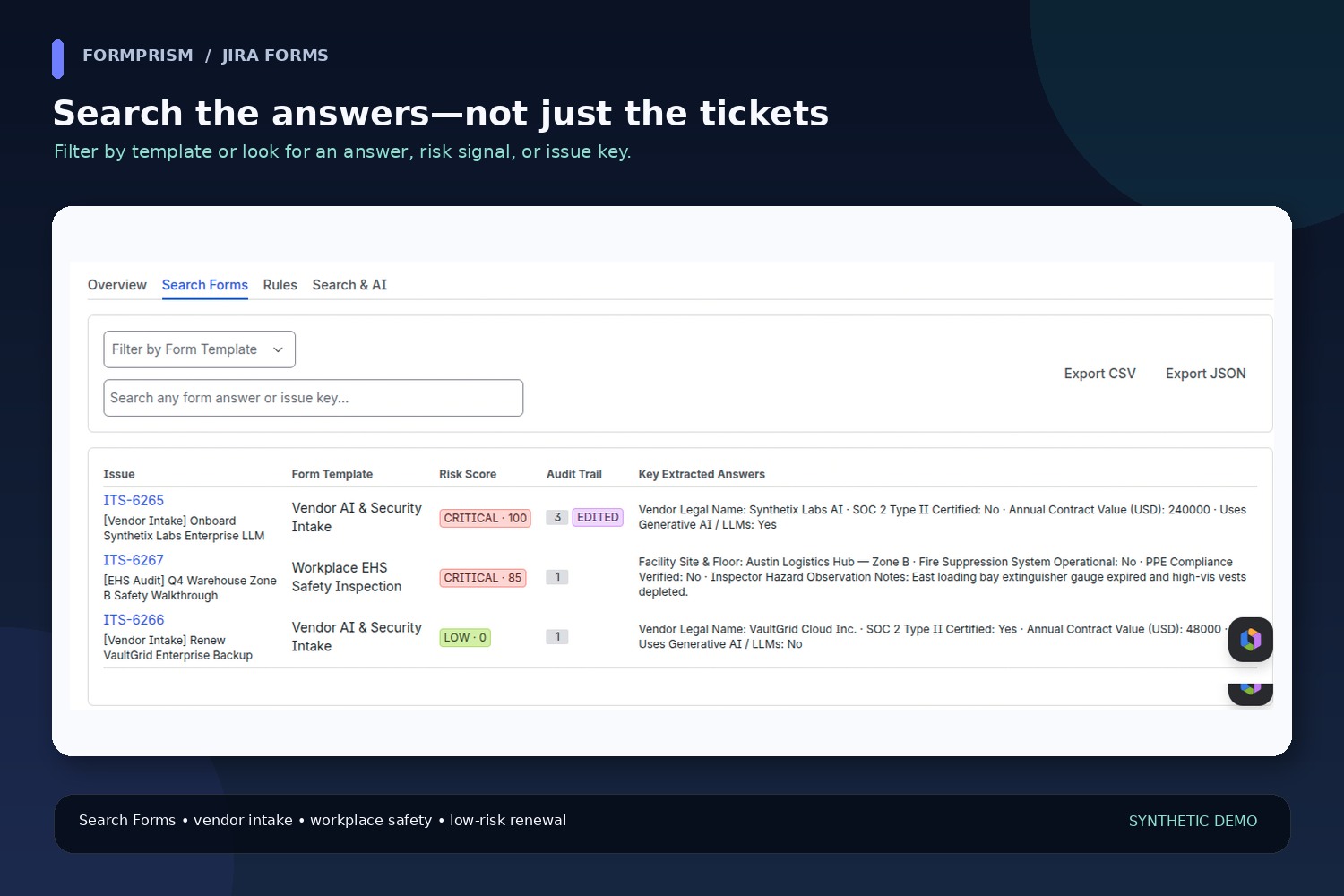
Jira and Jira Service Management Forms capture important answers for vendor reviews, safety checks, and other business workflows. But across a project, those answers can be difficult to search and compare, and a form that changes after submission deserves a closer look. Teams often end up opening issues one at a time or building custom fields just to report on information already captured in a Form.
What FormPrism does
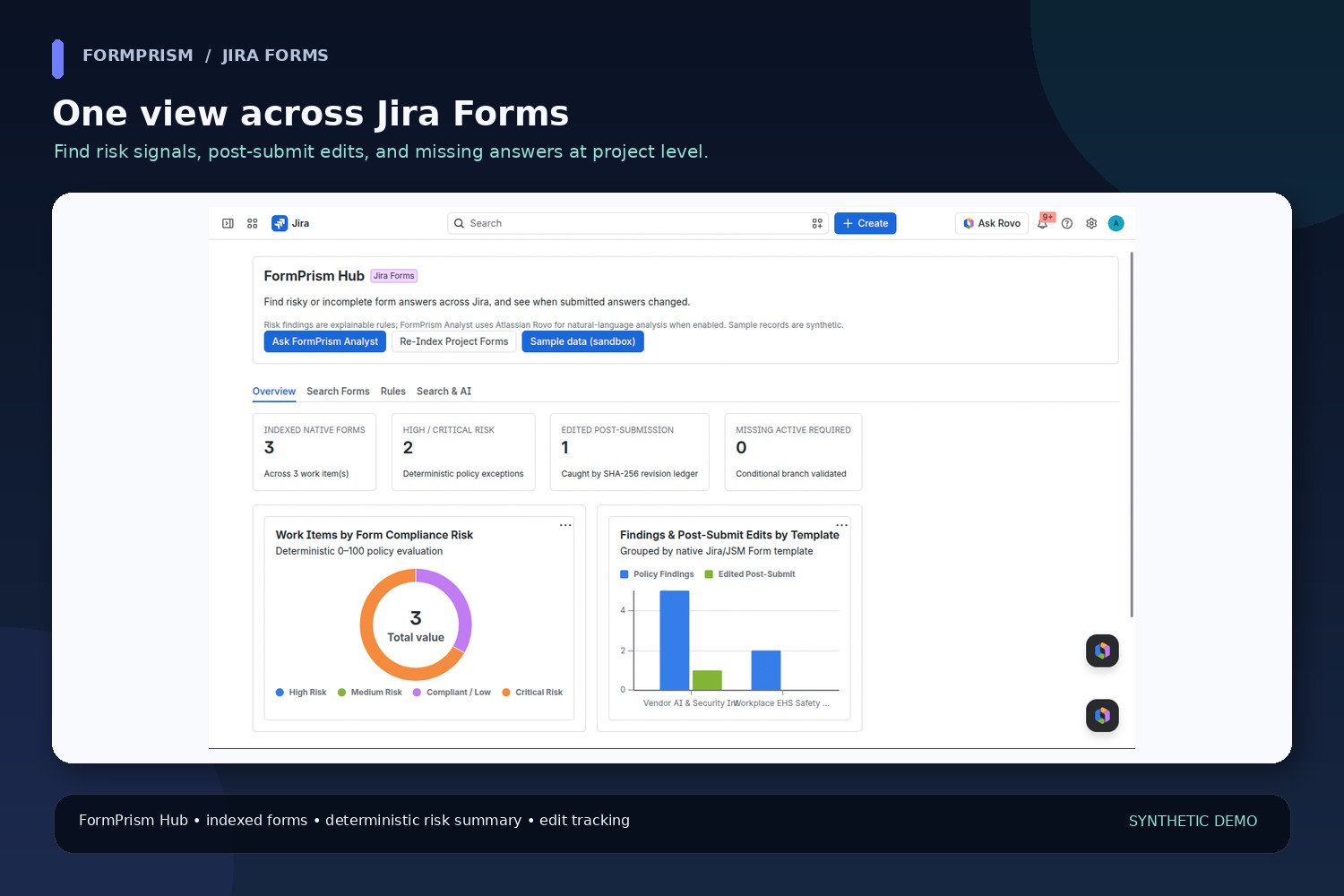
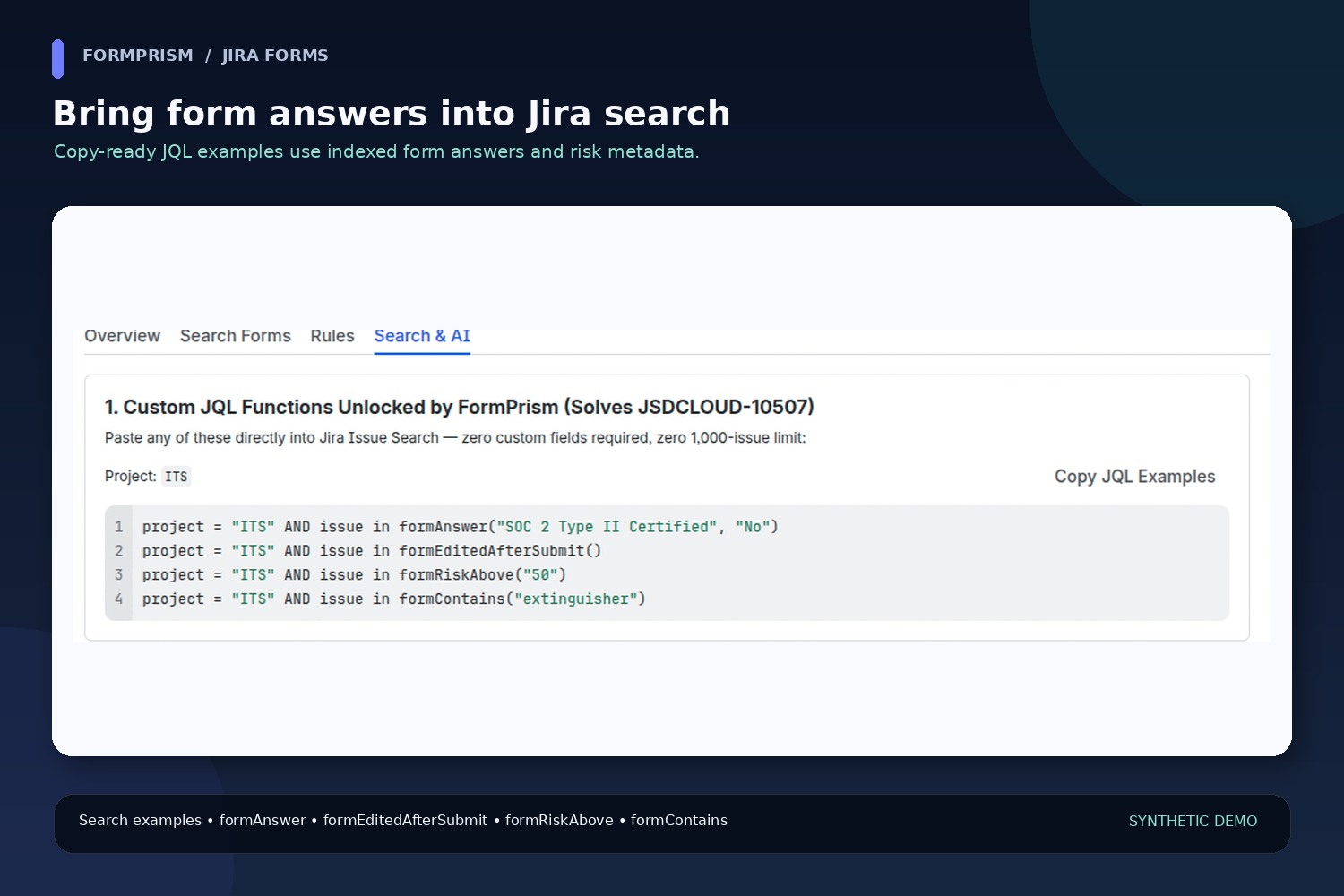
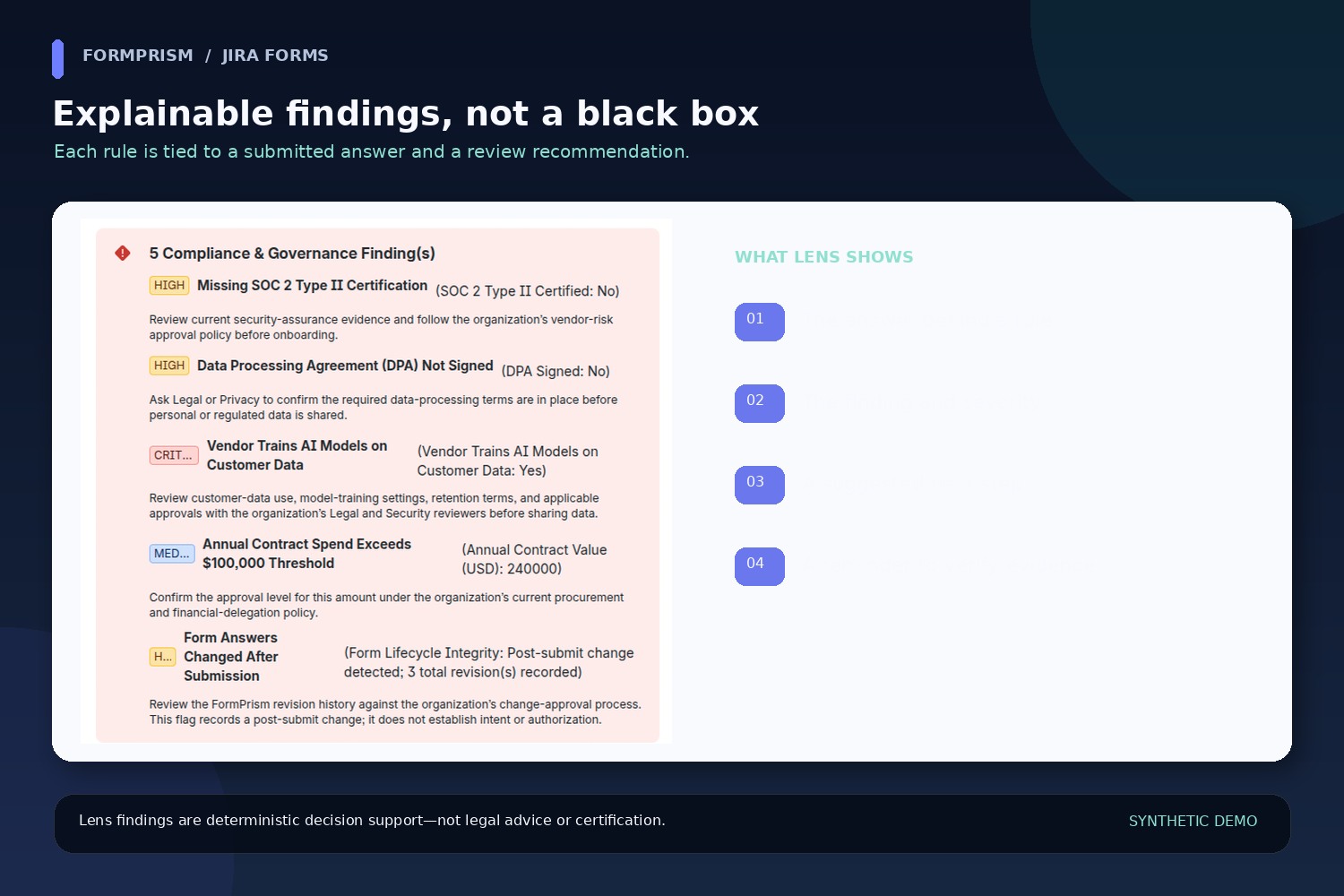
FormPrism turns native Jira Forms into searchable, reviewable workflow context. Its Project Hub summarizes indexed forms, risk signals, post-submit edits, and required-field completeness. FormPrism Lens opens alongside an issue to show normalized form answers, deterministic policy findings, and recorded form revisions. Custom JQL functions help teams search indexed answers and risk metadata without creating a separate custom field for every question.
The built-in rule packs cover vendor security and AI governance, workplace safety, and form-audit integrity. Each finding points back to an answer and offers a suggested review step. The score is decision support—not legal advice, a security certification, or a substitute for a human assessment.
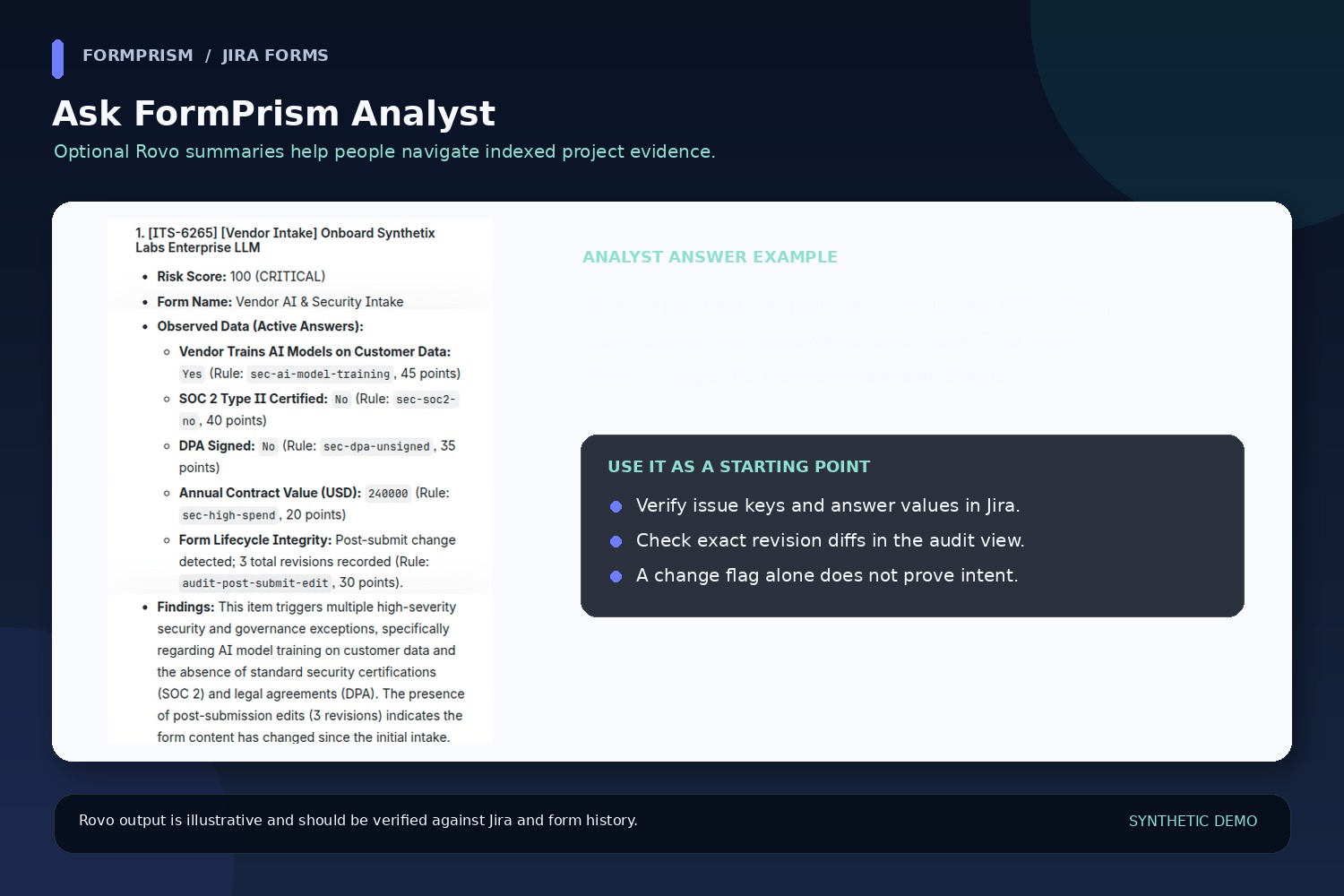
When enabled, FormPrism Analyst uses Atlassian Rovo to summarize permitted project evidence and suggest questions for human review. Its output is a starting point: people should verify issue keys, answers, counts, and revision details in Jira. A detected post-submit change does not, by itself, prove who made it, why it happened, or whether it was authorized.
How it was built
FormPrism is built with TypeScript and React on Atlassian Forge. It uses Jira-native app surfaces for the project hub and issue panel, Forge storage and Jira entity properties for compact indexes, and custom JQL functions to make indexed form context searchable. A native-form parser normalizes answers and conditional fields. Deterministic TypeScript rules evaluate configured signals; a SHA-256-linked revision ledger records changes in normalized form state. Optional Rovo/MCP tools expose supported inspection and search workflows in the caller’s Jira permission context.
What we learned and the hard parts
The hardest part was treating Forms as structured, conditional data rather than as a flat block of text. A hidden conditional question should not be mistaken for a missing required answer, and answers need consistent normalization before they can be compared or indexed. Revision tracking also needs careful wording: a digest change can show that state changed, while the audit view—not the change flag alone—is where reviewers should inspect the available field-level evidence.
We also learned to keep deterministic policy checks distinct from natural-language summaries. Rules should be explainable and repeatable; an AI-generated summary should be clearly labeled and checked against its sources. Finally, search and auditability are useful only when paired with data minimization and clear limits on what the evidence proves.
Privacy and limitations
FormPrism is designed to run within Atlassian Forge, and the app manifest declares no external egress domains. The app declares storesPersonalData: false; that describes app-specific persistence after minimization and sanitization/redaction, not a claim that user-entered content is never processed transiently. See the app’s approved privacy and security documents for the full handling details. SHA-256 chaining is tamper-evident within the app’s storage boundary; it is not an externally notarized immutable record.
The screenshots in this gallery show prepared synthetic Jira examples. They are illustrative screenshots, not claims about a live tenant’s current data.

