-
-
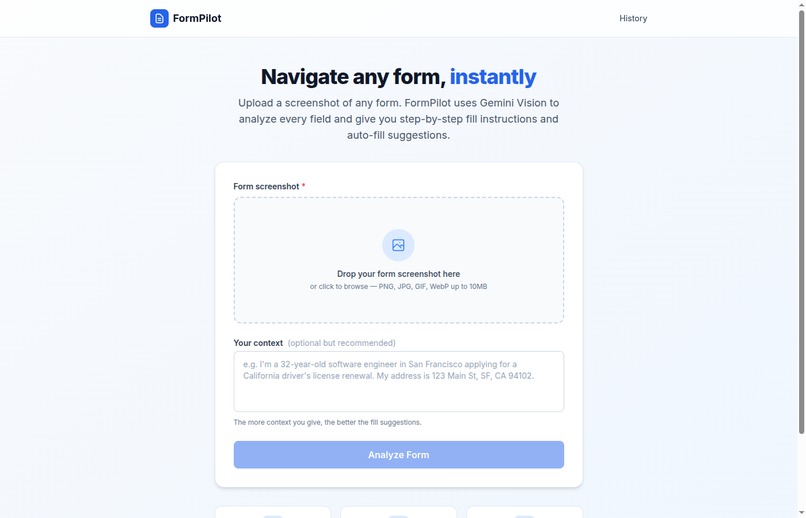
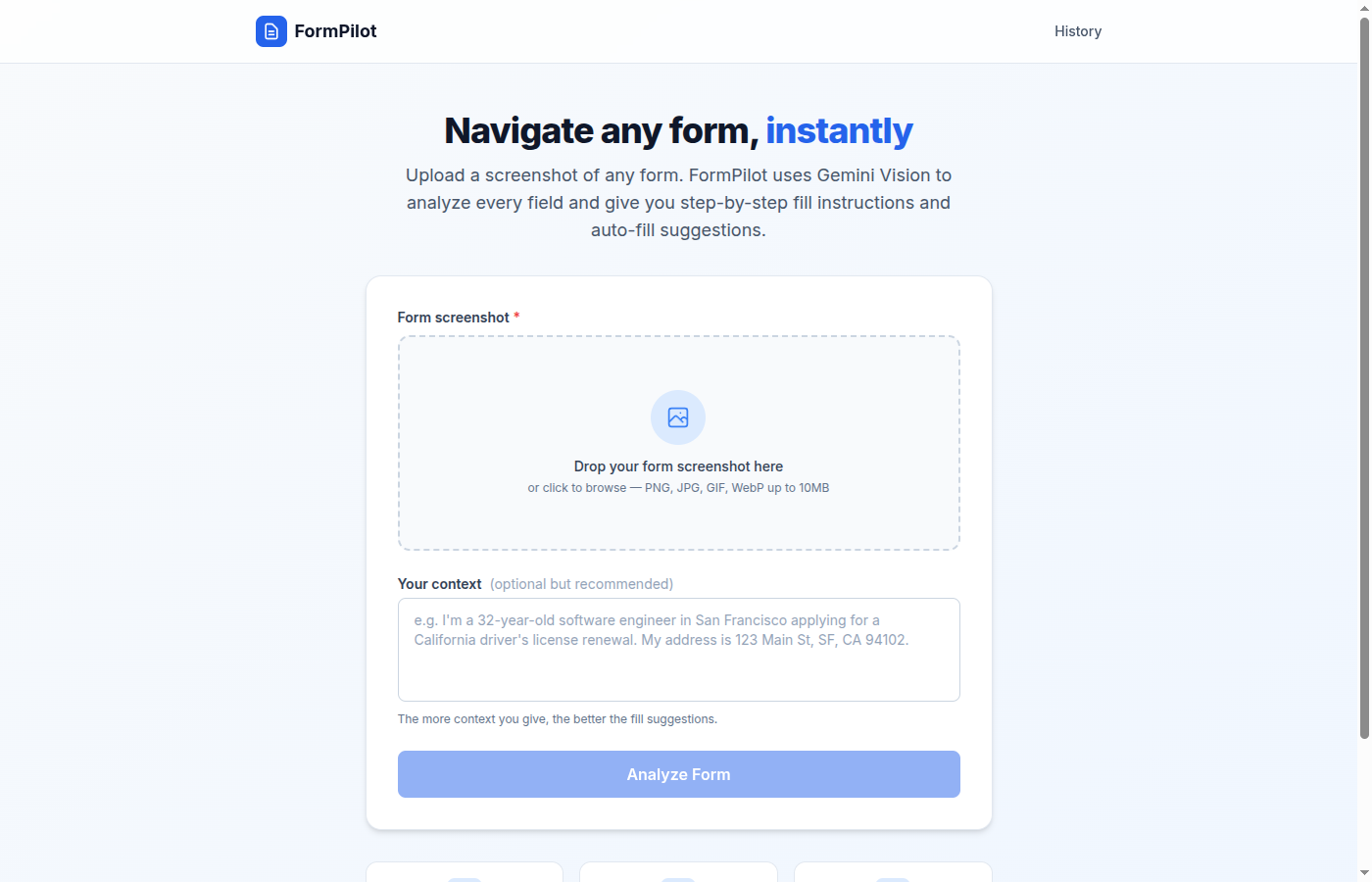
Upload any form screenshot and get field-by-field guidance
-
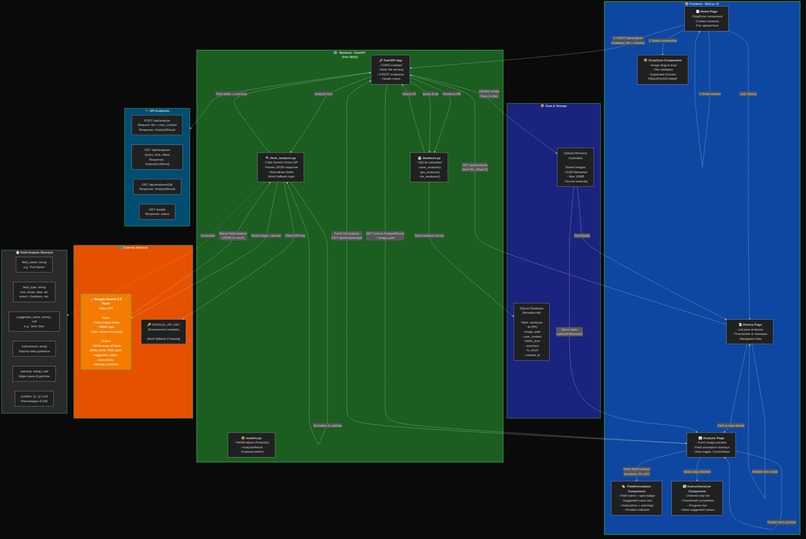
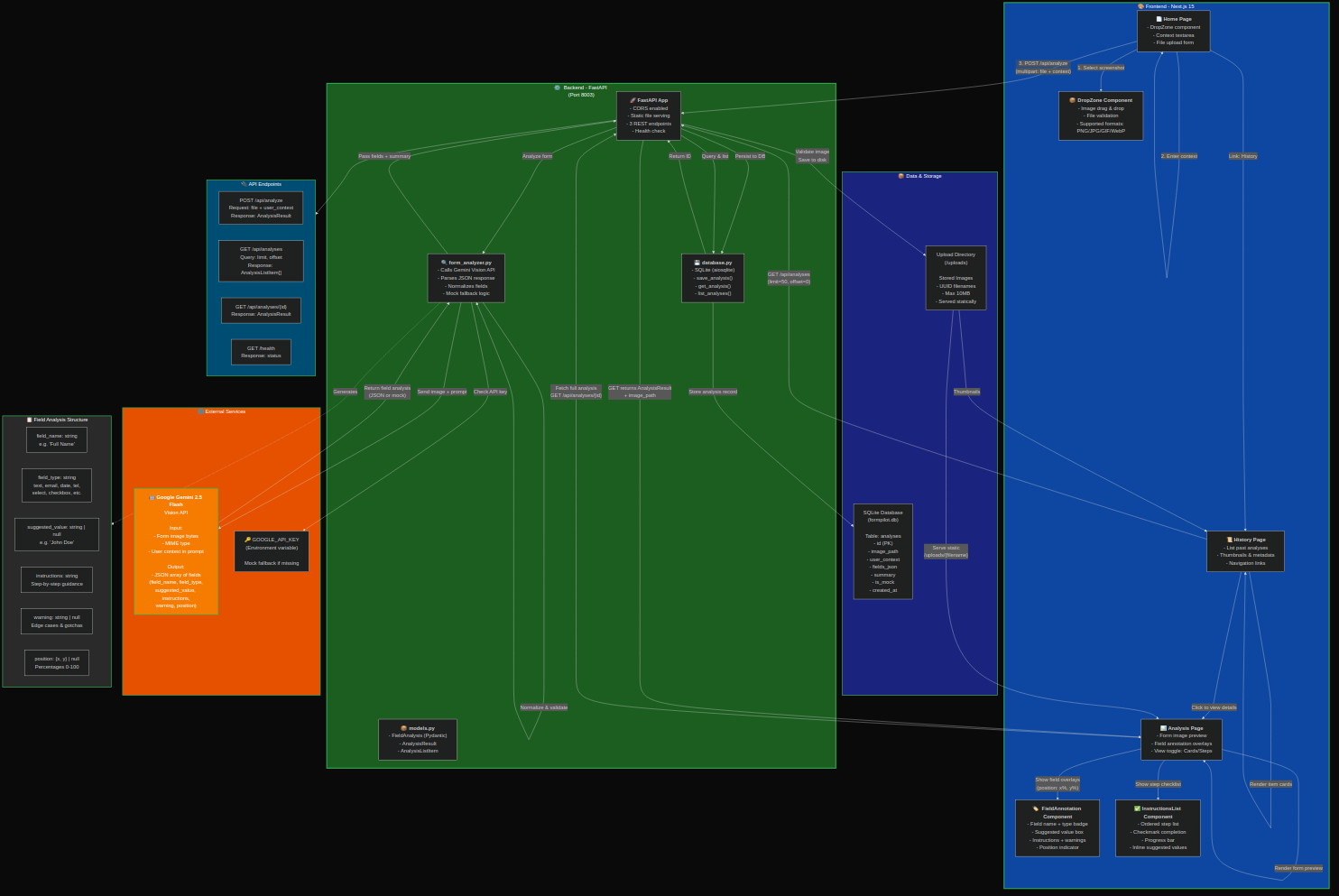
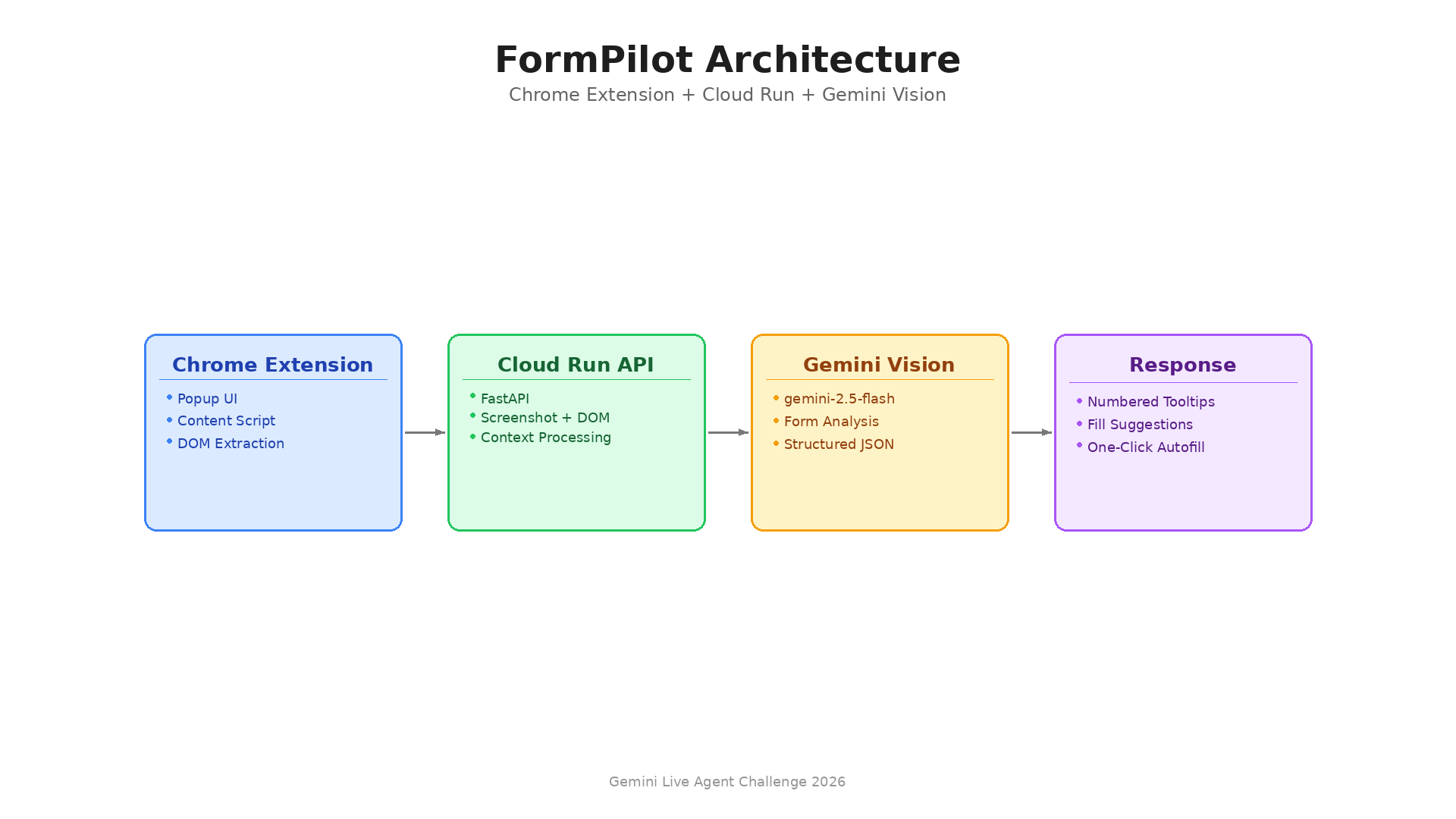
System architecture -- Gemini Vision form analysis pipeline
-
Inspiration
Everyone fills out complex forms -- government applications, insurance claims, tax documents, HR onboarding. Small business owners spend 45+ minutes per form: reading fine print, googling terms, calling helplines. One wrong field can delay processing by weeks. We wanted to build an AI that meets users where they already are -- right on the form page -- and tells them exactly what to enter.
What it does
Install the FormPilot Chrome extension, navigate to any form, click the icon, and describe your situation in plain English. FormPilot:
- Analyzes the live page -- captures a screenshot and extracts DOM structure of the form you're looking at
- Generates field-by-field guidance -- numbered tooltip circles appear directly on each form field
- Suggests specific values based on your context ("sole trader, earned $75K, single")
- Warns about common mistakes -- required fields, format requirements, legal implications
- One-click autofill -- fills every field with the AI-suggested values instantly
- Works on any form -- government, insurance, tax, HR, medical, any web form
How we built it
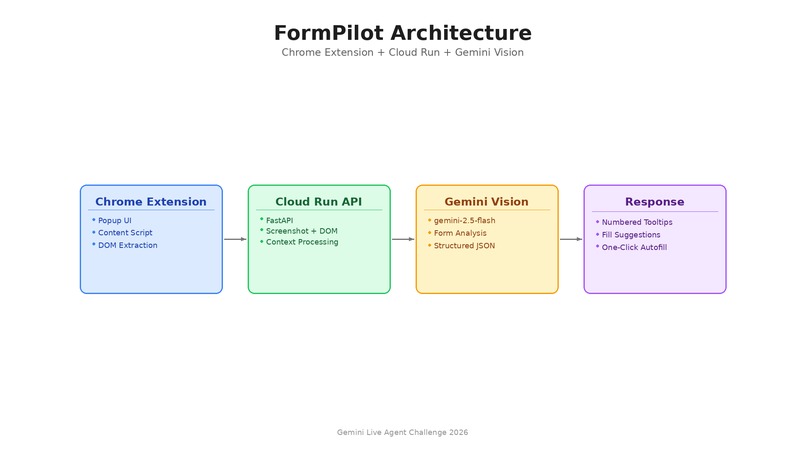
Chrome Extension (MV3): TypeScript popup UI for entering context. Content script captures a screenshot of the active tab and extracts the DOM structure of all form fields. After receiving guidance from the API, the content script renders numbered tooltip circles on each field using Shadow DOM and handles one-click autofill.
Backend: Python FastAPI on Google Cloud Run. Receives the screenshot + DOM structure + user context. Sends them to Gemini Vision (gemini-2.5-flash) with structured output prompting. Returns JSON with field guidance and CSS selectors.
Challenges we ran into
- Isolating tooltip UI from page styles using Shadow DOM
- Matching Gemini's field analysis back to actual DOM elements for accurate autofill targeting
- Handling diverse form layouts (government forms, multi-step wizards, dynamic forms)
Accomplishments that we're proud of
- The extension meets users where they already are -- no uploading screenshots, no switching tabs
- Shadow DOM isolation means tooltips look perfect on any website
- One-click autofill dispatches proper input events so React/Angular/Vue forms recognize the changes
What we learned
- Gemini Vision's form understanding is remarkably good from a single screenshot
- Shadow DOM is essential for Chrome extensions that inject UI
- Combining screenshot analysis with DOM extraction gives better results than either alone
What's next for FormPilot
- Multi-page form support with cross-page validation
- Voice input for hands-free context entry
- Chrome Web Store publication
- Form template library for common government forms
Built With
- chrome
- chrome-extensions-api
- fastapi
- gemini-vision
- google-cloud-run
- python
- shadow-dom
- typescript


Log in or sign up for Devpost to join the conversation.