-
-
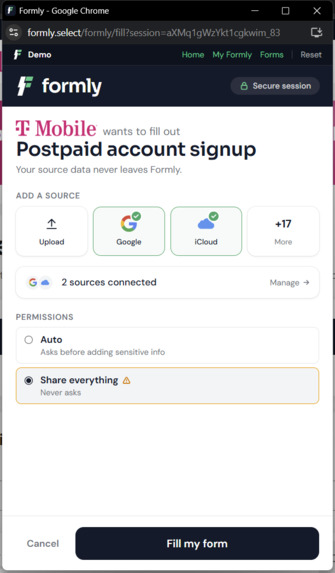
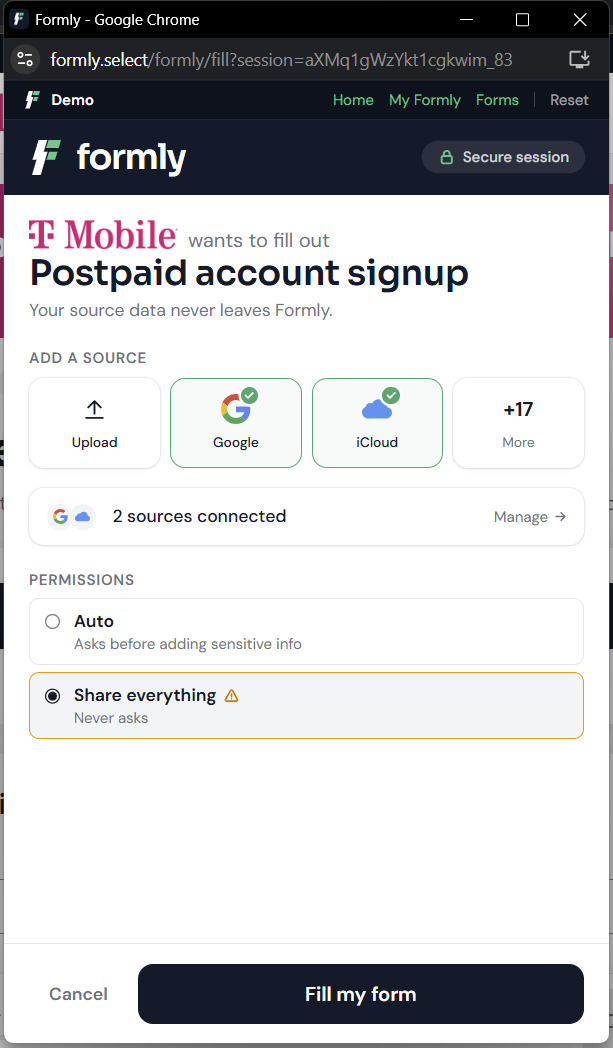
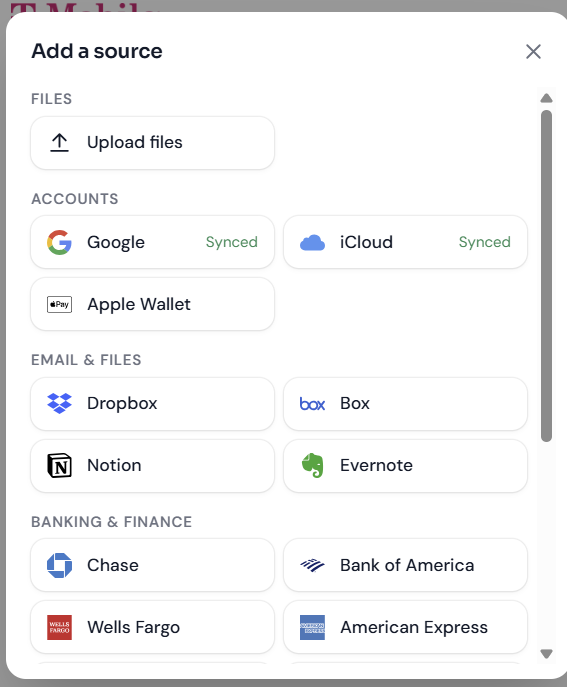
Once pressed, this is the UI of the popup. Formly asks for any accounts to link, or documents to parse.
-
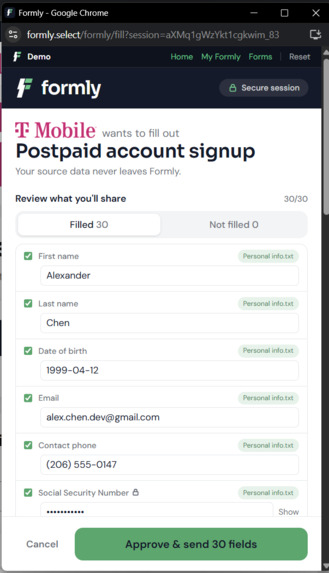
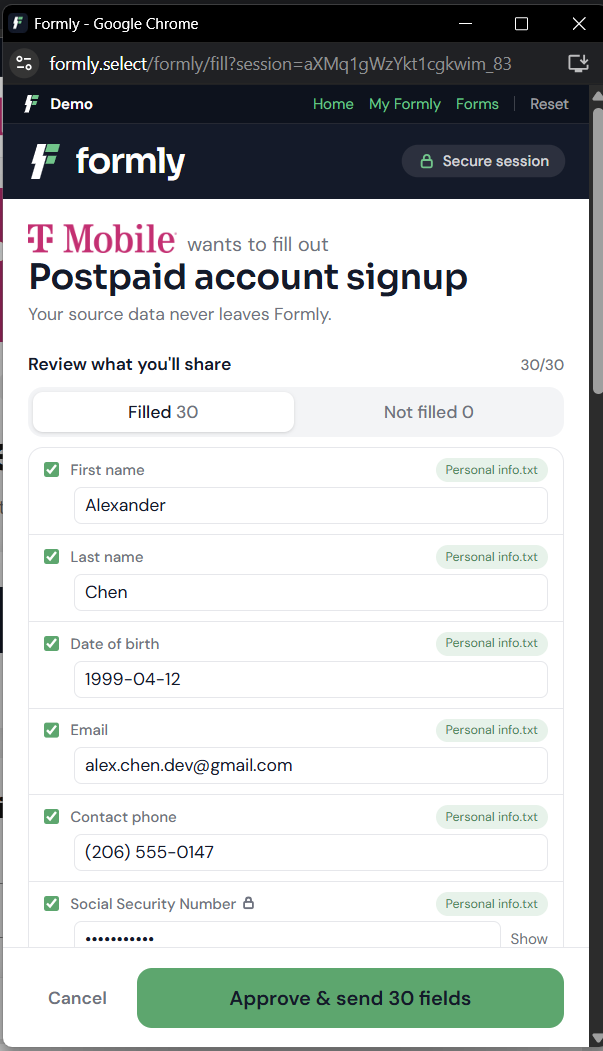
After you add your information, it double checks with you which information you would like to share.
-
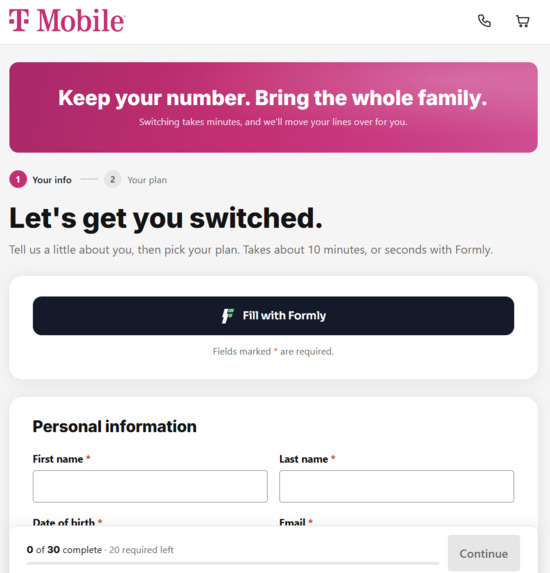
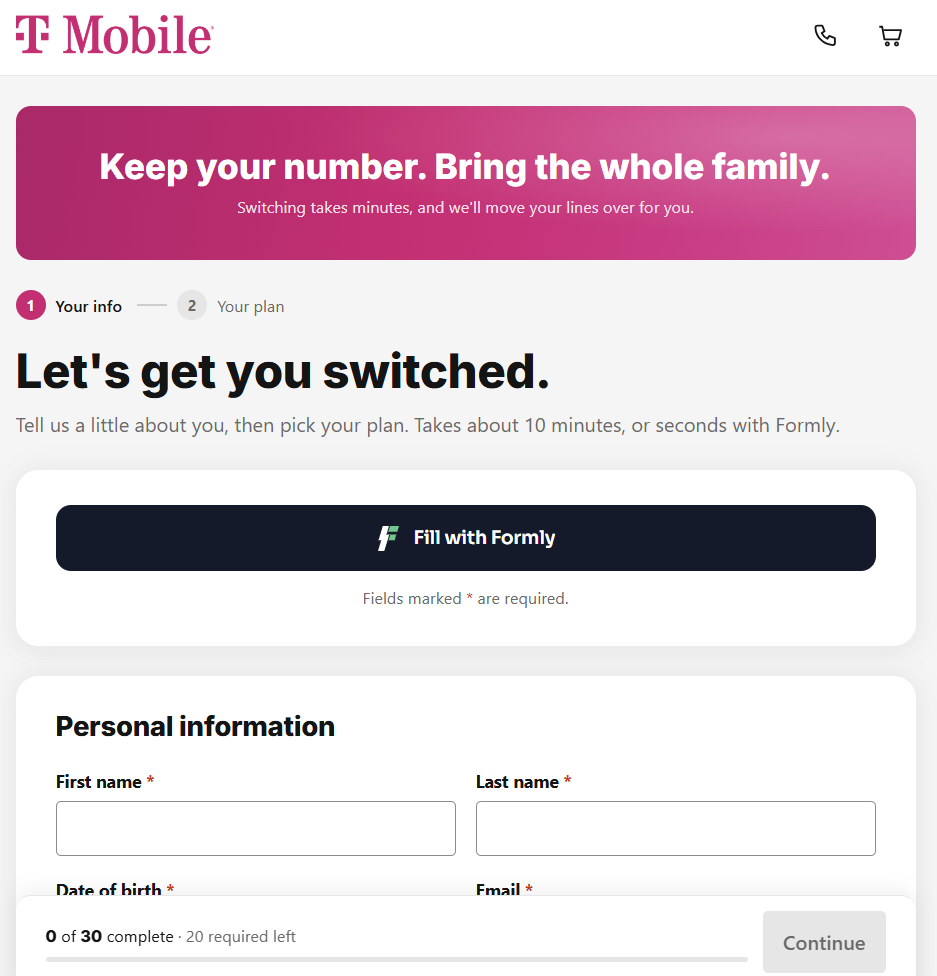
our Fill with Formly button. Users press this one button to fill out the whole form.
-
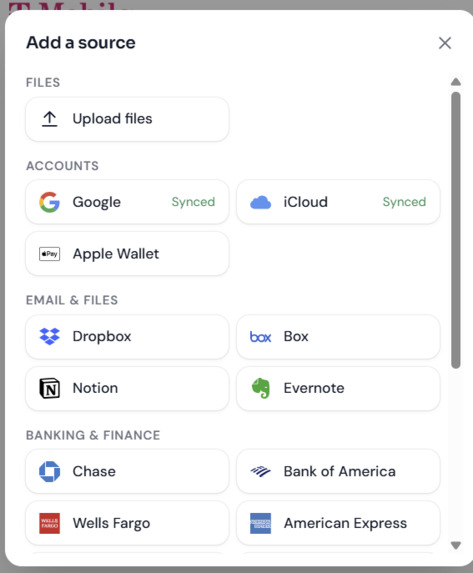
These are the services you could connect with Formly.
-
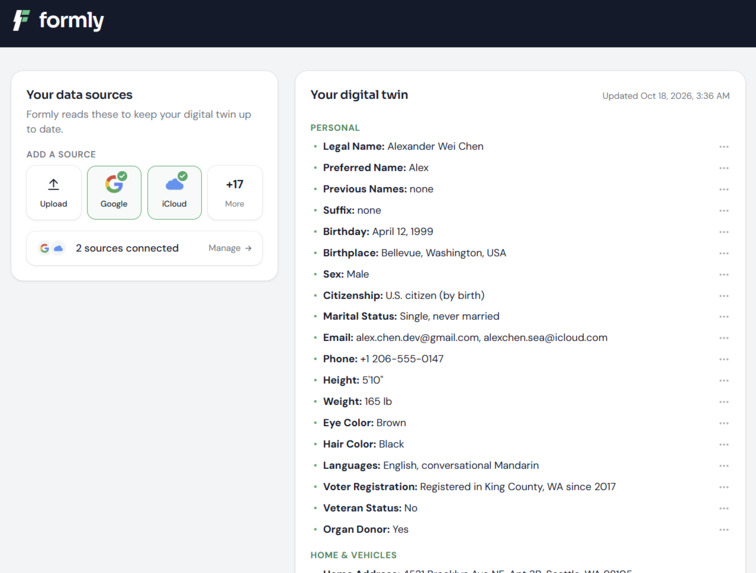
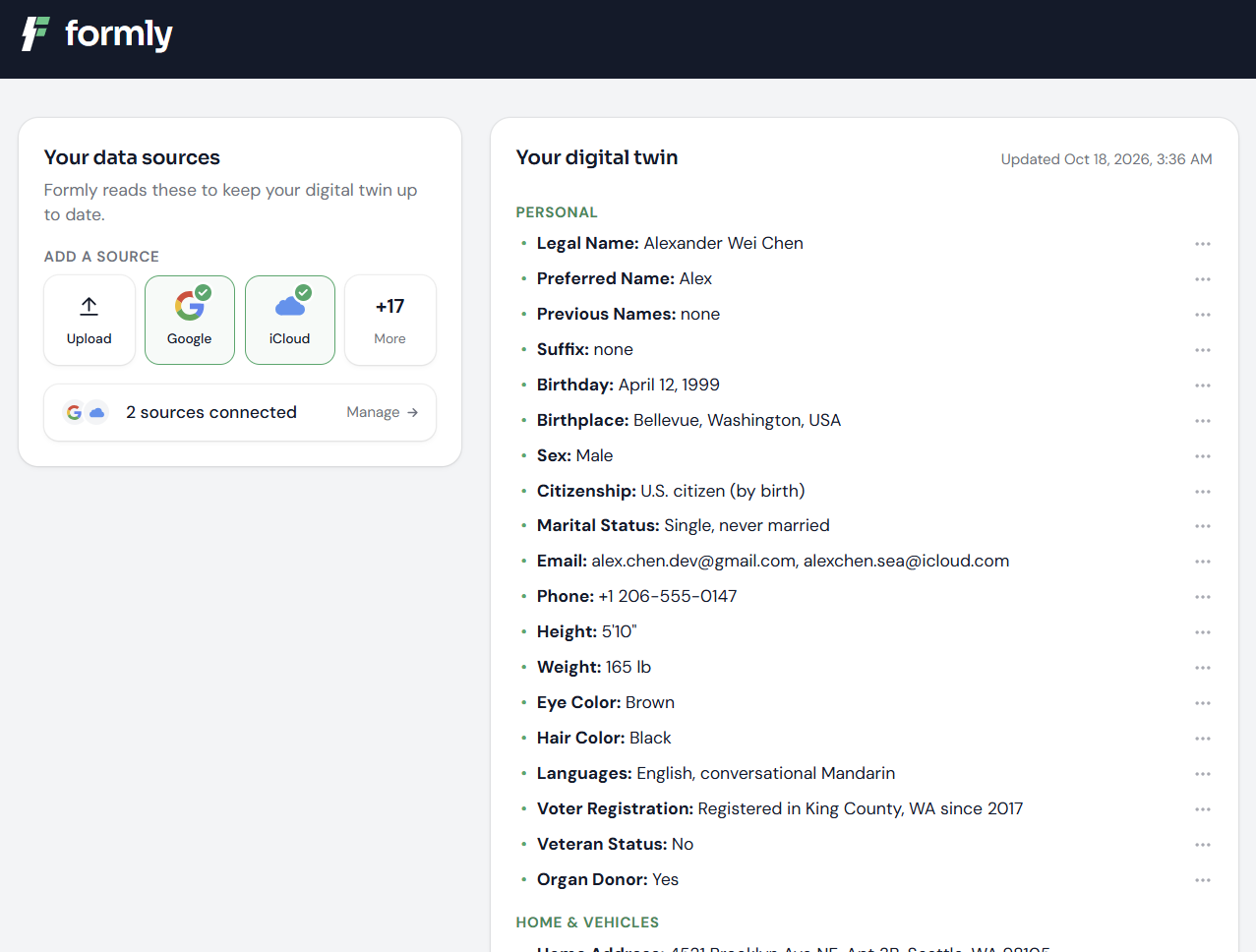
Your "Digital Twin". A copy of all of your information that Formly uses to fill out forms.
-
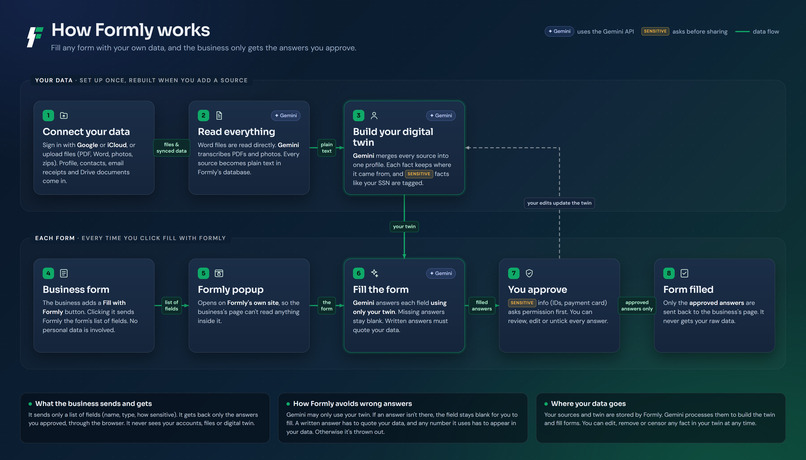
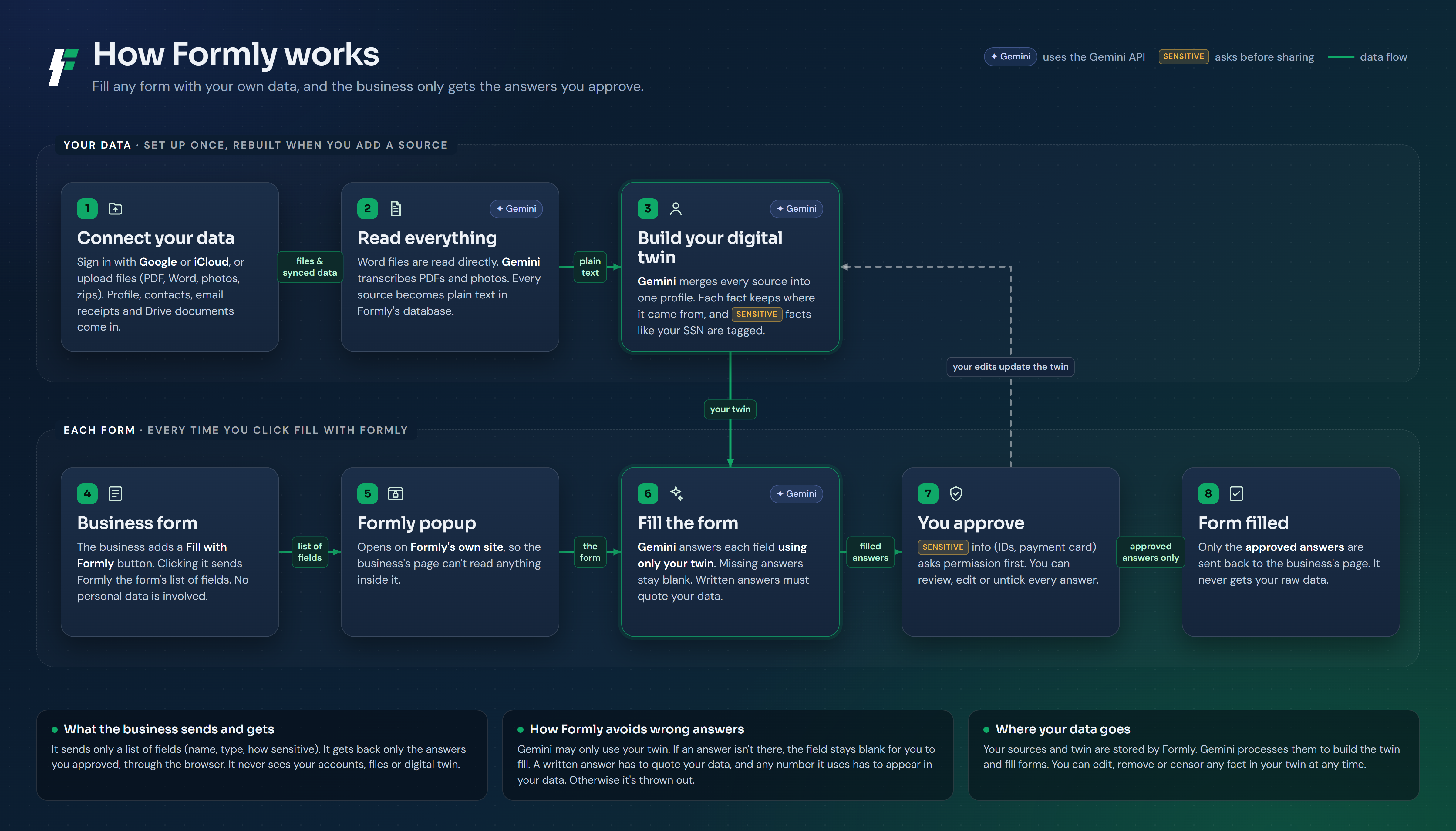
A flowchart of how Formly works.
Inspiration
Every signup, application and checkout asks for the same things: your name, address, ID, income, car, emergency contact. We type them again and again, often from documents we already have sitting in Google Drive or iCloud. Browser autofill only covers a handful of basic fields and stops at anything like an SSN, a driver's license number or a VIN. Businesses feel it too, because every extra minute on a long form is a chance for someone to give up.
We wanted something like Stripe Checkout, but for forms: one button a business can drop in, that fills the whole form from the user's own data, while the user stays in control of exactly what gets shared.
What it does
A business adds a Fill with Formly button to its form. When you press it, a secure Formly window opens, and:
- You connect your data once. Upload files (PDFs, photos, Word docs, text, zip folders), or sign in with Google or iCloud to pull in your profile, contacts, email receipts, Drive or iCloud Drive documents, Apple Wallet and your Health Medical ID.
- Formly builds your digital twin. It reads everything and keeps a private, organized profile of the facts forms ask for, each one linked back to the file it came from. You can edit any fact or mark it as never shared.
- Formly fills the form. It matches your twin to the business's questions and fills what it can. If something isn't in your data, it leaves the field blank instead of guessing.
- You review and approve. Every answer shows where it came from. Sensitive details like your SSN, IDs and card numbers need an explicit yes, and you choose between being asked or sharing automatically.
- The business gets only the approved answers. Your files never leave Formly.
It also handles open-ended questions. On a job application, it drafts short answers in your own voice from your actual resume, and it refuses to make up experience you don't have.
To show it working, we built four realistic demo forms styled after the real businesses: a T-Mobile switch and plan signup, a SpaceXAI job application, a Chase Freedom Unlimited card application and a California DMV vehicle title and registration form. Nine made-up people, each with full documents, a resume, and Google and iCloud data, can fill every field on every one of them.
How we built it
- App: Next.js 16, React 19, TypeScript and Tailwind CSS 4, with SQLite for local storage of sources, the twin, permissions and fill sessions.
- Gemini API: Gemini does all of Formly's reading and writing, through Google's
@google/genaiSDK.- Reading files: we send PDFs and photos (like a driver's license) straight to Gemini as inline files, and it transcribes every detail into text. Word files are converted locally, with no AI call needed.
- Building the twin: Gemini 3.5 Flash-Lite merges all of a person's sources into one organized profile, and in parallel pulls out typed key facts, each tagged with its source and how sensitive it is.
- Filling forms: every fill uses Gemini's structured output. We give it a JSON schema, so it can only return a value, a source and a confidence for fields that actually exist on the form.
- Writing short answers: Gemini 3.5 Flash writes these, since writing quality matters more there than speed.
- Speed and reliability: we run Gemini with low thinking, which made fills several times faster with the same accuracy on these tasks. If a model is overloaded or rate limited, the request automatically retries on the next Gemini model.
- Test data: Gemini also generated the realistic email inboxes for our synthetic test people.
- Backup: with an Anthropic key set, every request can run on Claude instead, using the same prompts.
- Pipeline: files become text, which then becomes the digital twin. Gemini API looks at the form's fields and fills it in with the Digital Twin's information.
- Answer Validity: before writing a short answer, the model must quote the exact facts it will use. Code then checks those quotes against the facts in our Digital Twin, and does not let the answer go through if they are not matching.
- Button: it opens a popup, and results come back through
postMessage. If popups are blocked it falls back to a same-page redirect, and it also checks the session in the background, so a result always arrives. - Testing: we built a scored test set of synthetic people based on NVIDIA's Nemotron-Personas-USA. Each has a realistic email inbox with traps, such as a relative's details and a gift shipped to someone else. We also used T-Mobile's synthetic data, and you can switch between users within the app.
https://github.com/salvobonsma/DubHacks2026
Challenges we ran into
- Getting gigabytes of data into a form, fast. A person's data can run to gigabytes of photos, PDFs, documents and email, and nobody will wait minutes for a form. Sending all of it to a model on every fill would be slow and expensive. So Formly does the heavy reading once, when you connect your data: Gemini transcribes each file a single time and distills everything into a compact digital twin. A fill then only sends that small profile and the form's field list, so it comes back in a few seconds. Building the twin and filling the form each run two Gemini calls in parallel, and low thinking plus structured output kept every call short.
- Made-up answers. Sometimes it would hallucinate information, so we implemented a fact checking algorithm.
- Missing data. Google sync first skipped key documents, so some important details were never synced to the Digital Twin
- Free tier limits. We added automatic fallbacks between Gemini models.
Accomplishments that we're proud of
- From one Google or iCloud connection, Formly fills every field on all four demo forms.
- On our synthetic test set, it got 107 of 108 field checks right.
- When the data doesn't support an answer, including a written one, Formly leaves it blank.
- By default, SSNs, IDs and card numbers always ask first, while basic details fill without interruptions.
- The demo forms look and behave like the real T-Mobile, SpaceXAI, Chase and DMV flows.
What we learned
- Teaching Formly not to answer was difficult. Sometimes we needed no answer, and it would give us hallucinated information.
- Reading data once, up front, matters more for speed than faster model calls.
What's next for Formly - the secure, fast form filler
- Real Google and Apple sign-in, plus banks and more data sources.
- An SDK and browser extension so Formly works on any form.
- Encrypting the digital twin on your device.
Built With
- better-sqlite3
- css
- docker
- eslint
- gemini-api
- google-gemini
- javascript
- json-schema
- llm
- mammoth
- nanoid
- next.js
- node.js
- postmessage
- react
- rest-api
- sqlite
- tailwind-css
- turbopack
- typescript


Log in or sign up for Devpost to join the conversation.