Inspiration
We observed that many elderly individuals and immigrant families who are non native English speakers often have a hard time filling out government forms due to the complex formatting and dense jargon. Karson experienced this firsthand growing up, his parents frequently had trouble reading various government forms, and he often had to help translate.
Bureaucratic forms are notoriously long and difficult to navigate. Because of this, many individuals in need fail to qualify for essential programs simply because they are overwhelmed by the process. For example, California ranks near the lowest of the 50 states for the percentage of eligible people successfully enrolling in CalFresh. This inspired us to create FormFlow: an intuitive web app designed to bridge this gap and remove the mental overhead of bureaucratic paperwork.
What it does
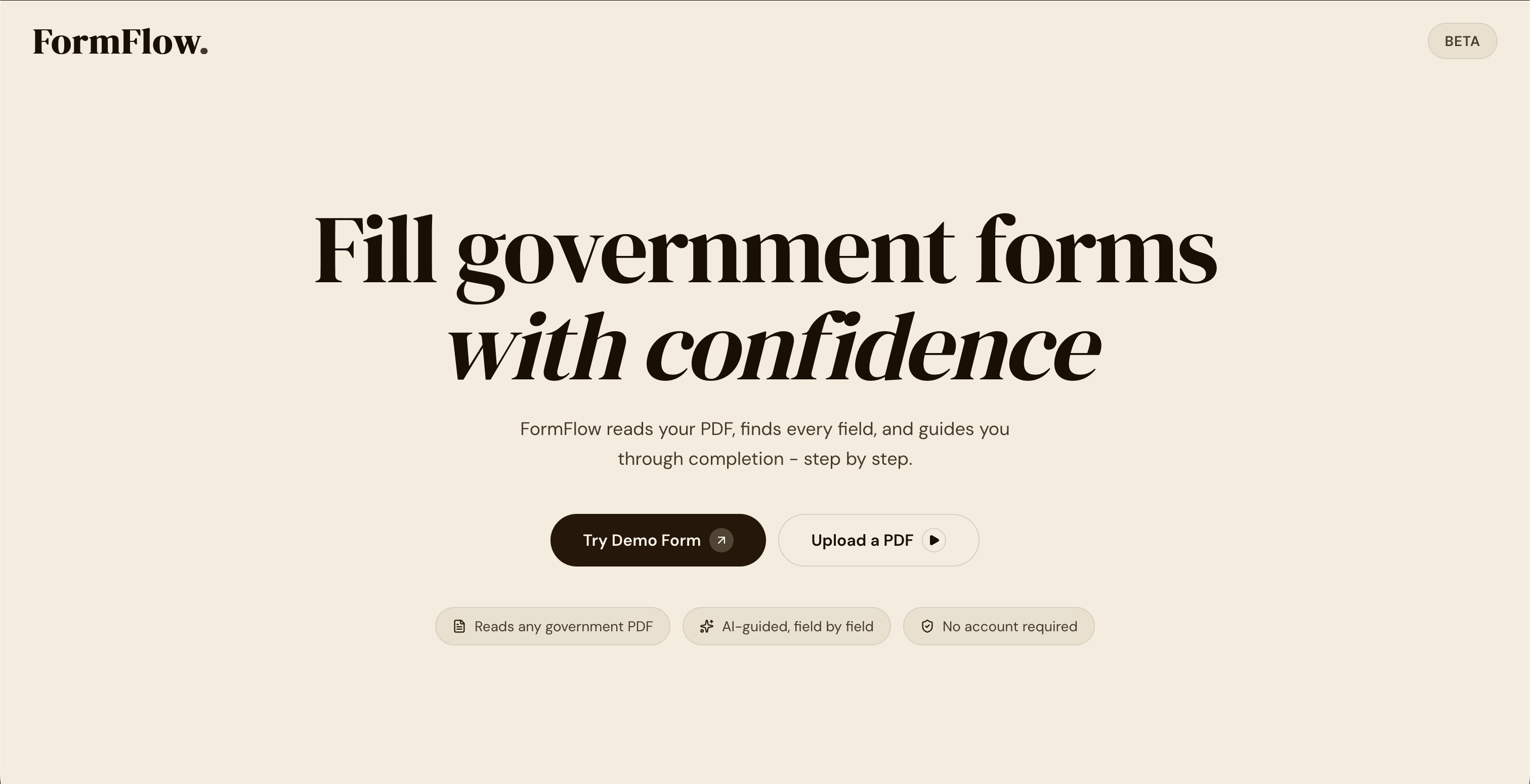
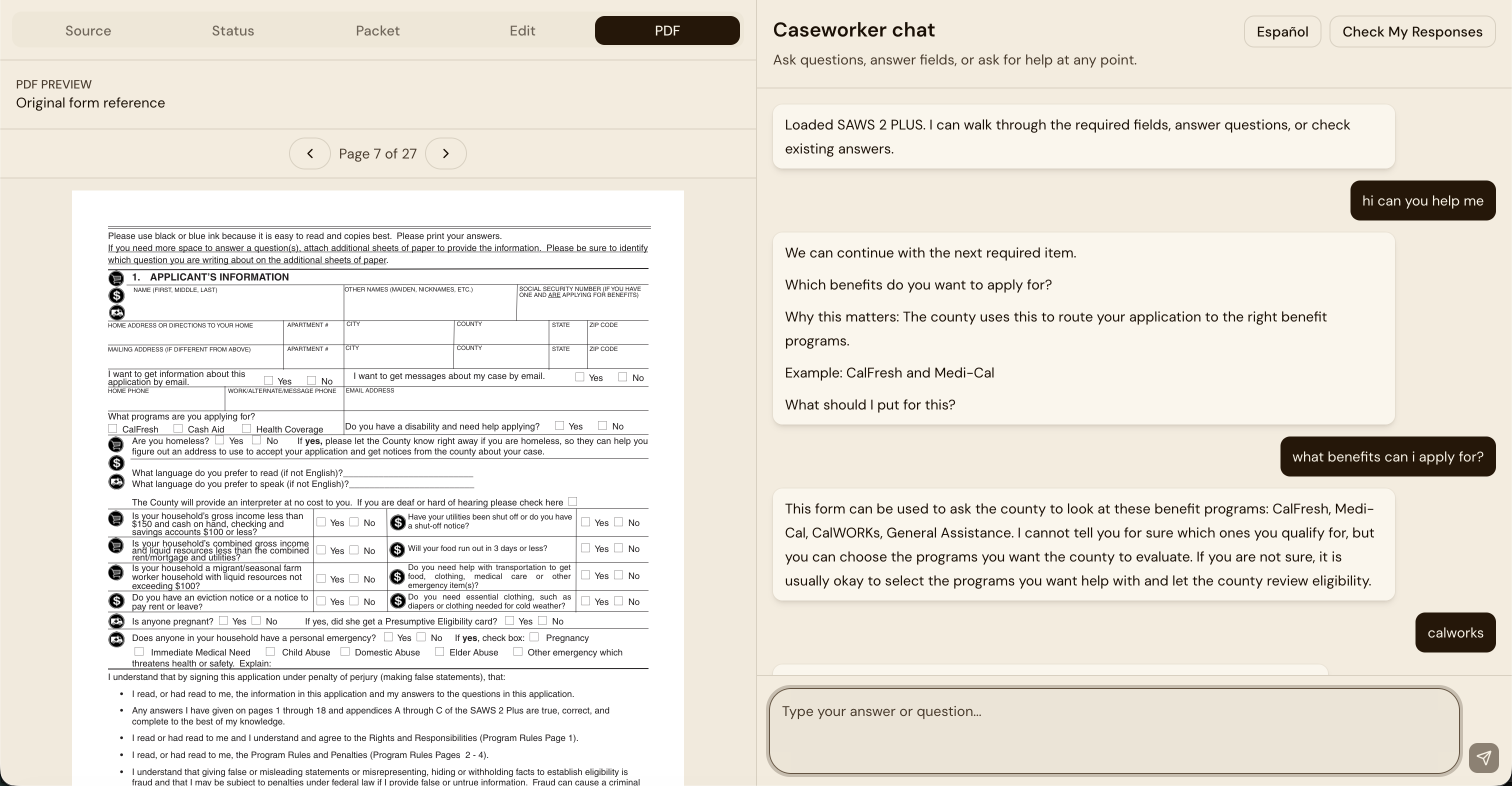
FormFlow is a web app that makes filling out complex forms easy. Users upload a PDF of a government document, and our AI reads and analyzes it.
Instead of staring at boxes, users can simply talk through their situation in any language. FormFlow acts as an interactive guide—walking them through each section, reviewing their answers, and filling in context to help them feel comfortable with the process and save time. For this prototype, we specifically targeted the SAWS 2 PLUS form for CalFresh, programs that assist citizens with basic food needs and medical expenses because it is an especially long government document (27 pages) with complex questions and formatting. Our primary target audience includes those in underserved communities, caregivers, and immigrant applicants. As we scale the application, our secondary audience includes the case workers, social workers, and legal aides who guide millions of individuals through these forms, giving them a reliable tool to share with clients who need extra support.
How we built it
We built FormFlow utilizing Kiro, transitioning fluidly between early ideation, spec-driven development, and implementation.
Spec-Driven Development: We began in spec mode for planning, generating a PRD to outline our app. We created requirements.md and design.md, which we then compiled into a tasks.md file to outline each phase Kiro needed to implement. By generating steering documentation, we narrowed the project scope and reinforced important architecture rules. Agent Hooks: To automate our workflow and improve Kiro's output, we created several powerful hooks: Accessibility Check: Triggered on UI edits to ensure we met low-digital-literacy standards (plain language, high contrast, minimum text size, no color-only statuses). Schema Consistency Guard: Validated that demo fields had required properties and ensured JSON, TypeScript, and Zod schemas stayed perfectly in sync. State Logic Review: Ensured source-of-truth state stayed minimal, derived data was recomputed rather than persisted, and AI responses passed strict validation before touching app state. Prompt Log: Tracked prompts for process tracking. (Disabled during rapid dev) Demo Path Smoke Review and Spec Drift Guard were also built to verify end-to-end flows and prevent the AI from drifting out of our MVP scope.
Challenges we ran into
Building FormFlow presented several technical and strategic hurdles. Early on, our custom development hooks caused slow feedback loops because they triggered too broadly; we figured out that we had to make our hooks specific and refine their conditions to run only on specific files to optimize our development speed.
Within the app itself, we spent a lot of time attempting to build a visual "form box highlighting" feature to guide users. However we realized this was out of scope in the few hours that we had, we pivoted entirely to an agentic, conversational assistance model, which proved to be a much more accessible UX.
Finally, processing massive, dense government PDFs quickly led to API rate limits. We solved this data bottleneck by implementing local caching and chunked document requests to ensure the AI could extract data seamlessly.
Accomplishments that we're proud of
Being able to simplify a complex government document and making it intuitive and simple to work with is the accomplishment we are most proud of because bridging the gap between rigid, outdated government infrastructure and modern AI is incredibly difficult. We successfully built a system that takes a massive, dense PDF and dynamically translates it into a fluid, conversation flow. Building a robust engine that actively handles schema validation and complex data extraction behind the scenes.
What we learned
Building FormFlow taught us the importance of structuring our interactions with AI. We learned how to refine our approach to "vibe coding" by making it much more methodical; before starting a large task, we made it a habit to bounce ideas back and forth with Kiro a few times to verify our implementation strategy was optimal.
Additionally, we learned how to maximize our use of the Model Context Protocol (MCP). By utilizing the Context 7 MCP, we gave our agent access to up-to-date documentation, like Shadcn UI, which supercharged our rapid frontend development.
We also learned how to implement custom development hooks effectively by making their trigger conditions highly specific, which saved us valuable time.
Finally, we learned how to create incredibly robust, spec-driven workflows, leaning heavily on Kiro's strength in generating organized architectural specs to guide our engineering process.
What's next for FormFlow
Next up is real-world user testing. We plan to put the app in the hands of our target demographic to measure if it truly solves their roadblocks, increases their comfort level, and speeds up the form-filling process. Once validated by users, we want to demo the platform to government assistants and case workers to gather their expert feedback on what features could be added or refined. To further enhance our web application, we plan to fully flesh out the multi-language audio capabilities so users can have a completely hands-free, conversational experience. Additionally, we want to build out dedicated dashboard features for our secondary audience (case workers and legal aides) allowing them to manage client files, track form progress, and scale their impact. This app could relatively easily extend to Asylum-seekers in life and death situations, many social workers, and anyone filling out government forms like W2 or social security. Ultimately, our goal is a full deployment for both the general public and official government use.
Built With
- api
- base
- css
- eslint
- fast-check
- jsdom
- library
- lucide
- msw
- next.js
- openai
- postcss
- react
- react-pdf
- shadcn/ui
- tailwind
- testing
- turbopack
- typescript
- ui
- vitest
- zod
- zustand

Log in or sign up for Devpost to join the conversation.