Inspiration
Anyone who's taken a theory-of-computation course has stared at a JFLAP window or scribbled state diagrams on graph paper while the textbook example "construct a DFA that accepts binary strings ending in 01" sat unhelpful next to it. JFLAP needs a Java install. Online drawing tools let you draw the picture but won't simulate it. The free evanw/fsm designer (2010) is minimal and elegant but has been frozen for over a decade with an open backlog of pull requests that never landed.
I wanted the tool I wished I'd had as an undergrad: draw an FSM on a phone during a lecture, run an input through it to see if it accepts, convert the regex from the assignment into an NFA without doing Thompson by hand, and minimize a DFA without slogging through partition tables. All in a browser tab, no install, no signup, no Java.
What it does
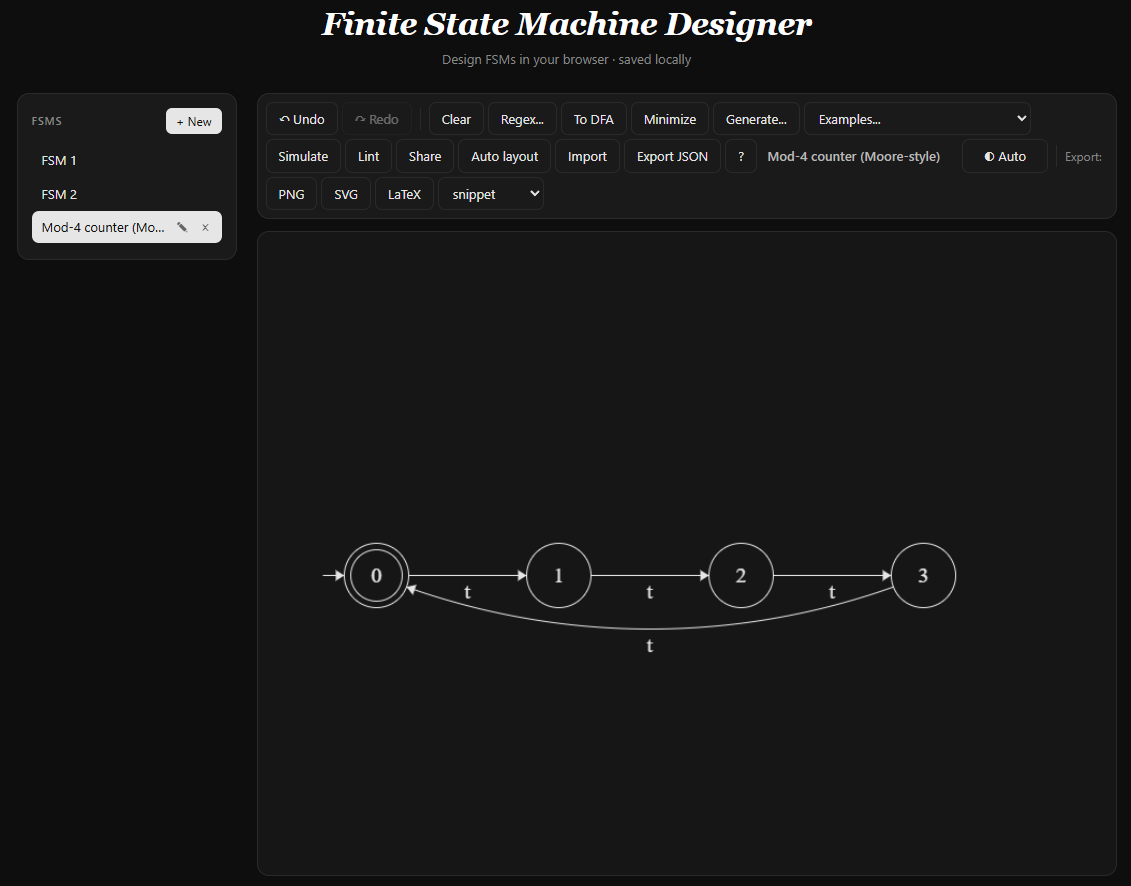
FormalSketch is a finite state machine studio in 122 KB of vanilla JavaScript. Live at https://formalsketch.github.io.
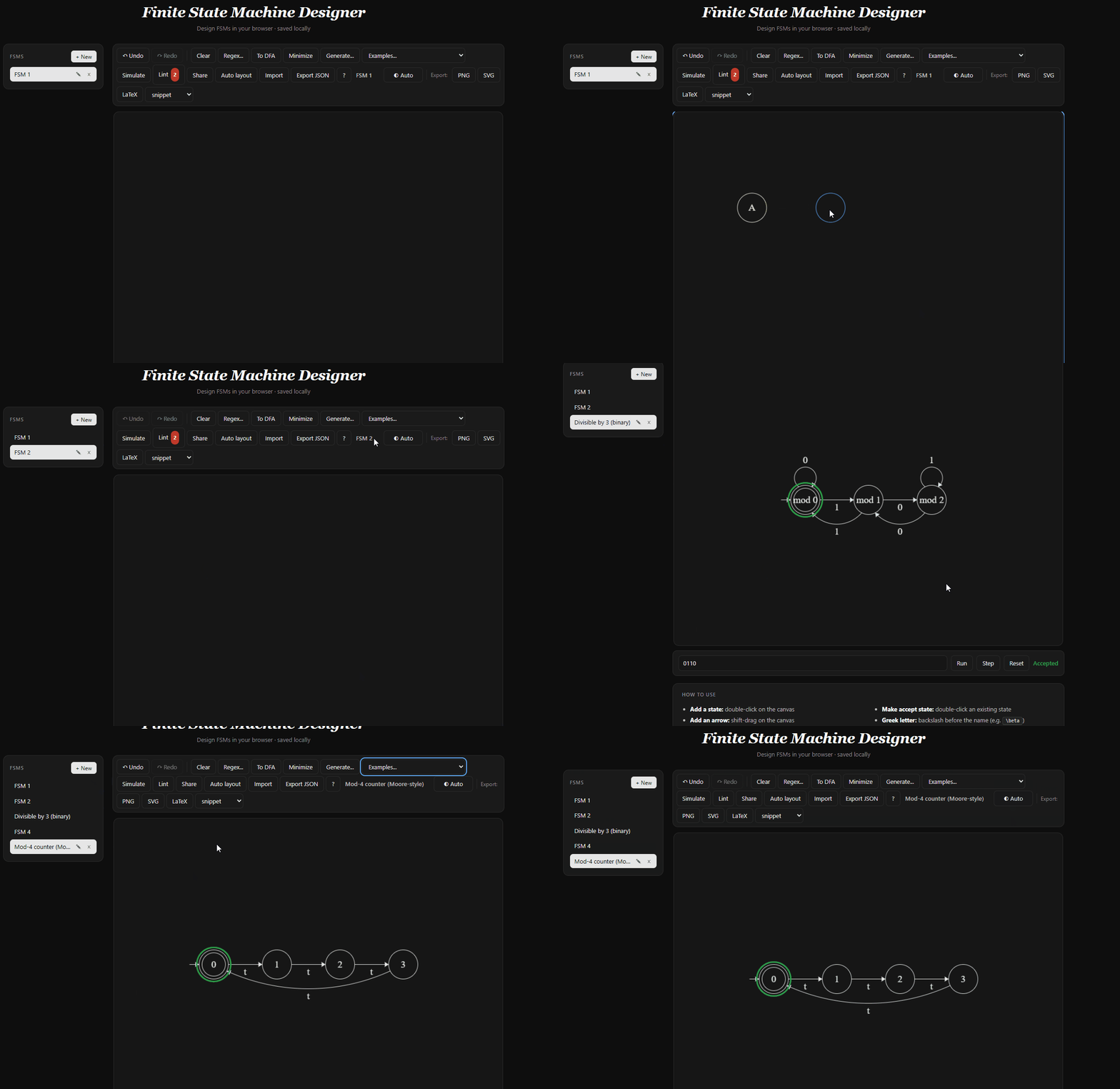
- Draw states and transitions on a canvas. Double-click to add a state, shift-drag to add an arrow, drag to move, Delete to remove. Touch input and keyboard-only operation both work.
- Simulate an input string. The current state set gets a colored ring; step one symbol at a time or run the whole input. Nondeterminism is handled by exploring every branch. Empty transition labels are epsilon.
- Convert regex to NFA via Thompson's construction. Type
(a|b)*abb, see a 14-state NFA with epsilon edges materialize, then watch subset construction collapse it to 5 states and partition refinement minimize it to 4. - Lint the diagram. Warns about missing start states, nondeterministic transitions, missing transitions for an alphabet symbol, and unreachable states. Categories are toggleable.
- Describe in plain English. A natural-language panel lets you type "an FSM that accepts binary strings with an even number of 1s" and a generative model returns a valid diagram. The reverse direction, "describe what this FSM accepts", produces a concise English explanation.
- Share any diagram by URL (base64-url of the snapshot JSON in the location hash). Import / export as versioned JSON. Export as PNG, SVG, or LaTeX (TikZ-compatible, standalone document or snippet mode).
How I built it
- Vanilla JavaScript, no framework, no bundler beyond a 50-line concatenator.
node build.jswalkssrc/, sorts files deterministically, normalizes line endings, and writes onefsm.jsto the repo root. - HTML5 canvas for every render. The SVG and LaTeX exporters implement the subset of the 2D context API the drawing code actually uses, so a single
drawUsing(c)call paints to screen, to SVG, or to TikZ depending on what you pass. - Algorithms in
src/main/, each a pure function over FSM JSON:- Thompson's construction -- a hand-written recursive-descent parser over
expr = term ('|' term)*; term = factor*; factor = atom ('*'|'+'|'?')?; atom = '(' expr ')' | literal, then a fragment-by-fragment NFA build. - Subset construction -- BFS over epsilon-closures of NFA-state subsets, keyed by sorted index for hash lookup.
- DFA minimization -- Moore's partition refinement. Initial partition is accept / non-accept; refine on per-symbol target classes until the partition is stable.
- Sugiyama-style layout -- BFS-assigned layers, even vertical spacing, post-pass that scales the bounding box to fit the canvas with a minimum scale cap.
- Thompson's construction -- a hand-written recursive-descent parser over
- Persistence: each diagram is one JSON object in
localStorageunder a workspace key. A sidebar lists every FSM in the workspace; switching saves and restores per-diagram snapshot history. - Mobile: touch handlers wrap the mouse handlers, double-tap detection mirrors double-click, a floating "Arrow mode" toggle replaces Shift for transition creation. CSS
aspect-ratioplus a70vhcap keeps the canvas inside any viewport. - Accessibility: every toolbar control has
aria-labeland visible focus, the canvas hasrole="application"with anaria-describedbypointing to a live region that summarizes the diagram in natural language ("3 states, start q0, accept q2, 5 transitions"), full keyboard-only operation (Tab cycles, N adds a state, L starts an arrow, arrows nudge by 5px, Shift+arrow by 1px, Escape deselects), and aprefers-reduced-motionoverride. - CI: GitHub Actions runs
node --checkon the bundle, a Lighthouse pass that gates on performance / accessibility / best-practices each \( \geq 0.9 \), and a Playwright smoke test that draws a state, labels it, exports SVG, and asserts the label is in the SVG body.
Challenges I ran into
- Reusing the drawing code for three output formats without an abstraction layer. The fix was to keep the drawing code calling raw canvas methods and write the exporters as objects that quack like a 2D context. Adding a LaTeX-snippet mode for embedding into existing TeX documents (vs. standalone) was three lines in the exporter and one toolbar dropdown.
- NFA simulation with epsilon transitions. The naive step-on-symbol approach misses states reachable only through epsilon chains. Correct approach: take the epsilon-closure of the initial state set, step on the input symbol, then take the closure again. Verified against the canonical (a|b)*abb example: NFA -> DFA -> minimum DFA correctly collapses to 4 states.
- Keyboard navigation without making the canvas a keyboard trap. Tab inside the canvas cycles selection through nodes then links, but the first attempt always intercepted Tab, so users couldn't tab back off the canvas to the toolbar. Fix: at the boundary of the cycle (past the last item, or before the first on Shift+Tab), deselect and let Tab fall through to the browser's normal focus order.
- Fitting generated diagrams to the canvas. Thompson's construction on
(a|b)*abbproduces 14 states in 7 BFS layers - at the original spacing, that's wider than the 800 px canvas buffer. Solution: a post-layout pass that computes the bounding box, scales uniformly to fit, recenters, with a lower scale bound of0.45to keep node circles from overlapping. - Encoding diagrams in URLs without a compression library. Measured base64-url of the snapshot JSON (~1.35x overhead) against a hand-rolled LZ77. For typical FSMs (5-25 states, 300-1500 bytes JSON) base64-url produces 400-2000 character URLs, well under every browser's fragment limit, and is two functions instead of two hundred lines. Skipped LZ77.
What I learned
- Vanilla JavaScript still goes far. The whole studio is one HTML file plus a 122 KB script with zero runtime dependencies. No framework would have made any of the features easier to write; several would have made the result larger and slower to load on a phone.
- Treating every algorithm as a pure function over an FSM JSON object pays off twice. Once for testability (Node smoke tests run them without any DOM at all), and once for UI consistency -- every result flows through the same
applyFSMJsonAsNewpath as a file import, so undo/redo, persistence, and the workspace list all just work. - Lighthouse-as-CI is a sharper review tool than I expected. The 0.9 accessibility gate caught two missing
aria-labels before they ever shipped.
What's next
- Pushdown automata and Turing machines (same UI, broader formal-language coverage).
- Step-back debugging in the simulator (currently forward-only).
- A community library of shareable diagrams that doesn't depend on the URL-hash trick.

Log in or sign up for Devpost to join the conversation.