Inspiration
As a designer specializing in developer experience, particularly for enterprise and internal-use software, I am deeply invested in improving how users interact with forms. These tools often rely heavily on forms, and ensuring they are filled out correctly is crucial. The idea for Form Helper Chrome arose from a common issue: users frequently struggle with form errors, leading to repeated mistakes and frustration. This challenge is not unique to my observations; Google Material Design Guidelines 1, 2, and 3 also emphasize the importance of effective error handling in form design.
| Figure | Description |
|---|---|
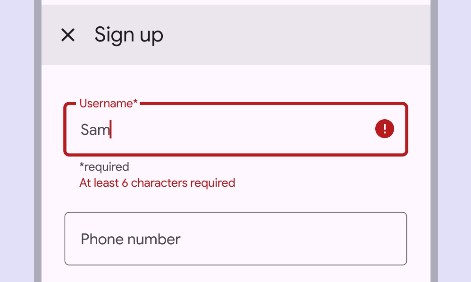 |
Figure 1: Google Material Design guidelines emphasize not adding error text in addition to supporting text, as their appearance will shift content. |
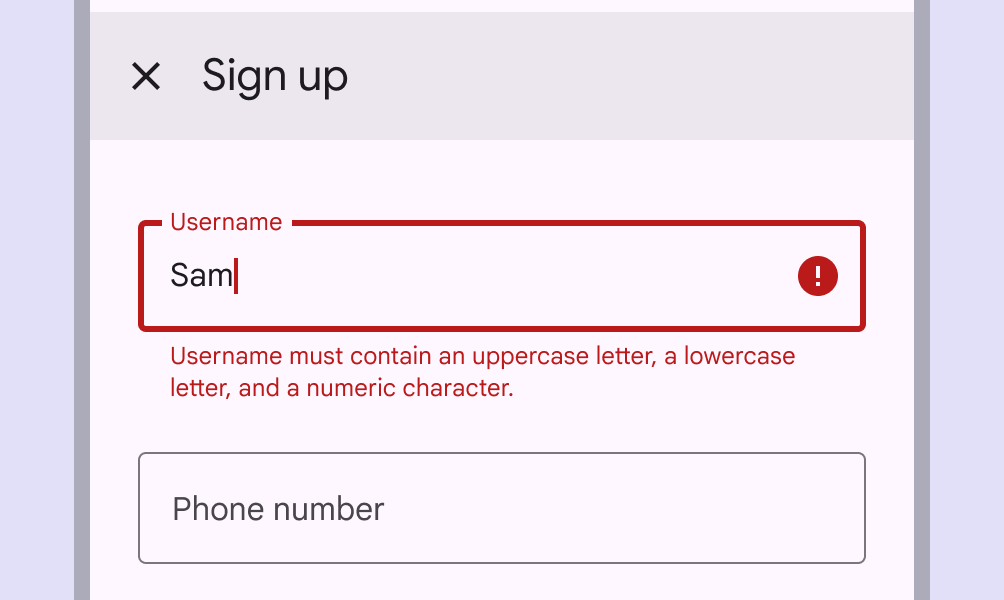 |
Figure 2: Long errors can wrap to multiple lines if there isn't enough space to clearly describe the error. Ensure padding between text fields is sufficient to prevent multi-lined errors from bumping layout content. |
These guidelines highlight the importance of clear and concise error messaging to prevent user frustration and improve form completion rates. Inspired by these principles, I wanted to leverage design thinking to create a solution that enhances the form-filling experience and boosts user satisfaction.
Conceptualizing the Solution
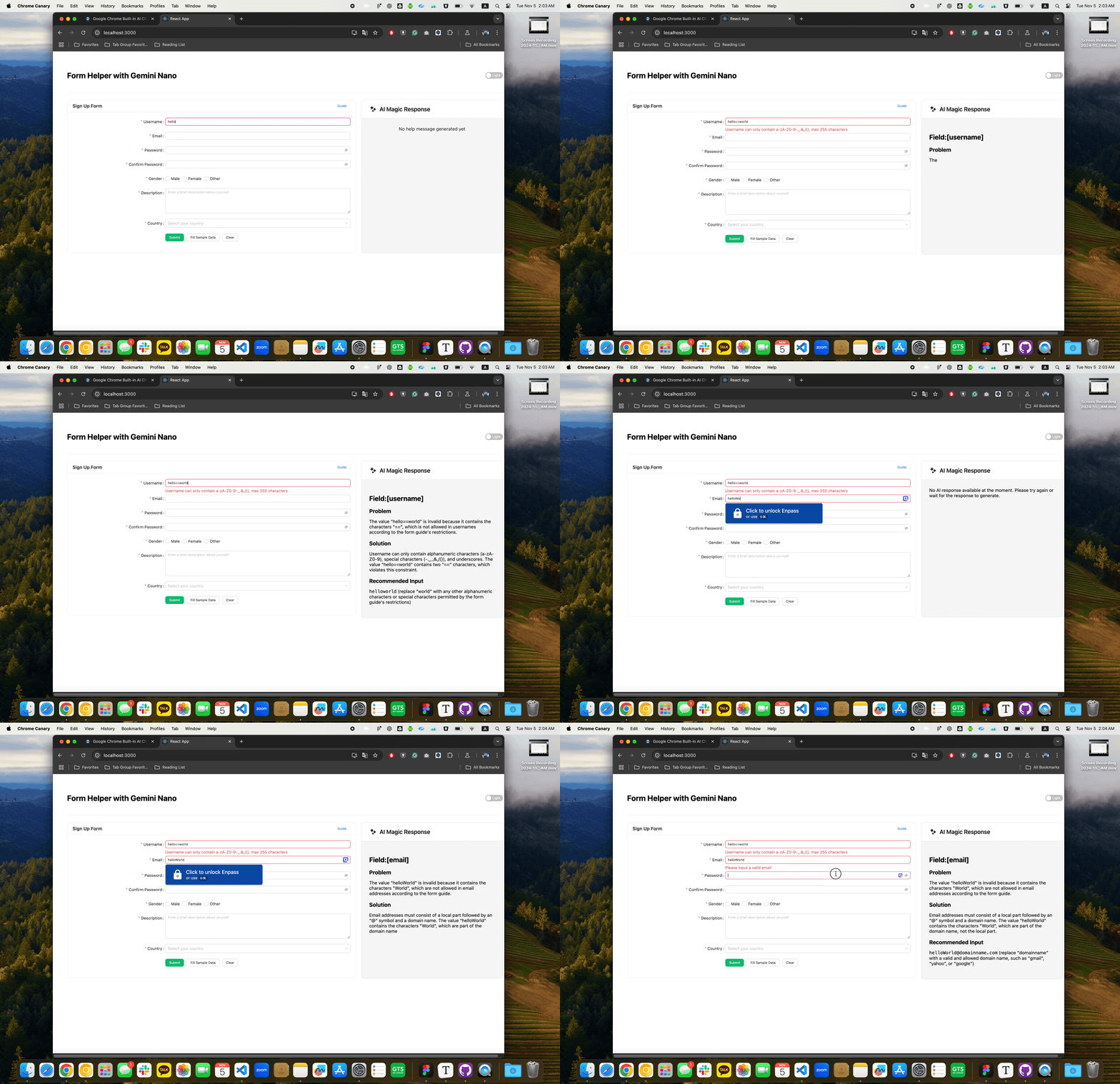
The vision was to utilize Chrome's built-in AI APIs to develop a real-time, contextual error resolution assistant specifically for form interactions. The approach involves creating prompts based on on-screen error messages, current field values, and relevant guidance content. These prompts are then processed by the AI to generate helpful content that provides users with immediate, actionable solutions directly next to the form fields. This method aims to reduce cognitive load and streamline the form completion process by offering clear and concise assistance at the point of need.
Features and Usage
FormHelperChrome Component
The FormHelperChrome component is designed to render AI-generated suggestions and solutions directly next to form fields. By integrating this component into your React application, you can provide users with real-time feedback and guidance, reducing the likelihood of repeated errors.
import React from 'react';
import { FormHelperChrome, createPrompt } from 'form-helper-chrome';

const App = () => {
  const error = {
    name: ['fieldName'],
    errors: ['This field is required'],
    value: '',
    touched: true
  };

  const prompt = createPrompt(error, "<p>Your form guide here</p>");

  return (
    <FormHelperChrome
      prompt={prompt}
      fontSize="14px"
      isDarkMode={false}
      plain={false}
    />
  );
};

export default App;

This image demonstrates how the FormHelperChrome component provides contextual error messages and guidance, helping users to correct errors efficiently and complete forms accurately.
Custom Prompt Example
For more control, you can create a custom prompt manually. This allows you to tailor the AI's response to specific needs.
const customPrompt = `
  # Custom Form Guide:
  ${formGuideHtml}

  # Custom Error Description:
  Field: ${error.name.join(".")}
  Value: ${error.value}
  Error: ${error.errors.join(", ")}

  Please provide a response in the following format:
  ${outputFormat}
`;
Customization Options
The FormHelperChrome component offers flexible customization to fit your application's design:
- fontSize: Adjusts the text size.
- isDarkMode: Enables dark theme styling.
- plain: Renders markdown content without additional styling.
Conclusion
Form Helper Chrome is a straightforward yet effective tool that leverages Chrome's built-in AI for real-time, local, and free error handling in forms. Its ease of integration allowed me, even as a designer, to seamlessly incorporate it into JavaScript projects. Thanks to Google's innovation, I hope to see these features soon in Chrome's stable release, broadening their reach and utility.


Log in or sign up for Devpost to join the conversation.