Inspiration
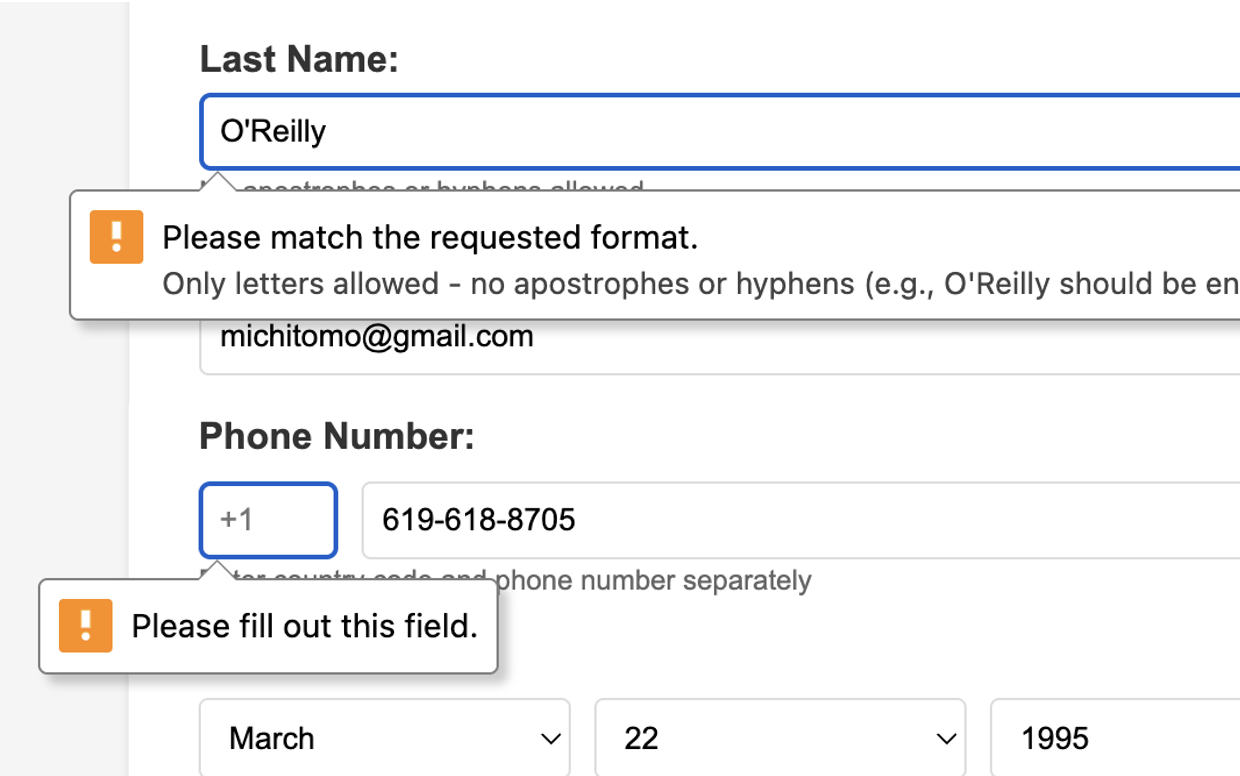
Filling out online forms is frustrating. We've all experienced it—typing the same information over and over: name, email, phone, address. Chrome's built-in auto-fill tries to help, but it fails on complex forms. Phone numbers need specific formatting like (123) 456-7890. Addresses must be split across multiple fields. Date formats vary wildly. Validation patterns reject your data.
I wanted to solve this problem while respecting user privacy. Form Genie was born from the idea: what if AI could understand forms the way humans do, adapting our data to match any requirement—without sending anything to the cloud?
What it does
Form Genie is a Chrome extension that intelligently auto-fills web forms using Google's Gemini Nano AI—running 100% on-device. You save your information once (name, email, phone, address, birth date), then right-click on any webpage and select "Fill with Form Genie."
The AI analyzes the form's structure by examining HTML attributes (labels, placeholders, patterns, validation rules), then dynamically transforms your saved data to match each field's requirements:
- Splits full addresses into separate street, apartment, city, state, and ZIP fields
- Reformats phone numbers with or without country codes and brackets
- Converts dates between MM/DD/YYYY, DD/MM/YYYY, and YYYY-MM-DD formats
- Handles regex patterns and select dropdown exact matches
If validation errors occur, a second AI pass with higher creativity fixes edge cases. All processing happens locally—your data never leaves your browser.
How we built it
Tech Stack:
- Chrome Extension (Manifest V3)
- Gemini Nano via Chrome's Prompt API
- Vanilla JavaScript for content scripts and service worker
- HTML5/CSS3 for popup UI
Architecture:
- Extension Components: Service worker handles context menu triggers. Content script injects into web pages to analyze forms and apply AI-generated values. Popup manages user profile storage.
- Two-Stage AI Pipeline:
- Stage 1 (Fill Mode): Temperature 0.5, TopK 10—deterministic filling
- Stage 2 (Fix Mode): Temperature 0.8, TopK 50—creative validation fixing
- Smart Field Analysis: Extract metadata from every input (type, name, label, placeholder, pattern, min/maxlength, required attributes, dropdown options)
- Context-Aware Prompting: Generate detailed prompts that include field requirements and user profile data, instructing the AI to return JSON mappings
- Validation & Recovery: Detect client-side validation errors (invalid states, pattern mismatches), then re-prompt AI with specific constraints
Challenges we ran into
Prompt Engineering Complexity: Getting Gemini Nano to consistently output valid JSON with correct field mappings took many iterations. Early versions produced prose or hallucinated field names. Solution: Explicit JSON-only instructions and comprehensive field metadata.
Form Diversity: Some sites don't use
tags. Others have dynamic fields loaded by JavaScript. Solution: Query all input elements globally, not just within forms. Added delay support for dynamic content.
Accomplishments that we're proud of
Solved a real problem: Form filling is universally frustrating. Form Genie actually works on diverse, complex forms—not just toy demos.
Privacy-first by design: All AI runs on-device. Zero external API calls. Zero data collection. Users have complete control.
Innovative AI application: The two-stage pipeline (fill + fix) with temperature variation is a novel approach to handling validation constraints.
Production-ready code: Clean architecture, comprehensive error handling, modular design, extensive documentation.
Universal compatibility: Works on any website with any form structure—even edge cases without tags.
What we learned
On-device AI changes everything: Gemini Nano enables privacy-respecting AI features impossible with cloud APIs. Users can trust their sensitive data stays local.
Prompt engineering is an art: Small changes in prompt wording dramatically affect output quality. Explicit instructions, structured formats, and comprehensive context are crucial.
Validation is critical: Client-side validation detection and recovery transforms the user experience from "mostly works" to "always works."
AI temperature matters: Lower temperature (0.5) for deterministic tasks, higher temperature (0.8) for creative problem-solving. This two-stage approach significantly improved success rates.
User experience over features: A simple right-click menu is better than complex UIs. Fast feedback (loading indicators) builds trust.
What's next for Form Genie
Multi-profile support: Save separate profiles for work, personal, testing—switch between them easily
Enhanced multi-language support: Better handling of Japanese, Chinese, Arabic, and other non-Latin scripts
Form learning: Remember site-specific patterns and field mappings to improve accuracy over time
Confidence indicators: Show users which fields the AI is certain about vs. uncertain
Chrome Web Store publication: Make Form Genie easily installable for all users
Visual feedback: Highlight filled fields, show before/after transformations for transparency

Log in or sign up for Devpost to join the conversation.