Inspiration
I have sat with a city form and a short deadline, scrolling between a signature line, a fee note, and a box that turned out to be for office use only. The form was only a few pages, but the real effort was deciding what actually had to be filled. I wanted a one-screen checklist built from the official field list, not a guessed reading of a photo.
What it does
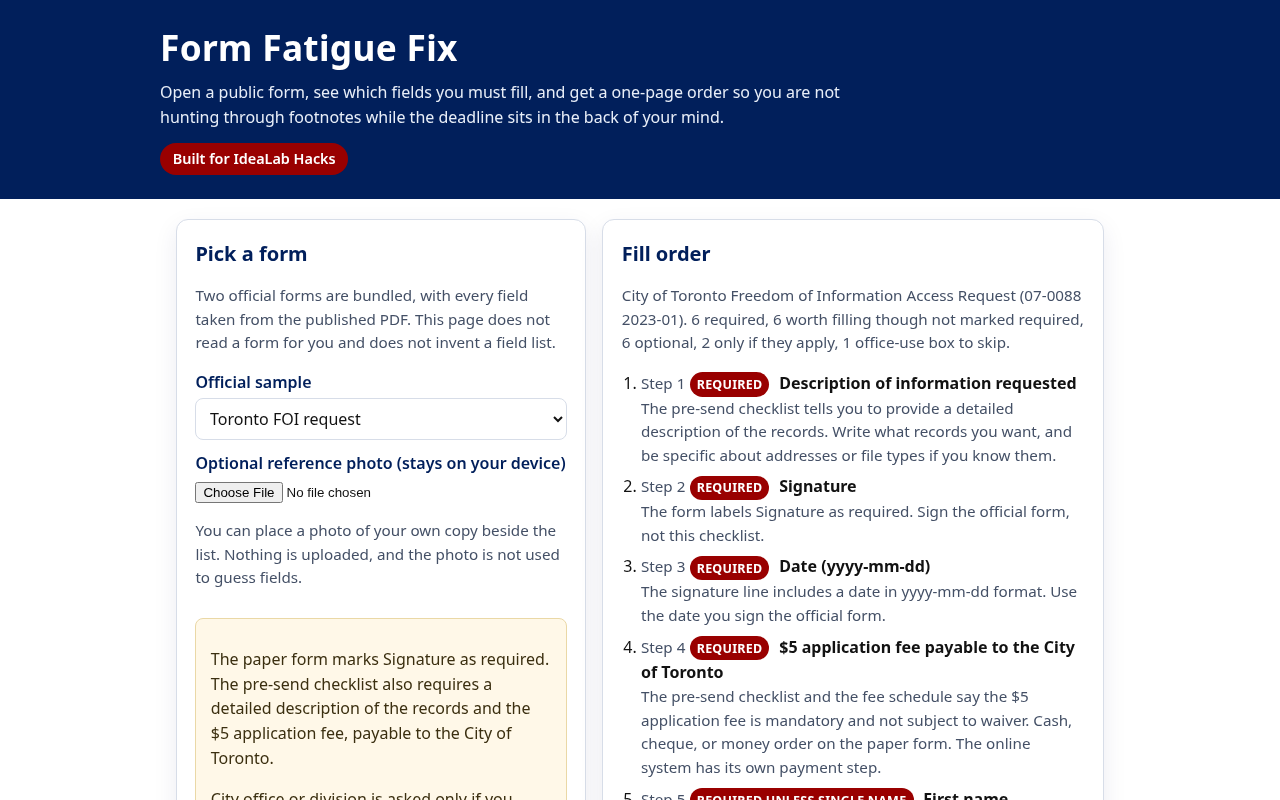
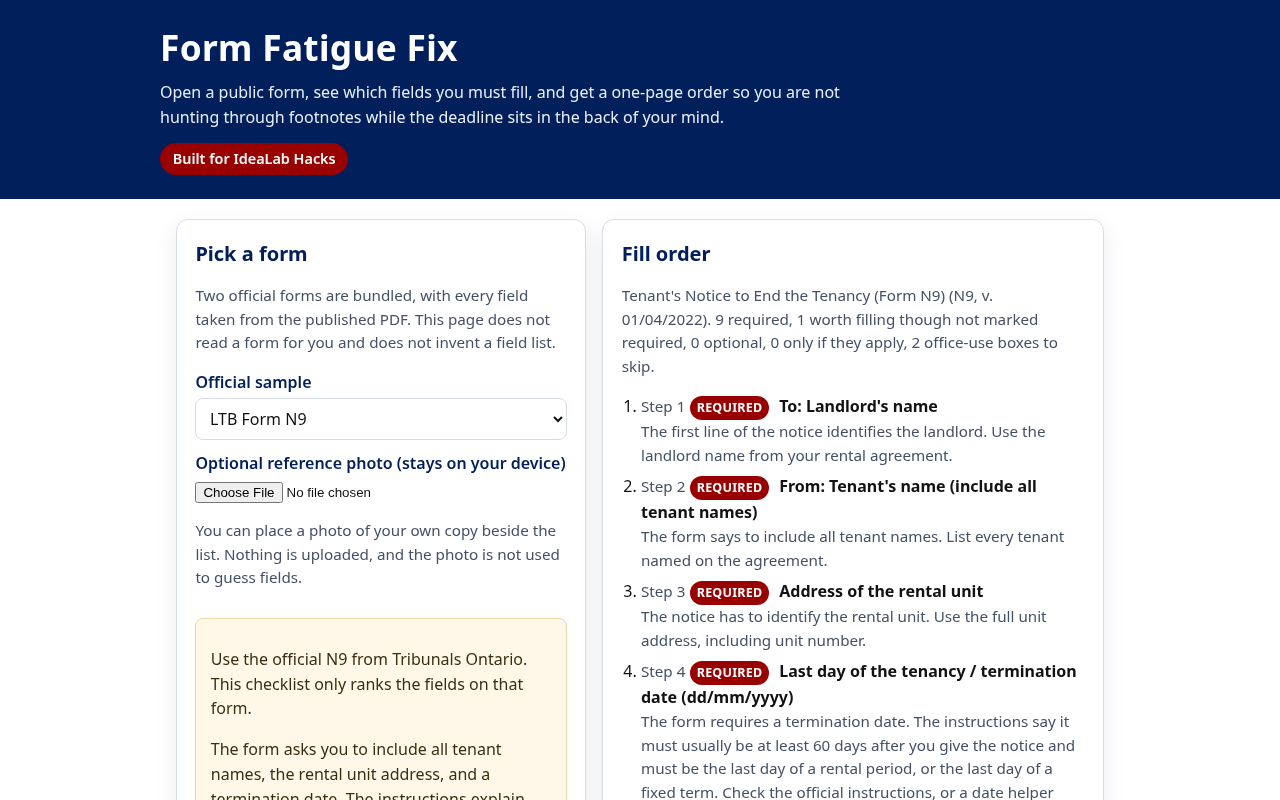
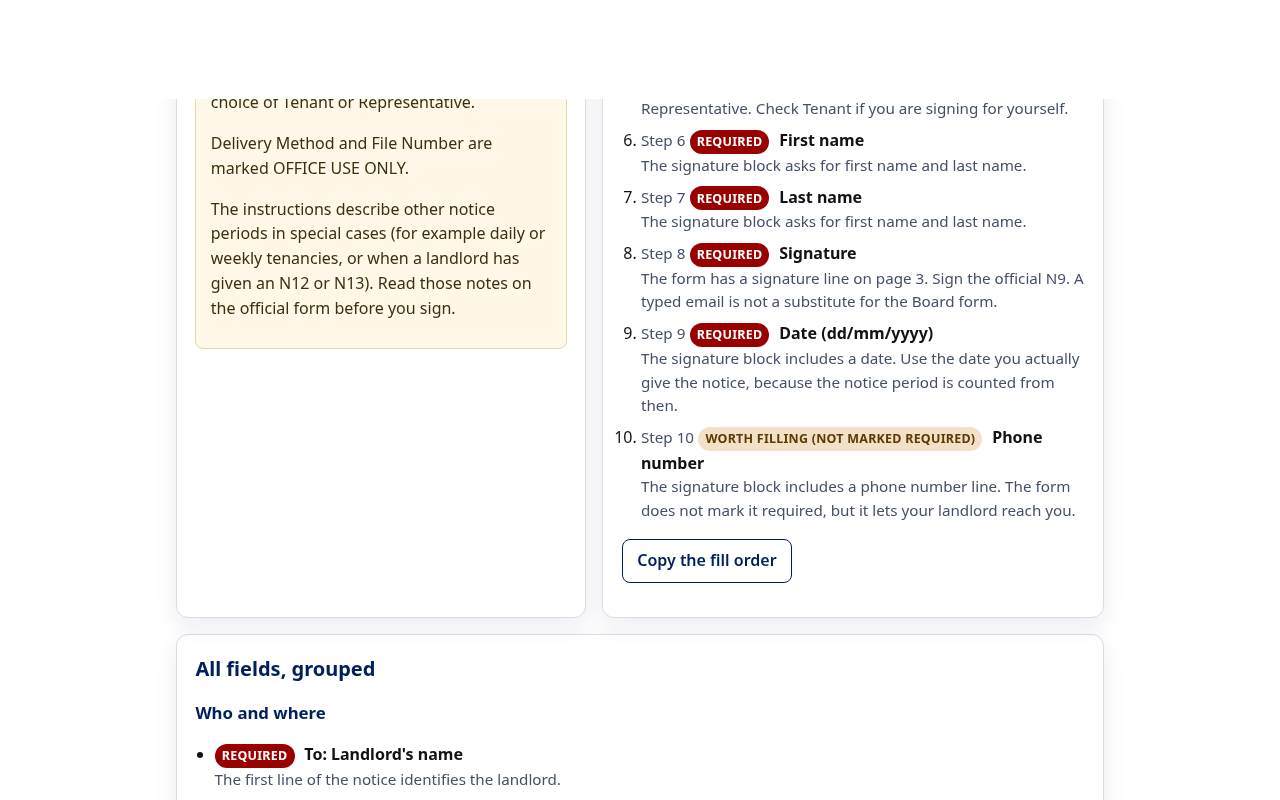
Form Fatigue Fix lets you pick one of two public forms: the City of Toronto Freedom of Information Access Request (07-0088 2023-01) or the Landlord and Tenant Board N9, the tenant's notice to end a tenancy. Every field gets one of six labels: required, required unless you have a single name, worth filling though not marked required, only if it applies, optional, or office use. The page then builds a numbered fill order you can copy, with office-use boxes left out. You can place a photo of your own copy beside the list. The photo stays in your browser and is never used to guess fields.
How I built it
Plain HTML, CSS and JavaScript with no build step, hosted on GitHub Pages. The field lists live in one JSON file, copied by hand from the official PDFs and the city's FOI guide, with the source link and form code shown next to each list. Node tests check the key labels, confirm office-use boxes never reach the fill order, and confirm every label in the data is one the page knows how to show. A GitHub Actions workflow runs the tests before each deploy.
Challenges I ran into
Staying honest about what the paper form actually says. The FOI form marks only the signature as required, yet a reply is impossible without an address or phone number. Calling those lines required would have been a guess, so I added a separate label for lines that are worth filling but not marked required. Keeping lines such as "if you know it" from looking mandatory, and letting a first and last name pair sit beside the single name option, took a few passes.
Accomplishments that I'm proud of
A working checklist on two real public forms, with every label traceable to a line on the official document. A copyable order that skips office-use boxes. A photo tray that never sends the file anywhere. Tests that fail if a label drifts.
What I learned
Most form fatigue is not the page count. It is the mix of required, optional and "do not fill" on one sheet. Showing the source PDF next to each list builds more trust than a clever parser would.
What's next
Add more official Ontario forms the same way, field by field from the published instructions. A print view for the fill order. The rule stays the same: the page will not guess fields from a photo.
Note on timing
All code and data in this project were written during IdeaLab Hacks, between 9 and 13 November 2026. No earlier project was reused.