-
-
ForkTrace_Image_1
-
ForkTrace_Image_2
-
ForkTrace_Image_3
-
ForkTrace_Image_4
-
ForkTrace_Image_5
-
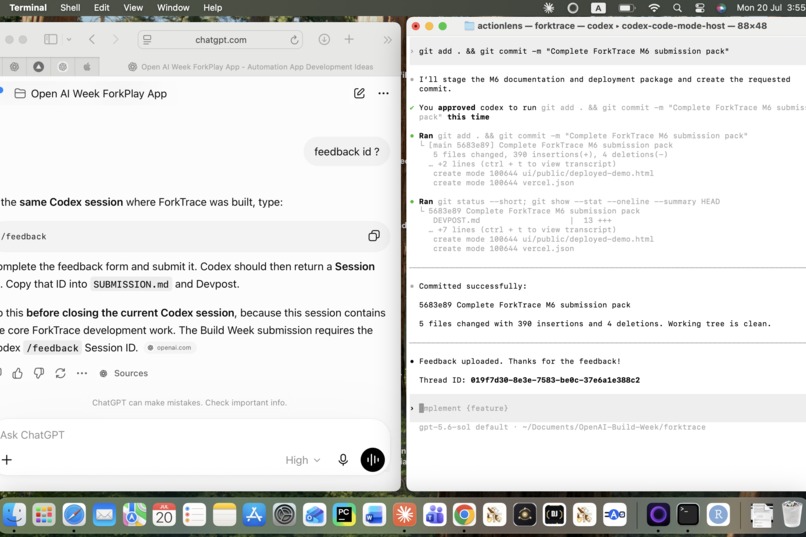
Codex and ChatJPT Working Evidence
Inspiration
AI-agent failures are difficult to debug. Existing tracing tools can show a long sequence of messages and tool calls, but developers often still need to rerun the whole workflow to test one possible correction.
ForkTrace was inspired by a simple question: What if a developer could pause an agent run at the failed step, change one value, and replay only what follows—without changing the original evidence?
What it does
ForkTrace is time-travel debugging for AI agents.
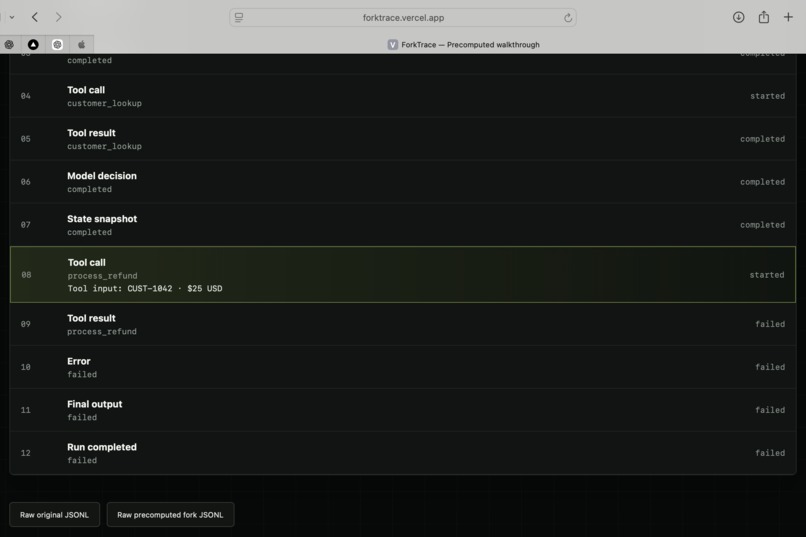
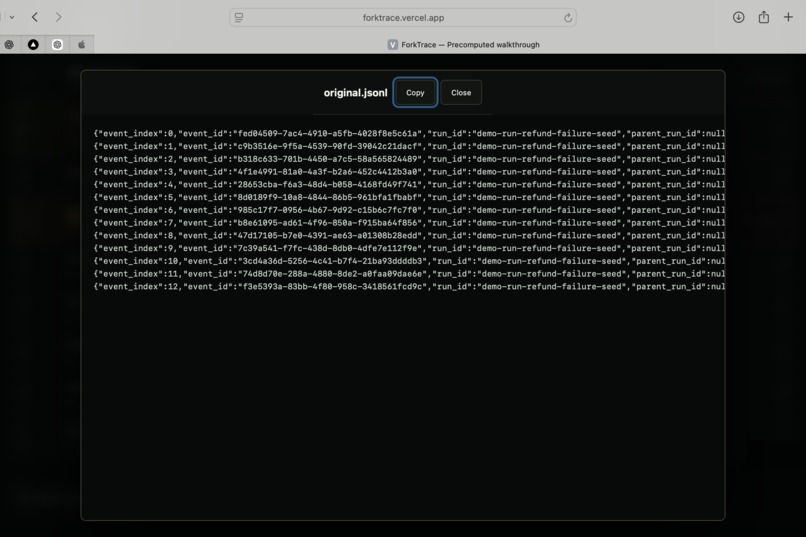
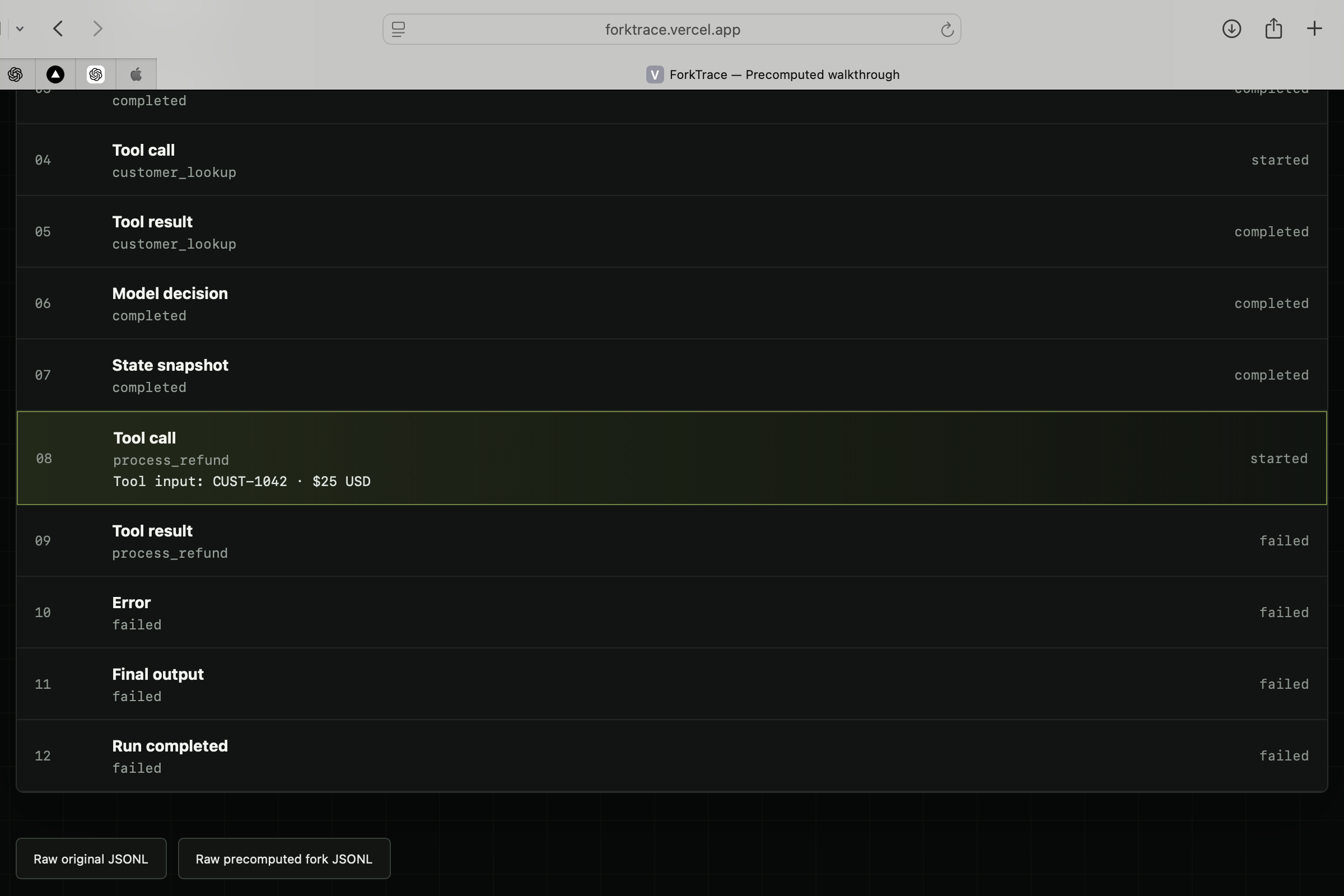
It records observable execution events such as user input, model messages, tool calls, tool results, state snapshots, errors, and final outputs. A developer can select a failed event, create an immutable fork, edit one tool argument, and replay the downstream path.
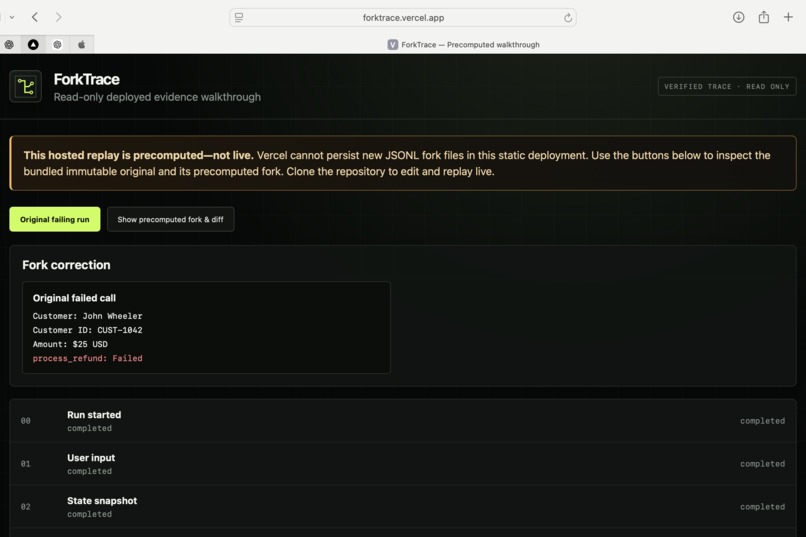
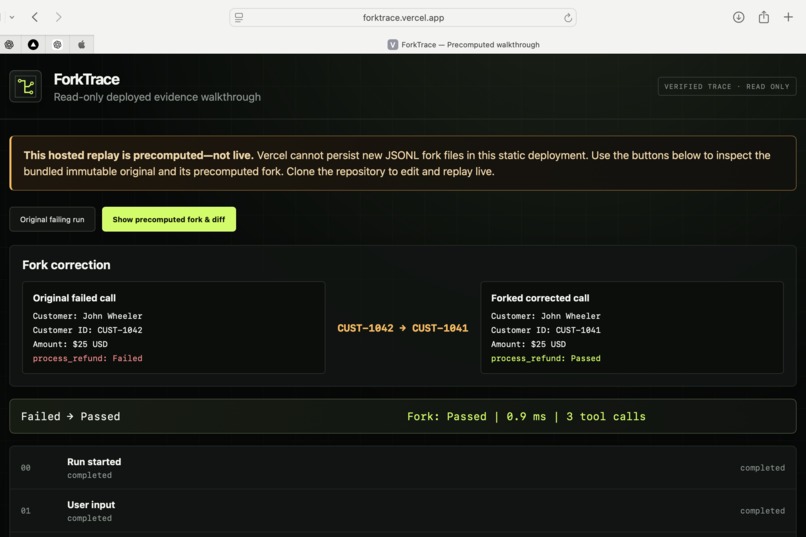
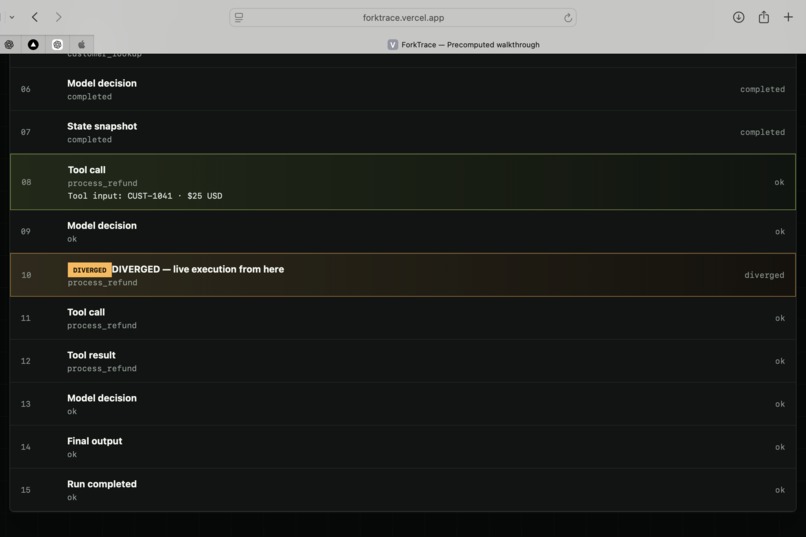
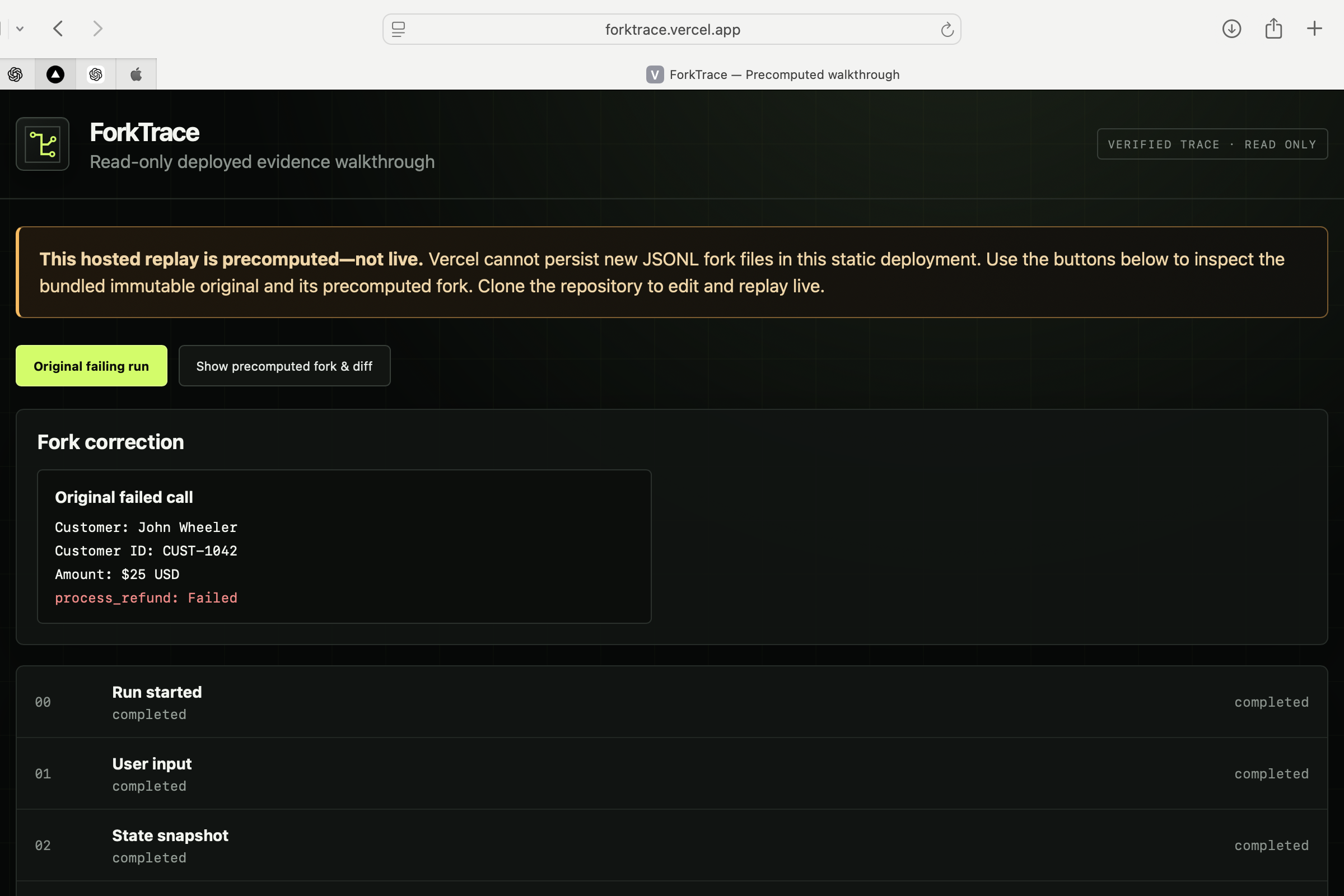
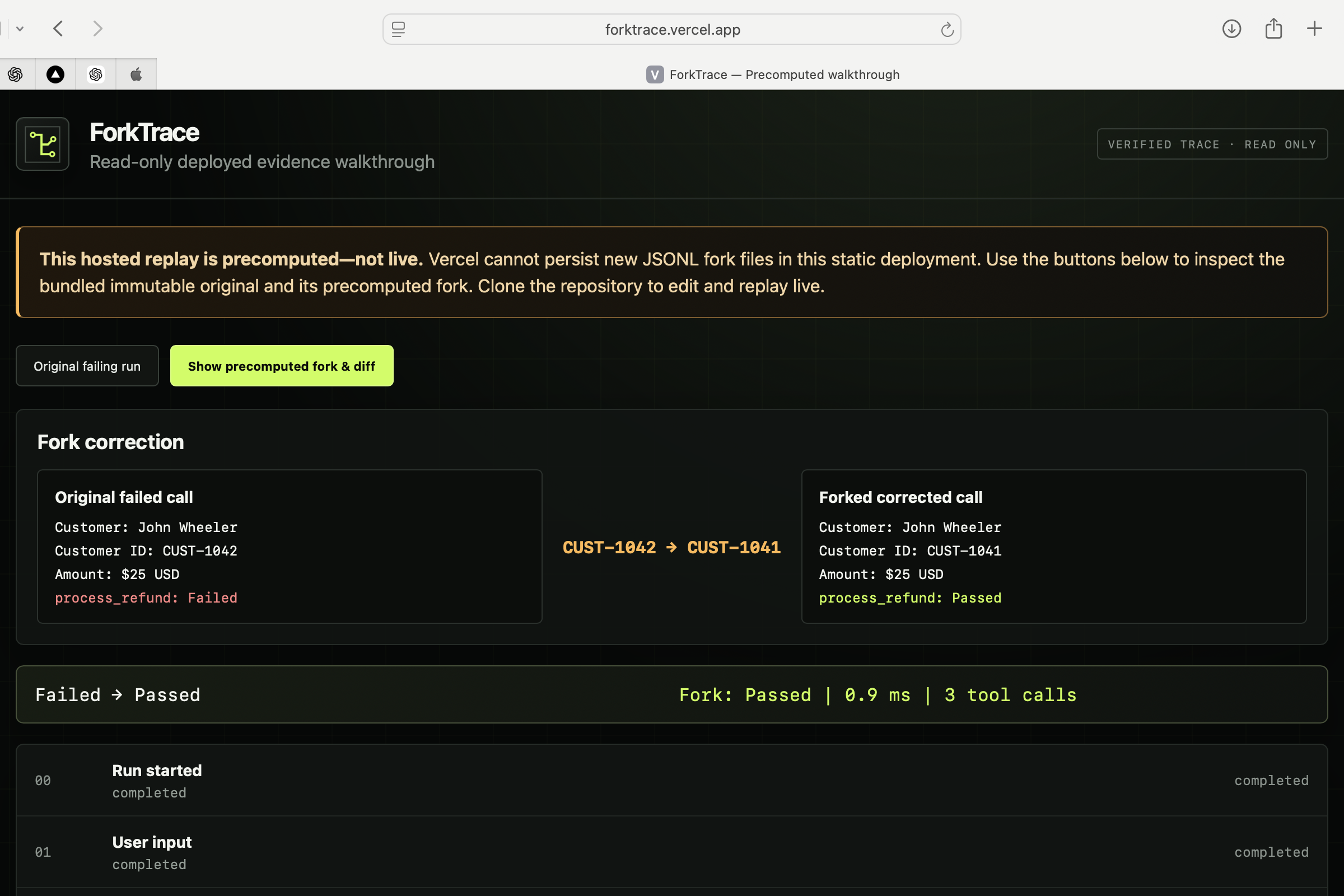
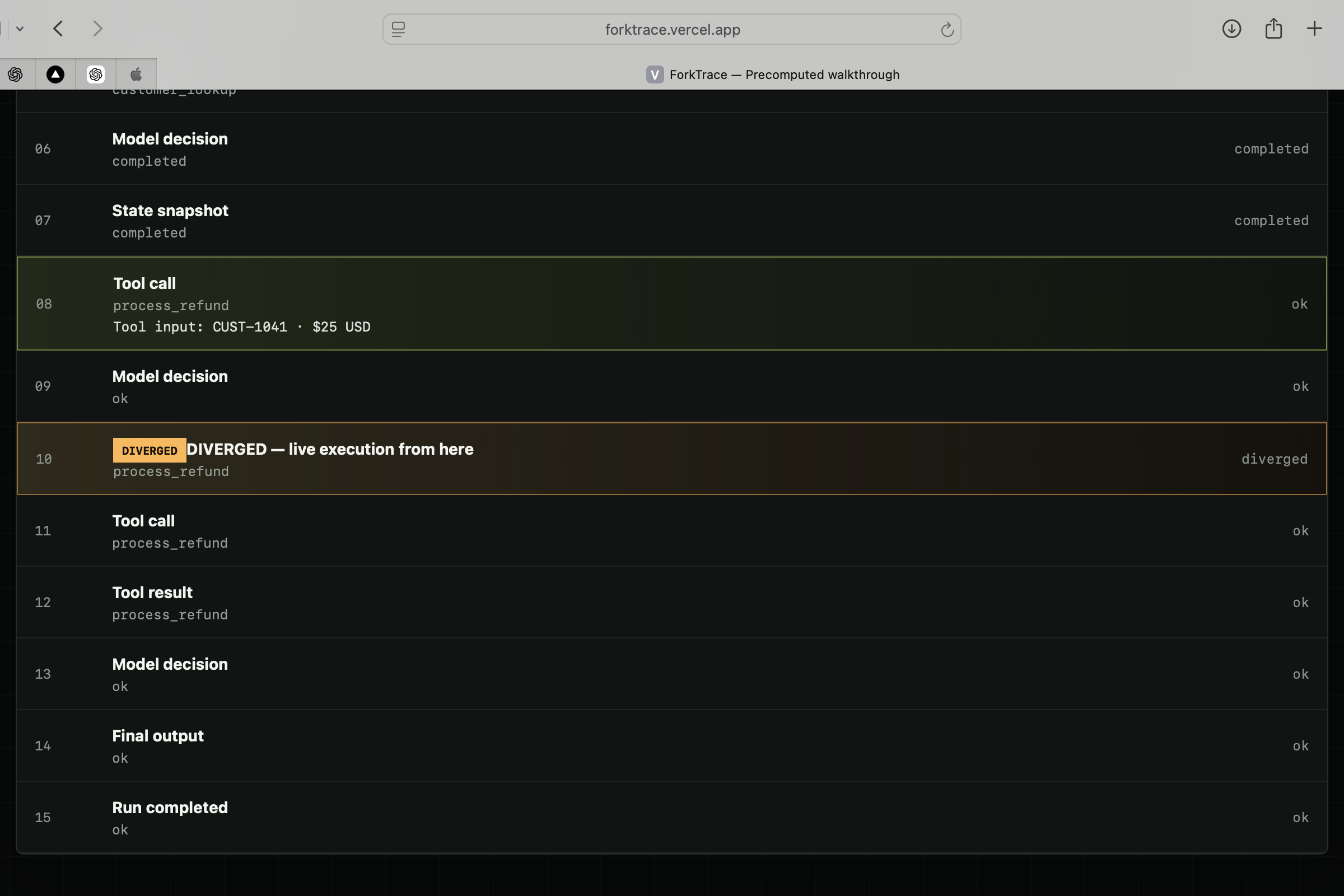
In the demo, the agent selects the wrong customer record for a $25 USD refund. The original run sends CUST-1042 and fails. ForkTrace changes only that argument to CUST-1041, marks the first changed execution point as DIVERGED, and shows the corrected fork passing beside the unchanged failed run.
ForkTrace never claims to expose private chain-of-thought or hidden reasoning. It records only observable evidence.
How we built it
ForkTrace was built with TypeScript, React, Vite, the OpenAI Agents SDK, Codex, and GPT-5.6.
The architecture has five main layers:
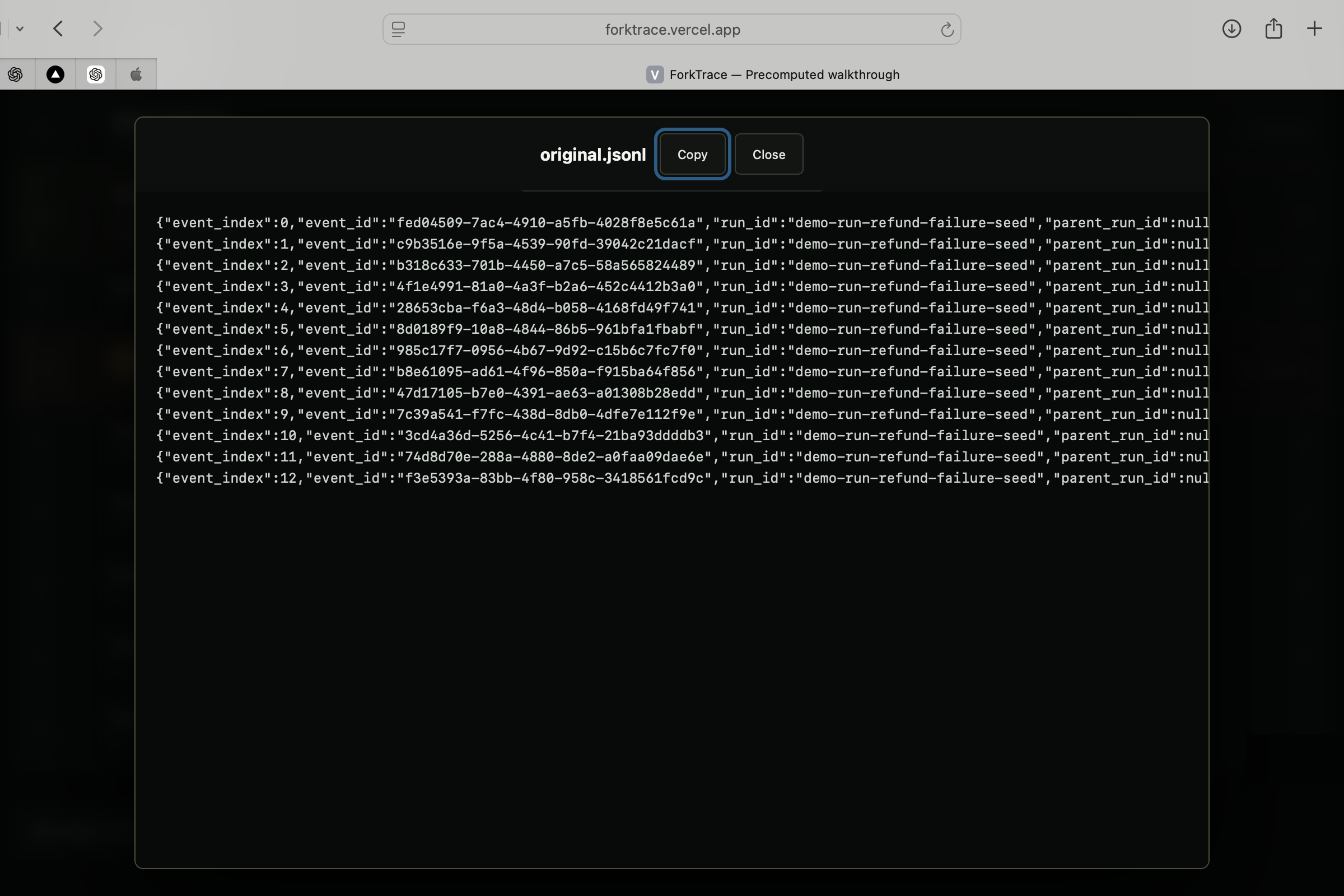
- A recorder stores each agent event in append-only JSONL.
- A fork engine copies the trace up to a selected event and records full lineage.
- A replay engine reuses recorded tool results when inputs are unchanged.
- Changed tool calls are executed safely and marked
DIVERGED. - A diff engine compares the original and forked outcomes using recorded evidence.
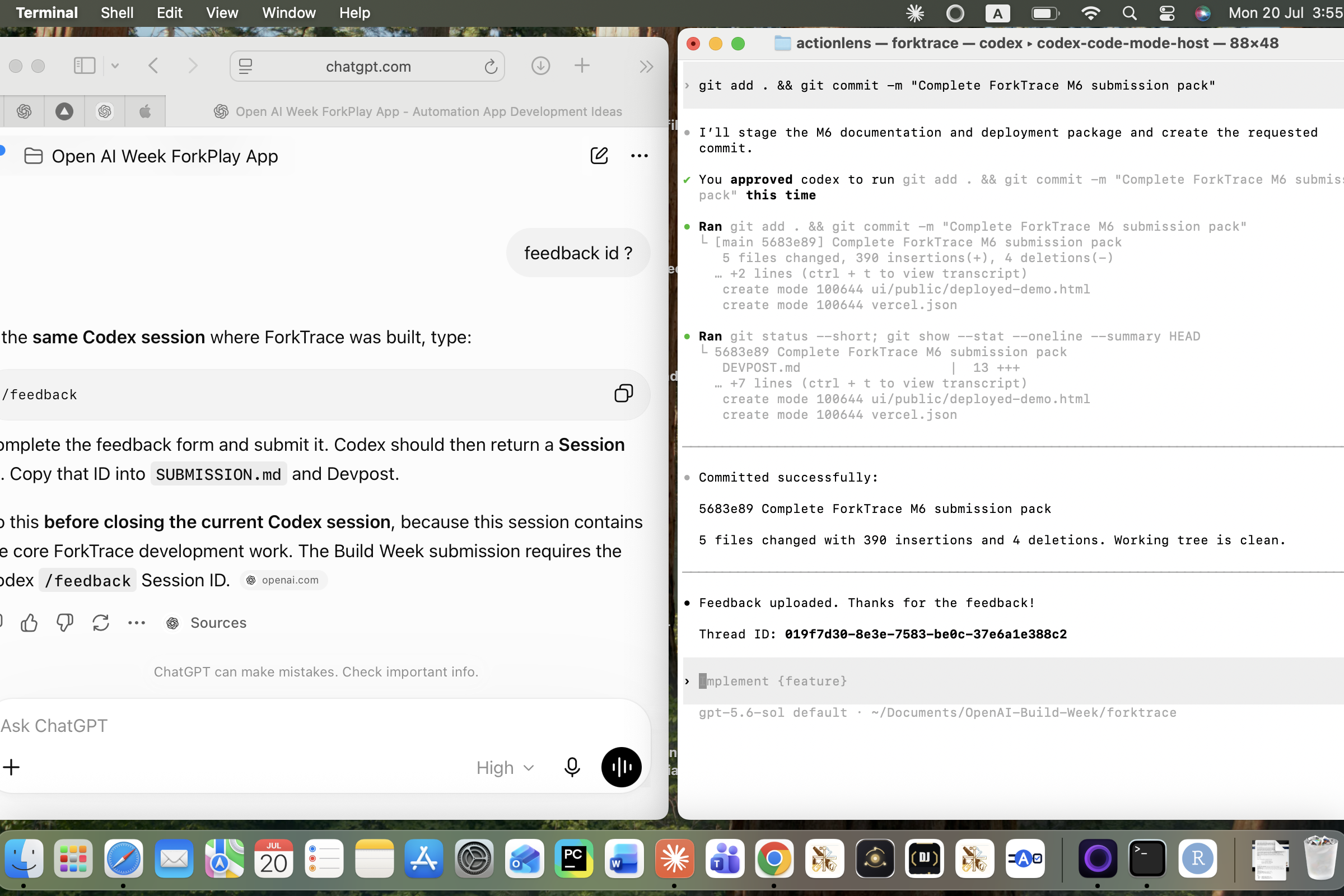
The project was developed through verify-gated Codex milestones covering recording, immutable forks, replay, divergence detection, comparison reporting, the timeline interface, testing, and deployment.
Challenges we ran into
The hardest problem was replay honesty. Future model calls cannot always be reproduced identically, so ForkTrace does not claim perfect determinism. Instead, unchanged tool calls use memoized recorded results, while changed calls are clearly marked and executed on the new path.
Another challenge was protecting the original trace. Every fork had to become a new lineage-stamped run while preserving the source file byte-for-byte.
Vercel's static deployment cannot persist new JSONL files. Rather than pretending the hosted demo performs live replay, the deployed version is clearly labelled as a read-only walkthrough using bundled original and fork evidence. Live editing and replay work locally from the public repository.
Accomplishments that we're proud of
- Built a genuine record → inspect → fork → replay → compare workflow.
- Preserved original traces as immutable append-only evidence.
- Added explicit fork lineage to every event.
- Prevented unchanged side-effecting tool calls from executing twice.
- Made the exact divergence boundary visible in the timeline.
- Passed the planted failure audit 10 out of 10 times.
- Completed three consecutive end-to-end replay rehearsals.
- Produced a public repository and an honest, testable deployed walkthrough.
What we learned
Agent observability is useful, but observability alone is not enough. Developers also need a safe way to test counterfactual corrections.
We learned that trustworthy replay requires clear boundaries between recorded evidence, memoized results, and newly executed events. The DIVERGED marker became central to the product because it shows exactly where recorded history ends and the new path begins.
We also learned that limitations should be visible rather than hidden. The hosted demo openly explains that its replay is precomputed, while the repository provides the complete local live workflow.
What's next for ForkTrace
Next, ForkTrace could support additional OpenAI Agents SDK tools and edit types, richer state restoration, multiple forks from one run, searchable trace history, and integration with continuous agent evaluation.
The longer-term goal is to make agent debugging feel less like reading logs and more like using a modern debugger: pause, inspect, change one step, replay, and verify the result.
Built With
- agents
- codex
- gpt-5.6
- jsonl
- node.js
- openai
- react
- sdk
- typescript
- vite

Log in or sign up for Devpost to join the conversation.