Inspiration
Both my (Alex) grand-dads had dementia and I saw the struggle myself. It was heartbreak. The worst part is there were and are no good tools to handle what are essential needs. My teammate and I decided to try and tackle some of these problems by creating an application that we personally can connect to and support. The features were based on things I actually saw and based on the lots of research my mom and I did to help them.
What it does
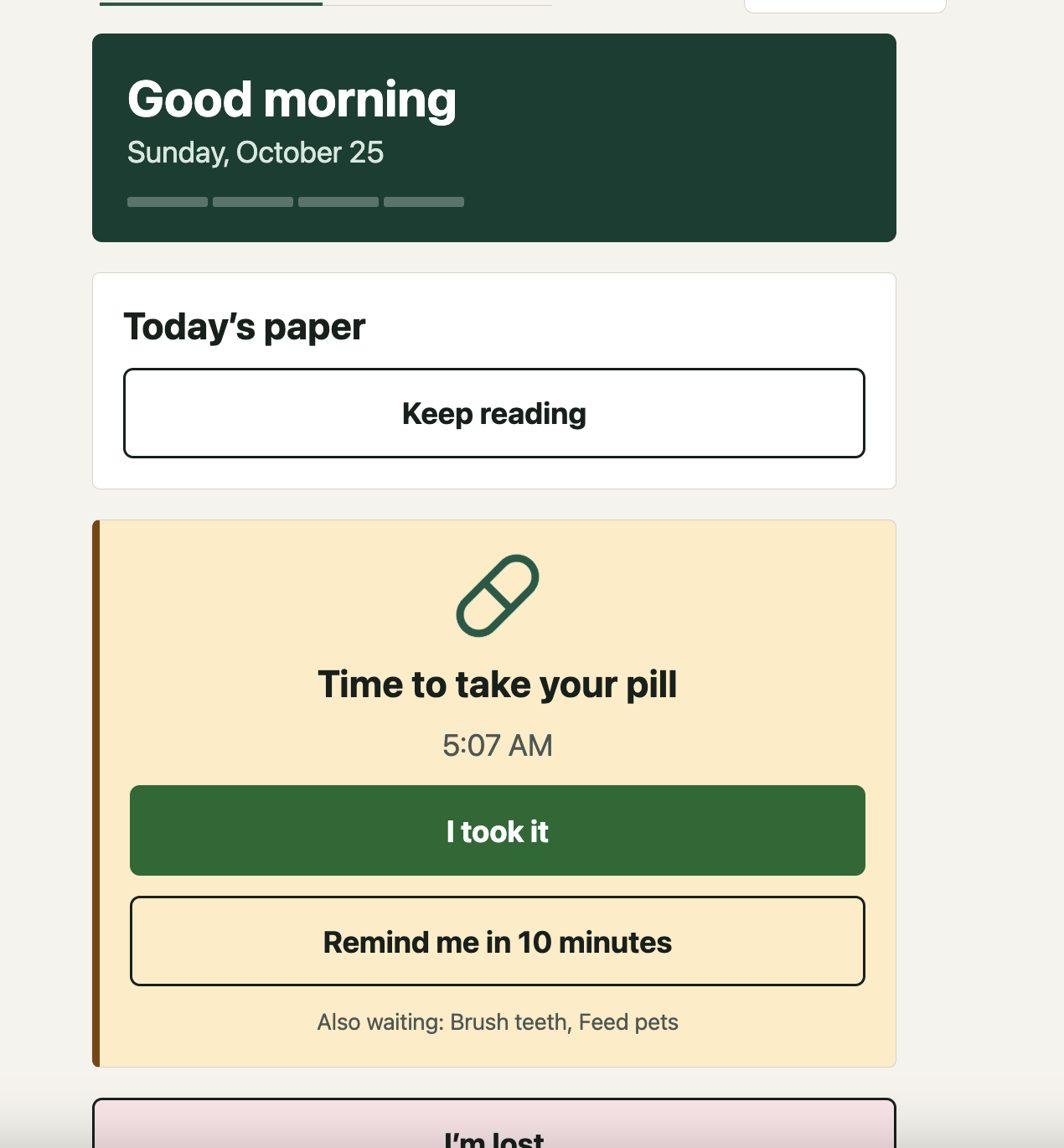
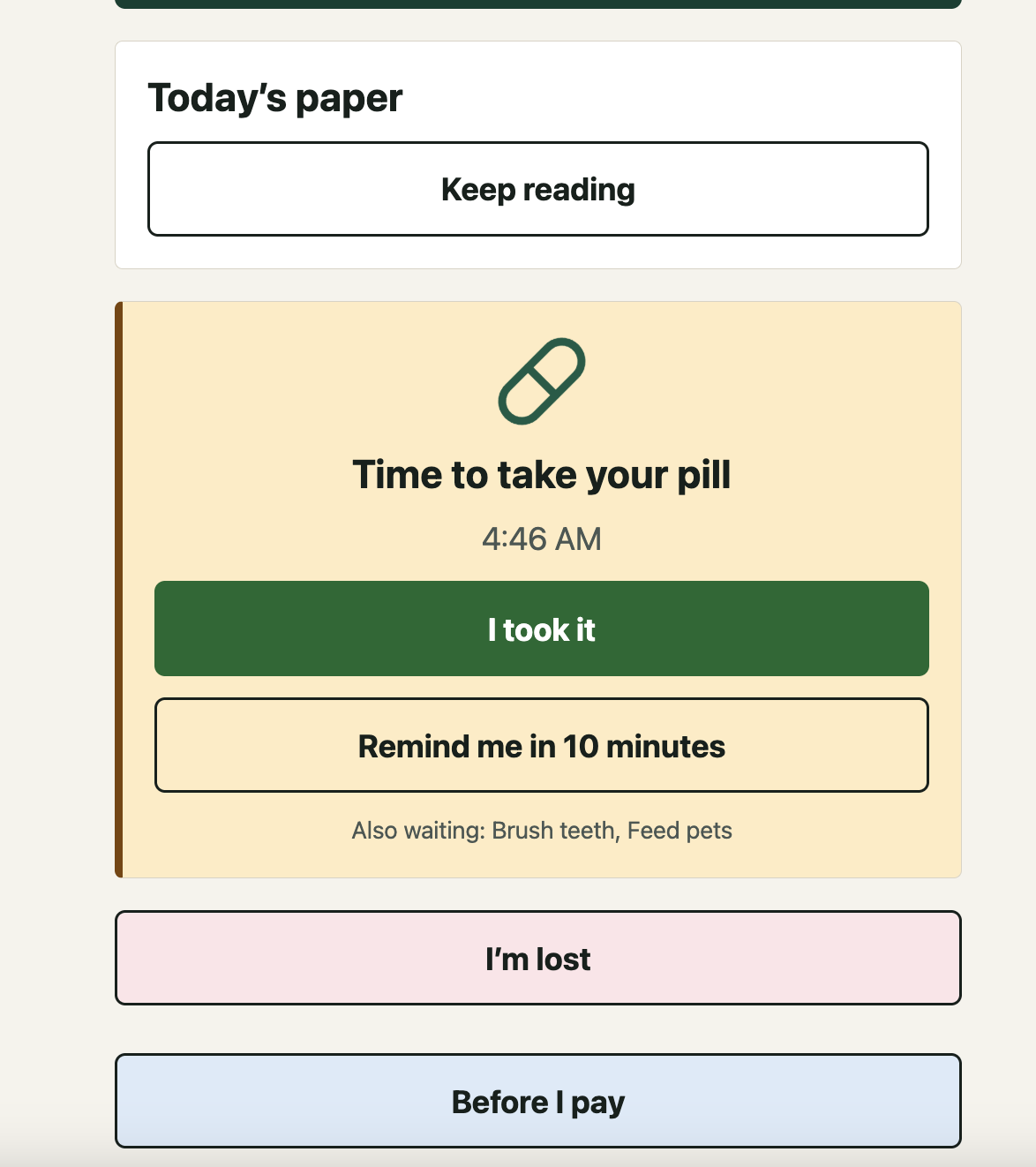
ForgetMeNot has two primary focuses: For the patient (Margaret in our demo): a calm, high-contrast screen with huge buttons and one main action at a time.
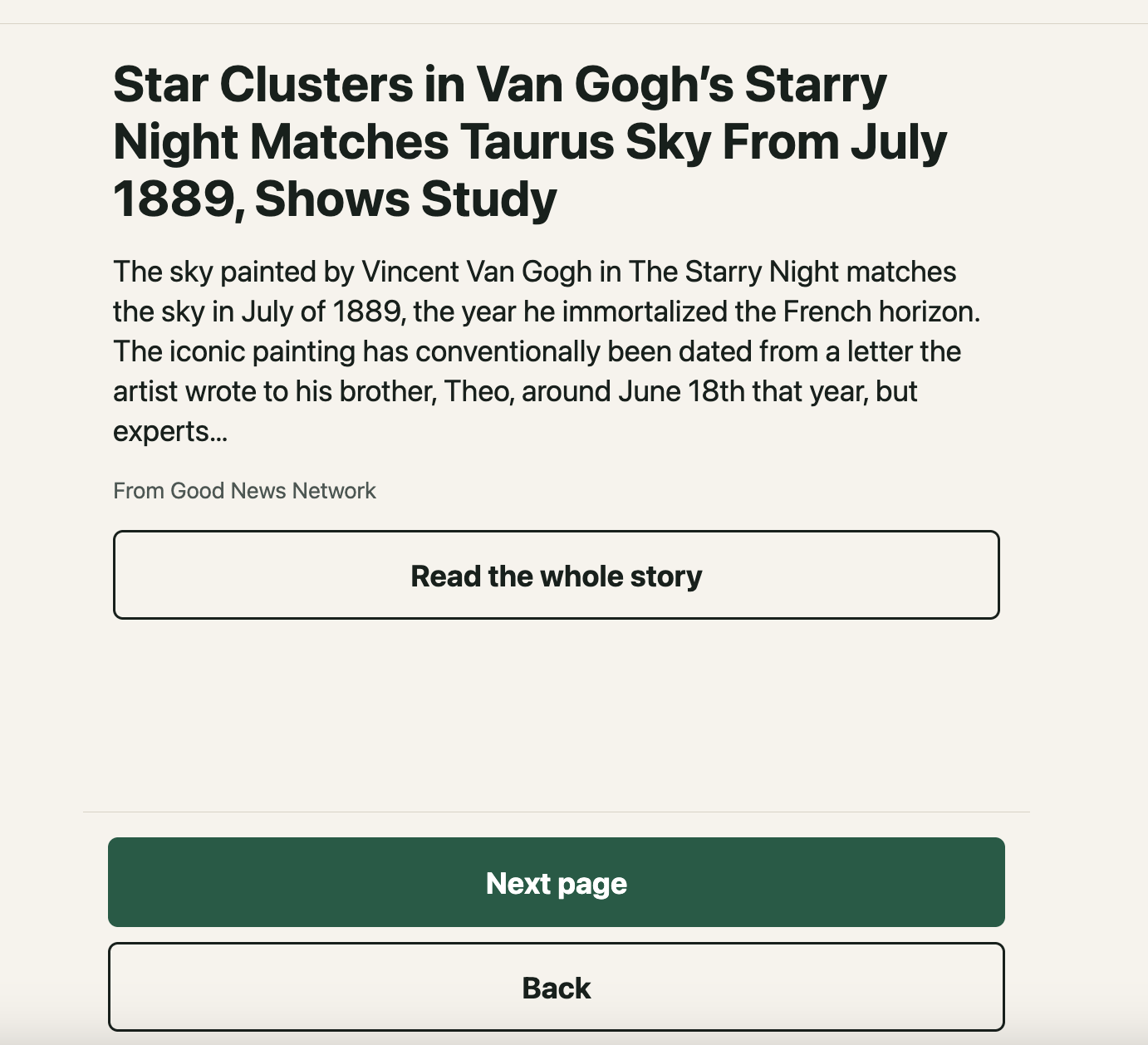
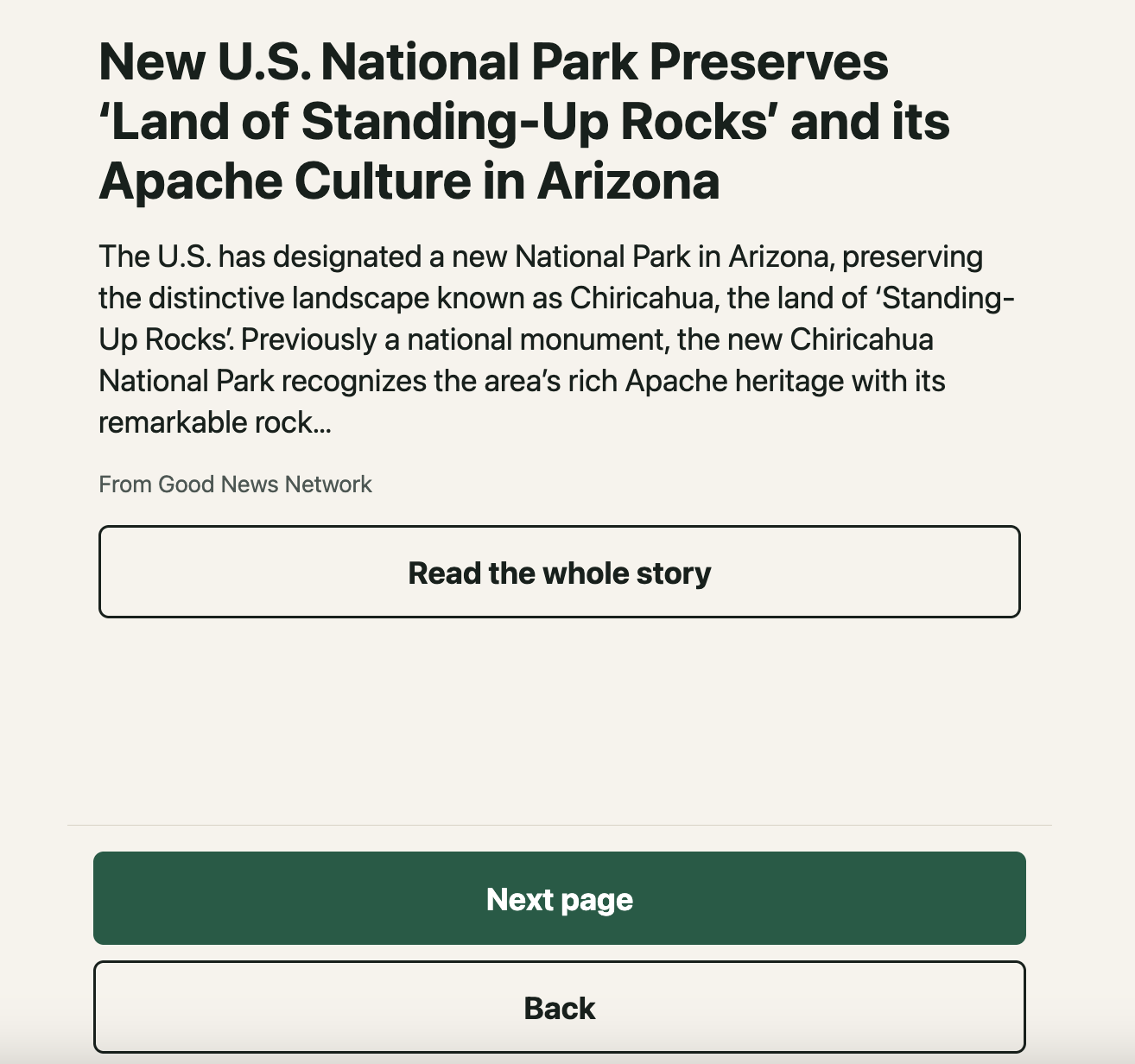
- Good morning + Today's paper: a short daily "newspaper" that opens with a note from their caregiver, followed by gentle, filtered good-news stories (nothing about illness, crime, disasters or politics).
- Reminders: pills, brushing teeth, showering, feeding pets, or the caregiver's own custom ones. One tap to say "I took it", with an optional photo check for pills.
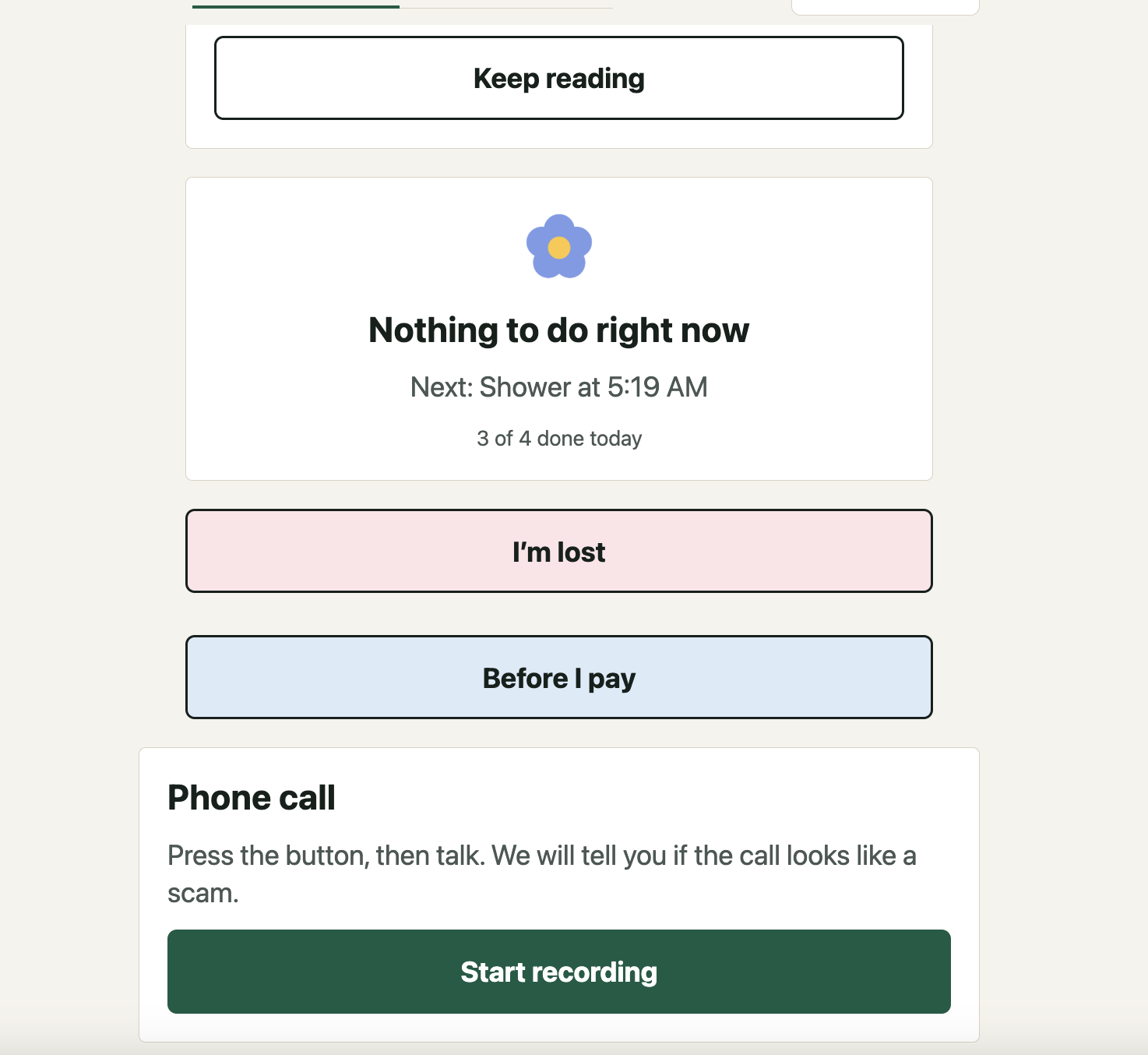
- I'm lost: one tap alerts the caregiver, keeps alerting until they confirm they're coming, and shares the last known location.
- Before I pay: type what a payment is for or scan a bill. The app explains the bill in three plain rows (what it is, how much, pay by), flags scam warning signs, and the caregiver decides "Don't pay" or "It's OK to pay". Nothing in the app ever moves money.
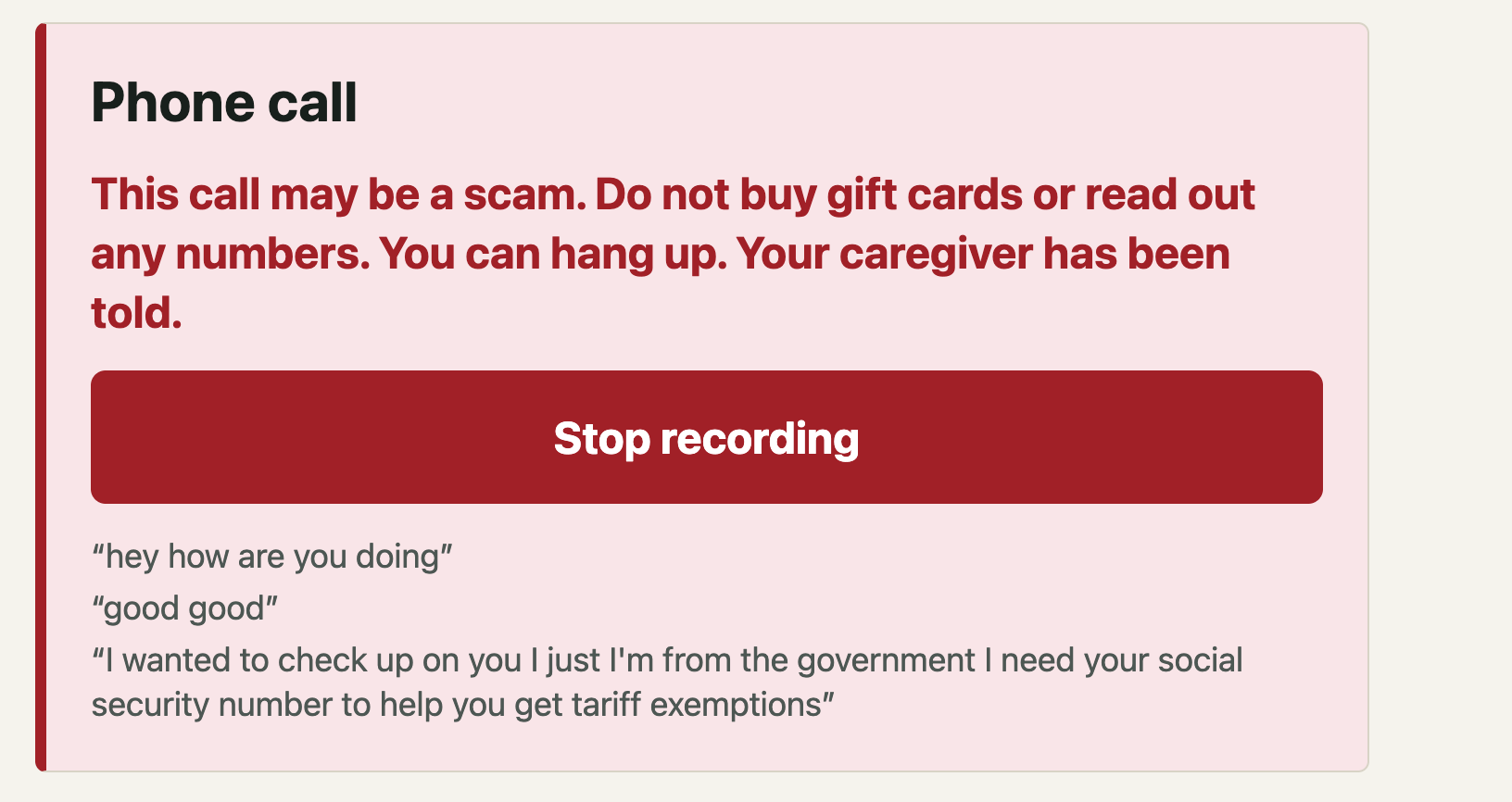
- Scam call guard: during a call, the transcript is checked against scam patterns (gift cards, wire/crypto, IRS/Medicare impersonation, urgency, secrecy) and the patient sees a calm warning.
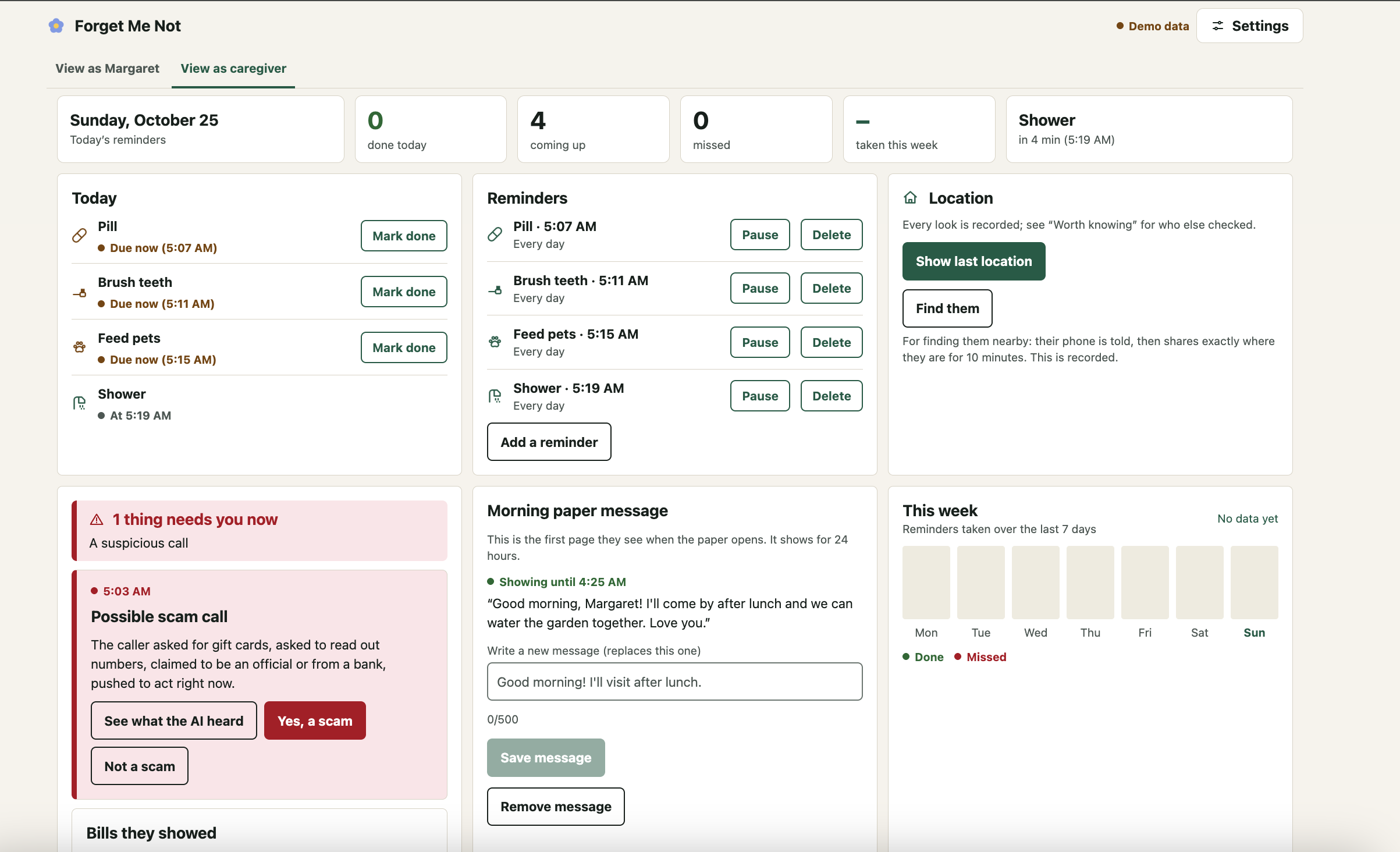
For the caregiver: a dashboard with a single "needs you" status line, alerts, today's reminders, a weekly view, location, messages, and a "Worth knowing" feed where every sensitive action can be traced back to its audit record.
How we built it
- Expo (React Native + TypeScript + Expo Router) for iOS, Android and web from one codebase
- Supabase (Auth, Postgres with Row Level Security, Realtime, Storage)
- Hono API in TypeScript, sharing types with the app
expo-locationfor the patient's last known location- An AI layer for bill reading, scam-call analysis and pill photo checks, always treated as untrusted output
- Every feature is a self-contained vertical slice (UI, routes, services, migrations, tests, manifest) that is auto-discovered, so the two of us could build in parallel without merge conflicts
- A full demo mode with one fictional household, mock adapters and a demo clock (1x–600x speed) so reminders, escalations and alerts can happen live on stage
- Built with Claude Code as a pair programmer, guided by a strict set of project rules
Challenges we ran into
- Platform limits: Expo Go can't run background location or geofencing, iOS doesn't allow third-party call recording, and push notifications aren't guaranteed to arrive.
- Solution: we planned around a development build from the start instead of Expo Go. Escalation runs on server-side timers, so an "I'm lost" alert keeps going until the caregiver responds even if the patient's phone is asleep or dead. Location is always labelled "last seen" when it's stale, never treated as proof of where someone is. The scam call guard doesn't depend on recording phone calls: the patient starts it with one button and it uses speech-to-text, with a typed fallback where the device can't listen.
- Designing for dementia: every screen needed huge touch targets, plain words, no error codes, tolerance for tremors and repeated taps, and only one primary action. Deciding what to remove was harder than adding.
- Solution: we built a shared design system that enforces the rules (64px+ touch targets, 24pt+ text, high contrast) and debounces every button so a shaky double-tap only counts once. Each screen has a single main action, and secondary options like "Before I pay" fold into one button that closes again by itself after a few seconds, so there's no "Back" button to hunt for. Errors are written in plain, calm sentences like "I can't reach the app right now", never codes.
- Safety vs. features: this is health-adjacent data about vulnerable people, and a bug could expose someone's location or money.
- Solution: authorization is deny-by-default and enforced on the server, where every endpoint declares which roles can call it, and an automated test fails the build if one doesn't. Row Level Security is on for every table with no client access at all, so only the API can touch data. Requests are always scoped to the caller's own linked patient (no trusting IDs from the client), PII is never logged, and sensitive actions are audit-logged so the caregiver can see them.
- AI you can't trust: bills and call transcripts can contain prompt injection or simply be misread, and a wrong answer about money is dangerous.
- Solution: AI output can never trigger an action; it only informs a human. Scam detection combines fixed rules (gift cards, wire/crypto, impersonation, urgency, secrecy) with the AI check, the patient sees fixed, pre-written warnings rather than generated text, and the final decision always belongs to the caregiver. The app never tells the patient to pay, and nothing in it can move money.
- Two developers, 24 hours, Windows + macOS: we had to ship features in parallel without breaking each other's work, and keep the app demoable the whole time.
- Solution: each feature is a self-contained slice with its own manifest that the app discovers automatically, so adding a feature never touches a shared file, and features only talk through an event bus and typed contracts (enforced by an architecture test). Scripts are plain Node instead of bash-only, and CI runs on Windows too. A demo mode with a fictional household, mock services and a speed-up clock meant every feature worked on stage from its first commit, without any API keys.
Accomplishments that we're proud of
- 7 working features with 550+ automated tests, including authorization tests for every role (patient, caregiver, family with and without a location grant, friend)
- A patient UI that actually feels calm, with one primary action per screen
- "Fail closed on money": no caregiver approval means no purchase, and neither the patient nor family members can approve
- Stalking/abuse protections: location is only shared with an explicit per-person grant, every grant notifies the primary caregiver, and every location view is logged
- A demo mode that runs end-to-end with zero API keys and no real person ever contacted
What we learned
- Accessibility for cognitive decline is different from general accessibility: less text, fewer choices and predictable layouts matter more than any single feature.
- Background location and push are best-effort on mobile. You have to design as if the phone might be dead, offline or asleep.
- Strong architectural boundaries (feature slices, an event bus, typed contracts) let a two-person team move fast without stepping on each other.
- Writing tests while building, not after, is what made it possible to keep changing the UI right up until the end.
What's next for ForgetMeNot
- A family & friends circle with check-ins, plus geofenced safe-zone alerts and real push notifications
- On-device speech-to-text for the scam call guard
- Deploying the API as a Supabase Edge Function and shipping native builds via EAS
- AI-simplified news stories and caregiver-chosen topics for the morning paper
- Mobile end-to-end tests with Maestro, and user testing with real caregivers and memory-care professionals
Built With
- claude
- github
- openrouter
- supabase

Log in or sign up for Devpost to join the conversation.