Inspiration
I’ve always been a maker.
As a child, I spent hours building papercraft, clay models, and handmade projects using old-style instruction manuals and pre-cut craft books. Making things by hand was how I explored ideas. Over time, work and life took over, and that habit slowly disappeared. I no longer had the time or energy to search for craft ideas or design instructions from scratch.
At the same time, I’m also a gamer. I constantly imagine game ideas, characters, and worlds, but I’m not an expert 3D modeler. I wanted a fast way to visualize ideas, explore different styles, and iterate creatively without the heavy technical overhead.
When modern image generation models became available, I realized something important. The same creative foundation could serve both worlds.
ForgeKit was born from that realization. One reusable skeleton. Two very different creative outputs.
What it does
ForgeKit is a Skeleton Crew foundation that powers two independent applications built from the same core architecture.
Craftus
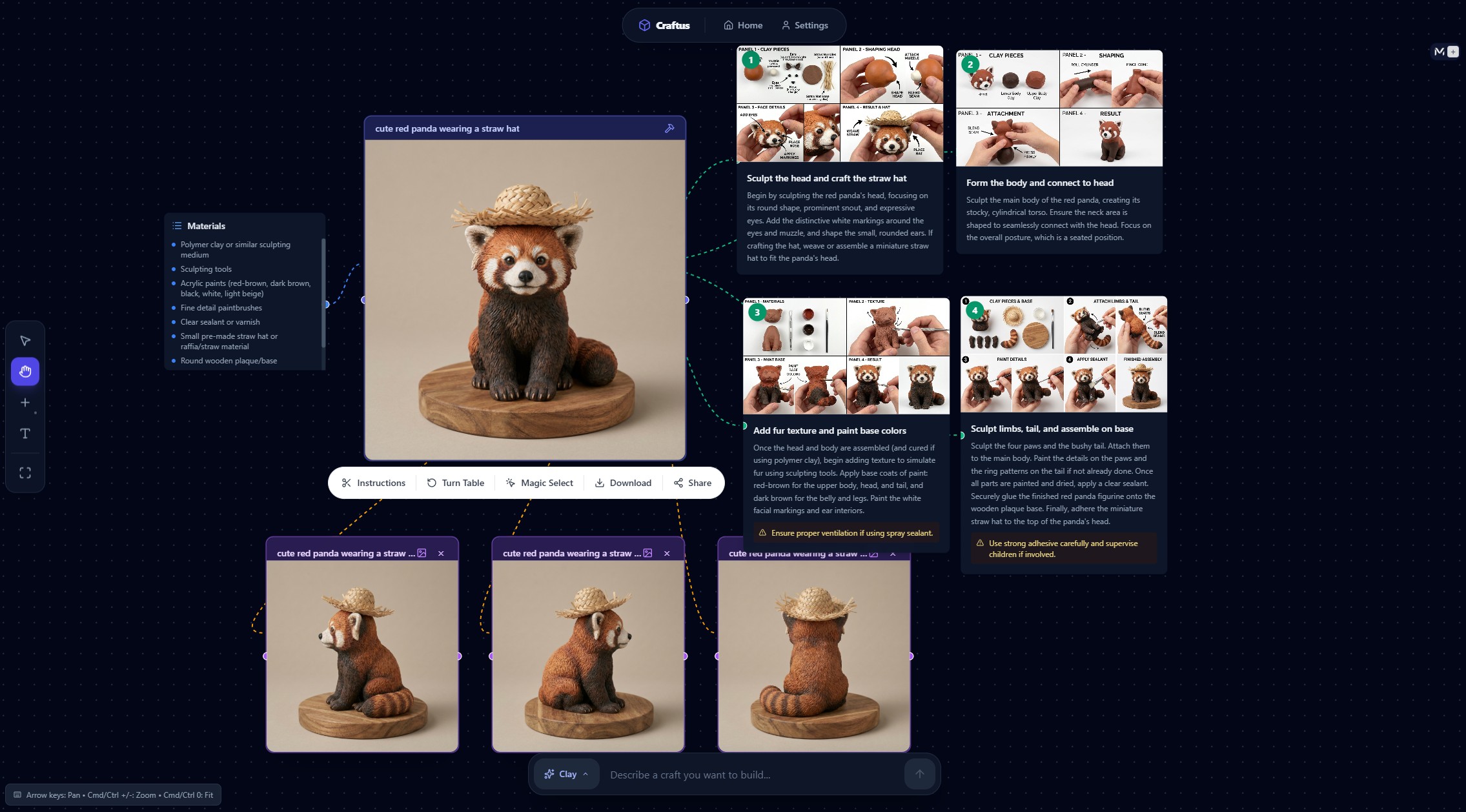
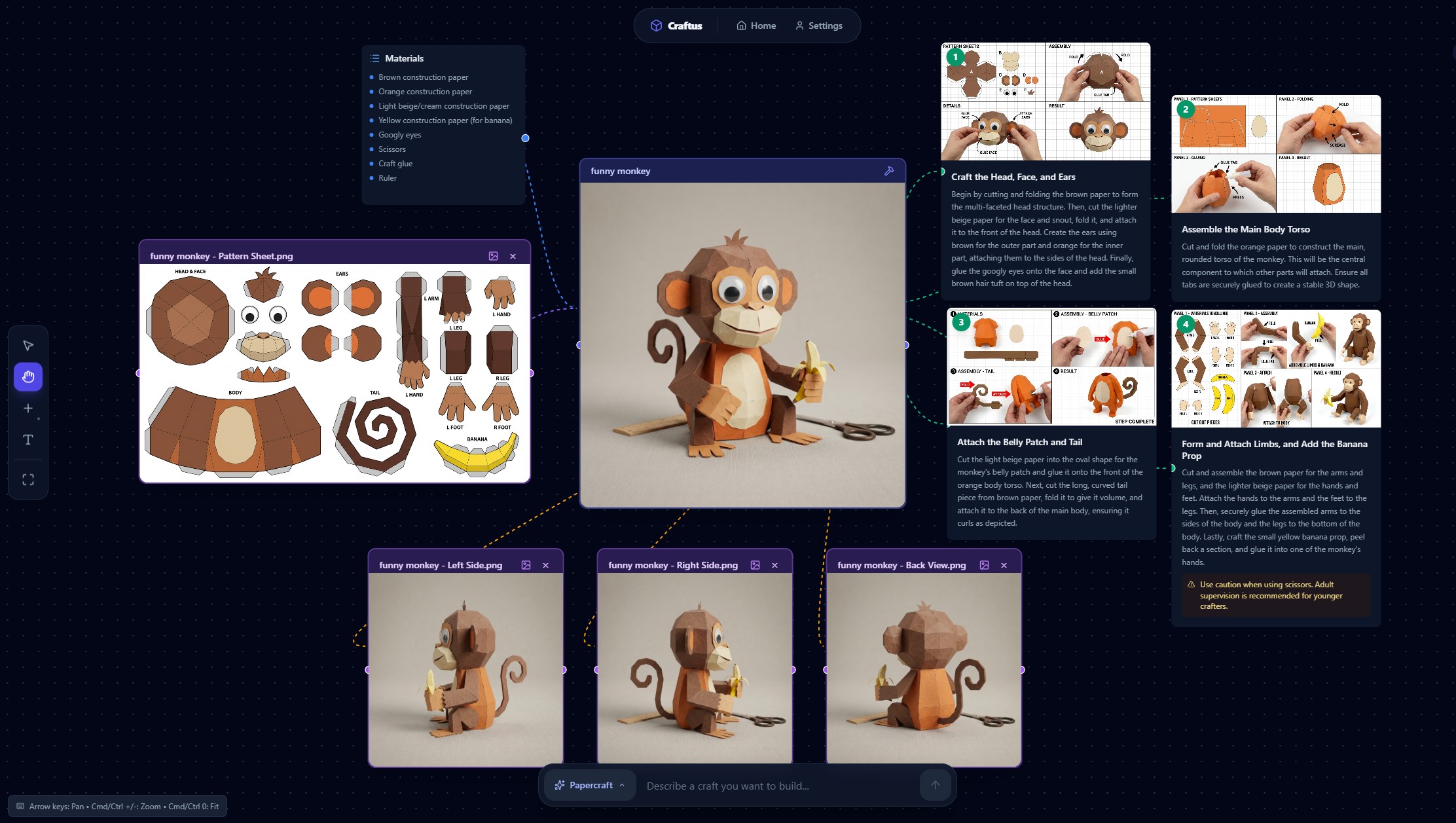
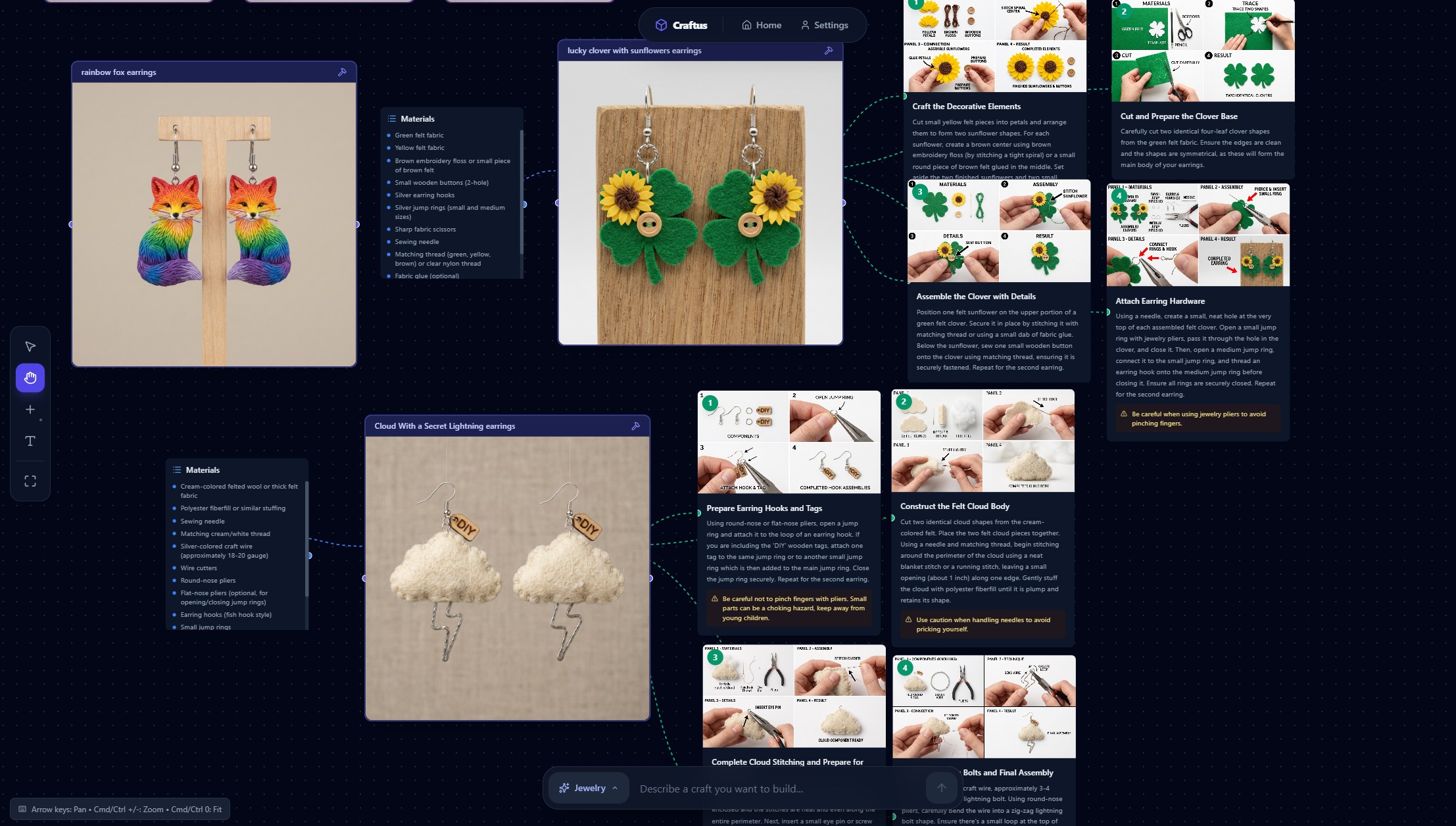
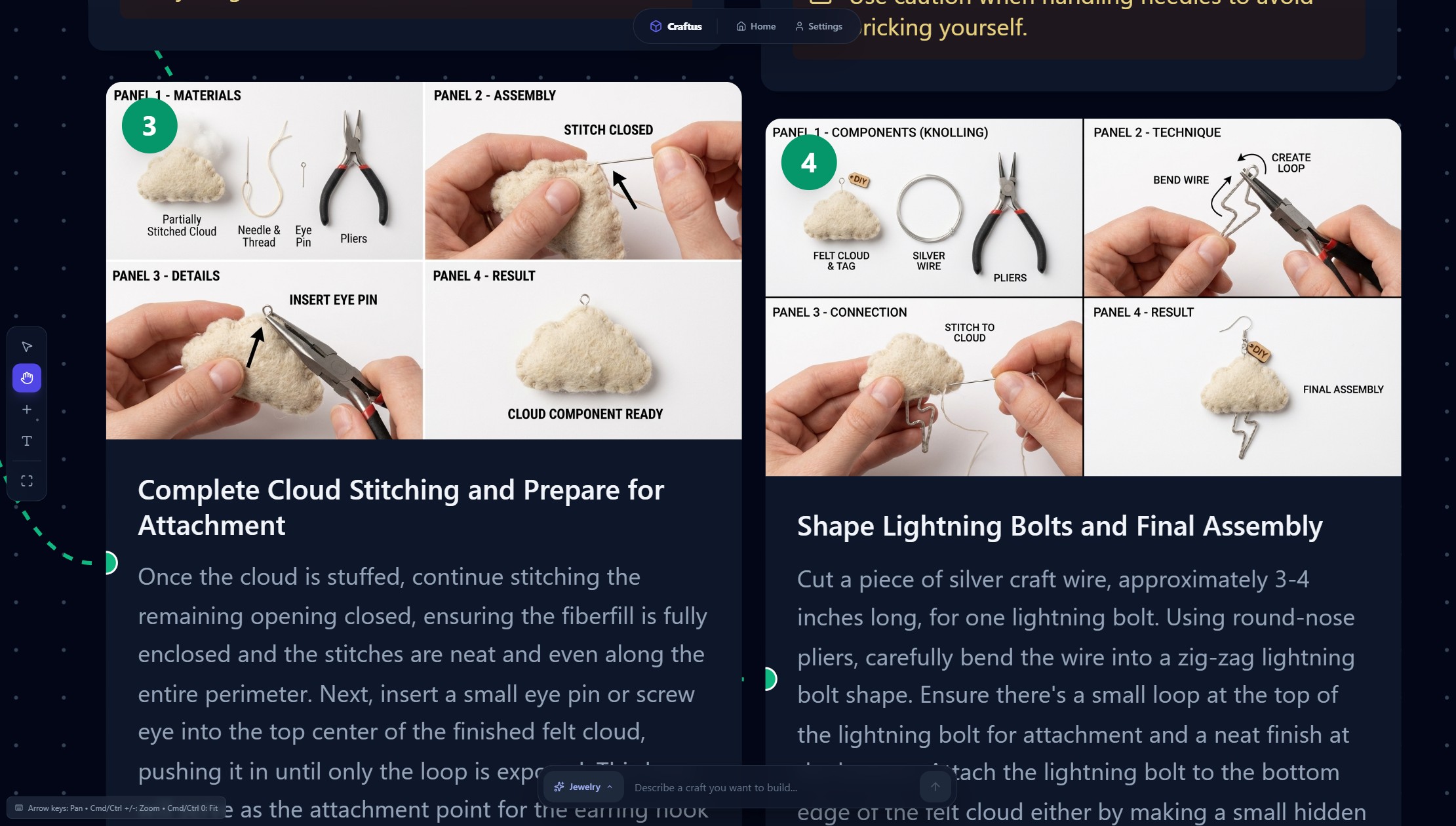
Craftus is a craft ideation and instruction generator. Users describe what they want to make, such as papercraft, clay figures, Jewelry, coloring book or costumes. Craftus generates visual references and breaks the project down into clear, step-by-step instructions that guide the user through the making process.
It revives the experience of hands-on crafting using modern AI tools, while keeping the focus on building something physical in the real world.
Gamecraft
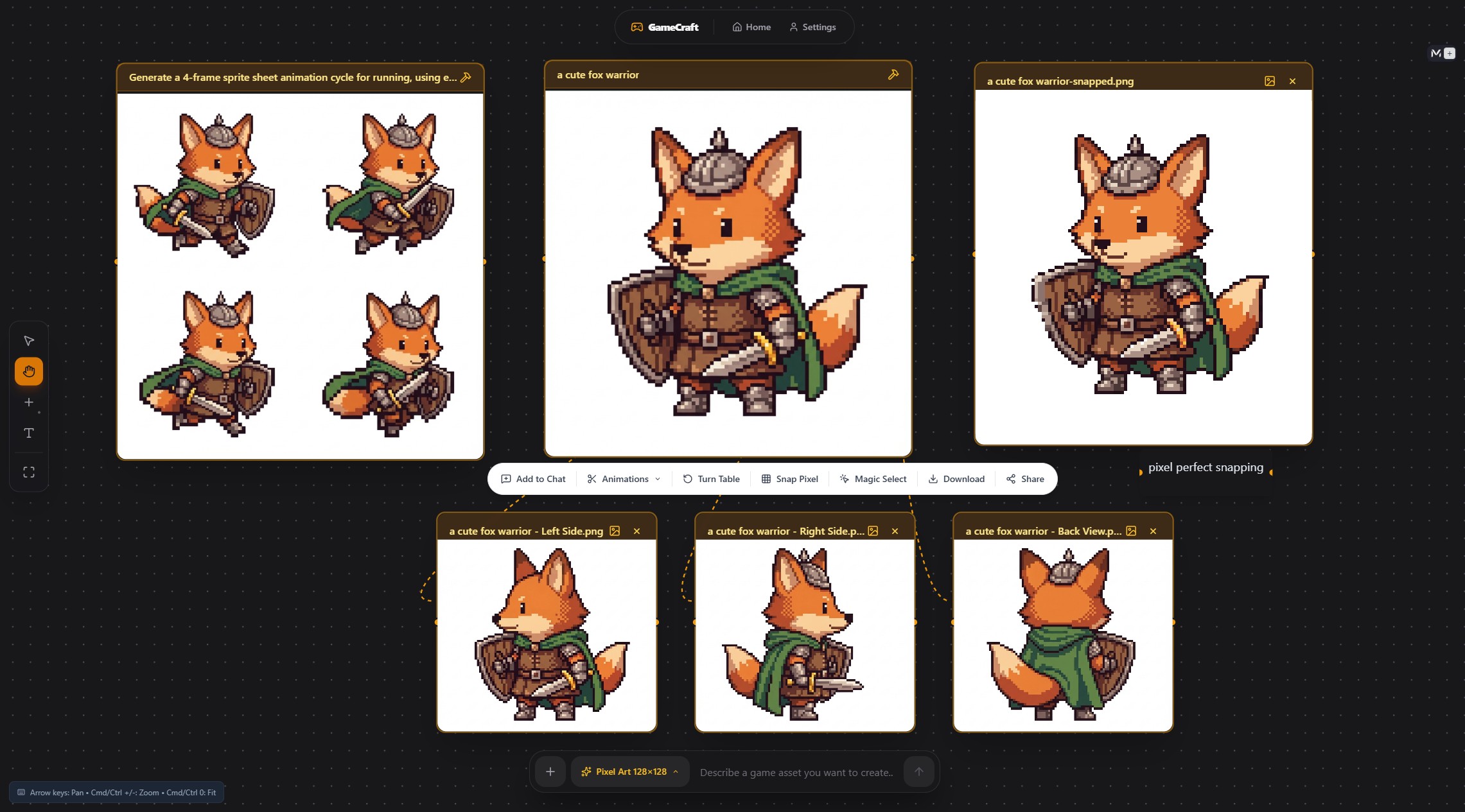
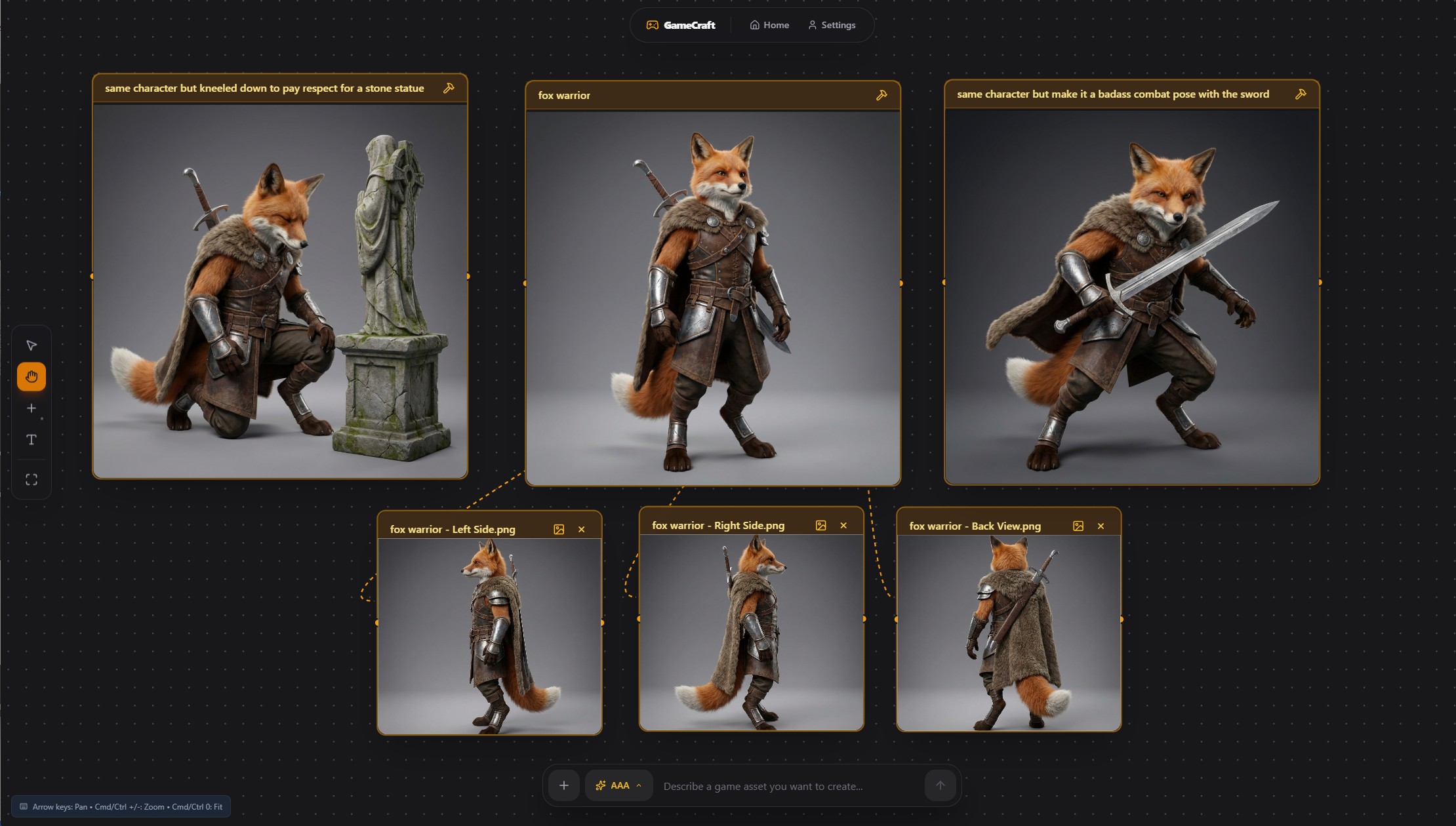
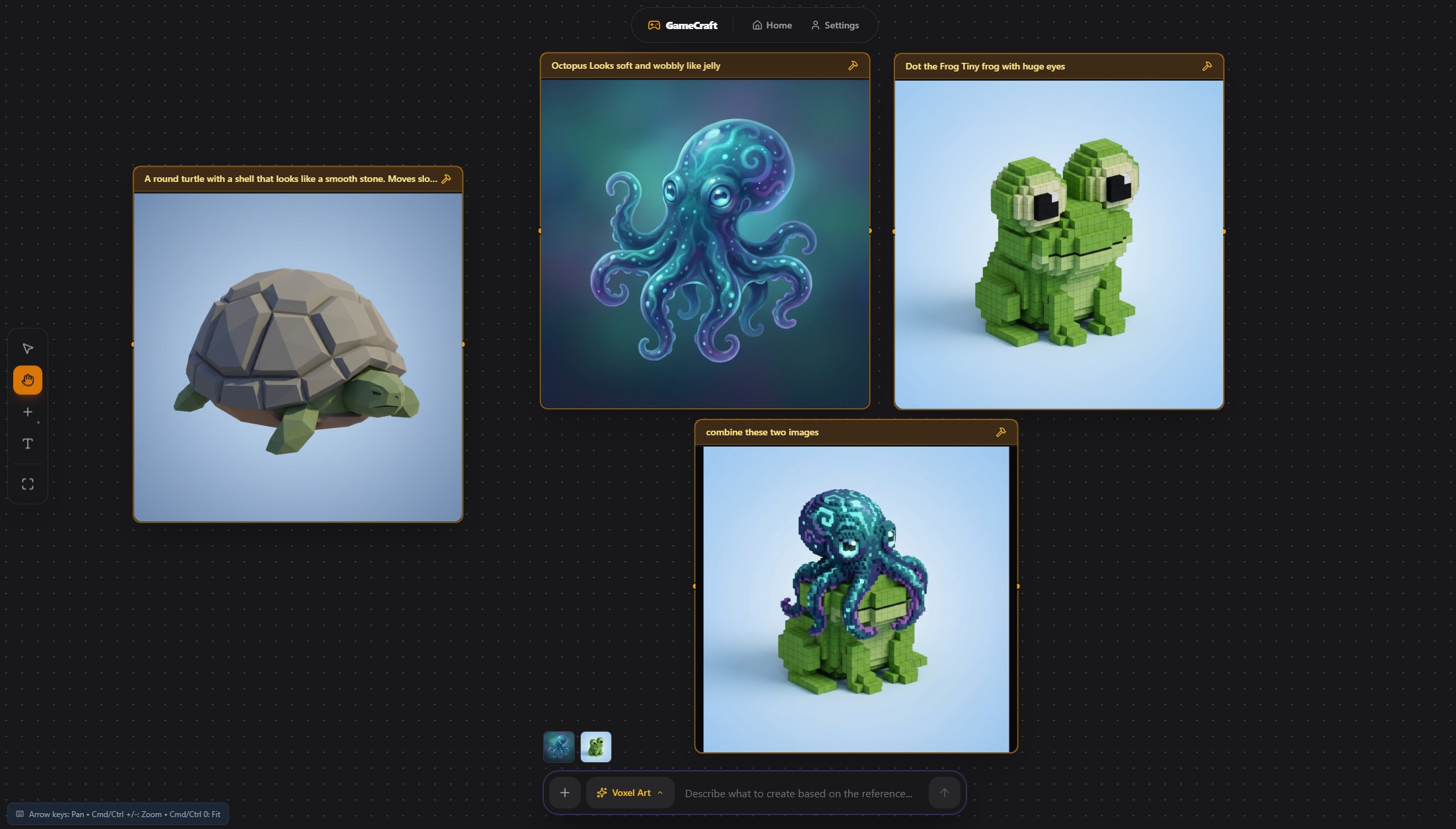
Gamecraft uses the same canvas, node system, and AI pipeline, but applies them to game asset creation. Users can generate characters, props, sprites, or environments in different styles including pixel art, low-poly, 2D, or concept-grade visuals.
Instead of craft steps, Gamecraft breaks assets into components such as variations, props, poses, or style directions to support fast creative iteration.
Both apps run independently, but they share the exact same skeleton. The difference lies in prompts, output interpretation, and terminology. This makes ForgeKit a clear demonstration of a reusable creative foundation.
How we built it
ForgeKit was built using Kiro IDE, with a strong focus on build once then reuse principles.
Skeleton architecture
Both Craftus and Gamecraft are standalone applications located in separate folders inside a single repository. Each app contains its own entry point, UI, and configuration but shares the same underlying architecture.
The canvas system, node logic, UI components, and AI pipeline structure are identical between the two projects. Only the prompts and output shaping differ.
This allowed the second app to be created quickly by reusing the skeleton rather than rewriting functionality.
Kiro workflow
Vibe coding Vibe coding was used for rapid iteration. Small UI changes, bug fixes, button behavior, styling tweaks, and text updates were handled through short, focused conversations. This made iteration fast without breaking momentum.
Spec-driven development Specs were used for larger features such as new menus, canvas behaviors, and game-specific features like pixel snapping. Kiro generated structured plans with step-by-step tasks, which made complex additions manageable and predictable.
Agent hooks Multiple agent hooks were set up to run automatically on file changes. Including Architecture review, security audit and Lint & Type check hooks. These hooks checked for lint errors, TypeScript issues, and logical problems. This reduced debugging time and kept both apps stable as the codebase evolved.
Steering docs Steering documents were generated from the initial PRD and refined over time. Every feature, spec, or change referenced these steering docs to ensure that both Craftus and Gamecraft stayed aligned with the original Skeleton Crew vision.
Kiro’s ability to maintain context across both applications was critical to making ForgeKit reusable rather than fragmented.
Challenges we ran into
One of the biggest challenges was prompt tuning. While AI image generation is powerful, aligning outputs with user expectations required significant iteration. Craft instructions and game assets need to be structured, readable, and predictable, which meant repeatedly refining prompts to control style, composition, and instruction clarity.
Another challenge was canvas layout management. As new nodes and images are generated and connected inside the canvas, maintaining clear spatial relationships became difficult. We needed to carefully manage node positioning and spacing so newly generated assets didn’t overlap existing ones and remained visually traceable through their connections.
We also encountered limitations in current image generation models. While AI excels at photorealistic and stylized outputs, it cannot reliably generate usable 3D unwrapped nets, such as precise papercraft layouts or character sheet–ready assets. This required us to design ForgeKit’s outputs around conceptual generation and structured breakdowns rather than fully production-ready meshes.
Accomplishments that we're proud of
ForgeKit successfully demonstrates a Skeleton Crew foundation that supports two distinct applications without duplicating logic or architecture.
Both Craftus and Gamecraft are fully functional, independently runnable apps built from the same skeleton. The project proves that one well-designed creative foundation can serve very different users and domains.
Most importantly, the skeleton is reusable. Additional creative tools could be built on top of it with minimal effort.
What we learned
Context and structure matter more than raw prompting. By using Kiro’s specs, steering docs, and agent hooks together, the AI stayed aligned with the project’s purpose instead of drifting.
A well-defined skeleton makes AI development scalable. Once the foundation was solid, new applications could be created by reshaping prompts rather than rewriting systems.
Skeleton Crew is not about minimal code. It’s about designing foundations that are flexible, understandable, and reusable.
What's next for ForgeKit - Build Crafts & Game Assets
ForgeKit will continue evolving as a creative foundation. More applications can be built on top of the skeleton, targeting other creative domains such as education, prototyping, or interactive storytelling.
Future improvements include expanding canvas logic, improving asset breakdown systems, and making the skeleton easier for others to reuse as a template.
ForgeKit is not just two apps. It’s a blueprint for building many.
Built With
- claude
- gemini-api
- kiro

Log in or sign up for Devpost to join the conversation.