-
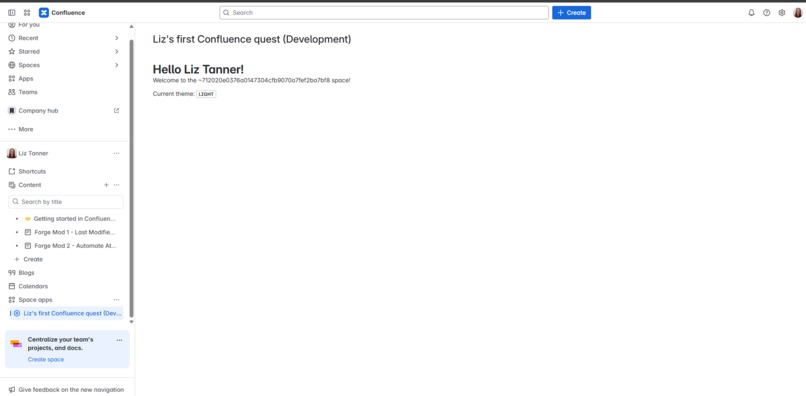
Forge Quest Novice Level Confluence Hello World! Product UI Screenshot
Description
This project is my submission for the Atlassian Forge Quest: The Bonus Level Challenge. For the challenge, I developed the Novice level: Confluence Hello World App in the Atlassian Forge CLI 11.4.0 using Visual Studio Code and PowerShell 7.5.1 as the in-app terminal. To create the launch link in the Confluence Space App dropdown menu user interface, the Forge Confluence Space Page UI Kit template was used. Development and sandbox testing was performed in my Atlassian Developer Confluence Test Site.
Features & Functionality
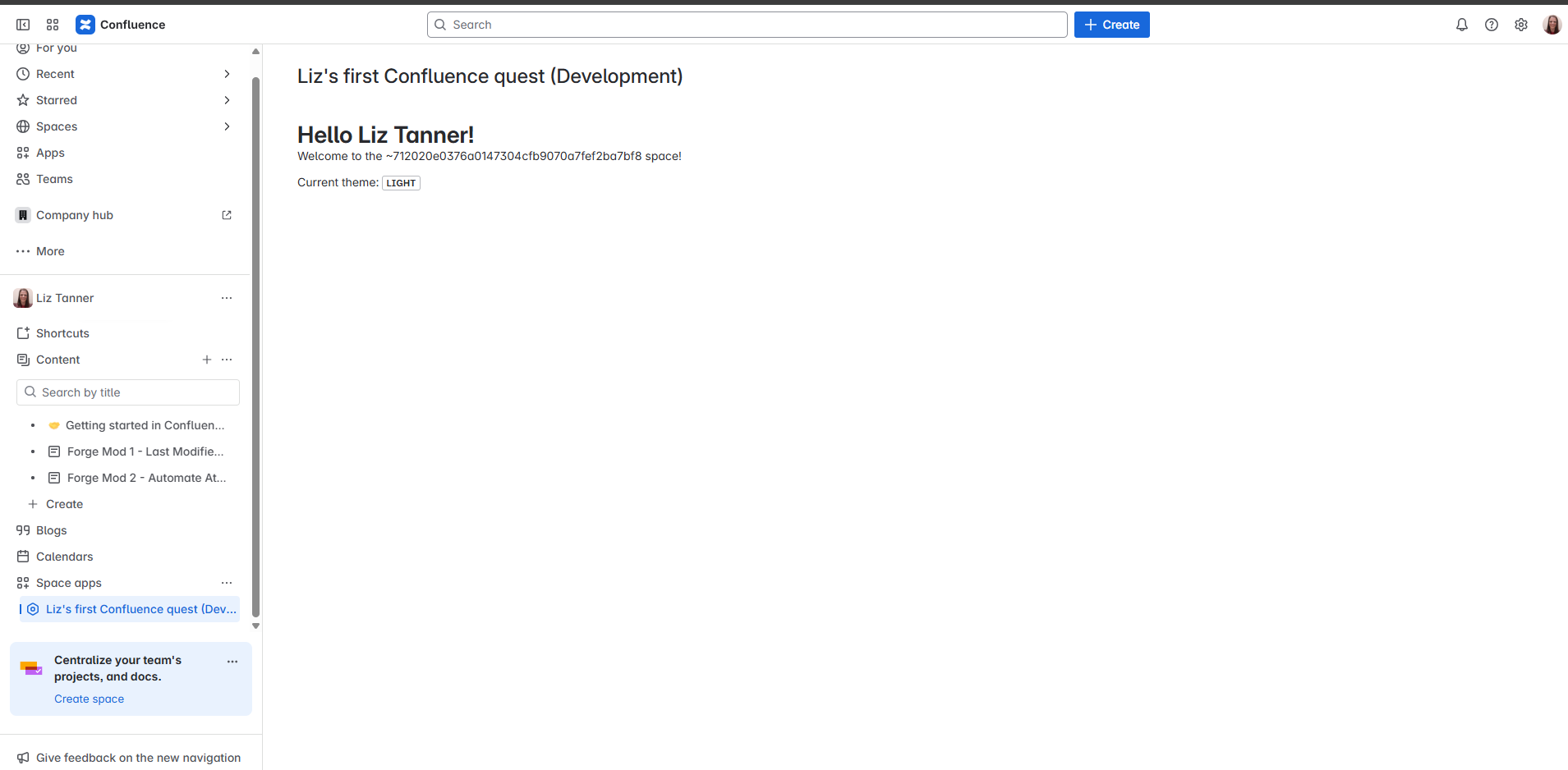
The app is launched by selecting its link found in the Confluence Space Apps dropdown menu. The user first selects the Space they want to launch the app from and accesses the launch link from the left side panel where the Space Apps dropdown menu is found. Once the link is selected, the Hello World! heading appears in the main content area with the text "Loading..." below it until the "Welcome to the [spacekeyname] space!" message loads in. The Current Theme text and "Light" lozenge is shown below the Welcome message.
App ID: ari:cloud:ecosystem::app/556869c2-987a-4cad-9ff4-d52fc19a2f0a
Built With
- atlassian-forge-cli
- confluence
- javascript
- json
- node.js
- npm
- nvm-windows
- powershell
- rest-api
- visual-studio-code

Log in or sign up for Devpost to join the conversation.