-
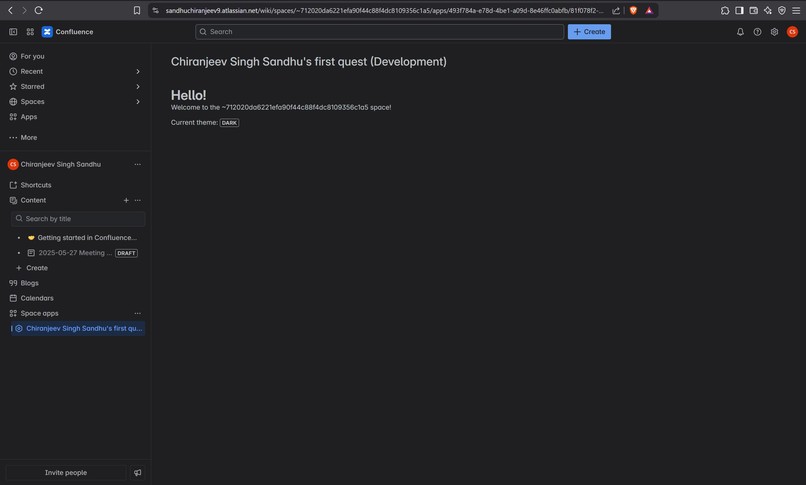
App_ScreenShot_
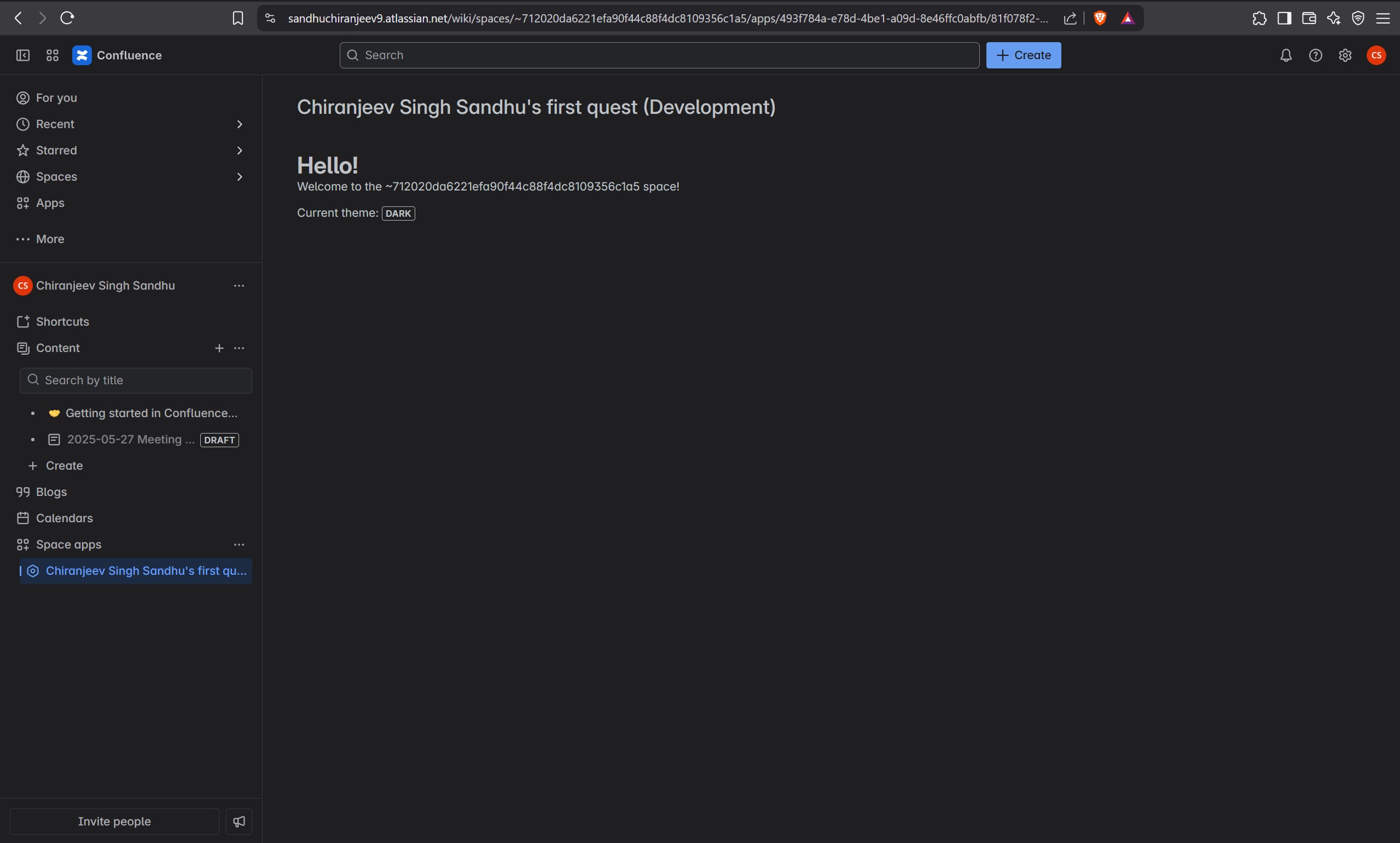
Inspiration
The growing ecosystem of Atlassian tools like Jira and Confluence inspired me to explore Forge—a platform that enables building secure, scalable, and customizable apps directly within Atlassian products. As someone eager to break into cloud app development, I saw Forge as the ideal environment to build and deploy my first real-world app.
What it does
The Hello World App serves as a foundational introduction to Forge app development. It provides a simple user interface component—either on a Jira issue panel or a Confluence page—that displays a "Hello, World!" message. Despite its simplicity, this app demonstrates the core structure, permissions handling, UI rendering, and deployment workflow of a Forge-based application.
Key Features:
Choose between deploying to Jira or Confluence
Uses Forge UI Kit for rendering content
Seamless integration into the Atlassian cloud environment
Easily extensible with functions and event triggers
How we built it
We built the Hello World app using the following stack and tools:
Atlassian Forge CLI for scaffolding and deployment
Forge UI Kit to build the app's front-end component
Manifest file (YAML) to define app modules and permissions
Jira or Confluence APIs for placement within host products
Forge Tunnel for real-time development and testing
Steps:
Ran forge create to scaffold the app
Chose "Hello World" template and target product (Jira/Confluence)
Edited the index.jsx to customize the UI
Deployed using forge deploy
Installed on the selected Atlassian site
Challenges we ran into
Understanding Forge’s permission model and scopes took some trial and error.
The deployment and installation process had some CLI nuances that required careful reading of documentation.
Figuring out the difference between UI Kit and Custom UI and when to use which.
Accomplishments that we're proud of
Successfully deployed a functional Forge app without external hosting
Gained confidence navigating the Atlassian developer ecosystem
Built a working integration with real-world application potential
Understood and used Forge’s manifest.yml effectively
What we learned
How Forge abstracts away infrastructure concerns like authentication, hosting, and data handling
How to use UI Kit to build simple but effective interfaces
How to manage permissions, scopes, and app installations in the Atlassian cloud
Best practices for structuring and deploying small-scale Forge apps
What's next for Forge Novice - Completed
Extend the Hello World app into something functional, like a Jira issue summary report or Confluence content analytics
Explore Custom UI for more dynamic and responsive interfaces
Experiment with Forge storage API and event triggers
Collaborate on shared apps across teams using Forge’s secure model
Text Description of the Project
The Hello World App is a simple but powerful entry point into Forge app development. It displays a customizable greeting message directly inside Jira or Confluence, depending on the chosen platform. While minimal in functionality, this app lays the groundwork for much more complex features by demonstrating:
How apps are structured in Forge
How to build using UI Kit components
How to deploy and manage an app in the Atlassian ecosystem
What you learned from using the Forge platform
Using Forge taught me how cloud-based apps can be tightly integrated into the Atlassian ecosystem with minimal overhead. I learned the full lifecycle—from development to deployment—without worrying about infrastructure, thanks to Forge’s managed runtime and APIs. I also learned to respect the power of clear permission management and the benefits of building UI-native experiences.
What are you most excited about building with Forge moving forward?
I’m excited to build more interactive and data-driven apps—like dashboards for Jira issue health, automation triggers for workflows, or custom Confluence content generators. The potential to automate and extend Atlassian tools securely and efficiently with Forge opens up many possibilities for improving team productivity and collaboration.

Log in or sign up for Devpost to join the conversation.