Inspiration
I found Forge Quest while exploring new tech tools and wanted to try it because I had never used Atlassian Forge before. As someone who enjoys learning by building, this seemed like the perfect hands-on opportunity to try something
What it does
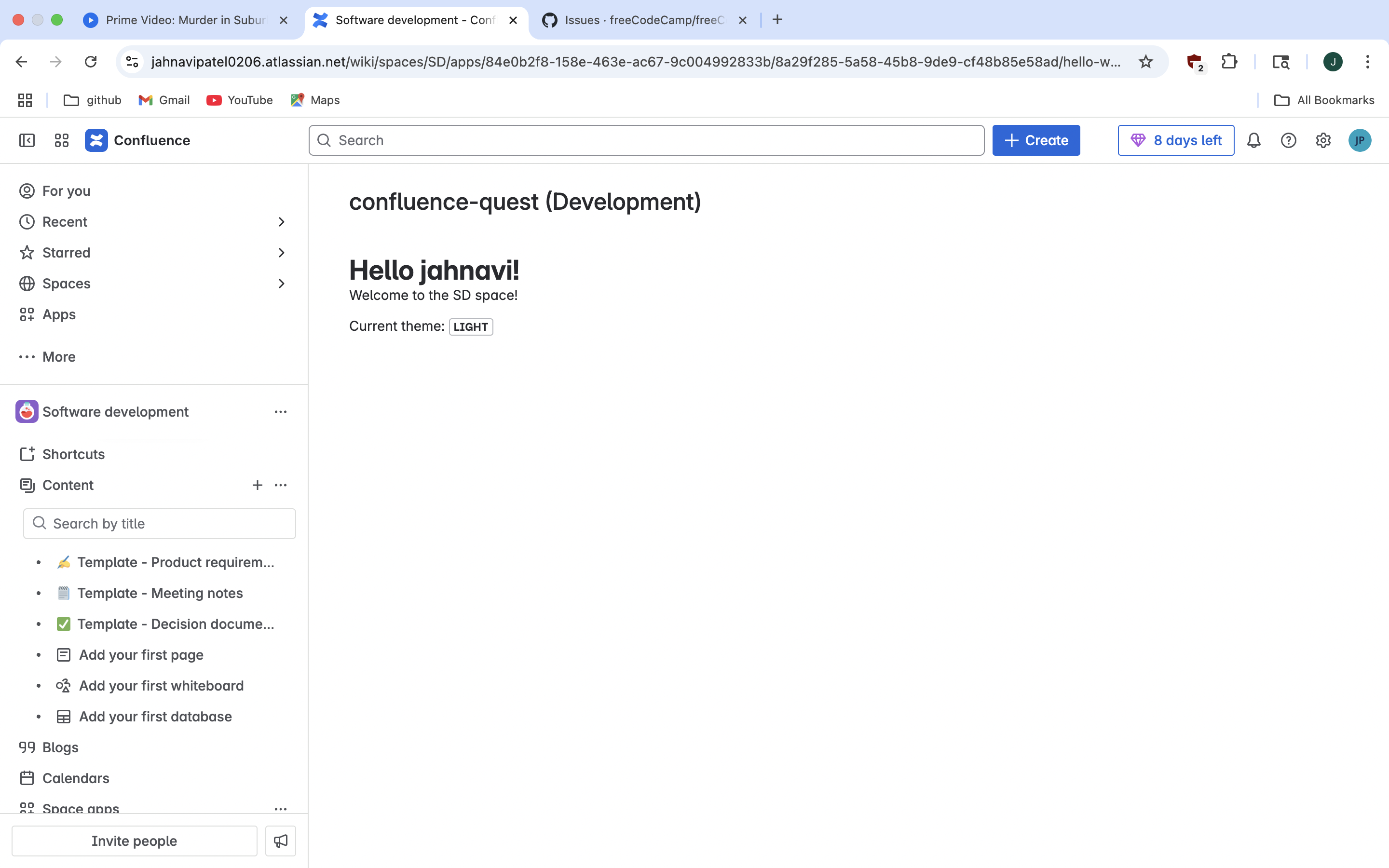
The app is a simple "Hello World" app that runs inside Confluence. When installed, it displays a message directly in the Confluence page using a custom macro. It helped me understand how Forge apps can be integrated into Atlassian
How we built it
I followed the official Forge Quest guide step by step:
- Installed and set up the Forge CLI.
- Created a new app using the Hello World template.
- Deployed the app to a Confluence site.
- Tested and took a screenshot showing it working in the UI.
Everything was done using the terminal and the provided
Challenges we ran into
- At first, I wasn’t sure how the
manifest.ymlfile worked. - I had to troubleshoot deployment when the app didn’t show up at first.
- Understanding where and how to take the screenshot in the “purple zone” took a bit of trial and error.
Accomplishments that we're proud of
- I successfully completed my first Forge app.
- I now know how to use the Forge CLI and deploy apps in Confluence.
- I followed through the full challenge from start to finish on my own.
What we learned
- How Forge apps are built and deployed.
- How to use the Forge development environment.
- The basics of app integration inside Confluence using custom macros.
What's next for Forge Confluence Quest
I’m excited to try the Apprentice level next. I want to build something more interactive—maybe the Jira Issue Panel or Weather Gadget App. I’m also curious about building apps that can improve productivity for teams using Atlassian

Log in or sign up for Devpost to join the conversation.