-
-
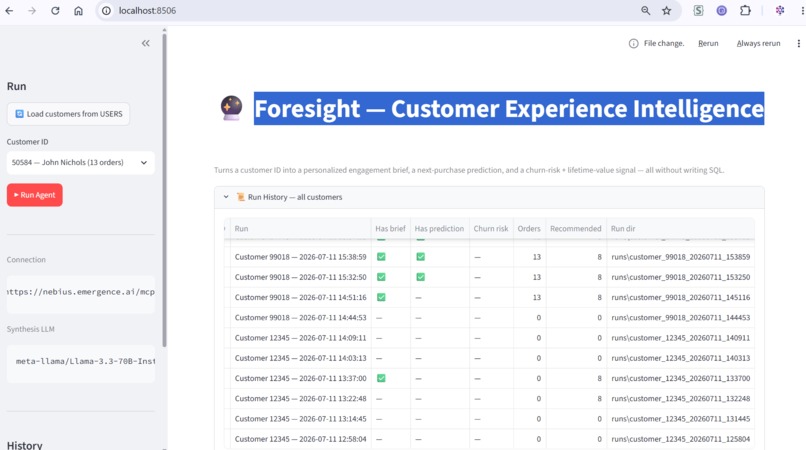
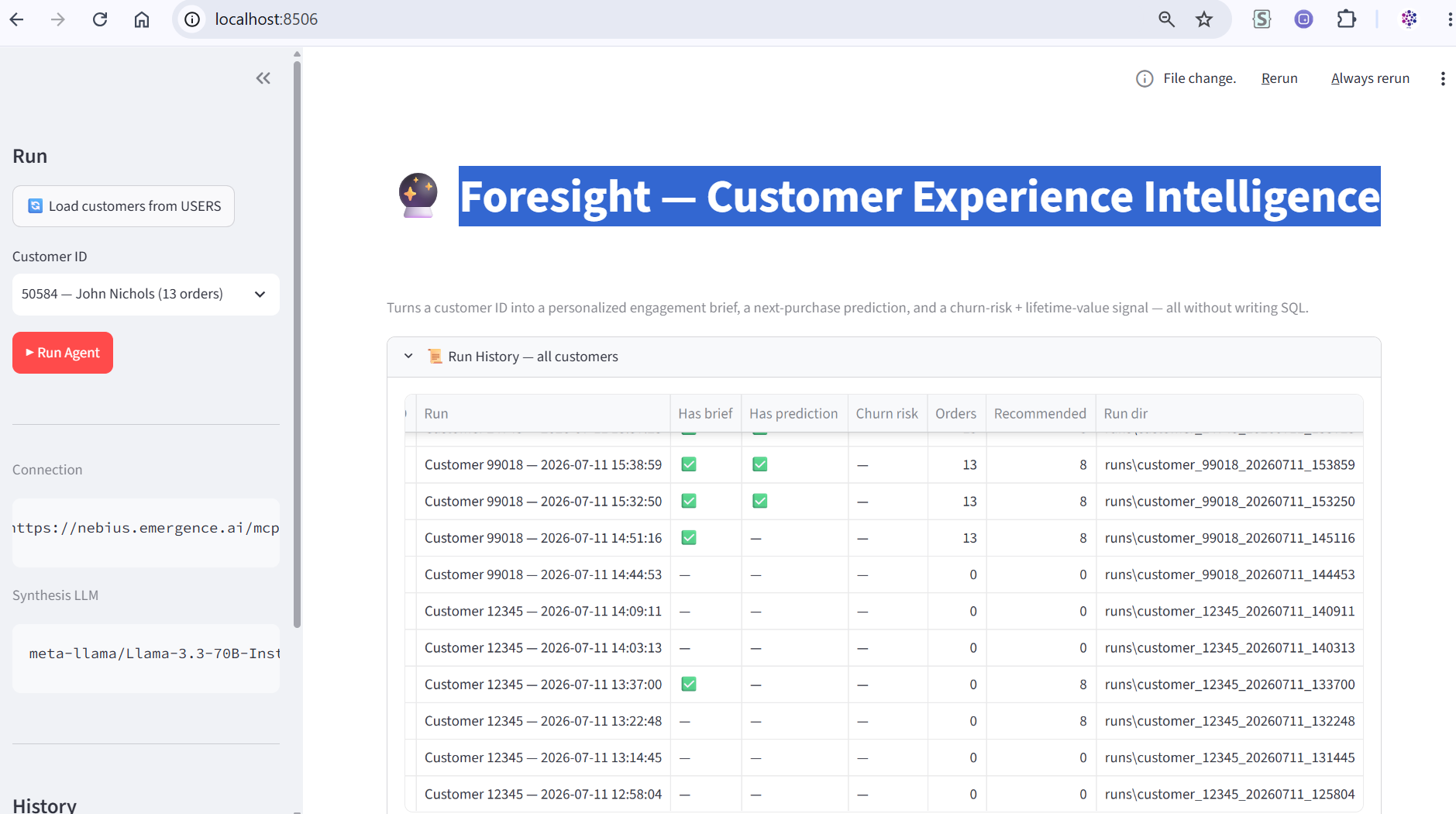
Screen
Foresight — Project Story
Inspiration
Most "customer 360" dashboards stop at description — they tell you who a customer was. We wanted something that tells you what a customer will do: what they'll buy next, whether they're at risk of churning, and what they're worth over time. The CRAFT semantic data platform made this feel reachable — a text-to-SQL layer meant we could point an agent at a live Snowflake warehouse and let it discover the schema, write its own queries, and reason over real purchase history, without a single hand-written SELECT. Pairing that with Nebius AI Studio for the synthesis step meant every prediction was generated by an open model we could inspect and swap, not a black box.
What it does
Foresight takes a customer ID and runs it through an 8-node LangGraph pipeline:
- Discover Profile — pulls demographics from
USERSvia CRAFT's Text2SQL. - Analyze Behavior — purchase history, category spend, and event activity, three natural-language questions turned into SQL.
- Generate Recommendations — top products in preferred categories not yet bought, plus high-margin offer candidates.
- Visualize — Plotly charts built from the query results.
- Compose Engagement — a Nebius-generated engagement brief for a store associate or CRM.
- Predict Next Purchase — a single, grounded prediction of the next item this customer is likely to buy, with confidence and reasoning.
- Assess Churn Risk — a deterministic Low/Medium/High signal from recency and engagement counts.
- Estimate CLV — a lightweight lifetime-value projection from observed spend.
All of it surfaces in a Streamlit dashboard with live per-node progress, a run-history browser, PII-aware display (masked email with a reveal toggle), a two-email system (an internal admin notification and a personalized customer offer email with a picture and discount), and a lightweight eval harness that checks whether the LLM's predictions are actually grounded in the data it was given.
How we built it
The backbone is a StateGraph from LangGraph — each node is a pure function that reads the shared state and returns a partial update, with conditional edges handling retries when a customer's behavioral data comes back empty. CRAFT MCP tools (get_schema, generate_sql, execute_query) do all the data access; two of the eight nodes call Nebius AI Studio for synthesis (engagement brief, next-purchase prediction), and two are pure deterministic computation (churn risk, CLV) — kept LLM-free on purpose, so they're free, instant, and reliable.
We started with Gemini for synthesis and migrated to Nebius mid-build once we had real access, which meant discovering the actual hosted model catalog via the API rather than guessing model names from memory. The Streamlit UI grew iteratively: first a bare "run and show the result" page, then a live per-node progress tracker (pending → running → done, each with a real one-line summary of what that node actually produced, not just a checkmark), then a run-history browser backed by the same JSON artifacts the CLI writes, then the email and eval features.
Challenges we ran into
The CRAFT backend genuinely failed on complex queries. Multi-table join questions (purchase history across ORDERS × ORDER_ITEMS × PRODUCTS) intermittently returned talk2data_error / HTTP 502 — "Text2SQL pipeline completed but no SQL was found in artifacts." We proved it wasn't our code by reproducing the exact failure with a standalone MCP script hitting the same connection, isolated from the rest of the app. It turned out to correlate with gaps in the CRAFT data catalog: the USERS table's PII, sensitivity, and data-quality tags were all unpopulated. We built a "Metadata & Enrichment Status" panel into the dashboard that surfaces exactly which enrichment workflows (PII tagging, sensitivity classification, metadata enrichment) are missing, so the fix is one click away on the platform side.
A silent data-casing bug nearly undermined our own eval harness. Snowflake uppercases unquoted SQL aliases, and since Talk2Data's generated SQL isn't consistent about quoting them, the same logical column would come back as product_name in one run and PRODUCT_NAME in the next. Our eval harness's groundedness check — does the predicted product actually appear in the candidate list — was silently returning false negatives because of a case-sensitive dictionary lookup. We caught it by noticing the eval report didn't match what we could see with our own eyes in the prediction text, traced it to the column-casing inconsistency, and fixed it at the source: craft_client.py now normalizes every result column to lowercase before it ever reaches the rest of the app, so every downstream consumer — prompts, the UI, the eval harness, the customer emails — can rely on one consistent shape.
Windows made the "boring" parts hard. rich's console renderer writes through the process's inherited codepage, which is cp1252 by default on Windows — meaning the →, ●, and 🔮 characters used throughout our own log output would crash the process outright, both on stdout and, separately, in the log file handler (two different encoding paths, two separate fixes). We also learned the hard way that killing a wrapped uv run streamlit process doesn't necessarily kill its child Python process — several "restarts" were silently hitting a zombie process still holding the old port and the old, unpatched code, which cost real debugging time before we started explicitly verifying which PID actually owned the listening port.
What we learned
Grounding matters more than fluency. An LLM-generated recommendation that reads well is worthless if it names a product that doesn't exist — which is why the eval harness's deterministic, LLM-free checks turned out to be more valuable than the LLM-judge score. And infrastructure debugging — proving a failure is upstream, tracing a silent data-shape bug to its root cause, hunting down a zombie process — was as much the project as the LangGraph pipeline itself.
Built With
- langgraph

Log in or sign up for Devpost to join the conversation.