-
-

FOOD SNAP IMAGE
-
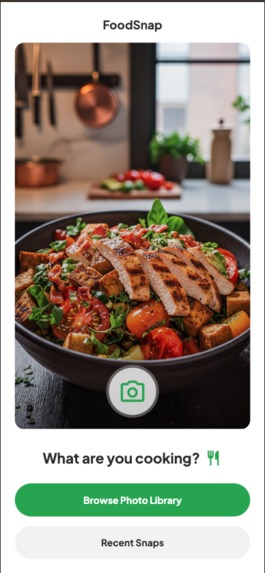
Main Page Take Photo of Food
-
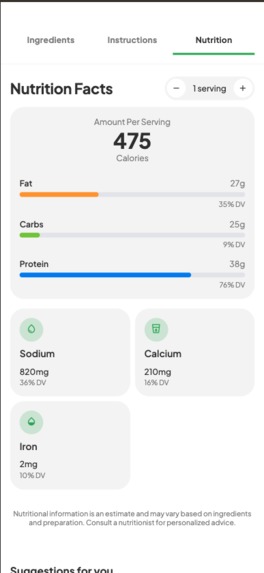
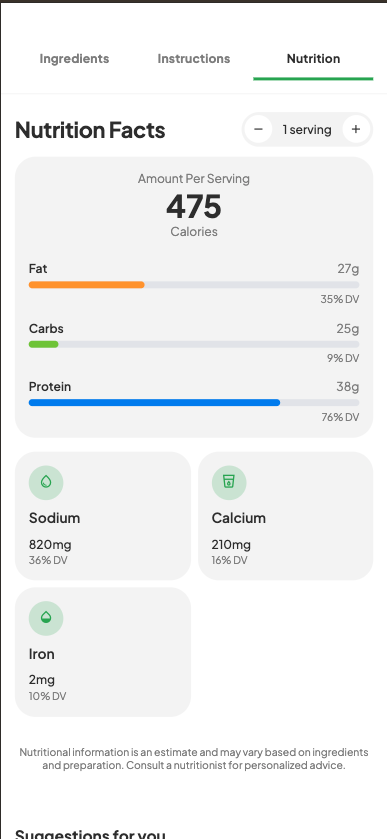
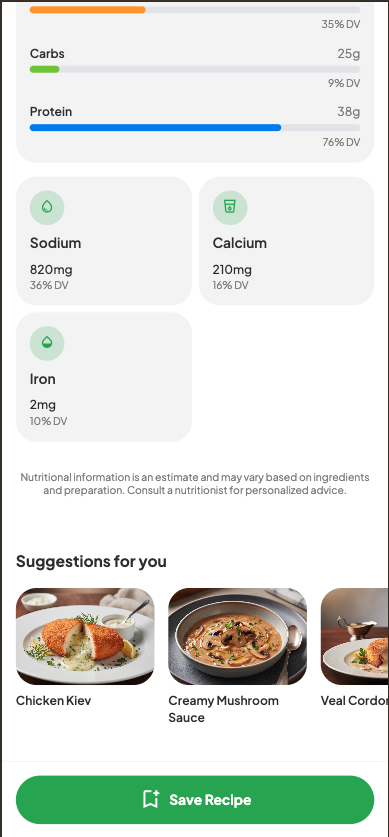
Nutrition Page
-
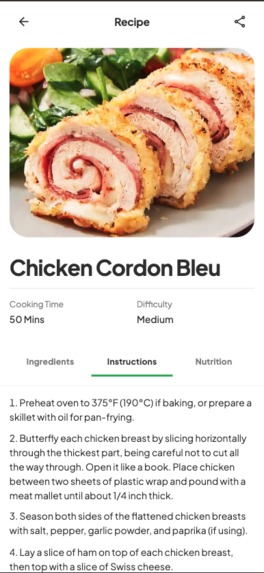
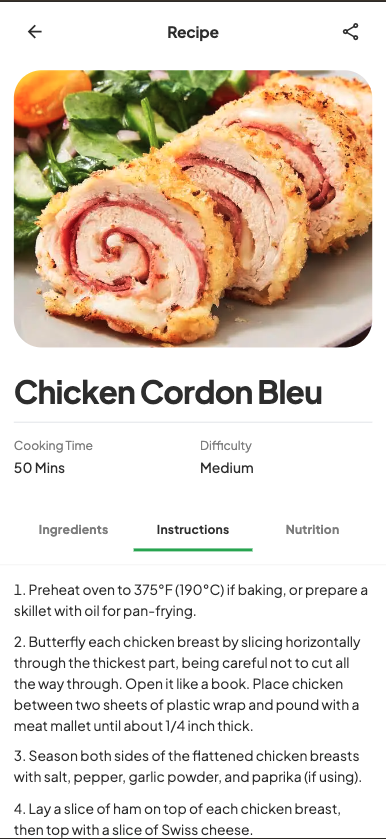
Kitchen Procedure
-
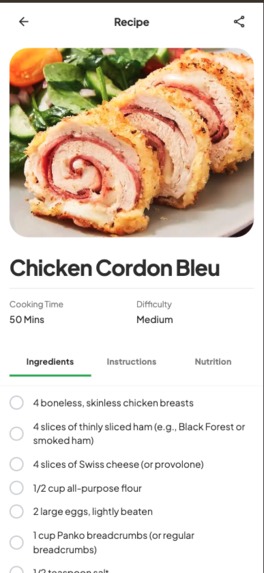
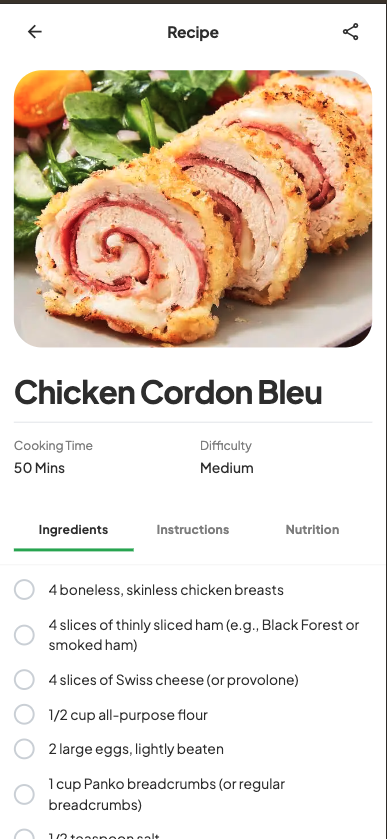
Grocery List
-
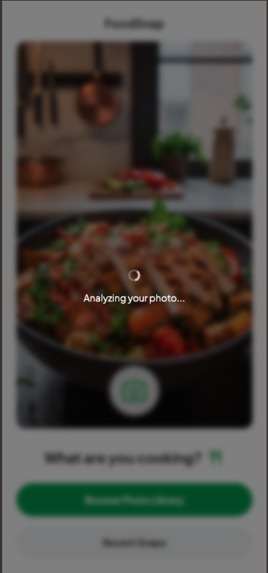
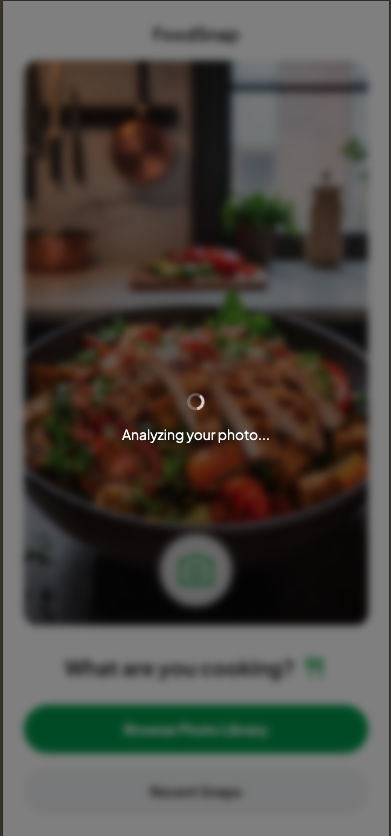
Analyzing Image
-
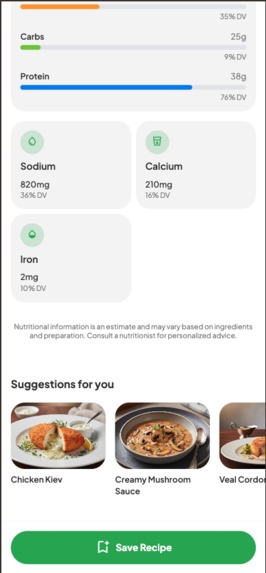
Sugestion Page
-
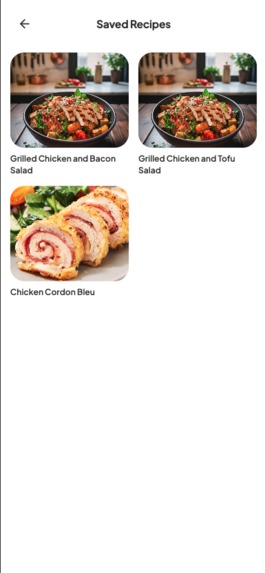
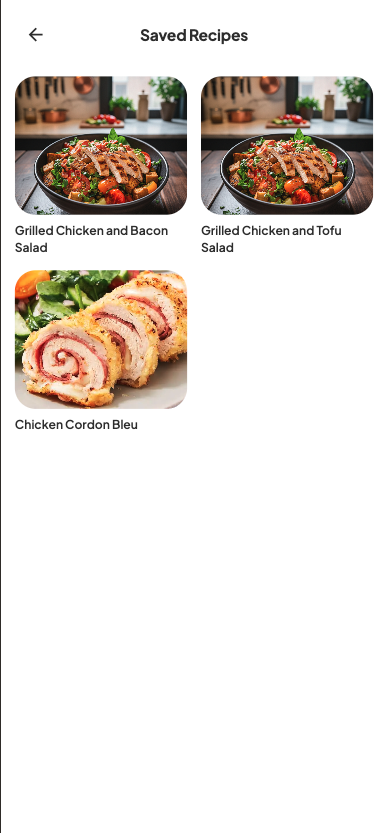
Saved Food Snaps

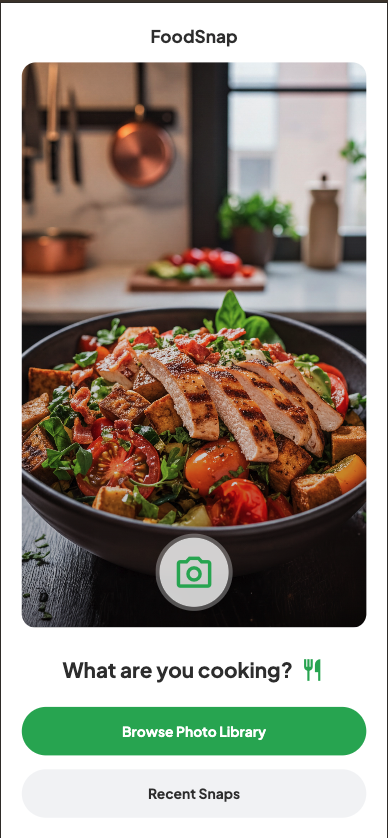
FoodSnap: See it. Snap it. Make it.
Inspiration
Have you ever scrolled through social media, seen a mouth-watering dish, and thought, “I wish I could make that”? Or been at a restaurant and wanted to recreate a meal at home? There’s a gap between visual food inspiration and the practical steps to cook it. Our inspiration was to bridge that gap. We wanted to create an app that could look at any dish and instantly tell you how to make it, so every food photo becomes a cookable recipe. This makes cooking spontaneous, creative, and fun for everyone.
What It Does
FoodSnap is an AI-powered culinary companion that transforms food photos into interactive recipes.
User Journey:
- See & Snap: Snap a food photo or upload from your gallery.
- AI Analysis: The image is sent to Google Gemini API, identifying the dish through multimodal understanding.
- Instant Recipe: FoodSnap generates a complete, beautifully formatted recipe in seconds.
- Detailed Guidance: Recipes include:
- Ingredients: Interactive checklist for ingredient tracking.
- Instructions: Step-by-step, clear guide to prepare the meal.
- Nutrition: Adjustable nutrition facts per serving.
- Discover More: The AI suggests similar or complementary dishes and generates inspiring photos for them.
- Save & Share: Save favorite recipes in “Recent Snaps,” and share with friends or family.
How We Built It
Architecture Diagram
System Overview:
graph TD
    subgraph "User's Device"
        User([<img src='https://www.gstatic.com/images/icons/material/system/2x/person_black_48dp.png' width='50' /><br/><b>User</b>])
        Browser{<br/><b>Web Browser</b><br/>}
        subgraph " "
            ReactApp[<img src='https://upload.wikimedia.org/wikipedia/commons/a/a7/React-icon.svg' width='40' /><br/><b>FoodSnap React App</b><br/>(Client-side Logic)]
            LocalStorage[<img src='https://www.gstatic.com/images/icons/material/system/2x/database_black_48dp.png' width='30' /><br/><b>Browser localStorage</b><br/>(Stores Saved Recipes)]
        end
        User --> Browser
        Browser --> ReactApp;
    end

    subgraph "Google Cloud Platform"
        CloudRun[<img src='https://cloud.google.com/images/products/icons/run.svg' width='40' /><br/><b>Google Cloud Run</b><br/>(Static Web Hosting)]
        GeminiAPI[<img src='https://www.gstatic.com/devrel-devsite/prod/v4674332213e283b87611e3f3b925b45c22533c33a21ca72836f339f37c376c2b/cloud/images/google-ai-platform.svg' width='40'/><br/><b>Google Gemini API</b><br/>(AI Models)]
    end

    %% Data Flows
    User -- "1. Accesses App URL" --> CloudRun;
    CloudRun -- "2. Serves Static Files (HTML, JS, CSS)" --> Browser;
    ReactApp -- "5. Reads/Writes Saved Recipes" <--> LocalStorage;

    ReactApp -- "<b>3. API Call:</b> Image-to-Recipe<br/>(gemini-2.5-flash)" --> GeminiAPI;
    GeminiAPI -- "<b>4. Returns:</b> Recipe JSON Data" --> ReactApp;

    ReactApp -- "<b>6. API Call:</b> Generate Suggestion Images<br/>(gemini-2.5-flash-image)" --> GeminiAPI;
    GeminiAPI -- "<b>7. Returns:</b> Generated Images" --> ReactApp;

    %% Styling
    style User fill:#e3f2fd,stroke:#333,stroke-width:1px
    style Browser fill:#e3f2fd,stroke:#333,stroke-width:1px,rx:10px,ry:10px
    style ReactApp fill:#fff,stroke:#333,stroke-width:1px,rx:10px,ry:10px
    style LocalStorage fill:#fff,stroke:#333,stroke-width:1px,rx:10px,ry:10px
    style CloudRun fill:#e8f0fe,stroke:#333,stroke-width:1px,rx:10px,ry:10px
    style GeminiAPI fill:#e8f0fe,stroke:#333,stroke-width:1px,rx:10px,ry:10px
Explanation:
- User Interaction: Access the application via web browser (desktop or mobile).
- Cloud Run Hosting: On visiting the app URL, Cloud Run serves the static files (HTML, CSS, JS) for the React Single-Page Application.
- Client-Side Logic: The React app manages all UI and state in the user's browser.
- Gemini API Calls:
- When a user uploads a food photo, the React app sends it directly to Google Gemini API.
- Uses gemini-2.5-flash model for multimodal image + text processing (food ID and recipe conversion).
- Uses gemini-2.5-flash-image model for generating suggested dish images.
- Client-Side Storage: Favorite recipes saved on the user’s device via localStorage; no backend database required.
In summary: The backend (Cloud Run) only serves the frontend code. AI processing, recipe generation, and user data are all handled by client or direct calls to Gemini API—creating a lightweight, secure, and truly serverless app.
A modern, responsive web app built for speed, reliability, and a joyful experience.
Frontend:
- Built in React + TypeScript for a fast, type-safe, component-based UI.
- Tailwind CSS for utility-first rapid styling (supports light/dark mode).
Core AI Engine:
- Google Gemini API + @google/genai SDK
- Multimodal Input (gemini-2.5-flash): Understand images and text together for accurate dish ID.
- JSON Schema Mode: Structured, predictable output—crucial for reliable UI and features.
- Image Generation (gemini-2.5-flash-image): Generates high-quality dish images for visual discovery.
Persistence:
- Recipes are saved locally with browser
localStoragefor simple, effective data storage.
Deployment:
- "FoodSnap runs as a stateless service on Google Cloud Run in europe-west1, supporting autoscaling and rapid user requests. Gemini API calls are handled by backend workers, while the frontend is globally distributed for latency reduction."
Challenges We Ran Into
- Unstructured AI Responses: Text-only outputs led to inconsistent recipes. Discovering JSON Schema mode solved this, with reliably formatted data for ingredients, nutrition, and more.
- Prompt Engineering: Iterated on prompts to yield recipes, nutrition, suggestions, and clear error messaging (“Food not found”) when dish ID failed.
- Async Operations: Multiple API calls (recipe, suggestions/images) required careful UX with spinners and loading indicators for a fluid, responsive app.
Accomplishments That We’re Proud Of
- Core "Magic": Snap a photo, get a detailed interactive recipe—truly magical!
- Rich, Interactive UI: Tabbed recipe screens, checkable ingredients, adjustable nutrition, and AI-generated suggestions make for a polished experience.
- AI-Powered Discovery: Suggestions broaden culinary horizons—users discover new dishes and get visual inspiration.
- Robust Error Handling: Graceful messages and fallback content when a dish can’t be identified.
What We Learned
- Structured Output is King: JSON Schema mode is essential. Relying on unstructured LLM text is fragile; structured output makes generative models truly usable.
- Multimodality Unlocks New Possibilities: Processing images + text enabled an application not possible with text-only LLMs.
- Power of UI: Even with powerful backend tech, a clean and responsive UI makes the difference for accessibility and enjoyment.
What’s Next for FoodSnap: See it. Snap it. Make it.
We’re just scratching the surface of AI for cooking!
- Video Instructions: Integrate Veo (or similar) for short, stepwise video guides per recipe.
- Real-Time Cooking Assistant: Use Gemini Live API for a hands-free, voice-activated mode to read instructions, answer questions, and manage timers.
- Pantry-Aware Suggestions: Input your ingredients, get recipes suited to what you already have.
- Personalized Meal Planning: Generate custom weekly plans based on diet, restrictions, or health goals.
Shopping List Integration: Instant ingredient-to-list feature, exportable and connectable to grocery delivery services.
Public Code Repository:
[https://github.com/coozgan/foodsnap]Prompts/AI Studio Category Link:
[https://ai.studio/apps/drive/1DIc61MP5iu6XOqCAuYNl5Kv9myV0S8ZK]
Ready to turn every food photo into your next delicious meal? FoodSnap makes it happen!
Built With
- cloudrun
- gemini
- nanobanana

Log in or sign up for Devpost to join the conversation.