-
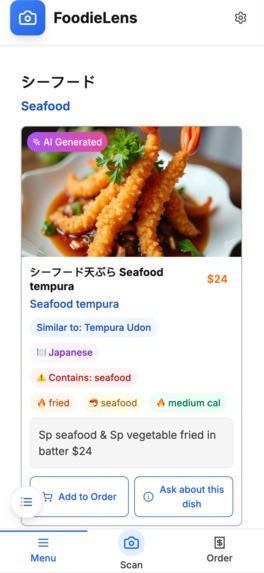
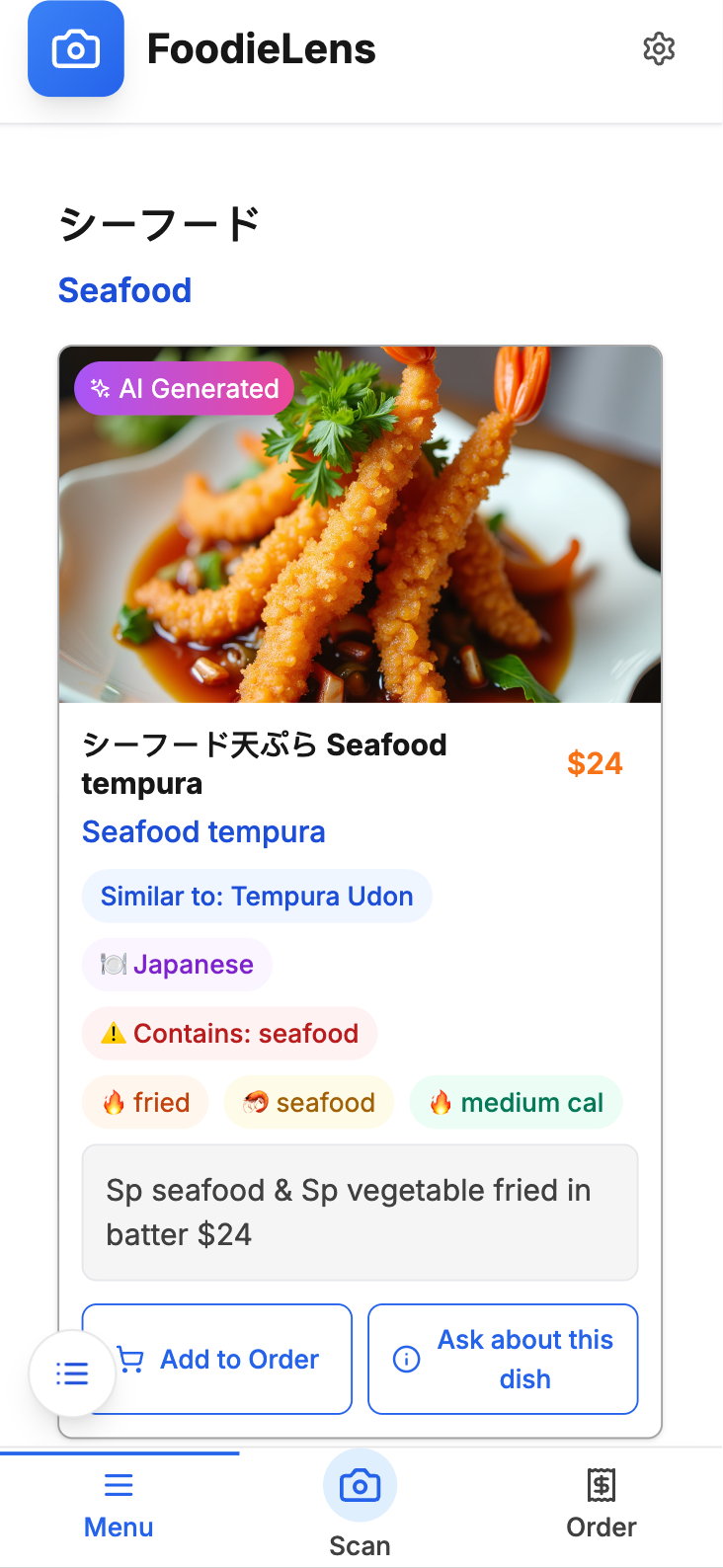
Japanese-English dishcard
-
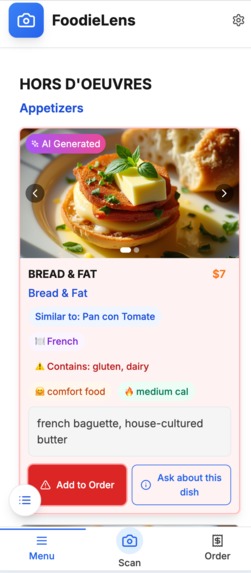
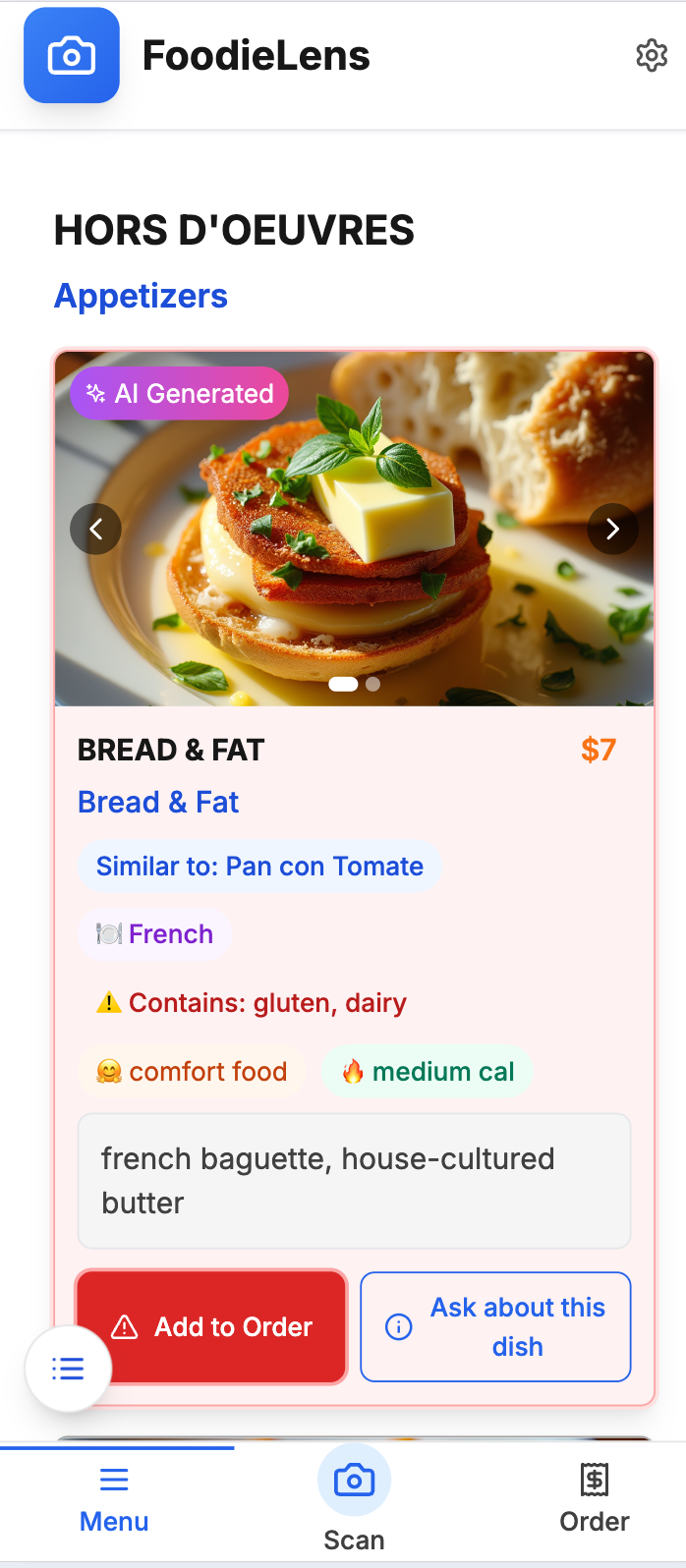
French dish card, translated to English, highlighted because of dietary restrictions
-

Menu language settings
-
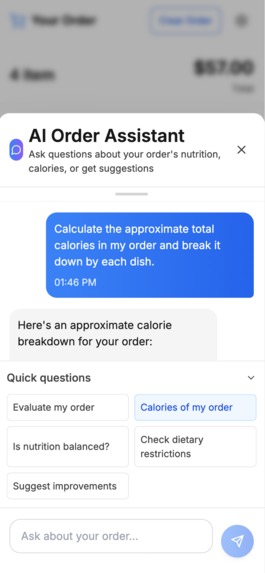
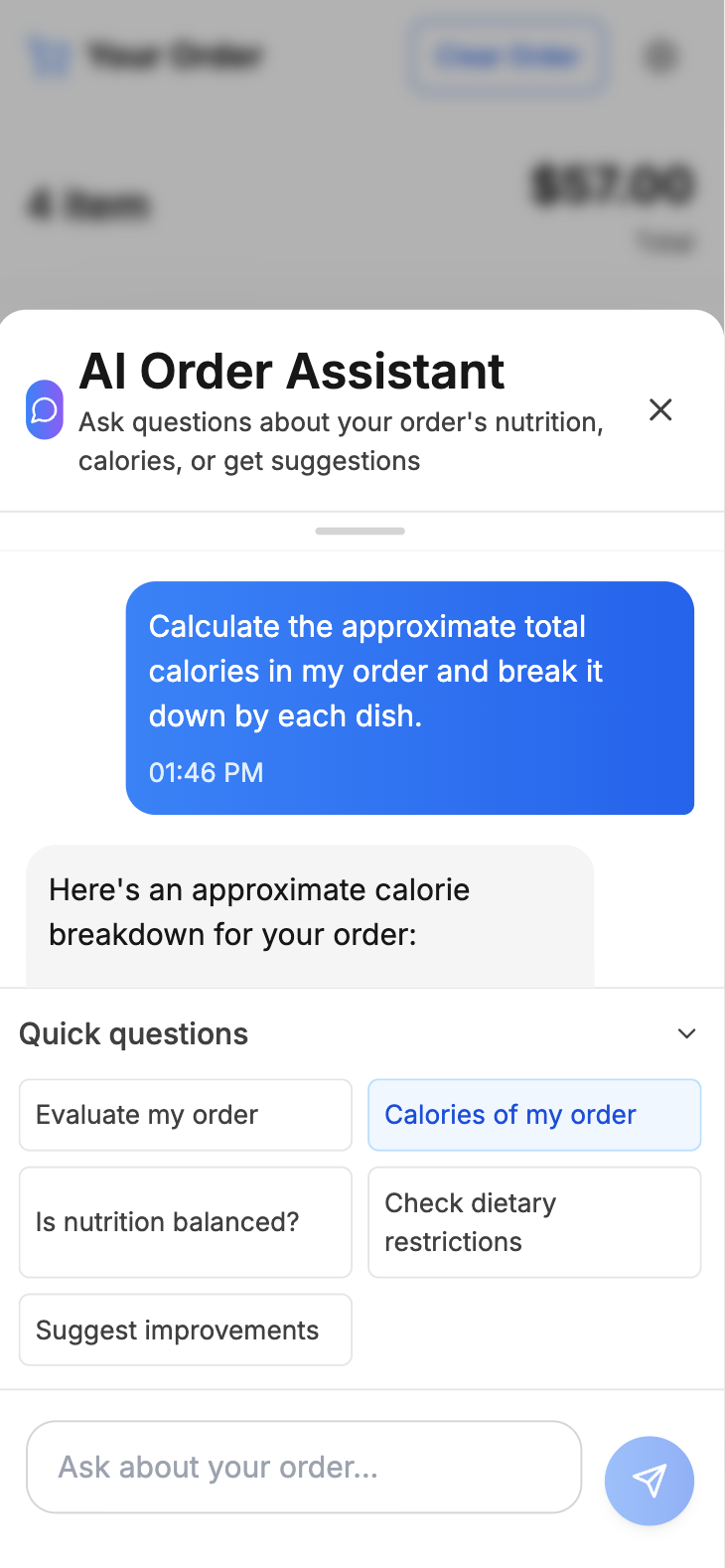
Order AI assistant
-
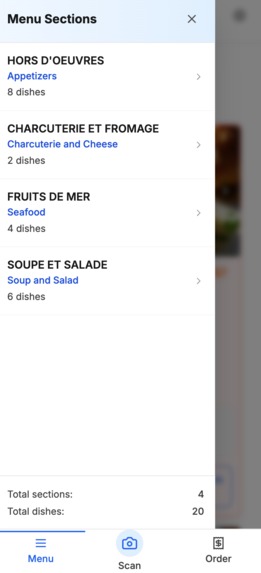
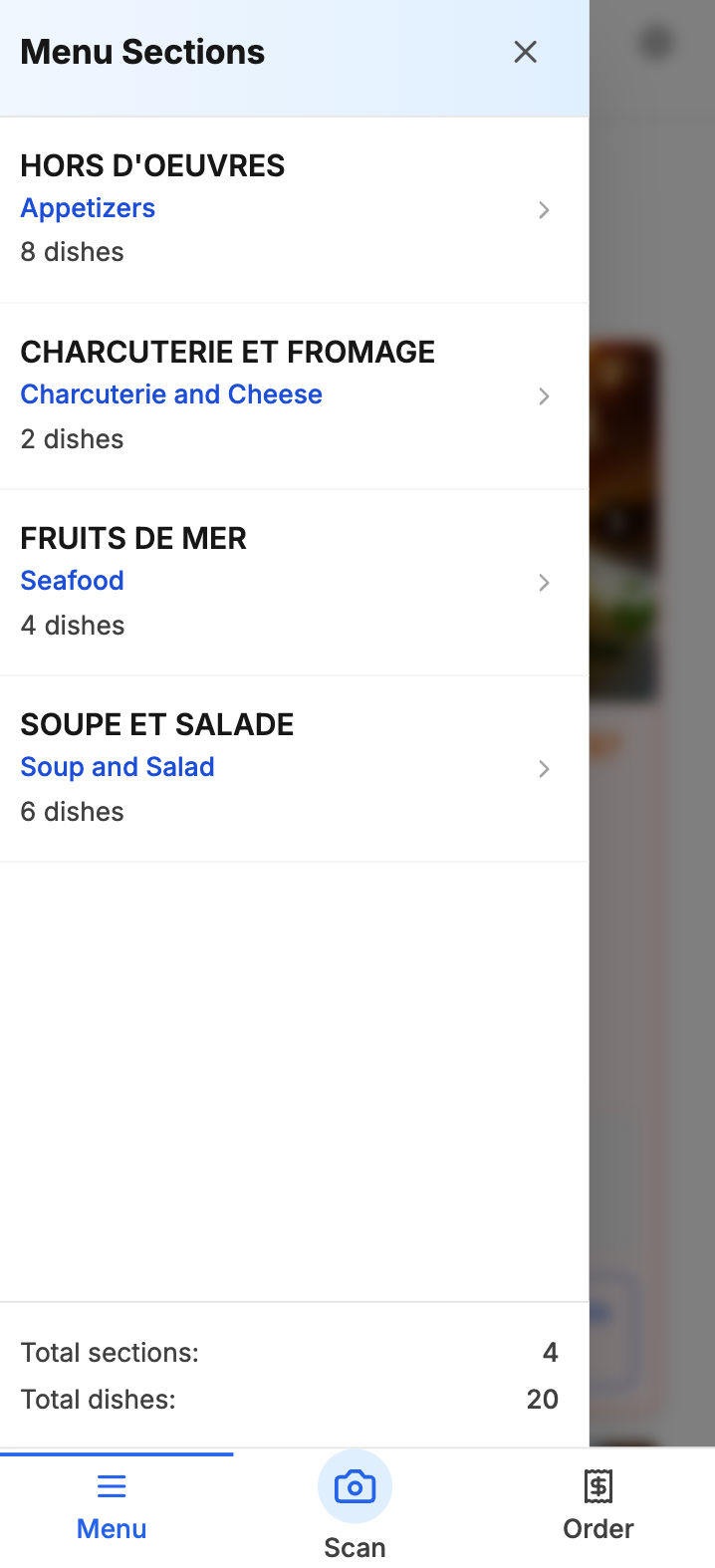
Auto-created menu sections
-
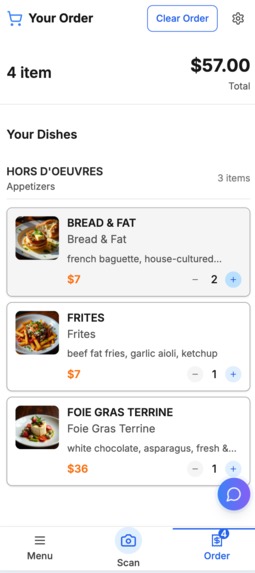
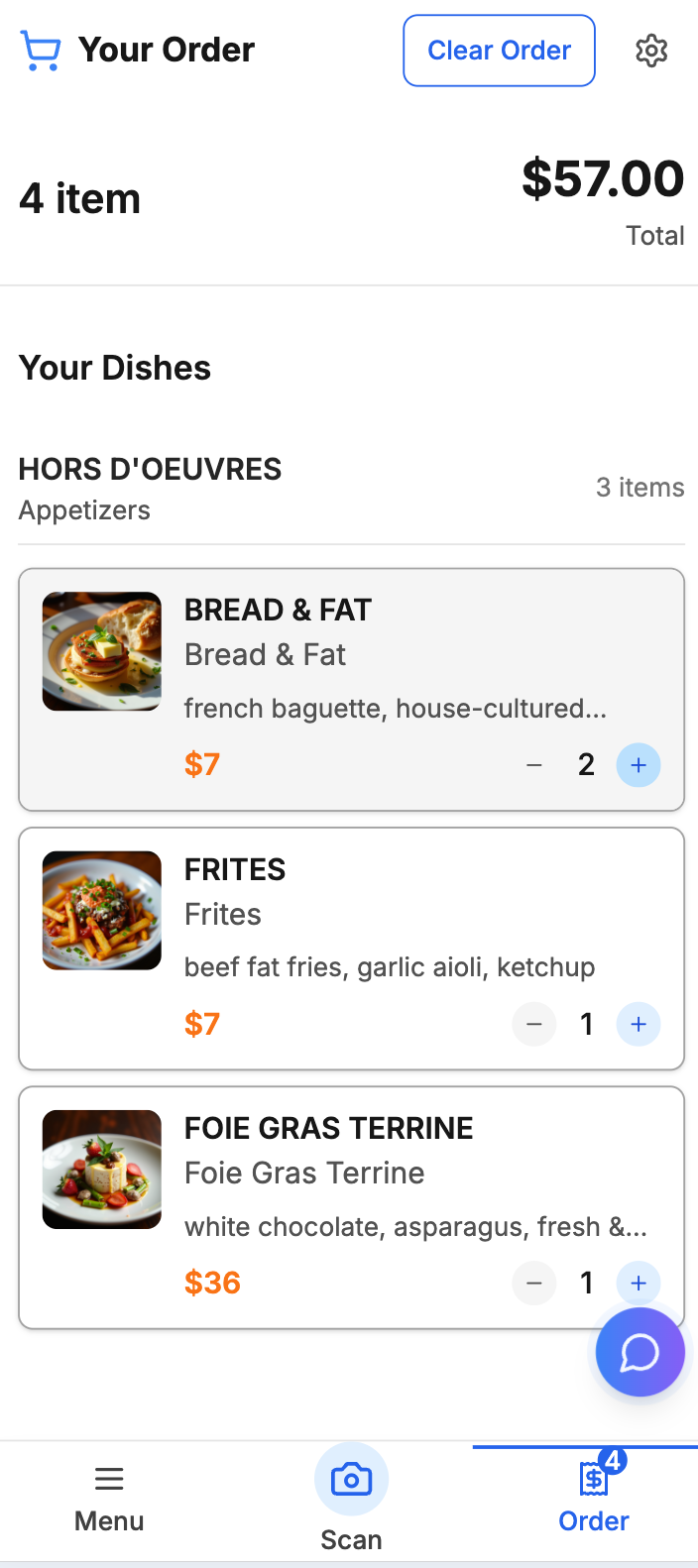
Order preview
-
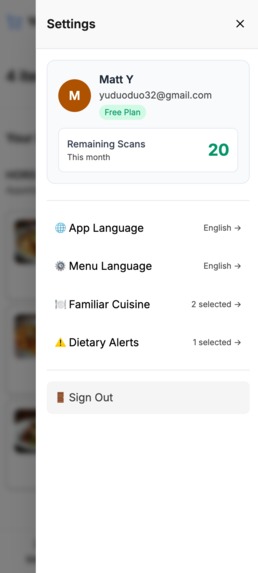
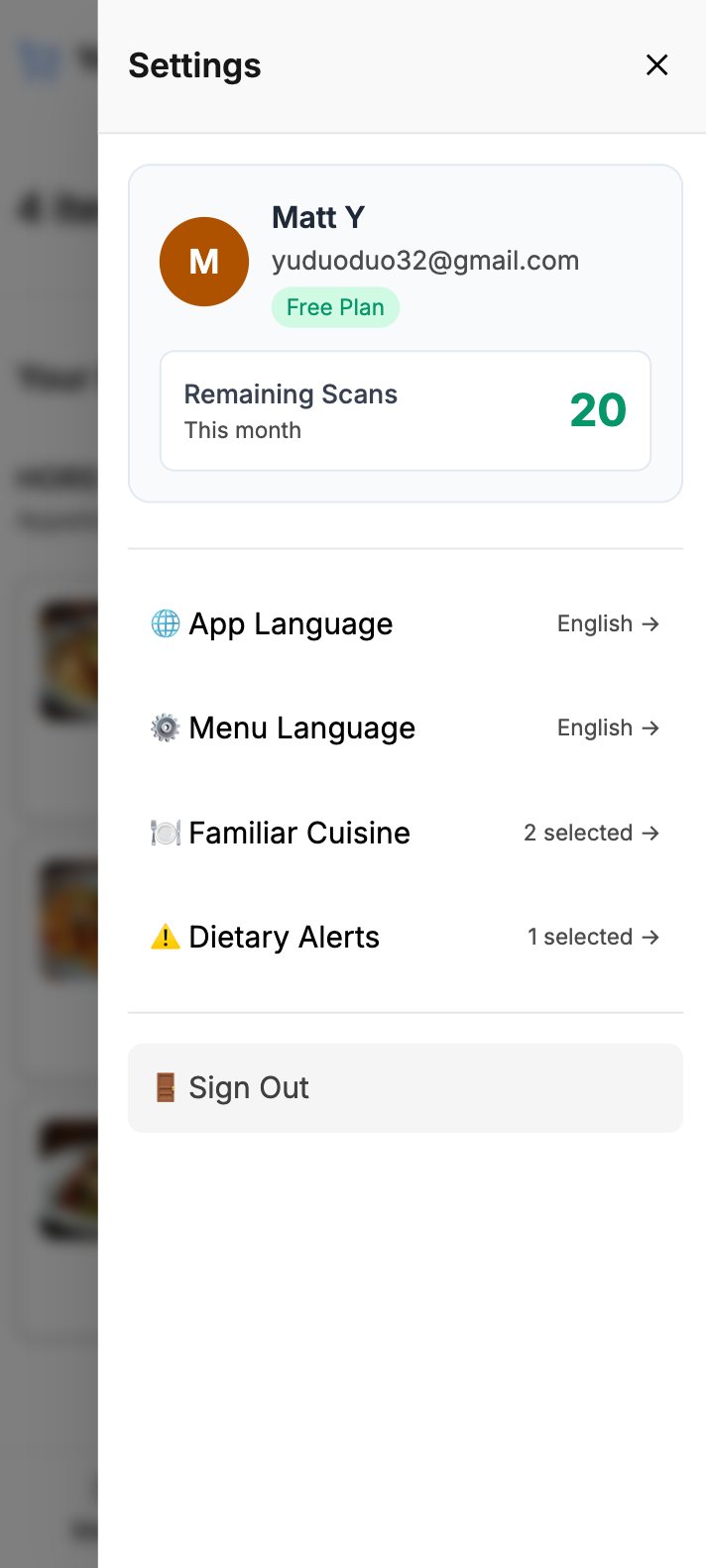
Settings slide drawer
-
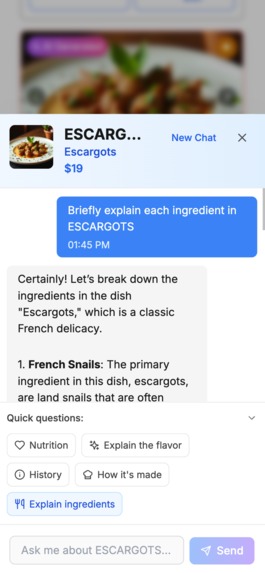
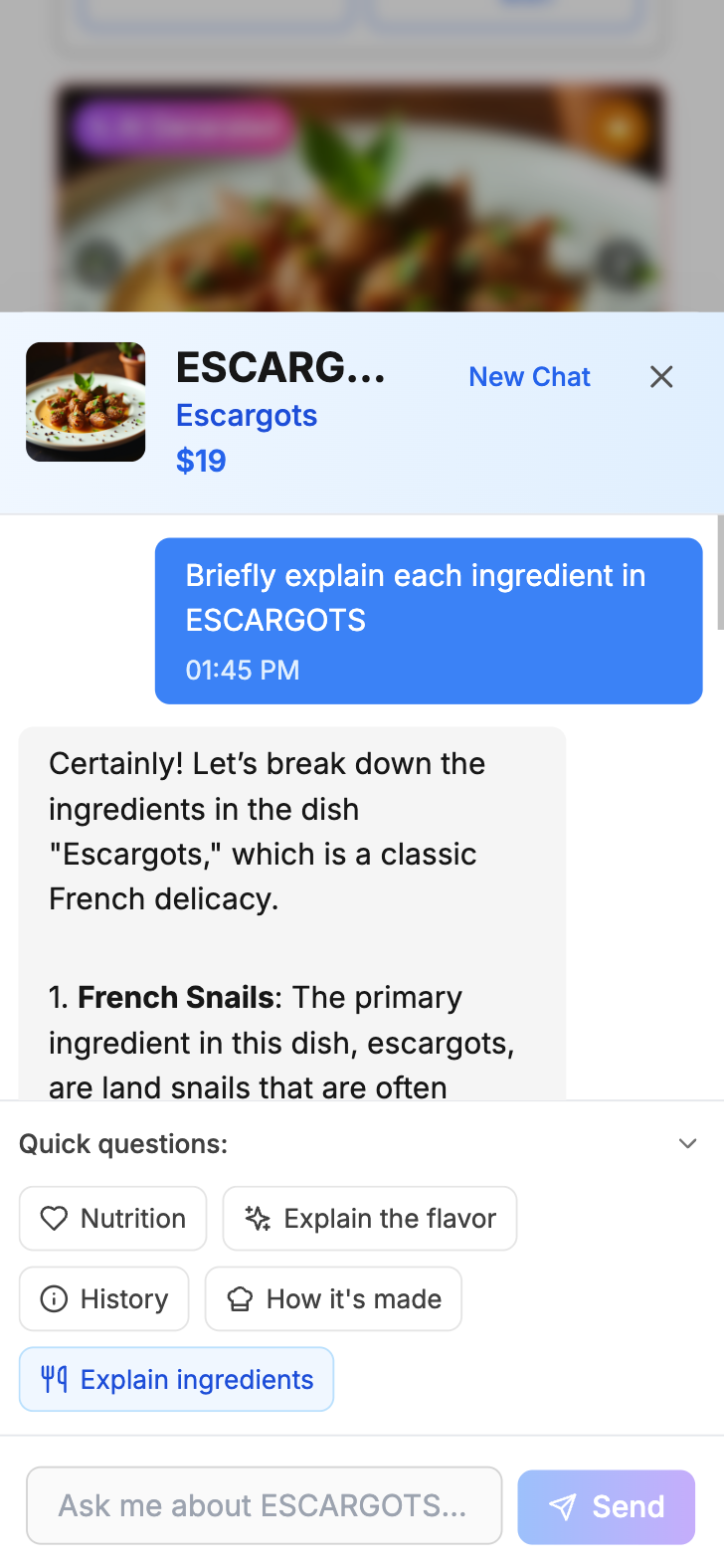
Dishcard AI assitant

Inspiration
- Frequent travellers and foodies struggle to read foreign menus. We envisioned a one‑tap tool that translates, visualises, explains and recommends dishes so they can order confidently anywhere—even in their native language people may not recognise every ingredient or dish name.
What it does
- Snap a menu photo → OCR & translation in the user’s chosen language.
- AI‑generated dish images and an embedded LLM for quick Q&A about any dish or the overall order.
- Highlights dietary restrictions based on detected ingredients, plus tags like “similar to” and calorie level.
- Intelligently recognises menu sections (e.g., appetisers, entrées, soups).
- Superior translation of dish names and ingredients—e.g., correctly maps “hen of the woods” to a mushroom, unlike Google Translate.
- Adds concise descriptions, dietary/spice tags and “similar to” hints.
- Flags dish cards that contain restricted ingredients.
- Friendly UI lets users add more photos after the initial scan.
- Flexible language settings allow menu translation in a language different from the phone’s OS—ideal for immigrants who use English daily but prefer explanations in their native tongue.
How we built it
Frontend
- React 18 + TypeScript, bundled with Vite.
- Tailwind CSS for styling; i18next for live localisation.
Backend
- Supabase Postgres + Storage.
- Supabase Edge Functions (Deno) stream results to the browser via SSE.
User Auth
- Supabase Auth on the server side.
AI Image Generation
- Replicate – Stable‑Diffusion‑XL fine‑tune “FOFR / Flux Black Light” (model‑version ID d0d4…).
Dish‑question LLM
- Supabase function
dish-qacalls OpenAI GPT‑4o‑mini for real‑time Q&A.
Dish OCR & Translation
- Google Vertex AI Gemini Vision extracts text from menu photos.
- Gemini 2.0 Flash Lite normalises dish names, tags and translates section titles.
Deployment
- Static SPA served from Netlify.
Challenges we ran into
- Achieving low latency for OCR, translation and tagging: traditional OCR (Google Cloud Vision/Document AI) was faster but poor on complex menu layouts. After a week’s exploration, an LLM approach proved most accurate. To minimise perceived delay we adopted a two‑pass LLM strategy and UI tweaks.
- Google Translate was unusable for food: e.g., it mislabels “hen of the woods” as poultry; our LLM recognises it as a mushroom.
- Selecting the right LLMs for OCR/translation/image generation and prompt‑tuning.
- Designing a fun, intuitive UI with minimal learning curve, including the dish‑card component.
Accomplishments that we’re proud of
- Menu OCR, translation, tagging and LLM Q&A are so useful we rely on them every time we dine out.
- Super‑friendly, considerate UI delivers a great user experience.
- Dietary‑restriction highlighting helps my wife and me eat safely.
What we learned
- Running small, separate tests early is critical. Comparing traditional OCR/translation/image‑fetching with LLM‑based approaches showed LLMs win across the board.
- Build small features and commit to Git frequently.
- Focus on core functionality before polishing the UI.
What’s next for FoodieLens
- Solve some fundamental issues, like supporting larger menu(more than 40 items) scan
- Design a logo and update the full colour scheme.
- Migrate to iOS/Android.
- New feature 1: persist user scan histories (currently not stored).
- New feature 2: recommend restaurants/dishes based on user location.
- New feature 3: add fun tools like a fortune wheel to help users decide what to eat.
- New feature 4: introduce a paywall to differentiate paid and unpaid users.
- Long term: fine‑tune in‑house LLMs to lower costs and improve accuracy in translation, image generation and OCR.
Built With
- deno
- expo.io
- google-cloud
- i18next
- javascript
- llm
- netlify
- next.js
- node.js
- openai-gpt-4o
- postgresql
- python
- react
- react-native
- replicate
- replicate.com
- server-sent-events
- sqlite
- stable-diffusion-xl
- supabase
- supabase-(postgres-+-storage-+-auth-+-edge-functions)
- tailwind-css
- typescript
- vercel
- vertexai
- vite


Log in or sign up for Devpost to join the conversation.