Inspiration
Food is personal. It’s what keeps us alive, brings families together, and fuels our days. But lately, I started looking at my own plate and wondering: do we actually know what we are putting inside our bodies? With so much processed junk, hidden sugars, and confusing marketing labels, eating safely feels like a guessing game. I built the Food_Reality_Checker because I care about food safety and honest nutrition. I wanted to create a genuine tool that strips away the lies and gives people the power to see the absolute truth behind their meals, so they can make choices that actually nourish them.
What it does
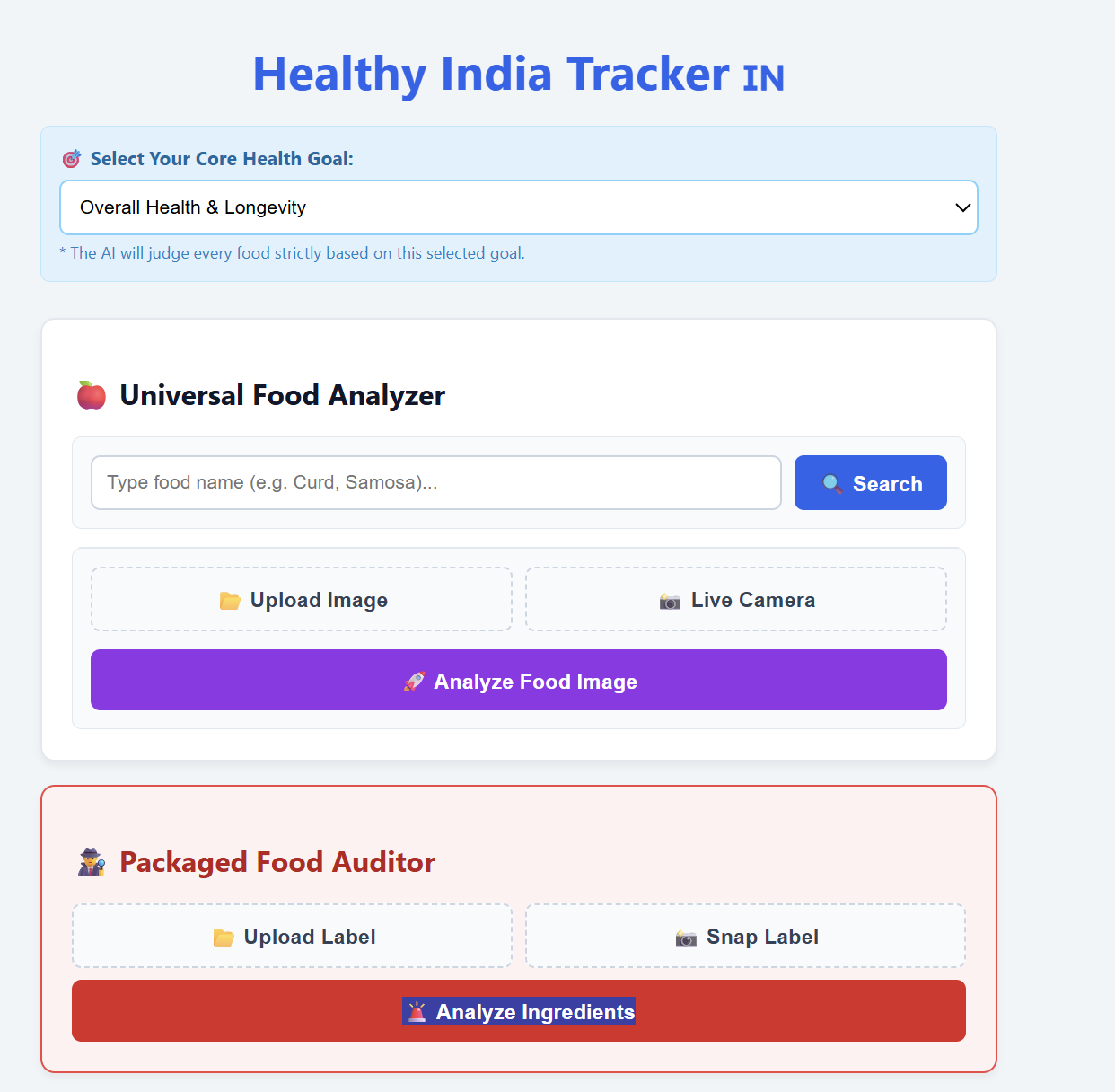
It’s a simple, honest reality check for your daily diet. You can type in any food—whether it's a fresh mango, a roadside samosa, or a fast-food burger—or simply snap and upload a photo of your meal or a confusing food label. The app instantly processes the image and gives you a clear, no-nonsense 10-line breakdown along with a simple Health Rating so you know exactly what you are putting into your body. It doesn't just throw boring calorie numbers at you. It explains how that food actually affects your digestion, what it does to your energy levels, and highlights any real health warnings you need to know. It’s like having an honest nutritionist right in your pocket.
How we built it
I built this using a lean but powerful full-stack setup. I wanted tools that could handle both text and image processing lightning-fast, without feeling bloated or overly complicated.
The Backend (Data & Image Processing): I wrote the core server using Python and FastAPI, running on a Uvicorn server. This acts as the control center. It handles the API routing and manages CORS so the frontend can connect securely. When a user uploads a food photo, my Python code actually steps in first—using the Pillow library to compress the image file size down (sometimes under 50KB!) before sending it anywhere. This keeps the app incredibly fast and saves bandwidth.
The Brains (AI Engine): To get accurate, real-time food insights, I integrated the Google Gemini 1.5 Flash API. What makes this powerful is that it handles both text searches and Vision (image recognition). I wrote specific backend logic to force the AI to behave like a strict nutritionist—looking at the compressed image or text, calculating the Health Rating, and returning the 10-line analysis in a clean, structured JSON format rather than just giving a conversational reply.
The Frontend (User Experience): I wanted the app to be accessible to anyone, so I built a clean, fast interface using HTML5, CSS3, and Vanilla JavaScript. I wrote asynchronous logic (async/await) so that when you snap a photo or type a food name, the JavaScript silently sends it to my Python server and smoothly loads the breakdown on your screen without ever needing to refresh the page.
Challenges we ran into
Let’s be real—stitching a frontend, a backend, and an AI model together is nothing like following a clean, 10-minute tutorial. My biggest roadblock was getting the network to cooperate. I spent hours staring at "Connection Refused" console errors and fighting strict CORS policy blocks just to get my JavaScript to successfully handshake with my local Python server.
Then came the AI itself. People think AI just magically "knows" what you want, but controlling it is incredibly tough. I had to heavily experiment with my Python backend logic to put the Gemini API in a strict box. I had to write failsafes to force the model to return exactly a 10-line, perfectly formatted JSON payload every single time, rather than letting it ramble on and completely break my frontend UI layout.
Accomplishments that we're proud of
Beyond the code, I’m just genuinely proud to have built a tool that can help people make healthier, more informed choices about their bodies.
Technically, my biggest "wow" moment was seeing the entire pipeline fire perfectly for the first time. Watching the app take a simple uploaded photo or a word like "Pizza," route it asynchronously to a Python server, process it through the Gemini engine, and instantly inject a clean, readable health dashboard onto the screen without the page crashing—that was an amazing feeling. I survived the backend routing nightmares and successfully built a robust, full-stack data pipeline from scratch.
What we learned
I stepped out of the "beginner" phase and finally learned how the web actually functions under the hood. I learned that APIs are the real glue of the internet, and I finally grasped how to properly write asynchronous JavaScript (async/await) so that the user's screen stays smooth and responsive while the server does the heavy lifting in the background.
Most importantly, I learned that working with AI requires real discipline. It isn't just about asking the model a nice question; it’s about writing strict code and parameters to force an unpredictable model to return safe, structured, and reliable data that won't break a real-world web application.
What's next for Food_Reality_Checker
The "Reality Check" Browser Extension Taking the app out of a standalone website and putting it where people actually buy food. I plan to build a lightweight Chrome Extension that interacts with grocery delivery platforms (like Amazon Fresh, Swiggy Instamart, or Blinkit). As a user browses, the extension will scrape the food item's name, ping my Python backend, and inject a quick color-coded health warning or "green light" right next to the "Add to Cart" button.
Smart "Swap" Recommendation Engine Right now, the app tells you the harsh truth about unhealthy food, but it doesn't solve the craving. The next technical hurdle is building a recommendation algorithm. If a user searches for a highly processed snack, the AI won't just say "high sodium"—it will cross-reference a database to instantly suggest three healthier, accessible alternatives (like roasted makhana instead of potato chips) that satisfy the same texture and flavor profile but with cleaner macros.
Live Barcode to AI Pipeline While computer vision for a whole plate of food is great, packaged food is where the most dangerous ingredients hide. I plan to integrate a mobile-friendly JavaScript barcode scanner into the frontend. It will scan a product, fetch the raw ingredient list from an open-source database (like Open Food Facts), and then feed that exact ingredient list directly into the Gemini API to expose disguised sugars, harmful preservatives, and artificial dyes that companies hide on the back of the box.
Why these work: The Extension shows you know how to interact with the DOM of external sites. The Swap Engine shows you are thinking about user psychology, not just raw data. The Barcode Scanner adds hardware/camera interaction, which is very impressive. Pick the two or three that sound the most exciting to you to build!

Log in or sign up for Devpost to join the conversation.