-
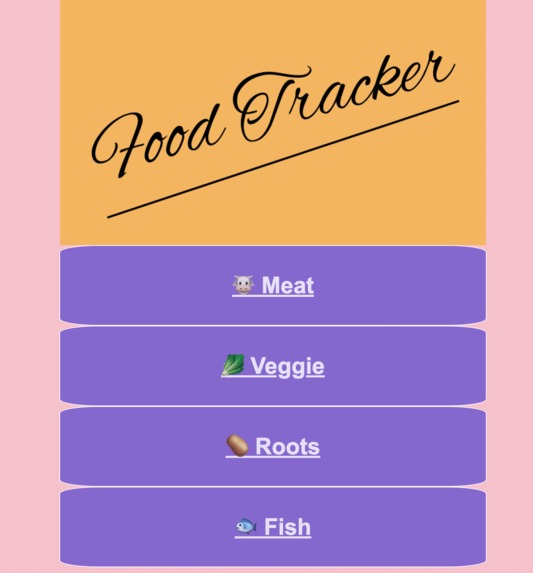
Front Page
-
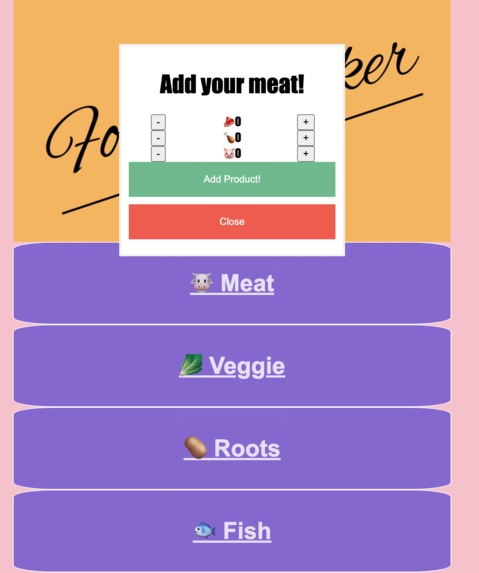
Tracking system


Inspiration
Jordan got the idea of reducing food waste after having too many chats with people throwing away food simply because they lost track of when they bought their food. It turns out, people either aren't labeling their food when it goes into the fridge and most non-scanning apps are too cumbersome to input variables. So we used a "first-in-first-out" concept that chefs use to keep track of food waste while simplifying the design of the Food Tracker to make it more fun to use.
What it does
User Input:
- 1. Buy groceries
- 2. Click on "meat" "veggies" "roots" or "fish" based on the groceries purchased.
- 3. In the pop-up, add the approximate number of foods in each category by pressing + or - buttons.
- 4. Click submit to view your inventory and approximate shelf-life of each food.
- 5. Click away foods as you use them.
The app counts down to remind the user that a certain ingredient is close to expiry. This helps users keep track of ingredients.
How we built it
HTML/CSS: We wanted to keep it simple like early 2010's games. So we had a fullscreen app where everything is viewable at a glance.
JS: We have counters to keep track of the quantity of a certain type of ingredient, for example, beef, chicken, onion, or potatoes. This will be sent to the backend via Flask so that the data can be persisted in a database. We chose to use SQLite to store the data.
Python: We used python to receive data in a JSON format in order to parse and store it within a SQLite database. This is where python can update whenever the app is ran to update the expiration date of the food item. Which is then retrieved at a later date to be converted back into JSON to be return to the front end.
Challenges we ran into
How do we connect backend to frontend? This was our main challenge because it was our first time connecting the front to the back. We were able to do each piece individually but it was difficult to connect them. We learned to use Flask and JavaScript to connect the two.
Accomplishments that we're proud of
This was everyone's first Hackathon and this was the first time that we integrated front end and back end practices. We learned a lot from each other, created an app from scratch, worked on files from different backgrounds with people unfamiliar with each other's workflow settings. We taught everyone the benefits of github practices, front-end best practices, and had fun doing it!
What we learned
We improved our understanding of our respective stacks by mentoring each other. Most of us only have less than six months of experience programming at all so this was a challenge in itself. Only one of us was well versed in frontend development, so another member had to learn how to work with frontend from zero to help with the workload. We learned how to work as a group and how to delegate tasks among ourselves. For most of us we have only learned to program by ourselves and this was a great opportunity for us to learn how to cooperate.
What's next for Food Tracker
This is just a frame work, we want to incorporate more fun elements like ideal recipes when multiple ingredients are running out of time, add in more advanced things like bar-code data reading, and give cooking tips and facts about food.

Log in or sign up for Devpost to join the conversation.