-
-
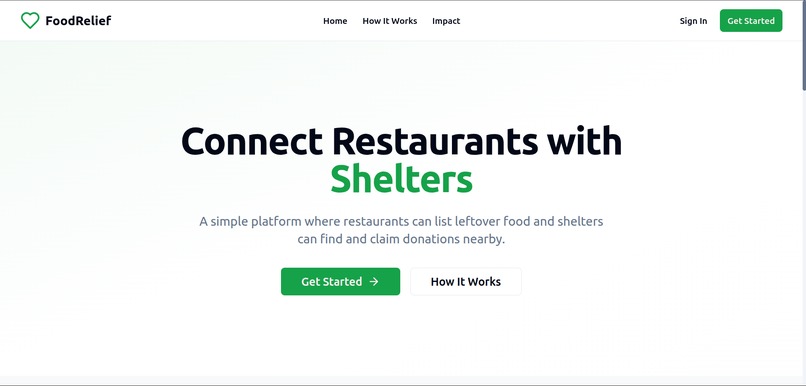
Landing page of Food Relief Website
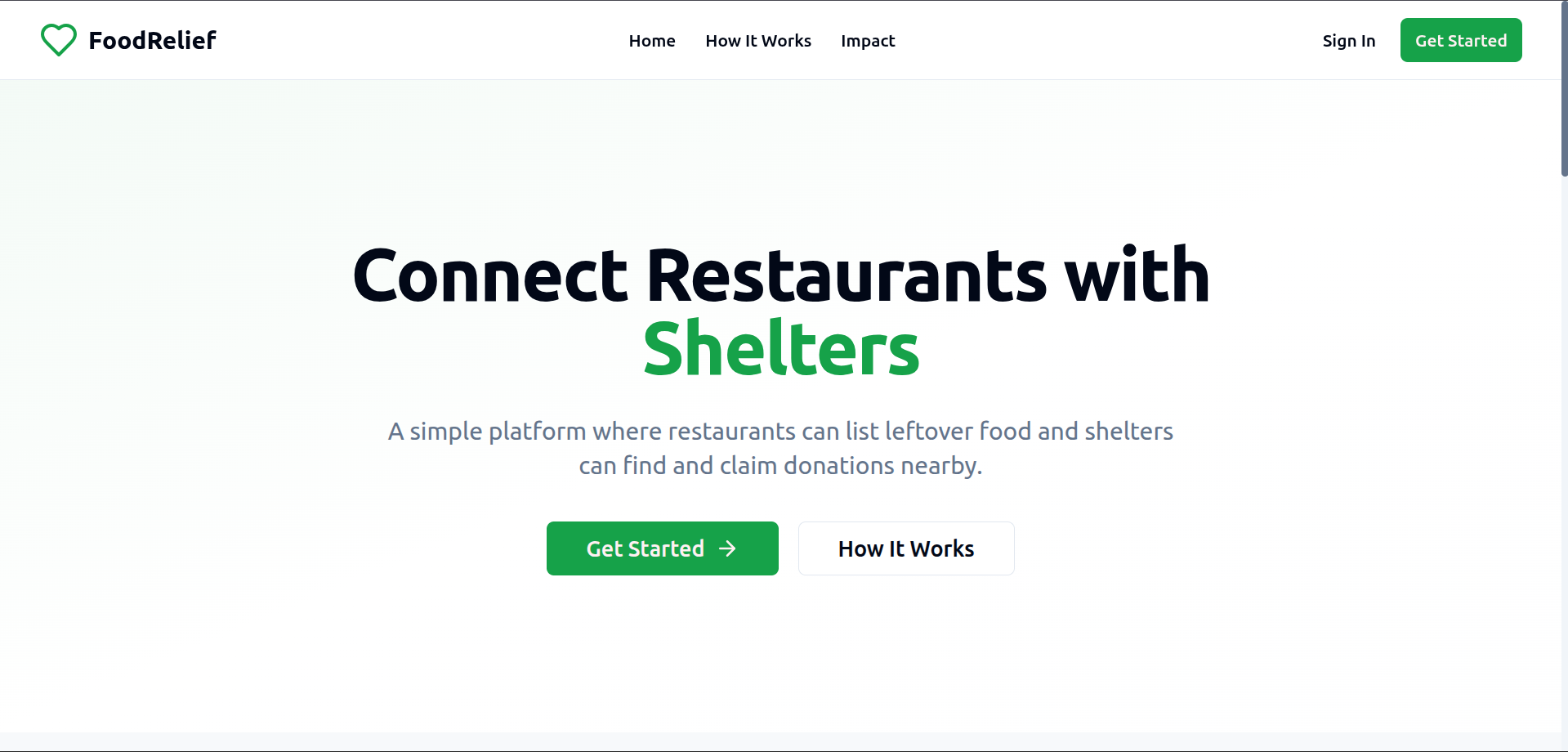
FoodRelief - Project Documentation

Table of Contents
- Project Overview
- Features
- Technology Stack
- Architecture
- Database Schema
- Installation & Setup
- Environment Configuration
- Usage Guide
- API Documentation
- Security
- Performance
- Deployment
- Contributing
- Troubleshooting
- License
Project Overview
FoodRelief is a web platform that connects restaurants and food businesses with shelters and food banks to reduce food waste and feed communities in need. The application enables restaurants to list leftover food donations and allows shelters to discover and claim these donations within a 10km radius.
Problem Statement
- Food Waste: Restaurants generate significant food waste daily
- Food Insecurity: Many shelters and food banks struggle to find fresh food donations
- Coordination Gap: Lack of efficient systems to connect food donors with recipients
- Geographic Barriers: Difficulty finding nearby donation opportunities
Solution
FoodRelief provides a simple, location-based platform that:
- Allows restaurants to quickly list surplus food
- Enables shelters to find and claim nearby donations
- Facilitates direct communication between organizations
- Tracks donation impact and activity
Features
Core Features
For Restaurants
- Food Donation Listing: Add details about leftover food including quantity, expiry time, and photos
- Location-Based Matching: Automatic notification to shelters within 10km radius
- Real-Time Status Updates: Track when donations are claimed or expire
- Impact Dashboard: View donation history and meals provided
- Direct Communication: Contact information sharing with claiming shelters
For Shelters
- Interactive Map View: Visual representation of available donations nearby
- Smart Filtering: Find donations based on distance, quantity, and expiry time
- One-Click Claiming: Simple process to claim available donations
- Donation History: Track claimed donations and received meals
- Real-Time Updates: Live notifications when new donations become available
Shared Features
- User Authentication: Secure sign-up and login system
- Profile Management: Complete organization profiles with photos and contact details
- Location Services: GPS-based location detection and storage
- Responsive Design: Mobile-first design that works on all devices
- Real-Time Updates: Live status changes and notifications
Advanced Features
- Distance Calculation: Accurate distance measurement between locations
- Expiry Countdown: Real-time countdown timers for food expiration
- Photo Upload: Image support for food donations
- Contact Integration: Direct phone and email communication
- Activity Statistics: Platform-wide usage and impact metrics
Technology Stack
Frontend
- React 18: Modern React with hooks and functional components
- TypeScript: Type-safe development with full type coverage
- Tailwind CSS: Utility-first CSS framework for rapid styling
- Framer Motion: Smooth animations and micro-interactions
- React Router: Client-side routing and navigation
- React Hook Form: Efficient form handling and validation
Backend & Database
- Supabase: Backend-as-a-Service providing:
- PostgreSQL database with real-time subscriptions
- Authentication and user management
- Row Level Security (RLS) for data protection
- File storage for profile photos
- Real-time updates and notifications
UI Components
- Radix UI: Accessible, unstyled UI primitives
- Lucide React: Beautiful, customizable icons
- Custom Components: Purpose-built components for specific features
Maps & Location
- Google Maps JavaScript API: Interactive maps and location services
- Geolocation API: Browser-based location detection
- Distance Calculation: Haversine formula for accurate distance measurement
Development Tools
- Vite: Fast build tool and development server
- ESLint: Code linting and quality enforcement
- PostCSS: CSS processing and optimization
- TypeScript Compiler: Type checking and compilation
System Architecture
┌─────────────────┐    ┌─────────────────┐    ┌─────────────────┐
│   Frontend      │    │   Supabase      │    │  External APIs  │
│   (React App)   │◄──►│   (Backend)     │◄──►│  (Google Maps)  │
└─────────────────┘    └─────────────────┘    └─────────────────┘
         │                       │
         │                       ├── PostgreSQL Database
         │                       ├── Authentication
         │                       ├── Real-time Subscriptions
         │                       └── File Storage
         │
    ┌─────────┐
    │ Browser │
    │ Storage │
    └─────────┘
Component Architecture
src/
├── components/
│   ├── layout/          # Header, Footer, Navigation
│   ├── map/            # Map components and location services
│   ├── profile/        # User profile management
│   └── ui/             # Reusable UI components
├── hooks/              # Custom React hooks
├── lib/                # Utilities and configurations
├── pages/              # Route components
└── types/              # TypeScript type definitions
Data Flow
- User Authentication: Supabase Auth handles login/signup
- Profile Creation: User data stored in
profilestable - Location Services: Browser geolocation with fallback options
- Food Donations: Restaurants create donations in
food_donationstable - Real-Time Updates: Supabase real-time subscriptions notify shelters
- Claiming Process: Shelters update donation status and create logs
- Communication: Direct contact information sharing
Tables Overview
profiles
User profiles for restaurants, shelters, and admins.
food_donations
Food donation listings with location and status information.
donation_logs
Transaction logs for donation claims and coordination.
Relationships
- One-to-Many: Profile → Food Donations (restaurant creates multiple donations)
- One-to-Many: Profile → Claimed Donations (shelter claims multiple donations)
- One-to-Many: Food Donation → Donation Logs (multiple log entries per donation)
- Many-to-Many: Restaurants ↔ Shelters (through donation transactions)
Indexes
Performance-optimized indexes for common queries:
Installation & Setup
Prerequisites
- Node.js: Version 18 or higher
- npm: Version 8 or higher
- Git: For version control
- Supabase Account: For backend services
- Google Cloud Account: For Maps API (optional)
Access Application
- Open https://animated-alpaca-3207e0.netlify.app/
- Create test accounts for restaurants and shelters
Production Build
npm run build
npm run preview
Environment Configuration
Required Environment Variables
| Variable | Description | Required |
|---|---|---|
VITE_SUPABASE_URL |
Supabase project URL | Yes |
VITE_SUPABASE_ANON_KEY |
Supabase anonymous key | Yes |
VITE_GOOGLE_MAPS_API_KEY |
Google Maps API key | Optional |
Supabase Configuration
- Create Project: Sign up at supabase.com
- Get Credentials: Copy URL and anon key from project settings
- Configure CORS: Add
https://animated-alpaca-3207e0.netlify.app/to allowed origins - Run Migrations: Execute SQL files from
supabase/migrations/ - Set Up Storage: Create
profile-photosbucket for user avatars
Google Maps Setup
- Create Project: Go to Google Cloud Console
- Enable APIs: Enable Maps JavaScript API and Geocoding API
- Create Credentials: Generate API key with appropriate restrictions
- Configure Restrictions: Limit to your domain for security
Usage Guide
For Restaurants
Getting Started
- Sign Up: Create account with restaurant role
- Complete Profile: Add organization details and location
- Enable Location: Allow GPS access for accurate positioning
Adding Donations
- Click "Add Donation": Use the prominent button on dashboard
- Fill Details:
- Food name and description
- Quantity and unit (kg, portions, etc.)
- Expiry time (must be in future)
- Optional photo URL
- Submit: Donation appears on map for nearby shelters
Managing Donations
- View Status: Track if donations are available, claimed, or completed
- Monitor Expiry: Real-time countdown shows time remaining
- Contact Shelters: Direct communication when donations are claimed
For Shelters
Getting Started
- Sign Up: Create account with shelter role
- Complete Profile: Add organization details and location
- Enable Location: Required to see nearby donations
Finding Donations
- Browse Map: Interactive map shows available donations within 10km
- Check Details: View food type, quantity, estimated meals, expiry time
- Filter Options: Sort by distance, expiry time, or meal count
Claiming Donations
- Click "Claim": One-click claiming process
- Coordinate Pickup: Contact restaurant directly for arrangements
- Track History: View claimed donations in dashboard
Admin Features
Admins have additional capabilities:
- View all donations across the platform
- Access user management features
- Monitor platform statistics and usage
- Manage reported content or issues
API Documentation
Authentication Endpoints
The application uses Supabase Auth for user management:
// Sign up
const { data, error } = await supabase.auth.signUp({
  email: '[email protected]',
  password: 'password123'
})

// Sign in
const { data, error } = await supabase.auth.signInWithPassword({
  email: '[email protected]',
  password: 'password123'
})

// Sign out
const { error } = await supabase.auth.signOut()
Database Operations
Profiles
// Create profile
const { data, error } = await supabase
  .from('profiles')
  .insert({
    id: user.id,
    email: '[email protected]',
    name: 'Organization Name',
    role: 'restaurant',
    latitude: 37.7749,
    longitude: -122.4194
  })

// Get profile
const { data, error } = await supabase
  .from('profiles')
  .select('*')
  .eq('id', user.id)
  .single()
Food Donations
// Create donation
const { data, error } = await supabase
  .from('food_donations')
  .insert({
    restaurant_id: user.id,
    name: 'Fresh Sandwiches',
    quantity: 20,
    unit: 'pieces',
    estimated_meals: 20,
    expiry_time: '2024-01-01T18:00:00Z',
    latitude: 37.7749,
    longitude: -122.4194
  })

// Get nearby donations
const { data, error } = await supabase
  .from('food_donations')
  .select(`
    *,
    restaurant:profiles!food_donations_restaurant_id_fkey(*)
  `)
  .eq('status', 'available')
  .gt('expiry_time', new Date().toISOString())
Claiming Donations
// Claim donation
const { data, error } = await supabase
  .from('food_donations')
  .update({
    status: 'claimed',
    claimed_by: user.id,
    claimed_at: new Date().toISOString()
  })
  .eq('id', donationId)
  .eq('status', 'available')
Real-Time Subscriptions
// Subscribe to donation updates
const subscription = supabase
  .channel('food_donations_changes')
  .on(
    'postgres_changes',
    {
      event: '*',
      schema: 'public',
      table: 'food_donations'
    },
    (payload) => {
      console.log('Donation updated:', payload)
    }
  )
  .subscribe()
Security
Authentication & Authorization
- Supabase Auth: Secure user authentication with JWT tokens
- Row Level Security: Database-level access control
- Role-Based Access: Different permissions for restaurants, shelters, and admins
- Session Management: Automatic token refresh and secure storage
Data Protection
- Input Validation: Client and server-side validation
- SQL Injection Prevention: Parameterized queries through Supabase
- XSS Protection: React's built-in XSS prevention
- CSRF Protection: SameSite cookies and CORS configuration
Privacy
- Location Data: Stored securely with user consent
- Contact Information: Shared only when donations are claimed
- Data Retention: Configurable retention policies
- GDPR Compliance: User data export and deletion capabilities
Row Level Security Policies
Performance
Optimization Strategies
Frontend Performance
- Code Splitting: Route-based lazy loading
- Image Optimization: WebP format with fallbacks
- Bundle Optimization: Tree shaking and minification
- Caching: Browser caching for static assets
Database Performance
- Indexes: Optimized indexes for common queries
- Query Optimization: Efficient joins and filtering
- Connection Pooling: Supabase handles connection management
- Real-Time Optimization: Selective subscriptions
Location Services
- Caching: 24-hour location cache per user
- Efficient Calculations: Haversine formula for distance
- Batch Processing: Group location updates
- Fallback Options: Manual location entry if GPS fails
Performance Metrics
- First Contentful Paint: < 1.5s
- Largest Contentful Paint: < 2.5s
- Time to Interactive: < 3.5s
- Cumulative Layout Shift: < 0.1
Monitoring
- Error Tracking: Console logging with error boundaries
- Performance Monitoring: Web Vitals tracking
- User Analytics: Usage patterns and feature adoption
- Database Monitoring: Query performance and usage
Deployment
Netlify Deployment
The application is configured for deployment on Netlify:
- Build Configuration ```toml [build] command = "npm run build" publish = "dist"
[build.environment] NODE_VERSION = "18"
2. **Environment Variables**
   - Set all required environment variables in Netlify dashboard
   - Configure build hooks for automatic deployments

3. **Domain Configuration**
   - Custom domain setup through Netlify DNS
   - SSL certificate automatically provisioned

### Alternative Deployment Options

#### Vercel
```json
{
  "builds": [
    {
      "src": "package.json",
      "use": "@vercel/static-build",
      "config": { "distDir": "dist" }
    }
  ]
}
CI/CD Pipeline
name: Deploy to Netlify
on:
  push:
    branches: [main]
jobs:
  deploy:
    runs-on: ubuntu-latest
    steps:
      - uses: actions/checkout@v2
      - uses: actions/setup-node@v2
        with:
          node-version: '18'
      - run: npm ci
      - run: npm run build
      - uses: netlify/actions/cli@master
        with:
          args: deploy --prod --dir=dist
Contributing
Development Workflow
- Fork Repository: Create your own fork
- Create Branch: Feature or bugfix branch
- Make Changes: Follow coding standards
- Test Changes: Ensure all tests pass
- Submit PR: Detailed description of changes
Coding Standards
TypeScript
- Strict type checking enabled
- Explicit return types for functions
- Proper interface definitions
- No
anytypes without justification
React
- Functional components with hooks
- Custom hooks for reusable logic
- Proper dependency arrays in useEffect
- Error boundaries for error handling
CSS/Styling
- Tailwind CSS utility classes
- Consistent spacing using 8px grid
- Responsive design patterns
- Accessible color contrasts
Code Review Process
- Automated Checks: ESLint, TypeScript, and build verification
- Manual Review: Code quality, security, and performance
- Testing: Feature testing and regression testing
- Documentation: Update relevant documentation
Troubleshooting
Common Issues
Supabase Connection Errors
Problem: "Failed to fetch" or connection timeout errors
Solutions:
- Check if Supabase project is paused (free tier limitation)
- Verify CORS configuration includes
http://localhost:5173 - Confirm environment variables are correct
- Check internet connectivity and firewall settings
Location Services Not Working
Problem: Location permission denied or inaccurate location
Solutions:
- Ensure HTTPS in production (required for geolocation)
- Check browser location permissions
- Verify Google Maps API key and quotas
- Test with different browsers/devices
Build Errors
Problem: TypeScript compilation errors
Solutions:
- Run
npm installto ensure dependencies are up to date - Check TypeScript version compatibility
- Verify all imports have proper type definitions
- Clear node_modules and reinstall if needed
Debug Mode
Enable debug logging by setting:
localStorage.setItem('debug', 'foodrelief:*')
Performance Issues
Problem: Slow loading or poor performance
Solutions:
- Check network tab for slow requests
- Verify database indexes are in place
- Optimize image sizes and formats
- Review bundle size and code splitting
Support
For additional support:
- Check the GitHub Issues
- Review Supabase Documentation
- Consult React Documentation
License
MIT License
Copyright (c) 2024 FoodRelief
Permission is hereby granted, free of charge, to any person obtaining a copy of this software and associated documentation files (the "Software"), to deal in the Software without restriction, including without limitation the rights to use, copy, modify, merge, publish, distribute, sublicense, and/or sell copies of the Software, and to permit persons to whom the Software is furnished to do so, subject to the following conditions:
The above copyright notice and this permission notice shall be included in all copies or substantial portions of the Software.
THE SOFTWARE IS PROVIDED "AS IS", WITHOUT WARRANTY OF ANY KIND, EXPRESS OR IMPLIED, INCLUDING BUT NOT LIMITED TO THE WARRANTIES OF MERCHANTABILITY, FITNESS FOR A PARTICULAR PURPOSE AND NONINFRINGEMENT. IN NO EVENT SHALL THE AUTHORS OR COPYRIGHT HOLDERS BE LIABLE FOR ANY CLAIM, DAMAGES OR OTHER LIABILITY, WHETHER IN AN ACTION OF CONTRACT, TORT OR OTHERWISE, ARISING FROM, OUT OF OR IN CONNECTION WITH THE SOFTWARE OR THE USE OR OTHER DEALINGS IN THE SOFTWARE.
Built with ❤️ using Bolt - AI-powered full-stack development
For more information about this project, visit our GitHub repository or contact us at [email protected].
Built With
- authentication
- autoprefixer
- class-variance-authority
- clsx
- css3
- eslint
- file-storage
- framer-motion
- geolocation-api
- git
- google-maps
- html5
- interactive-maps
- javascript
- location-services
- lucide-react
- mobile-first
- netlify
- node.js
- npm
- postcss
- postgresql
- pwa-ready
- radix-ui
- react
- react-hook-form
- react-router-dom
- real-time-subscriptions
- responsive-design
- row-level-security
- supabase
- tailwind-css
- tailwind-merge
- tailwindcss-animate
- typescript
- vite


Log in or sign up for Devpost to join the conversation.