-
-
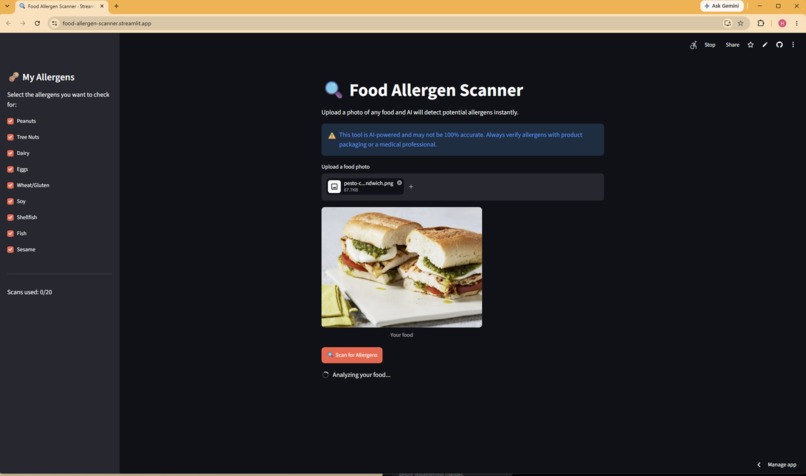
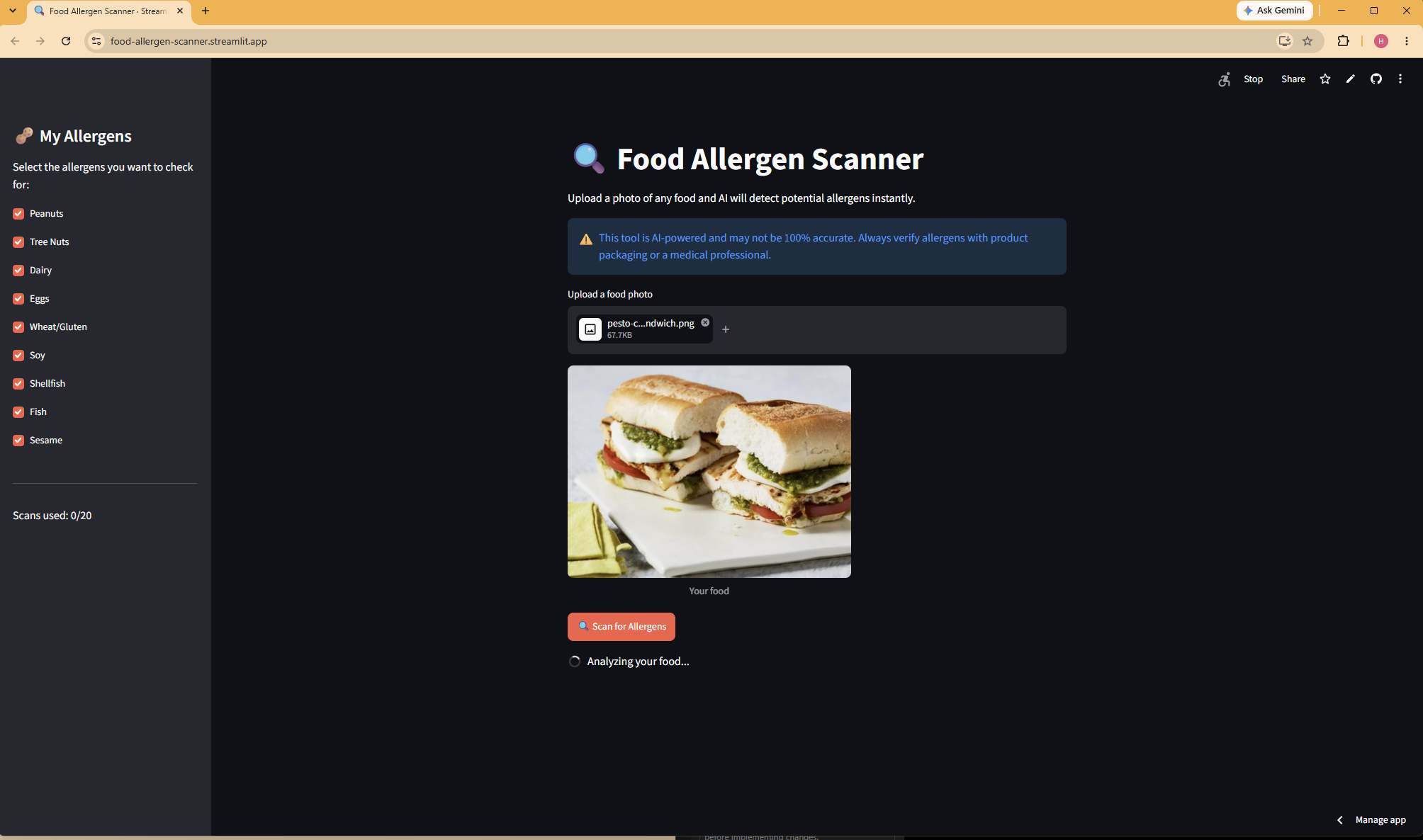
App in action
-
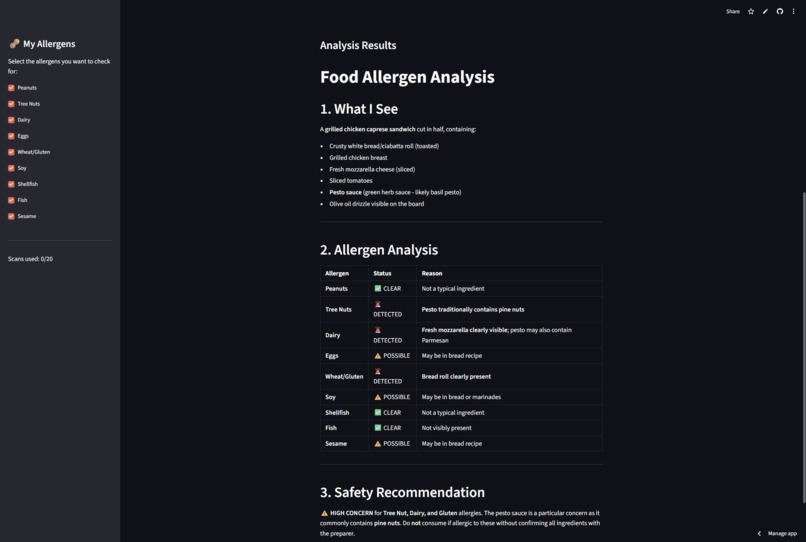
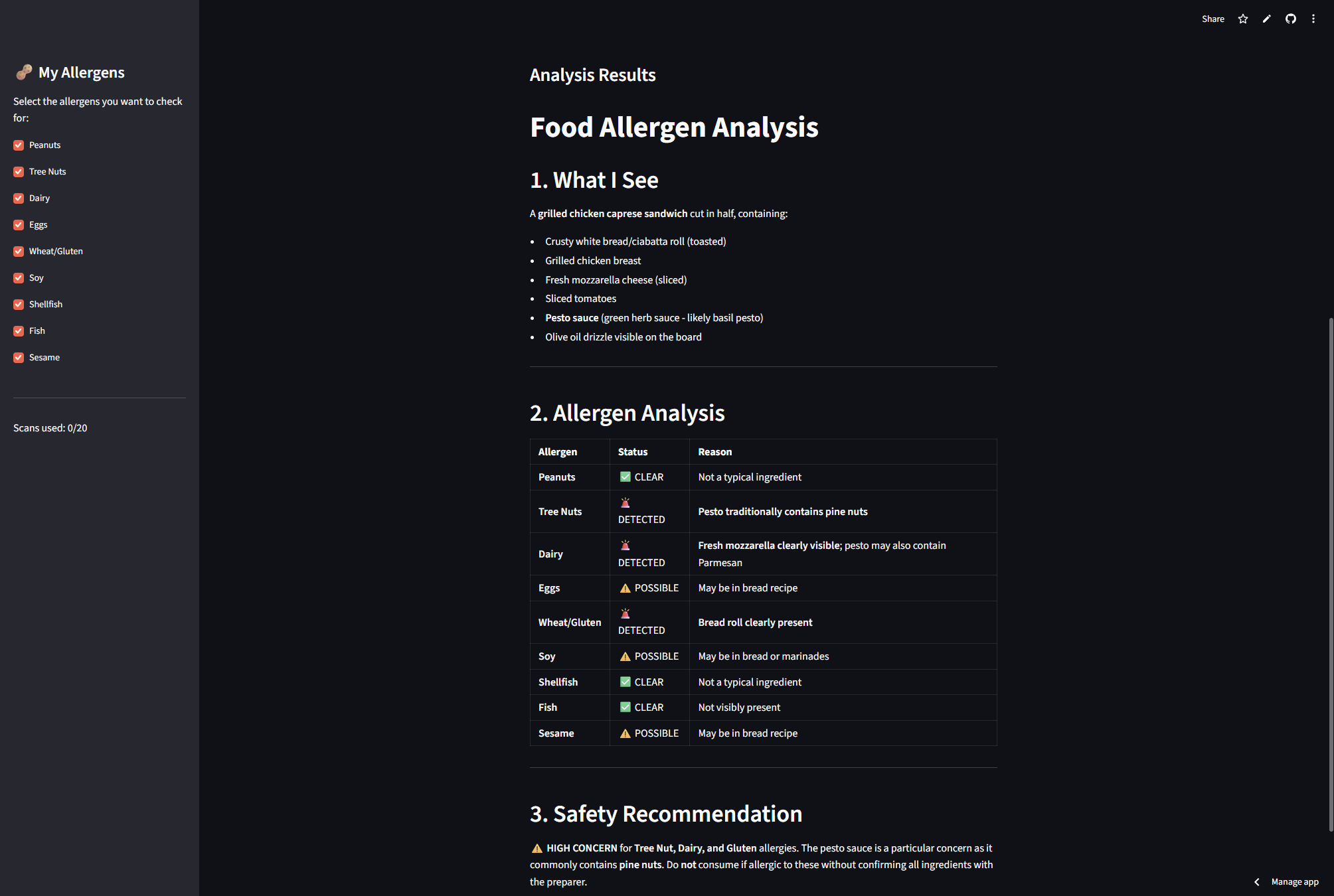
Results
Inspiration
I've been to the ER twice because of accidental allergen exposure. Once at age 7 after drinking soy milk that had been cooked in a pot previously used for a peanut based dish; no warning, no way I would've known. Another time at age 9 after eating peanut M&Ms thinking they were normal M&Ms.
Both times I had no idea the food contained something dangerous until it was too late.
I built this because people with food allergies shouldn't have to guess. A quick photo should be enough to get a warning.
What it does
Food Allergen Scanner lets you upload a photo of any food - a restaurant dish, a home-cooked meal, a snack; and uses Claude AI vision to identify visible ingredients and flag potential allergens instantly.
Users can customize which of the 9 most common allergens they want to check for: peanuts, tree nuts, dairy, eggs, wheat, soy, shellfish, fish, and sesame. Results are given from one of three categories: detected, possible, and clear.
How I built it
Python - Core language for all app logic
Streamlit - Turns the Python code into a visual web app with upload button, sidebar, and results display.
Pillow - Converts uploaded images into JPEG format before it gets sent to the API, so the photo format is flexible.
Streamlit Community Cloud - Free deployment so anyone can use it from their browser.
Anthropic Claude Sonnet 4.6 low - Vision AI used to analyze the food photo and identify allergens present
Challenges I ran into
Getting the AI to be careful was the hardest part for me. Food allergens can hide in sauces, oils, and coatings that aren't visible in a photo. I tweaked my prompt to flag anything possibly present based on traditional recipes for that specific food type; not just what's visually obvious; because for someone with a severe allergy, a missed warning is dangerous
I ran into image format issues during my first stages of deployment; photos uploaded as WebP or Png were being rejected by the API. I solved this using Pillow to convert all image types into JPEG to make the app more reliable.
Accomplishments that I'm proud of
First time using an API key in a project.
What I learned
- How to connect a vision AI API to a real web app
- How to write thoughtful prompts that encourage caution
- How to deploy a Python app publicly using Streamlit Cloud
- How to handle API keys safely so they do not get leaked on GitHub
- The hardest part of coding is thinking about what happens when the code does not work
What's next for Food-Allergen-Scanner
- Barcode scanning for packaged foods
- A can history log so users can review past checks
- A mobile app version supported on IOS and Android
- Multiple language options

