-
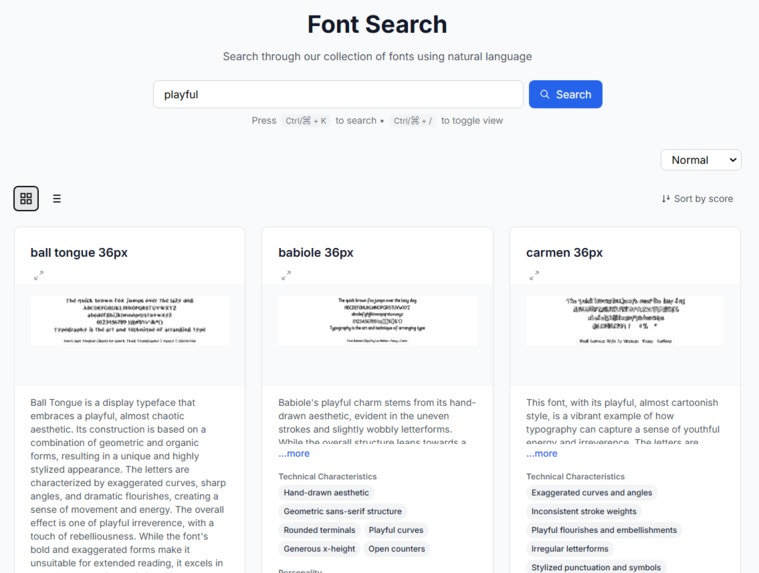
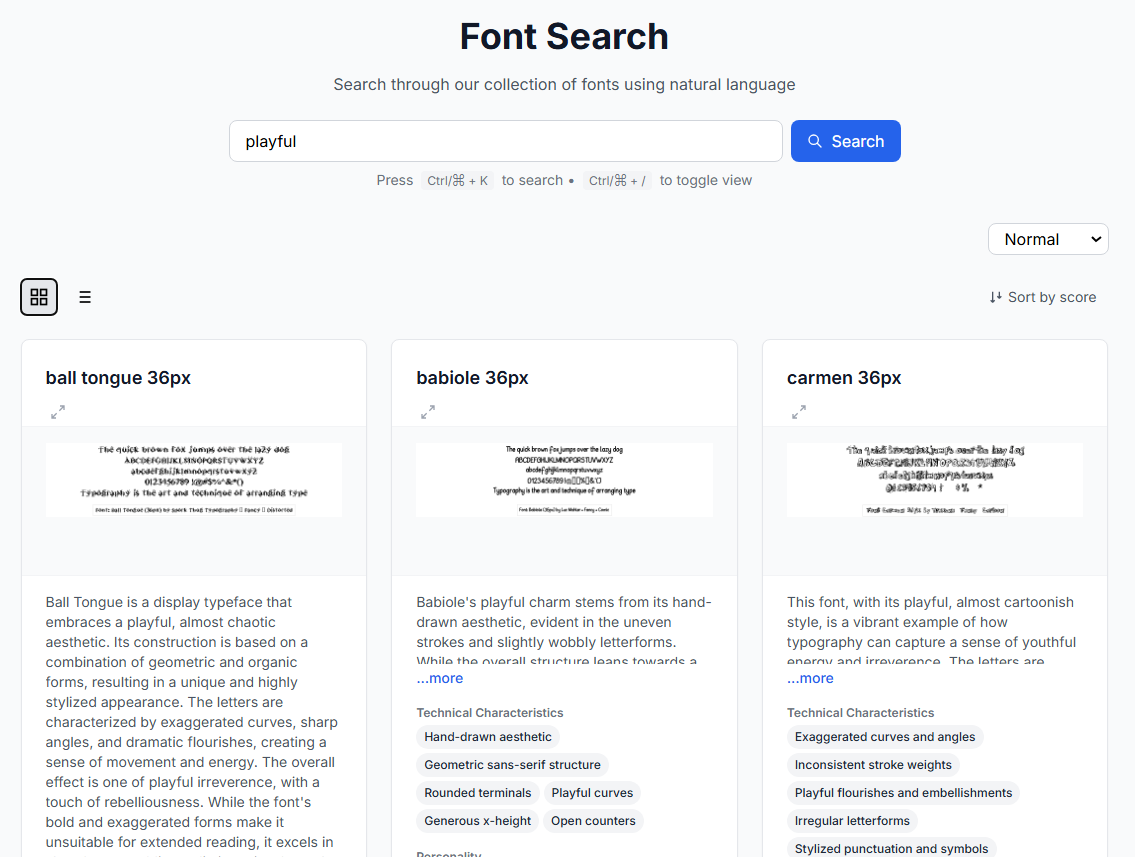
Type in natural language, find fonts that match your vibe!
-
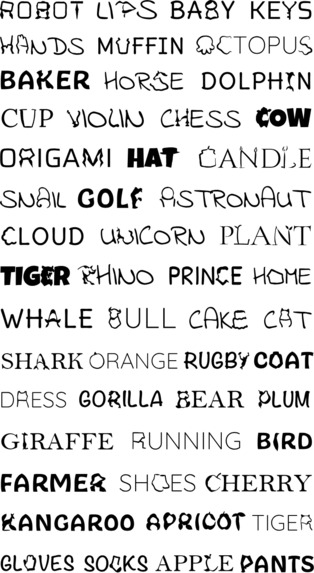
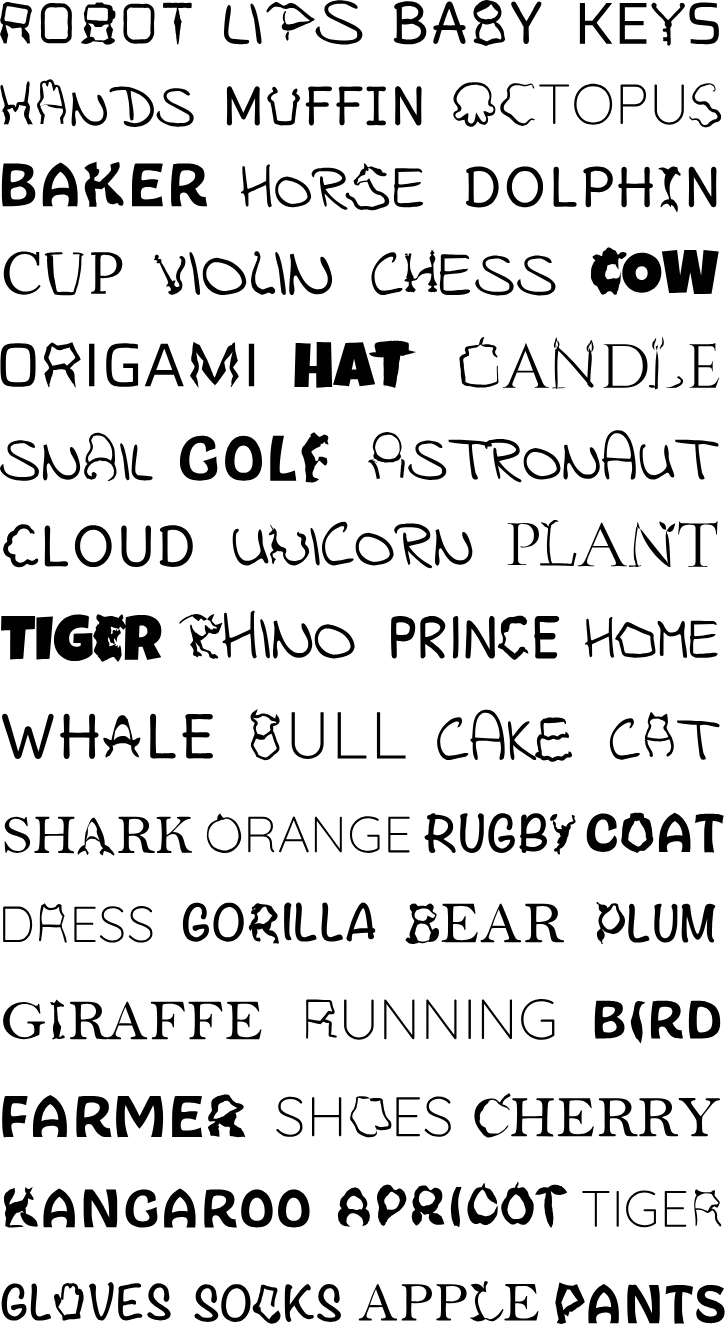
Semantically Generated Fonts
-
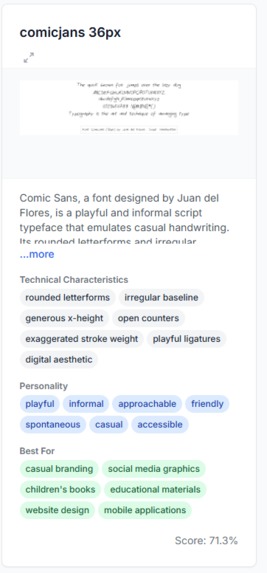
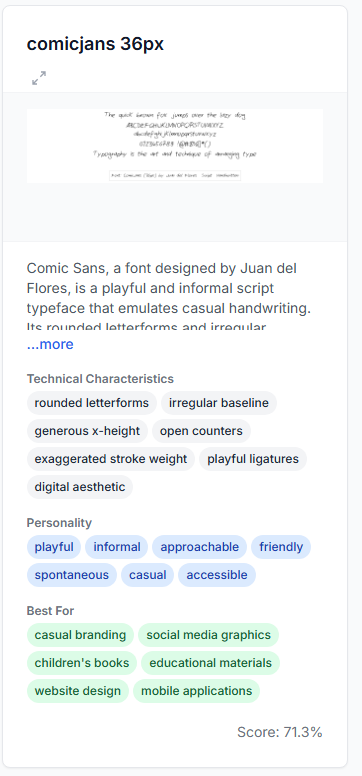
Example of a fontsearch result with high granularity labelling
-
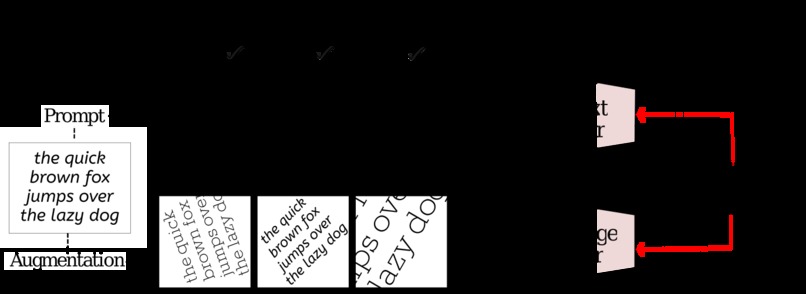
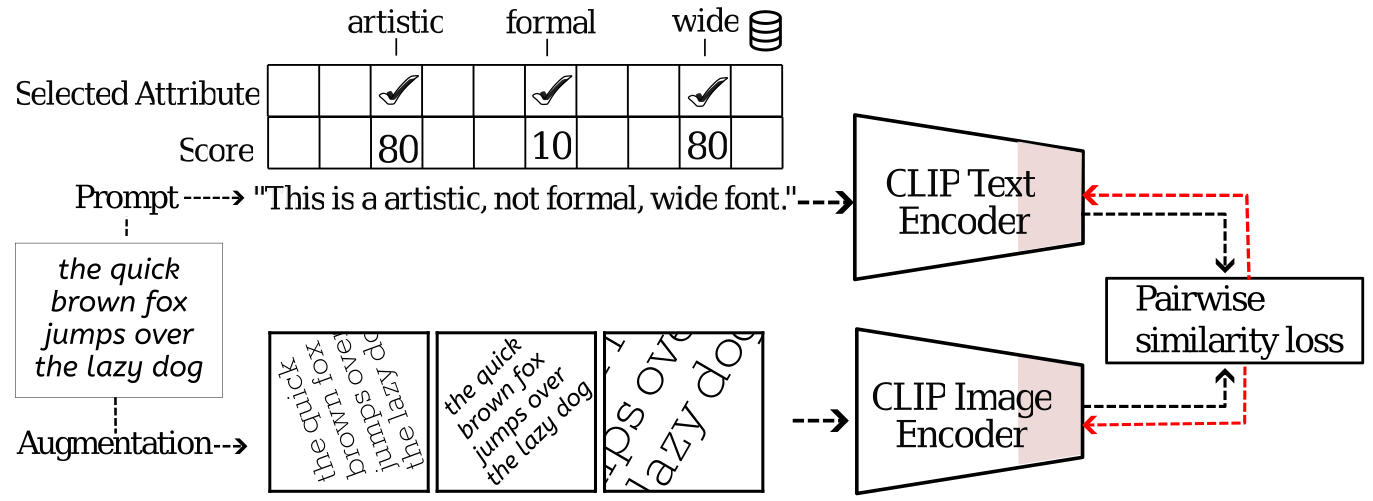
CLIP model to combine Font-Image embeddings for better retrieval
Inspiration
Frustrated by traditional font catalogs that require exact names or endless scrolling, we envisioned a tool that understands how designers naturally think about and describe fonts they need. What it does FontSearch uses natural language processing to match font descriptions with visual results. Type "playful handwritten font" or "professional serif" and instantly see matching fonts with previews, technical specs, and suggested use cases.
How we built it
Frontend: HTML5, TailwindCSS, JavaScript with responsive masonry layout Backend: Python API with font processing and embeddings Search: Vector database for semantic matching UI: Dynamic card system with expandable details and visual previews
Challenges we ran into
Implementing true masonry layout without disrupting neighboring columns Optimizing font preview loading for performance Creating accurate semantic search matches for font descriptions Balancing information density with clean UI
Accomplishments that we're proud of
Created intuitive natural language search for fonts Built responsive masonry grid that maintains visual harmony Developed smart tagging system for font characteristics Achieved fast search response times with large font database
What we learned
Semantic search implementation using vector DB Performance optimization for image-heavy applications User behavior patterns in font selection QLoRA Stable Diffusion fine tuning for generative examples.
What's next for FontSearch
AI-powered font pairing suggestions Custom preview text input Font comparison tools Style transfer between fonts Community curated collections
Built With
- gemini
- imagegeneration
- javascript
- pinecone
- python


Log in or sign up for Devpost to join the conversation.