-
-
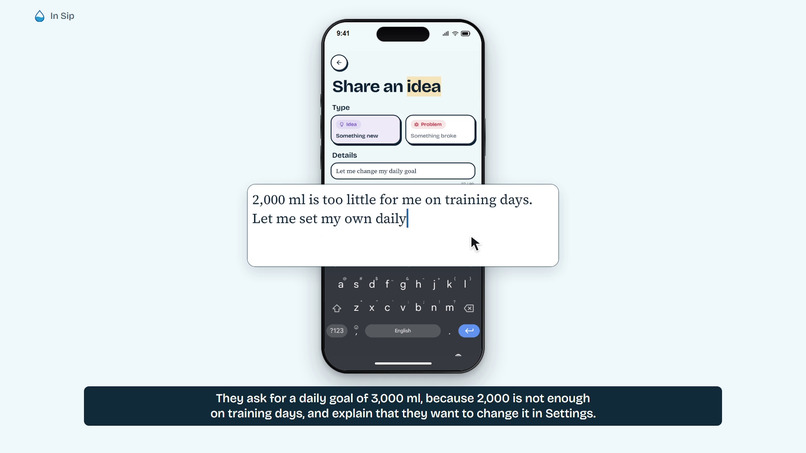
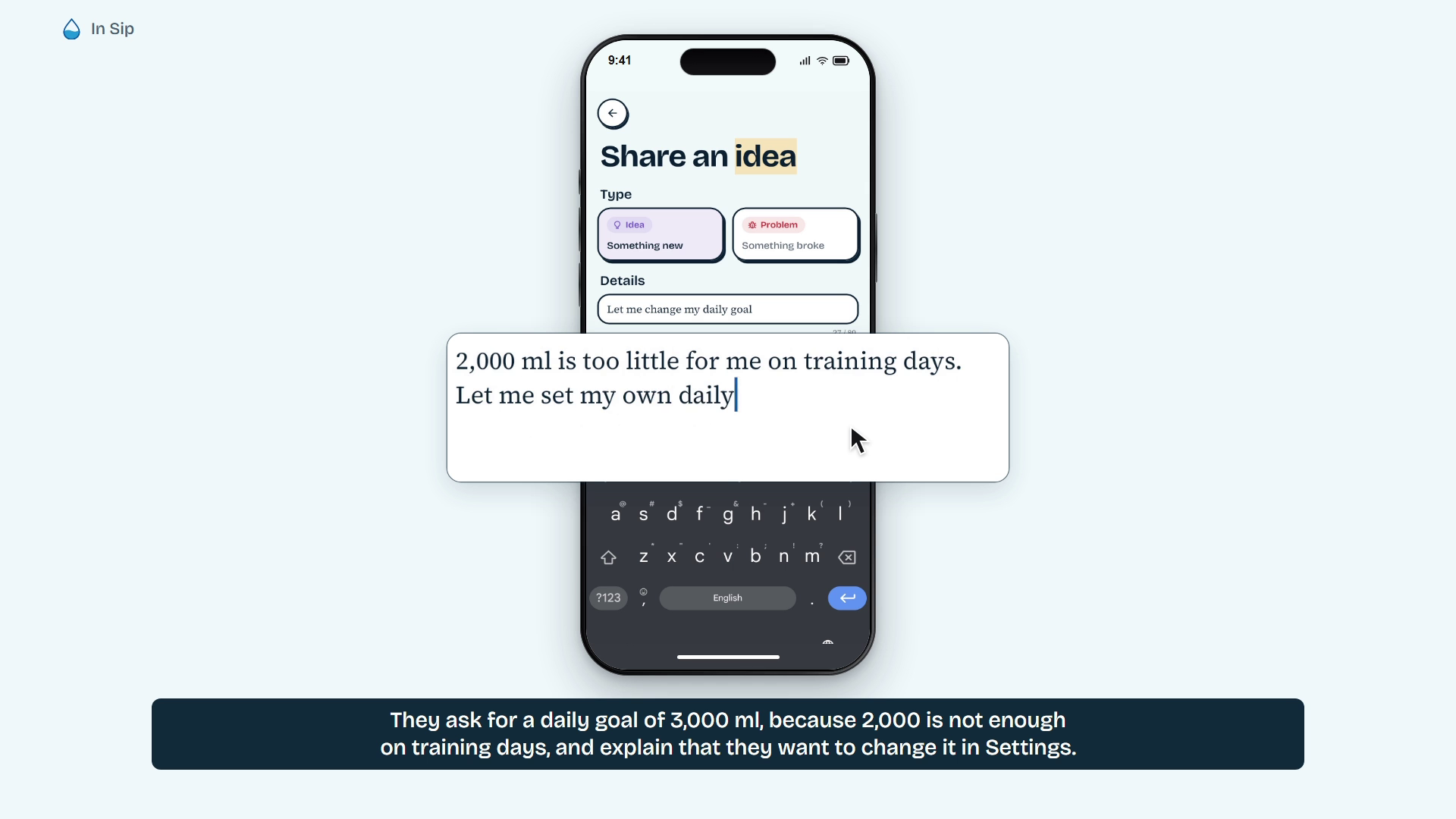
Users submit ideas directly from Sip.
-
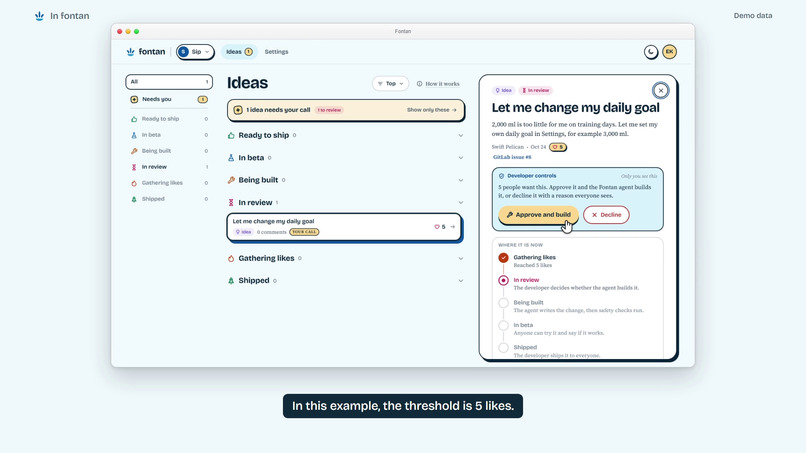
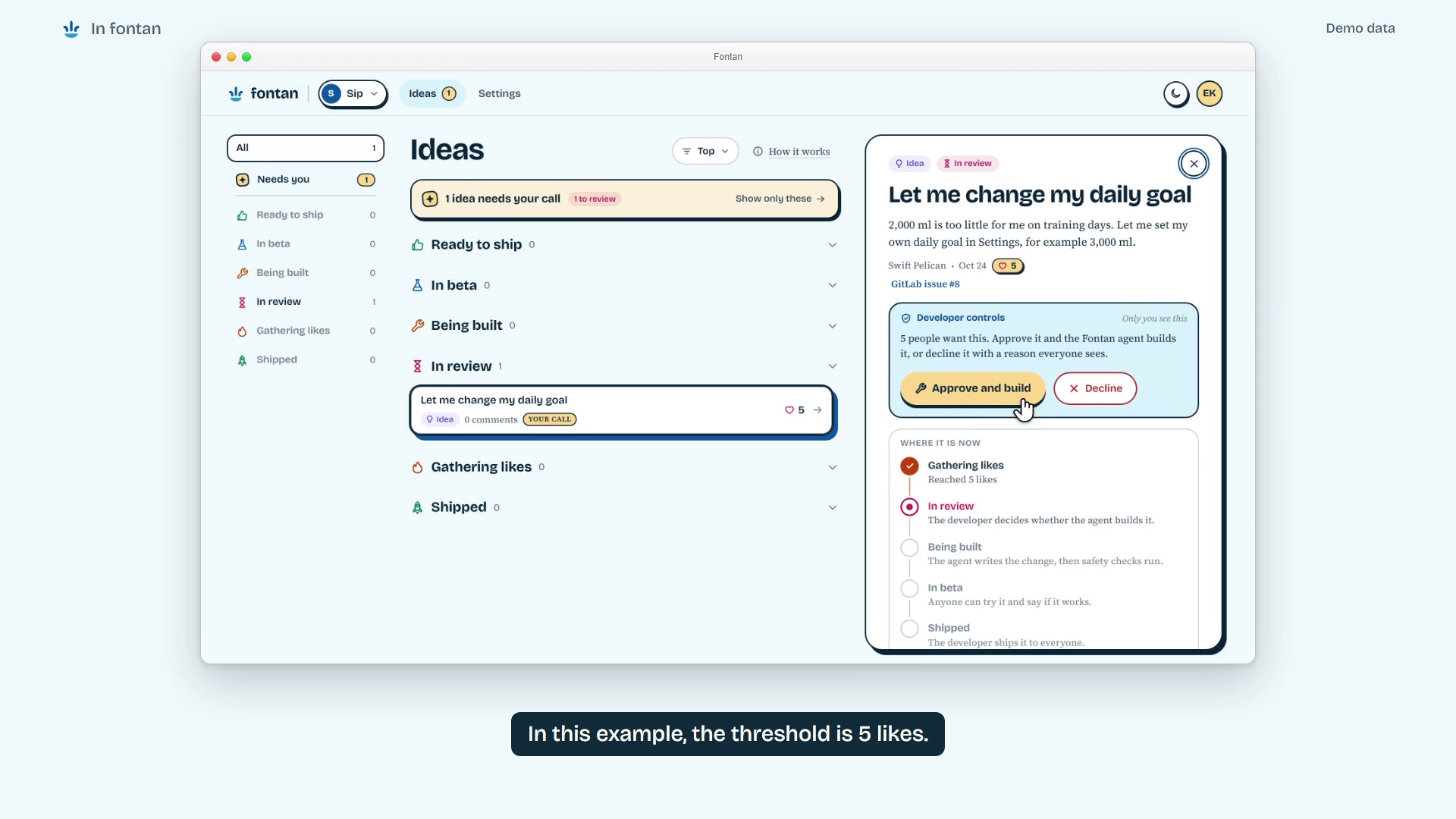
The developer reviews demand and approves a build. Voting shown here is illustrative demo activity.
-
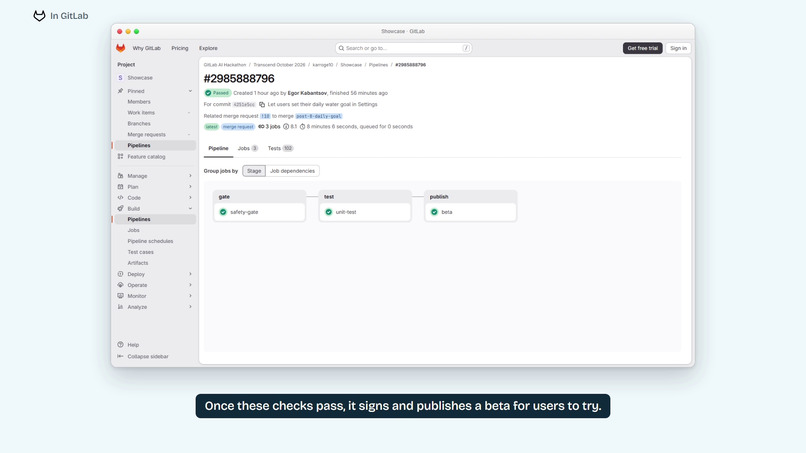
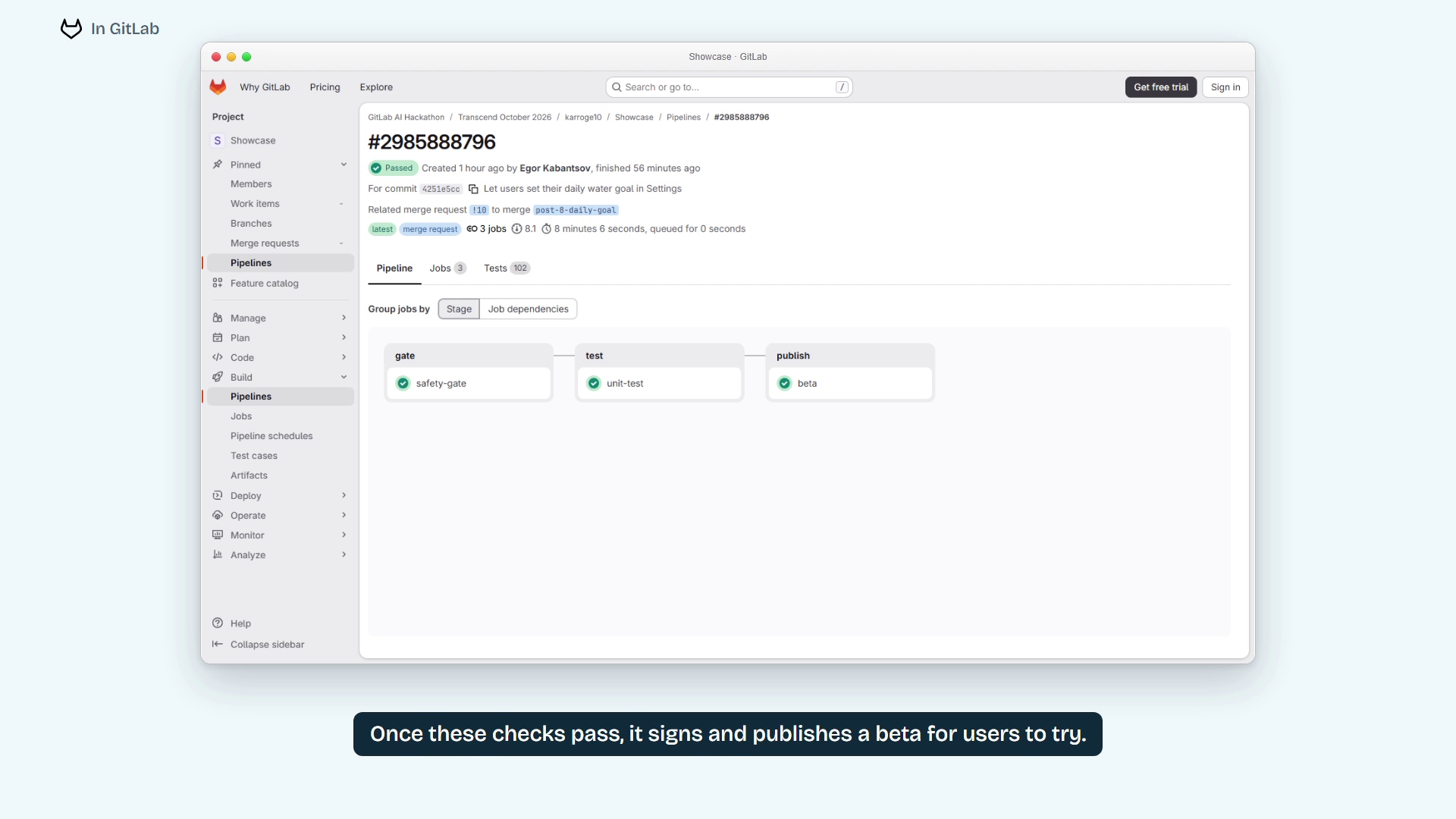
GitLab CI passes the safety gate and tests, then publishes a signed beta.
-
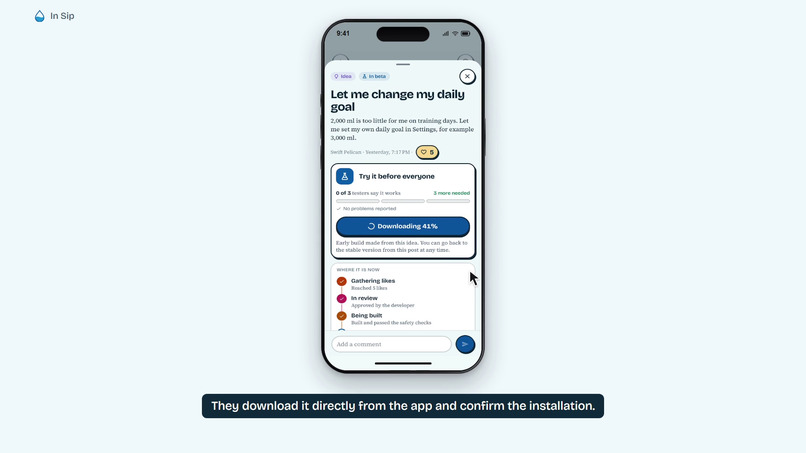
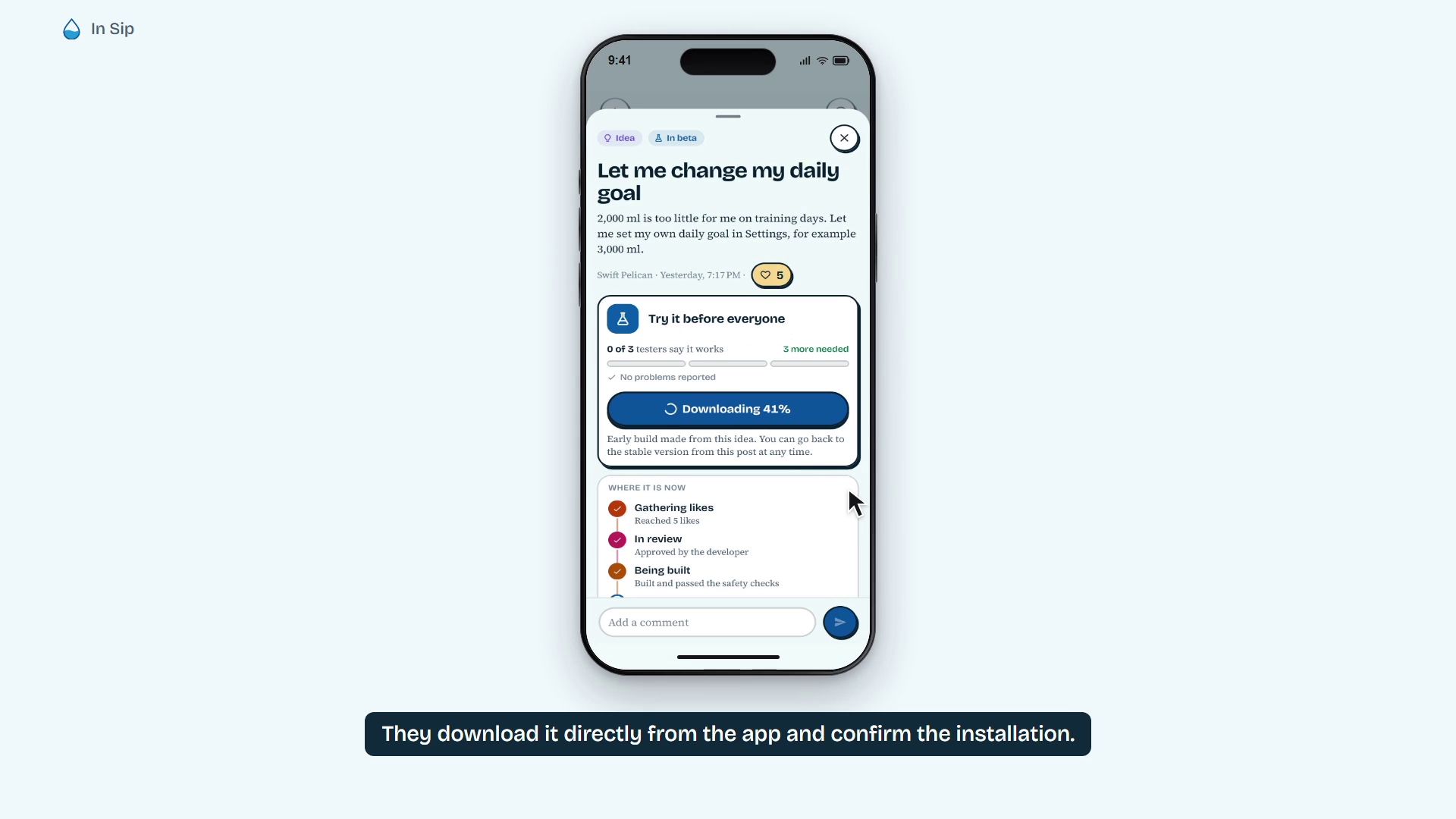
Users download the beta directly from the app.
-
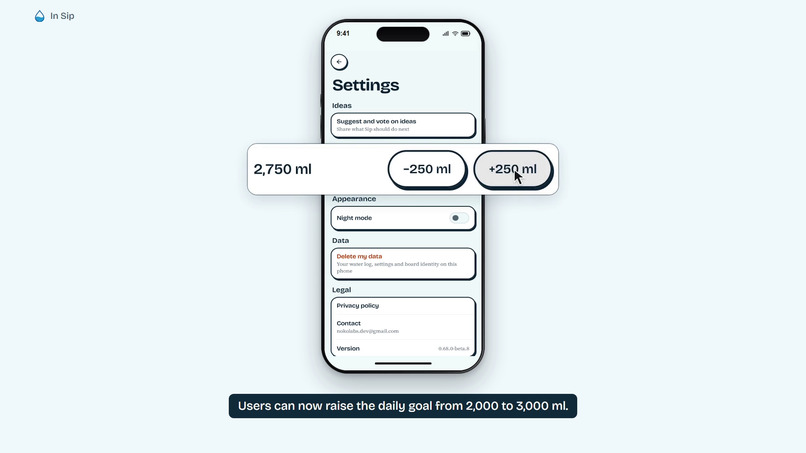
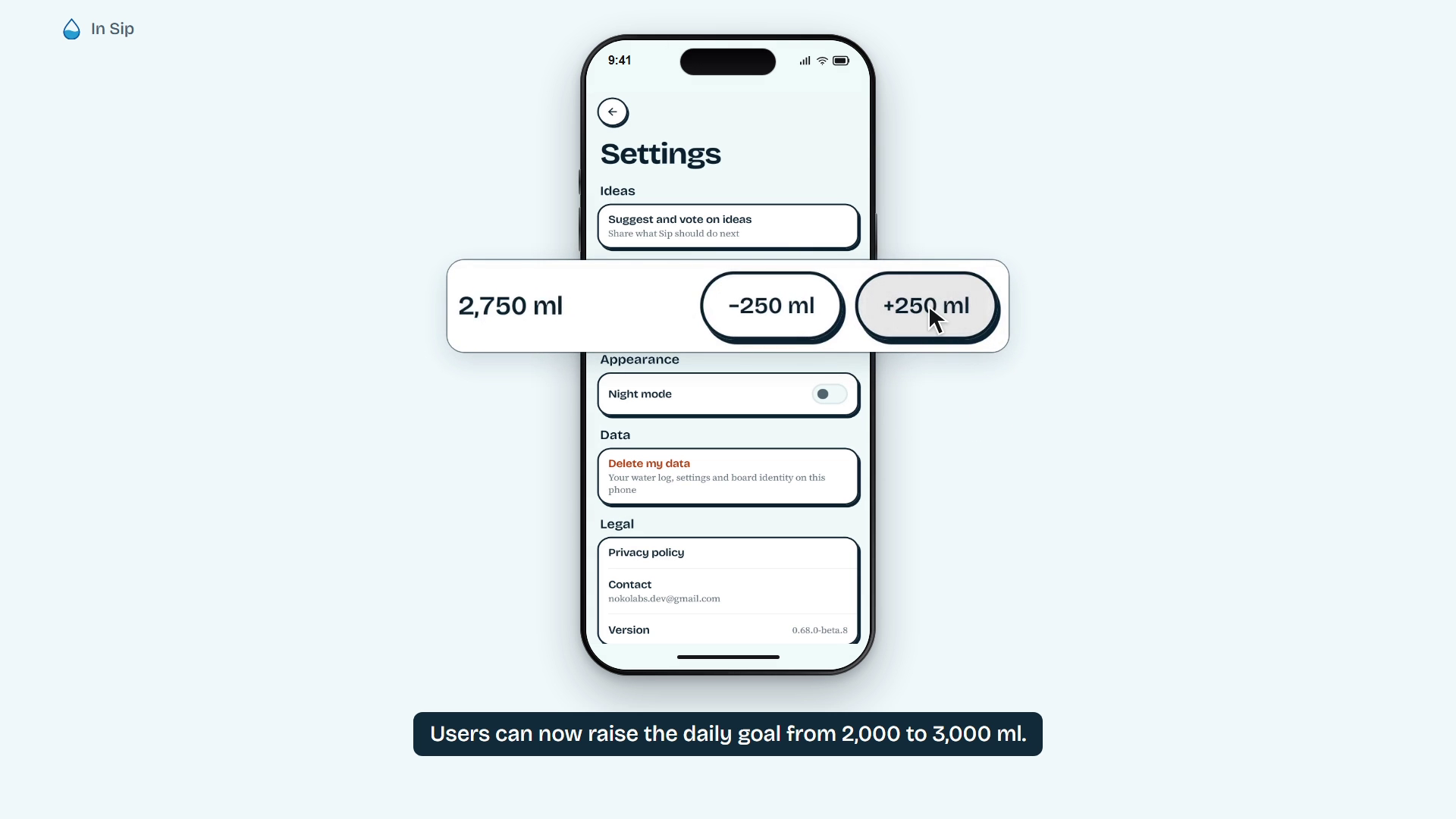
The beta adds the requested daily-goal control.
-
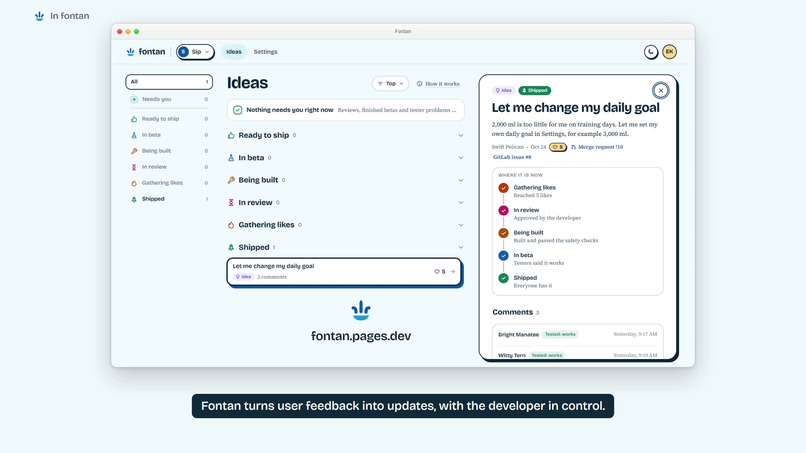
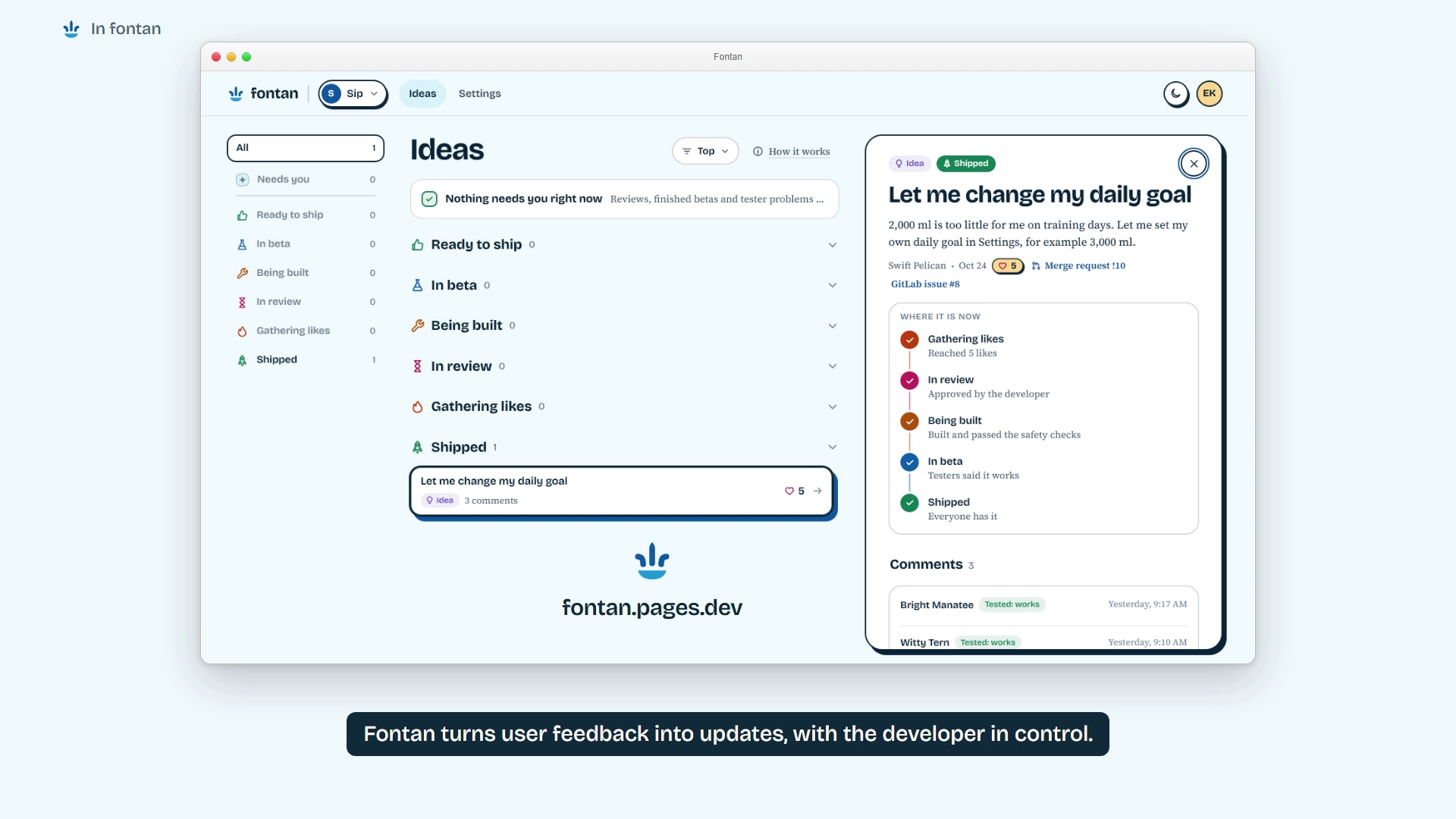
After a human merge and stable release, Fontan marks the idea Shipped.
Inspiration
An app launch is the start of a feedback queue. Users ask for changes, developers try to work out what matters, and even a small feature needs implementation, testing, a beta and a release. Fontan connects those steps without taking the final decision away from the developer.
What it does
Users submit ideas from inside an Android app and support the changes they want. A configurable support threshold moves an idea into developer review. Approval starts a custom GitLab Duo workflow that creates a branch, implements the change, adds tests and opens a merge request.
GitLab CI checks the change and publishes a signed beta. Users can download it directly from the app and report whether it works. The developer reviews that feedback and the merge request, then merges manually in GitLab. The stable pipeline publishes the update and reports back to Fontan, which marks the idea Shipped.
The demo follows a daily-goal request in Sip, a sample Android water tracker, through that complete cycle.
How it was built
Sip uses Kotlin and Jetpack Compose. Fontan's board runs on Cloudflare Workers and D1, and its dashboard and website use Cloudflare Pages. Developers sign in through GitHub.
Approving an idea queues a GitLab issue and assigns the Duo service account. The custom GitLab Duo Agent Platform flow works on a separate branch and opens a merge request. GitLab CI runs a deterministic safety gate and unit tests, builds signed APKs, and sends beta and release callbacks to the board.
User text is untrusted. The safety gate restricts changed paths, rejects forbidden APIs and deleted tests, and limits change size. The agent cannot make the final release decision: the developer reviews and merges the result.
Challenges
The app, feedback board and GitLab each have their own identifiers and lifecycle. Routing beta builds back to the correct Fontan post required resolving the post marker from the GitLab issue rather than treating the two IDs as interchangeable.
Android updates also need consistent signing and increasing version codes. The beta and rollback builds keep the water log, and the recorded stable update retained the user's daily goal.
Accomplishments
The recorded run completed Fontan post 2, GitLab issue 8, merge request 10, beta build 681, tester feedback, a human merge and stable build 690. The post reached Shipped, and the phone kept its 3,000 ml goal.
What was learned
Automation needs clear boundaries and visible state. Likes collect demand, developer approval starts implementation, beta feedback informs review, and a human merge authorizes release. Keeping those decisions distinct makes the workflow easier to understand and inspect.
What's next
Publish the Android SDK as a package, simplify onboarding for another app, and improve the feedback summaries presented to developers before approval and release.
Judge testing notes
The repository README contains the current APK and setup instructions. A GitHub guest can approve ideas and try the resulting betas on the hosted demo. Guest actions have daily build limits. Final release review and merging require the maintainer. Full owner permissions can be reproduced with a separately configured instance using the included runbook.
The video's voting activity is illustrative. Beta feedback came from one physical phone and two emulators controlled by the maintainer. The merge animation is labeled Action replay and is accompanied by the actual historical merge and pipeline evidence.
Built With
- cloudflare-d1
- cloudflare-pages
- cloudflare-workers
- github-oauth
- gitlab
- gitlab-ci-cd
- gitlab-duo-agent-platform
- javascript
- jetpack-compose
- kotlin
