-
-
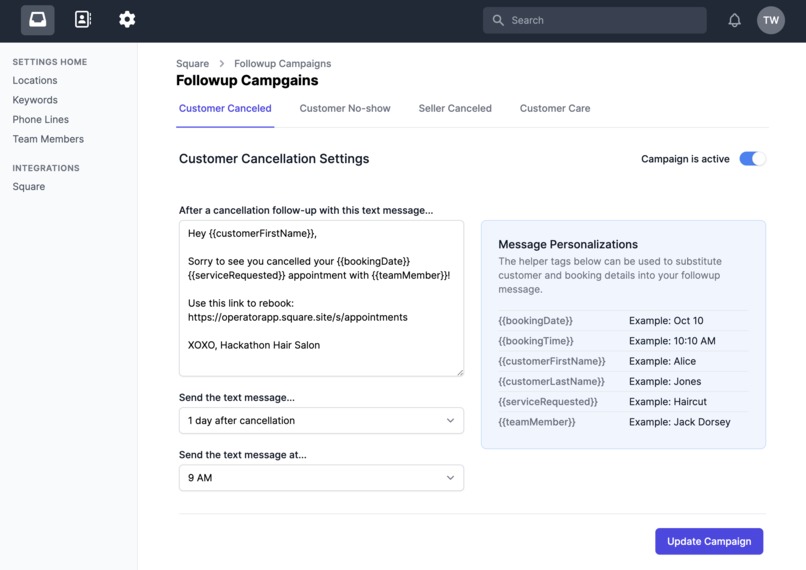
Managing Follow up Campaigns
-
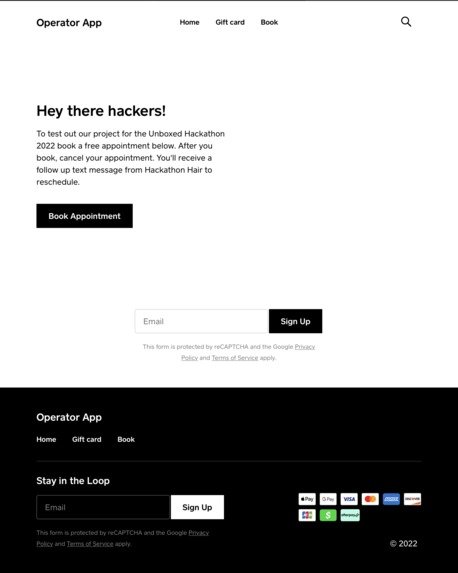
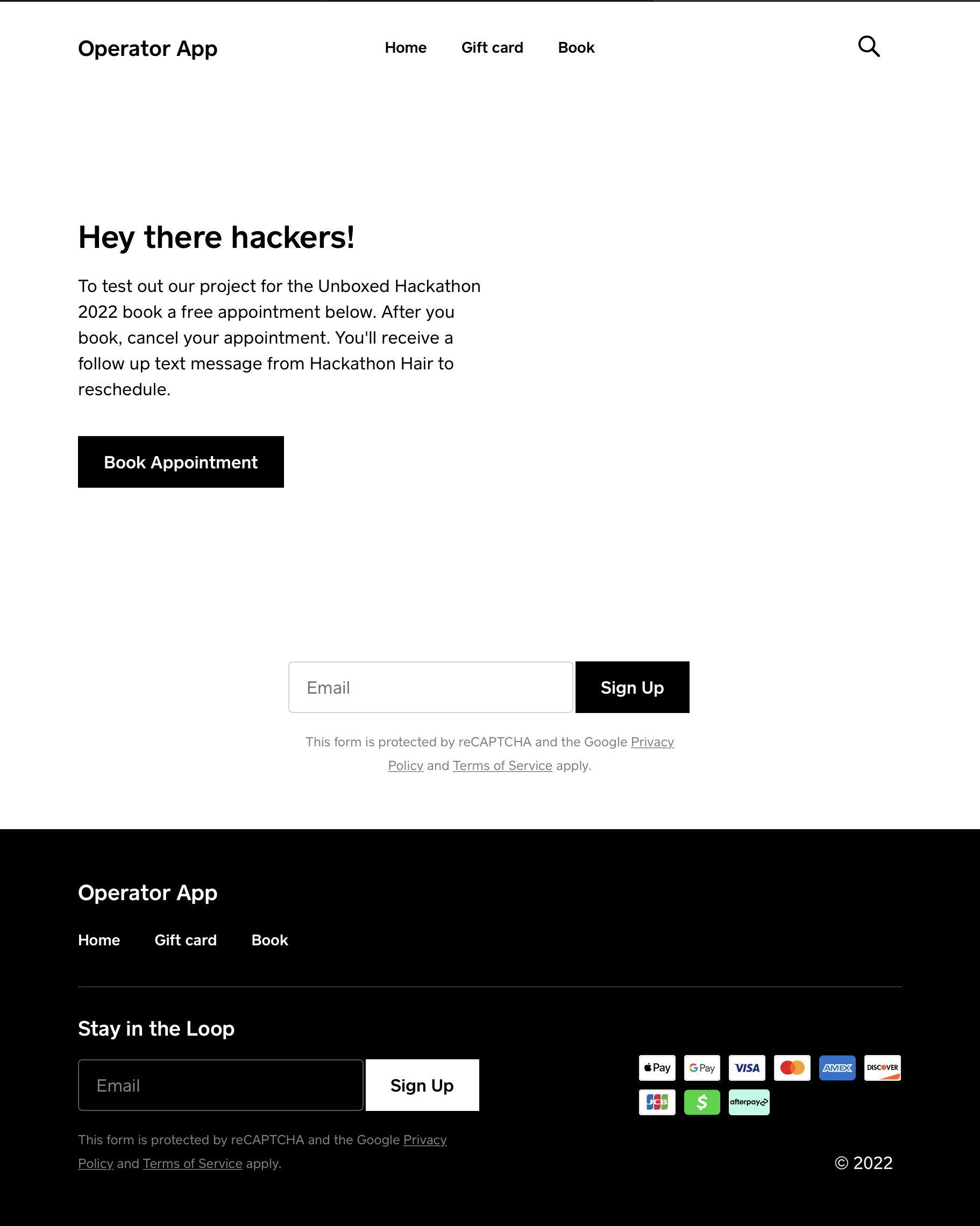
Booking site to test out the system
-
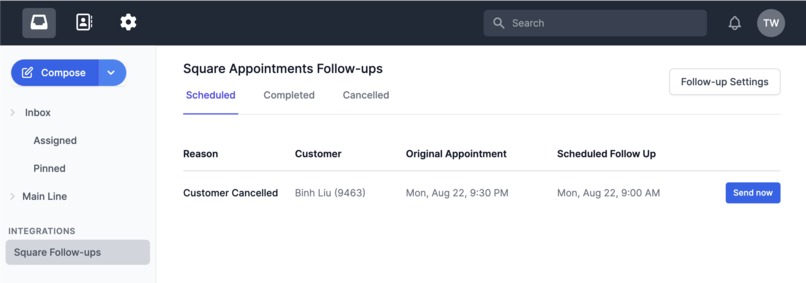
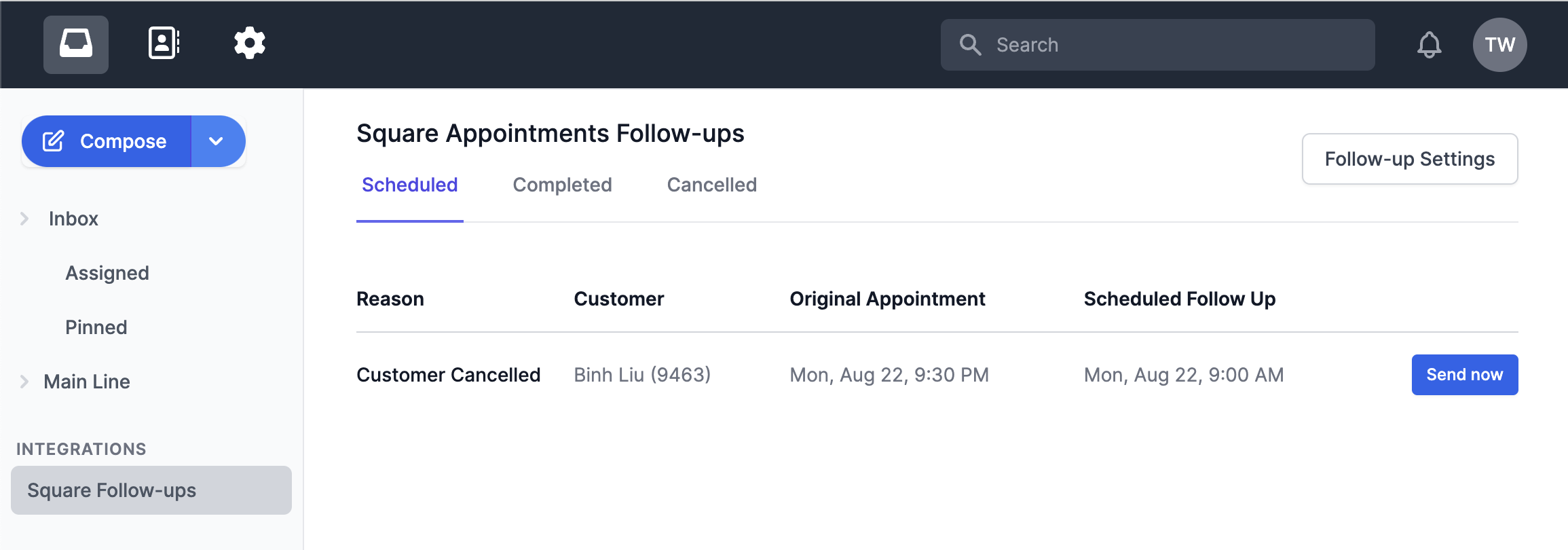
Follow ups Dashboard
-
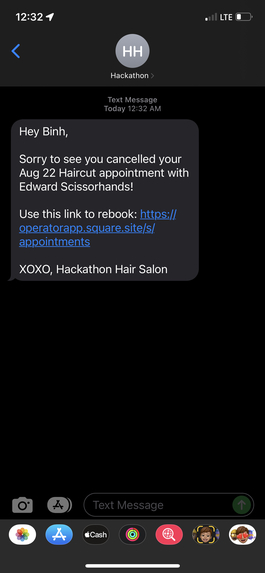
Automated, follow up text message


Public Notice
OPERATOR IS CURRENTLY ONLY SENDING TEXT MESSAGES TO PHONE NUMBERS IN THE UNITED STATES AND CANADA
Inspiration
Operator is a business text messaging app that allows businesses to send text messages over their business landline number. A lot of the Operator customers are salons and pet grooming businesses. Businesses that take appointments. Frustrated customers have been asking for ideas on how to reduce no-shows and cancellations. Since there are good techniques to handle communication pre-appointment, we wanted to look for solutions that were post-appointment. "Is there a way to recover some of the canceled appointments" became the problem statement.
What it does
Operator integrates with Square to receive webhooks regarding bookings. The system has defined rules for handling new bookings, and when booking statuses change due to cancellations or no shows.
Based on one of those four conditions the system will schedule a follow up text message to the customer. For instance, a seller can setup a "Customer cancellation campaign" where the system will send a text message to the customer after a certain number of days. The message can be customized with Handlebar tags. The data substituted by the handlebars tags are pull via various Square APIs.
How we built it
Operator as a Rails app running in AWS. The current version uses the latest Rails stack.
Challenges we ran into
The biggest challenge was dealing with the rate at which Square sends webhooks. Sometimes we'll get two "booking.created" webhooks within milliseconds of each other. Implementing solutions to not allow duplicate followup messages to be created and queued for sending was a good challenge.
Timezones were another challenge. The Follow up feature requires that the Seller specify the time of day to send the follow up text message. Square has sellers all over North America. Computing timestamps correctly for merchants across timezones was a good challenge.
Accomplishments that we're proud of
I'm really proud that the system can make intelligent adjustments to the followup schedule based on customer behavior. For example, if the a customer cancels an appointment, then a cancellation followup message is scheduled for their booking. But if the customer books a new appointment before the followup message is sent, we needed to be able to cancel that initial cancellation followup message. There are a few situations like that that we needed to account for for the feature to be market ready.
What we learned
Operator users can use the software as is to send follow up text messages, but remembering to do so is a challenge. The beauty of integrating with Square is that this revenue affecting action can now be automated.
What's next for Follow-ups for Square Appointments
1) Add support for images via MMS. Sellers can encourage customers to text them pictures which can then be reused on the Seller's social media accounts.
2) Get the Follow ups feature production ready
3) Apply to be available on the Square App marketplace
4) Add a follow up campaign that can be used to send a message once a booking is accepted.


Log in or sign up for Devpost to join the conversation.