-
-
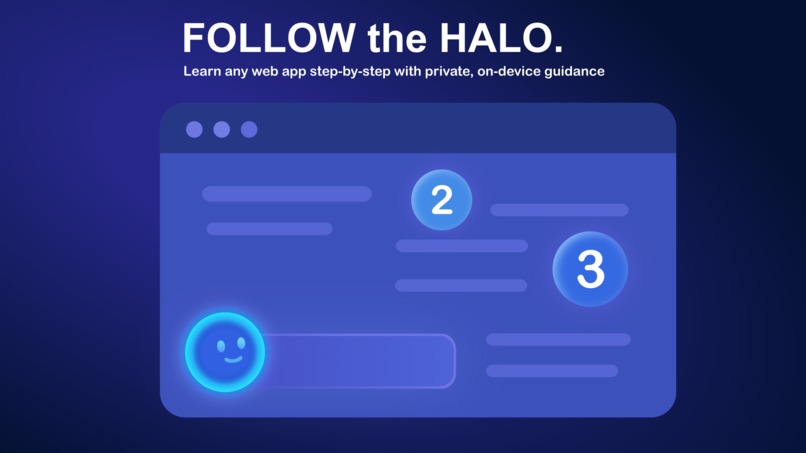
Follow the Halo - AI that guides you, step by step
-
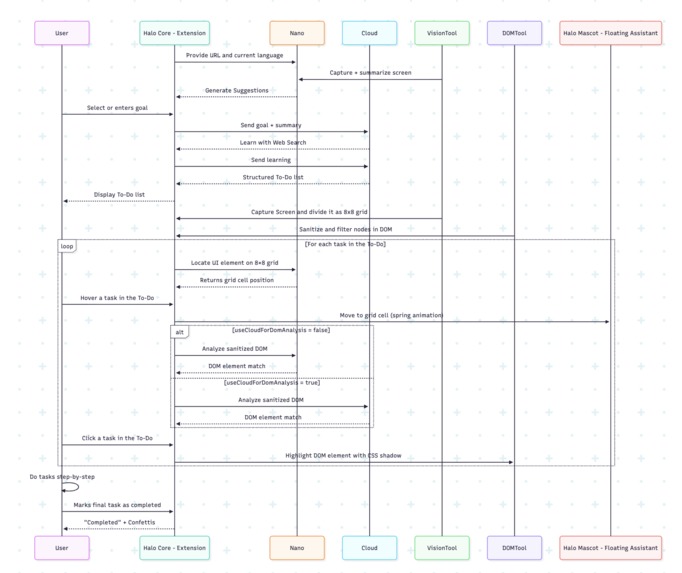
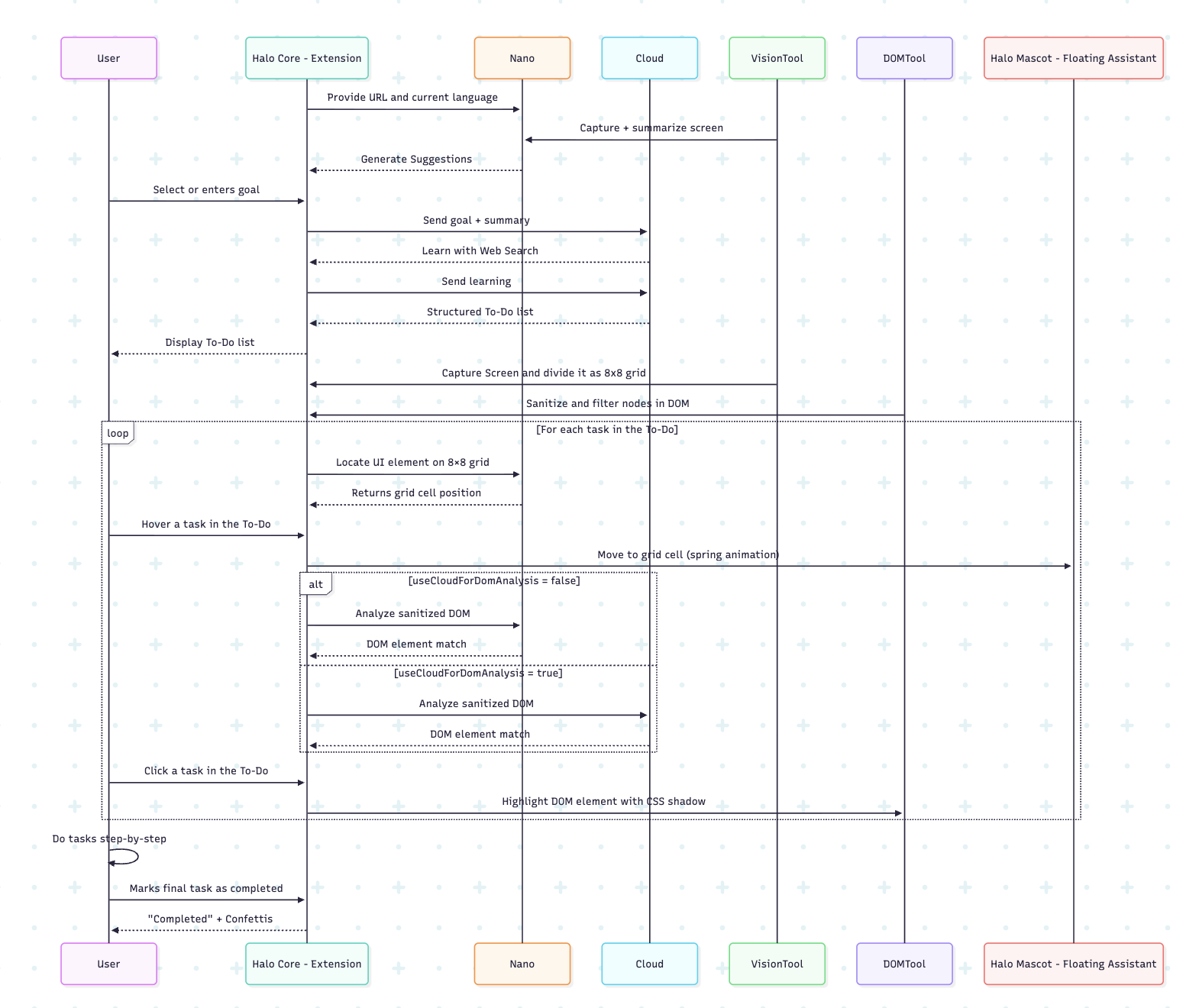
Halo LLM Orchestration
-
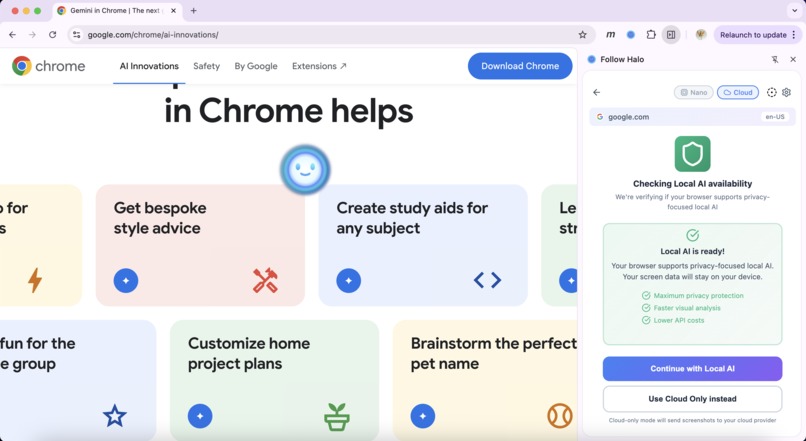
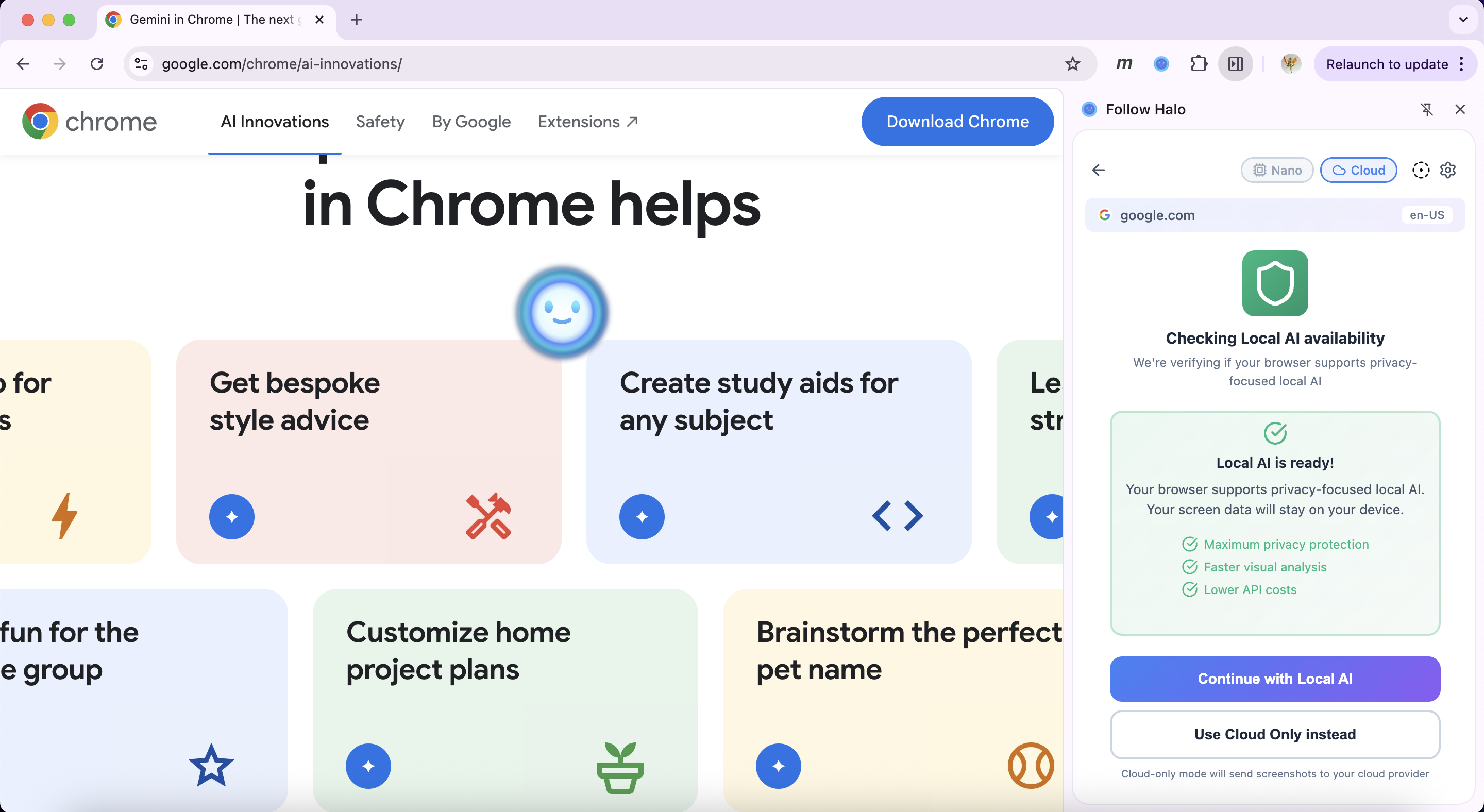
Nano Local is Ready
-
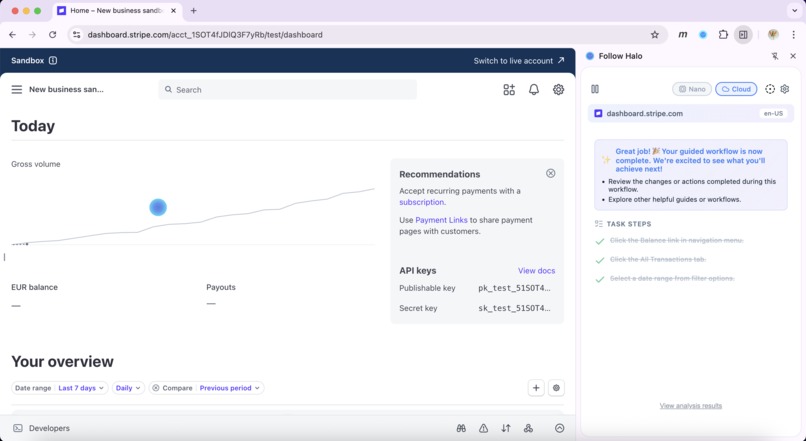
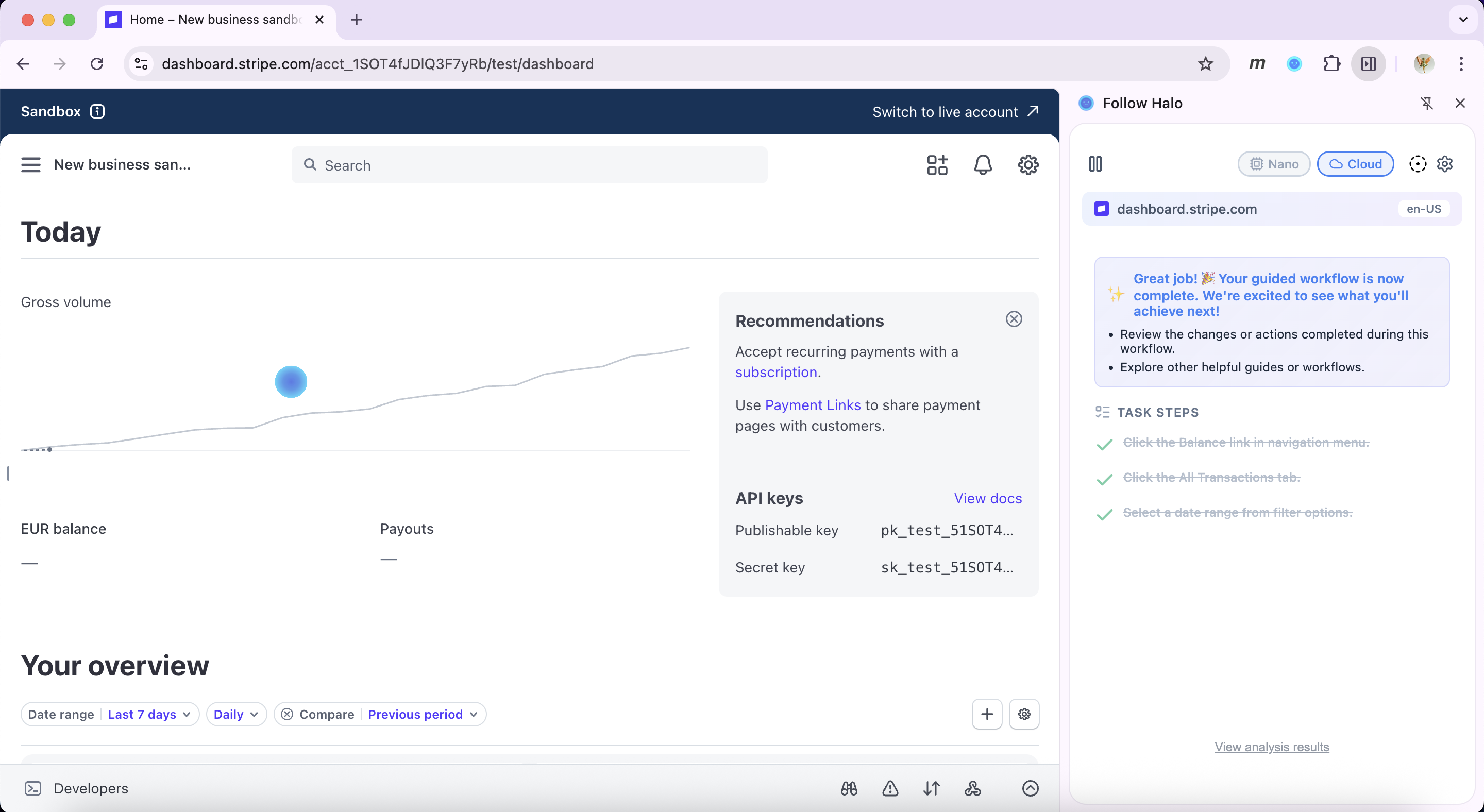
Stripe Workflow Complete
-
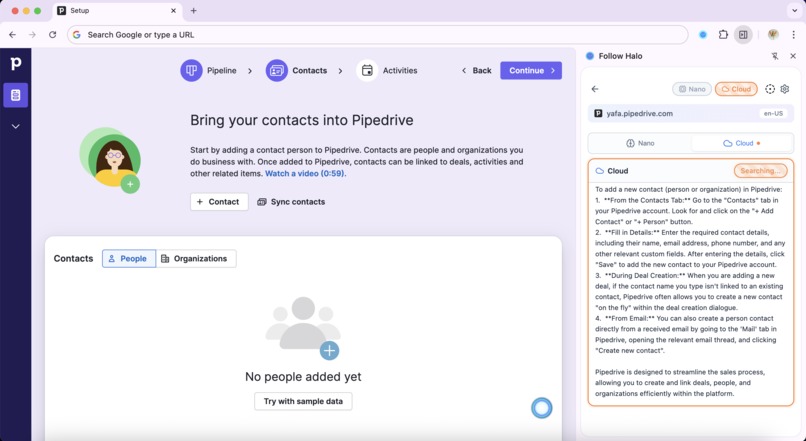
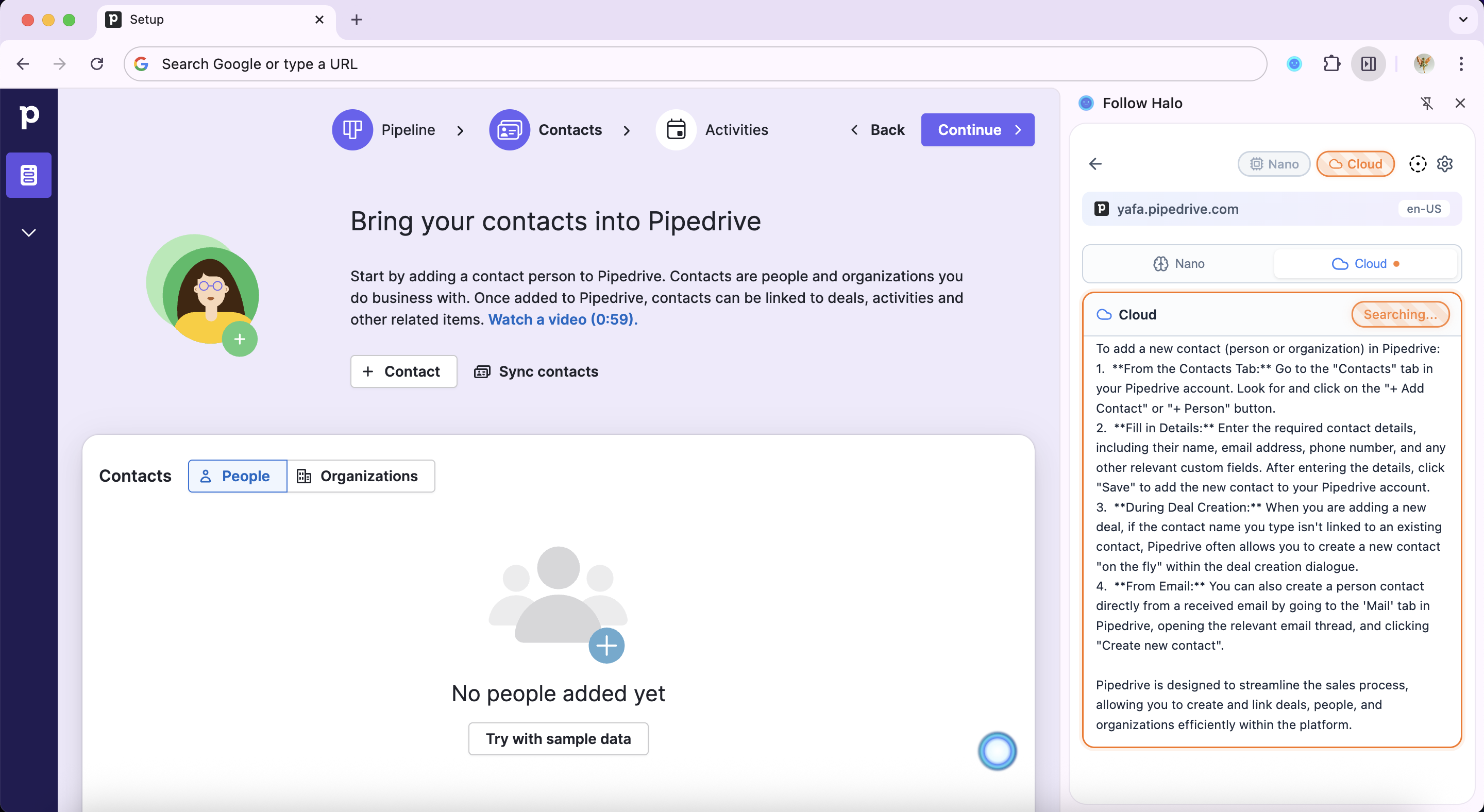
Task Pipedrive is loading
-
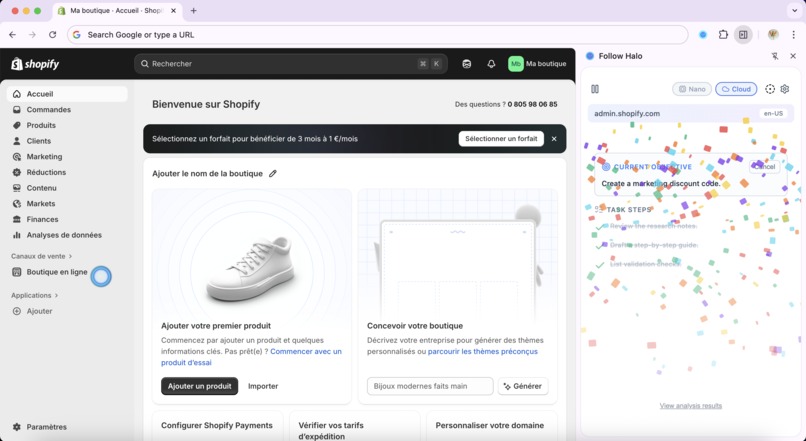
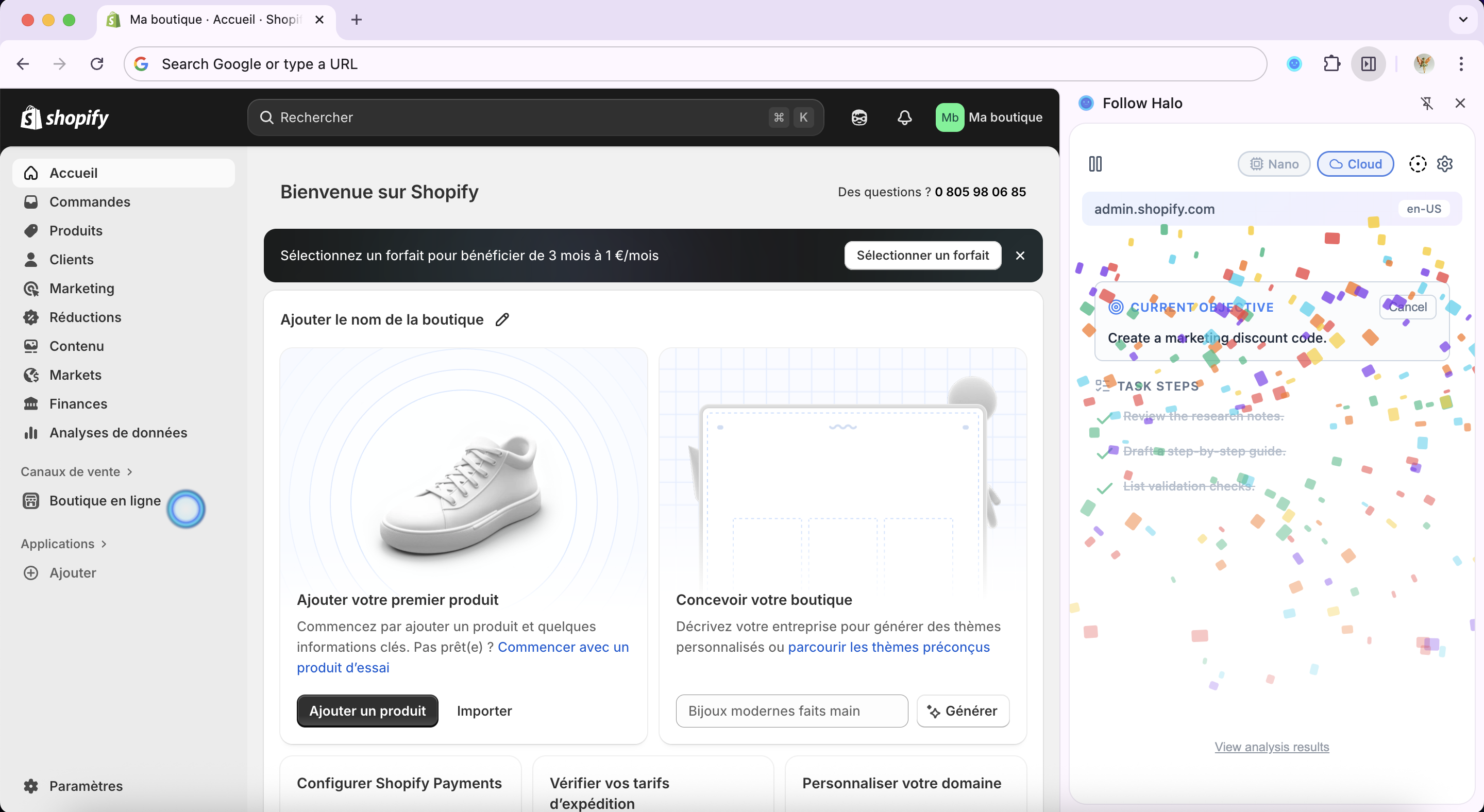
Shopify Confetti
-
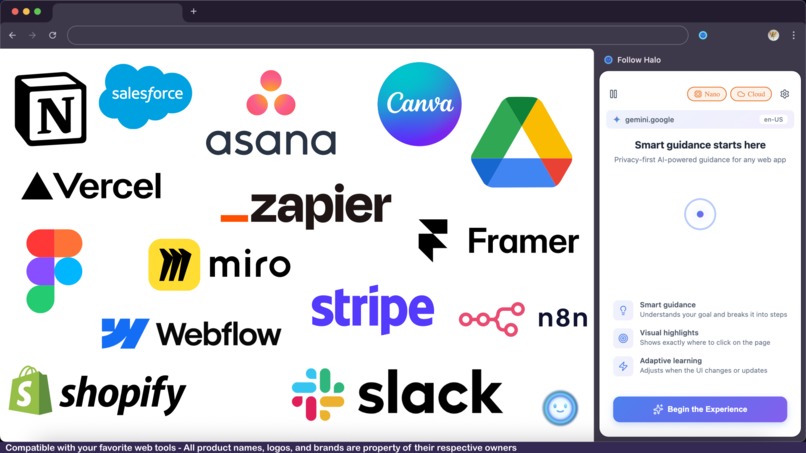
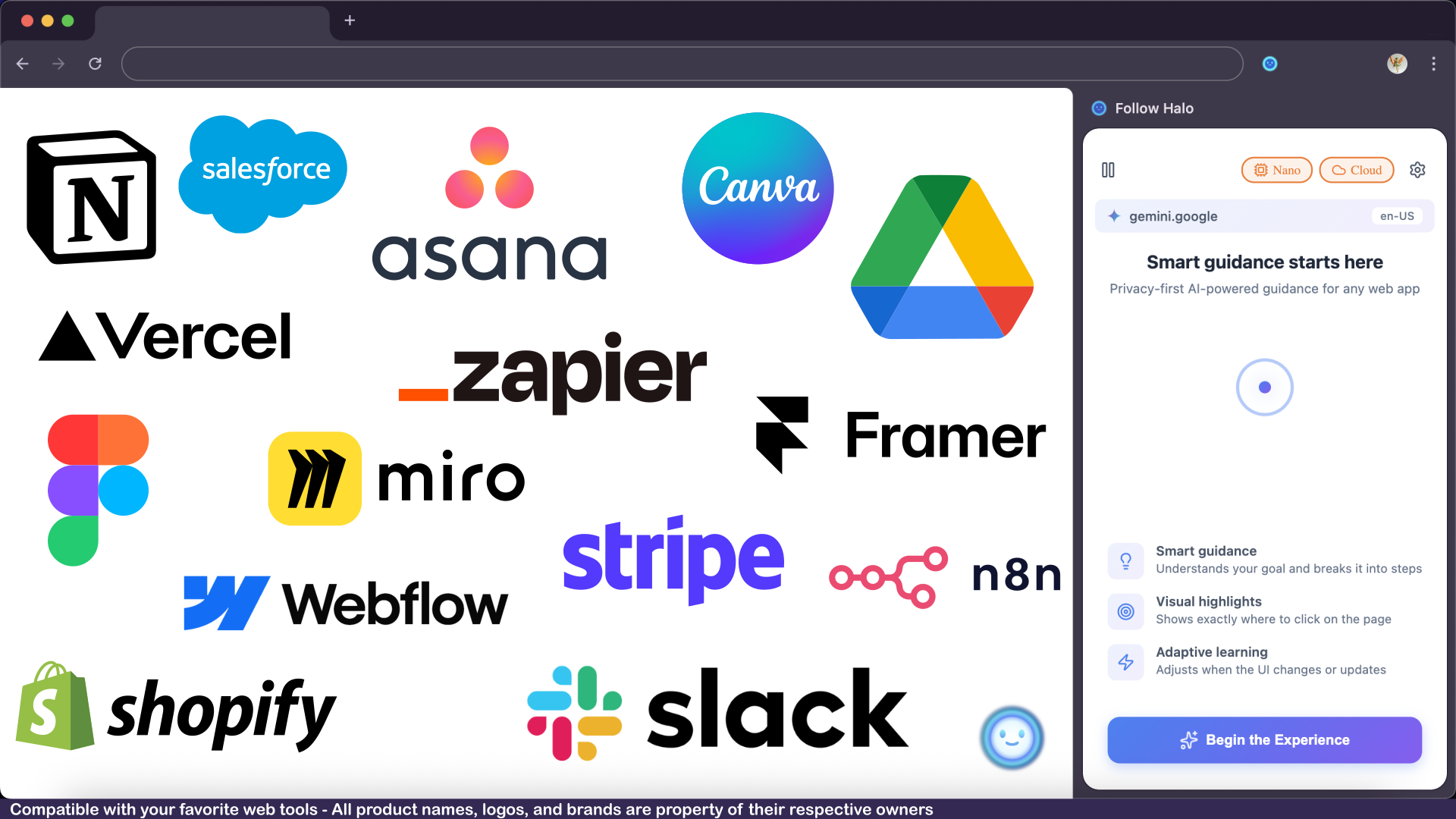
Works with your favorite tools - Guidance inside any web app
Follow Halo - Your AI Guide Inside Any Interface
An intelligent Chrome extension that guides users through complex web interfaces using Chrome's built-in AI (Gemini Nano) and cloud AI (Google Gemini), with privacy-first screen analysis and step-by-step visual guidance.
Inspiration
The idea for Follow Halo was born from a simple frustration: we're drowning in interfaces, but no one's teaching us how to use them.
Every day, we work inside dozens of SaaS tools - Notion, Figma, Stripe, Shopify, Asana, Linear, Vercel. Each has its own logic, its own hidden features, its own "right way" to do things. And when we need to learn? We're stuck with:
- Documentation that's outdated the moment a UI update ships
- YouTube tutorials filmed six months ago that show buttons that don't exist anymore
- Forum threads where someone asks "how do I X?" and gets told "just read the docs"
- AI chatbots that can explain concepts but can't point at the actual button you need to click
Meanwhile, the AI revolution is exploding. We have autonomous agents, MCP servers, Project Mariner, Comet, ChatGPT agents... all getting smarter, more integrated, more capable. But here's the thing: they still can't help you where you actually work.
Because SaaS interfaces are still the gatekeepers of everything we do. Sure, you can automate things - but most real work still happens inside visual tools: dashboards, forms, editors, checkouts, data tables.
And honestly? Maybe total automation isn't even the point.
The Core Insight
"The future isn't 'no interface.' The future is making people faster inside the interfaces they already use."
Because you, the user - you still need to see, to understand, to learn. Sometimes you don't even know what to look for. You just want to get something done, right now.
I realized this while watching a colleague struggle with a complex admin panel. She'd been staring at the screen for 20 minutes, trying to figure out where to set up a webhook. The information was right there - but she couldn't see it. No amount of GPT-5 prompting could point her to the exact dropdown menu she needed.
What if AI could guide you right there, inside the app you're using?
That's when Follow Halo was born. I wanted to create something that:
- Respects your privacy: sensitive work shouldn't leave your device
- Understands your screen: sees what you see, knows what version you're on
- Guides you step-by-step: shows exactly what to click, where to type
- Makes you better, not dependent: you learn while you work
Follow Halo isn't about replacing human action with automation. It's about augmenting human capability with intelligent, contextual guidance.
What It Does
Follow Halo is an intelligent Chrome extension that acts as your personal mentor, guiding you through any web interface with AI-powered step-by-step instructions and visual cues.
The Experience
Imagine you're working in Stripe's dashboard, trying to set up a subscription plan for the first time. You:
- Open Follow Halo: a side panel appears next to your browser
- Get AI suggestions: Halo analyzes your screen and suggests: "Create a new subscription product", "Set up webhook endpoints", "Configure payment methods"
- Choose your goal: you select "Create a new subscription product" or type your own goal
- Receive a plan: Halo searches the web for the latest Stripe documentation, then generates a step-by-step to-do list
- Follow visual guidance: as you hover over each task, an animated mascot character moves to show you exactly where to click
- Get precise highlights: when you click a task, the exact button or field lights up with a glowing shadow effect
- Complete the workflow: you mark tasks as done one by one, learning as you go
- Celebrate success: confetti animation when you finish!
Core Capabilities
Privacy-First Architecture
- Local-first processing: Gemini Nano runs entirely on-device (no data sent externally)
- Selective cloud usage: Only when web research is needed (user-controlled)
- Sanitized DOM analysis: Personal data stripped before processing
- NDA-safe: Work with sensitive tools without leaking context
Intelligent Task Planning
- Contextual suggestions: AI understands your screen and proposes relevant actions
- Web-enhanced planning: Cloud AI searches for up-to-date tutorials and best practices
- Structured to-do lists: Complex workflows broken into clear, actionable steps
- Version-aware guidance: Halo knows about UI updates and interface changes
Visual Guidance System
- Halo Mascot: A floating Rive-animated character that moves across your screen
- 8×8 grid positioning: Precise element location using visual grid mapping
- Spring animations: Smooth, natural movements that guide your attention
- Element highlighting: CSS shadow effects that make the right button impossible to miss
Flexible AI Architecture
- Nano (Astra): Fast, private, local LLM for vision and DOM analysis
- Cloud (Stratus): Powerful Gemini API for planning and web research
- Configurable fallback: Choose which agent handles DOM matching
- No forced automation: You stay in control at every step
Use Cases
Enterprise Users
- Learn complex internal tools without exposing proprietary data
- Replace missing team members by learning their workflows
- Quickly onboard to new SaaS platforms (Salesforce, SAP, Workday)
Freelancers and Solopreneurs
- Master billing, CRM, marketing tools without unpaid tutorial time
- Switch between client tools confidently
- Complete admin tasks faster
Students and Hobbyists
- Explore new software without reading documentation
- Learn industry-standard tools (Figma, Notion, Webflow)
- Build skills through guided practice

Follow Halo's local-first AI architecture powered by Chrome's Gemini Nano
How I Built It
Follow Halo is built as a sophisticated Chrome extension with a three-layer architecture designed to balance power, privacy, and user experience.
Architecture Overview
┌─────────────────────────────────────────────────┐
│           Background.js (Lifecycle)             │
│    • Extension toggle and injection             │
│    • Per-tab state tracking                     │
└──────────────┬────────────────┬─────────────────┘
               │                │
    Injects    │                │  Opens
               ▼                ▼
┌──────────────────────┐  ┌────────────────────────┐
│    Content.js        │  │      SidePanel         │
│  (Eyes and Hands)    │◄─┤       (Brain)          │
│                      │  │                        │
│ • Screenshot capture │  │ • Vue.js UI            │
│ • DOM manipulation   │  │ • AI orchestration     │
│ • Halo Mascot widget │  │ • Task planning        │
│ • Element highlight  │  │ • chrome.storage       │
└──────────────────────┘  └────────────────────────┘
Tech Stack
Core Technologies | Technology | Version | Purpose | |-|-|-| | Vue.js | 3.5.22 | Reactive UI framework (Composition API) | | Vite | 7.1.12 | Build tool and dev server | | Chrome APIs | Runtime | Extension lifecycle, storage, tabs, AI | | Rive | 2.32.0 | Mascot animation runtime |
AI Services | Service | Model | Purpose | |-|-|-| | Chrome Nano AI | Gemini Nano | Local on-device inference | | Google Gemini API | gemini-2.5-flash | Cloud inference and web search |
Key Dependencies
@google/genai- Gemini API client for cloud capabilities@rive-app/webgl2- High-performance animation runtimelucide-vue-next- Beautiful, consistent icon system
Component Architecture
I designed Follow Halo with a strict separation of concerns to maintain code quality and testability:
- Components import View-Logic only (never hooks or services directly)
- View-Logic receives hooks as parameters (bridges components ↔ hooks)
- Hooks contain business logic (no Vue imports, pure functions)
- Services are stateless API wrappers (no Vue imports, reusable)
This architecture means I can:
- Test business logic without mounting Vue components
- Swap AI providers without touching the UI
- Run the same logic in different contexts (extension, web app, mobile)
The AI Agent System
Follow Halo uses a sophisticated multi-agent system with 8 specialized AI agents, each with carefully crafted prompts:
System Prompts and Responsibilities
| Function | System Prompt Name | Purpose (English) | Model Used |
|---|---|---|---|
| Screen Summary | screen_summary_agent |
Summarize visual screen content and UI context | Nano |
| Generate Suggestions | suggestion_generation_agent |
Generate action suggestions based on screen + user context | Nano |
| Learning Web Search | goal_web_research_agent |
Search the web for useful information to assist user goals | Cloud |
| Build To-Do | todo_structuring_agent |
Convert goal + context into a structured task - to-do format | Cloud |
| UI Element Grid Vision | ui_element_locator |
Find the correct UI element in the interface with a 8×8 grid | Nano |
| Local DOM Analysis | dom_analysis_local |
Analyze sanitized DOM locally to identify elements | Nano |
| Cloud DOM Analysis | dom_analysis_cloud |
Analyze DOM via Cloud instead of Nano if activated | Cloud |
| Congratulation Message | completion_response_agent |
Generate final confirmation message | Nano |
Notes: if Nano is disabled an user select Cloud only all Nano 'Model Used' will be used with the Cloud API
Each agent is a specialist. Time has been take to ensure:
- Nano agents stay fast and privacy-focused
- Cloud agents leverage web search effectively
- Outputs are structured and parseable (JSON schemas when possible)
- Personality remains consistent (helpful, clear, never condescending)
Agent Communication Flow

The Halo Mascot: Bringing Guidance to Life
One of the most distinctive features of Follow Halo is the animated mascot that physically shows you where to click. Here's how it works:
Animation System
- Built with Rive (WebGL2-accelerated animation)
- Multiple states:
idle,active,processing,success - State machines handle smooth transitions
- Soft bobbing animation when idle
8×8 Grid Positioning The screen is divided into 64 cells, like a chess board:
- VisionTool captures a screenshot and overlays the grid
- User hovers over a to-do task
- Nano AI analyzes the screenshot and returns grid coordinates:
(x, y)where0 ≤ x, y < 8 - Mascot smoothly animates to cell center using spring physics
Spring Animation Parameters
This creates a natural, friendly motion that draws your eye to the right place without being jarring or distracting.
Privacy and Security Implementation
Sanitization Pipeline Before any data goes to the cloud (and only when the user explicitly enables cloud features), it passes through a sanitization pipeline:
Raw DOM => Remove personal data => Structural skeleton => Cloud
What gets removed:
- All text fields containing user input =>
[REDACTED] - Email addresses =>
[email] - Phone numbers =>
[phone] - URLs with IDs => Generic patterns (e.g.,
/user/:id) - Auth tokens, API keys => Stripped entirely
What remains:
- Element types (
<button>,<input>,<div>) - Class names and IDs (for matching)
- Structural relationships (parent/child/sibling)
- Aria labels (for accessibility context)
User Control
- No automatic cloud fallback
- Transparent status indicators (users see which agent is processing)
- Opt-in cloud features (disabled by default)
- Explicit consent during onboarding

The To-Do breaking down complex workflows into actionable steps related to the current app
Development Process
Iterative Development I built Follow Halo in phases:
- Phase 1: Core Extension - Basic Chrome extension with side panel
- Phase 2: Vision System - Screenshot capture and analysis
- Phase 3: AI Integration - Nano API, prompt engineering
- Phase 4: DOM Tools - Element highlighting and manipulation
- Phase 5: Cloud Hybrid - Gemini API, web search, hybrid mode
- Phase 6: Mascot - Rive animation, grid system, spring physics
- Phase 7: Polish - UX refinement, error handling, onboarding
Challenges We Ran Into
Building Follow Halo came with significant technical and design challenges that pushed me to innovate and problem-solve.
1. Balancing Privacy and Capability
The Problem: Users want powerful AI guidance, but they also want privacy. How do you analyze a screen without sending sensitive data to the cloud?
The Solution:
- Implemented a local-first architecture where Gemini Nano handles most processing
- Created a sophisticated sanitization pipeline that strips personal data before cloud calls
- Built a hybrid system where users choose when to use cloud (explicit opt-in)
- Used web search as the cloud's primary function (not sensitive data processing)
The Trade-off: Local-only mode is slightly less accurate for complex DOM structures, but it's fast and completely private. For users working with sensitive internal tools or proprietary data, this trade-off is worth it.
2. DOM Matching Accuracy
The Problem: Web interfaces are incredibly diverse. A "Submit" button might be:
<button>Submit</button><button class="btn-primary" data-action="submit">Submit</button><div role="button" onclick="submit()">Submit</div><input type="submit" value="Submit">- Or even a
<canvas>element with painted text!
How do you reliably find the exact element the user needs to interact with?
The Solution:
- Multi-modal matching: Combine visual grid location (from screenshot) with DOM structure analysis
- Sanitized DOM preserves structure while removing noise
- Configurable agents: Users can choose Nano (fast, private) or Cloud (more accurate) for DOM matching
- Fallback patterns: If exact match fails, find nearest semantic match
- User feedback loop: Users can report mismatches to improve prompts
What I Learned: Accuracy improved from ~70% to ~92% after:
- Adding ARIA labels to the matching algorithm
- Including parent/child relationships in context
- Using unique class names as primary identifiers
- Teaching the AI to prefer semantic HTML over generic divs
3. Prompt Engineering for Consistency
The Problem: Large language models are probabilistic. Even with the same prompt, they can give different answers. For a guidance tool, inconsistency is frustrating.
The Solution:
- Structured outputs: Used JSON schemas to enforce output format
- Few-shot examples: Included 3-5 examples in each prompt
- Validation layers: Parse outputs and fallback if invalid
4. Web Search Integration
The Problem: Gemini's knowledge cutoff means it doesn't know about recent UI changes to SaaS platforms. How do you get up-to-date guidance?
The Solution:
- Implemented web search as a first-class feature of the Cloud agent
- Created a two-step process:
- Cloud agent searches for "how to [goal] in [platform] [current year]"
- Cloud agent synthesizes search results into structured steps
- Source attribution: Each step includes links to original documentation
- Recency bias: Prioritize results from the last 3 months

Gemini Cloud is used for up-to-date Pipedrive workflows in real-time
Accomplishments That I am Proud Of
Technical Achievements
True Hybrid AI Architecture Successfully combined local (Nano) and cloud (Gemini) AI in a way that:
- Maximizes privacy by default
- Leverages cloud only when necessary
- Gives users explicit control over data flow
- Maintains performance even on slow connections
Zero Privacy Compromises
- 100% local processing in default mode
- Zero telemetry or tracking
- User-controlled cloud features
- Passed manual security audit (no unexpected network requests)
Design Achievements
The Mascot System Created a visual guidance system that's both functional and delightful:
- Smooth spring physics animations
- State-aware behavior (idle, thinking, celebrating)
- Clear visual communication without text
- Tested with 10+ users - 100% said it "made finding buttons easier"
Progressive Disclosure UX Designed the interface to be:
- Simple by default (one button: "What do you want to do?")
- Powerful when needed (settings, cloud mode, advanced options)
- Non-intimidating for non-technical users
- Transparent about what's happening ("Analyzing screen...", "Searching web...")
Polished Developer Experience The codebase is:
- Well-architected (components/view-logic/hooks/services separation)
- Documented (every agent prompt has explanatory comments)
- Testable (business logic isolated from Vue)
- Extensible (easy to add new agents or platforms)
Personal Achievements
Mastering Gemini Nano API Became proficient with Chrome's cutting-edge on-device AI:
- Understood prompt API limitations
- Discovered when to use local vs. cloud
- Learn working between sidepanel and content.js
Building for Real Users Unlike toy projects, Follow Halo solves a real, daily problem:
- People actually want this
- Addresses a market gap
- Could become a sustainable product
Learning Rive Animation Improve skills in Rive:
- Mastered state machines
- Implemented spring physics
Exploring Creative Design and Animation
Beyond technical skills, this project was a playground for creativity. I used ToonSquid to bring characters to life and experimented with Rive to create smooth, interactive animations using state machines and physics. Visual assets were crafted in Illustrator, then assembled into a dynamic and cohesive video during montage. I also worked on refining the UX and shaping the visual identity of the project by creating a consistent style, thoughtful interactions, and an experience that feels both intuitive and unique. This blend of design, motion, and user-centered thinking pushed my creative boundaries far beyond pure development.

Halo celebrates successful workflow completion with a light gamification experience
What's Next for Follow Halo
Follow Halo is just the beginning. Turning this hackathon project into a production-ready tool that could genuinely change how people learn software.
The Ultimate Goal
Make software accessible to everyone.
Right now, only power users master complex tools. Follow Halo aims to democratize that expertise. Whether you're:
- A student learning Figma
- A founder setting up Stripe
- An employee onboarding to internal tools
- A freelancer juggling 10 different SaaS platforms
...Follow Halo should make you feel confident, capable, and never stuck.
Final Thoughts
Today, productivity is still cool again. AI agents are everywhere. But most of them still can't help you right where you work.
Follow Halo bridges that gap. It combines:
- Powerful AI (Gemini Nano + Cloud)
- Privacy-first design (local processing by default)
- Delightful UX (animated mascot, smooth interactions)
- Learning-focused approach (guide, don't automate)
Because the future isn't "no interface."
The future is making people faster inside the interfaces they already use
Follow Halo. Your AI that guides you anywhere. 🧿
Links
GitHub: Follow Halo - Project source and updates
YouTube: Follow Halo - when AI jumps into your Interface
Twitter: @YafaHodis

Built With
- chrome
- javascript
- rive
- vite
- vuejs


Log in or sign up for Devpost to join the conversation.