-
-
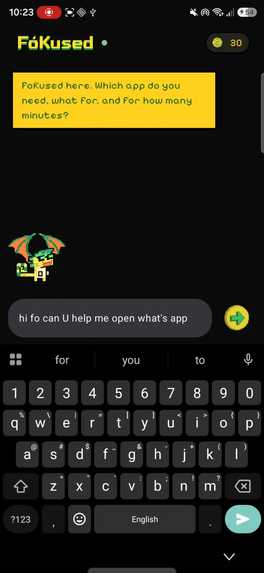
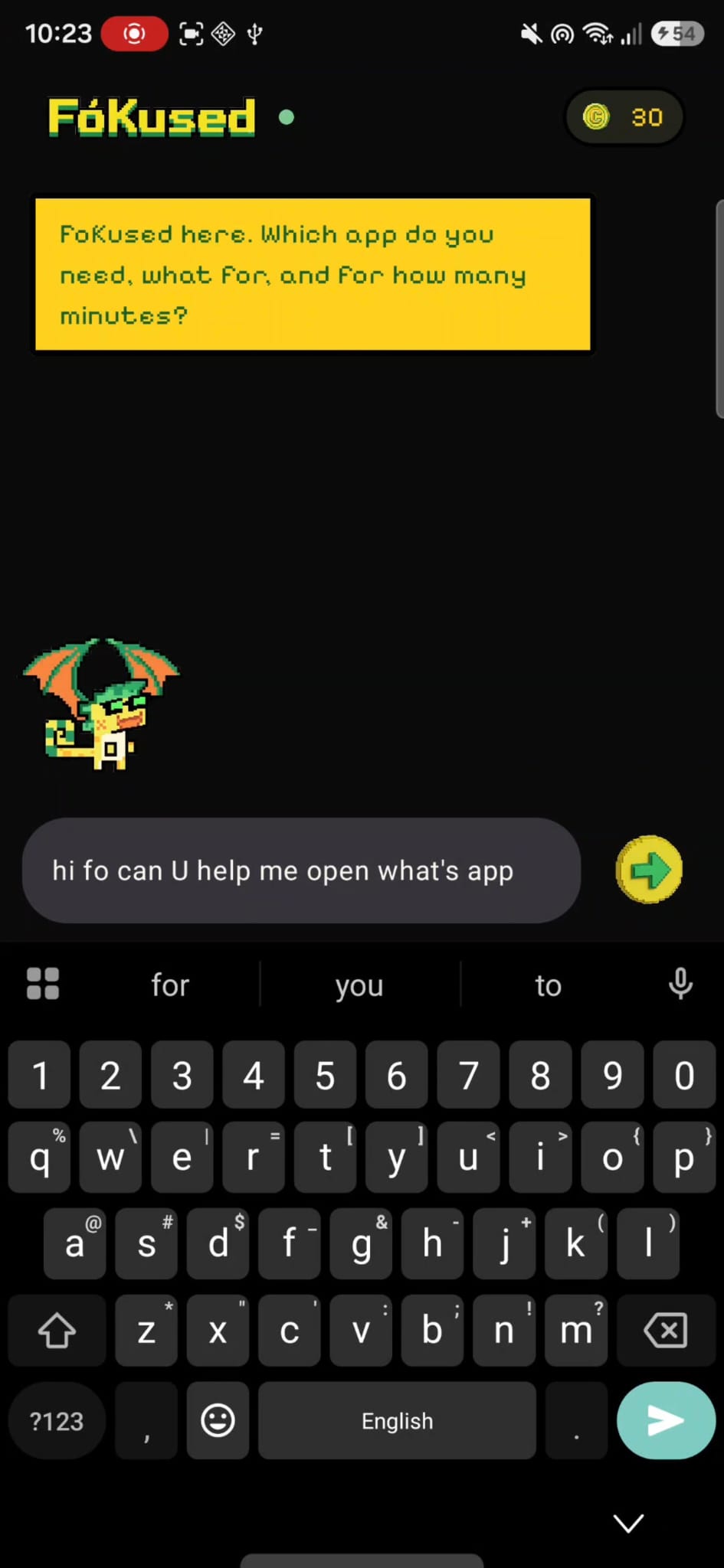
The APP Launcher Screen
-
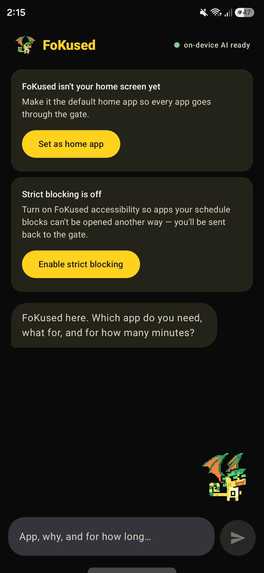
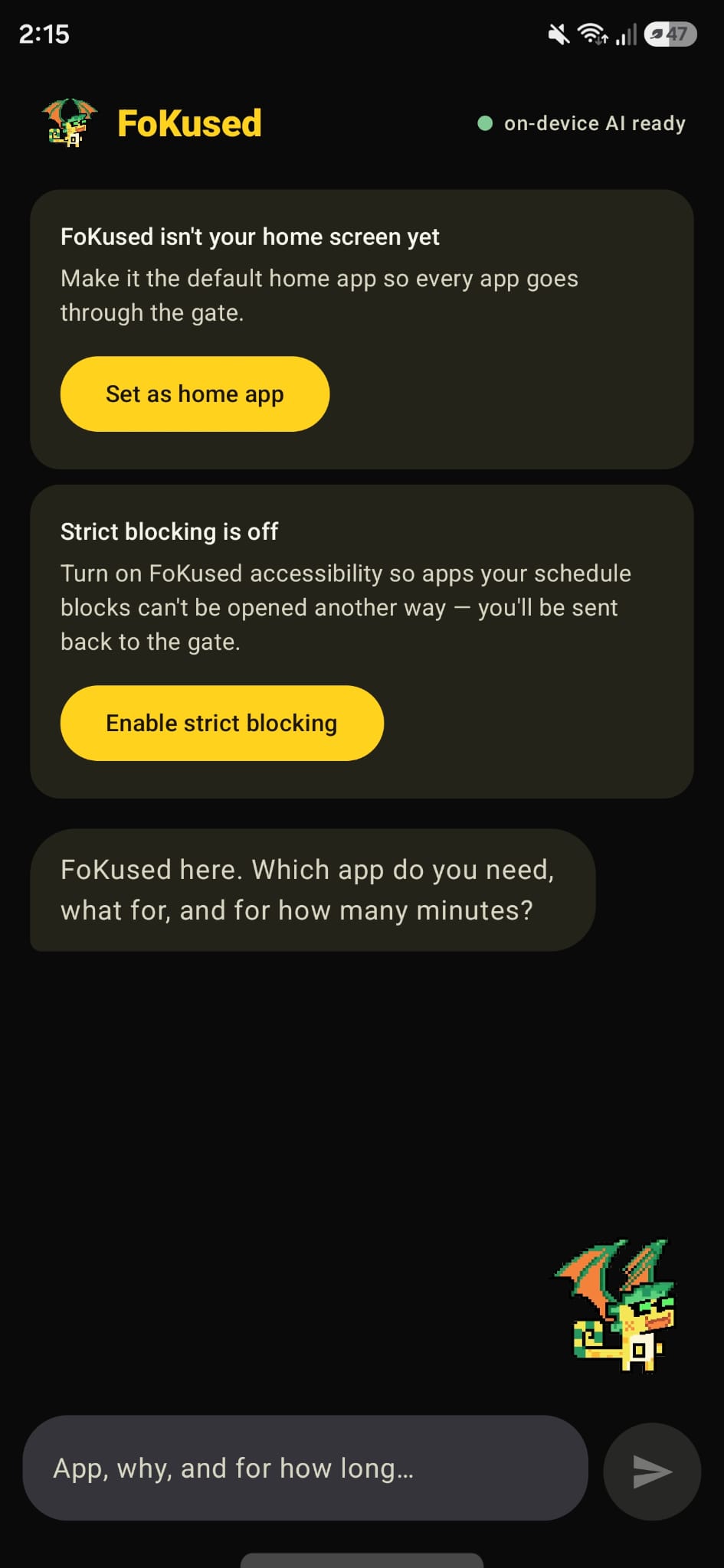
The reply from on Device Agent
FoKused
A gamified, fully on-device focus launcher. Earn coins by staying off your phone, spend them to open apps, and let an AI dragon guard your attention.
Inspiration
I was tired of every "focus" or "screen time" app feeling like a punishment. They block you, shame you, and you just tap through the warning anyway. I wanted to flip the psychology: instead of punishing screen time, reward the time you spend OFF the screen, and make opening a distracting app an actual decision with a cost.
That turned into a simple idea. What if your home screen was a little game? Every minute your phone stays dark, you earn coins. To open an app you have to spend those coins, and the fun stuff (social, video, games) costs a lot more than the useful stuff. Suddenly doomscrolling has a price, and putting your phone down has a reward. I gave it a mascot, Dragon King Fo, so it feels less like a nanny and more like a buddy who is on your side.
The other non-negotiable for me was privacy. A focus app watches your whole phone, so I did not want anything leaving the device. Everything, including the AI, had to run locally.
What it does
FoKused replaces your Android home screen. There are no app icons. To open anything, you chat with Dragon Fo and tell it the app, why, and for how long. A small language model running on the phone reads your request, and the app charges you coins based on the app category and the minutes you asked for. Normal apps cost 1 coin a minute, entertainment costs 10. You earn 1 coin for every minute your screen is off. If you turn on strict mode, the chat becomes the only way into any app, and if you sneak in another way, Fo sends you back to the gate.
How I built it
The whole app is Kotlin with Jetpack Compose and Material 3, using an MVVM setup (ViewModel plus StateFlow) and coroutines. It is a single-Activity launcher that registers as a HOME app so it can take over the home screen.
The AI is the interesting part. It runs Gemma 3 1B on-device through Google AI Edge's MediaPipe LLM Inference, accelerated on the phone's GPU. The model parses my natural-language request into a small JSON decision, and the app does the rest in plain Kotlin.
The pieces fit together around one shared state object (a SharedPreferences-backed singleton) that holds the coin balance, the app-to-category tags, and the currently paid session. Several components read and write it:
- A BroadcastReceiver in the Application watches screen on and off to award coins.
- The ViewModel runs the chat gate, charges coins, and launches apps.
- A foreground Service runs the countdown timer for a paid session.
- An AccessibilityService enforces strict mode by watching which app is in the foreground and bouncing you back if it is not the one you paid for.
The look is deliberately retro. I used a pixel-art dragon mascot that flaps and hovers over the chat box, a pixel coin counter, a pixel speech-bubble font (Pixelify Sans), and a black, yellow, and green theme pulled straight from the mascot's colors. I cleaned up all the pixel assets with a little Python and Pillow.
What I learned
- On-device LLMs are real now, but deployment is the hard part. Getting a model to actually run on a phone taught me more than any tutorial: GPU delegates, model formats, memory, and latency all matter.
- Do not trust a 1B model to hold the logic. The small model is great at understanding language and bad at being reliable. The moment I moved the real work (extracting the app name, the minutes, the cost) into deterministic Kotlin and used the model only for parsing and personality, everything became stable.
- How Android really works under the hood. Launchers, the accessibility API, foreground services, and the difference between a window changing and the actual foreground app changing.
- Design the incentive, not the restriction. The coin economy changed the feel of the whole app more than any single feature.
Challenges I ran into
This project was basically a series of walls I had to climb.
- My first AI plan did not work. I started with Gemini Nano through Google's on-device ML Kit. On my Galaxy S25 Ultra it kept returning a "feature not available" error. After a lot of digging (checking the bootloader, updating the system AI apps, watching the logs) I found the generic prompt feature just is not provisioned for third-party apps on that device yet. So I pivoted the entire AI backend to bundling Gemma with MediaPipe instead, which does not depend on any of that.
- A deadlock that only happened on the second request. The first AI request worked, the second froze the app. It turned out the GPU inference engine binds to whatever thread first drives it, and I was running on a thread pool. Pinning every model call to one dedicated thread fixed it.
- The model kept going off the rails in multi-turn chats. It once "approved" opening Adidas when I asked for WhatsApp, and it would loop asking questions forever. I rewrote the conversation logic to accumulate context, resolve everything in code, and allow the model only one push-back before it has to decide.
- Strict mode kept kicking me out of apps I had paid for. This one was sneaky. The accessibility service was reacting to every window change, including the keyboard and system popups, so the moment a keyboard appeared it thought a rogue app had opened and ejected me. The fix was to read the actual foreground app instead of whatever window happened to change.
- The art assets fought me. The "transparent" pixel images actually had the checkerboard baked in as solid pixels, so on the black theme they showed an ugly grey box. I wrote an image-processing pass that keys out the background by color saturation, which was tricky because the dragon's cream belly is nearly the same brightness as the background. The dragon also came out with three legs at one point, which I had to edit out frame by frame.
- Shipping it. Bundling a 554 MB model into a single install meant a 590 MB APK, and GitHub rejects any file over 100 MB, so I had to distribute the big binaries through GitHub Releases and unpack the model out of the APK on first launch.
Every one of those was frustrating in the moment, but together they are the reason FoKused actually runs entirely on the phone, with no cloud and no account.
Built with
Kotlin, Jetpack Compose, Material 3, MVVM, Kotlin Coroutines, Google AI Edge / MediaPipe LLM Inference, Gemma 3 1B, Android AccessibilityService, foreground Service, SharedPreferences, kotlinx.serialization, Python / Pillow (asset processing).
Built With
- android-studio
- gemma
- kotlin


Log in or sign up for Devpost to join the conversation.