FOFlow: Personalized ADHD Productivity and Focus Coach
Overview
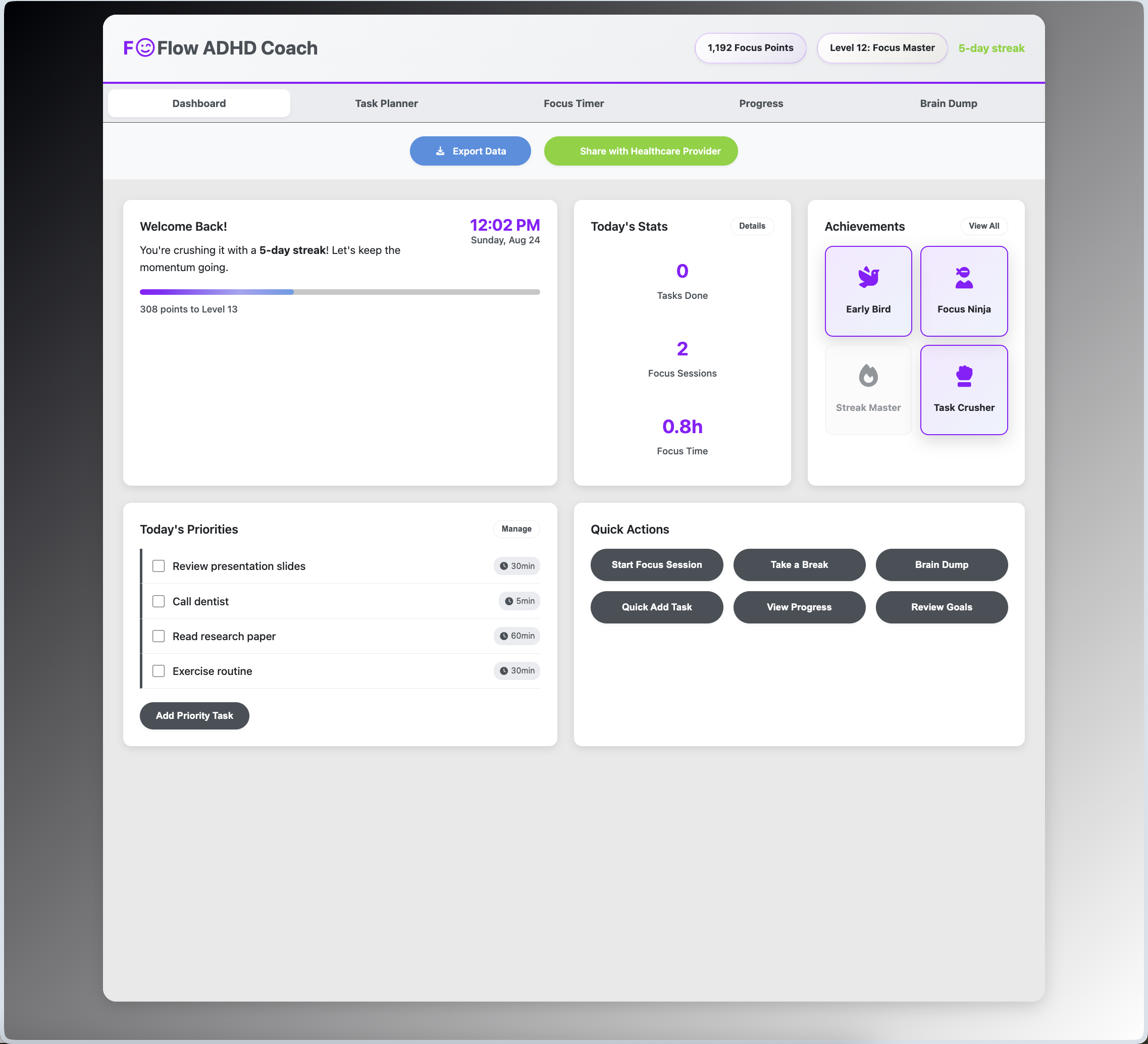
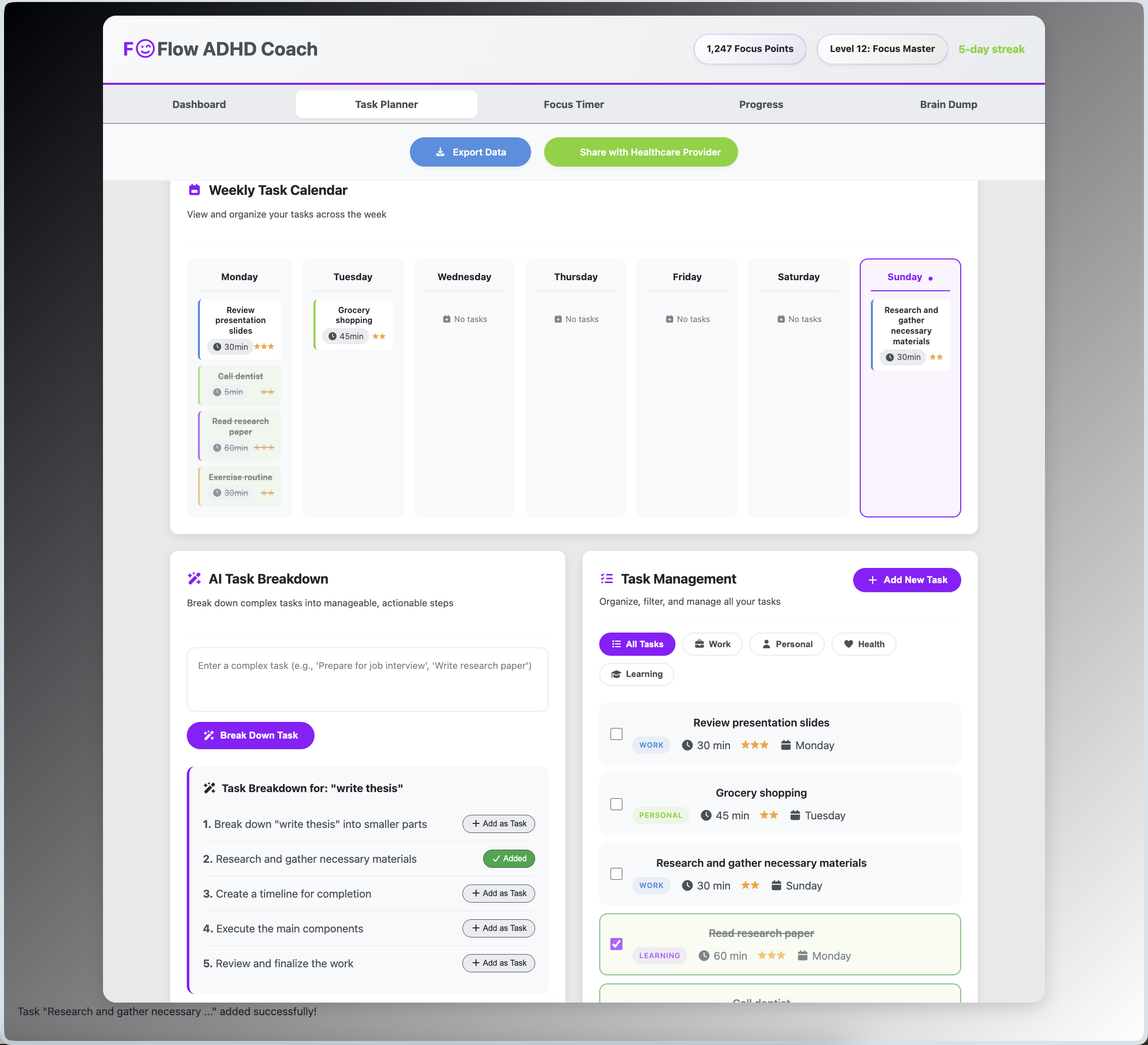
FOFlow is a personal productivity coach I built to help people who struggle with focus and organization. It was inspired by the challenges faced by individuals with ADHD. The app uses engaging features like an AI-powered task breakdown, a customizable Pomodoro timer, and a fun rewards system with points and achievements to make daily tasks more manageable and motivating. I designed it with a clean, calming interface to provide a stress-free and effective productivity tool for beginners and students.
Problem Statement
ADHD affects at least 120 million children and hundreds of millions of adults worldwide. Traditional productivity apps fail to address executive dysfunction, time blindness, and motivation challenges specific to ADHD brains. FOFlow bridges this gap with specialized tools and medical data integration.
Key Features
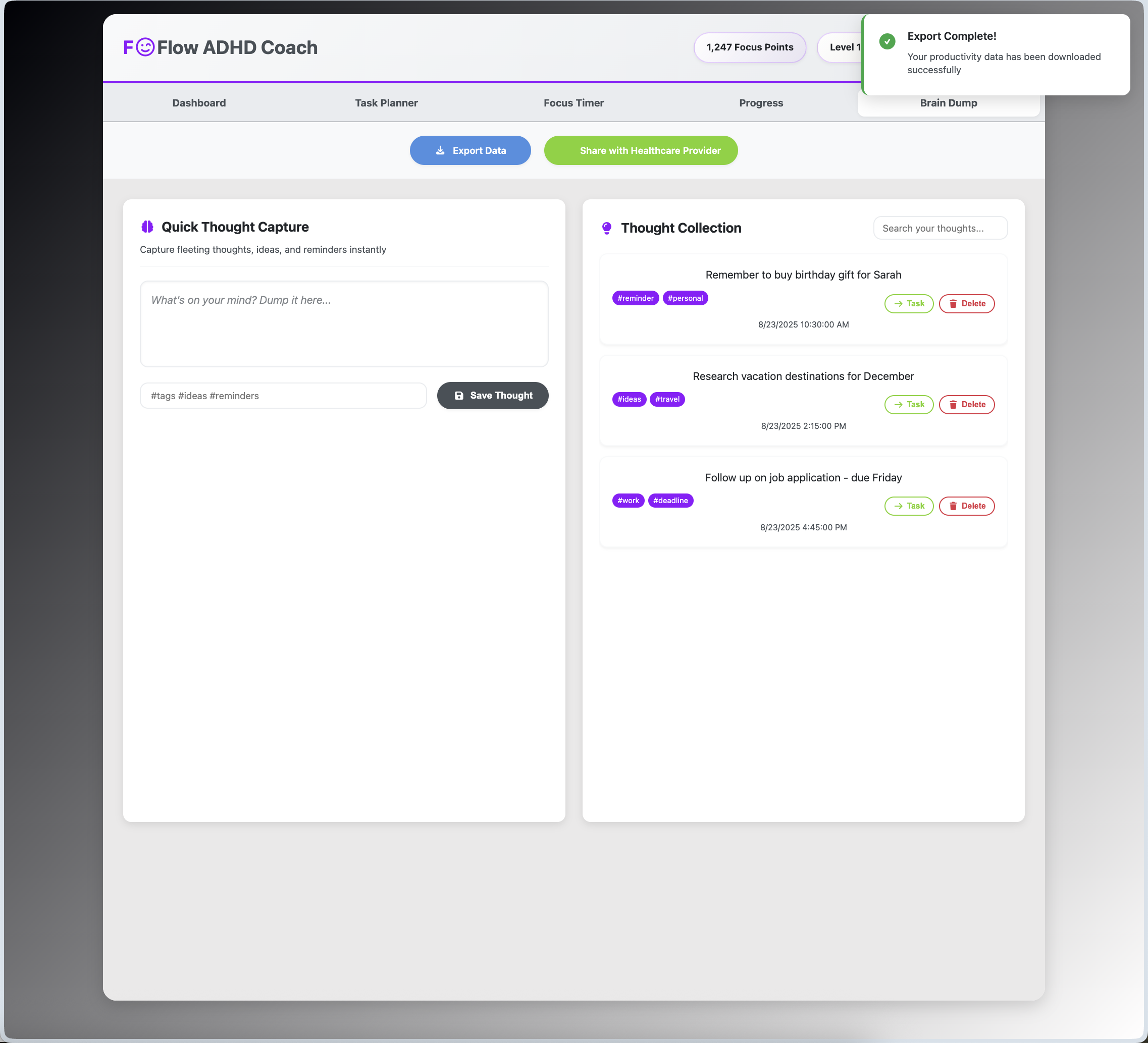
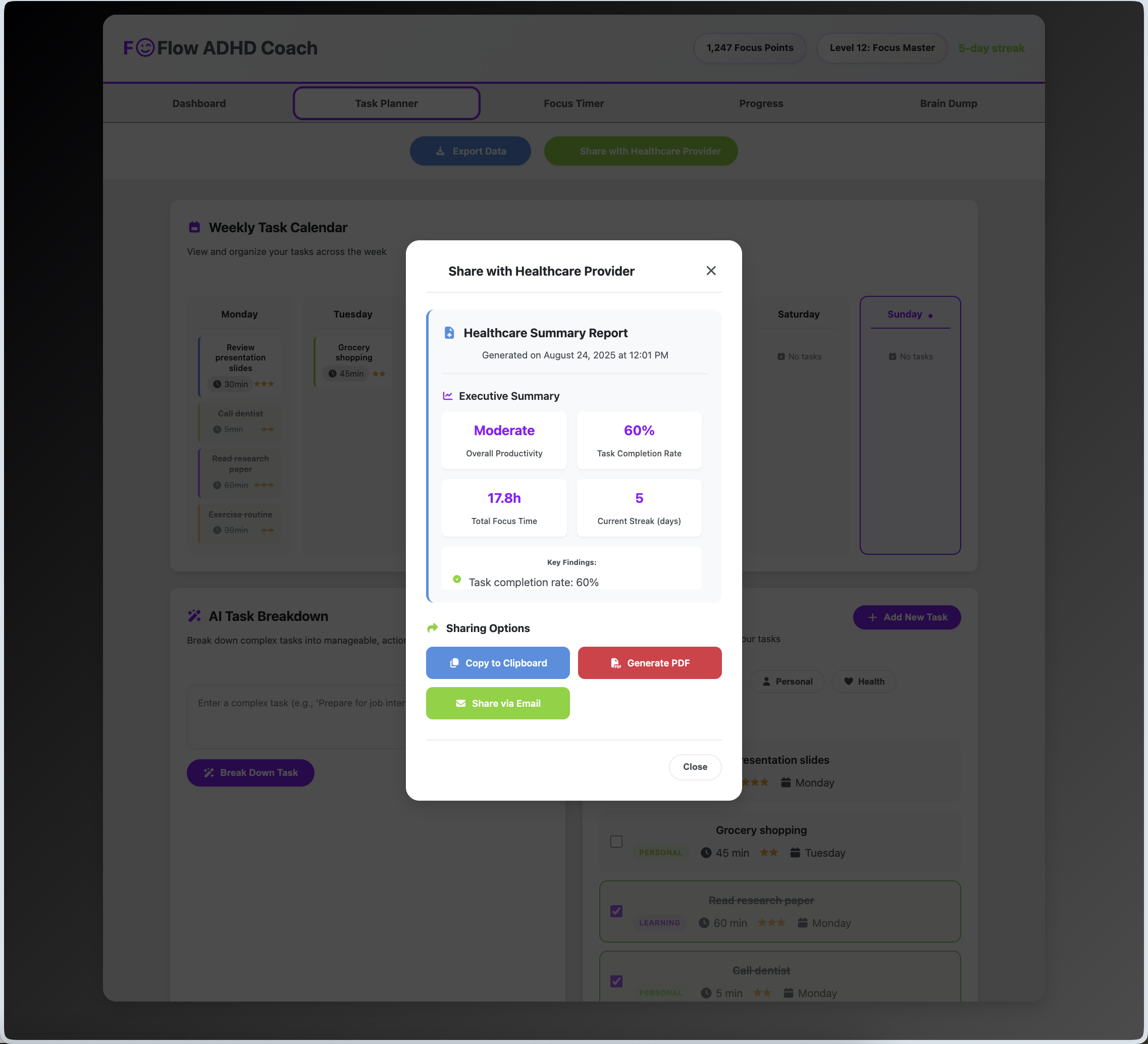
- Healthcare Data Export & Sharing: Generates comprehensive reports that can be exported and shared securely with healthcare providers. Transforms user data into medically relevant metrics.
- AI-Powered Personalized Task Breakdown: Uses AI to help users break down complex tasks into manageable steps. Personalized achievement system that responds to user engagement.
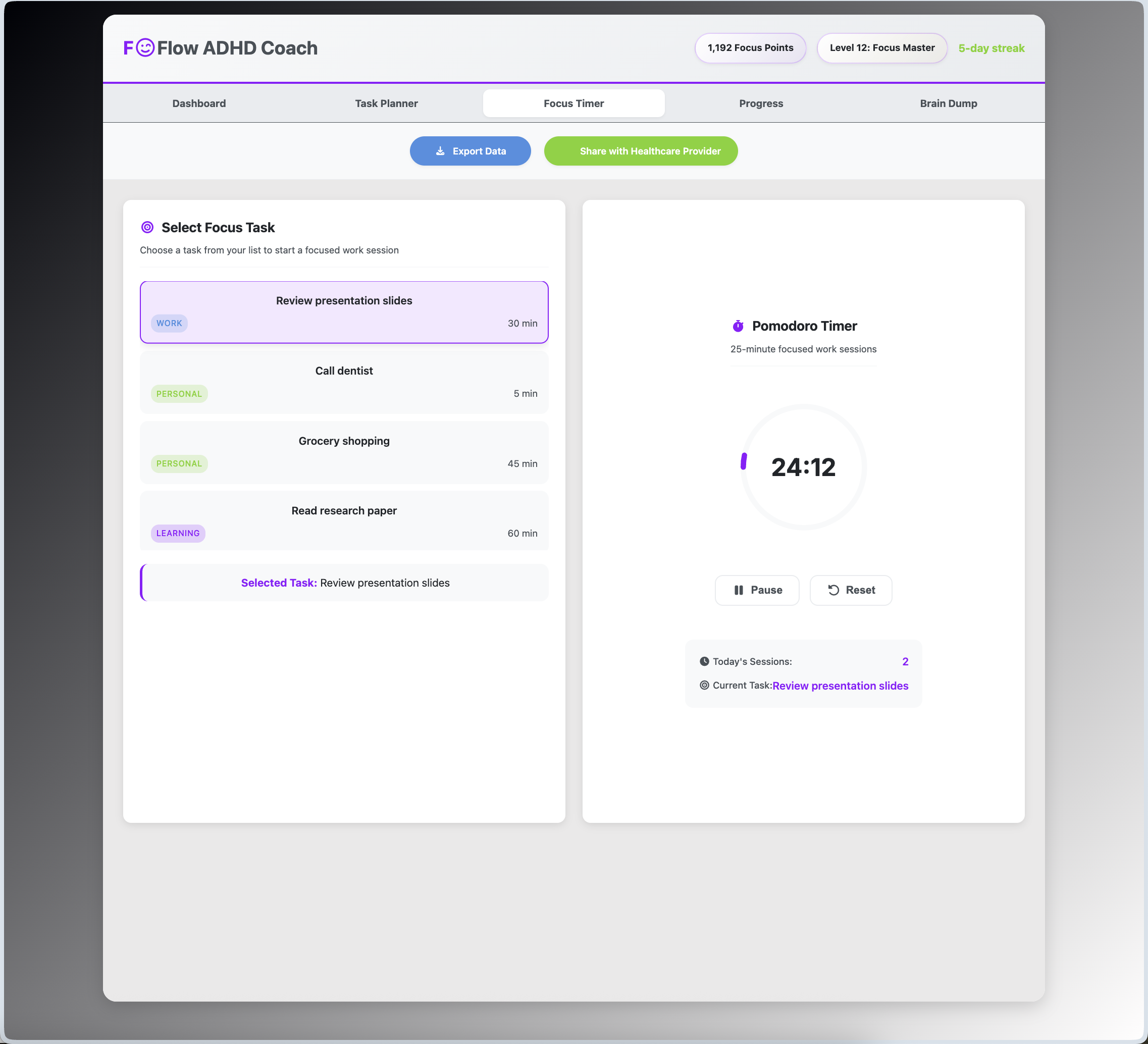
- ADHD-Optimized Pomodoro Timer: Supports focused work sessions with visual countdown, built-in encouragement and break suggestions.
- Motivational Rewards: Gamification elements with dopamine-friendly rewards with badges, points, and streaks to promote productivity.
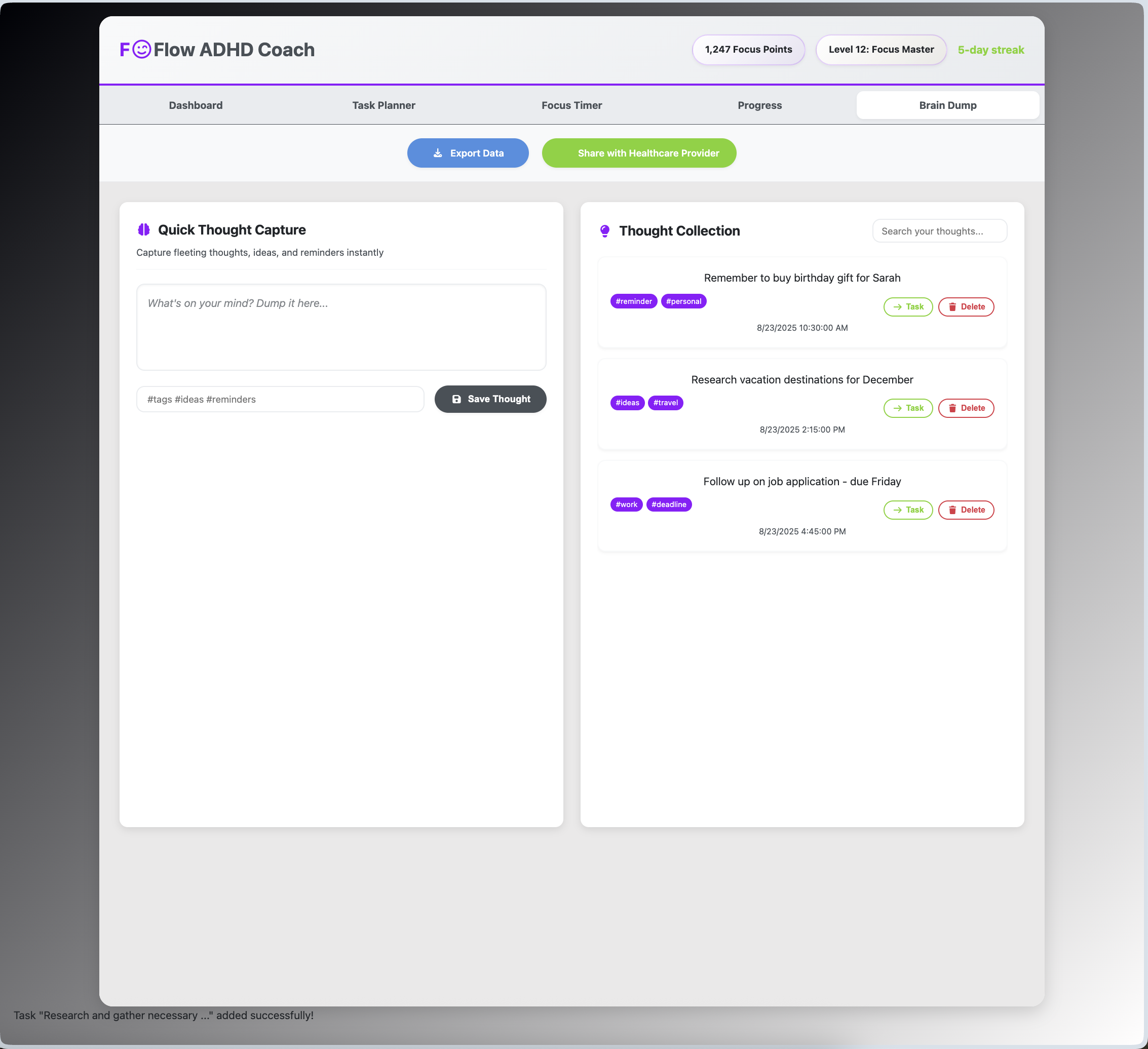
- Brain Dump Capture: Instant thought capture with tagging and organization to reduce cognitive overload.
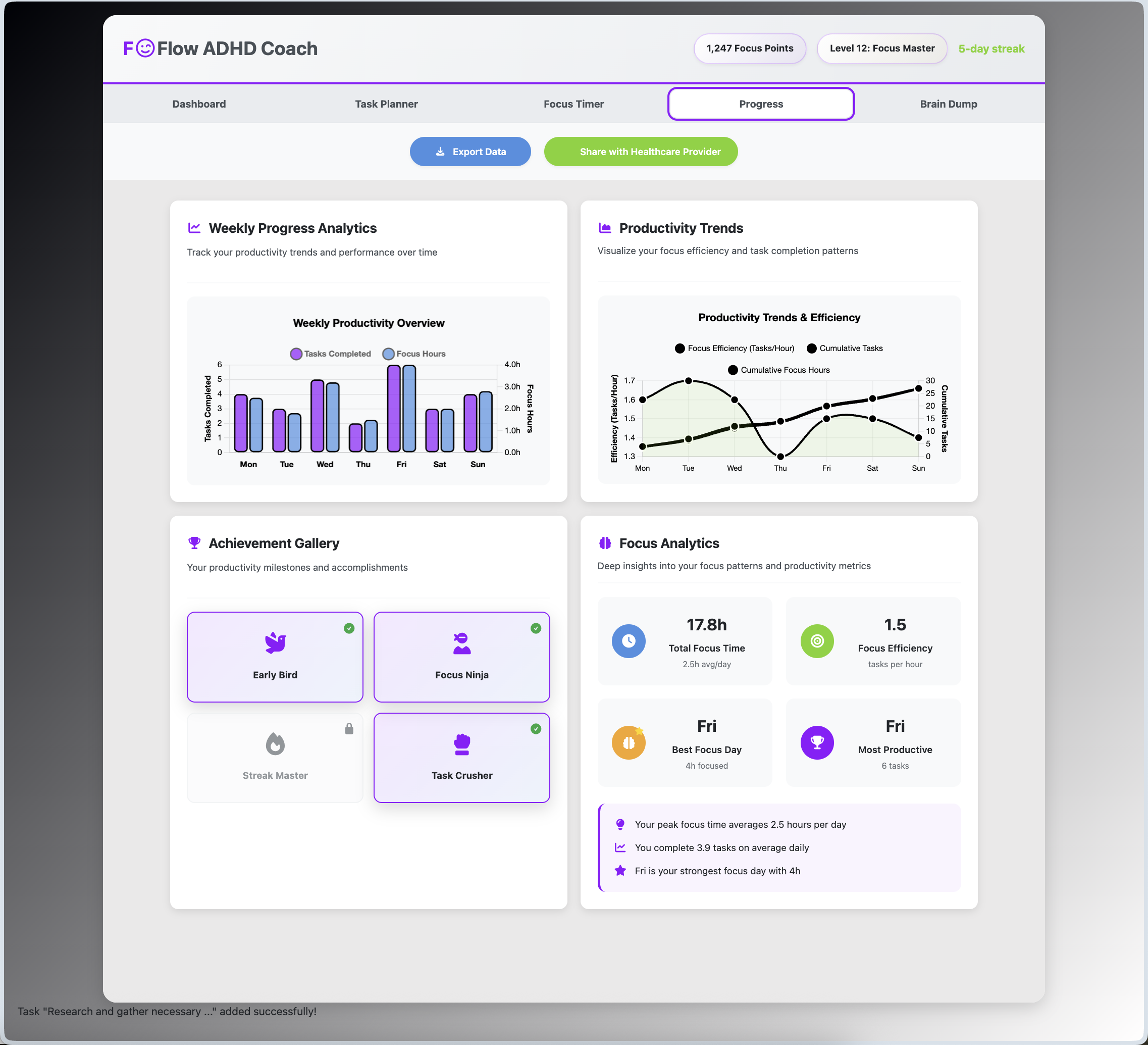
- Progress Analytics for Pattern Recognition: Visualizes weekly productivity and focus trends with easy-to-understand charts. Tracks productivity patterns and identifies optimal focus windows.
- Accessibility and Responsive Design: Fully functional across desktop and mobile with attention to accessibility.
Start Managing ADHD
- Create and break down tasks using AI assistance
- Track focus sessions with the Pomodoro timer
- Monitor progress through analytics dashboard
- Export data to share with healthcare providers
Healthcare Provider Benefits
- Clinical Data Export: Generate comprehensive reports showing task completion rates, focus patterns, and behavioral trends
- Treatment Insights: Objective data on medication effectiveness, therapy progress, and lifestyle interventions
- Patient Engagement: Visual progress tracking encourages treatment adherence
My Learning Journey
Building FOFlow was an incredible learning experience for me as a beginner. During this project, I taught myself several new skills from scratch, including:
- Advanced CSS: I learned how to use CSS variables to create an ADHD-friendly color palette and implemented responsive design with media queries to make the app work on both desktop and mobile.
- JavaScript DOM Manipulation: I figured out how to dynamically create, update, and remove elements to make the app interactive, which was a major challenge.
- Complex Logic: I built features like the Pomodoro timer, the task management system, and the AI-powered task breakdown, which required me to learn about state management and handling user input.
I also faced and overcame several challenges, such as resolving Git conflicts for the first time and debugging the layout on different screen sizes. This project was a huge step for me, and I’m proud of what I was able to build and learn.
UI/UX Design Highlights
I designed FOFlow with a focus on creating a calming and user-friendly experience, especially for users who might feel overwhelmed by other productivity apps. My design choices include:
- ADHD-Friendly Colors: I used a palette of calming blues, greens, and purples to create a visually soothing environment.
- Clean and Spacious Layout: The interface is designed to be uncluttered, with plenty of white space to reduce cognitive load.
- Responsive Design: FOFlow works seamlessly on desktops, tablets, and mobile devices, so users can stay organized on any device.
Future Enhancements
- Real OpenAI API integration for advanced task analysis
- Cloud database with multi-device synchronization
- Integration with wearables for physiological data
- Clinical trial partnerships for validation studies
How to Run
- Clone the repository.
- Open
index.htmlin a modern web browser. - Try managing your tasks to improve focus!

Log in or sign up for Devpost to join the conversation.