Inspiration As students, we know how hard it is to stay focused while studying. Phones distract us, we lose motivation, and it's hard to track if we're actually improving. We wanted to create a study space that feels calm, keeps you motivated, and makes studying feel like a game you want to win.
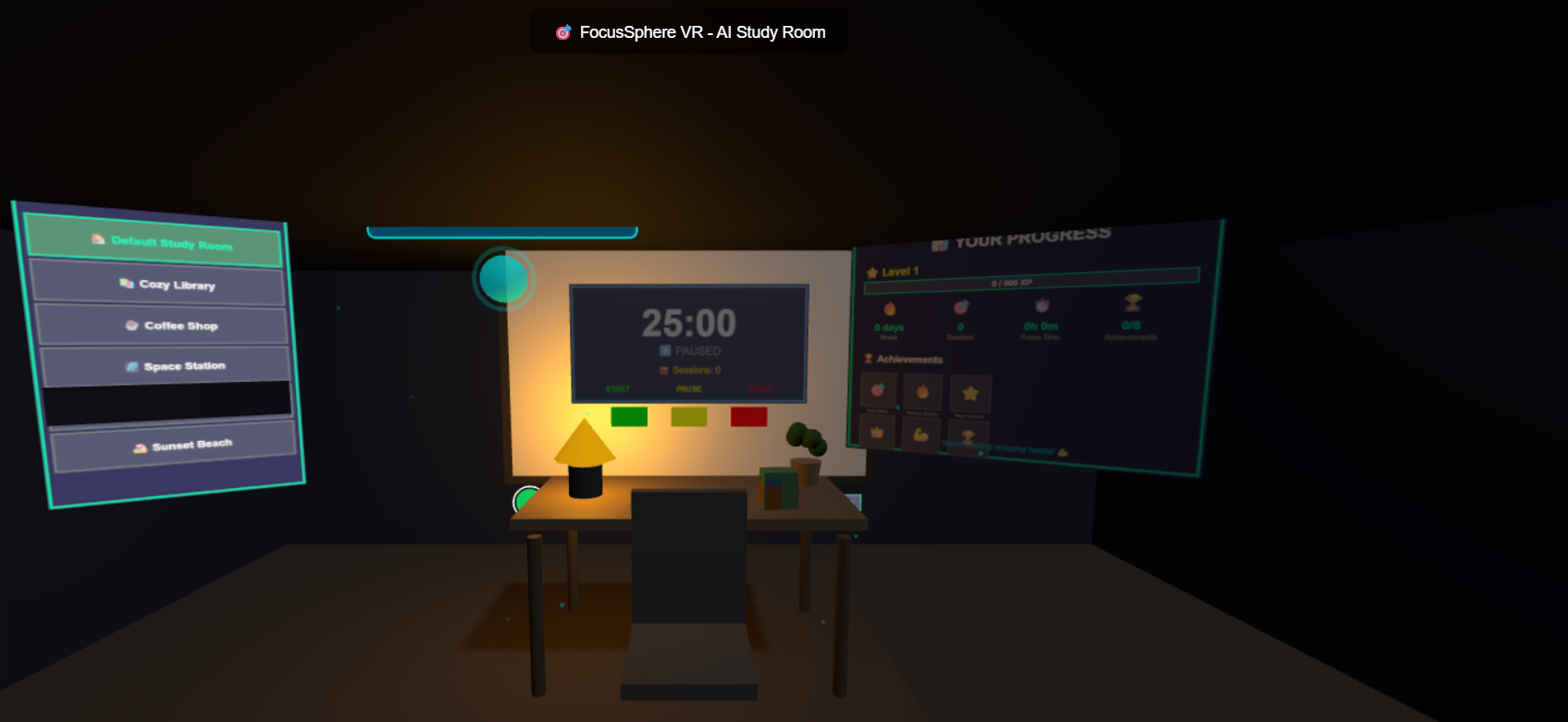
What it does FocusSphere is a VR study room where you can focus better and build good habits. You use your hands to draw on a whiteboard, control a timer, and interact with everything naturally. The app tracks your progress, gives you points and achievements, and lets you study in 6 different beautiful places - from a cozy library to a space station. An AI coach gives you tips and encouragement. You can even control everything with your voice while studying.
How we built it We used Three.js for 3D graphics and WebXR for VR support. We built hand tracking so you can touch and draw with your fingers. We added a smart AI that watches what time you study and gives helpful advice. We created 6 different environments with smooth color changes and particle effects. We also added voice commands using the Web Speech API, so you can control the app hands-free. Everything saves to your browser so your progress never gets lost.
Challenges we ran into Getting hand gestures to work smoothly was really hard. We had to detect tiny movements like taps, swipes, and pinches. Making the whiteboard draw exactly where your finger touches took many tries. Creating smooth transitions between environments without slowing down the app was tricky. We also had to make sure everything works on both desktop and VR headsets. Fixing all the small bugs and making the UI look good took a lot of time.
Accomplishments that we're proud of We're proud that our hand tracking feels natural and responsive. The whiteboard works great - you can draw, change colors, and undo with simple gestures. We created 6 completely different study environments that look beautiful. The progress tracking system with levels, achievements, and streaks makes studying feel rewarding. Voice commands work really well. Everything runs smoothly even with all the features. The app looks professional and polished.
What we learned We learned a lot about WebXR and how to make VR apps that feel good to use. We got better at 3D graphics and creating smooth animations. We learned how to detect hand gestures accurately. We discovered how important it is to give users instant feedback - buttons need to glow, sounds need to play, things need to feel responsive. We also learned that simple features done really well are better than many half-finished features.
What's next for FocusSphere - AI-Powered VR Study Room We want to add multiplayer so friends can study together in the same room. We'll add more study tools like flashcards and note-taking. We want to connect with calendar apps so you can schedule study sessions. We'll add more environments and let users customize them. We want to add real object detection using the camera, so virtual objects can sit on your real desk. We also want to add study groups where people can help each other and compete on leaderboards.

Log in or sign up for Devpost to join the conversation.