-
-
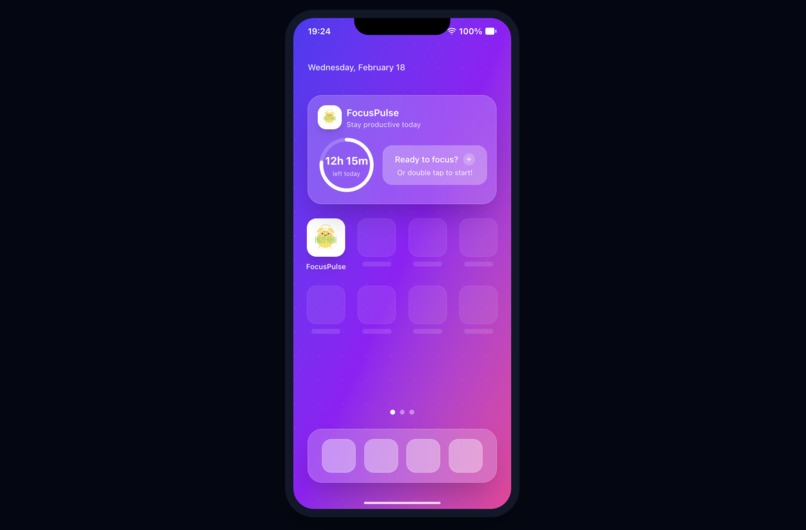
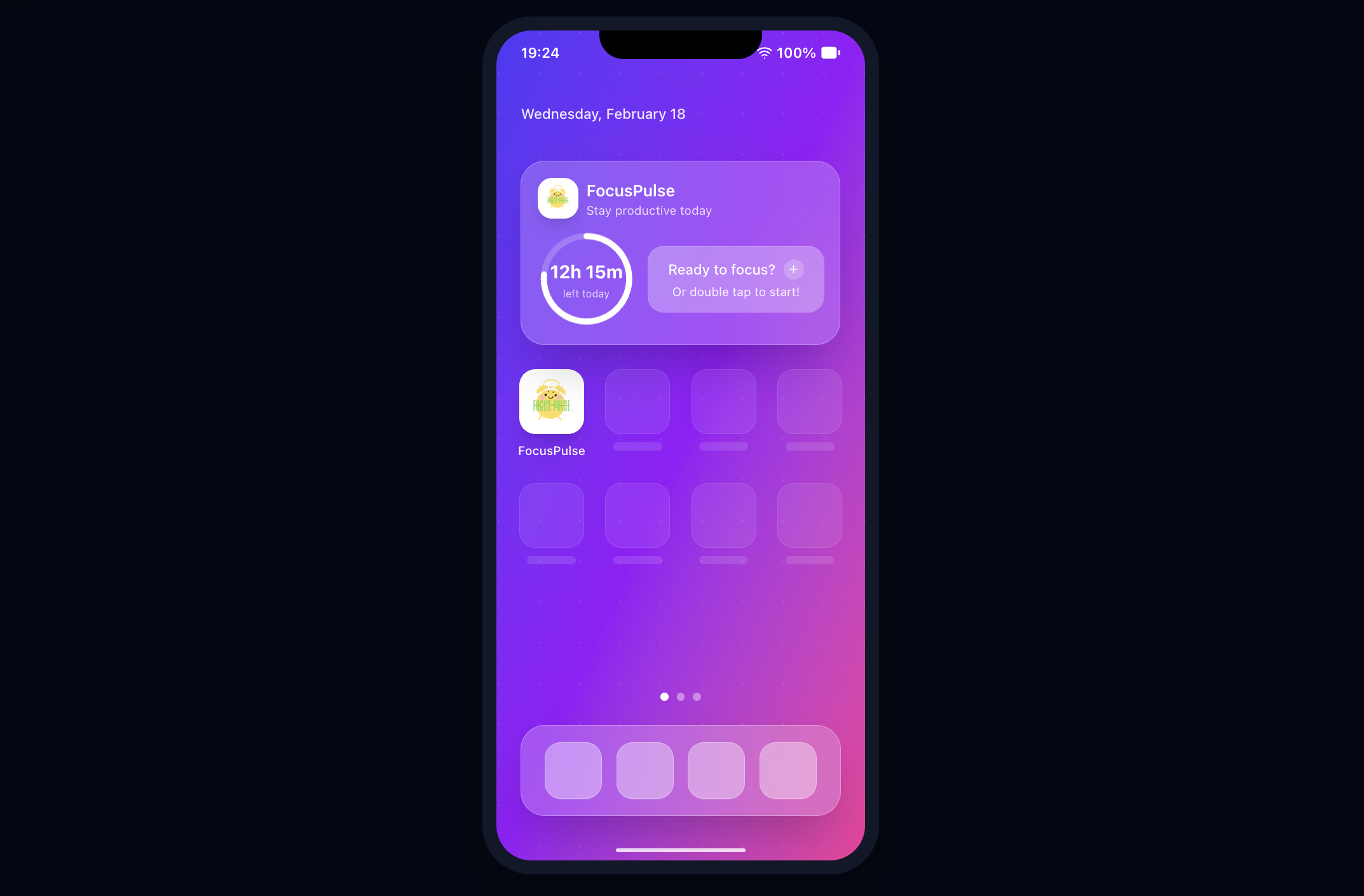
Minimalist widget design for seamless Notion task tracking and focus monitoring.
-
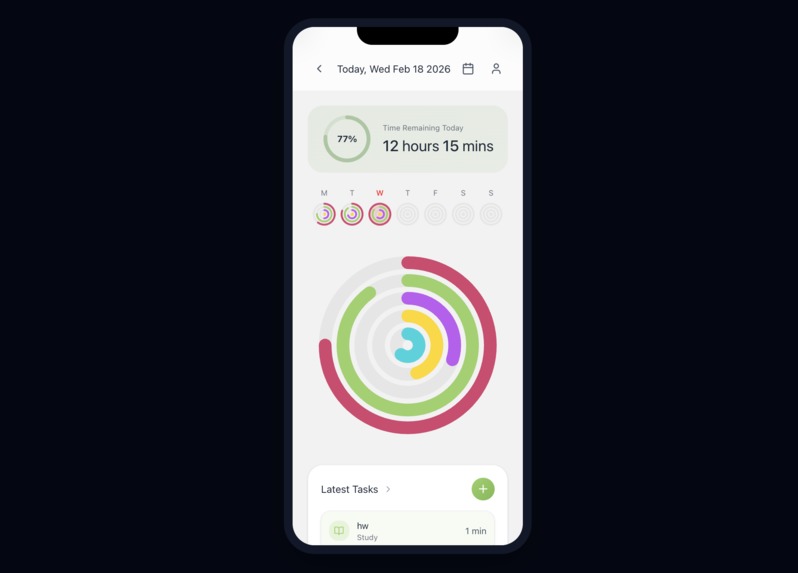
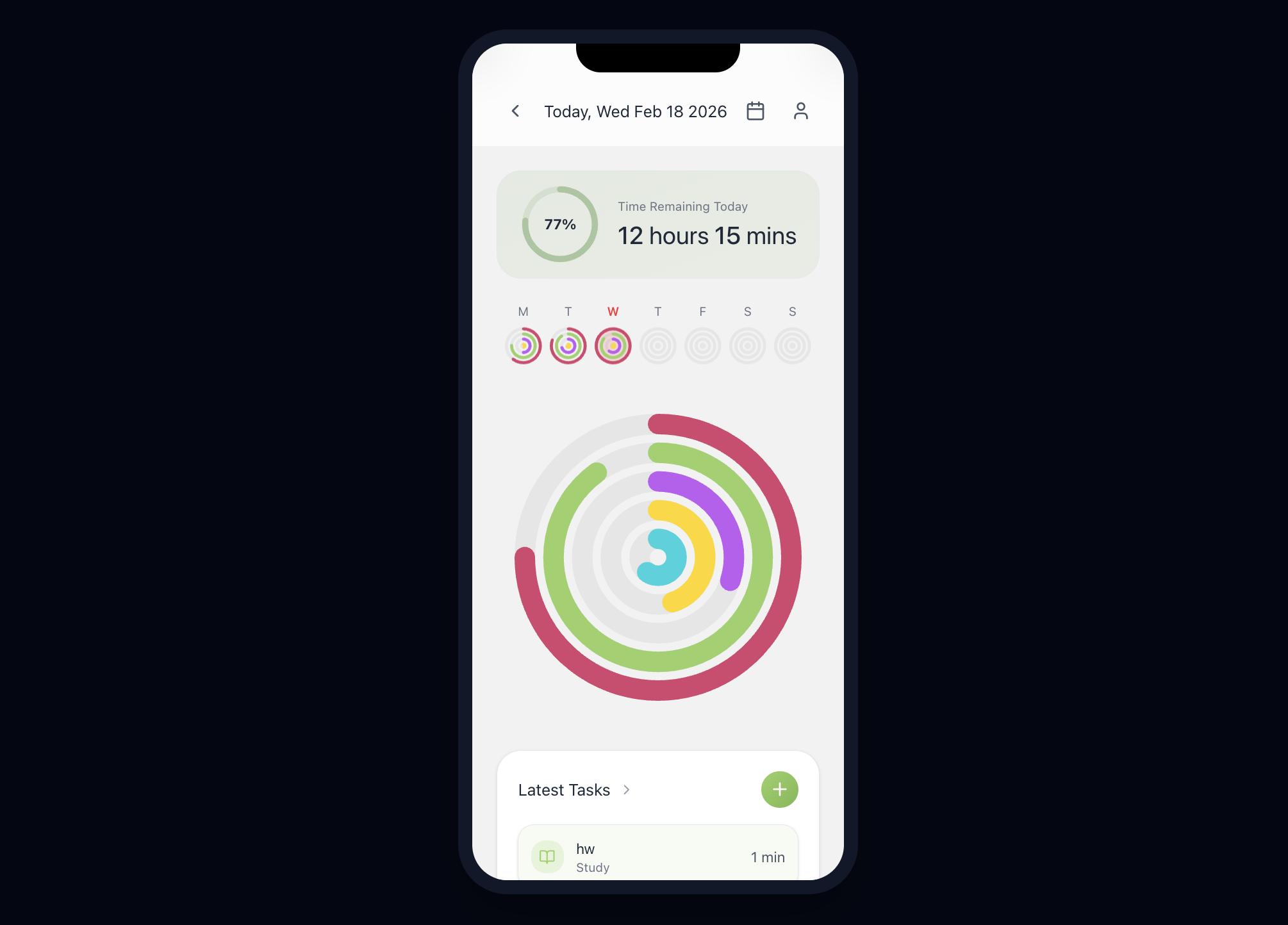
Home Page. Comprehensive productivity analytics showing daily focus time distribution and daily task completion.
-
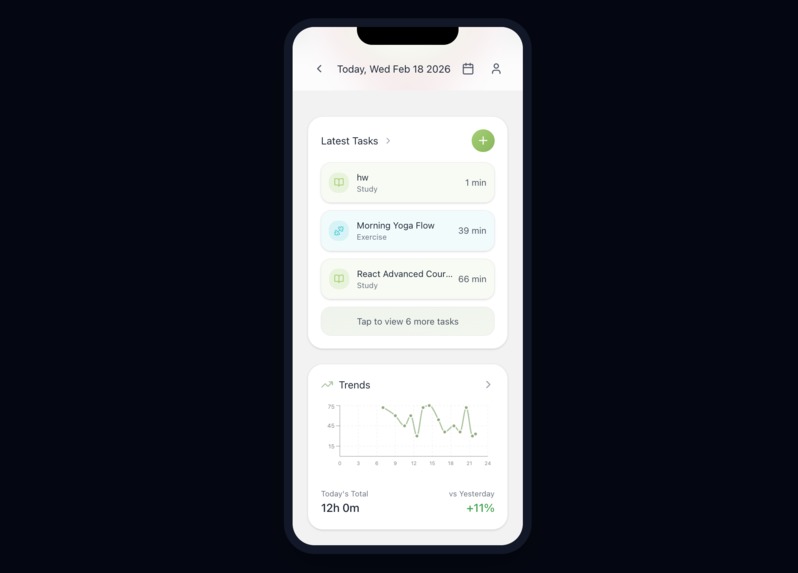
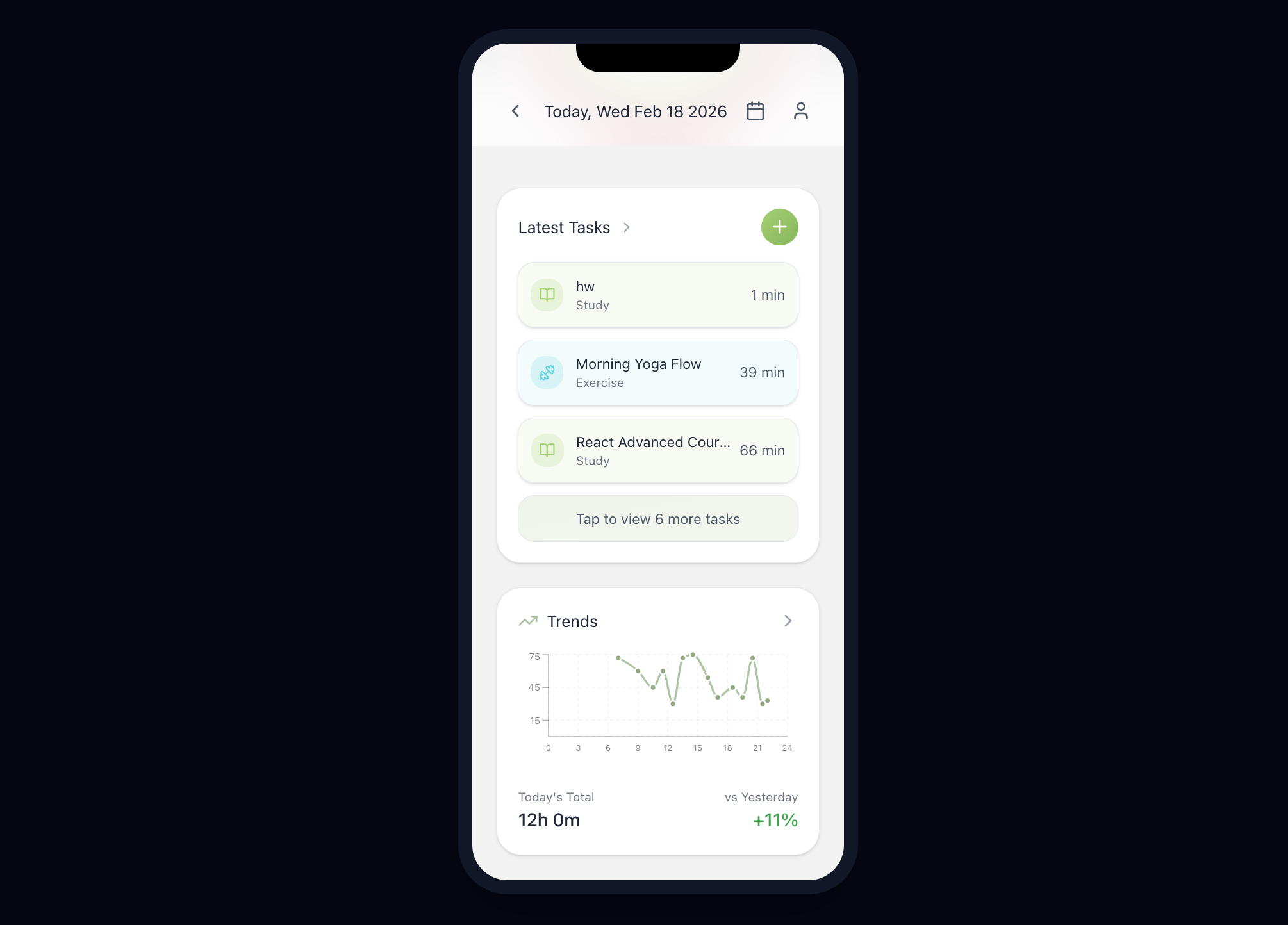
Home Page. Identify patterns in user's focus with detailed daily task logs and performance charts.
-
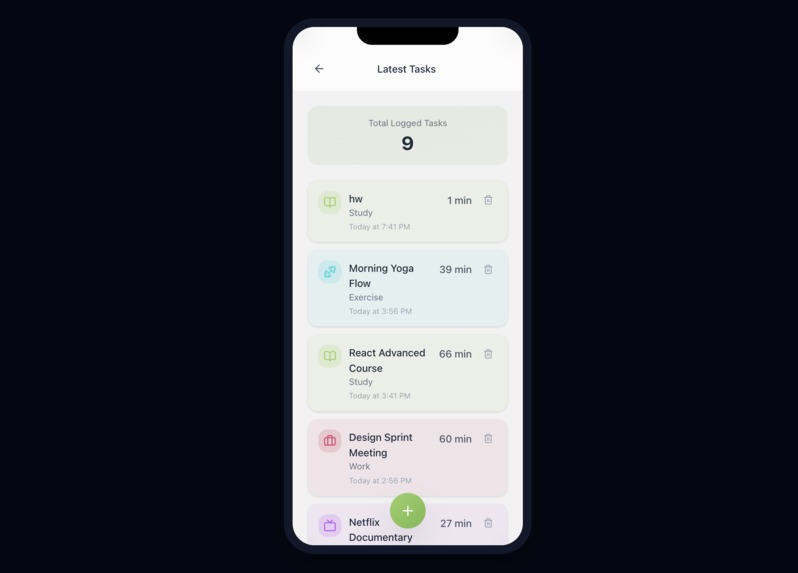
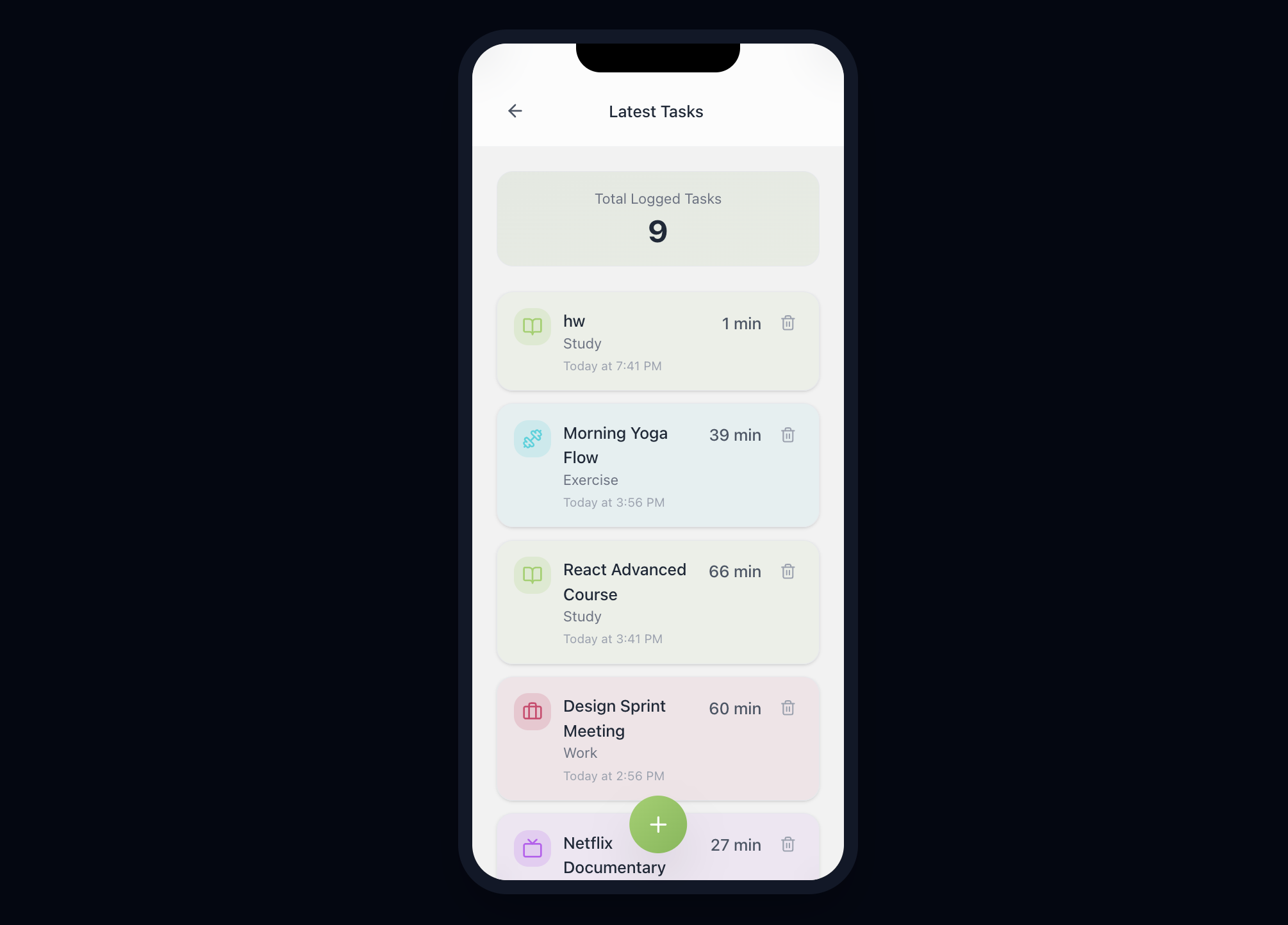
Latest Tasks Page. Stay on top of user's workload with categorized tasks and real-time completion tracking.
-
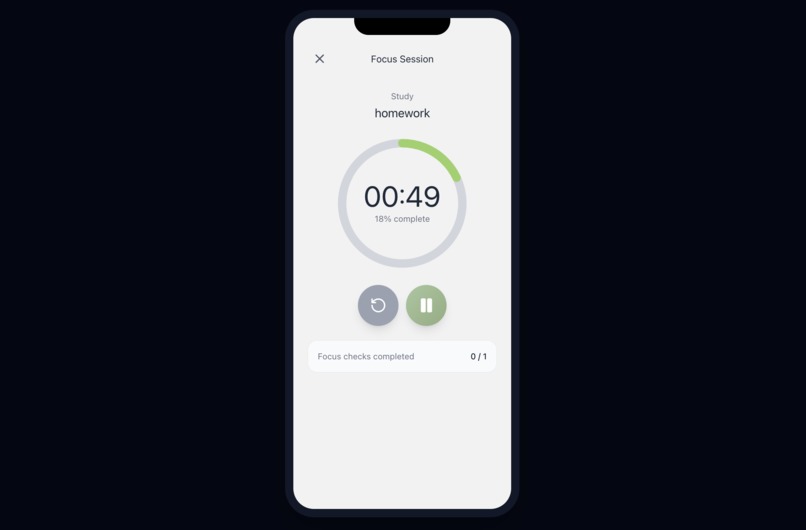
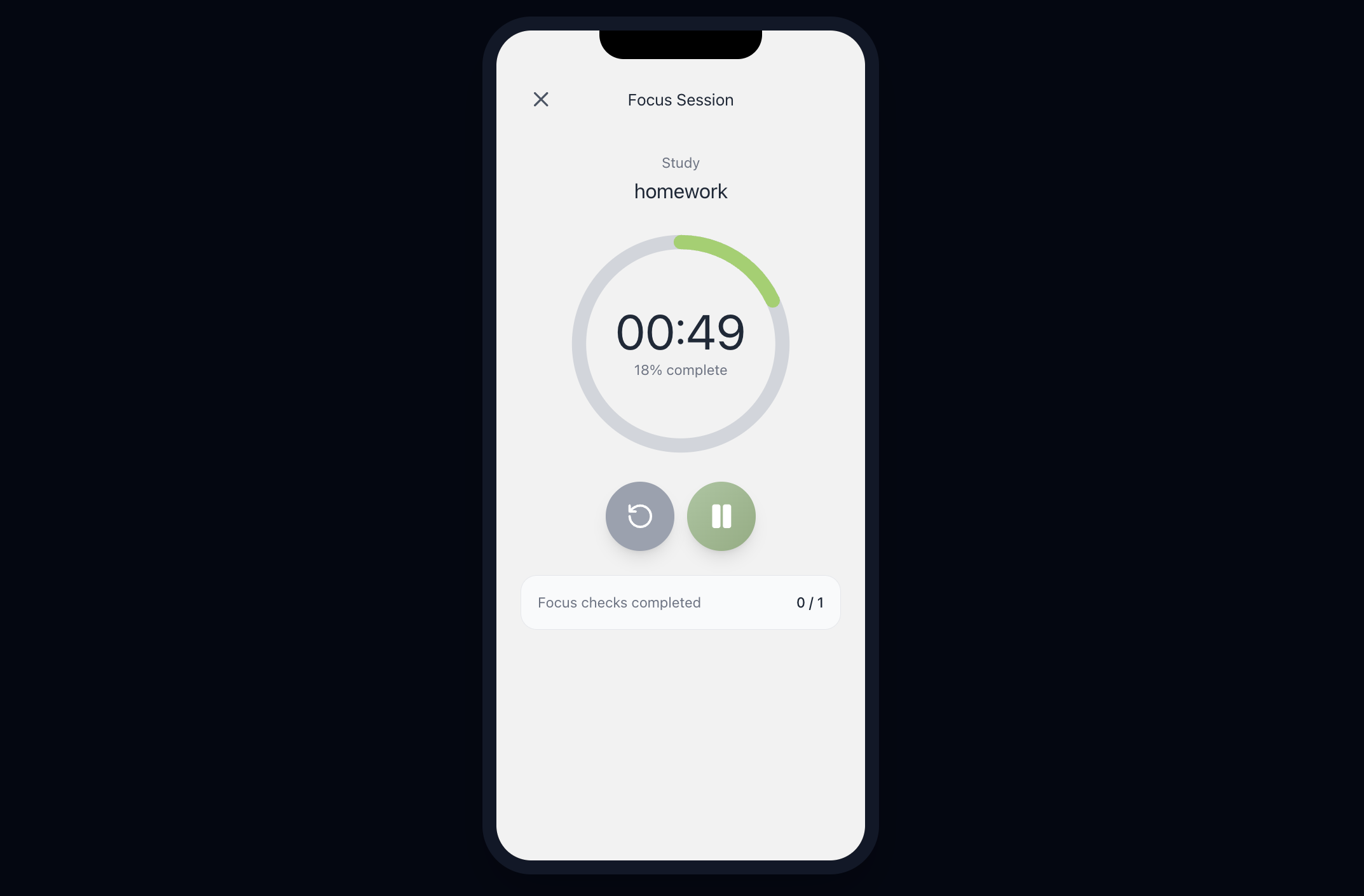
Timer stage in the Focus session page. Engage in distraction-free sessions with our intuitive focus timer and haptic feedback.
-
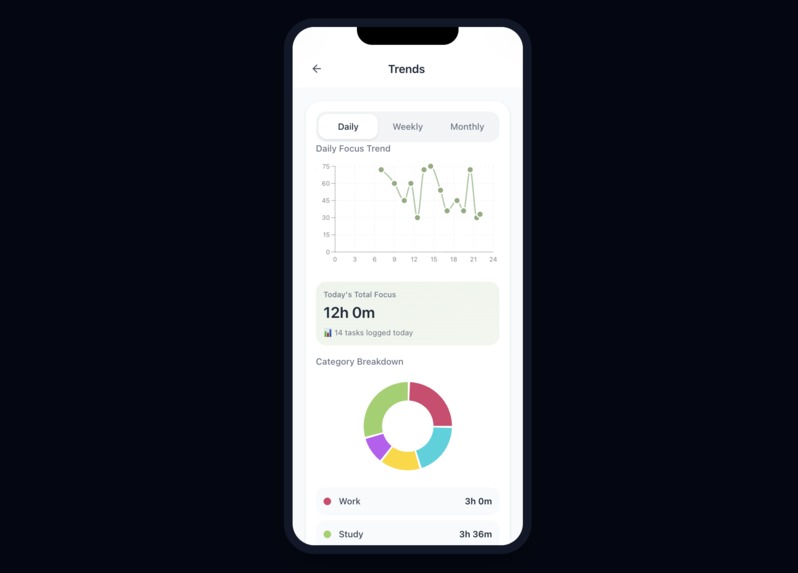
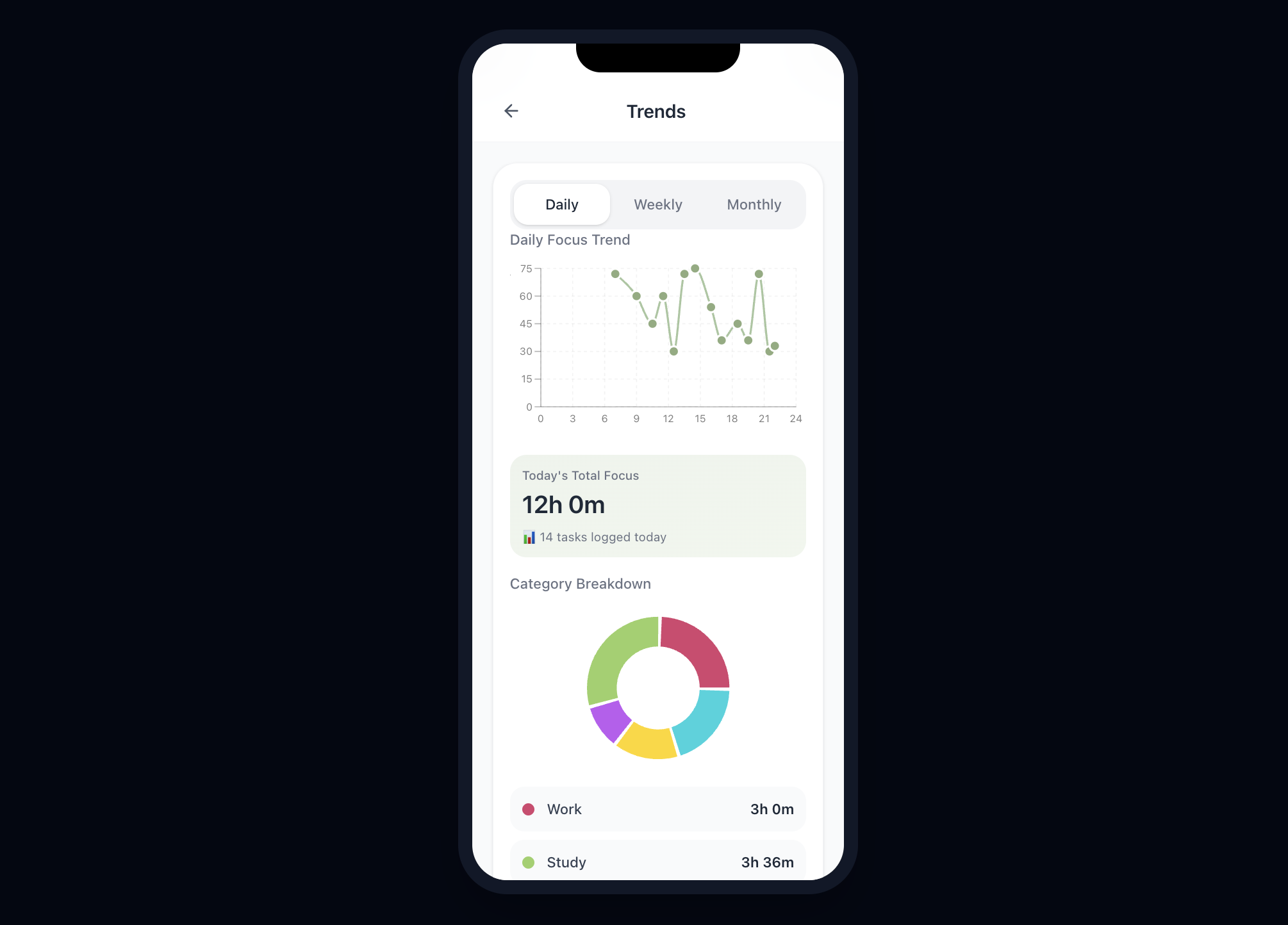
Trends Page. Discover user's productivity patterns with switch of daily/weekly/monthly trend charts and category-based time tracking.
-
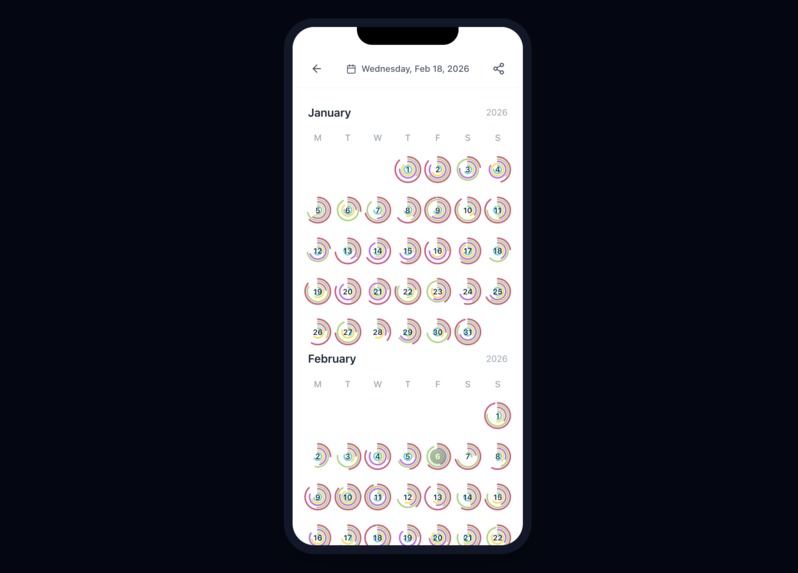
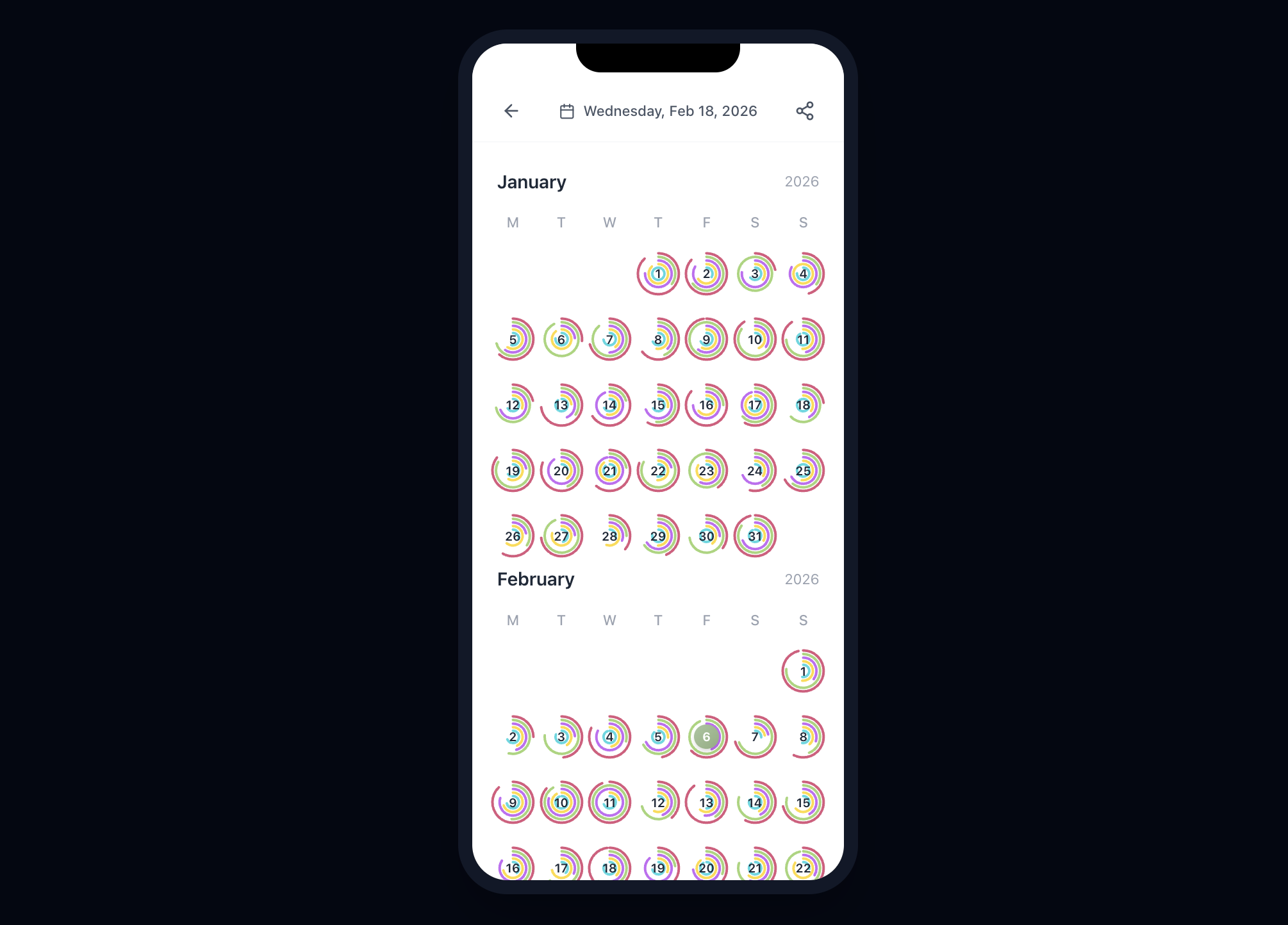
Calendar Page. Visualize user's productivity journey. The calendar view helps users identify and maintain long-term focus streaks.
-
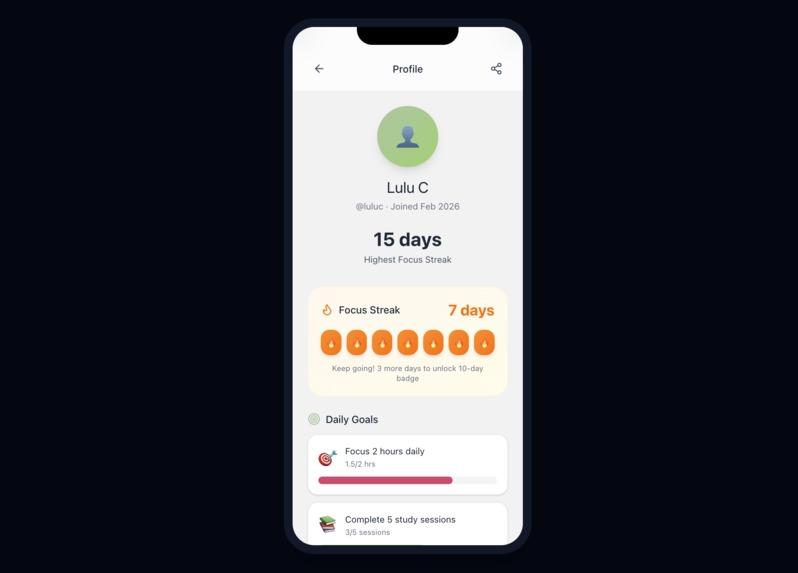
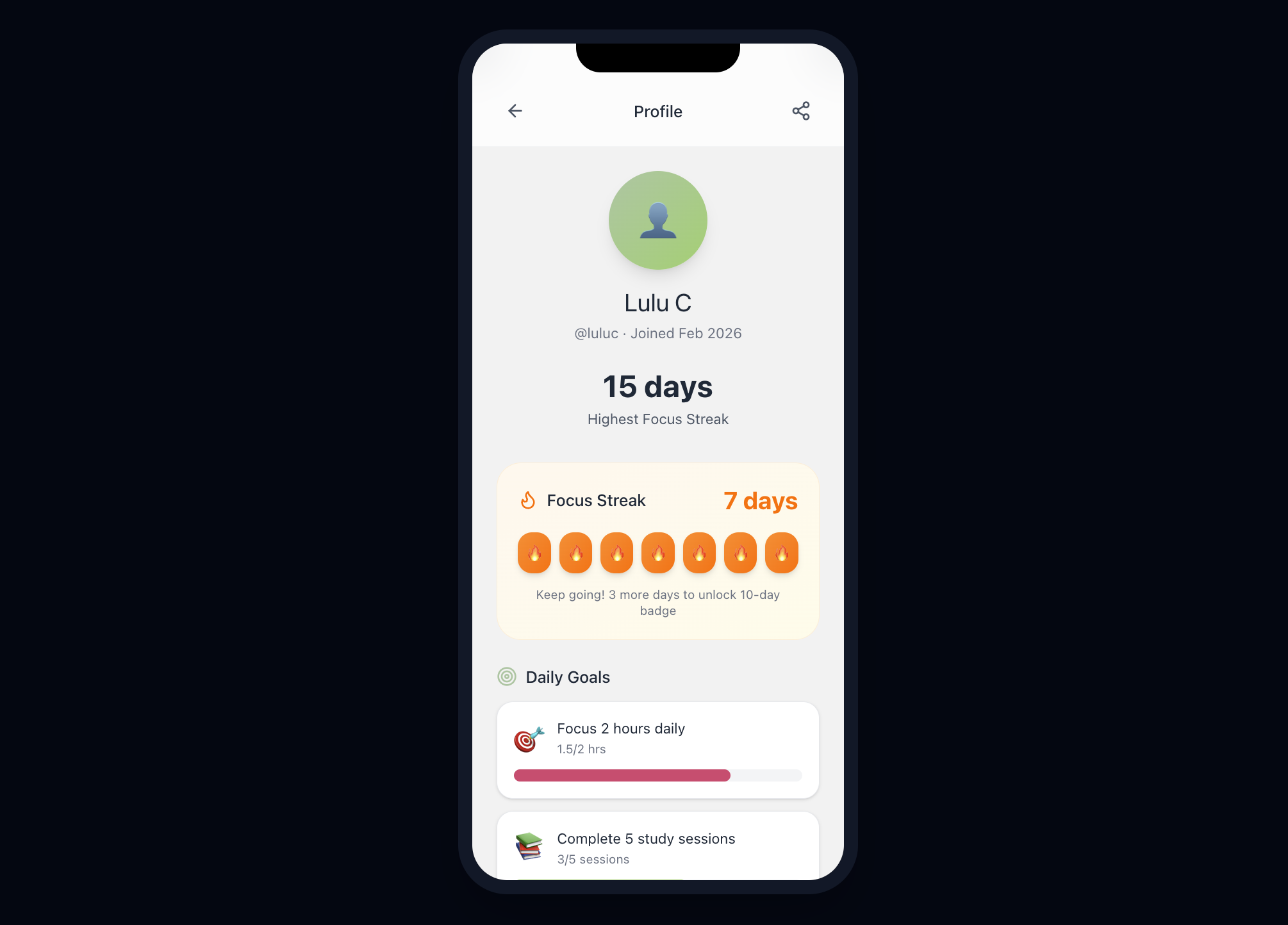
User Profile page. Gamified productivity. Make users stay motivated by tracking their focus streaks and unlocking consistency badges.
Project Title: FocusPulse — A Low-Friction Time Awareness Tool for Sustained Focus
1. Inspiration
In today’s environment, we are surrounded by constant temptations—smartphones, social media, and on-demand entertainment are always within reach, making sustained focus increasingly difficult. FocusPulse is introduced to help users build healthier focus and time-awareness habits. It addresses this challenge by shifting structured tracking into the background and offering a lightweight, low-friction interaction model based on quick recording and gentle check-ins.
We realized that for many users—including those with ADHD or general procrastination tendencies—the greatest hurdle is not the work itself, but the friction of starting. Traditional productivity tools often exacerbate this by demanding complex manual inputs that feel like additional chores. FocusPulse was inspired by the Apple Fitness philosophy: transforming time management into a "Behavior Trainer" that makes starting a task as effortless and rewarding as closing an activity ring.
2. PROJECT DETAILS
2.1 Project Environment
FocusPulse is designed as a mobile-first application prototype built using Figma Make for rapid UI and interaction design. The prototype focuses on interaction flow, usability, and end-to-end user journeys rather than full backend deployment. The system is conceptually designed to integrate with calendar and data storage services for logging and visualization. The target platform is smartphones, using touch interaction and notifications as primary input and feedback mechanisms.
2.2 System Workflow
FocusPulse's workflow follows a lightweight loop.
There are three ways for users to trigger logging, depending on their preferences:
Option 1 (Double-Tap Access):
Double-tap the empty space on the phone.
The user selects one of five categories (Work, Study, Fitness, Life, Entertainment) and enters a duration.
The system starts a session and schedules gentle check-ins.
At each check-in, the user can confirm, adjust, or end the session with a single tap.
The system stores the data and updates daily and long-term visual summaries.
Option 2 (In-Widget Access):
The user taps the “Ready to Focus” on the iPhone widget to record an activity.
The user selects one of five categories (Work, Study, Fitness, Life, Entertainment) and enters a duration.
The system starts a session and schedules gentle check-ins.
At each check-in, the user can confirm, adjust, or end the session with a single tap.
The system stores the data and updates daily and long-term visual summaries.
### Option 3 (In-App Access):
The user taps the “+” button to record an activity.
The user selects one of five categories (Work, Study, Fitness, Life, Entertainment) and enters a duration.
The system starts a session and schedules gentle check-ins.
At each check-in, the user can confirm, adjust, or end the session with a single tap.
The system stores the data and updates daily and long-term visual summaries.

2.3 Design & Interaction Prototype
FocusPulse was fully prototyped in Figma, including end-to-end user flows, interaction transitions, and micro-interaction states. We designed a lightweight component system to ensure visual consistency across the app, including focus rings, check-in cards, and minimal category selectors.
The prototype demonstrates:
- Complete user journey from session start to reflection.
- Interactive check-in confirmations.
- Micro-interaction animations to reinforce behavioral momentum.
- Visual feedback loops inspired by clean and functional design style.
This submission emphasizes the “From Idea to Interactive” philosophy by translating behavioral psychology into tangible, testable interface flows.
2.4 What Makes This Project Different
Unlike traditional time trackers that rely on manual start/stop timers and complex forms, FocusPulse is built around the principle of minimum cognitive interruption. The key innovation is the check-in mechanism, which replaces rigid timer control with lightweight, periodic confirmations. This design directly addresses two common failure points of existing tools: forgetting to stop tracking and the mental overhead of managing timers.
FocusPulse further extends this approach through seamless integration with the iPhone ecosystem, including synchronization with the iOS Calendar and quick-access entry points via home screen widgets, reducing the need for explicit app switching.
By allowing sessions to be confirmed, adjusted, or reconstructed, the system becomes more forgiving and resilient to interruptions. As a result, FocusPulse reduces anxiety around “perfect” tracking and supports sustainable, low-pressure long-term use.
2.5 Features of the Proposed Solution
The core design consists of four functional components: record, check-in, sharing, and reflection.
- Record: Users can start a new activity using one of the three options above and then choose from five simple categories: Work, Study, Fitness, Life, and Entertainment. Limiting these choices reduces decision fatigue, and the system only asks for the duration to keep input minimal and lightweight.
- Check-in: Users set a desired number of check-ins, and the system sends gentle prompts. Each check-in allows the user to continue, adjust, or stop the session with one tap, preventing forgotten timers and reducing logging stress.
Sharing: On the profile page, users can view their focus streak, daily goals, achievements, and friends ranking. From this page, they can also share their focus summaries using the sharing icon in the top-right corner of the interface. In addition, users can invite friends to join friendly challenges through a QR code or an invitation link, making it easy to build light social motivation and accountability around focus habits.
Reflection: The Home screen displays a “Time Remaining Today” header, a weekly calendar row with mini rings, and a color-coded “Latest Tasks” list. The Trends section provides Weekly/Monthly views, including a minimal line chart for weekly focus minutes, a monthly category breakdown, and summary cards such as average focus per day and total focus this month.
3. Feasibility as a Product or Startup
FocusPulse is built for a large and growing population of students, professionals, and creators who are constantly fighting distraction in always-on digital environments. Its core features are technically feasible using existing mobile platforms, and its low-friction approach differentiates it from traditional time trackers. With a freemium consumer entry point, FocusPulse can scale through retention-driven upgrades and then expand into higher-value segments—teams, education, and wellness—where focus and productivity directly translate into measurable outcomes. Overall, FocusPulse combines a clear user pain, differentiated positioning, and practical execution, giving it a credible roadmap to become a scalable product and startup.
4. What We Learned
We learned that Decision Fatigue is a silent killer of productivity. By limiting choices to five categories and automating classification via AI, we can guide the brain into a "Flow State" significantly faster. Building this in Figma taught us that micro-interactions are the most powerful tool for building user trust in a productivity context.
In summary, FocusPulse addresses the problem of high-friction time logging by introducing a low-effort recording flow and a check-in-based interaction model. By shifting structured tracking into the background and focusing on gentle, forgiving interactions, the system aims to make time awareness more sustainable, less stressful, and more supportive of long-term focus and reflection.
5. Beyond the Prototype
FocusPulse is not just a tool; it is a supportive companion designed to evolve alongside the user. Our future roadmap focuses on moving from "manual tracking" to "intelligent empowerment," ensuring that the app proactively removes the cognitive barriers that lead to procrastination.
- AI-Powered Frictionless Entry (Smart Categorization): To eliminate the "decision paralysis" that often occurs at the start of a task, future iterations will use AI to automatically detect and assign categories based on simple task names. By removing the need for manual sorting, we ensure that the transition from a thought to a focus session is instantaneous, helping users bypass the urge to procrastinate.
- Curing Time Blindness with Predictive Success (Golden Hours): By analyzing historical trends, the app will learn to identify each user's unique "Golden Hours"—the windows where they are naturally most resilient to distractions. Instead of a generic schedule, users receive personalized insights that help them align their most challenging work with their peak mental energy, transforming a daunting to-do list into a series of predictable wins.
- Building Momentum via Gentle Nudges (Smart Coaching): Rather than being a passive recorder, FocusPulse will act as a "momentum coach." By proactively suggesting sessions during peak productivity windows (e.g., "It's 10:00 AM, your prime focus time—want to start a quick 25-minute session to win the morning?"), the app helps users build a positive self-image through consistent daily achievements.
- Sustaining Energy through Adaptive Recovery (Adaptive Rest): To support long-term mental well-being, our future AI will recommend personalized rest intervals based on the intensity of the work just completed. This ensures users don't just work harder, but work smarter—returning to their tasks feeling genuinely refreshed rather than burnt out, making the habit of focus sustainable for a lifetime.
6. Challenges We Faced
As a team of first-time hackathon participants, our journey was a steep learning curve of self-discovery and technical experimentation. Because our team comes from diverse academic backgrounds—including Computer Science, Design, and Data Science—we initially faced a significant internal challenge: our individual priorities often clashed. The "design" perspective pushed for extreme aesthetic minimalism, while the "data" and "CS" viewpoints fought for deeper analytical complexity and feature density. Navigating these conflicting professional lenses forced us to constantly re-examine our core mission: solving the user’s activation friction above all else.
- Finding the Balance Between Simplicity and Depth: We struggled to keep the UI "invisible" enough to avoid becoming another digital distraction, yet powerful enough to provide the meaningful reflection data needed for real behavioral change.
- Humanizing the Timer: We had to completely rethink traditional tracking patterns to create a "forgiving" system. Our goal was to build a tool that handles the messy reality of human interruptions without breaking the integrity of the data, ensuring the user feels supported rather than judged by a stopwatch.
- Broadening the Focus: While our initial spark came from helping neurodivergent users, we realized through our research that the "general distracted public" faces the same attention crisis due to modern digital consumption. We worked hard to bridge this gap, positioning FocusPulse as a universal Behavior Trainer for anyone navigating today's high-stimulation world.
Built With
- figmamade
- gemini


Log in or sign up for Devpost to join the conversation.