-
-
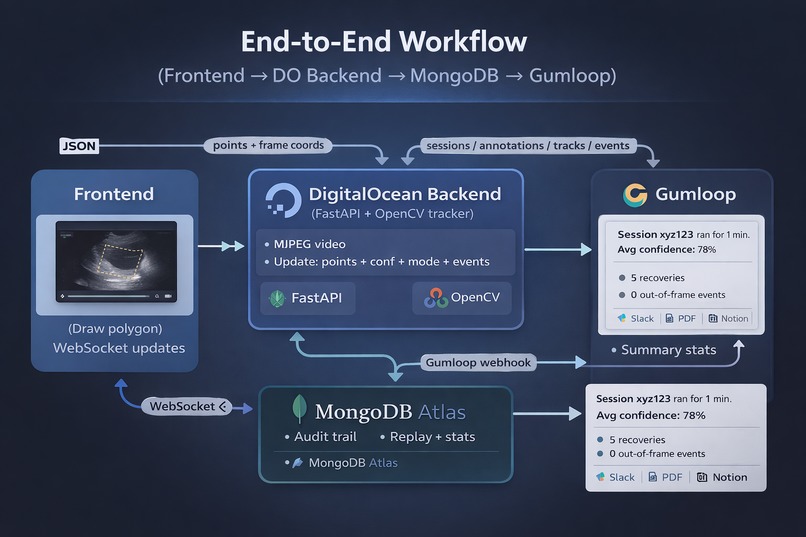
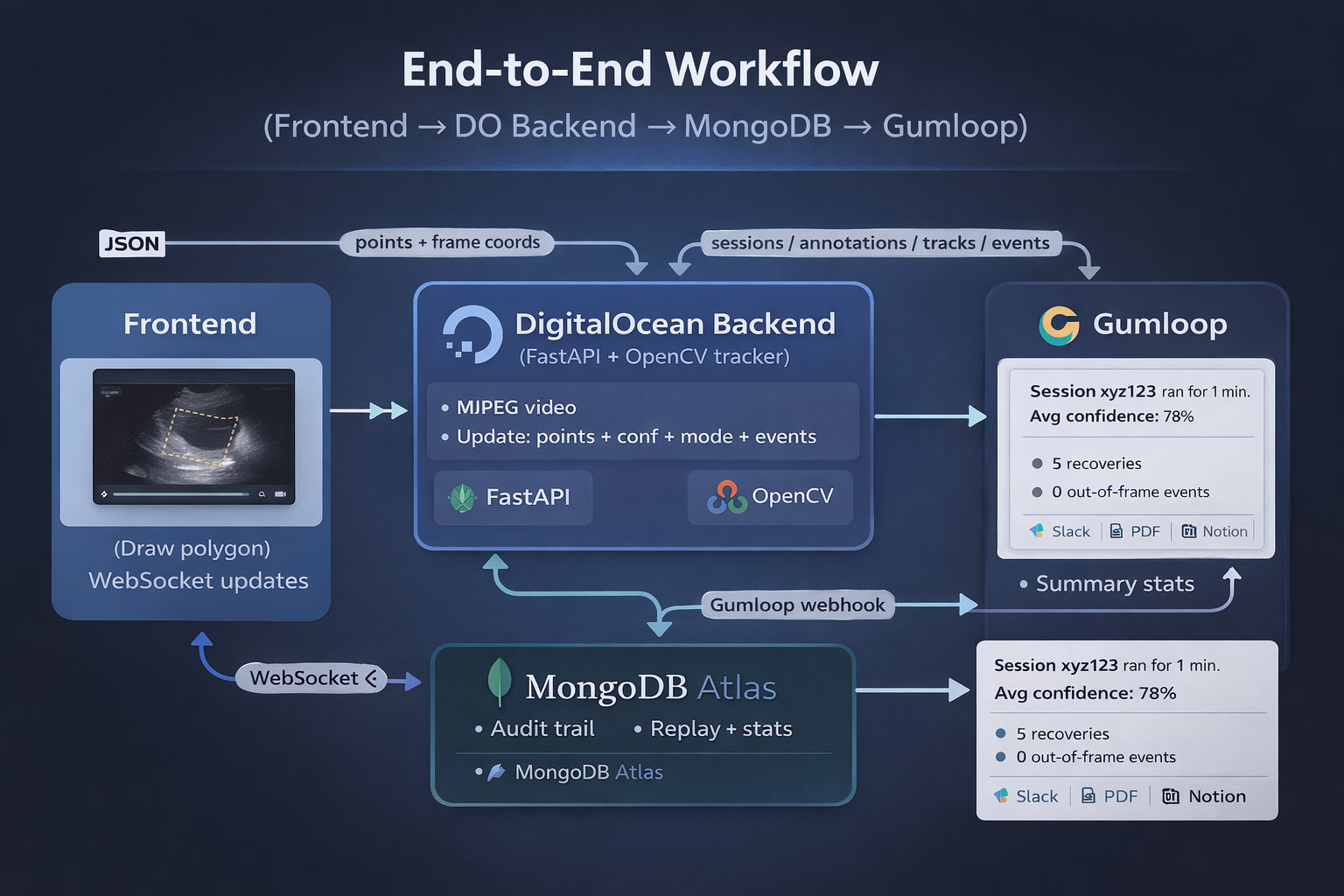
End-to-end Workflow
-
-
-
Inspiration
We were inspired by how hard it is to reliably track a region of interest in medical videos. Doctors often draw a region once, but it drifts over time because the heart (or organ) moves. We wanted to build a system that keeps the annotation locked to the right place, even when the video changes or jumps.
What it does
FocusPoint lets a user draw a polygon on a video and then tracks that polygon in real time. The backend follows the motion of the ROI and keeps updating the polygon points. We store every update in MongoDB Atlas for auditability and replay, then Gumloop generates a human‑readable report about tracking quality.
How we built it
We split the project into three parts:
1) Frontend (UI)
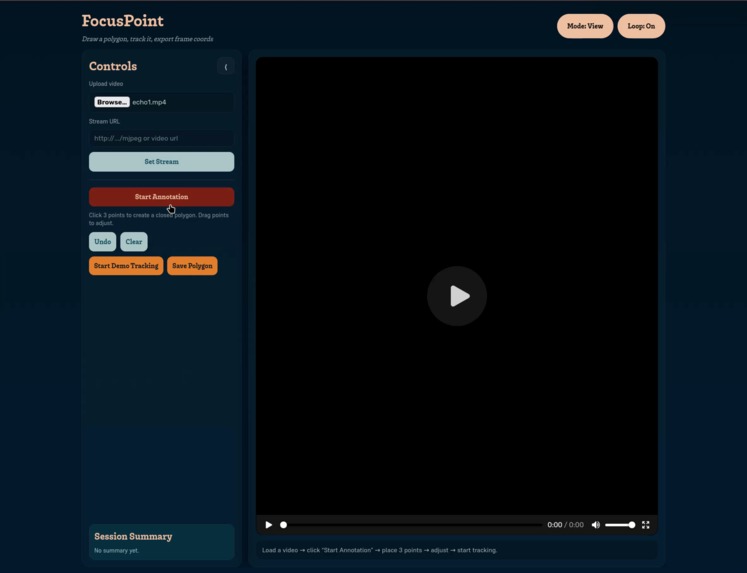
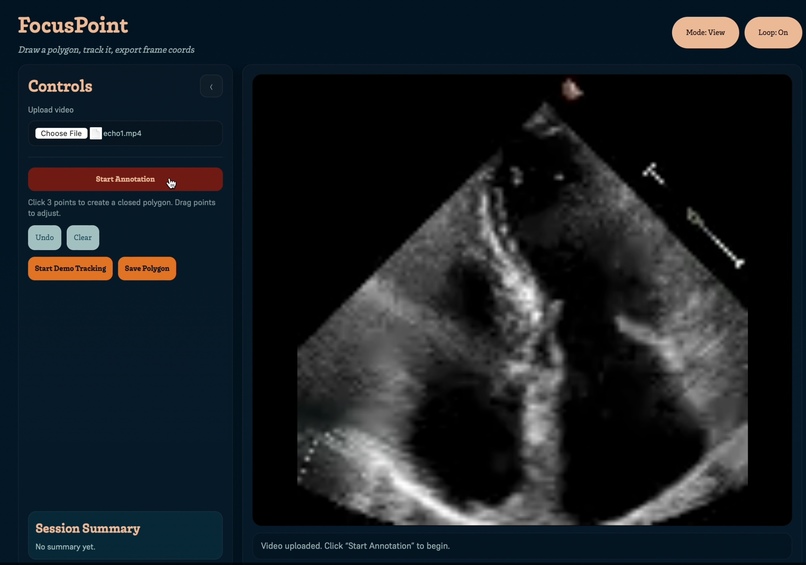
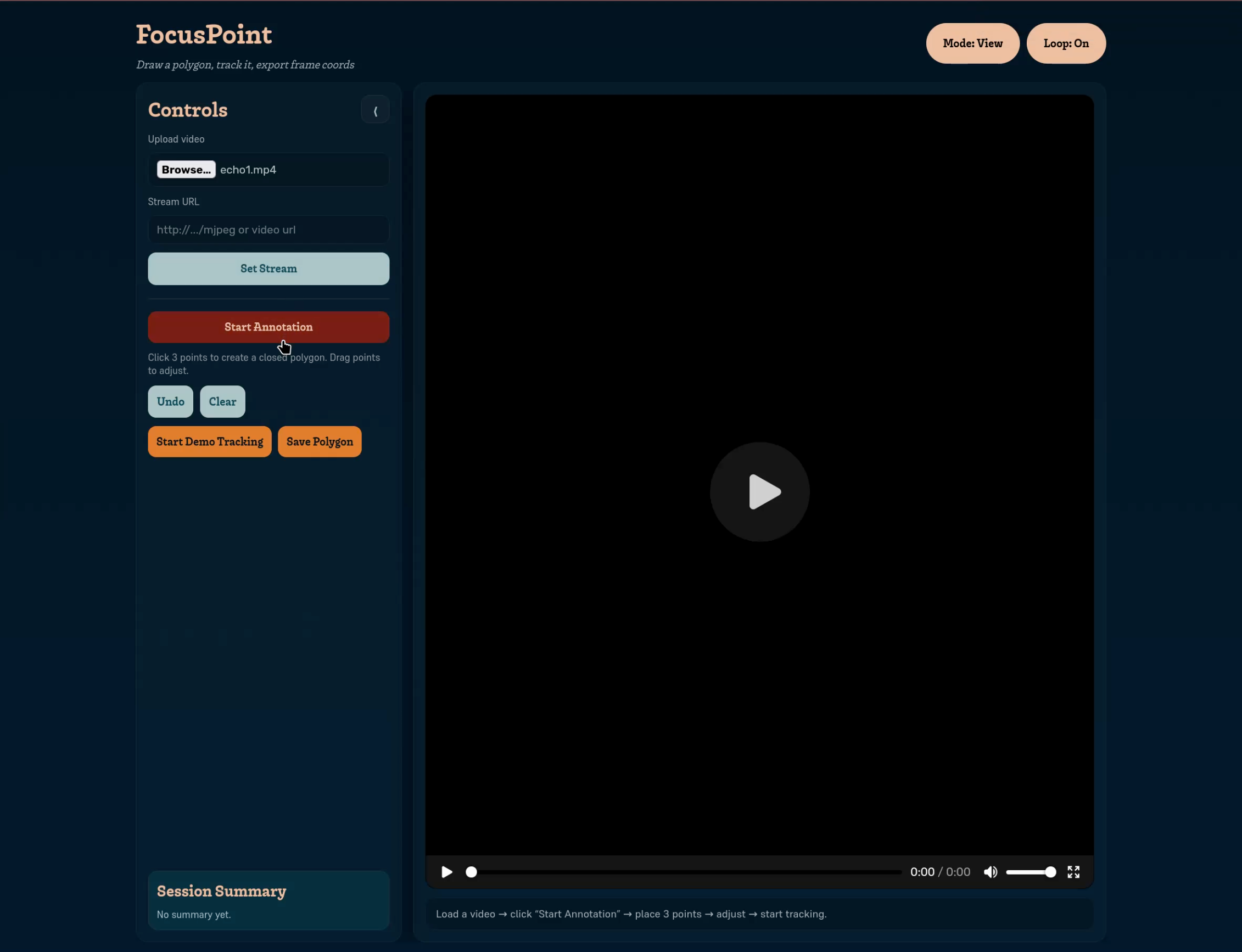
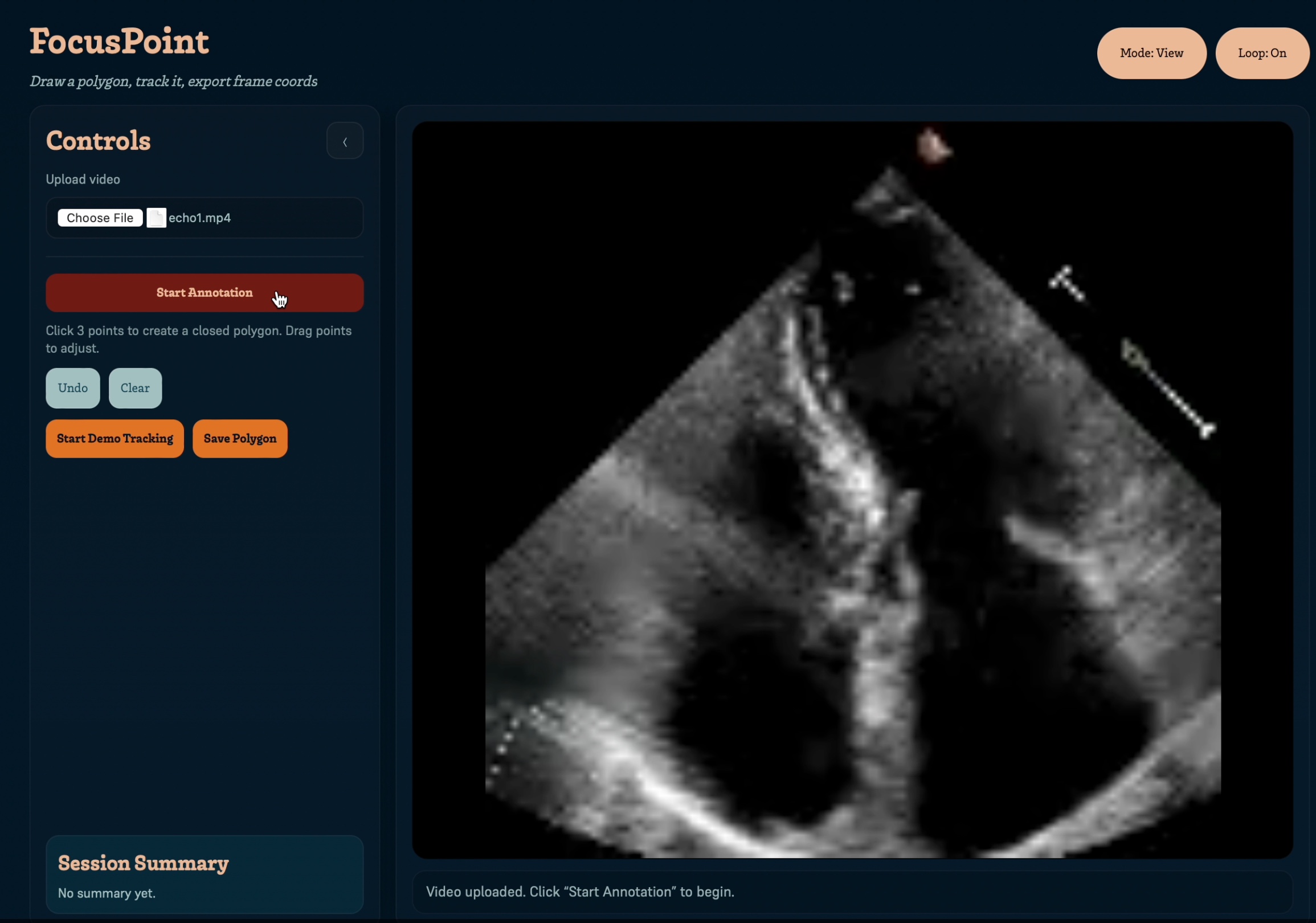
- A simple web page where you upload a video and draw a polygon.
- The polygon is sent to the backend.
- The frontend listens to real‑time updates through WebSockets and redraws the polygon on every frame.
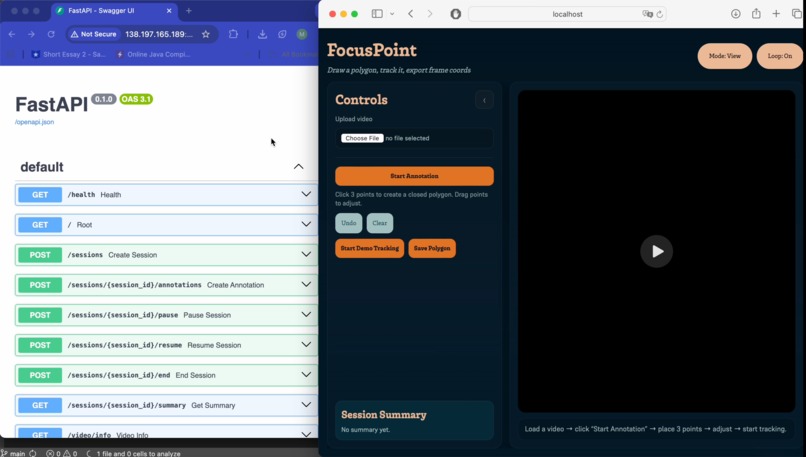
2) Backend (FastAPI + OpenCV)
- We load the video on the server and run tracking per frame.
- We use a hybrid tracker:
- Lucas–Kanade optical flow for fast motion tracking.
- Affine correction with RANSAC to fix drift.
- If tracking weakens, we recover using template matching.
- The backend sends updated polygon points to the frontend via WebSockets.
3) Data + Automation
- MongoDB Atlas stores:
sessions(metadata)annotations(user polygons)tracks(time‑series points + confidence)events(loss/recovery, re‑anchor success/fail)
- Gumloop is triggered at session end and produces a summary report.
Tracker idea (in simple terms)
We track feature points inside the polygon. Each frame, we see how those points move.
If most points move the same way, we shift the polygon by that motion.
If tracking is shaky, we try to “snap back” using a recovery step.
This is fast enough for real‑time use.
Challenges we ran into
- Drift: Optical flow slowly drifts, so we needed periodic correction.
- Recovery: When points are lost, the tracker can fail — we had to add fallback recovery.
- Frontend scaling: Mapping between screen coordinates and video frame coordinates.
- Database connection: Atlas setup and permissions caused authentication errors.
- WebSocket timing: Syncing updates and avoiding dropped connections.
Accomplishments that we're proud of
- Real‑time tracking that stays stable for long sessions.
- Full audit trail in MongoDB — we can replay the exact session.
- Gumloop report that summarizes tracking quality automatically.
- A working full‑stack demo from UI → tracking → storage → report.
What we learned
- How optical flow works in practice, not just in theory.
- How to build a reliable tracking pipeline with recovery steps.
- How to stream real‑time updates with WebSockets.
- How to structure time‑series tracking data in MongoDB.
- How to automate reporting with Gumloop.
What's next for FocusPoint
- Multi‑annotation tracking (multiple polygons at once).
- Better UI for confidence warnings and event timelines.
- Export reports directly to Slack/Notion.
- Deploy a public demo URL on DigitalOcean.
Use of DigitalOcean (Hosting)
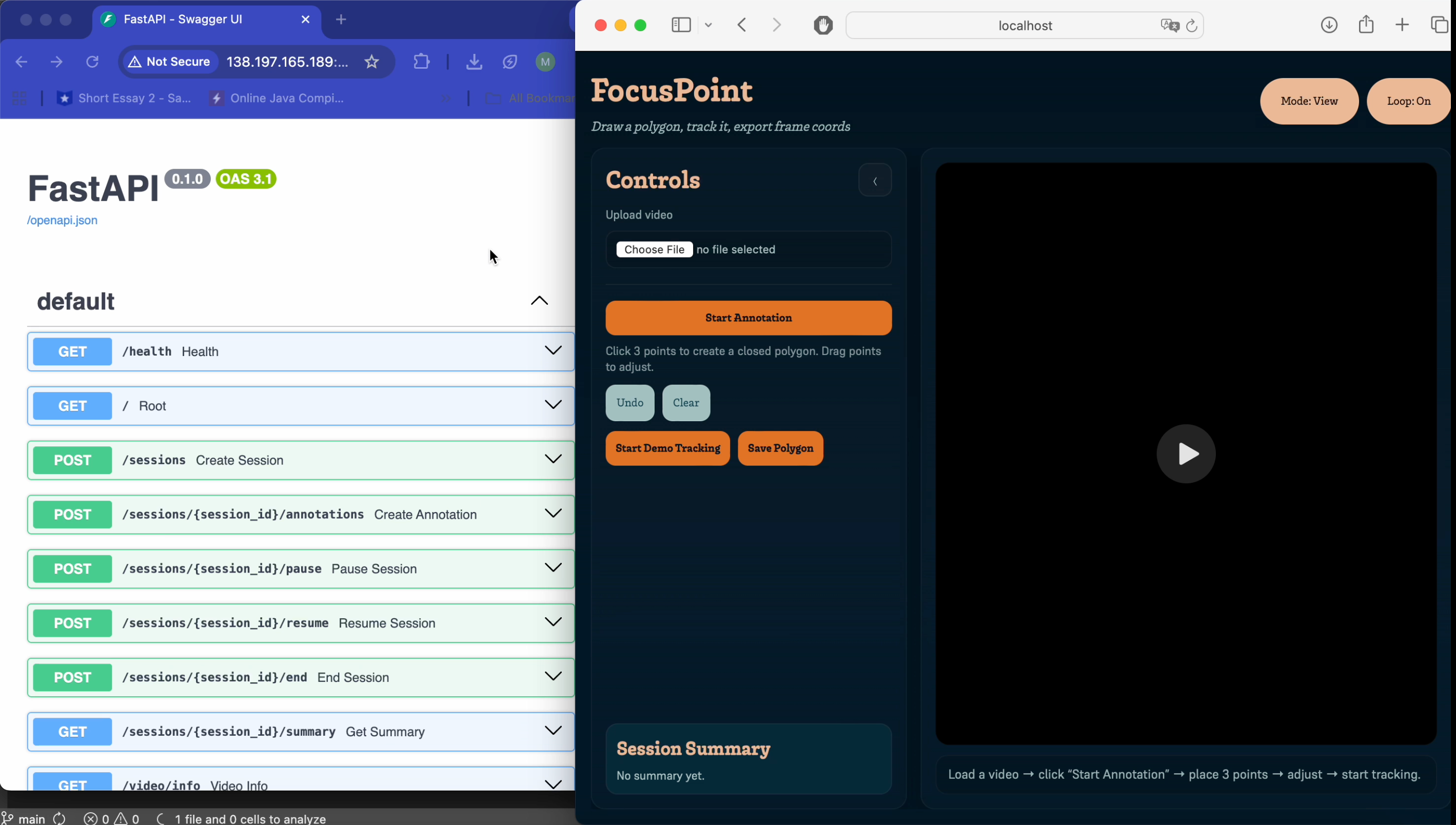
DigitalOcean is our cloud server. Instead of running the backend on a laptop, we deploy it to a droplet so anyone can access it.
It gives us a public IP, stable uptime, and a real demo environment.
We run the backend in Docker and expose port 8000 so the frontend can connect.
Use of MongoDB
MongoDB Atlas is our source of truth. Every session is stored so we can:
- Replay tracking results,
- Audit what happened frame by frame,
- Analyze confidence and errors over time.
We use three main collections:
- sessions → who started, when, video info
- tracks → time‑series polygon updates + confidence
- events → tracking lost/recovered, re‑anchor success/fail
This makes the system transparent, debuggable, and reliable.
Built With
- digitalocean
- fastapi
- mongodb-atlas
- numpy
- opencv
- python
- react
- websockets


Log in or sign up for Devpost to join the conversation.