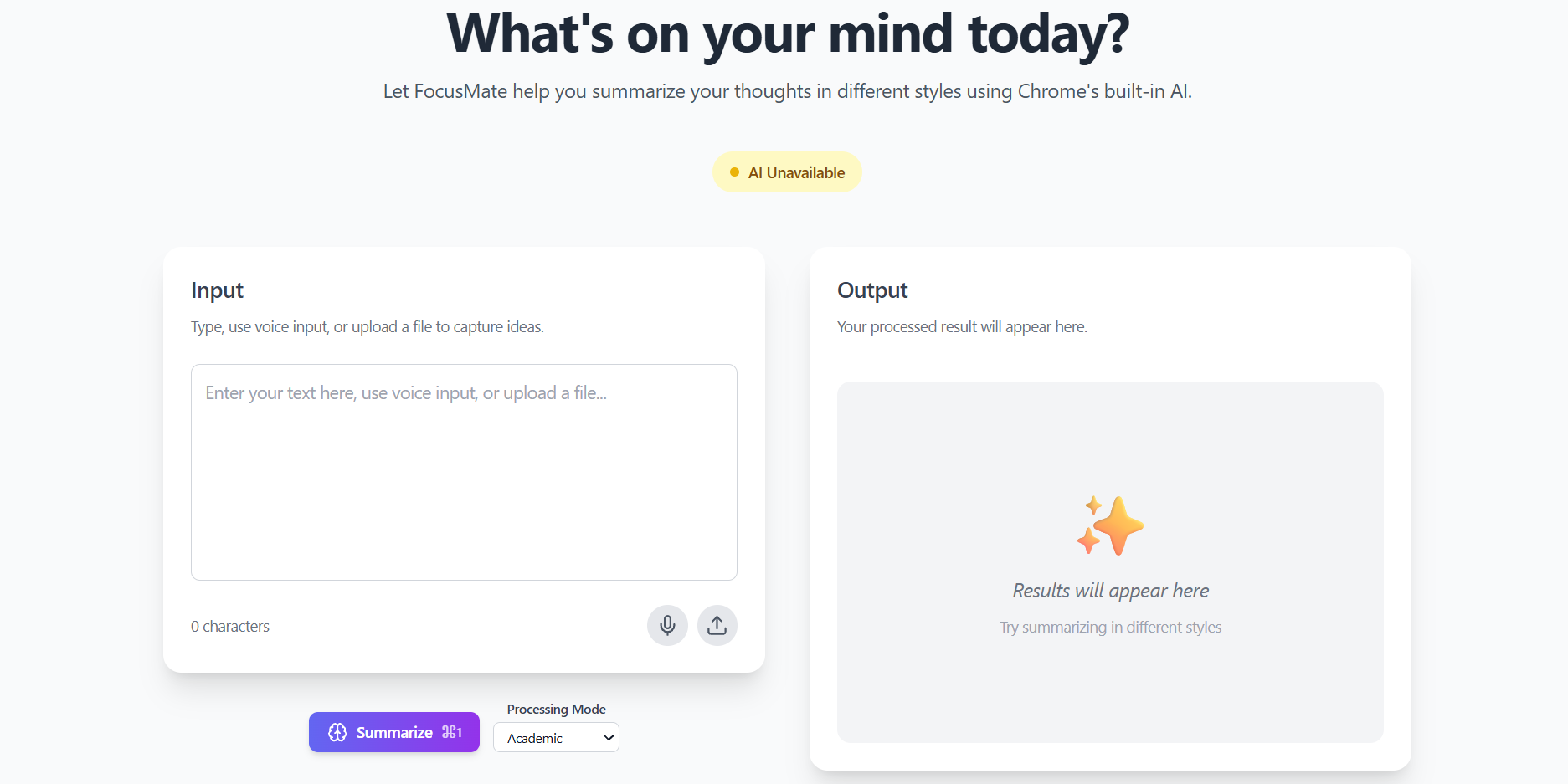
🧠 FocusMate — Project Story
💡 Inspiration
The idea for FocusMate came from my frustration with existing text-processing tools that were either expensive, sent data to external servers, or required constant internet access. While working on academic and research notes, I wanted a simple tool that could help me summarize and clean text locally, without worrying about privacy or subscription costs.
When Google Chrome introduced its built-in on-device AI, I saw an opportunity to create something new — a lightweight web app that uses Chrome’s local AI capabilities to summarize, clean, and extract tasks directly in the browser. No APIs, no backend — just instant, private, and efficient text processing.
🧠 What I Learned
Building FocusMate was a huge learning experience that strengthened both my frontend and AI integration skills. I learned how to:
- Use Chrome’s on-device AI APIs (Summarizer API) for privacy-focused local AI processing.
- Develop modern UIs using React 19, TypeScript, and Tailwind CSS.
- Integrate browser-native features like the Web Speech API for voice input and localStorage for data persistence.
- Design with progressive enhancement — ensuring the app still works even when Chrome AI isn’t available.
- Deploy production-ready projects on Vercel with automatic CI/CD pipelines.
It also taught me how to balance simplicity and power, creating a user experience that’s intuitive but still offers advanced options like keyboard shortcuts and diagnostics.
⚙️ How I Built It
FocusMate is built entirely on the frontend using:
- React + TypeScript for the main framework
- Vite for fast builds and hot reloads
- Tailwind CSS and Framer Motion for a clean, responsive UI
- Chrome AI Summarizer API for local summarization
- Web Speech API for voice input
- localStorage for auto-saving user sessions
All processing happens in the browser — no servers or external APIs are used. I also implemented built-in AI diagnostics that check feature availability and guide users through setup.
🚧 Challenges Faced
- Chrome AI Documentation – Since it’s an experimental feature, I had to explore and troubleshoot how to properly implement and handle
self.ai.summarizer. - Cross-Browser Compatibility – Only Chrome supports on-device AI, so I built fallback systems for other browsers.
- File Upload Limits – I restricted support to
.txtfiles for performance and clarity, deferring heavier formats like PDF/DOCX to future updates. - Performance Optimization – Managing smooth, responsive UI while running local AI summarization required smart caching and error handling.
🔑 Takeaways
FocusMate taught me how to design for privacy and efficiency while experimenting with cutting-edge browser AI. I learned to build around experimental tech, document limitations honestly, and create a tool that anyone can use instantly — no signup, no dependencies.
This project reflects my passion for building AI-powered tools that respect user privacy and make productivity effortless, accessible, and fast.
Built With
- chrome-built-in-ai-(gemini-nano-prompt-api)
- express.js
- git
- github
- javascript
- jwt
- node.js
- postgresql
- prisma-orm
- react
- render
- tailwind-css
- typescript
- vercel
- vite

Log in or sign up for Devpost to join the conversation.