-
-
-
-
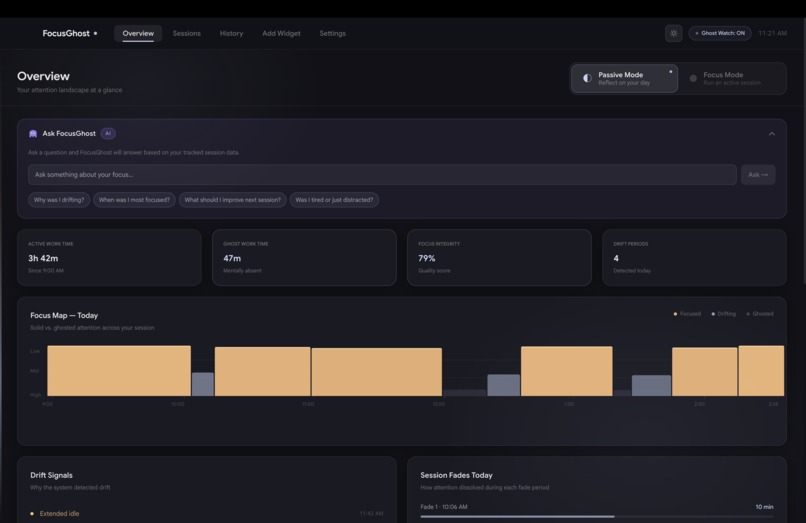
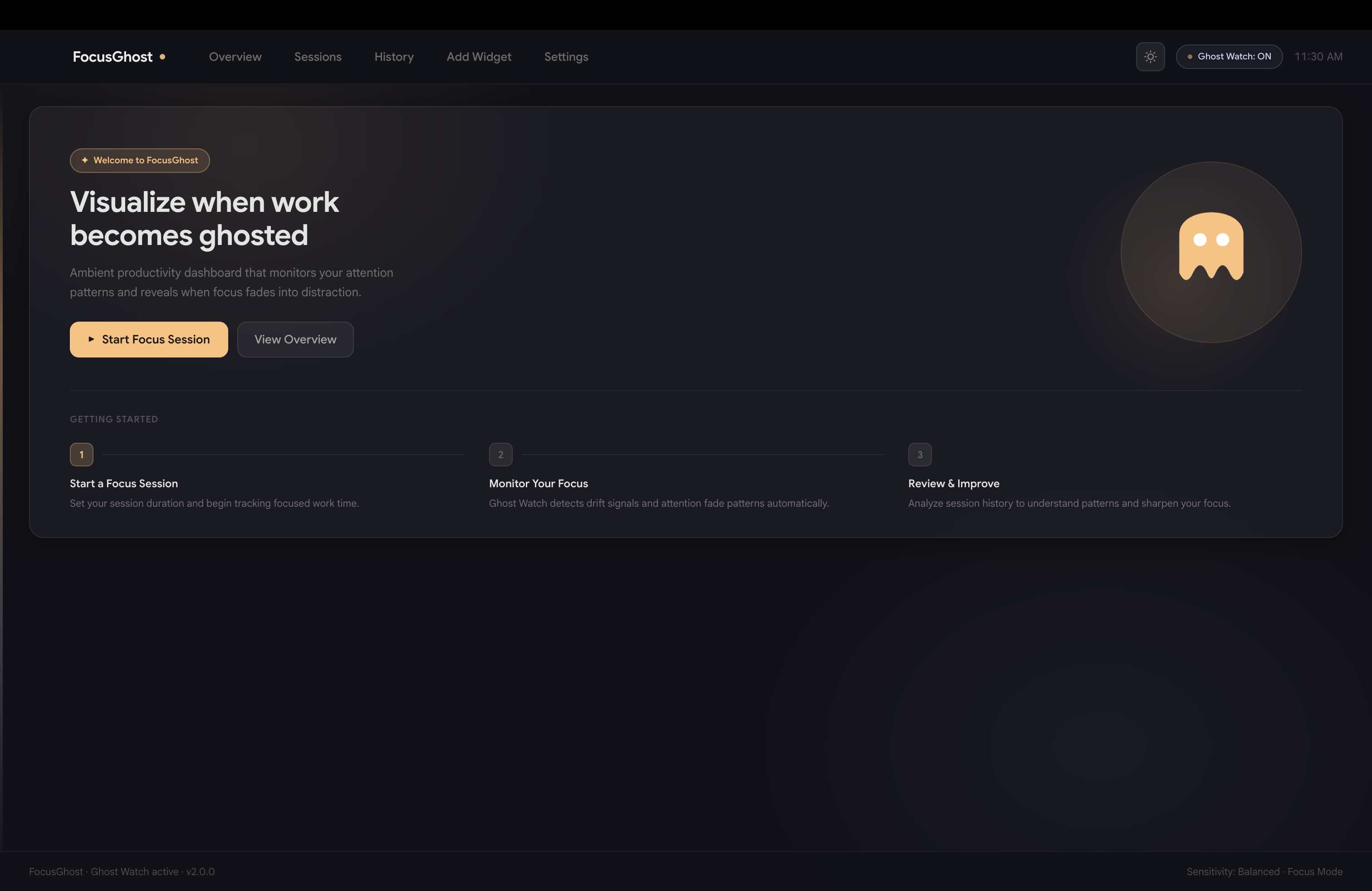
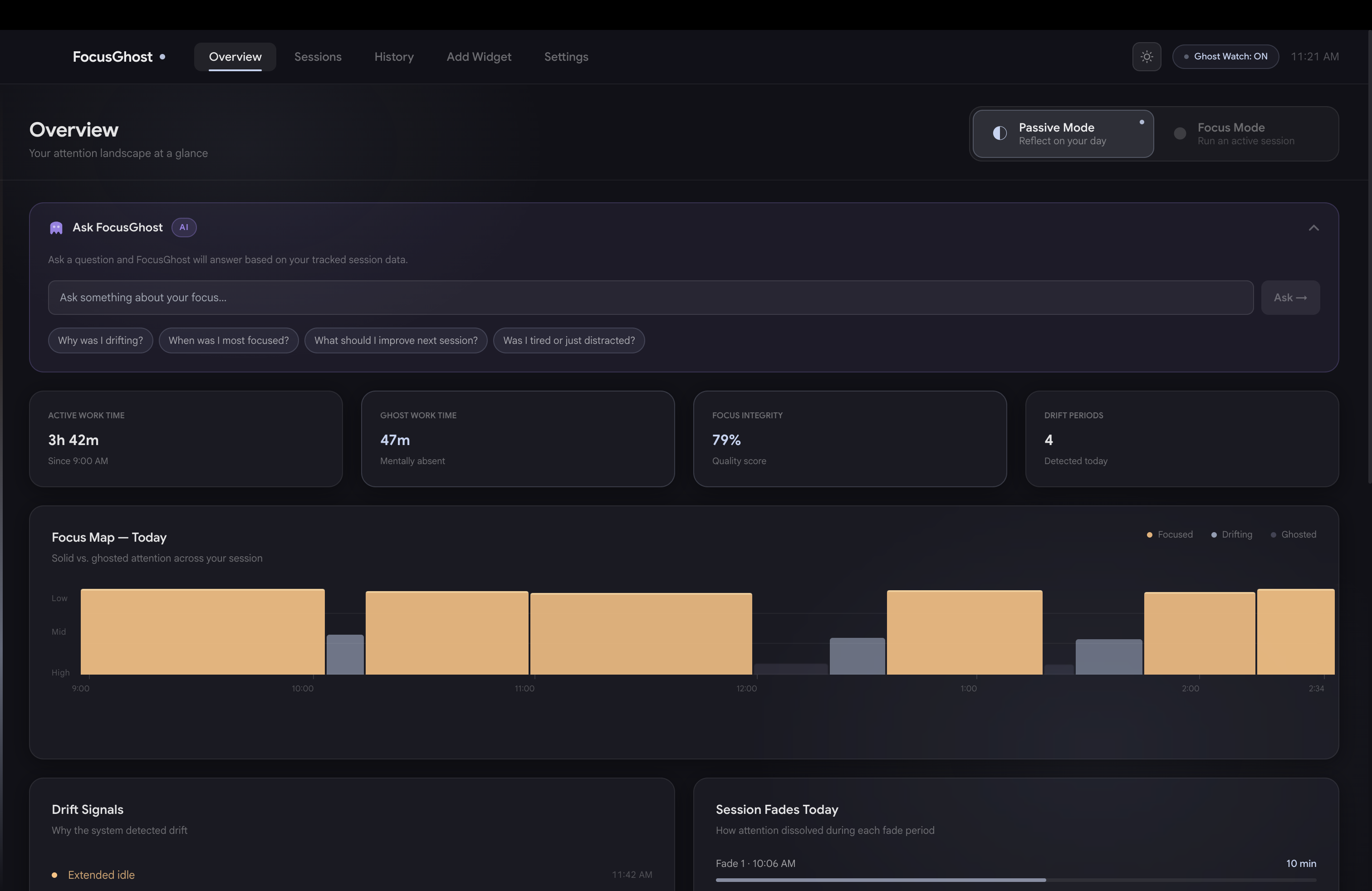
Dashboard & AI Overview
Inspiration
We spend hours working every day. It feels productive, but something is off. We switch between tasks constantly, yet we still tell ourselves we are “working.” Focus slips, comes back, and slips again. Because nothing fully stops, we often do not notice how much of our time is not actually present.
Focus drifts faster than we think. The average attention span on a screen has dropped dramatically, and many focus sessions last less than a minute. This kind of “ghost work” adds up quietly. By the end of the day, it can feel like we worked much more deeply than we actually did.
So we asked a simple question: What if you could see when your focus starts to slip, as it happens?
FocusGhost was created to make the invisible visible.
What it does
FocusGhost is an ambient desktop companion that visualizes focus quality in real time. It operates through two simple modes:
Passive Mode
Runs quietly in the background, tracking:
- Total work time
- Ghost work time
- Focus integrity
- Drift periods
It surfaces insights only when you pause, turning idle moments into reflection without interrupting your flow.
Focus Mode
An intentional session where users commit to a set amount of time. During the session:
- Focus drift becomes more visible
- Short breaks are allowed
- Extended breaks trigger a gentle intervention
Together, these modes help users recognize hidden patterns, stay accountable, and maintain deeper, more consistent focus throughout the day.
How we built it
We designed FocusGhost as an ambient system that makes attention visible without interrupting work. We started by defining two core modes: Passive for reflection and Focus for accountability. The experience is built to quietly track behavior and surface insights only when needed.
Technical Stack
We prototyped in Figma and Figma Make, then built a working desktop version using:
- JavaScript
- HTML
- CSS
- Electron in VS Code
Using Claude prompting and Google Gemini, we integrated system logic and interactive features. FocusGhost tracks signals like:
- Keyboard input
- Mouse and cursor movement
- Eye tracking with BlazeFace
These inputs help detect when focus is stable versus drifting across different kinds of work, including writing, reading, and studying.
Challenges we ran into
- Making productivity visible without judgment: We wanted to highlight focus drift without making users feel discouraged or monitored too harshly. Balancing honesty with a supportive experience was essential.
- Avoiding notification fatigue: Many productivity tools become overwhelming. We had to design a system that feels helpful without becoming distracting, which led to the creation of Passive Mode.
- Tracking different types of work: Not all productive work looks the same. Reading, writing, and studying all generate different behavioral signals, so relying only on typing was not enough.
- Creating a seamless experience: We had to carefully connect the widget, dashboard, and notifications so the system felt cohesive rather than fragmented.
What we learned
- Invisible problems require visible systems. Focus loss happens quietly, and simple signals can reveal patterns people usually miss.
- Design should meet users where they are. Productivity tools work better when they guide gently instead of judging behavior.
- Clarity matters more than control. Small signals and simple visuals can be more effective than overwhelming users with too much data.
- Work with attention, not against it. In a world built around constant switching, the most effective tools support focus without demanding more of it.
Built With
- claude-code
- css
- electron
- figma
- figmamake
- google-gemini
- html
- javascript
- vs


Log in or sign up for Devpost to join the conversation.