-
-
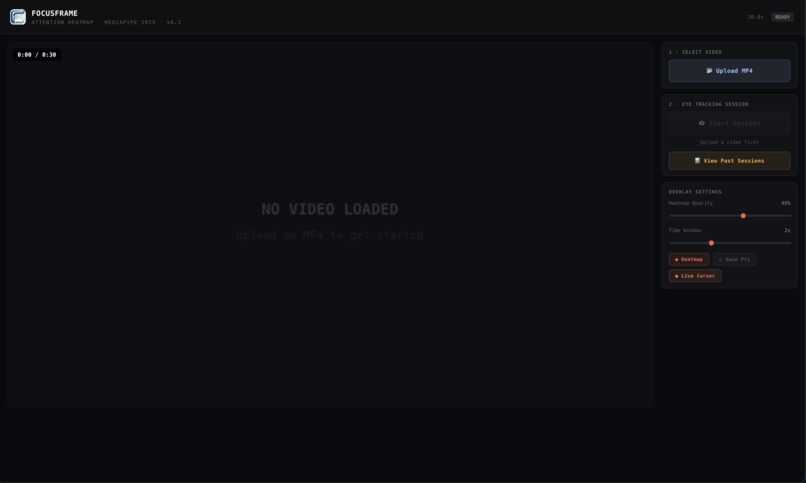
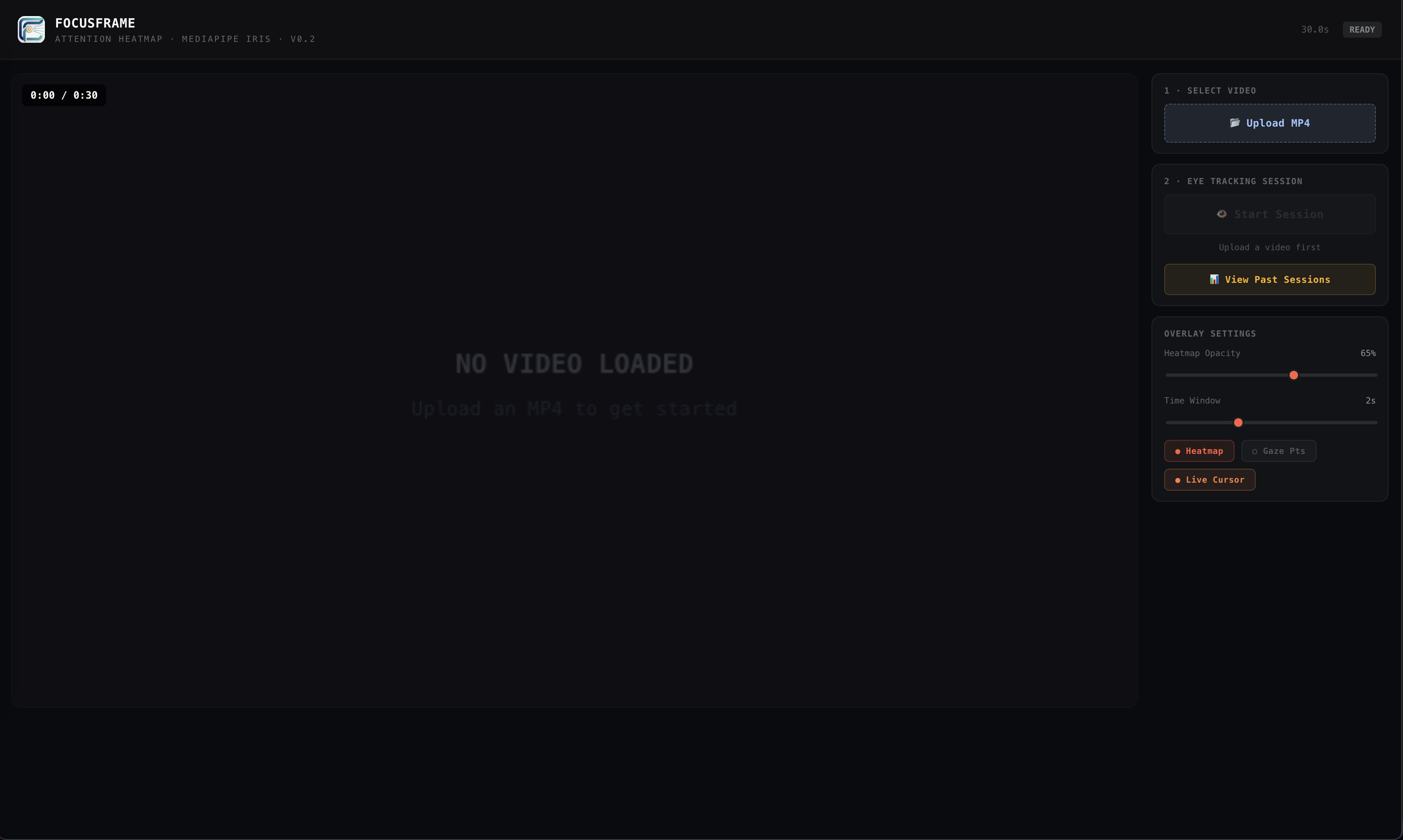
Home page no video uploaded
-
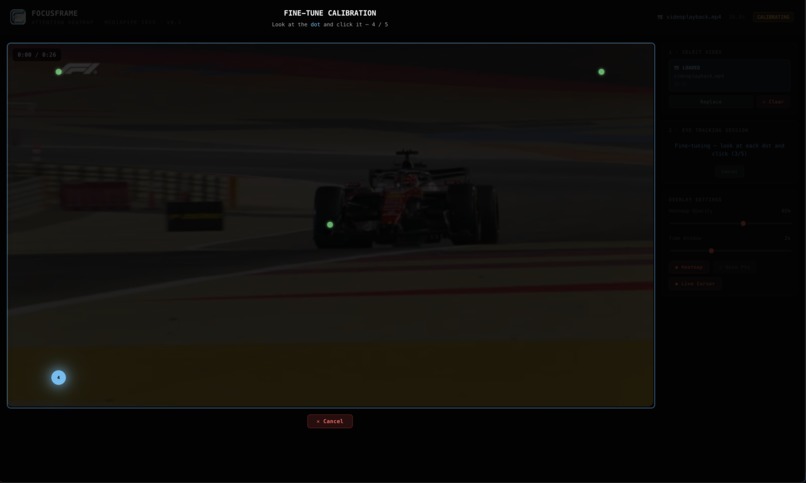
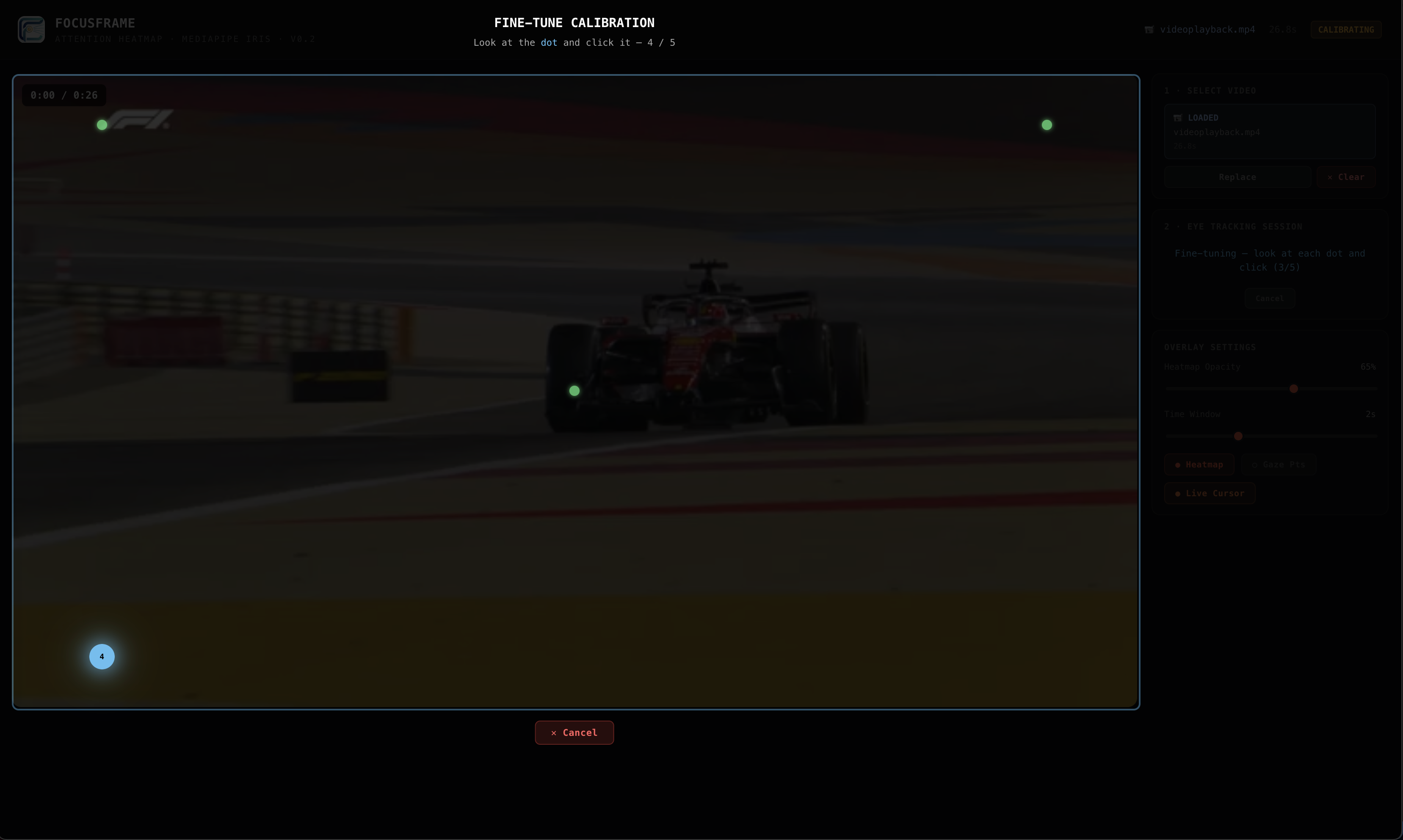
Eye tracking calibration
-
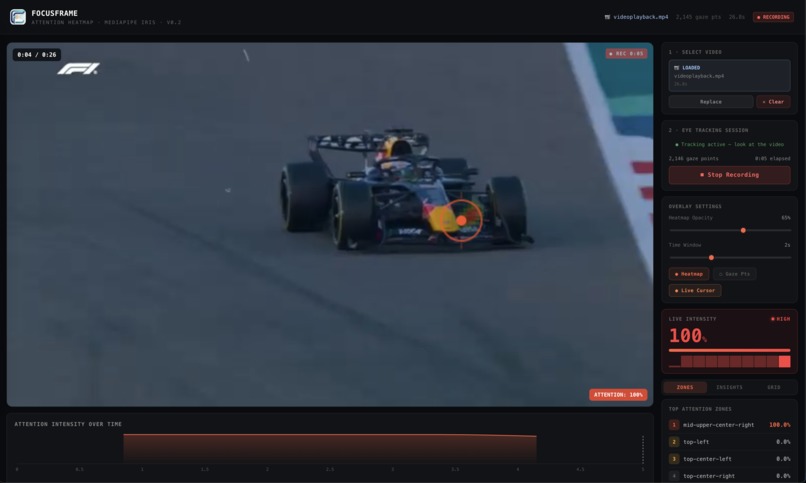
Using eye tracker
-
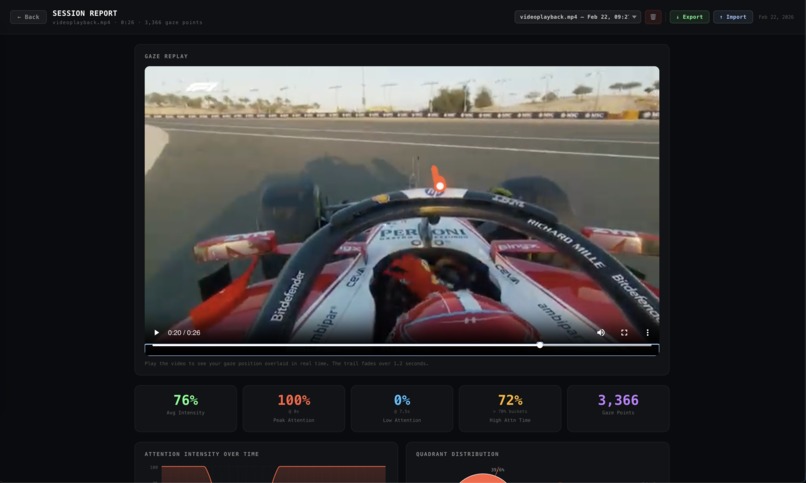
Video playback on reports tab
-
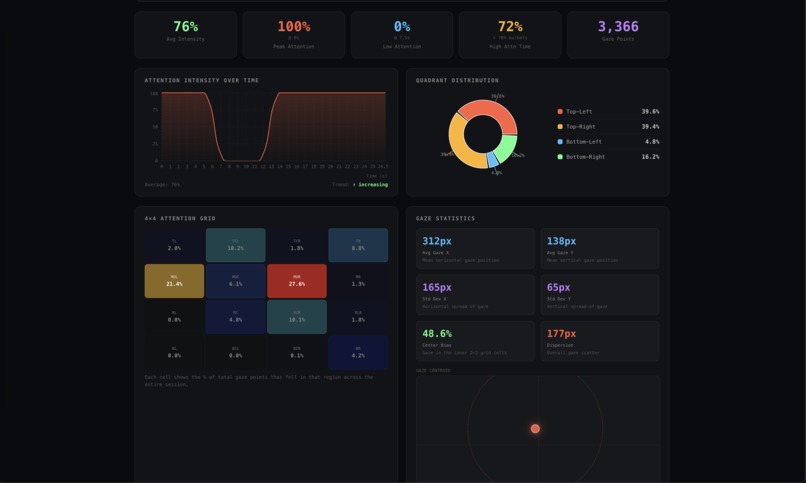
Statistics in reports tab
-
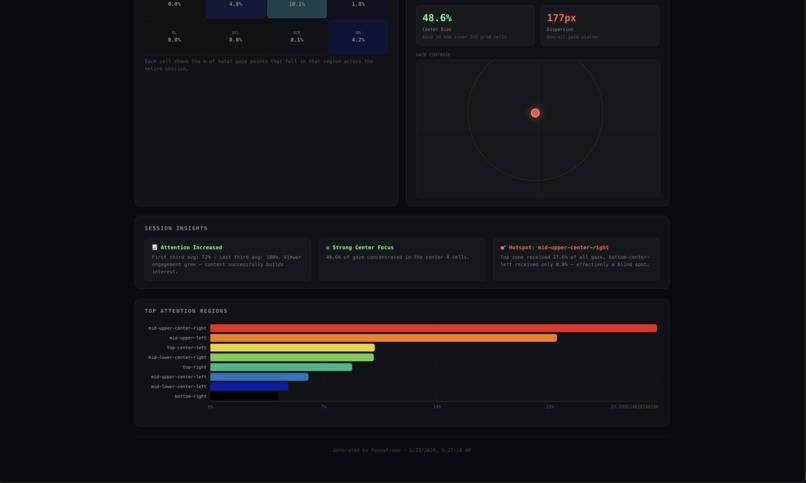
Insights and attention regions in reports
Inspiration
In today’s digital landscape, creators lack visibility into where viewers truly focus on the screen. We wanted to make attention measurable and visual rather than relying on clicks and watch time alone.
What it does
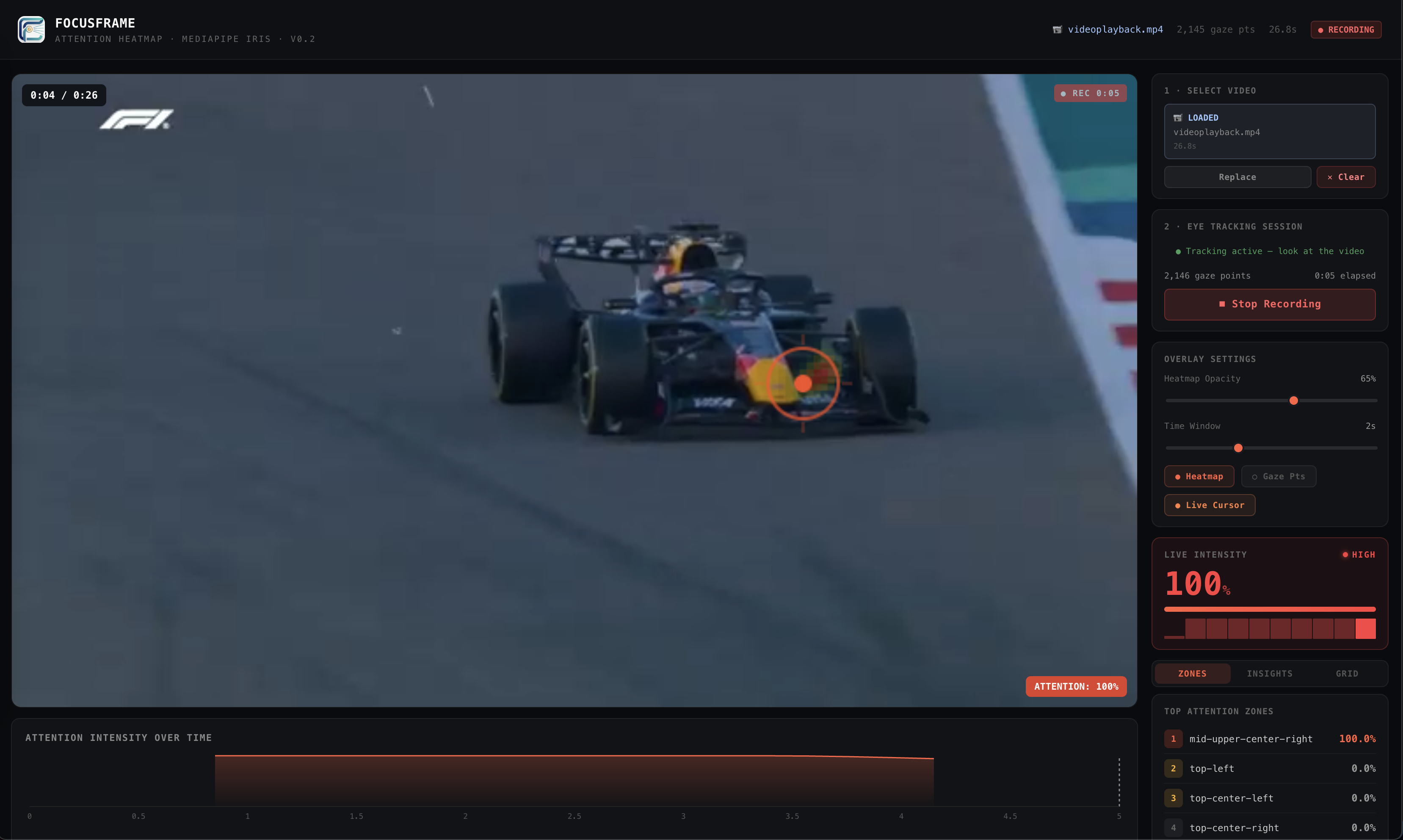
FocusFrame tracks and visualizes viewer attention on videos using gaze data. It generates dynamic heatmaps and highlights high and low engagement regions to help optimize ads, lectures, and media content.
How we built it
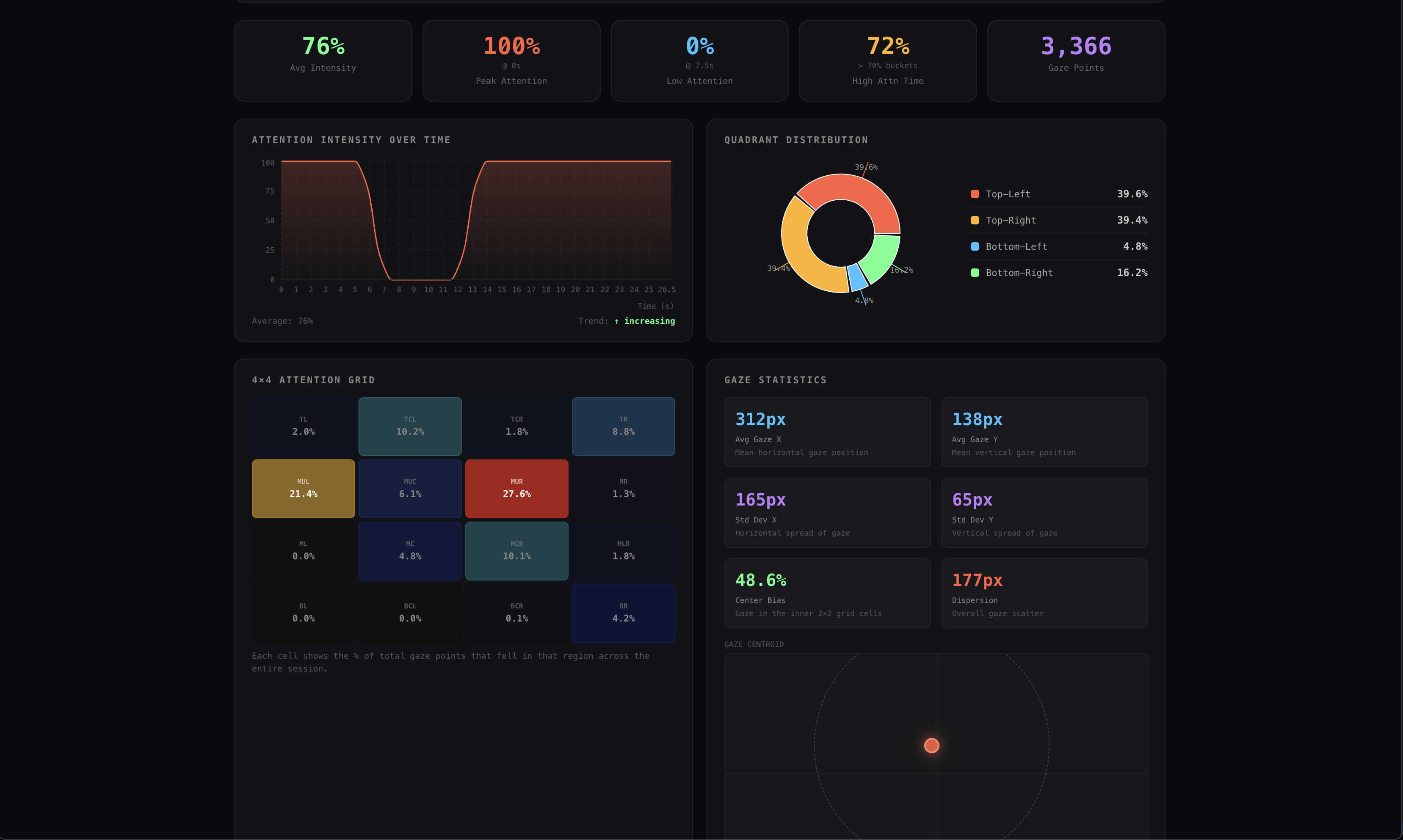
FocusFrame is built entirely in the browser with React + Vite. We use MediaPipe's FaceLandmarker to extract iris landmarks from the webcam feed at ~12Hz, mapping relative iris-in-eye coordinates through a quadratic calibration model (fitted via least-squares with 2-pass outlier trimming) to screen-space gaze positions. A 1€ filter smooths the raw signal and suppresses jitter (https://github.com/MKSharaf/OneEuroFilterExplained). Gaze points are timestamped against both video playback time and wall-clock time so attention intensity stays accurate even when the video is paused. Session data is persisted to localStorage for multi-viewer comparison, and the report page renders heatmaps, attention timelines, quadrant breakdowns, and a live gaze replay, all computed client-side with Recharts and Canvas2D. The website is hosted on Vercel.
Challenges we ran into
Getting the eye tracking to actually work reliably was much harder than expected. A webcam sees your face, not your eyes specifically, so we had to build a full calibration system where the user follows a moving dot around the screen before each session, letting us map eye position to screen coordinates. Even then, blinking, bad lighting, and sudden head movements would throw off the tracker entirely, requiring a lot of tuning to keep the gaze cursor stable and accurate.
On the data side, we kept running into subtle bugs where attention metrics looked wrong. The timeline chart would show zero attention for an entire session because all the gaze data had the same timestamp when the video was paused. The "All Viewers" average was always showing 100% because combining multiple people's data was accidentally multiplying the counts instead of averaging them. Each of these took real debugging to track down since the symptoms were often unclear.
Accomplishments that we're proud of
The thing we're most proud of is that it actually works off of just a browser and a webcam. Building a gaze tracker from scratch that's accurate enough to be genuinely useful felt like a long shot at the start, and getting it to a point where the heatmaps reflect where you were actually looking is something we're really happy with.
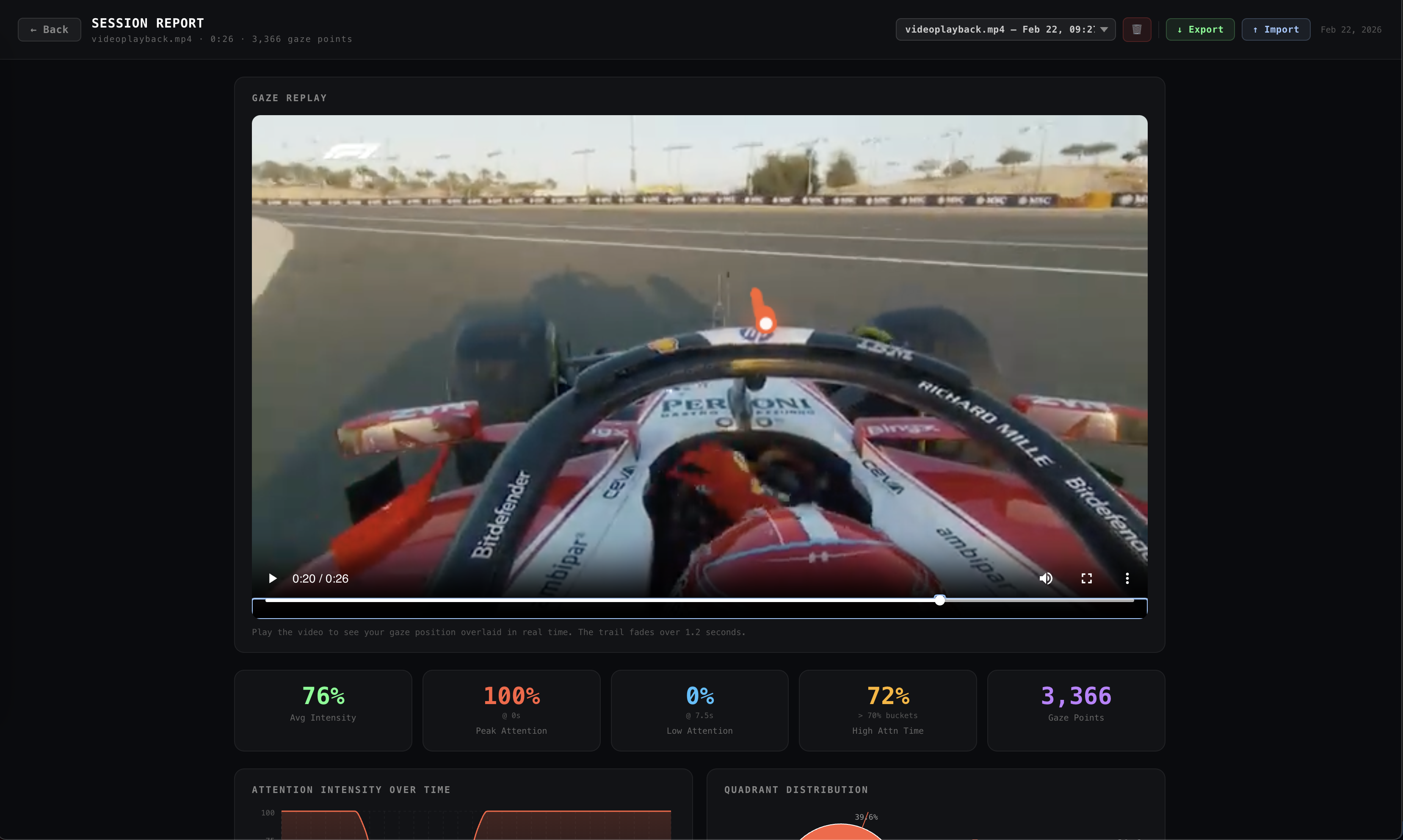
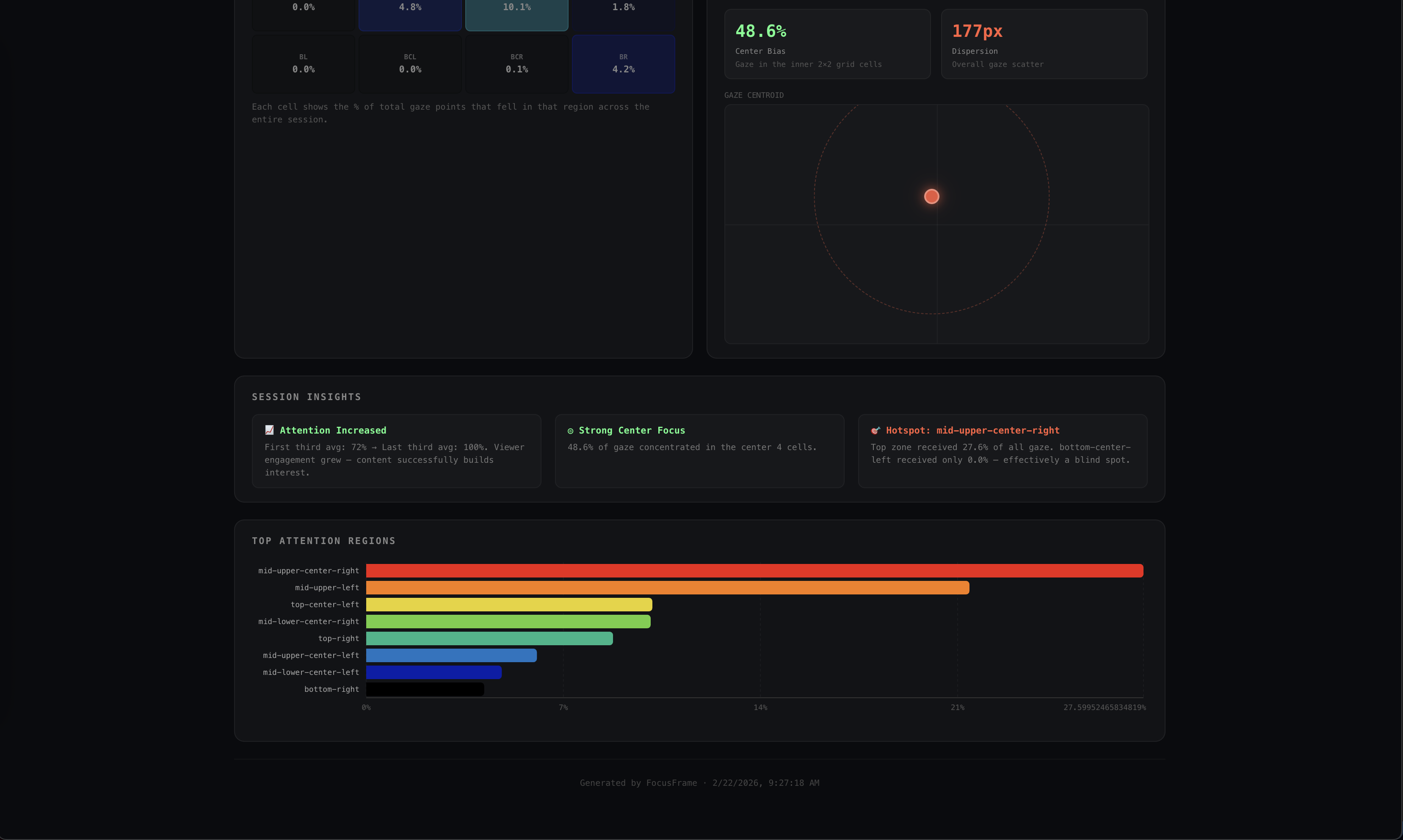
We're also proud of how complete the product feels. There's a full session flow from calibration to recording to a detailed report, multi-viewer comparison so you can aggregate data across multiple people watching the same video, and a live gaze replay that plays back exactly where your eyes moved during the video. The whole thing runs entirely in the browser with no backend, which means anyone can use it instantly with no setup.
What we learned
We learned how to debug edge cases which affect user performance. A huge portion of the project ended up being about handling edge cases, lighting changes, different webcams, head angles, while also being able to multi task building out new features.
We also learned to be skeptical of metrics that look reasonable at first glance. Several of our attention stats were subtly wrong for a long time, which taught us to always sanity-check data from multiple angles rather than trusting that a number looks about right. We learned how to create tests by creating our own dummy data to make sure the metrics were accurate.
Most of all, this gave us a real appreciation for how much goes into consumer eye-tracking products. We would love to extend our application further, making it more robust with new features.
What's next for FocusFrame
The most immediate improvement would be accuracy: better calibration models, drift correction over long sessions, and support for users with glasses or in low lighting. Right now the tracker works well under good conditions but it performs worse in different conditions.
Beyond that, the most natural next step is making it useful for real content creators and researchers. That could mean features such as shareable session links and AI reporting. We'd also like to support A/B testing, letting creators compare attention patterns across two different cuts of the same video.
Longer term, FocusFrame could expand beyond video into any visual content: slides, ads, UI prototypes. Anywhere you want to know what people actually look at versus what you think they look at.
Built With
- css
- html
- javascript
- react
- typescript
- vercel
- vite


Log in or sign up for Devpost to join the conversation.