-
-
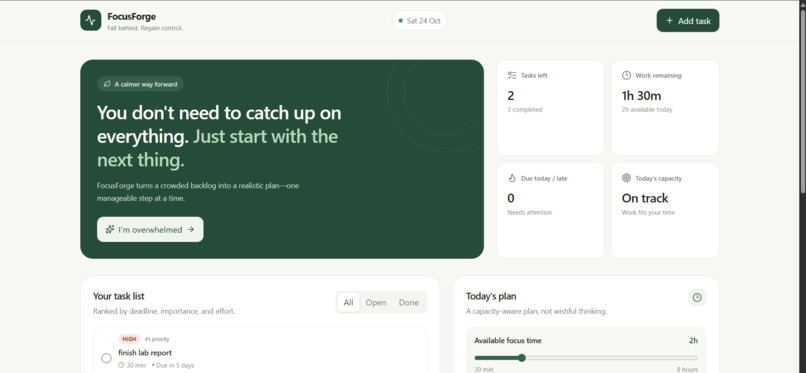
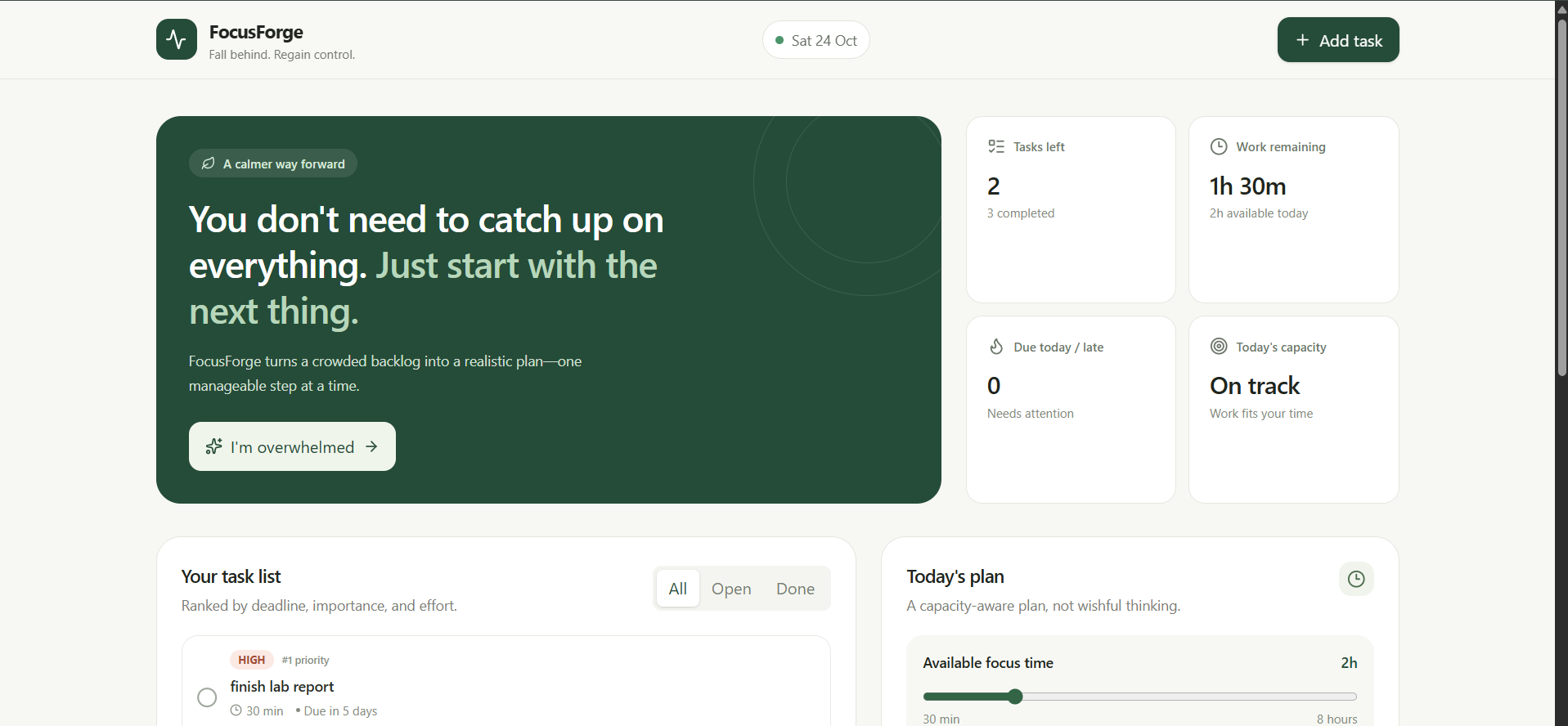
home page
-
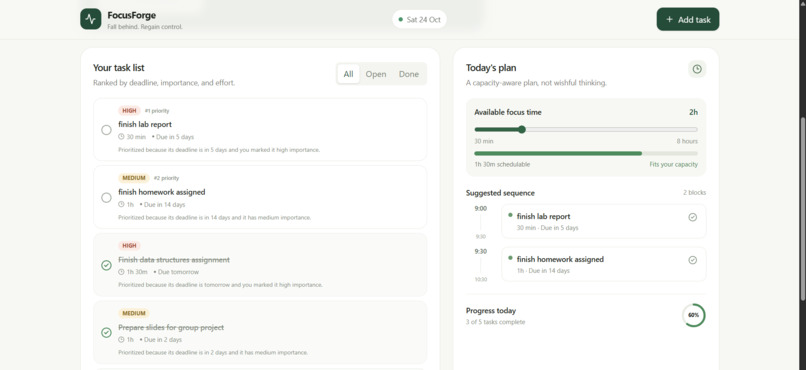
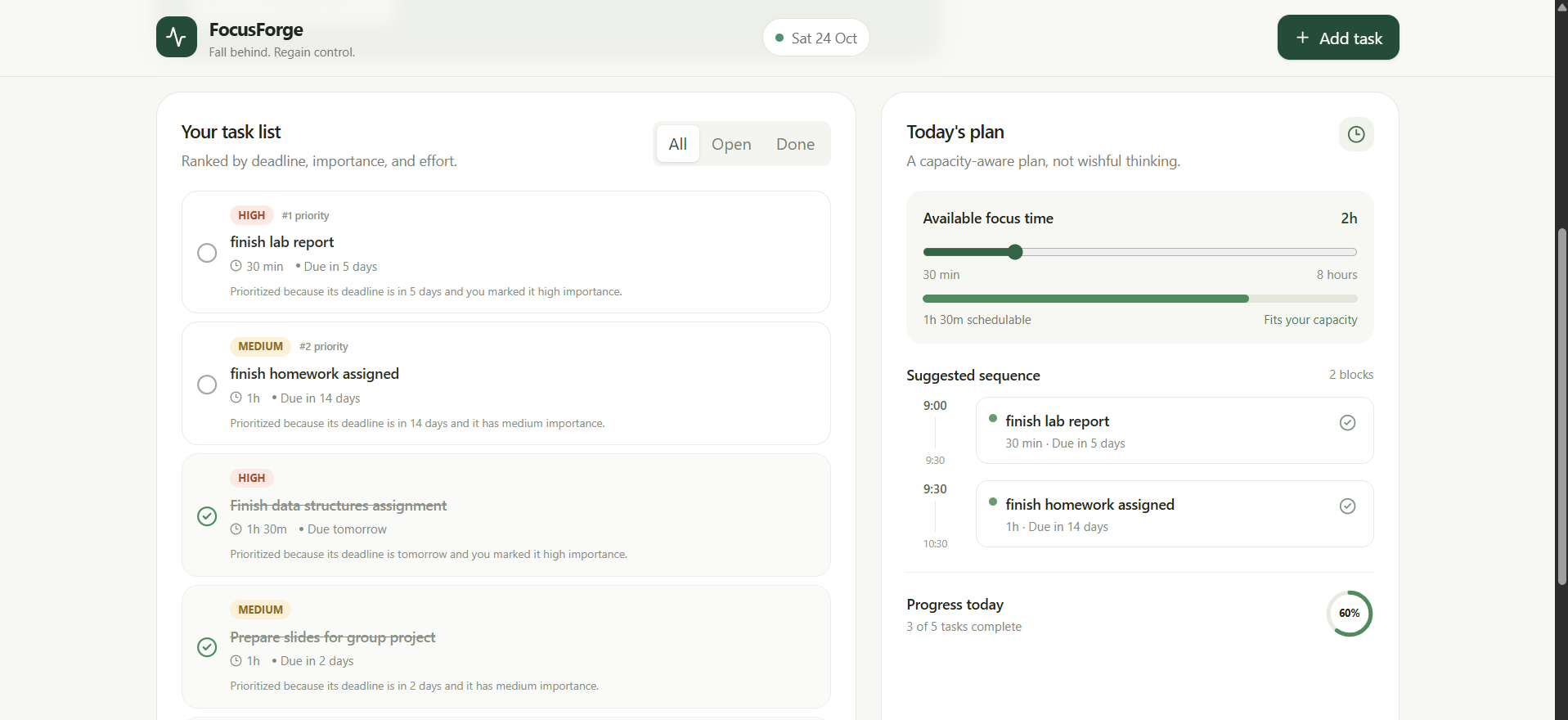
tasks
-
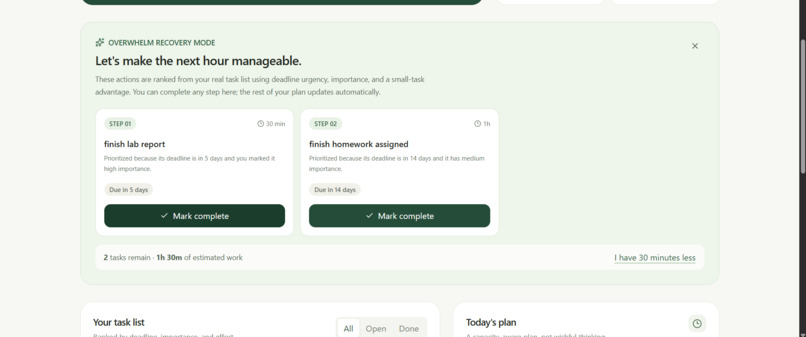
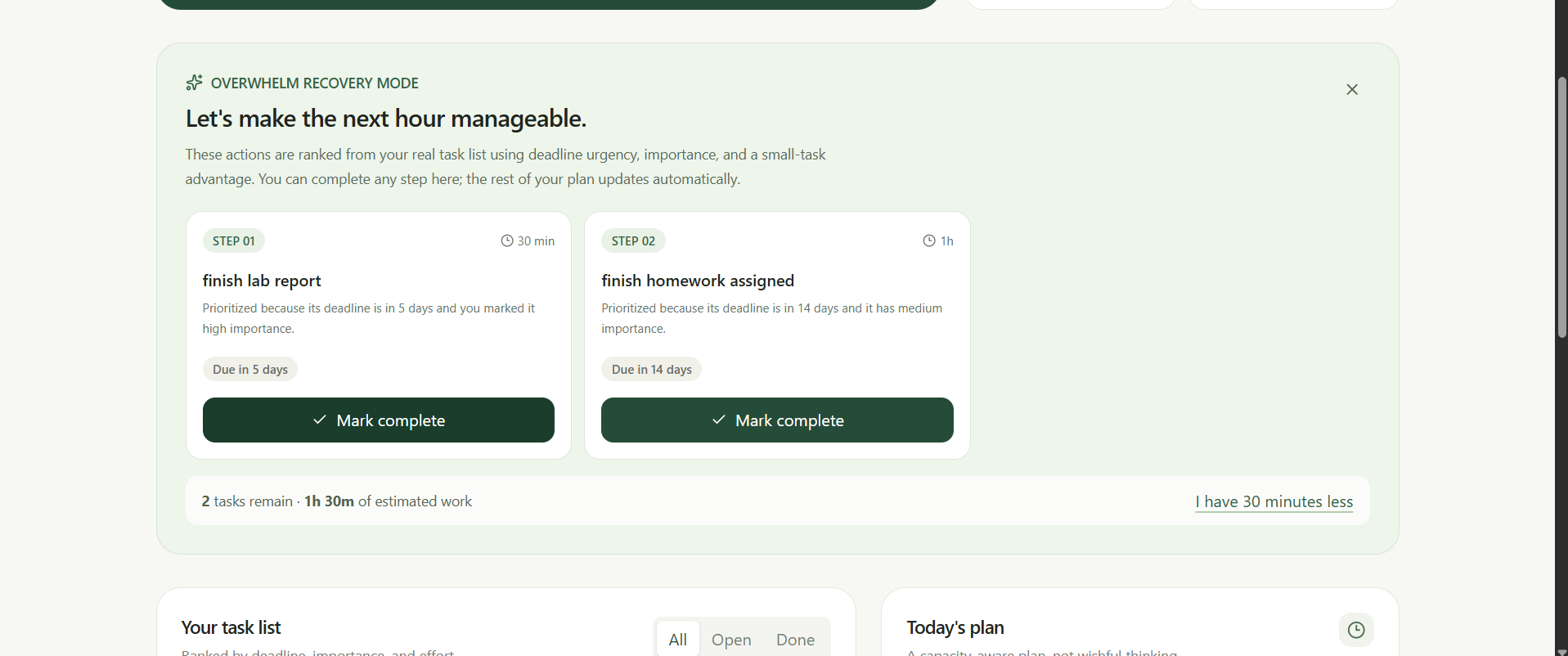
overwhelm mode
-
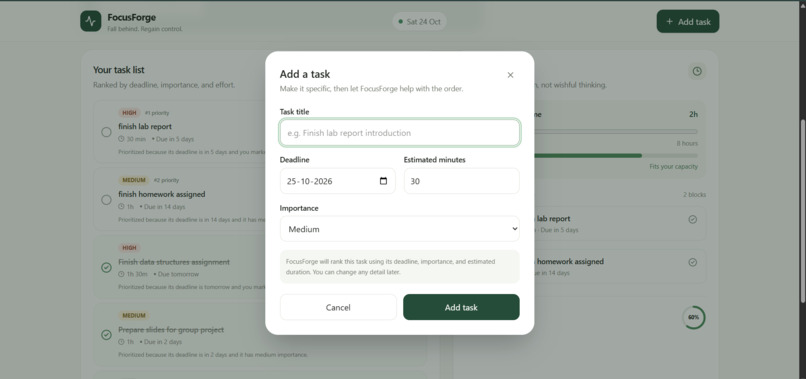
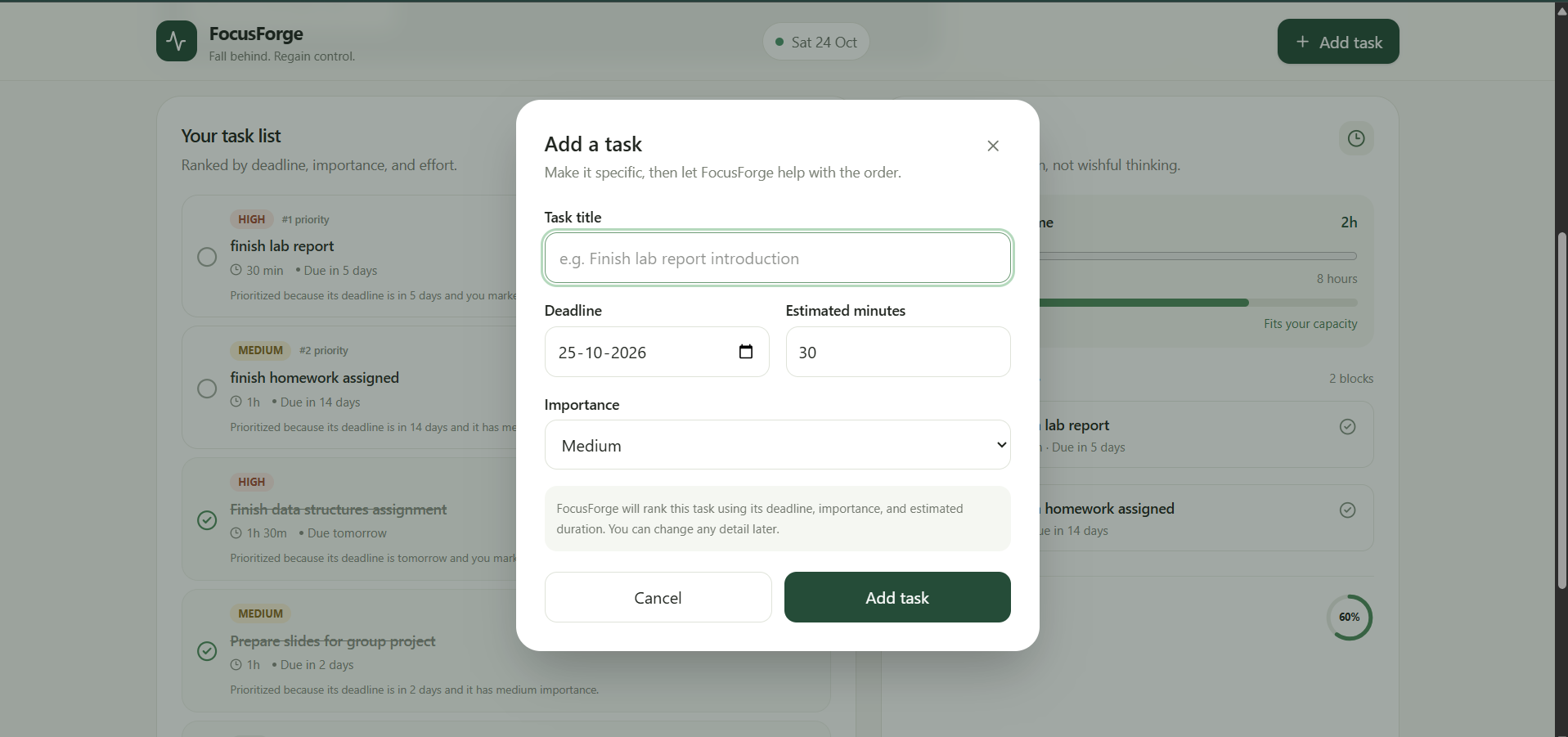
add task
FocusForge
Fall behind. Regain control. Take the next step.
Inspiration
College students often face multiple assignments, competing deadlines, and limited time. When they fall behind, the hardest part is not always doing the work—it is figuring out what to tackle first. Traditional to-do lists show what remains, but they don't necessarily help students recover when the original plan becomes unrealistic.
What it does
FocusForge is a student productivity web app designed to help users regain control when their workload becomes overwhelming.
Students can organize tasks, set deadlines and priorities, estimate task durations, and track progress. FocusForge helps them understand when their workload exceeds their available time and identify useful next steps.
Its core feature, Overwhelm Recovery Mode, recommends three manageable actions to help students move forward instead of feeling stuck.
Key features
- Task management: Create, edit, prioritize, and complete tasks with deadlines and estimated durations.
- Task prioritization: Help users decide what deserves attention first.
- Time-aware planning: Identify when tasks cannot fit within the available time.
- Overwhelm Recovery Mode: Surface three actionable next steps when the workload feels unmanageable.
- Progress tracking: Update task completion and reassess the remaining workload.
- Persistent storage: Retain task data between browser sessions using local storage.
- Responsive interface: A clean dashboard designed around the student's workflow.
How we built it
FocusForge uses React, TypeScript, Vite, and Tailwind CSS. Task data is stored locally in the browser, allowing the core experience to work without requiring a paid AI service or external API key.
The focus was on building a practical end-to-end workflow: organizing competing tasks, recognizing time constraints, recovering from an overloaded plan, and making progress visible.
Challenges we faced
A central challenge was designing a recovery workflow that does more than display an ordinary to-do list. The application needs to make remaining work understandable, surface manageable actions, and keep the experience useful when available time is limited.
Another challenge was keeping the MVP focused. Rather than adding disconnected features, development prioritized task management, time constraints, recovery recommendations, and progress updates.
What we learned
Productivity tools should help users respond constructively when plans break down—not simply remind them of everything they have left to do. Making the next action clear can be more useful than presenting an overwhelming list of unfinished work.
What's next
Future improvements could include richer scheduling controls, more extensive automated tests, cross-device synchronization, and additional accessibility and usability testing.
Built with
React, TypeScript, Vite, Tailwind CSS, localStorage.
Links
- Live demo: https://focus-forge-one-red.vercel.app/
- Video Link:
- Source code: https://github.com/swastim01/FocusForge
Built With
- css3
- html5
- localstorage
- react
- tailwind
- typescript
- vite

Log in or sign up for Devpost to join the conversation.