-
-
FocusFlow Logo
-
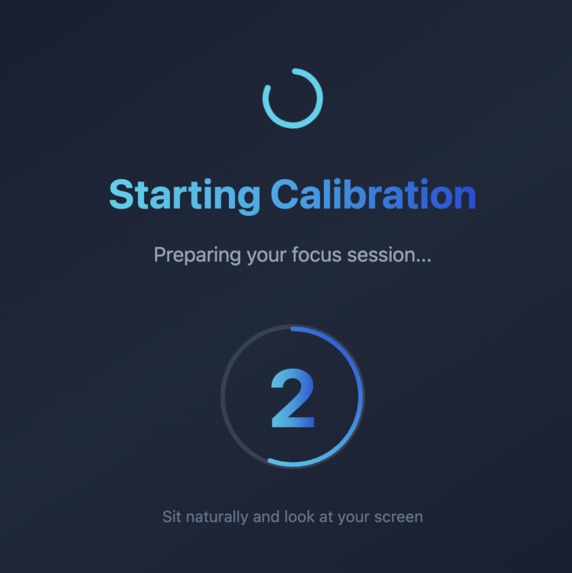
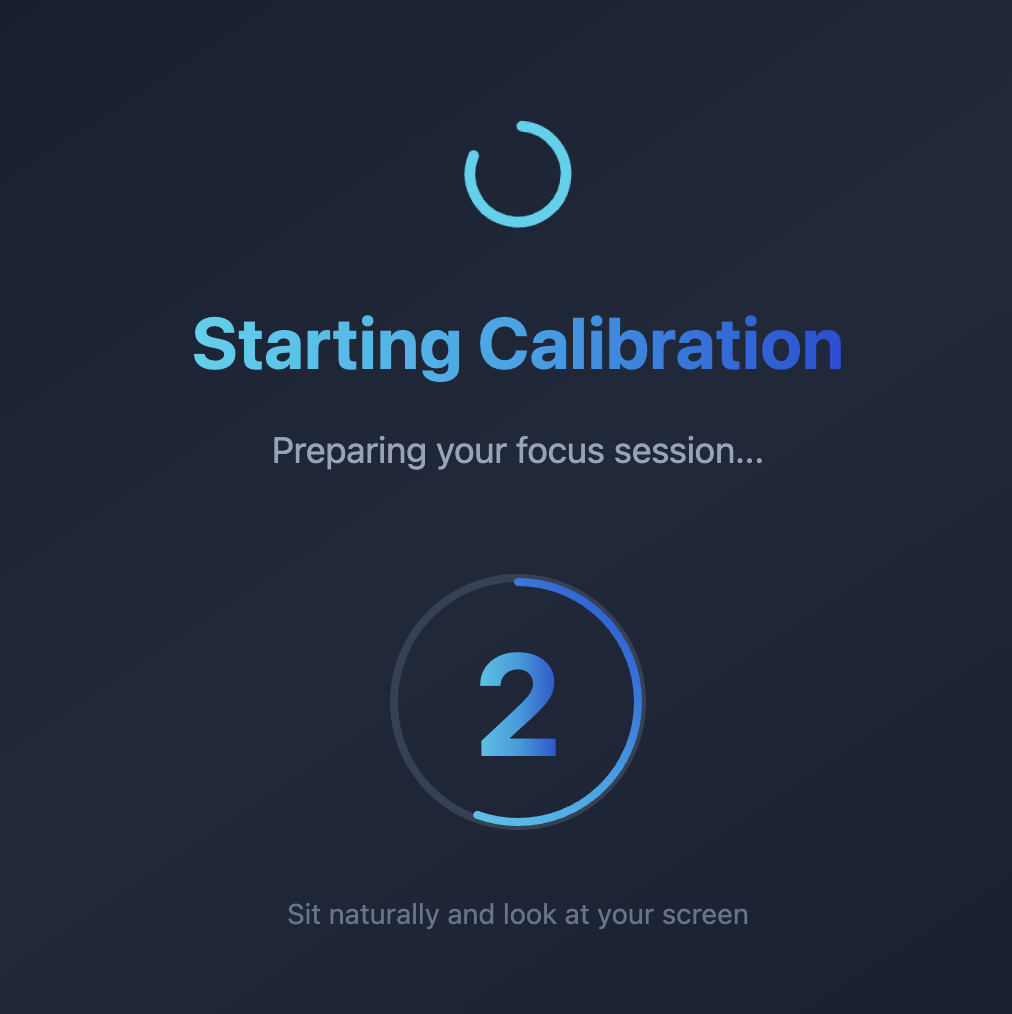
Session Calibration
-
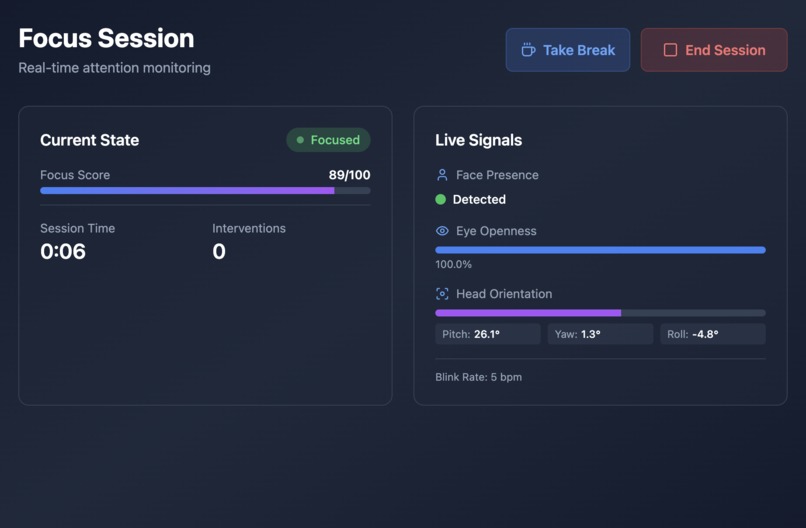
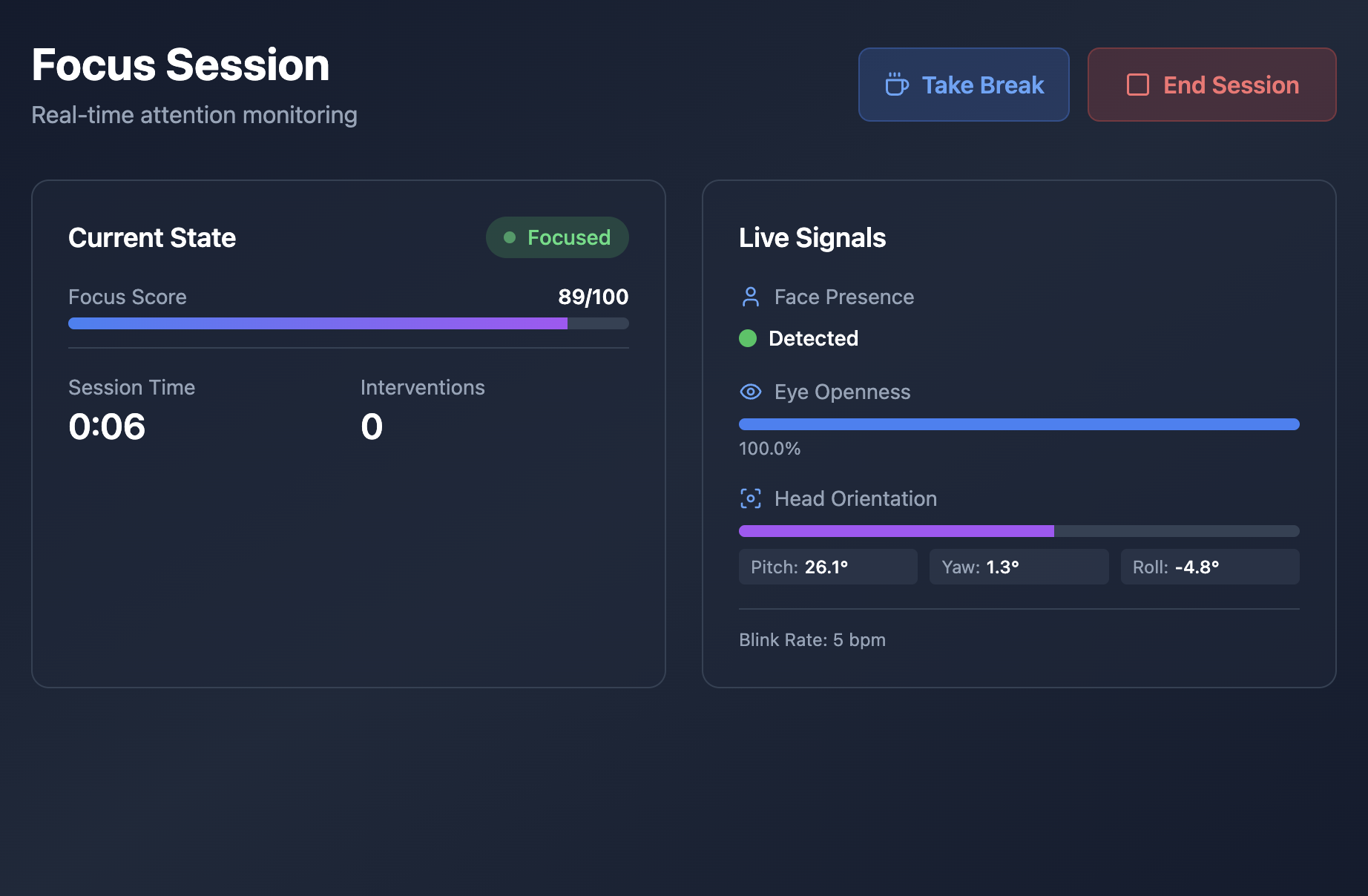
During Focus Session
-
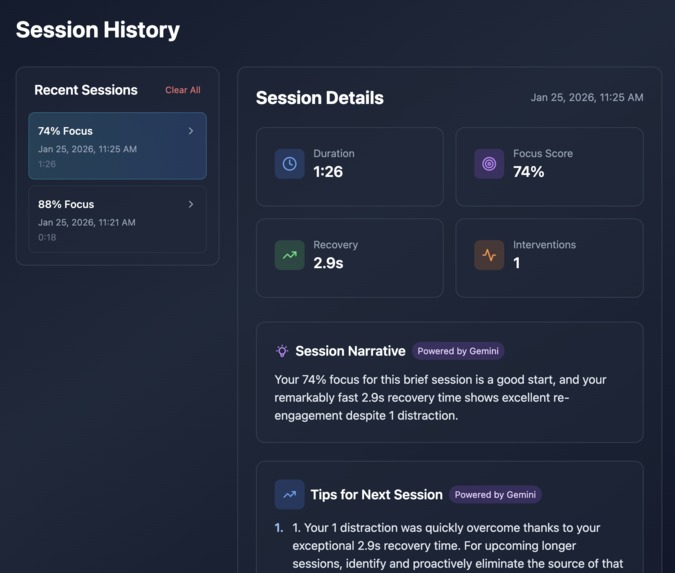
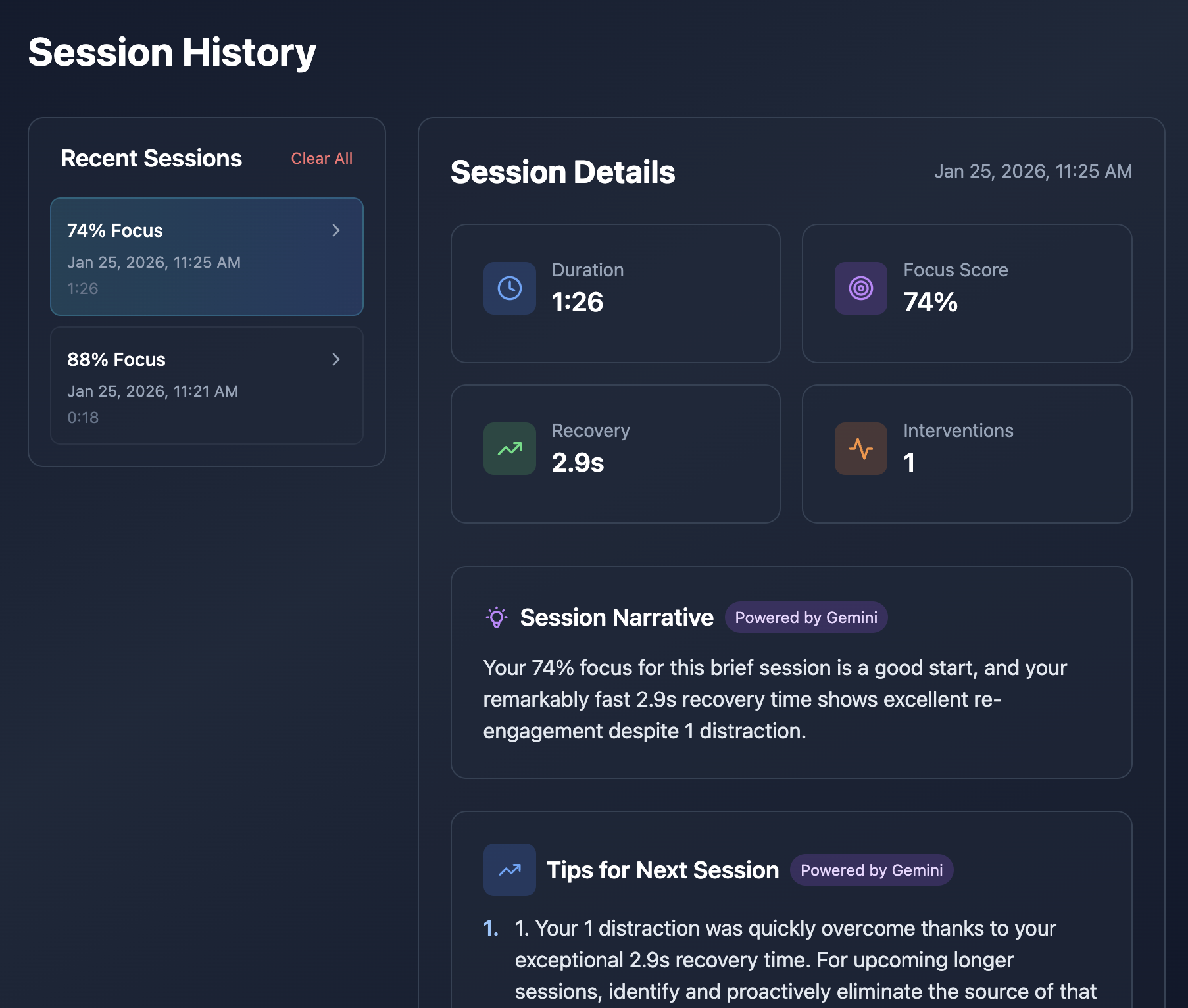
Session Summary
-
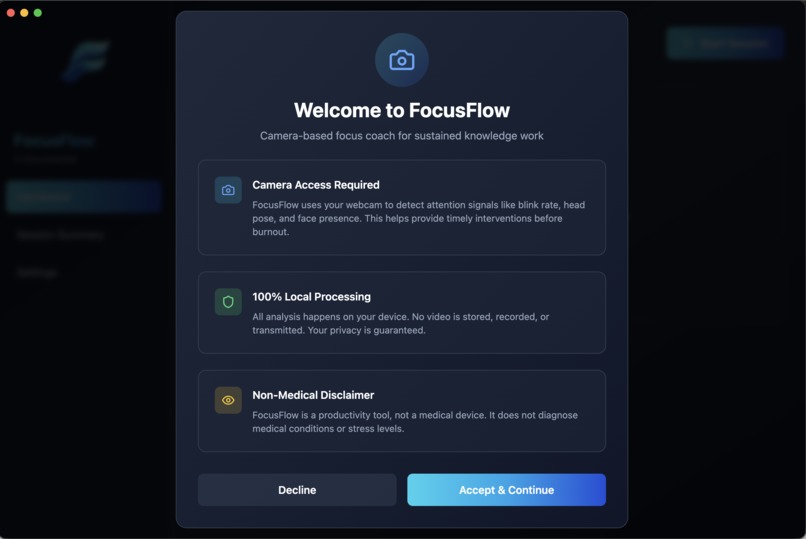
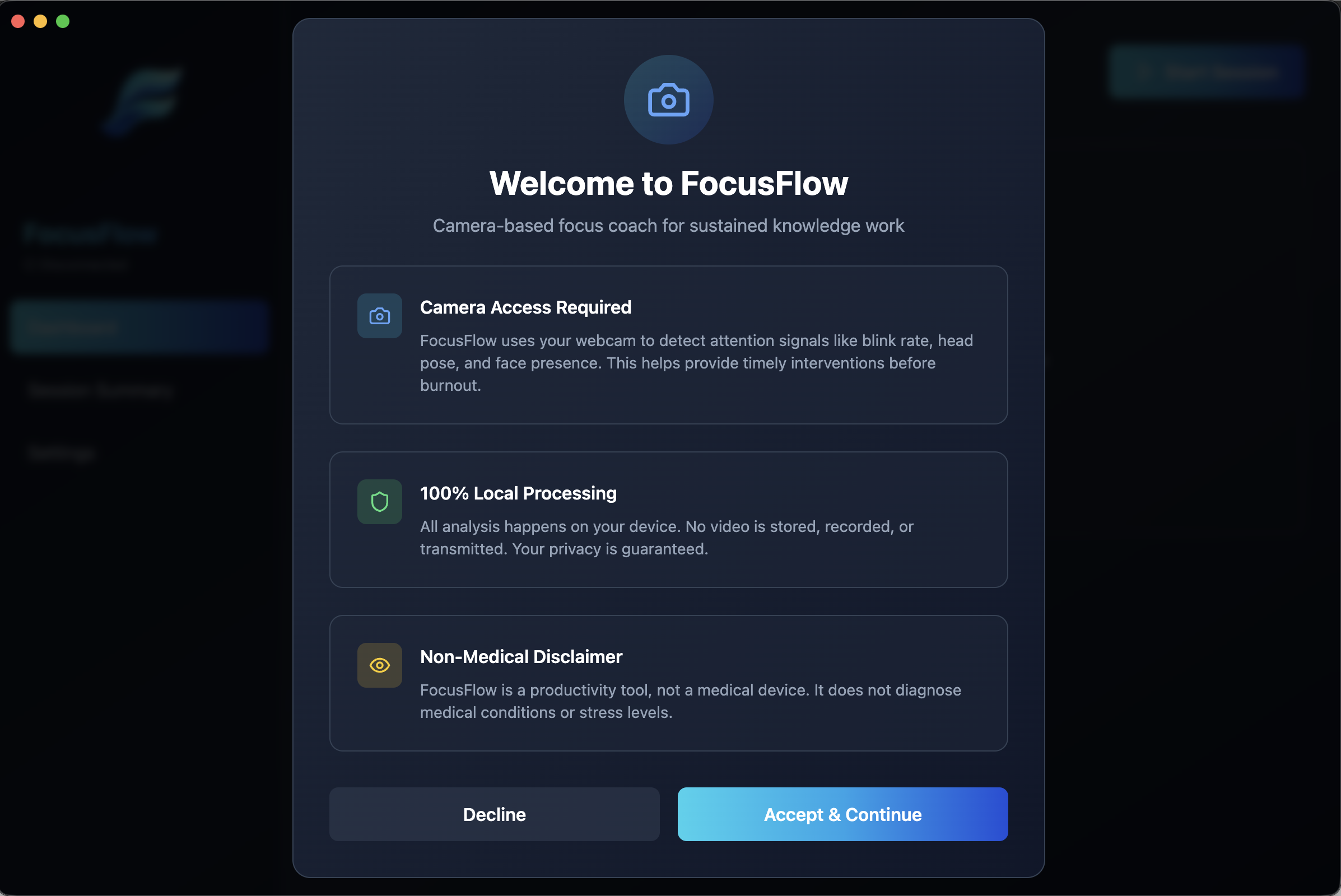
Onboarding
FocusFlow
Camera-based focus coach for sustained knowledge work
FocusFlow is a local-first, real-time focus regulation tool that uses non-invasive camera-based signals to detect attention drift and deliver timely micro-interventions before burnout sets in.
Table of Contents
- Project Overview
- Features
- Architecture
- Tech Stack
- Getting Started
- How It Works
- Configuration
- Privacy & Ethics
- Project Structure
- Contributing
- License
- Acknowledgements
Project Overview
Problem Statement
Sustained focus over long periods in high-pressure environments is very difficult to maintain. Whether studying for exams, doing technical work, or participating in a HACKATHON, people continually try to work through increasing stress and declining engagement, leading to mental fatigue, burnout, and reduced productivity.
Existing productivity trackers use rigid timers, self-reporting, or manual check-ins that fail to adapt to real-time cognitive state. These tools cannot detect when a user is genuinely overwhelmed, distracted, or cognitively fatigued, placing the burden on the user to recognize and manage these states themselves. As a result, many individuals—especially those with attention regulation challenges or high cognitive workloads—lack timely, personalized support to maintain focus in a healthy and sustainable way.
Solution
FocusFlow is a camera-based, AI-powered focus coach built for intense cognitive sessions and deep work. It uses real-time, non-invasive human sensing to infer engagement, attention indicators, and focus trends, then intervenes at the right moment to prevent burnout without disrupting flow.
Features
- 🎯 Real-time Focus Monitoring: Tracks attention using camera-based signals (face presence, blink rate, head pose)
- 🧠 Smart State Machine: Transitions between cognitive states (Focused → Drifting → Nudging)
- 💡 Gentle Interventions: Timely breaks and breathing exercises
- 🔒 Privacy-First: All processing happens locally on your device
- 📊 Session Analytics: Focus consistency, recovery speed, and detailed metrics
- 🎨 Beautiful UI: Modern Electron desktop app with real-time visualizations
- ⚡ Low Performance Impact: Efficient processing at 10 FPS
Architecture
focusflow/
├── apps/desktop/          # Electron + React frontend
├── backend/               # Python FastAPI + Computer Vision
└── shared/schema/         # Shared type definitions
Tech Stack
Frontend (Desktop App)
- Electron + React + TypeScript
- Vite for fast builds
- TailwindCSS for styling
- Socket.IO for WebSocket communication
Backend (Python Service)
- FastAPI for REST + WebSocket API
- OpenCV for camera capture
- MediaPipe for face landmark detection
- Custom state machine and focus scoring
Getting Started
- Read the setup instructions: SETUP.md
- Install dependencies
- Run the project
How It Works
- Calibration (30s): Establishes baseline focus score
- Monitoring: Continuously analyzes camera feed at 10 FPS
- Feature Extraction: Computes blink rate, head stability, eye openness
- Focus Scoring: Weighted combination → 0-100 score
- State Transitions: Focused → Drifting → Nudging → Intervention
- Interventions: 5-minute breaks, breathing exercises, task switches
- Cooldown: 5-minute cooldown after each intervention
State Machine
Focused (≥ baseline - 0.5σ)
    ↓ (focus drops for 10s)
Drifting (< baseline - 0.5σ)
    ↓ (focus drops further for 20s)
Nudging (< baseline - 1.0σ)
    ↓ (user action)
OnBreak / Cooldown
    ↓ (timer expires)
Returning → Focused
Focus Score Formula
FocusScore = 0.45 × FacePresence + 0.30 × HeadStability + 0.25 × EyeOpenness
Normalized to 0-100 scale with EMA smoothing.
Configuration
Edit backend settings in backend/focusflow_backend/src/focusflow/config.py:
# Difficulty presets
LOW:    40% drop over 120s
MEDIUM: 30% drop over 90s (default)
HIGH:   20% drop over 45s
Privacy & Ethics
- ✅ 100% Local Processing - No cloud, no servers
- ✅ No Video Storage - Frames processed and discarded immediately
- ✅ No Tracking - No telemetry or analytics sent anywhere
- ✅ Transparent - Open source, inspect the code
- ⚠️ Non-Medical - Not a diagnostic tool
Project Structure
focusflow/
├── apps/
│   └── desktop/              # Electron desktop app
│       ├── src/
│       │   ├── main/         # Electron main process
│       │   ├── preload/      # IPC bridge
│       │   └── renderer/     # React UI
│       └── package.json
├── backend/
│   └── focusflow_backend/    # Python service
│       └── src/focusflow/
│           ├── sensing/      # Camera + MediaPipe
│           ├── inference/    # Focus scoring
│           ├── state/        # State machine
│           ├── storage/      # JSONL logging
│           └── context/      # Task context
├── shared/
│   └── schema/               # Shared types
└── scripts/                  # Development scripts
Contributing
- Fork the repository
- Create your feature branch (
git checkout -b feature/amazing-feature) - Commit your changes (
git commit -m 'Add amazing feature') - Push to the branch (
git push origin feature/amazing-feature) - Open a Pull Request
License
MIT License
Acknowledgements
- Built for hackathons and deep work sessions
- Inspired by research on attention fatigue and cognitive load
- Uses MediaPipe for face landmark detection
- Designed with accessibility and neurodivergent users in mind
Built for focus, made to last!
Built With
- electron
- fastapi
- gemini
- javascript
- mediapipe
- opencv
- python
- react
- socket.io
- tailwindcss
- typescript
- vite


Log in or sign up for Devpost to join the conversation.