-
-
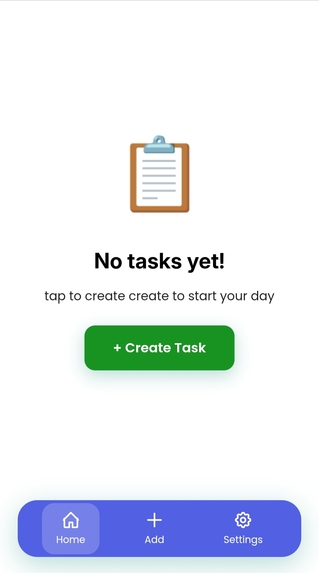
Home page without task
-
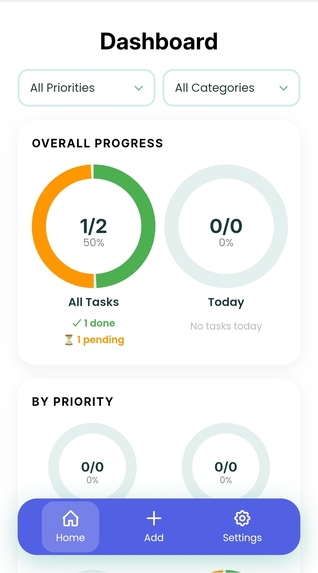
Dashboard
-
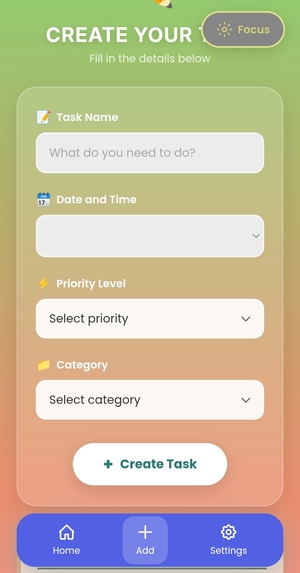
Add task page
-
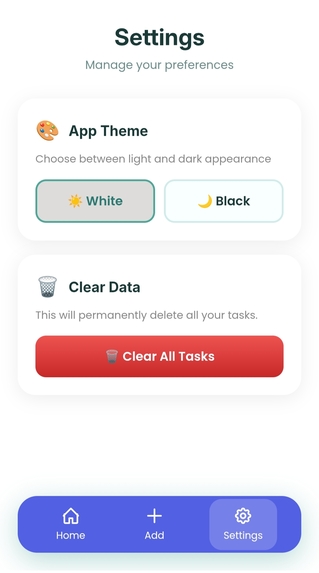
Settings


Inspiration
As a student, I know how difficult it can be to stay organized while managing schoolwork, deadlines, and daily distractions. Many students feel overwhelmed because productivity tools are often too complicated, distracting, or not built with students in mind.
That’s why I created FocusFlow — a simple, student-focused productivity web app designed to help students manage tasks, stay focused, and track progress in a clean and motivating way.
That opening is much stronger.
What it does
FocusFlow helps users manage tasks, stay focused, and track their progress in a simple way.
The app allows users to:
- Create tasks with useful details
- Edit tasks anytime
- Mark tasks as completed
- Undo completed tasks
- Delete tasks when needed
- Track progress visually
- Use a distraction-free focus mode
- Personalize the experience through settings and themes
The goal was to build something that is not too complicated, but still useful and practical for everyday student productivity.
How I built it
I built FocusFlow using:
- HTML
- CSS
- JavaScript
- LocalStorage
- GitHub Pages
I used JavaScript to handle the app logic, DOM manipulation, task interactions, and dynamic updates. LocalStorage was used to save user data so tasks remain available after refreshing or reopening the app.
I also worked on making the UI clean, mobile-friendly, and visually simple so that students can use it comfortably.
Challenges I ran into
One of the biggest challenges was building and debugging the app logic.
Since the project includes multiple features like:
- task creation
- editing
- completion
- undo
- delete
- focus mode
- progress tracking
it took a lot of testing and problem-solving to make everything work together properly.
Another major challenge was building this project using only an old Android phone with 4GB RAM, limited internet access, and no laptop. That made development slower and more difficult, especially while debugging and recording the final project.
Accomplishments that I'm proud of
I’m proud that I was able to turn my idea into a working and presentable web app with multiple useful features.
I’m also proud that I completed this project with limited tools and resources, while still focusing on design, functionality, and user experience.
Finishing the project, preparing the pitch video, and submitting it is a big achievement for me.
What I learned
Through this project, I learned a lot about:
- JavaScript logic
- DOM manipulation
- localStorage
- UI structure
- debugging
- connecting multiple features into one working system
I also learned how important patience, consistency, and problem-solving are when building a real project.
Early Feedback
I shared FocusFlow with a few persons and got useful feedback on task organization, progress tracking, and the need for a clean distraction-free interface. This helped me improve the app’s structure and usability.
What's next for FocusFlow
In the future, I would like to improve FocusFlow by adding:
- Better analytics and smarter progress insights
- Timer-based focus sessions
- Notifications and reminders
- Better performance and smoother UX
- More personalization features
My long-term goal is to turn FocusFlow into a lightweight student productivity platform that remains accessible even for students with low-end devices and limited internet access.
Built With
- css
- github
- html
- javascript
- localstorage
