-
-
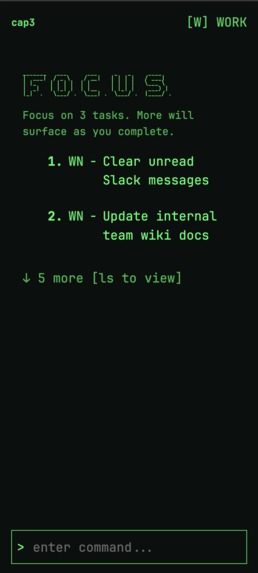
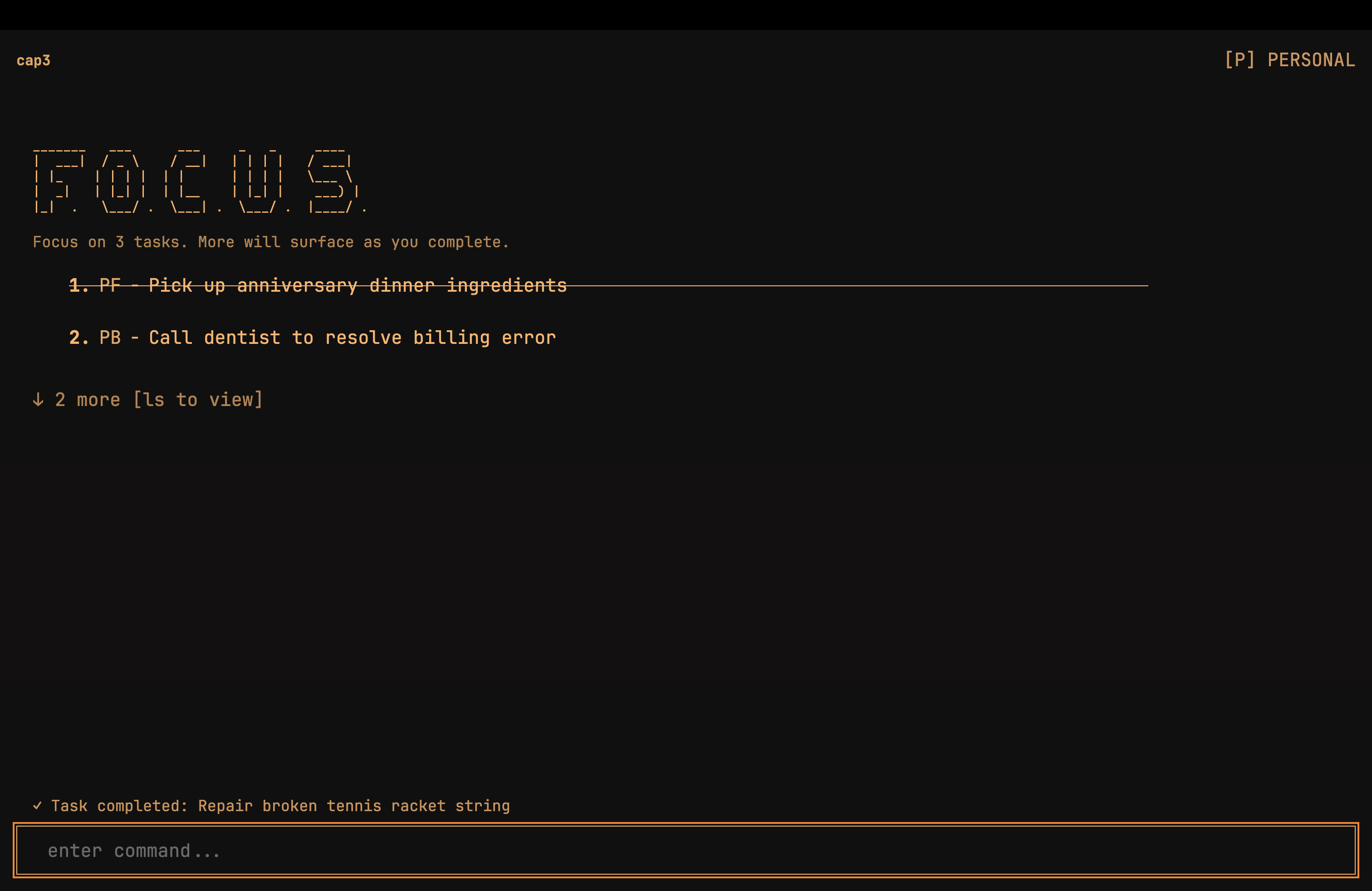
main screen with focused tasks
-
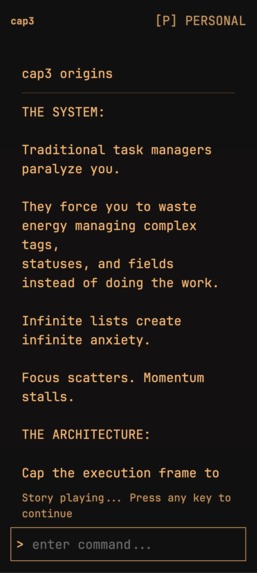
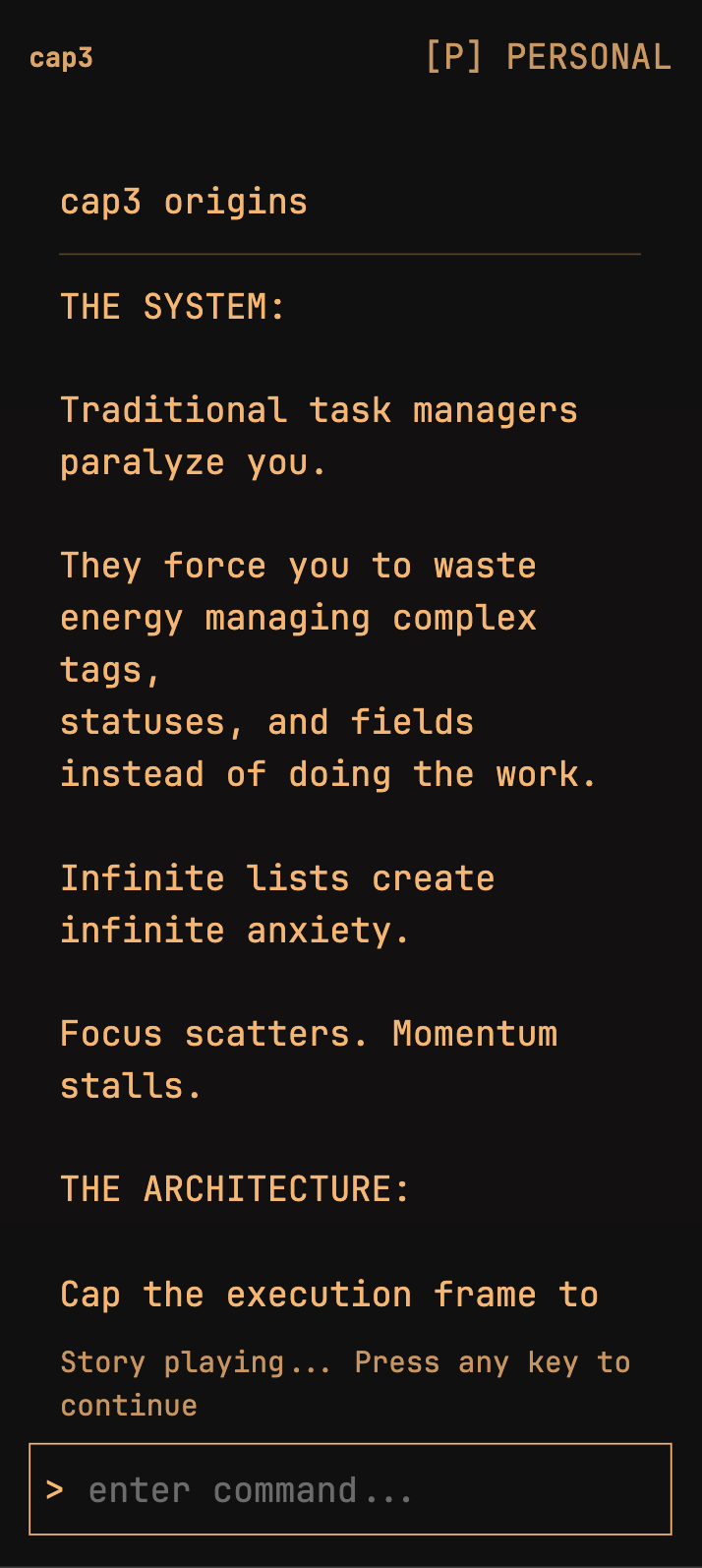
our story, go there by submitting: `story` in the command bar
-
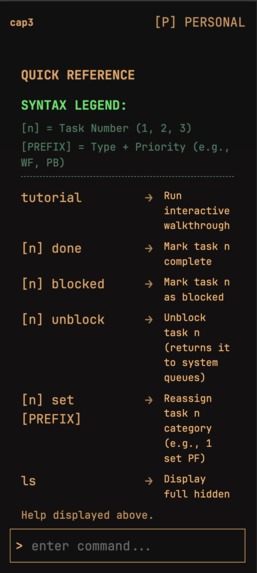
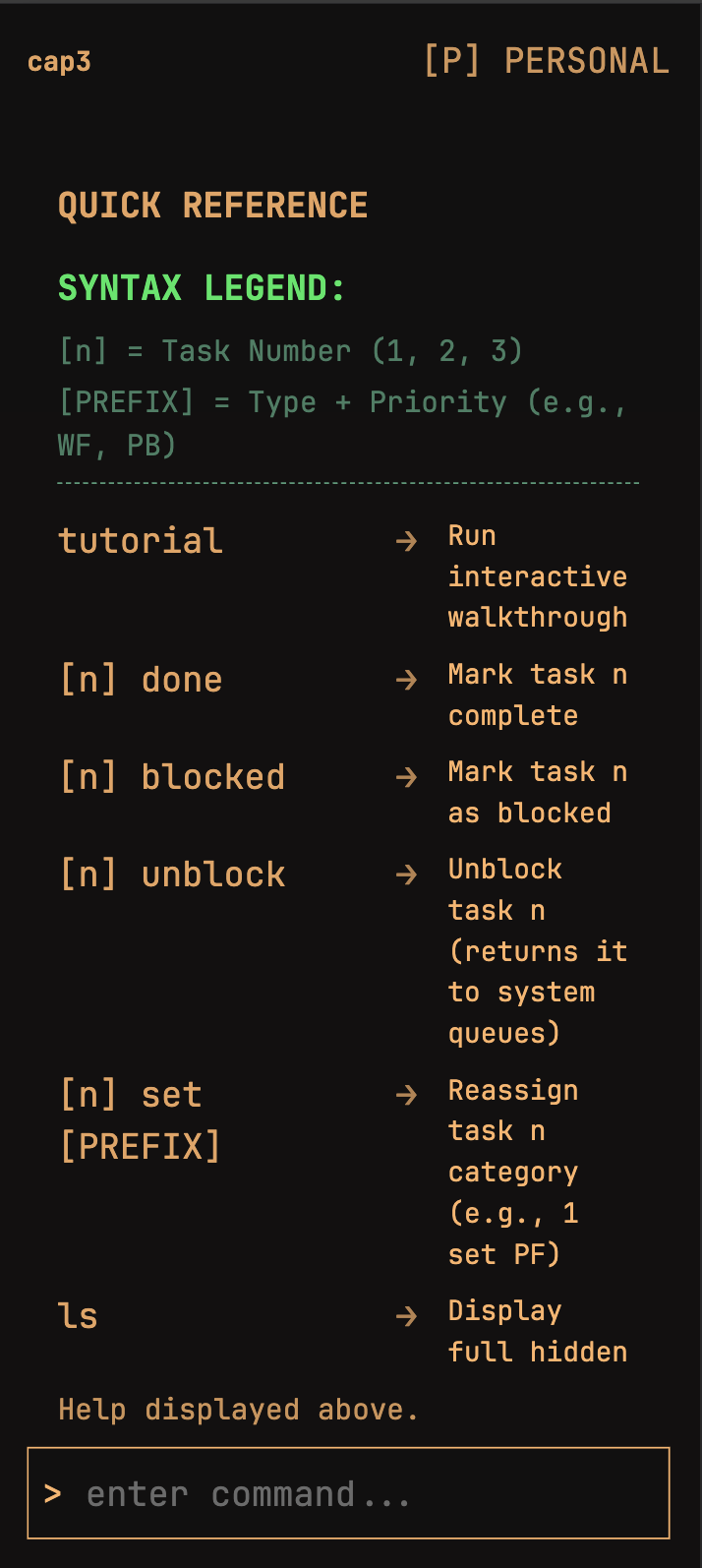
help screen
-
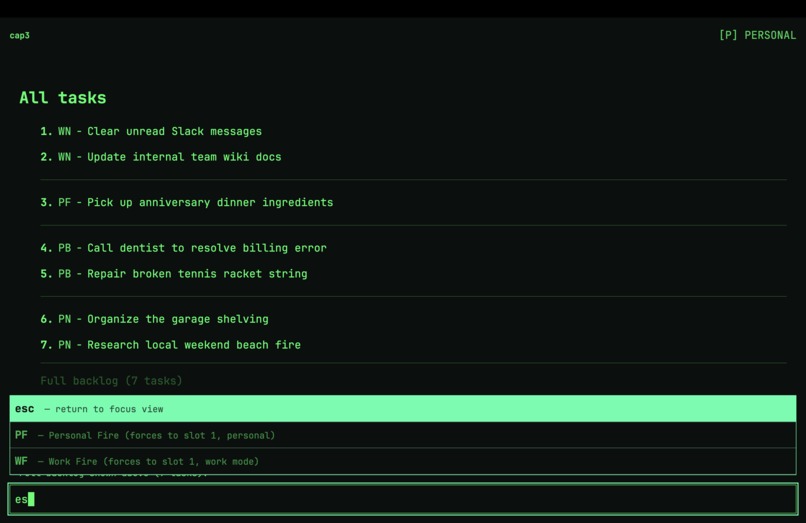
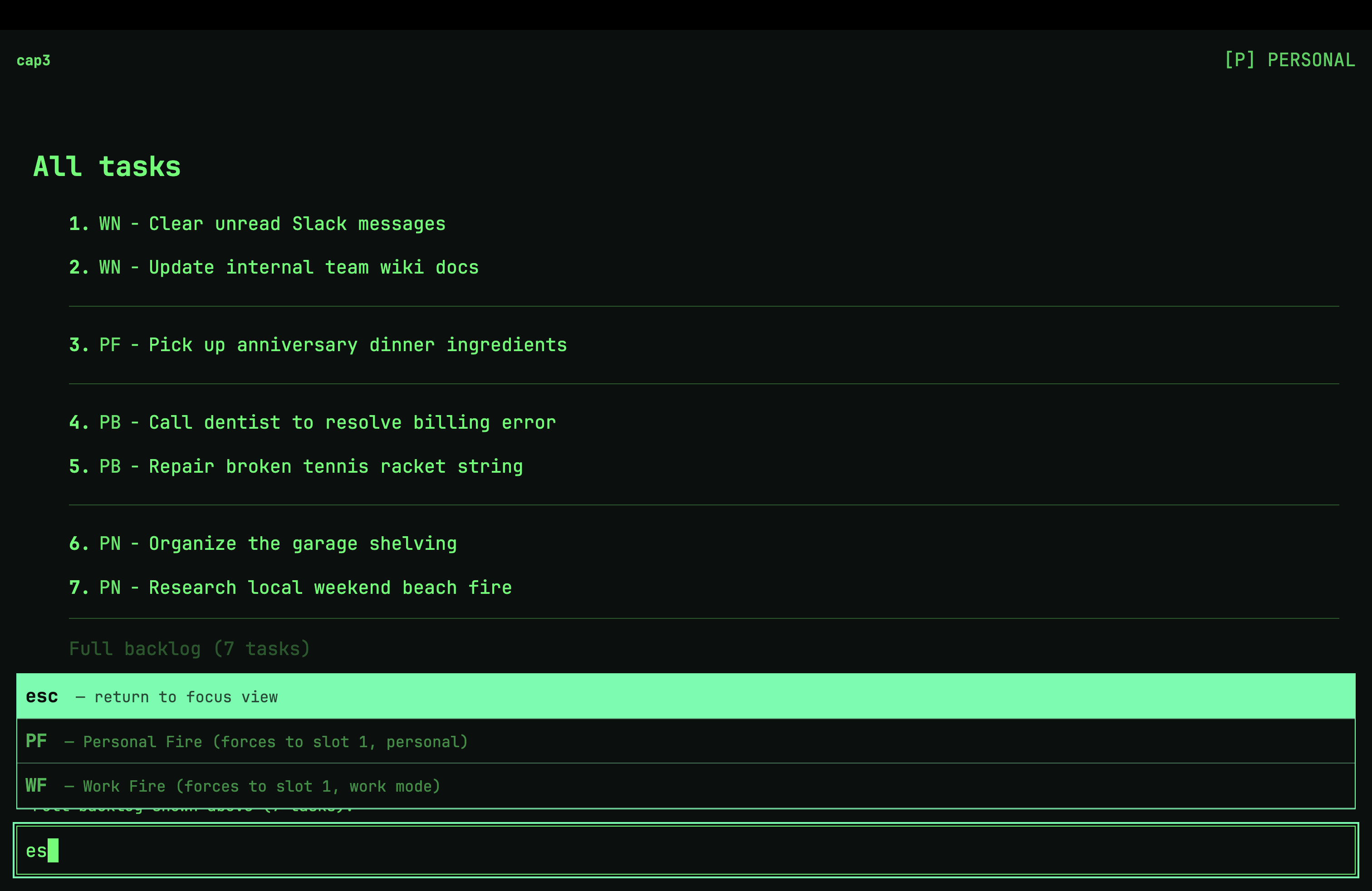
esc takes you to the main screen
-
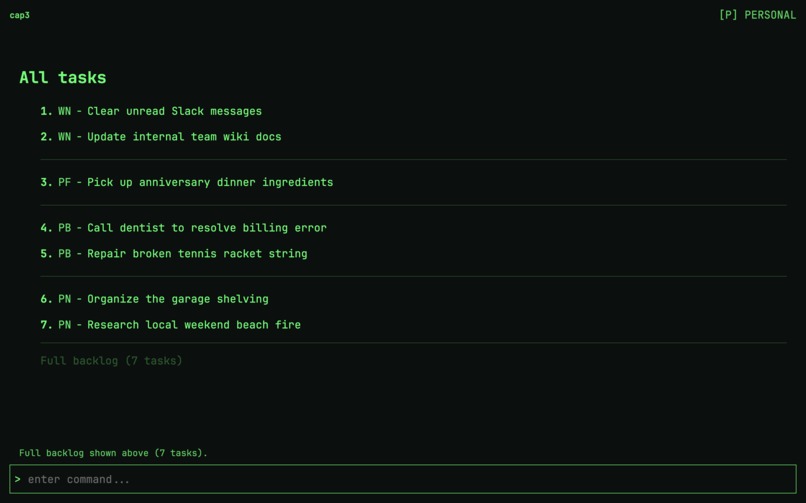
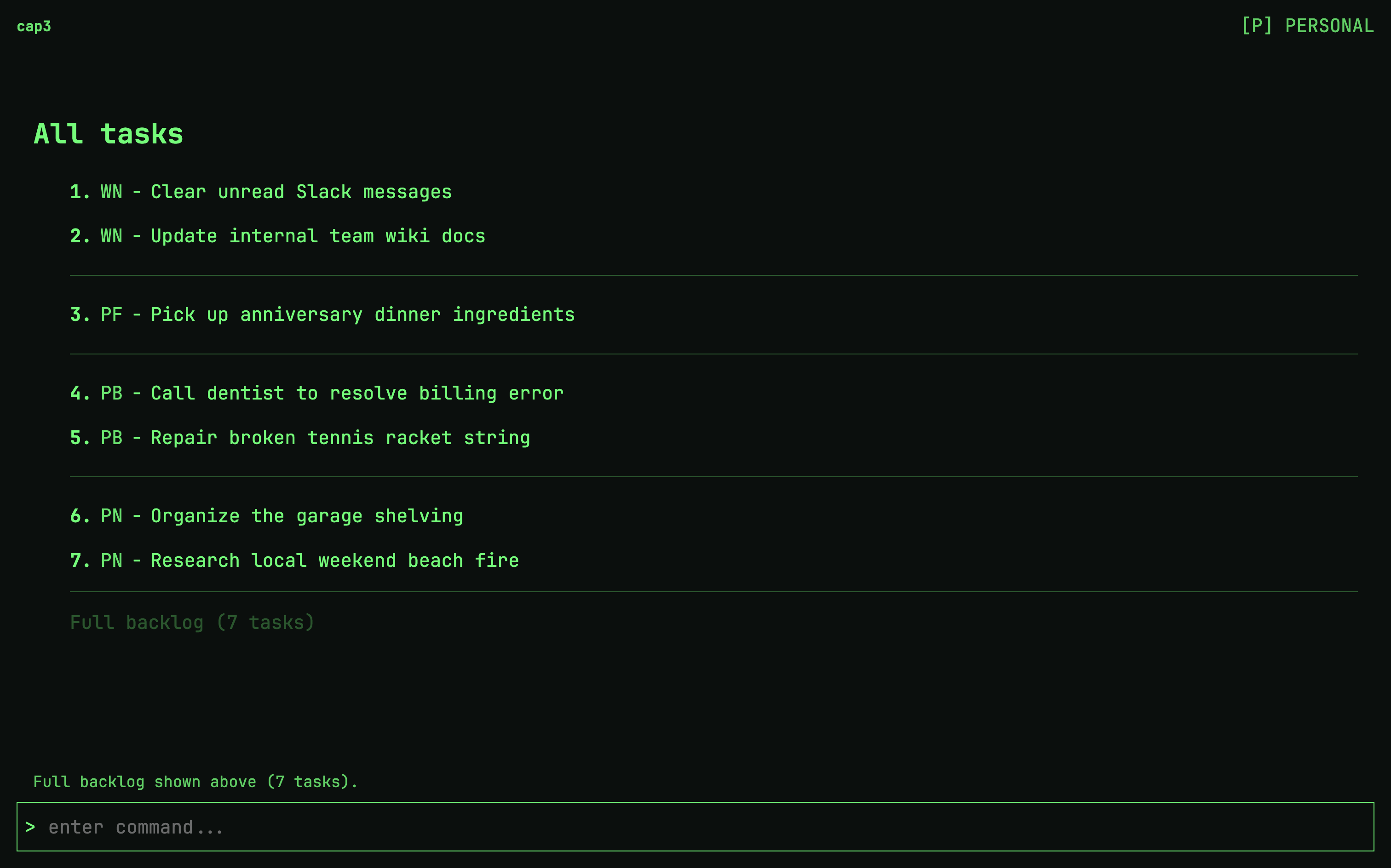
All task `ls` screen
-
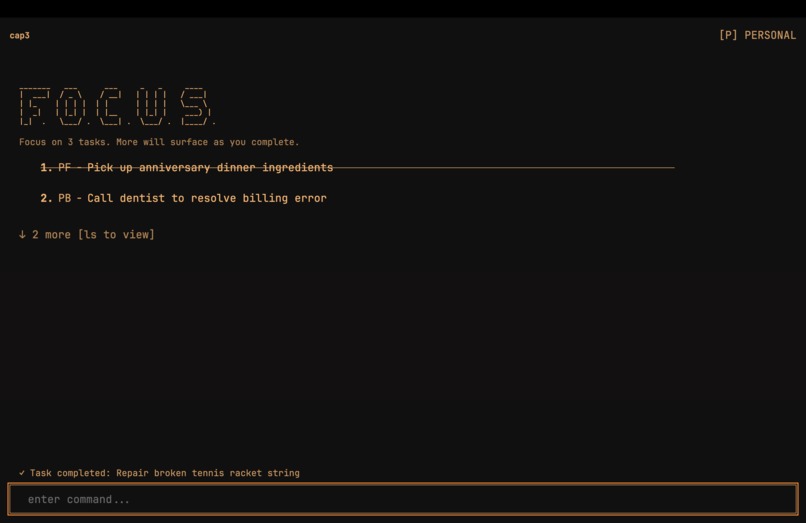
task completion, strikethrough animation
-
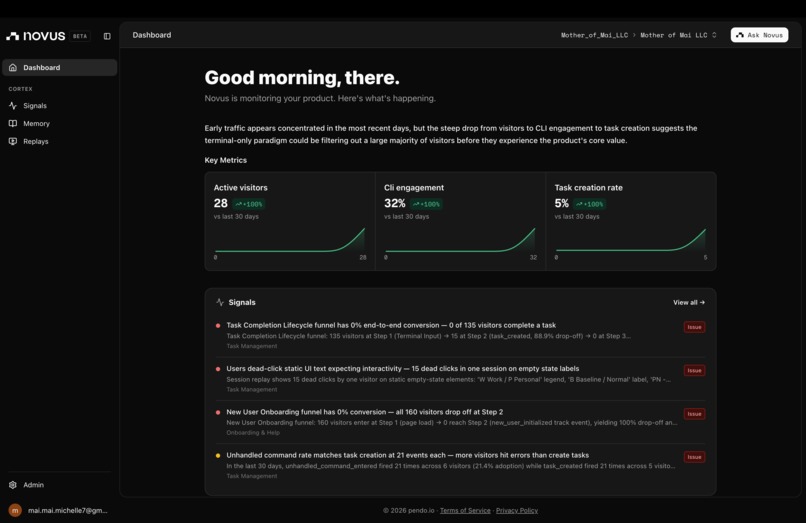
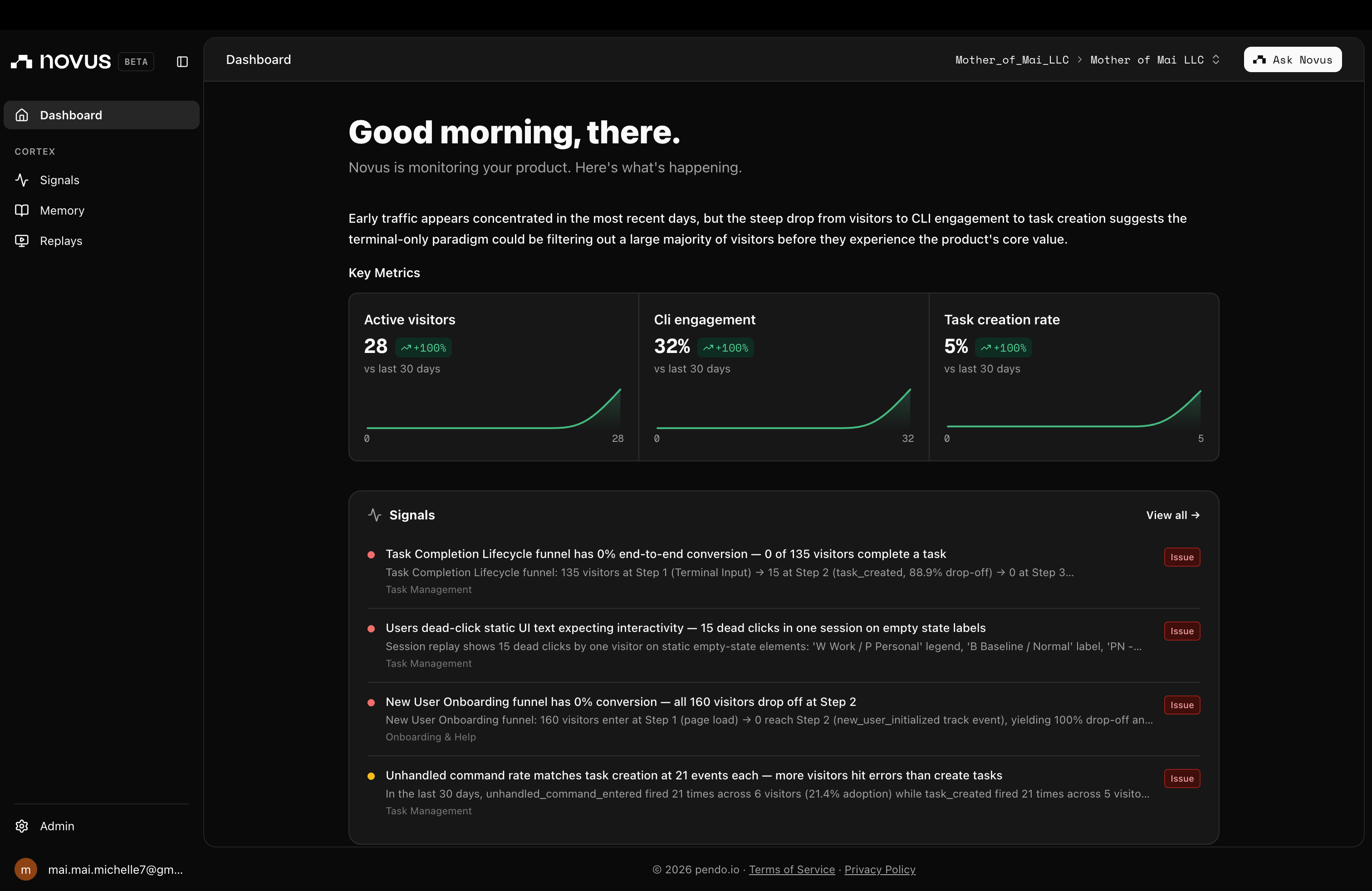
Novus dashboard
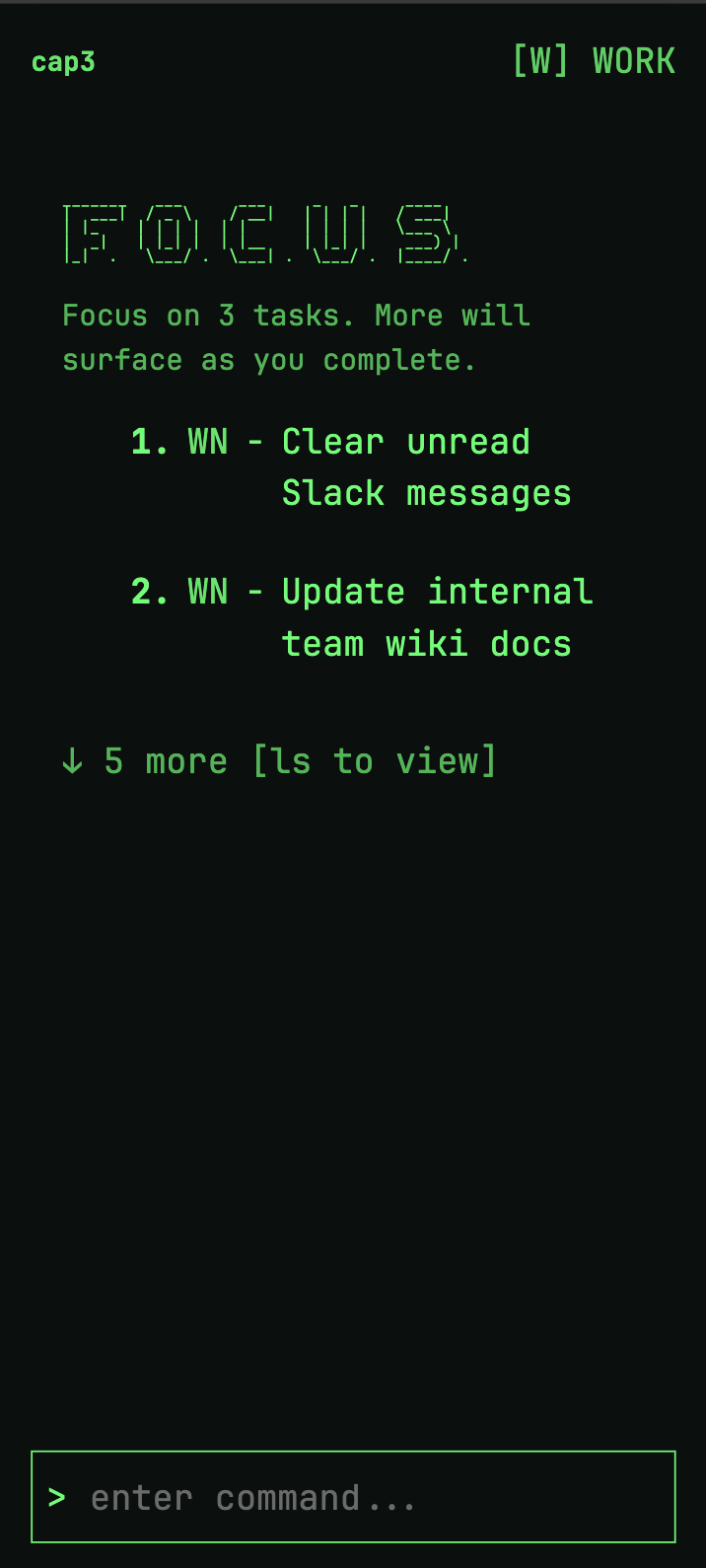
Inspiration
Traditional productivity apps suffer from severe feature bloat, transforming simple to-do lists into overwhelming data dumps that drain cognitive energy. This app was born out of a need for absolute visual minimalism and strict context separation. Inspired by the efficiency of a command-line interface, it uses a text-driven sandbox to eliminate traditional GUI distractions and enforce realistic focus boundaries.
What it does
Operating out of a lightweight, terminal-style Progressive Web App (PWA), the application manages tasks using two uncompromising core mechanics:
The Blindfold Engine: Artificially constrains your viewport by hard-capping active visibility to a maximum of three lines at any given time, hiding background backlogs until an active slot opens up.
The Chrono-Filter: A time-sensitive background layer that automatically strips away the entire professional interface at exactly 5:00 PM (and on weekends), instantly pivoting to a personal environment so work anxiety never bleeds into personal downtime.
Users orchestrate their entire day using ultra-fast command-line inputs (like WB - for Work Baseline, WF - for Work Fire, and PF - for Personal Fire) to seamlessly execute, block, or clear tasks with minimal friction.
How we built it
The engineering pipeline for cap3 was driven by an advanced, multi-stage AI collaboration framework:
- Initial Prototyping (Gemini): The core engine logic was born out of an initial prototype built in Gemini, where I trained the model to strictly isolate exactly three active tasks from a massive, raw bulk-text dump.
- Rapid Code Generation (Claude Code): Once the core behavioral logic was proven, I used Claude Code to rapidly scaffold the file structure, build out the terminal UI architecture, and write the core application code.
- System Design & Troubleshooting (Dual-Model Alignment): Throughout the build, I used Claude to draft feature specifications, while actively bouncing bugs and architectural decisions between both Claude and Gemini to rapidly resolve edge cases and resolve integration issues as they appeared in the runtime.
Challenges we ran into
- The Mobile Input Battle: Striving for a flawless keyboard-driven experience on mobile was a massive hurdle. Ensuring the command bar reliably maintains focus, handles virtual keyboards gracefully, and manages viewport shifts on mobile screens required intense testing. It was worth the effort: I now keep my phone mounted on a holder next to my MacBook while working, transforming what used to be a major source of distraction into a dedicated, physical focus dashboard.
- UX for Non-Technical Users: Enforcing a pure CLI interface creates an immediate learning curve for general users. Balancing a terminal aesthetic with intuitive user onboarding meant completely rethinking our tutorial layout. We discovered that the onboarding flow had to be comprehensively command-driven (explicitly drilling the syntax mechanics) rather than story-driven (explaining the underlying philosophy).
- The Ultimate Time Crunch: Discovering the hackathon at the beginning of June meant operating under a razor-thin timeline. Building a production-ready application within a couple of weeks meant aggressively scoping out feature creep. Fortunately, a rough prototype had been started in Gemini just a few days prior to finding out about the event, making it the perfect opportunity to commit and build it out fully.
Accomplishments that we're proud of
- Rapid Iterative Testing: We successfully executed three distinct rounds of user testing with different focus groups during the crunch window, capturing invaluable feedback on the CLI onboarding experience.
- Aggressive Feature Delivery: I am incredibly proud of the depth and stability of the system architecture—including the time-gating logic, automated backlogs, and dynamic completion animations—that we successfully engineered within an intense, roughly one-week build window.
What we learned
- The Solo Developer Dynamic: While building a project completely solo is highly feasible and an excellent way to maintain a unified architectural vision, I discovered that I significantly prefer working in collaborative groups. Coding alone simply isn't as fun, and I am highly motivated to tackle future hackathons with a team of friends.
- AI-Assisted Micro-Sprints: This project reinforced how powerful a multi-model AI workflow can be when executing on a tight deadline. Leveraging different AI tools for their distinct strengths allowed for a massive acceleration in development velocity.
What's next for Focused Task Manager
- Amplified Completion Mechanics & Cat Theme: We want to take user satisfaction to the next level. We are designing even more high-velocity, chaotic task completion animations alongside a dedicated cat theme to make clearing your daily execution frame a genuinely rewarding dopamine hit.
- Dynamic Work Schedules: While the app currently gates tasks based on standard hours, the next phase will introduce custom cron/time-gated schedules so users can define their own unique shift parameters and weekend boundaries.
- Secure Authentication & Cloud DB Storage: To support a growing user base, we will migrate from localized runtime/browser storage to a secure user login system backed by a robust cloud database—allowing users to sync their hidden backlogs seamlessly across multiple machines and mobile setups.
Built With
- axe-core
- javascript
- localforage
- playwright
- pwa
- tailwind
- typescript
- vite

Log in or sign up for Devpost to join the conversation.