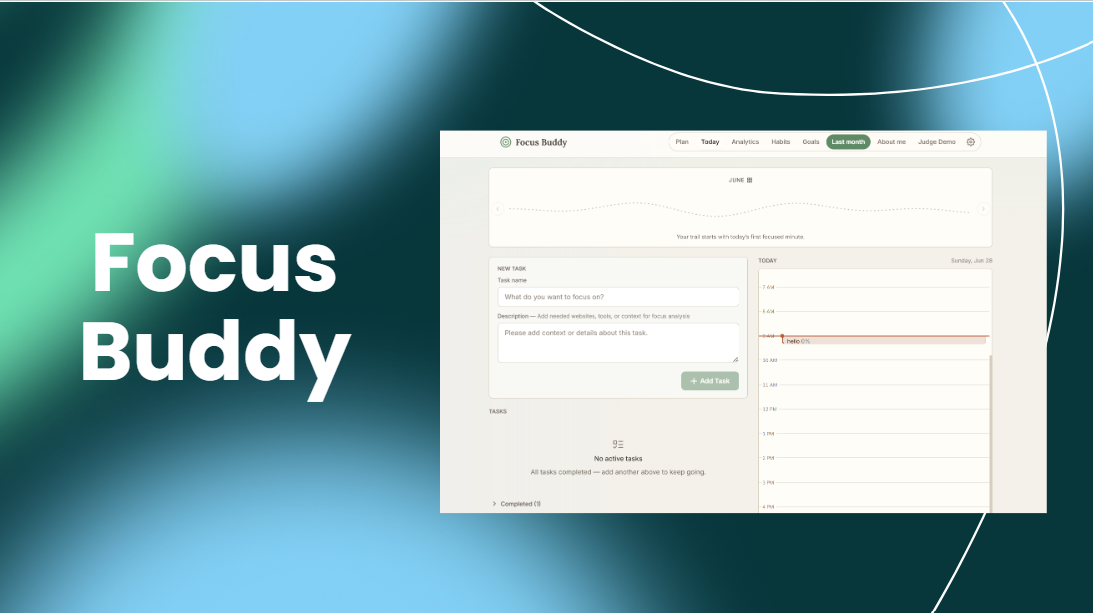
Focus Buddy
Inspiration
I struggle with ADHD, and it is something I have had to face my entire life. I would switch between different productivity tools, plan out my entire day, and still end up not doing my work.
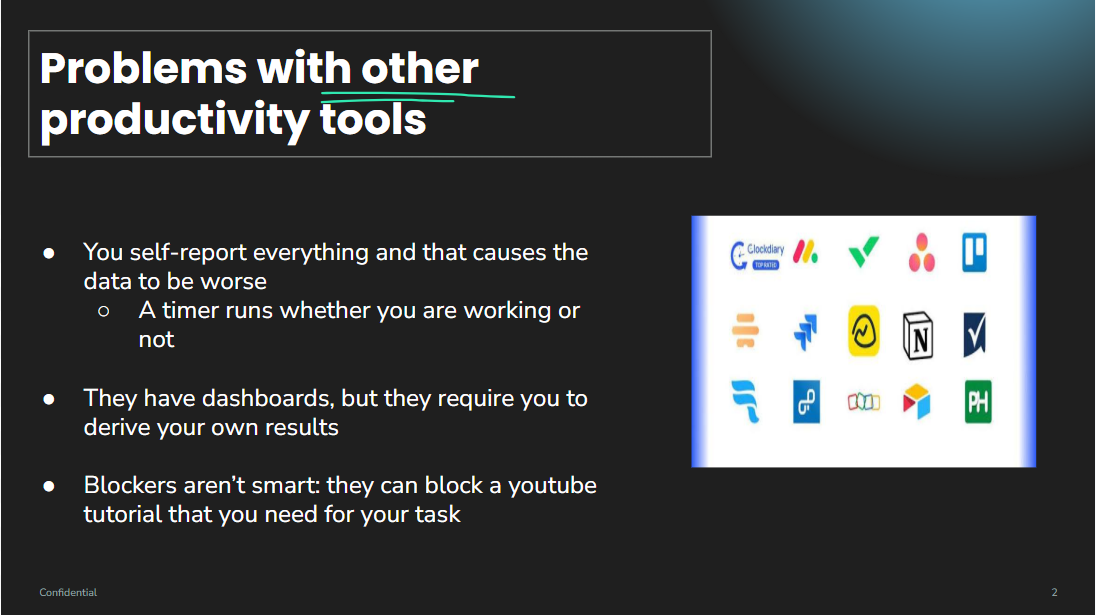
Eventually, I realized that the problem was not just about needing a nicer planner, a more elegant UI, or another analytics dashboard. The missing piece was accountability. I needed something that could help me understand what actually happened during a focus session. When did I stay on task? When did I drift away? What time of day was I most focused? Which tasks were hardest for me to stay with?
That inspired me to build Focus Buddy: an AI focus coach that helps students track their work, understand their patterns, and come back to their goals without shame.
What it does
Focus Buddy is a web-based productivity and self-reflection app for students. The user creates tasks, starts focus sessions, and gets a clearer picture of how focused they actually were. Instead of only counting minutes, Focus Buddy classifies time into four states: focused, distracted, uncertain, and away.
AI focus tracker
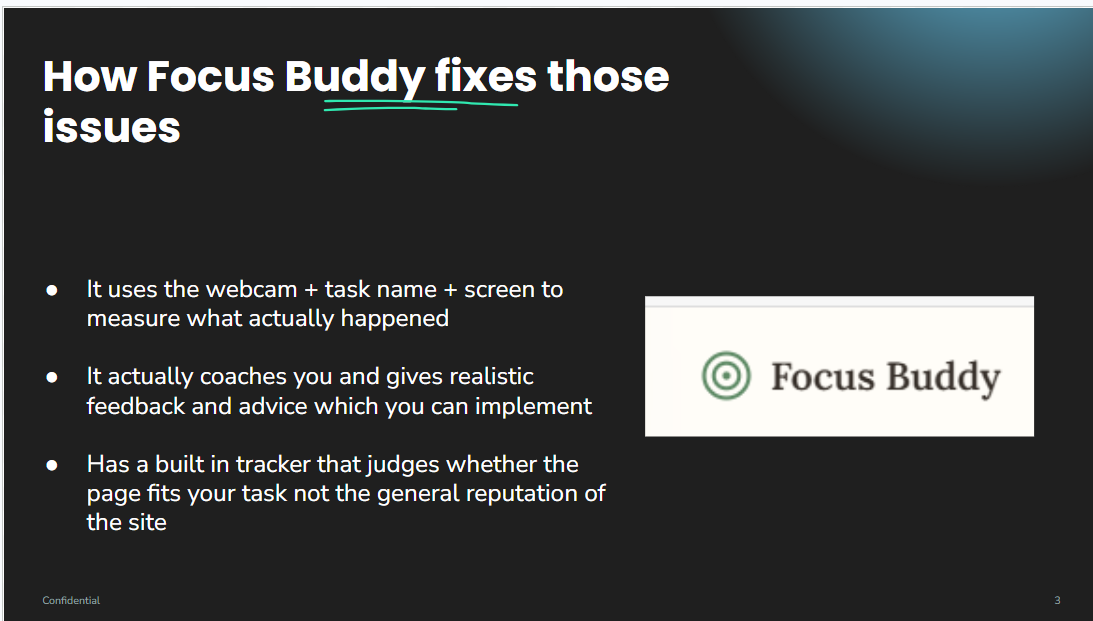
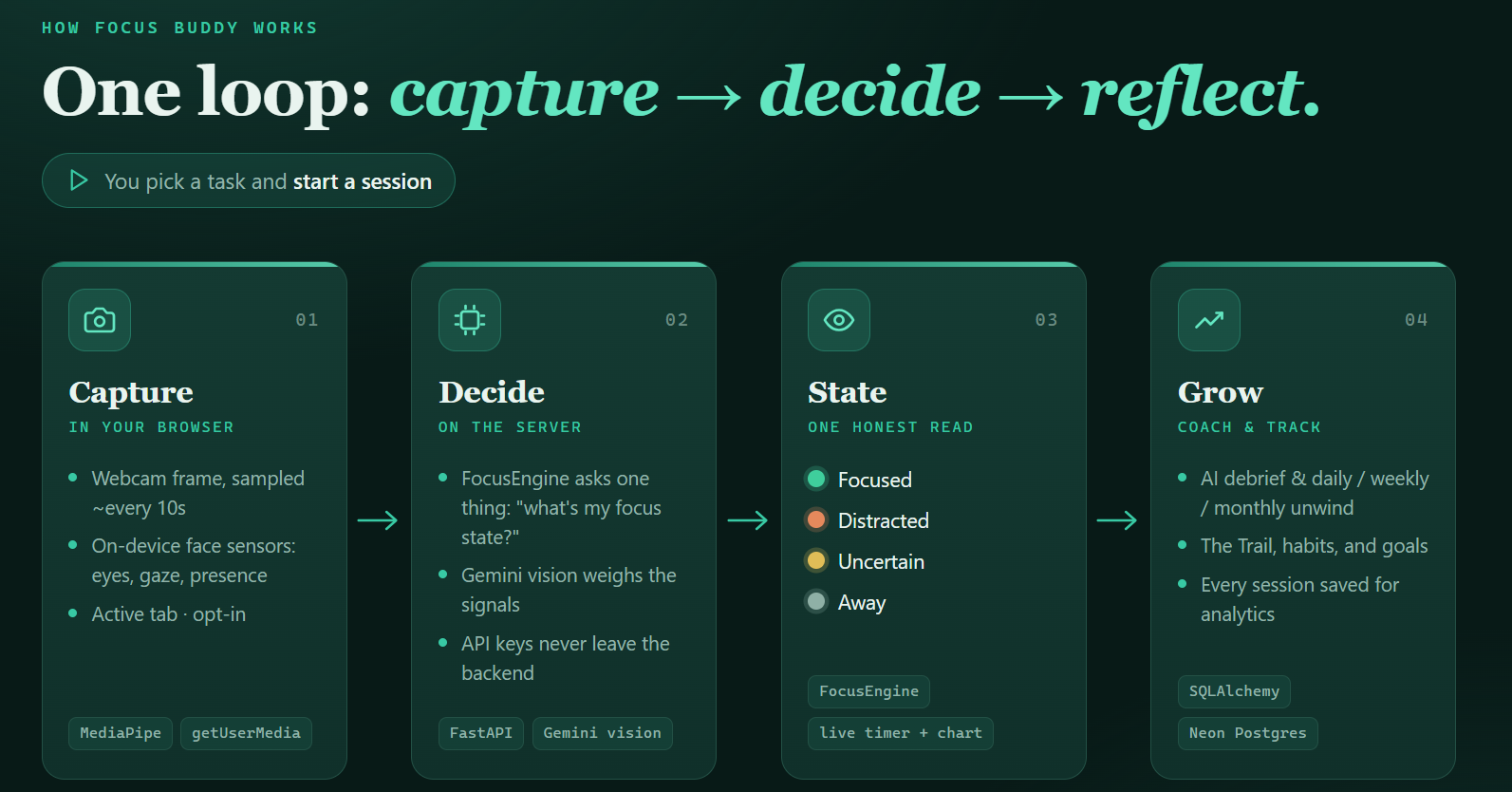
During a focus session, Focus Buddy samples low-resolution webcam frames and sends them through the backend to Gemini along with the task the user is working on. This lets the AI compare what the user meant to do with what appears to be happening. For example, if the task is "read a biology chapter," Focus Buddy can use both the webcam frame and the task title or description to decide whether the user appears to be on task.
The tracker also uses MediaPipe Face Landmarker in the browser to add lightweight on-device context, such as whether a face is present, whether the eyes appear open, and whether the head is facing the screen. These labels help the AI avoid some of the mistakes that happen when a webcam image is blurry or low resolution.
Focus Buddy also includes an optional browser extension for website awareness. When the user turns this on, the extension can share the active tab title and URL while a session is running. This is useful when the task is something like "write an essay" or "finish a coding problem," because the AI can compare the current website with the task. This feature is off by default.
Live session view
The tracker page shows a timer, webcam preview, current focus state, and live chart of time spent in each state. The goal is not to punish the user for drifting. The goal is to make the session visible enough that the user can learn from it afterward.
When the user ends a session, Focus Buddy saves the session totals and a timeline of focus-state changes. It stores the focus labels and session data, not the raw webcam images.
Session debrief
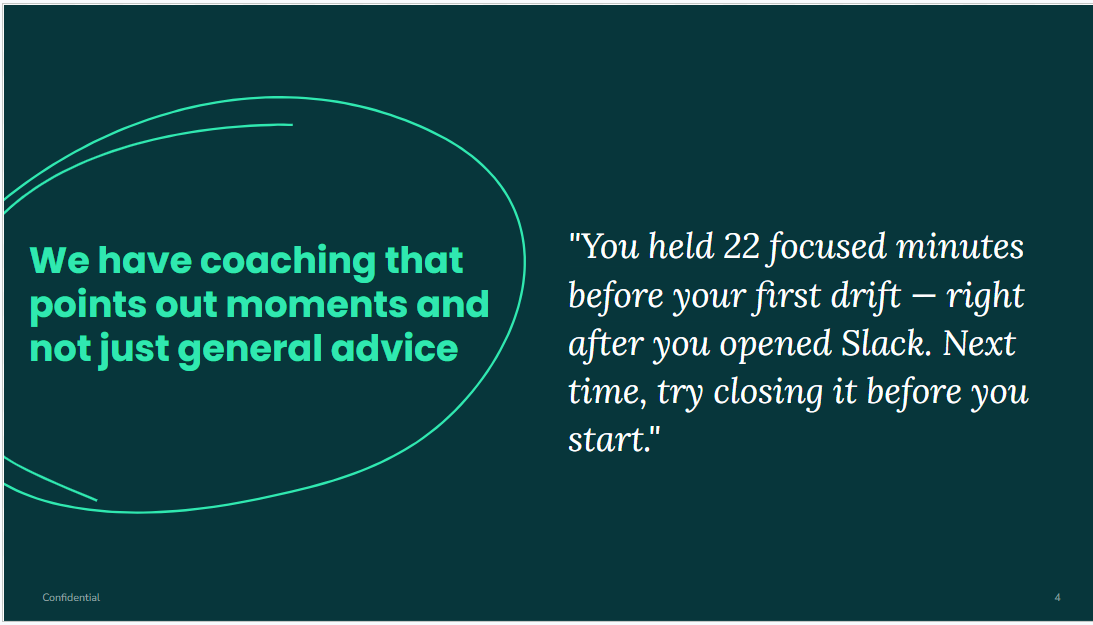
After a session, Focus Buddy can generate an AI debrief. The debrief explains what happened in that specific session and gives a practical next step. It is designed to avoid generic advice. Instead, it uses the saved timeline, task context, focus totals, and notable changes from the session.
For example, a session debrief might say:
You built a solid foundation here by staying locked into your writing for most of the session, even with a few interruptions.
Win: At the 8-minute mark, you successfully navigated away from YouTube and back to Devpost, showing you can steer your attention back when it drifts.
What happened
Your focus was quite resilient, though your attention drifted toward YouTube when you were midway through your writing.
Try next time
Since your browser tabs are currently a bit of a pull, you could use a site blocker for the specific duration of your writing session to keep those distractions out of sight.
Your one next step: When you feel the urge to open a new site while writing, commit to writing just one more sentence before switching tabs.
Daily, weekly, and monthly unwinds
Focus Buddy does not stop at one session. It also helps the user reflect over longer time periods.
The Daily Unwind looks at all sessions from one day. It summarizes the user's focus percentage, compares the day against recent history, includes important state changes, and can reference the user's plan for that day. If the user planned too much or did not follow the plan, the AI can point that out calmly and suggest a more realistic adjustment.
The Weekly Unwind looks across the whole week. It summarizes the best focus days, weaker periods, recurring distractions, and patterns that showed up across multiple sessions. Focus Buddy also keeps a lightweight pattern memory, so repeated behaviors can be affirmed, weakened, or updated over time.
The Monthly Unwind gives a bigger-picture reflection. It looks at the month as a whole, uses saved weekly notes when available, compares against earlier months, and helps the user decide what behavior is worth carrying into the next month.
Today's Plan
Focus Buddy includes a planning page where users can build a plan before starting work. They can select tasks, estimate difficulty, estimate how long each task will take, and schedule work blocks on a simple calendar.
The AI can optionally suggest where tasks might fit best based on the user's learned focus patterns and hourly focus history. For example, if the app has learned that the user focuses better in the morning, it can recommend putting the hardest task earlier in the day.
The most useful part is the plan-vs-reality comparison. After the day ends, Focus Buddy can compare what the user planned with what actually happened. This gives the AI better context for the Daily Unwind, so it can suggest things like reducing the next day's workload, moving harder work to a better time, or keeping a planning habit that worked.
Goals
I added a goals page so users can connect focus work to longer-term outcomes. A goal has a title and target date, and tasks can be linked to that goal. Focus Buddy then shows how much focused time has gone into the goal and how many days are left.
The goal system is intentionally calm. It does not shame the user for being late. If a goal passes its target date, the app describes it as still open instead of calling it overdue. The AI coaching can use goals as context, but goals are treated as facts for the model, not as another place for guilt.
Habits
Focus Buddy also includes a habits page. Some habits are manual, like putting the phone in another room before starting. Other habits can check themselves automatically from the user's real data, such as completing one focus session, reaching 25 focused minutes, making a plan, or doing a daily unwind.
Weekly Unwind can also propose one small habit when the user's week shows a recurring pattern. For example, if days with a plan clearly went better, the app may suggest a planning habit. The user chooses whether to adopt it.
The Trail, League, and landmarks
To make progress feel visible without turning the app into a pressure system, I built a reward layer called The Trail. The Trail is a monthly journey strip that shows focus sessions as camps along a path. It gives the user a visual sense of progress without using streaks or red failure states.
The League is based on lifetime focused minutes. Users move through ranks such as Wanderer, Walker, Pathfinder, Trailblazer, Voyager, and Cartographer. The rank only moves forward, so deleting old sessions or having a bad week does not demote the user.
Focus Buddy also has landmarks for meaningful moments, like the first session, first plan, first unwind, an unbroken 25-minute focus stretch, or meeting a plan. These are meant to reward useful loops rather than perfect consistency.
Analytics and session history
The analytics page lets users look back at saved sessions, daily summaries, weekly summaries, monthly summaries, focus percentages, and trends. It gives the user a way to understand their work over time instead of judging a single day in isolation.
Hosted judge demo
For the hosted demo, I created seeded demo workspaces so judges can try the app without needing to build up days of data first. There are named demo personas with realistic tasks, sessions, plans, focus history, learned patterns, goals, and habits. There is also a blank per-browser sandbox for judges who want to try the app from scratch.
How we built it
The frontend is built with plain HTML, CSS, JavaScript, Tailwind CSS, and Chart.js. I chose a simple stack because I wanted the app to be understandable and explainable. The frontend handles the task list, planning page, session tracker, webcam preview, live chart, analytics views, habits page, goals page, Trail view, theme settings, and browser interactions.
The backend is built with FastAPI in Python. It stores tasks, focus sessions, plans, goals, habits, work periods, learned patterns, analytics data, and AI-generated reflections. I used SQLAlchemy for the database layer. Locally, the app uses SQLite. The hosted demo uses Neon Postgres, with the same models and workspace-scoped demo data.
For focus detection, the frontend sends a sampled low-resolution webcam frame, the current task, optional website context, and local MediaPipe-derived labels to the backend. The backend calls Gemini and returns one of the four focus states: focused, distracted, uncertain, or away.
For coaching, I also use Gemini through the backend. The session debrief, Daily Unwind, Weekly Unwind, Monthly Unwind, and planning advice all use structured prompts and defensive parsing so the UI can stay consistent even when the model response is imperfect.
The browser extension is a small Chrome/Edge MV3 extension. It reports the active tab title and URL only when website awareness is enabled and a tracking session is actively running. The extension strips query strings and hashes before sending the URL.
For the hosted demo, I deployed the app with Vercel and connected it to Neon Postgres. The public demo uses workspace headers so each seeded persona and each blank sandbox stays separated.
Challenges we ran into
One of the biggest challenges was making the AI feedback specific. At first, the AI advice sounded helpful but generic. It would say things like "try to stay focused" without proving that it understood the actual session. I had to keep improving the prompts, add more context, and force the responses into consistent structures so the feedback could point to real moments.
Another challenge was focus detection. A webcam frame by itself is not enough to know whether someone is on task. Looking at a screen could mean writing an essay, watching YouTube, or doing nothing productive at all. To make the tracker more accurate, I added task context, optional website context, user profile context, and MediaPipe sensor labels.
Low-resolution webcam frames were another problem. Sometimes the AI could not tell whether the user was looking down, away, or simply in a blurry frame. MediaPipe helped solve part of this by giving local face and eye labels before the frame went to Gemini.
As the app grew, another challenge was making long-term coaching feel useful without making it stressful. Goals, habits, The Trail, landmarks, and League ranks all had to be designed carefully. I did not want the app to become another system that makes students feel bad for missing a day. That is why the reward systems are based on progress, completed loops, and calm reflection instead of punishment.
Hosting the demo was also challenging because judges need meaningful data immediately. I built seeded workspaces with realistic histories so the daily, weekly, and monthly coaching features could be tested live without making judges record a whole week of sessions.
Accomplishments that we're proud of
The biggest accomplishment is that Focus Buddy became more than a timer. It is now a full coaching loop: plan the work, start a session, detect focus, save what happened, reflect on the session, learn patterns, connect work to goals, and review progress over days, weeks, and months.
I am proud that the tracker uses multiple signals instead of pretending the camera alone is enough. The app combines the webcam frame, task context, optional website context, and on-device MediaPipe labels to make a more informed focus judgment.
I am also proud of the long-term reflection features. The Daily, Weekly, and Monthly Unwinds make the data useful. They help answer the questions I originally cared about: when did I focus, when did I drift, what patterns keep repeating, and what should I try next?
Another accomplishment is the hosted demo system. The app can be opened directly in the browser, and judges can try realistic seeded personas or a blank sandbox without creating an account.
What we learned
I learned how to build and host a full-stack application with a frontend, backend, database, AI model calls, and a public deployment. Before this project, I was a beginner with FastAPI, and this project taught me how routes, schemas, database models, and frontend API calls fit together.
I also learned a lot about prompt engineering. The most important lesson was that better AI output usually comes from better context and stricter structure. The model needed clear rules, examples, and computed facts instead of vague requests for advice.
On the product side, I learned that productivity tools should not just measure people. They should help people understand themselves. For students with ADHD, the goal is not to be perfect every day. The goal is to notice patterns, recover from drift, and build systems that make starting again easier.
What's next for Focus Buddy
- Build the posture coach with MediaPipe Pose so the app can also help users notice slouching or unhealthy desk posture.
- Improve model comparison by testing different Gemini models and prompt versions for focus detection and coaching quality.
- Add accounts so Focus Buddy can become a real long-term web app instead of a demo workspace system.
- Add calendar integrations, such as Google Calendar, so planning can work with the user's real schedule.
- Explore a desktop version later so Focus Buddy can understand system-wide activity, not just the browser tab.
Built With
- css
- fastapi
- html
- javascript
- mediapipe
- neon
- postgresql
- python
- sqlacademy
- sqlite
- vercel

Log in or sign up for Devpost to join the conversation.