
Inspiration
I created this as a way for individuals to build a study environment that isolates them away from online and outside distractions.
What it does
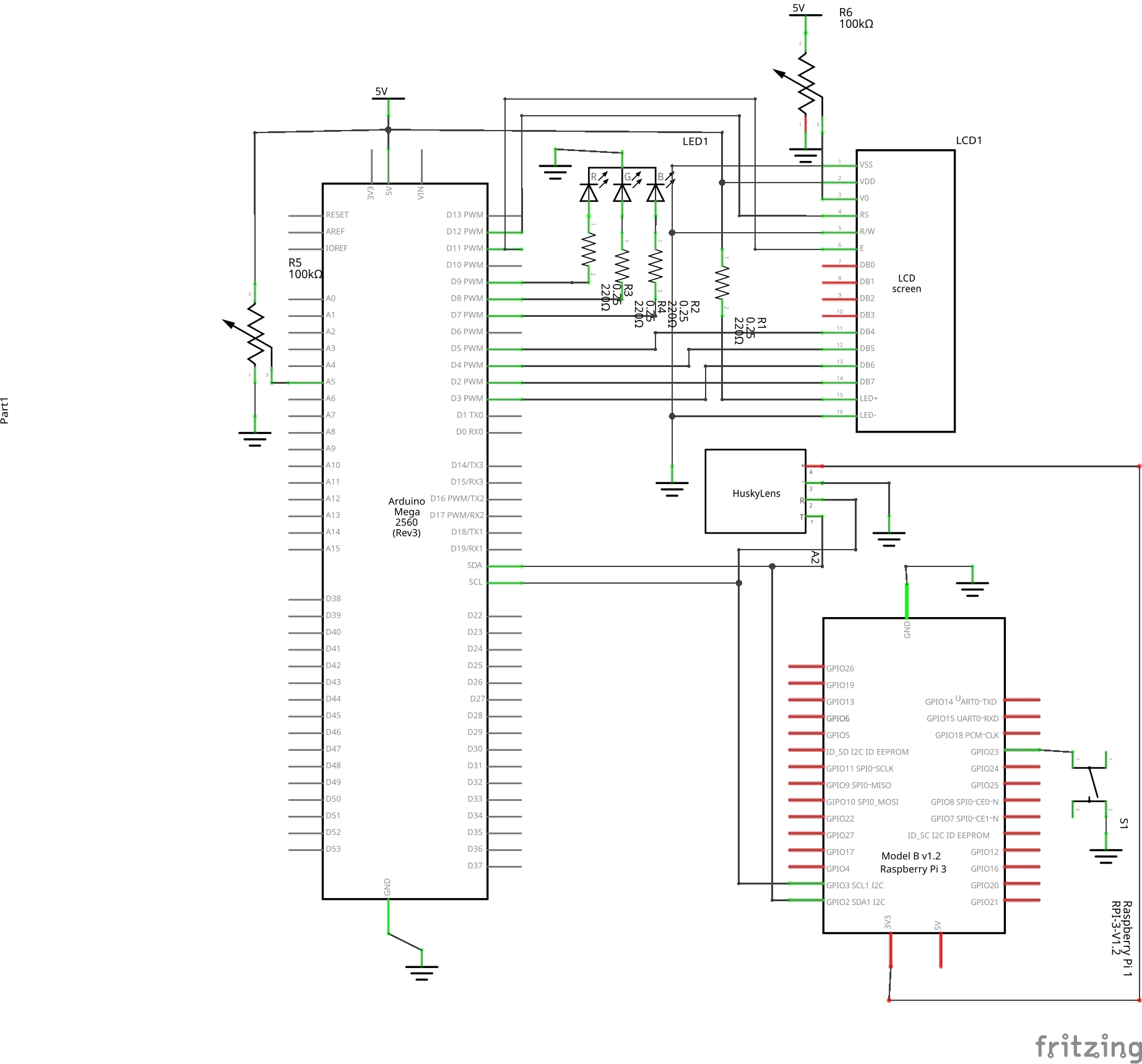
On program startup, the Raspberry Pi sends time data to the Arduino, which then displays it on an LCD screen, once per minute, and then begins to play music. The Arduino also translates the position of a knob to the color of an LED, which is a stand-in for a light strip. With the press of a button, everything shuts down.
How we built it
I used local tools; the entirety of programming took place in the default IDEs (the Arduino IDE and Python IDLE). The circuit hosts an Arduino Mega 2560 and a Raspberry Pi 3B.
Challenges we ran into
I originally had planned a much larger project, including text-to-speech, speech-to-text, facial recognition with HuskyLens, a customizable LCD message and individual profiles. As I worked, piece by piece I discovered that my Raspberry Pi's software is too outdated to run any of the aforementioned features. (However, for some reason I still need to have the HuskyLens attached for the RPi/Arduino communication to work.)
Accomplishments that we're proud of
Despite having to cut back, I have a fairly robust communication system in place, and a functioning prototype. The device works very well and reliably.
What we learned
I learned a lot about the I2C communication protocol, as well as the fine details of Raspberry Pi hardware programming and Python libraries and tools.
What's next for FocusBox
I would think of upgrading the Pi software and implementing some of the features originally intended, including voice tools and facial recognition. I would also improve the visual appearance, covering over the wiring with decoration.

Log in or sign up for Devpost to join the conversation.