-
-
Socius Logo
-
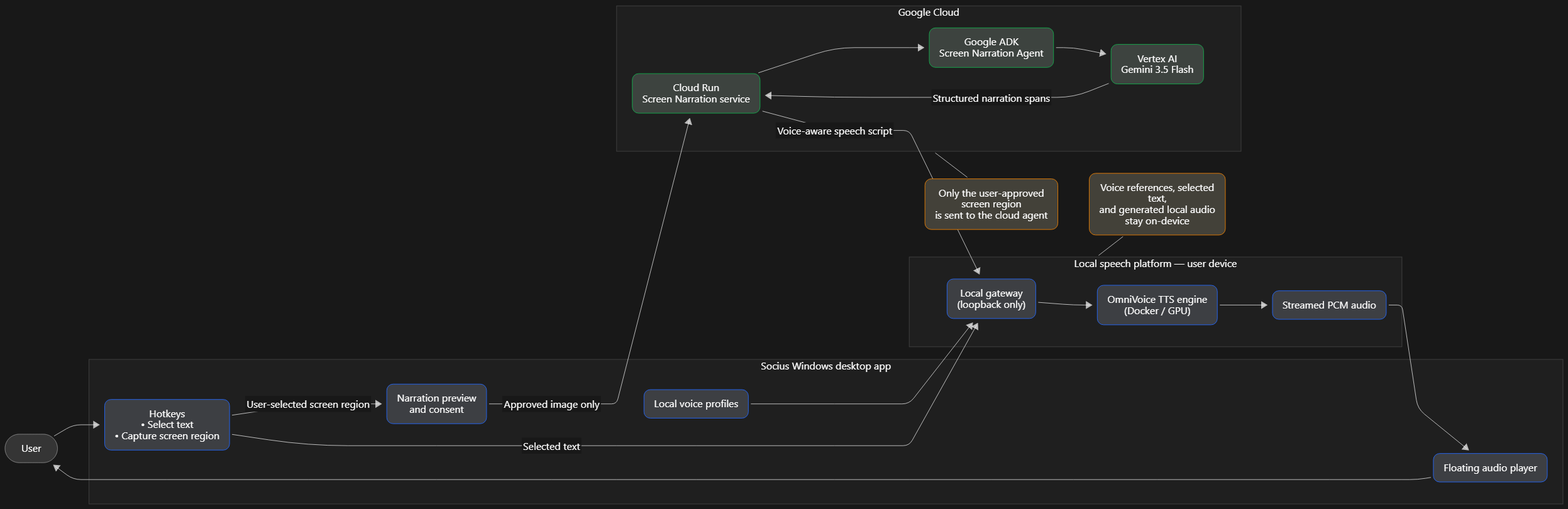
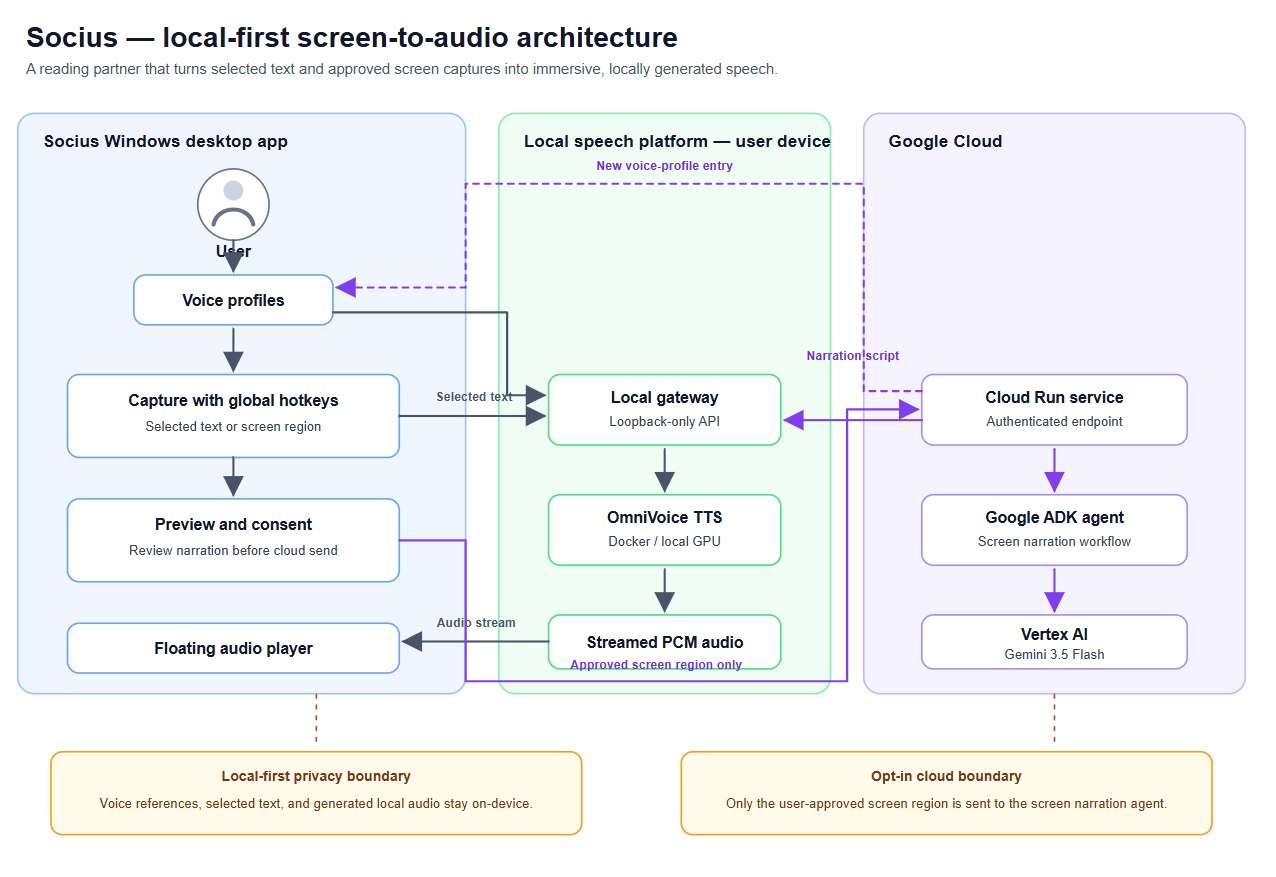
Architecture flow
-
Architecture
-
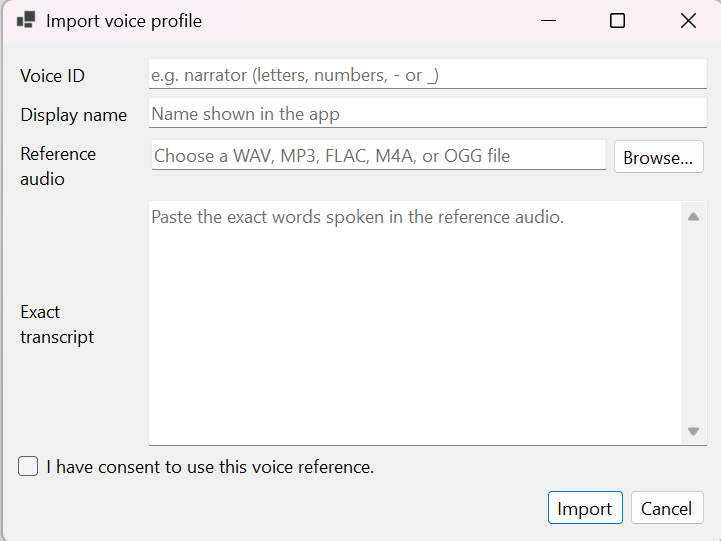
Import VoiceID manually setting
-
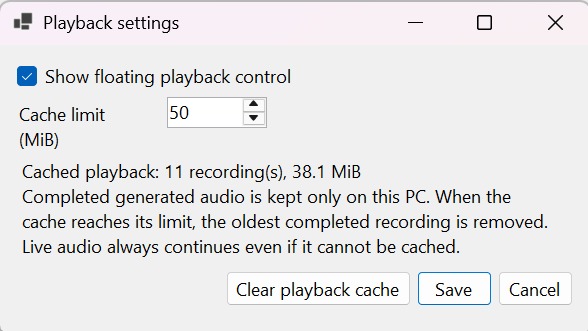
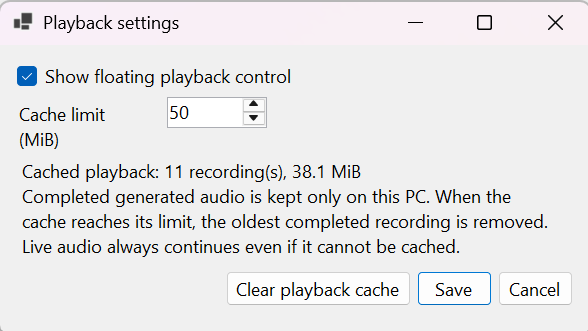
Playback setting
-
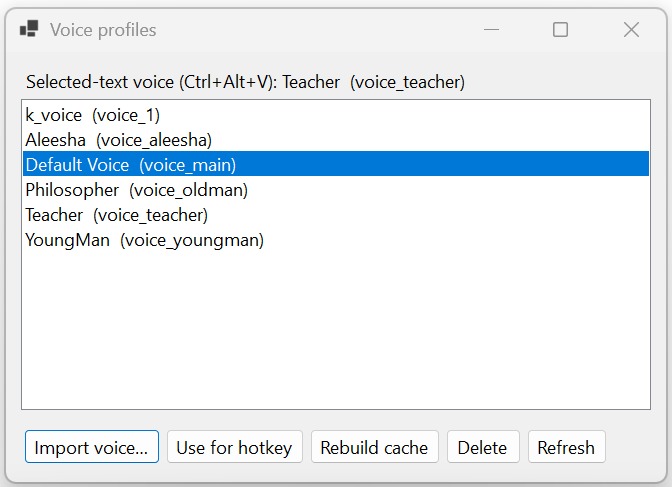
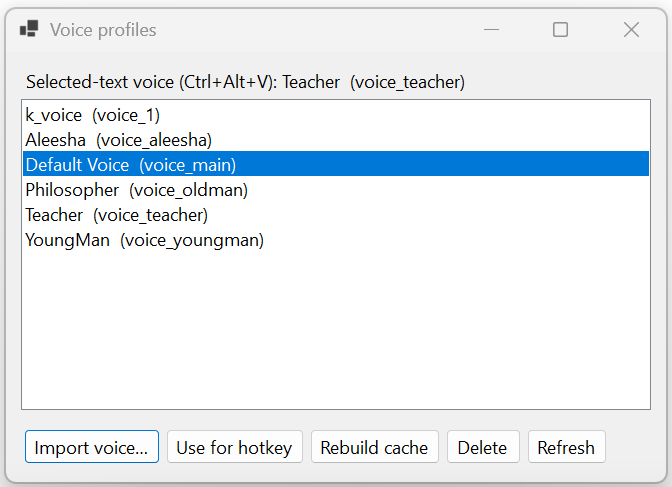
VoiceID List on local device
Socius — Your Reading Partner
Inspiration
Socius means “partner” in Latin. We built Socius because difficult reading should not be a solitary struggle. Technical documents, dense academic material, and long-form stories often demand more energy than people have available.
A summary can remove too much meaning. Socius instead becomes a reading partner: it turns what is on screen into natural, voice-aware audio, helping people listen, follow along, and understand at their own pace.
What it does
Socius converts selected text and screen captures into immersive spoken narration. Users can highlight text anywhere in Windows or capture a region of their screen, then listen through a floating playback player.
The local audio experience is already functional: selected text is synthesized locally using the user’s chosen voice profile. Our agentic flow extends this to screen content: it interprets a user-approved screenshot, extracts meaningful content and structure, chooses an appropriate narration style and available voices, and returns a speech-ready script for local playback.
How we built it
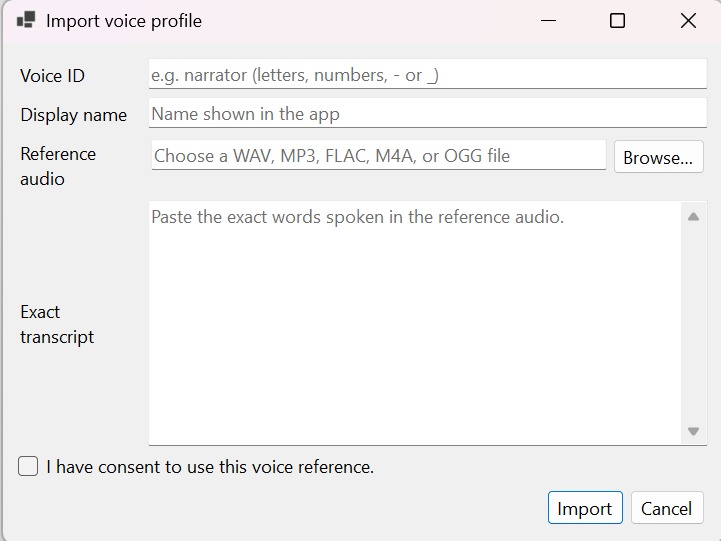
Socius is a custom Windows tray app with global hotkeys, selected-text capture, screen-region capture, voice-profile management, dialogue preview, and a floating audio player.
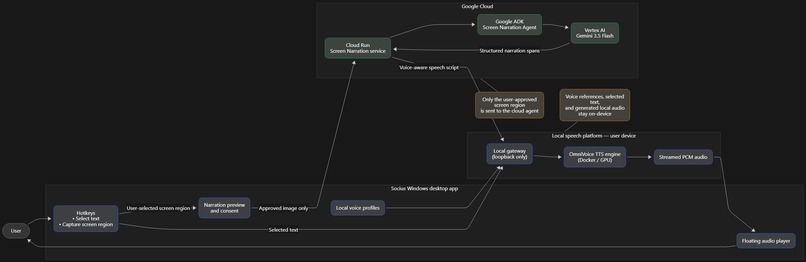
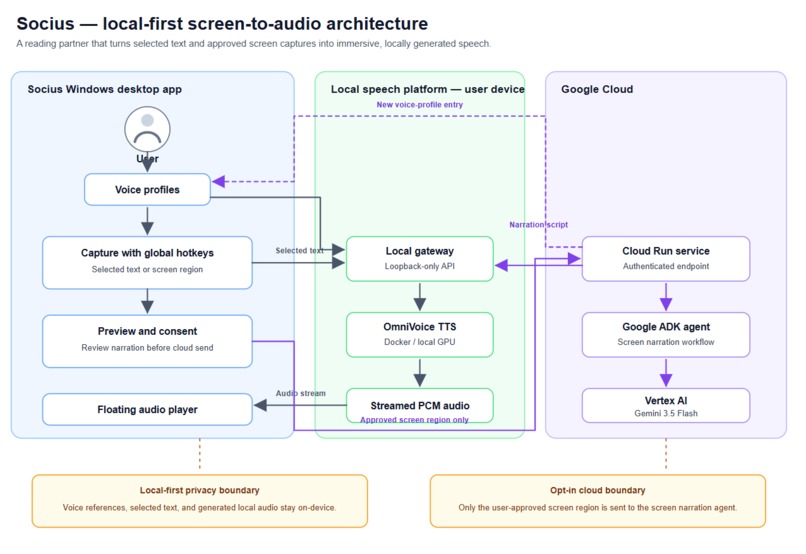
For local speech, we use a Dockerized TTS platform built around OmniVoice, with Audio8 available for evaluation. For screen narration, our Google ADK Screen Narration Agent runs through a secured Cloud Run service and uses Gemini 3.5 Flash through Vertex AI. The agent receives only the image region the user chooses, transforms it into structured narration spans, and returns those spans to the Windows app for local voice synthesis.
Challenges we ran into
The main challenge was making a powerful AI workflow feel effortless: capturing content from any app, handling long documents, generating audio incrementally, and keeping playback responsive.
We also had to set firm privacy boundaries. Voice references and normal selected-text narration stay local. The cloud agent is opt-in and receives only a user-selected screen region.
Accomplishments that we're proud of
- Built a working local Windows text-to-speech experience with global hotkeys and floating playback.
- Kept voice profiles and ordinary selected-text narration local.
- Managed to have worst-case speed under 5secs; even for any size of text-selection.
- Created a structured narration format that supports different voices and dialogue rather than one flat reading voice.
- Designed an agentic screen-to-audio architecture using Google ADK, Vertex AI, Gemini 3.5 Flash, and Cloud Run.
- Created a clear path from screen capture to understandable, immersive audio.
What we learned
We learned that accessibility is about more than reading text aloud. Good narration must preserve order, context, dialogue, numbers, and intent.
We also learned how to connect a native desktop experience with a secure cloud agent: Google ADK provides the agent structure, Gemini provides multimodal reasoning over the user-approved image, Cloud Run provides deployable infrastructure, and local TTS keeps the final voice experience close to the user.
What's next for Socius
We are completing and deploying the agentic screen-narration flow on Google Cloud. Next, Socius will better handle PDFs, tables, equations, and complex layouts; offer richer narration styles; and make the agent adapt to how each user prefers to learn.
Our goal is simple: make Socius the reading partner that helps people understand more, without making them give up control of their voice or data.
Technologies Used
- Gemini 3.5 Flash via Vertex AI
- Google Agent Development Kit (ADK)
- Google Cloud Run
- Python and FastAPI
- Windows/.NET desktop application
- Docker
- OmniVoice local text-to-speech
- Audio8 evaluation engine
Built With
- docker
- dotnet
- gemini-3.5-flash
- google-adk
- google-cloud
- omnivoice

Log in or sign up for Devpost to join the conversation.