-
-
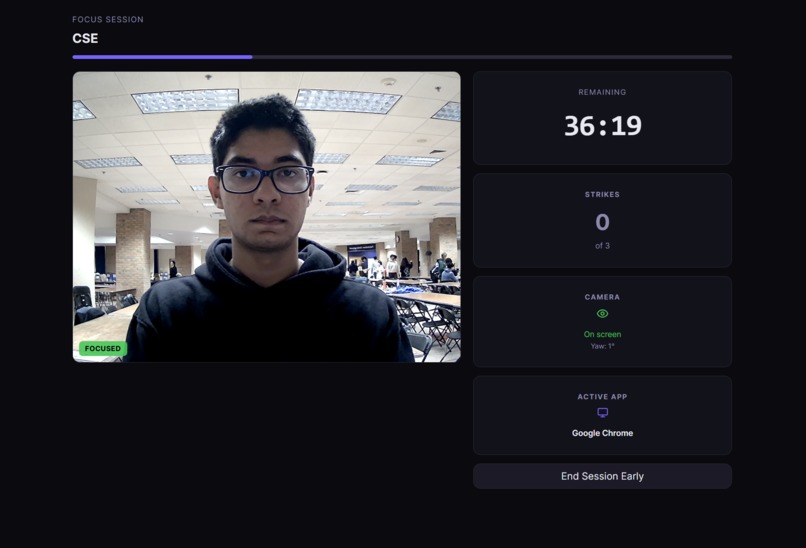
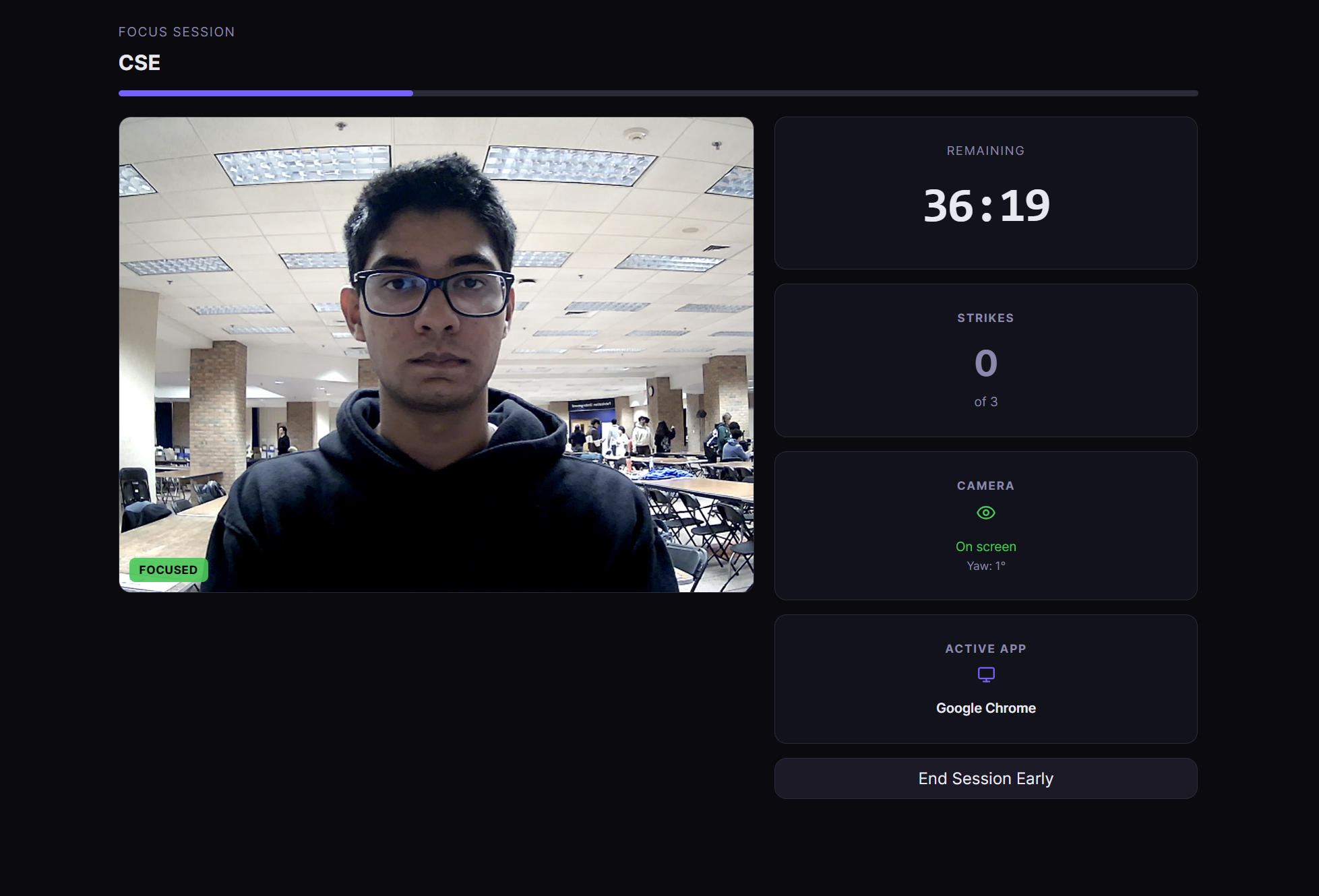
This is what the primary web page is supposed to look like.
-
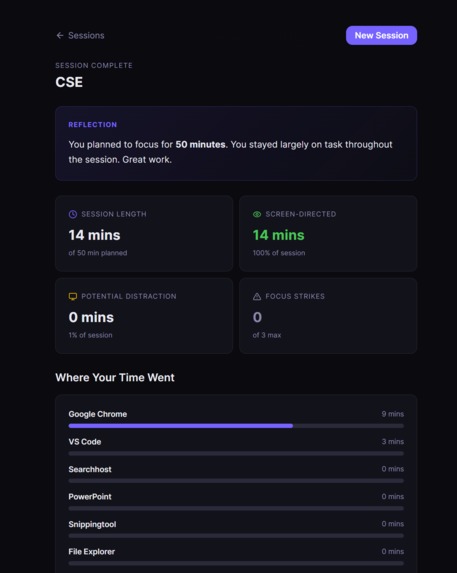
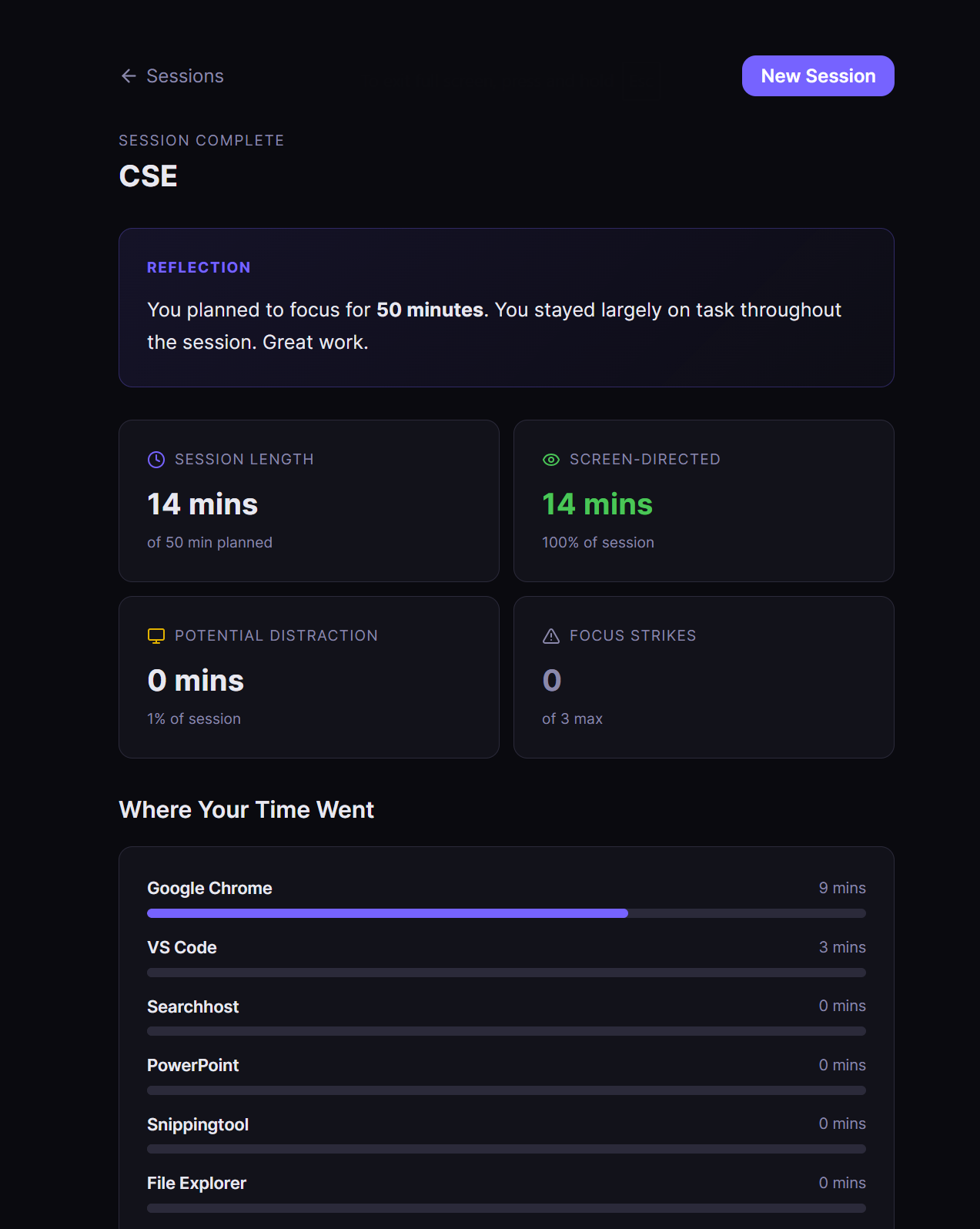
Here are session information
-
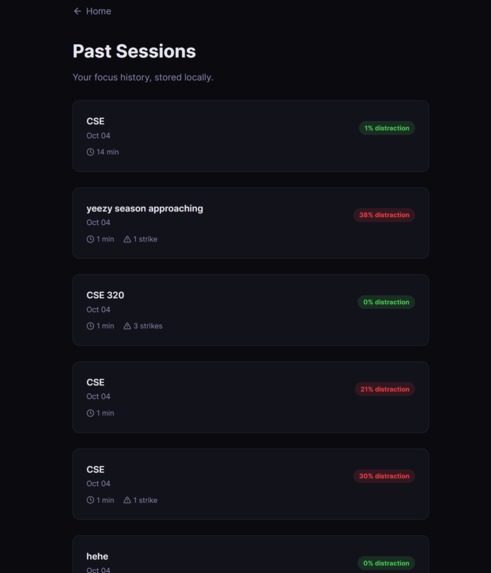
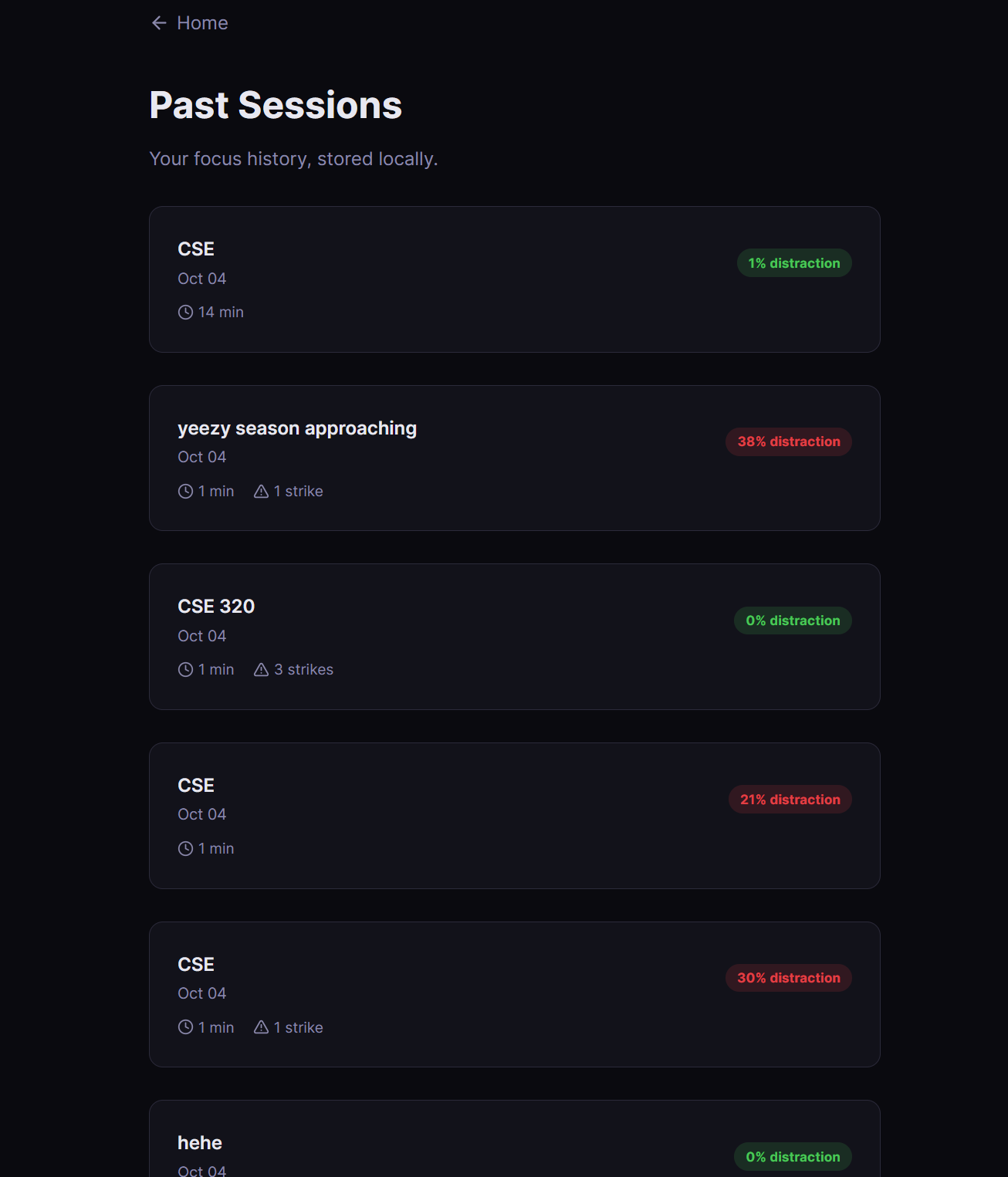
Here is what all the past sessions informtation looks like
-
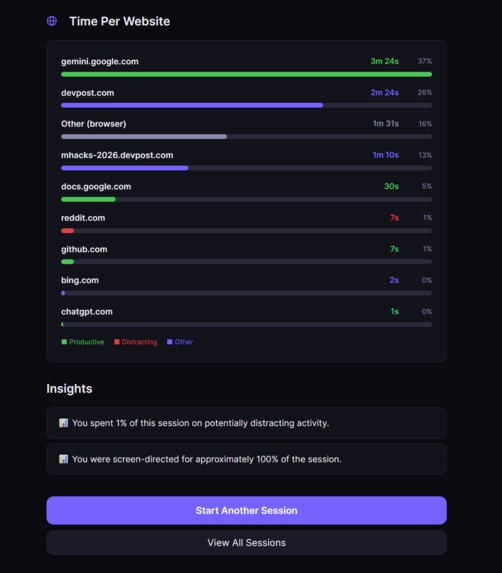
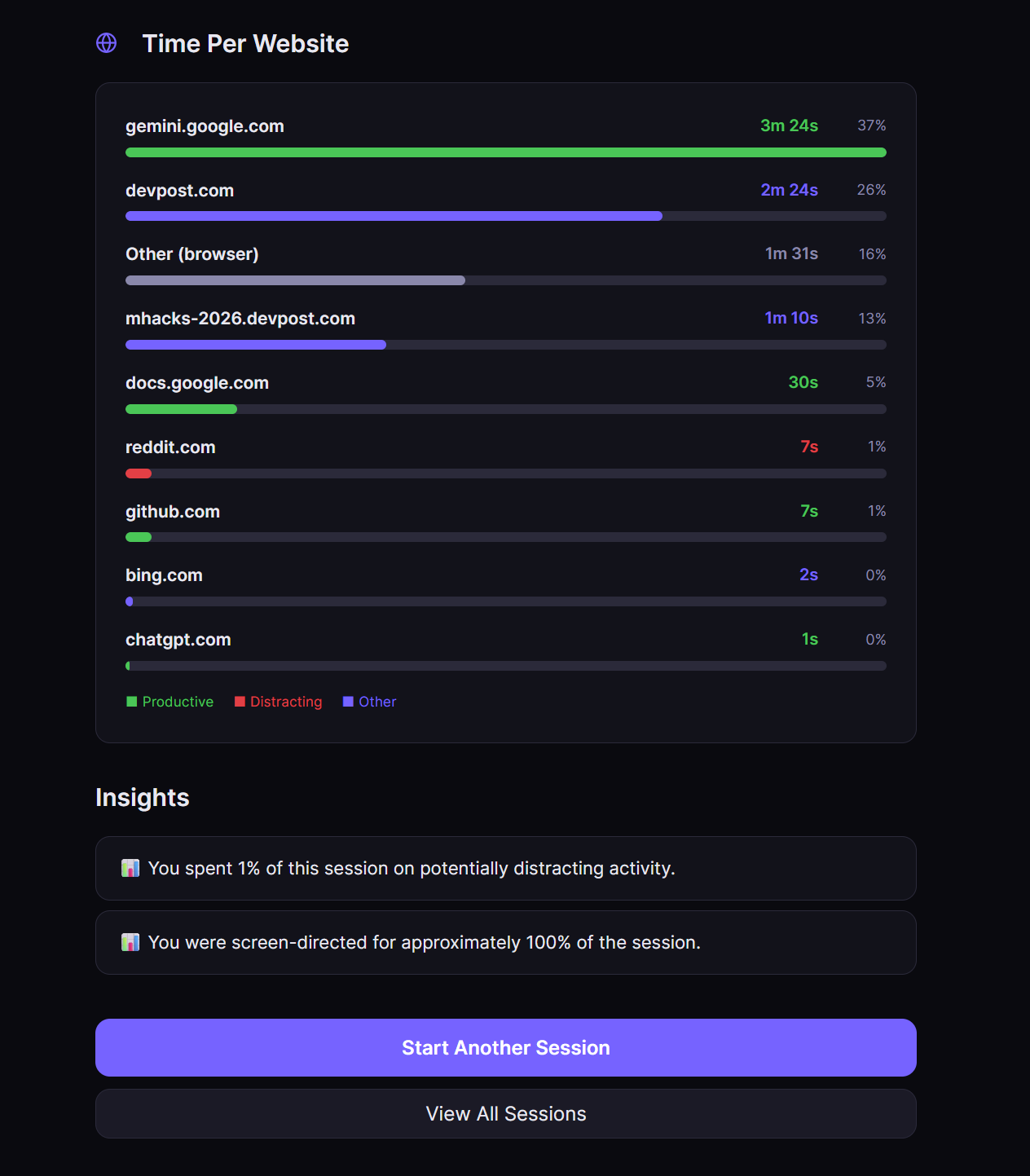
Here is part #2 of session information
Inspiration
What it does
How we built it
Challenges we ran into
Inspiration
Students don't need more productivity advice. They need to see the gap between what they intended to do and what they actually did, and get a nudge they can't quietly ignore. Research on office workers by Gloria Mark (UC Irvine) found it takes about 23 minutes to return to a task after an interruption. We wanted to catch drift in the moment, not in a report days later.
What it does
Focus is a Windows study-focus app. You say what you're working on and for how long. During the session it combines three live signals:
- Head direction (webcam): looking away from the screen for 5+ seconds earns a strike with an audio cue.
- Foreground app: tracked and classified as productive, neutral or distracting.
- Real website: the actual URL (github.com, chatgpt.com, instagram.com) read from the browser address bar, with exact seconds per site.
Stay on a distracting site for 5 seconds and a looping alarm plays until you press Back on task. Three strikes pauses the session. Afterwards a dashboard shows screen-directed %, potential distraction time, time per app, time per website, and plain-language insights. Past sessions are saved for comparison.
How we built it
- Frontend: React + Vite. MediaPipe Face Landmarker runs in the browser to detect the face and estimate head yaw from facial landmarks.
- Backend: Python FastAPI, with REST for control and a WebSocket for live events.
- Activity tracking: pywin32 and psutil for the foreground app, polled every 0.5 s. Windows UI Automation reads the real browser URL.
- Calibration: a 3-second setup step records your natural seated position so each person's own centre is zero.
- Tests: 15 automated unit tests for URL-to-domain normalisation, all passing.
Challenges we ran into
- Getting the real URL instead of guessing from window titles. We moved to UI Automation and kept an "Other (browser)" bucket so no time is dropped.
- Avoiding false alarms from a jittery camera signal, which we solved with calibration, an angle threshold and sustained-duration filtering.
- Syncing a browser-side vision model with a Python backend in real time.
Accomplishments that we're proud of
It runs end to end: set intention, calibrate, work, get called out, reflect. And it's private by design.
Privacy
Camera frames are processed locally and never recorded or uploaded. Only numbers (face found, yaw) and metadata (app, domain, duration, strikes) are used, stored as files on your own machine. No screenshots, no keystrokes, no page content.
What we learned
Real-time browser ML, Windows UI Automation, and temporal filtering for noisy signals.
What's next
macOS and Linux support, focus trends across weeks, and adjustable thresholds per student.
Accomplishments that we're proud of
What we learned
What's next for Focus Study
Built With
- computer-vision
- fastapi
- javascript
- mediapipe
- opencv
- psutil
- python
- pywin32
- react
- uiautomation
- uvicorn
- vite
- websockets
- windows

Log in or sign up for Devpost to join the conversation.