-
-
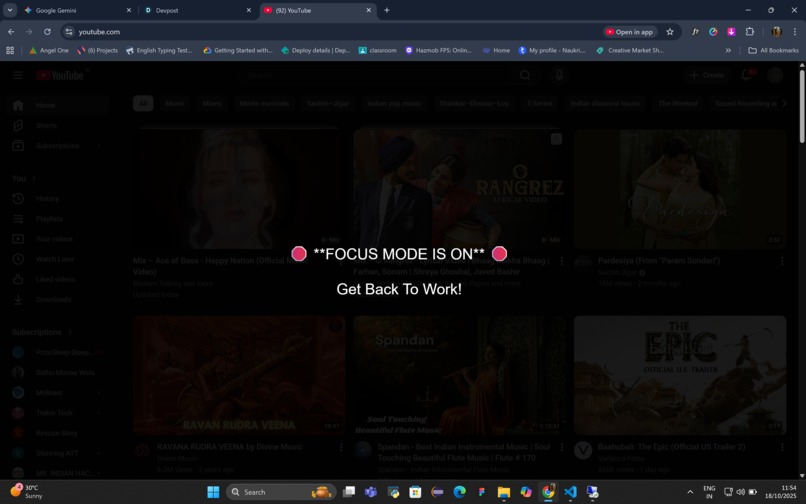
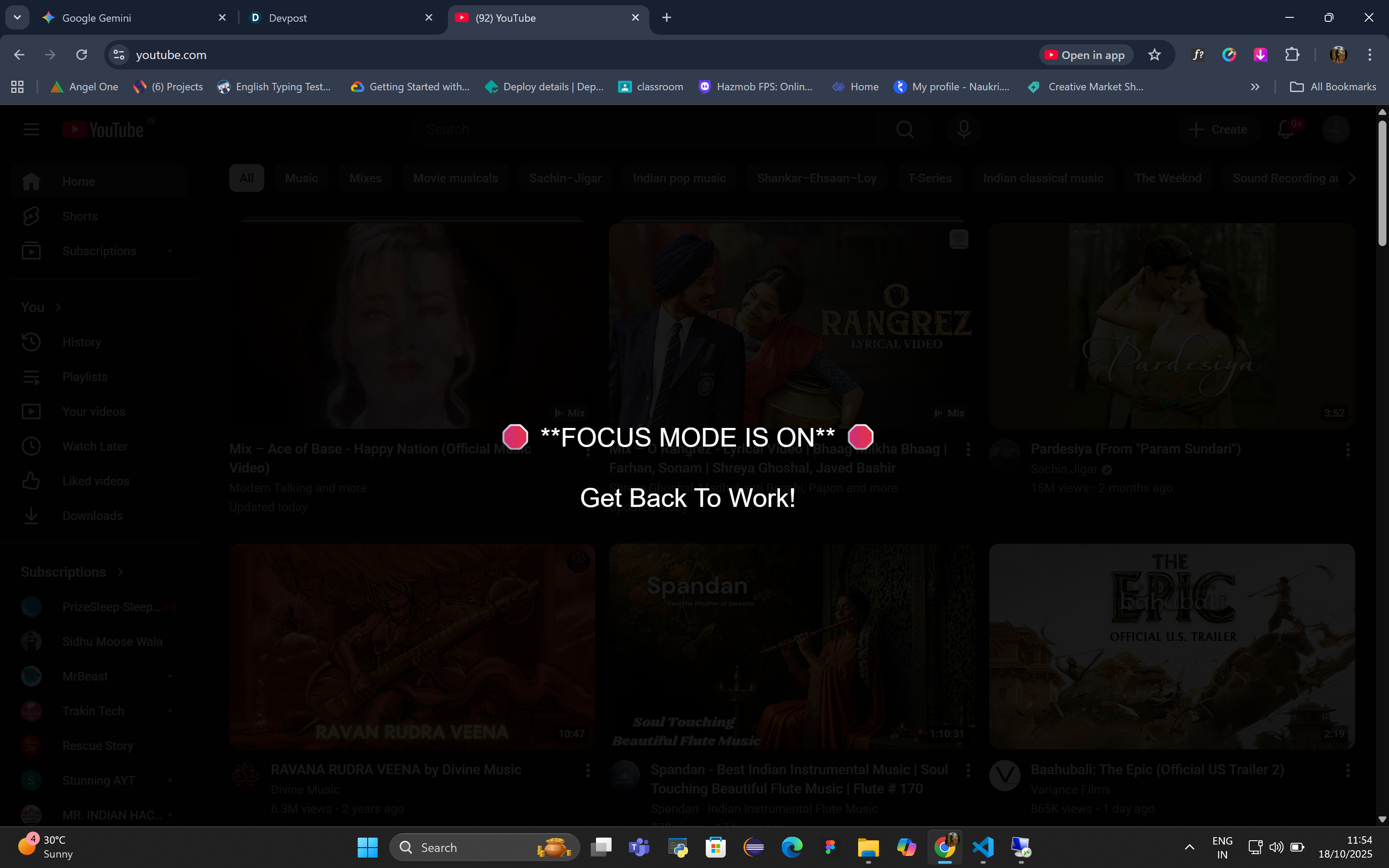
This is how it shows when navigate to the link which is entered in the extention
The Focus Mode Quick Toggle is a privacy-first Chrome Extension designed to instantly eliminate digital distractions, maximizing user productivity for deep work sessions.
Inspiration Our team was constantly inspired by the sheer volume of wasted time spent switching between productive work and distracting sites like social media and video platforms. Existing productivity blockers felt clunky, often requiring users to navigate complex settings. We were determined to build a solution that provided a single, clear, instantaneous toggle—a digital "off switch" for procrastination, allowing users to take back control of their attention with zero friction.
What it Does With a single click on the extension icon, the toggle instantly activates Focus Mode. It compares the current URL of all open tabs against a user-defined list of distracting domains. If a match is found, it overlays a prominent, unmissable, full-screen message—"🛑 FOCUS MODE IS ON 🛑 Get Back To Work!"—effectively blocking content viewing without altering the page or redirecting the user. This simple mechanism turns the browser into a powerful environment for focused work.
How We Built It The project was built using modern web standards and centered on the Chrome Extension Manifest V3 architecture.
State Management: We used the chrome.storage.local API to securely and privately store the ON/OFF state and the user's custom distraction list directly on the user's device.
Core Logic Injection: The central blocking functionality is executed using the powerful chrome.scripting API, which allows us to inject our blocking function (toggleContentScript) into target tabs with high speed.
Persistence: To ensure the block is always active on newly opened or navigated tabs, we implemented a persistent Service Worker (background.js). This worker uses the chrome.tabs.onUpdated listener to monitor for URL changes and re-injects the blocking script instantly if Focus Mode is active.
UI: The user interface (popup.html and popup.js) is minimal, focused solely on the toggle switch and the editable list, maximizing usability.
Challenges We Faced Our primary challenge was achieving reliable, instantaneous persistence across all browser states, a common difficulty with Manifest V3.
Tab Monitoring: Initially, we tried running the tab update listener from the popup.js, but this failed because the popup closes immediately. The solution required migrating the listener into a dedicated Service Worker (background.js) to ensure continuous monitoring and injection.
Domain Matching: We encountered issues reliably matching subdomains (like m.youtube.com). We resolved this by updating the logic in the content script to use currentHostname.endsWith(domain), ensuring robust blocking regardless of prefixes.
Cross-Context Communication: Ensuring the toggleContentScript function could be serialized, passed from the Service Worker (or Popup) context, and executed correctly within the content-script context required precise handling of the chrome.scripting arguments.
Accomplishments We're Proud Of We are most proud of developing a highly reliable productivity tool with a privacy-first design. By running all data storage and logic client-side (using chrome.storage), the user's browsing habits never leave their device. Successfully implementing the persistent blocking using the modern Manifest V3 Service Worker demonstrates a clean, scalable, and up-to-date approach to extension development.
What We Learned This project provided deep practical experience in:
Implementing Manifest V3 Service Workers for persistent background tasks, contrasting them with the older, less secure background pages.
Mastering the use of the modern chrome.scripting API for secure and dynamic content injection.
Designing robust logic around chrome.storage for lightweight, local state management.
Understanding and debugging the lifecycle and various contexts (Service Worker, Popup, Content Script) within a Chrome Extension.
Built With
- chrome.scripting
- chrome.storage.local
- chrome.tabs
- chrome.tabs.onupdate

Log in or sign up for Devpost to join the conversation.