Inspiration
Most mornings start with a phone full of notifications and no plan. I wanted a calm space that sits on my real desk, shows me only three small wins for the day, and helps me do one short burst of deep focus. Mixed reality is a good fit: the plan floats in front of you, in your own room, with no extra screen to unlock.
What it does
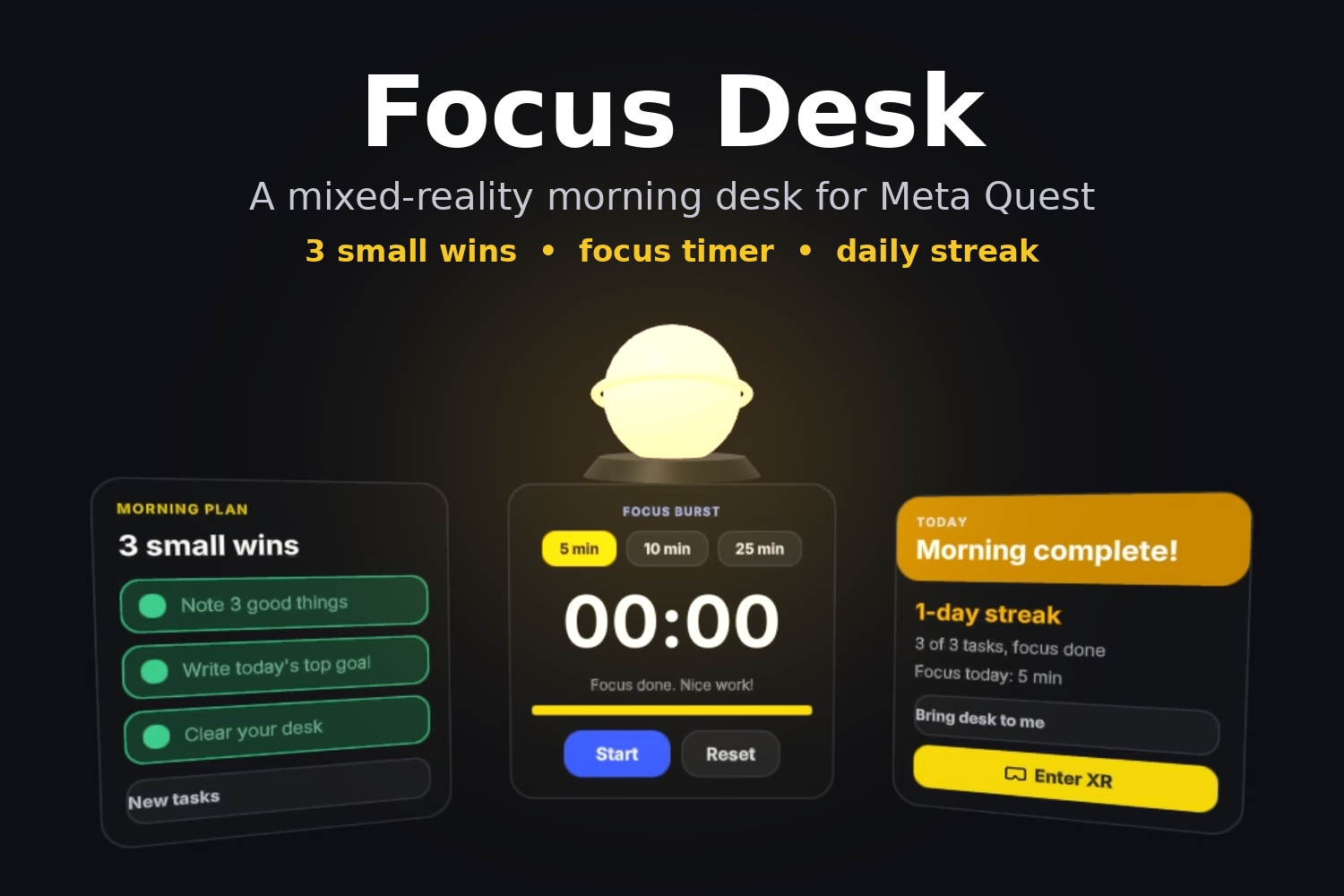
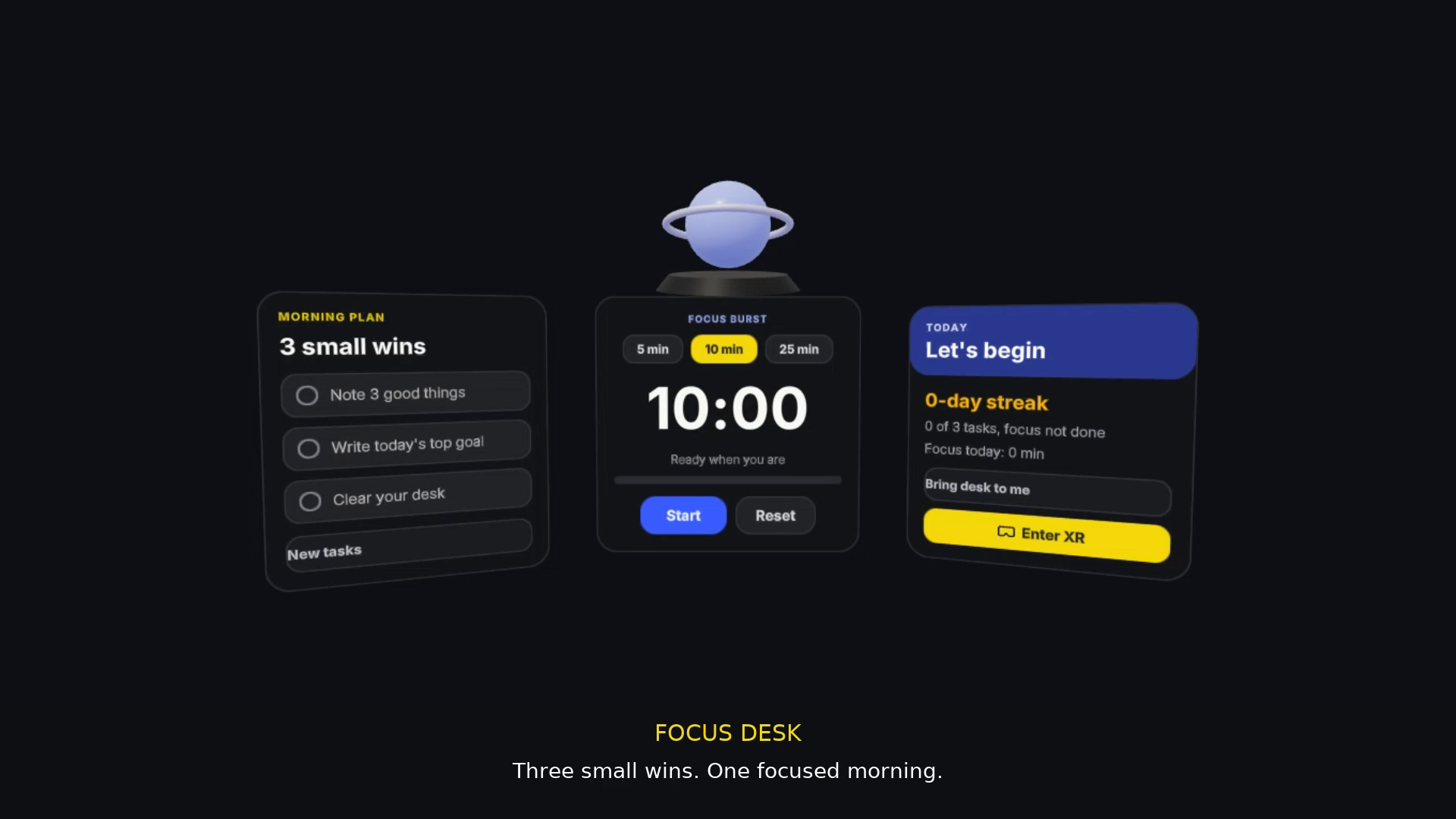
Focus Desk places a small desk of floating panels about 60 cm in front of you in passthrough mixed reality:
- Morning Plan: 3 small tasks. Point and pinch (or pull the trigger) to tick them off. "New tasks" swaps the unfinished ones.
- Focus Burst: a 5, 10 or 25 minute timer with start, pause and reset.
- Focus orb: glows from blue to gold as you make progress and pulses while you focus. Press it to start or pause the timer.
- Today panel: your daily streak, tasks done and focus minutes. Progress is saved, so your streak continues the next day.
- Bring desk to me: moves the desk back in front of you if you walk around.
How we built it
- IWSDK (Immersive Web SDK) with WebXR, so it runs in the Meta Quest Browser with no install.
- TypeScript + Vite, using IWSDK's ECS (entity-component-system) for app logic.
- UIKitML spatial panels for the task list, timer and stats.
- A procedural 3D orb with emissive materials that change color based on progress.
- WebXR hand tracking, anchors and plane detection for mixed reality.
- Tested with IWER, the Quest 3 emulator, which simulates the headset, controllers and hands in the browser.
Progress is a simple ratio of finished items:
$$\text{progress} = \frac{\text{tasks done} + \text{focus done}}{4}$$
The orb color blends from blue to gold using this value.
Challenges we ran into
- Comfortable placement: panels too close feel crowded, too far are hard to read. We settled on 60 cm in front and 18 cm below eye level, facing the user.
- Readable spatial UI: UI sizes are in real-world centimeters, not pixels, so text and buttons had to be tuned to be easy to hit with a hand ray.
- No headset: everything was built and tested in the IWER Quest 3 emulator, including entering XR and ray-pressing the orb.
- Streak logic: the streak must go up once per day and reset when a day is missed.
What we learned
- How WebXR and IWSDK make mixed-reality apps that open from a simple link.
- How to design UI for space (depth, size, angle) instead of a flat screen.
- That small, calm interactions (3 tasks, 1 timer) can feel more useful than a big feature list.
What's next
- Pin the desk to a real table using plane detection and anchors
- Ambient focus sounds and a "do not disturb" mode
- Weekly streak history and custom tasks
- Voice input to add tasks
Built With
- hand-tracking
- html5
- iwer
- iwsdk
- javascript
- meta-quest
- mixed-reality
- three.js
- typescript
- uikit
- vite
- webxr

