Students today are constantly pulled away by social media, notifications, and endless browser tabs — making deep focus nearly impossible.
Existing productivity tools either feel too corporate, too complex, or do nothing to actually prevent distractions.
We wanted to build something that felt personal and minimal — like sitting down with a sketchbook and a pencil — where the environment itself forces you to focus.
What it does
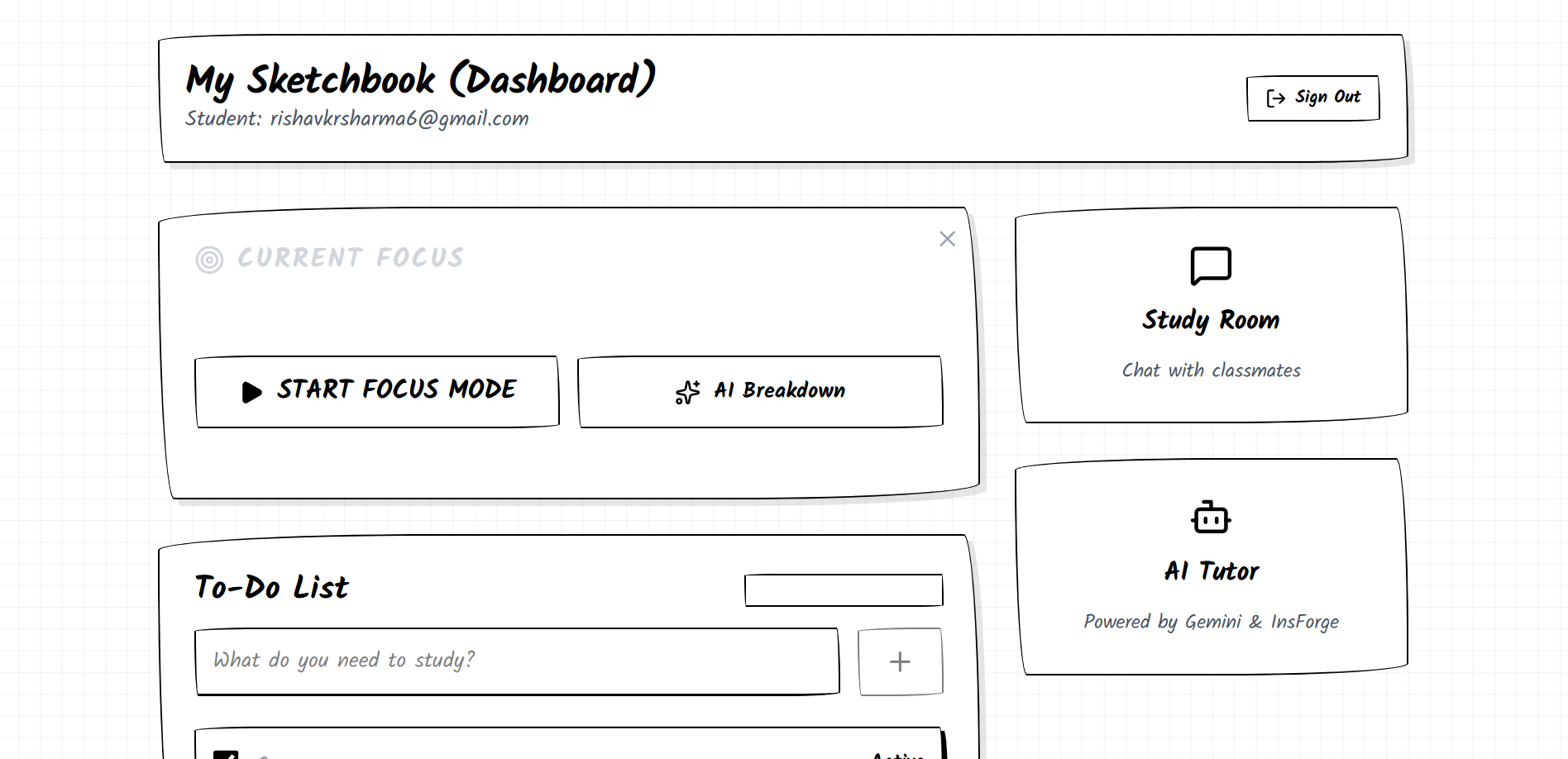
Forced Focus Mode — A fullscreen session that actively detects tab switching and window blurring; if you leave, an alarm triggers to pull you back.
AI Tutor (Gemini-powered) — Students can ask questions and get instant academic help directly inside the app, eliminating the need to open a distracting new tab.
Minimal Pencil-Sketch UI — A clean, hand-drawn aesthetic designed to reduce visual noise and cognitive load, making it easier to stay in the zone.
Secure Authentication — Sign in via Email/Password, Google, or GitHub to keep your sessions and progress saved.
How we built it
Built the frontend as a fast, responsive web app with a custom pencil-sketch design system.
Integrated Google Gemini API for the in-app AI tutoring experience.
Used browser APIs (Visibility API, focus/blur events) to detect tab switching and trigger the focus alarm.
Implemented authentication with support for Email/Password, Google OAuth, and GitHub OAuth.
Deployed as a full-stack web app with a clean, single-page experience.
Challenges we ran into
Getting reliable tab/window switch detection across different browsers — each handles focus/blur events slightly differently.
Designing the alarm system to be annoying enough to deter distraction but not so aggressive it frustrates users.
Keeping the AI Tutor contextually helpful for students without letting it become another distraction itself.
Achieving the pencil-sketch aesthetic consistently across all UI components while keeping performance smooth.
Accomplishments that we're proud of
Built a fully functional focus enforcement system using native browser APIs — no extensions required.
Seamlessly embedded an AI tutor that keeps students within the productive environment.
Designed a UI that is genuinely calm and minimal — something students actually want to open.
Shipped a working product with OAuth, real-time detection, and AI integration end-to-end.
What we learned
Browser Visibility API and window focus events are powerful but have cross-browser quirks that require careful handling.
UX design for focus apps is a balancing act — too strict and users abandon it, too lenient and it loses its purpose.
Integrating an LLM (Gemini) in a way that enhances rather than distracts from the core experience requires thoughtful UX placement.
Building with a strong visual identity from the start makes every component decision easier and more consistent.
What's next for Focallex
Session analytics — Show students how long they stayed focused, how many times they got distracted, and weekly trends.
Pomodoro / custom timer modes — Structured study sessions with short break intervals.
Note-taking inside the app — A sketch-style notepad so students never need to leave.
Mobile app — Bring the same forced-focus experience to phones where distractions are even worse.
Collaborative study rooms — Focus together with friends in a shared session for accountability.

Log in or sign up for Devpost to join the conversation.