-
-
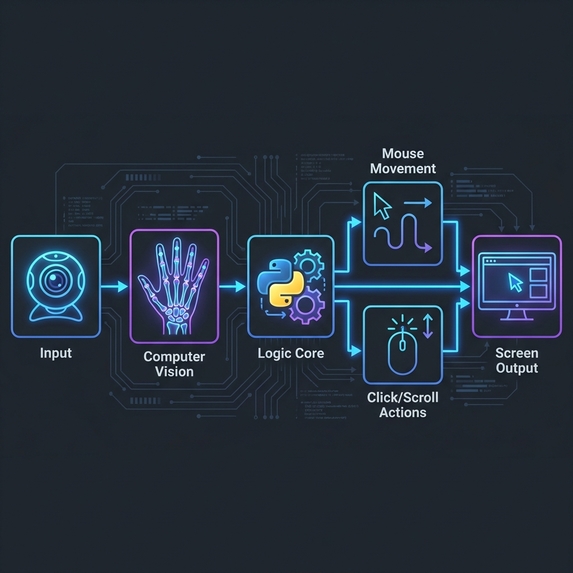
FLOW
-
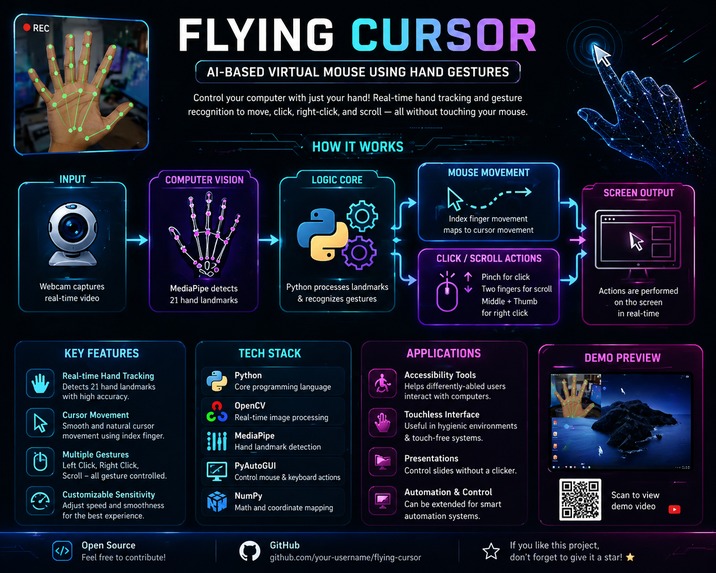
POSTER
-
LOGO
Inspiration
Flying Cursor was inspired by the idea of creating a futuristic and touchless way to interact with computers. We wanted to explore how Artificial Intelligence and Computer Vision could replace traditional hardware devices like a mouse with simple hand gestures. The project was also motivated by accessibility and smart interaction systems that can help users control devices more naturally and efficiently.
What it does
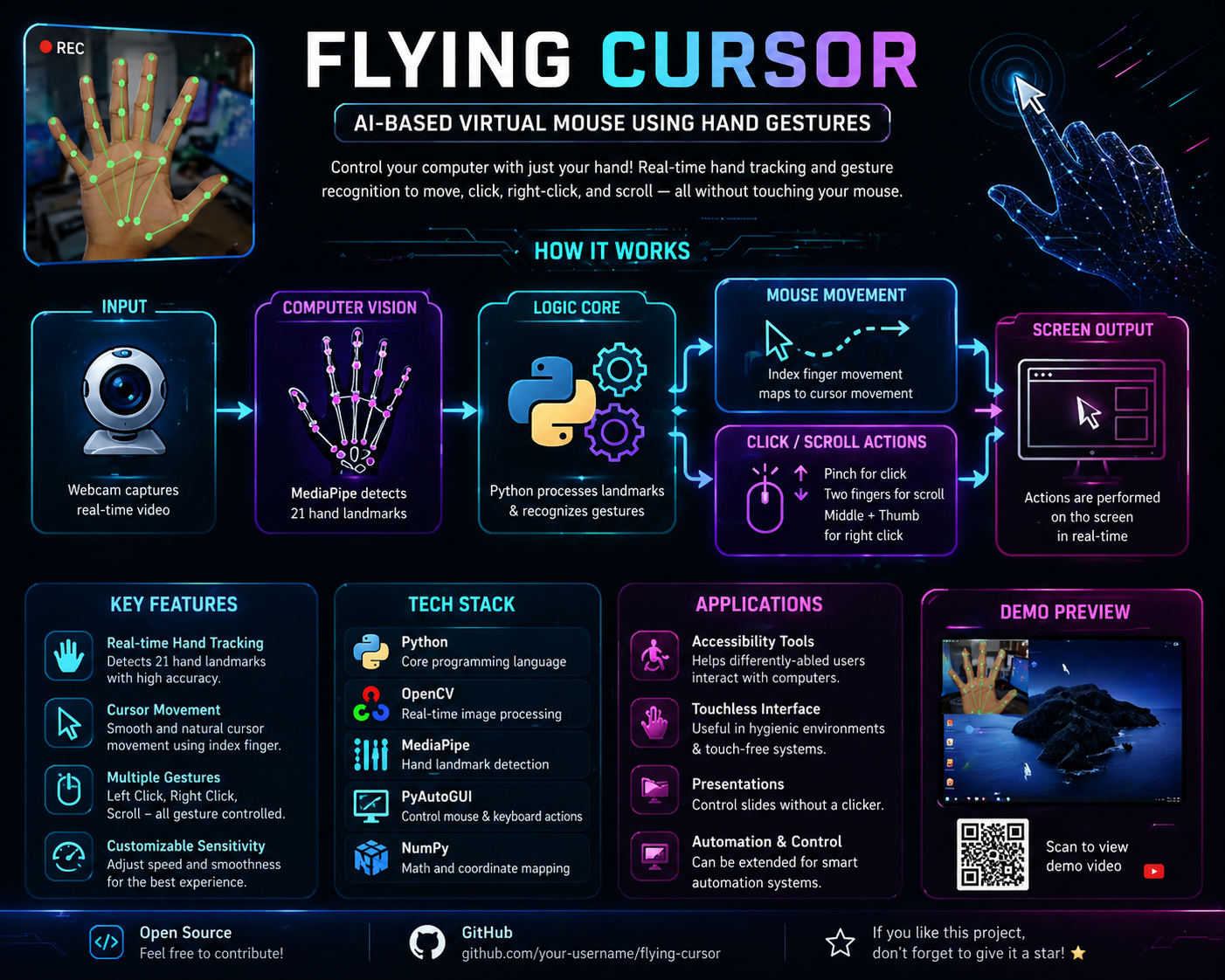
Flying Cursor is an AI-powered virtual mouse system that allows users to control their computer cursor using hand gestures through a webcam.
Features:
- Move the cursor using hand movement
- Perform left-click actions using finger gestures
- Scroll using multi-finger gestures
- Touchless interaction without a physical mouse
- Real-time hand tracking and gesture recognition
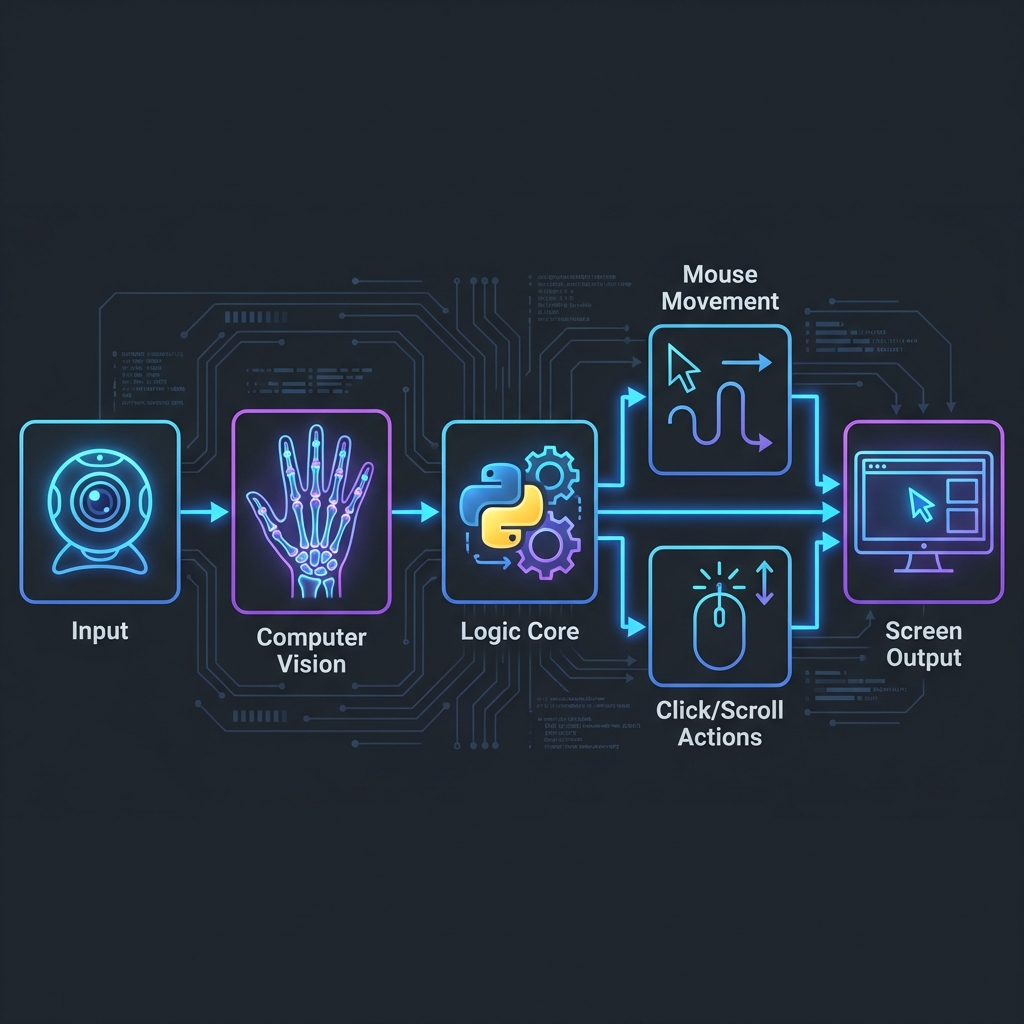
The system captures live video through a webcam, detects hand landmarks, and converts hand movements into cursor actions on the screen.
How we built it
We built Flying Cursor using Python and various AI/computer vision libraries.
Technologies Used:
- Python – Main programming language
- OpenCV – Webcam access and image processing
- MediaPipe – Hand tracking and landmark detection
- PyAutoGUI – Cursor movement and mouse control
- NumPy – Mathematical calculations
Development Process:
- Captured real-time webcam feed using OpenCV
- Detected hand landmarks using MediaPipe
- Mapped finger positions to screen coordinates
- Implemented gesture recognition logic
- Connected gestures with cursor actions like movement and clicking
- Added smoothing techniques for stable cursor control
Challenges we ran into
During development, we faced several challenges:
Cursor jitter and unstable movement
- The cursor initially moved shakily due to rapid frame updates.
Gesture recognition accuracy
- Some gestures were difficult to distinguish consistently.
Lighting issues
- Poor lighting affected hand detection performance.
Real-time processing lag
- Continuous video processing caused performance issues on lower-end systems.
Coordinate mapping
- Converting webcam coordinates accurately to screen resolution required fine-tuning.
Accomplishments that we're proud of
- Successfully created a fully functional AI-powered virtual mouse
- Achieved real-time hand tracking and cursor control
- Implemented gesture-based clicking and scrolling
- Built a touchless interaction system using only a webcam
- Improved cursor smoothness and responsiveness
- Learned and applied practical AI and computer vision concepts
What we learned
Through this project, we learned:
- Fundamentals of Computer Vision
- Real-time hand tracking using AI
- Gesture recognition techniques
- Integration of multiple Python libraries
- Coordinate mapping and motion smoothing
- Problem-solving in real-time systems
- Importance of optimization and user experience
We also learned how AI can be used to create more natural human-computer interaction systems.
What's next for Flying Cursor: AI-Powered Virtual Mouse
In the future, we plan to enhance Flying Cursor with more advanced features such as:
- Voice command integration
- AI-based customizable gestures
- Multi-hand support
- Virtual keyboard integration
- Improved gesture accuracy using Deep Learning
- Support for gaming and presentations
- Mobile and smart TV compatibility
- 3D hand tracking capabilities
- Accessibility-focused interaction modes
Our vision is to transform Flying Cursor into a smarter and more intelligent touchless interaction platform for future devices.


Log in or sign up for Devpost to join the conversation.