
Inspiration
I'm a software developer in Ecuador, and I started learning English to reach better jobs abroad. The popular AI tutors I tried built my whole study plan around the role I gave them, so I got very good at talking about bugs and debugging and froze on everything else. Most had no accents to choose from and no place to keep the vocabulary I was learning. General chatbots didn't remember anything and weren't personalized at all.
What finally worked was friction: being pushed into topics I didn't know how to talk about. So I built a small local website just for myself, with varied topics and subtopics, different accents, a vocabulary cycle and connected-speech listening. It got me fluent faster than anything else I'd tried. Fluvia is that tool, rebuilt as a product: a hub for mastering spoken English through real conversations, on any topic.
What it does
Fluvia is a spoken-English coach for iPhone and the web.
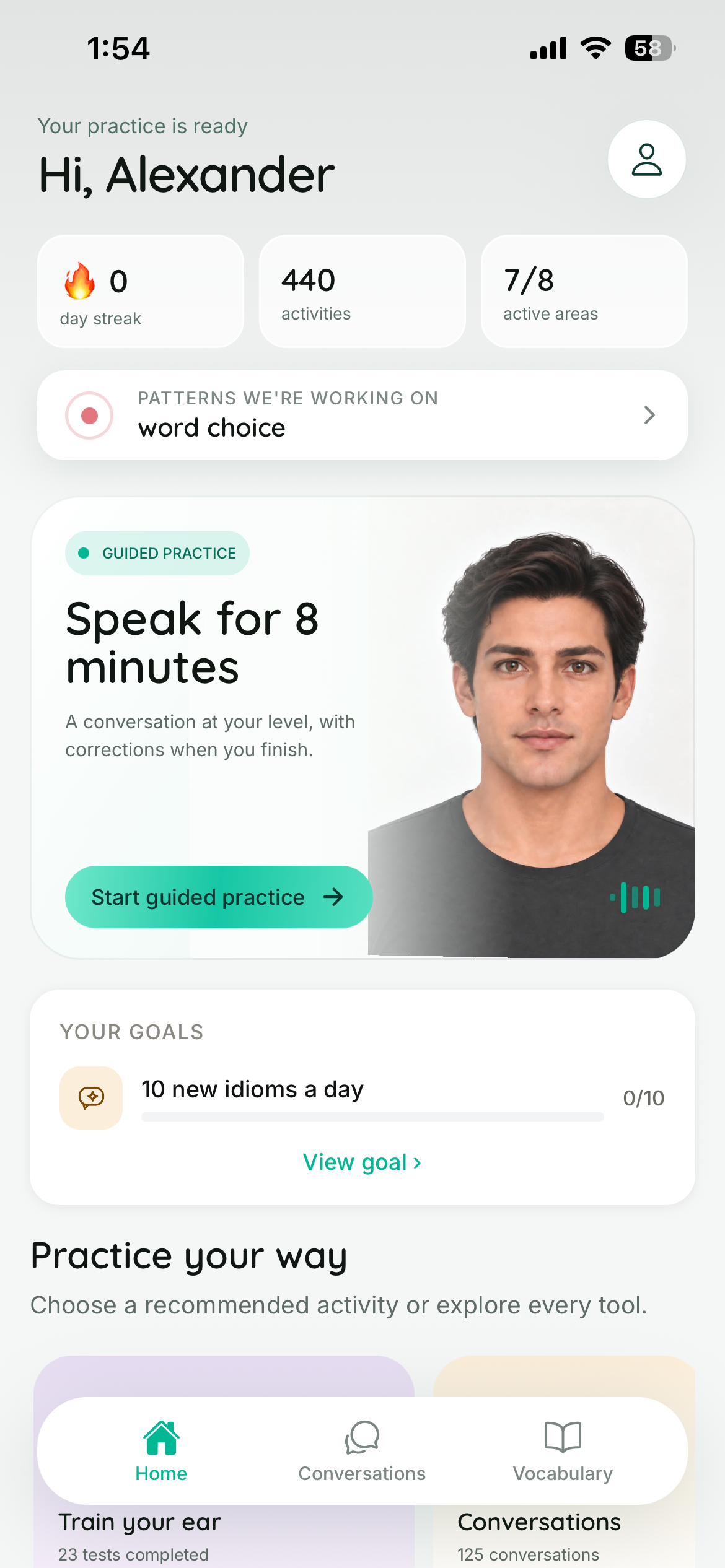
- Voice conversations with AI characters. Role-plays with a persona, friendly debates, or topic threads. Each character is an animated avatar whose lips move with its voice.
- Self-correction. When you repeat a mistake, Fluvia doesn't hand you the answer. It quotes your phrase and asks you to fix it, with a reveal button if you're stuck. When you manage it, you get a visible "you fixed it" moment.
- Pattern Radar. Home shows the categories of mistakes you're working on, and each category is practised with its own strategy (see Design).
- Support during a conversation: a hint card, adjustable speech speed, an inline translator, a vocabulary focus sheet, and a spoken review at the end.
- Free study tools: connected-speech decoding, listening, writing comparison, vocabulary, phrasal verbs, idioms, translation, goals and progress.
- Five interface languages (English, Spanish, Portuguese, French and Arabic), with full right-to-left layout for Arabic, including the avatar.
- Try before signing up. New users have a real conversation before creating an account.
How we built it
- App: Expo / React Native (Expo Router, Reanimated, React Compiler).
- Backend: Next.js + PostgreSQL.
- Purchases: RevenueCat (
react-native-purchases) for subscriptions. A RevenueCat webhook to our server is the single source of truth for Premium. - Engagement: OneSignal for push, in-app messages and Journeys. EAS Update ships fixes over the air.
- Voice: speech recognition for input and OpenAI text-to-speech for voices. The avatar runtime is shared between the app and the web.
Challenges
- Keeping voice latency low enough that a conversation feels like one. We measured and removed a speech provider whose delay reached 10 seconds.
- Knowing what our learners actually get wrong. Our first error tagger (one small model doing six jobs in one call) agreed with a reference labelling only 0.31 (Cohen's kappa). We rebuilt it on real data and reached 0.69 (see Design).
- Selling from Ecuador. Stripe doesn't onboard Ecuadorian businesses, so iOS runs on RevenueCat and the web on Lemon Squeezy. Both write to the same server-side entitlement.
- Getting right-to-left Arabic right across the whole UI and the avatar.
What we're proud of
- Self-correction as a core mechanic, not a gimmick.
- An error taxonomy built from our own learners' data, with a different correction strategy per category.
- A free trial sized by purchasing power, running as a live A/B test.
- A paywall built from the learner's own progress.
- Pushes that bring learners back with their own words, and never interrupt a live conversation.
What's next
- Accent-specific voices.
- Workplace-English scenario packs.
- Android release after Google Play billing is verified.
Built With
- eas
- expo.io
- nextjs
- onesignal
- openai
- react-native
- revenuecat

Log in or sign up for Devpost to join the conversation.