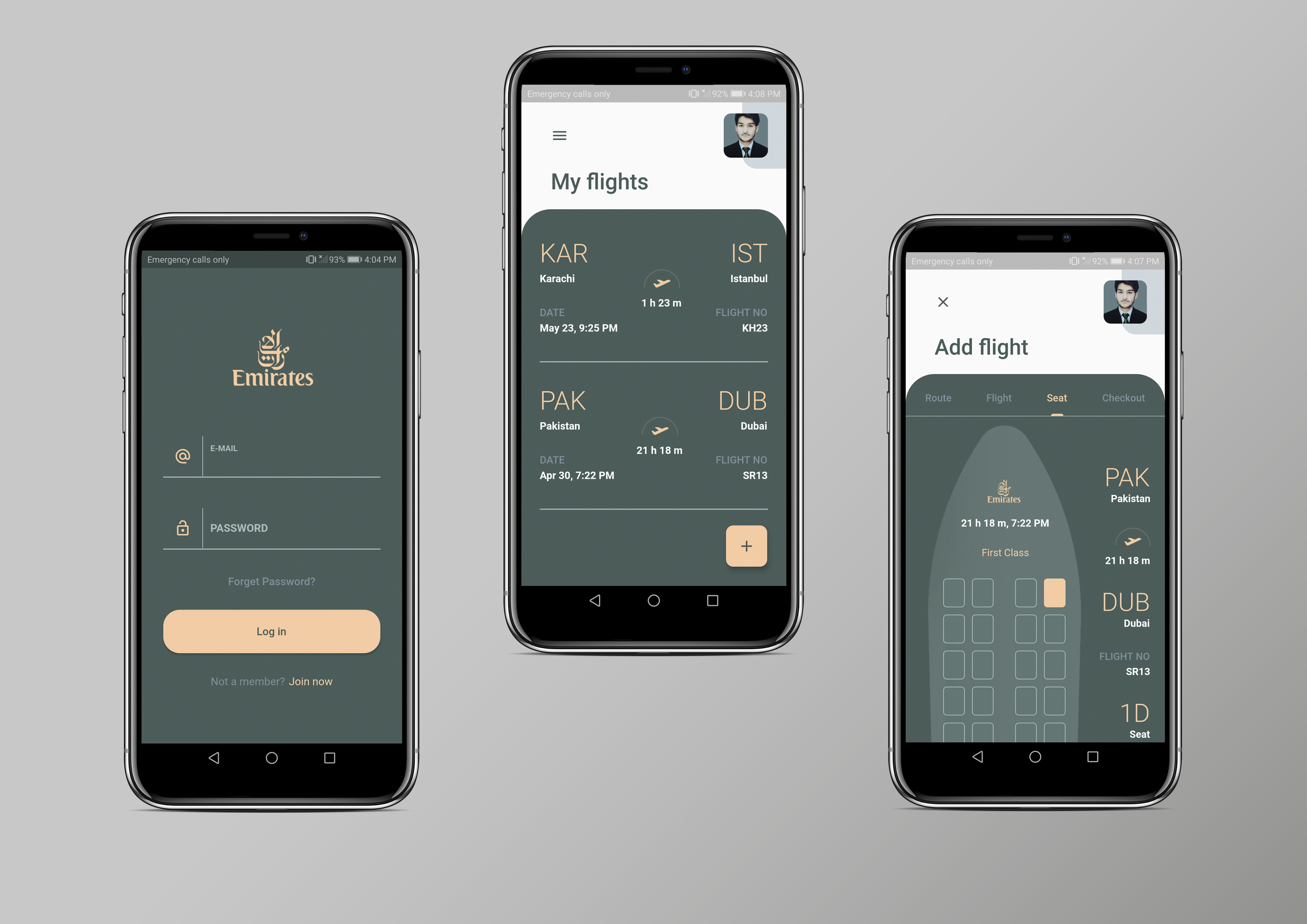
Introduction (what it does)
This is the simple Flutter app, where users can signup/log in and book tickets for their destination. After login/signup users will be shown the main screen where they can change their profile information by clicking on the drawer button and then selecting the profile. Here they can change pictures by uploading them from their devices and updating information. On the main screen, there is a button for booking the tickets when users will click on it, they will be navigating through different tabs of information, at the last, they will select the payment system (Payment system not integrated). After this process ticket will be shown on the main screen, and when users click on that ticket, the boarding pass of that ticket will appear with the barcode.
How I built it
I built this project with the help of the Flutter framework and dart language. I used Flutter's provider state management package for this app.
NOTE: The sole purpose of this app was to gripe on the provider state management, that's why I did not add any database for storing tickets or add any places API for auto searching for cites.
Challenges I ran into
- Designing the tabs after clicking the add button.
- Marking the booked tickets, because it does not use any database.
What I learned
- I developed my first app.
- Implemented Provider State Management.
- Understand widgets usage.
Built With
- dart
- flutter
- provider-state-management

Log in or sign up for Devpost to join the conversation.