-
-
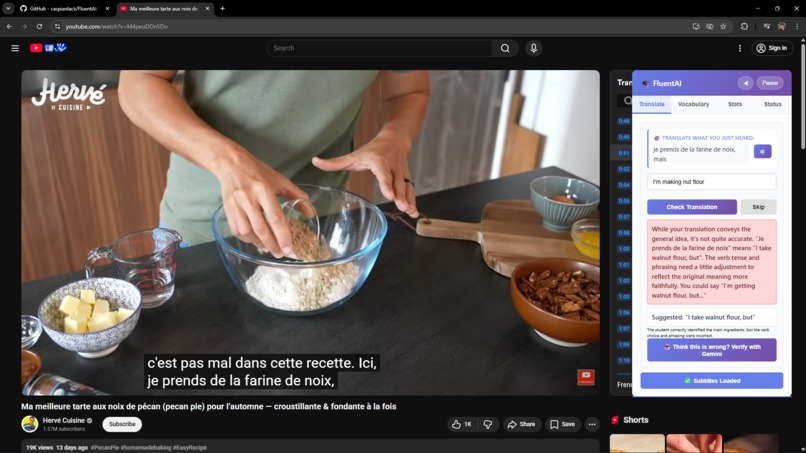
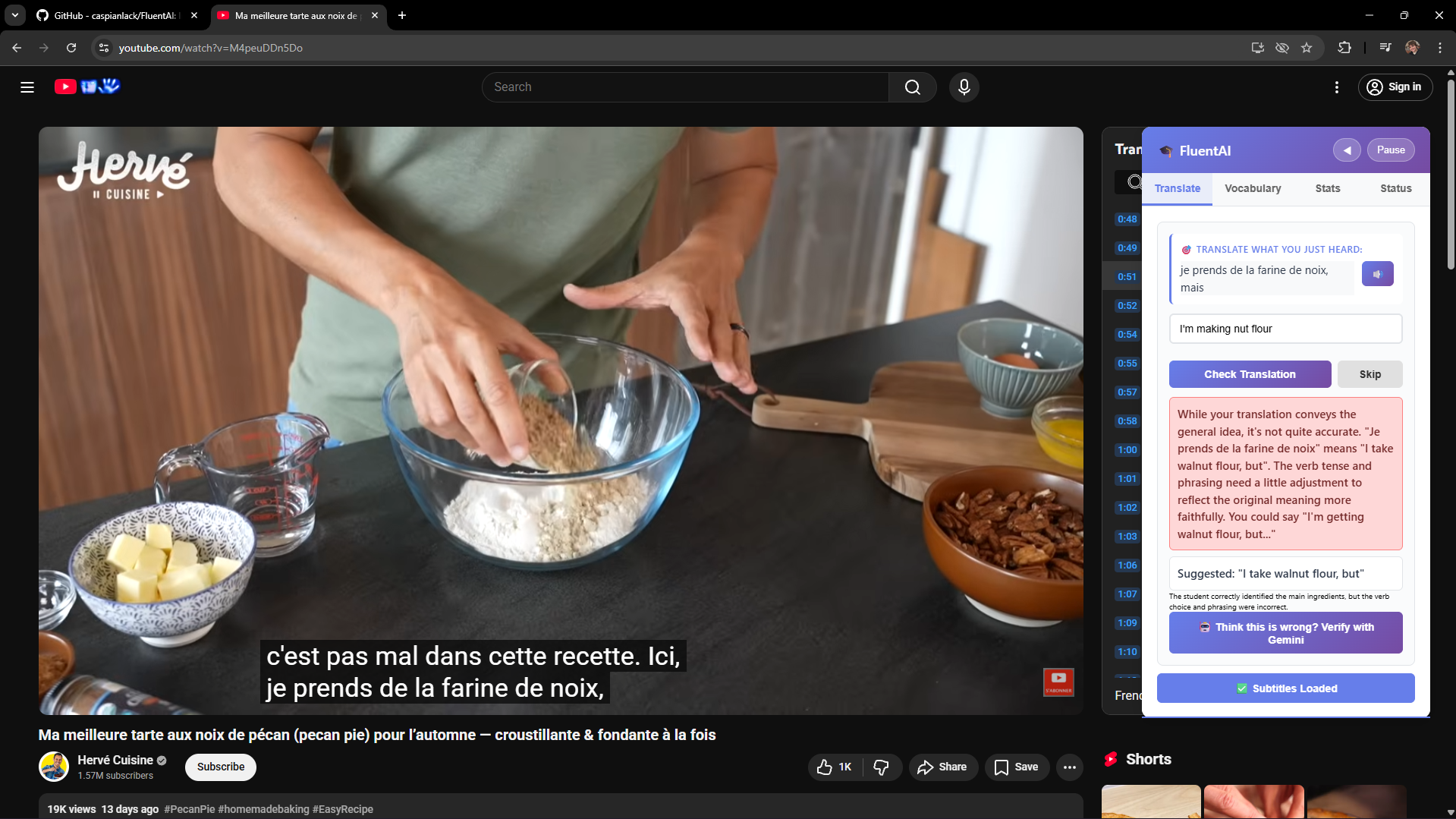
Initial Validation 1
-
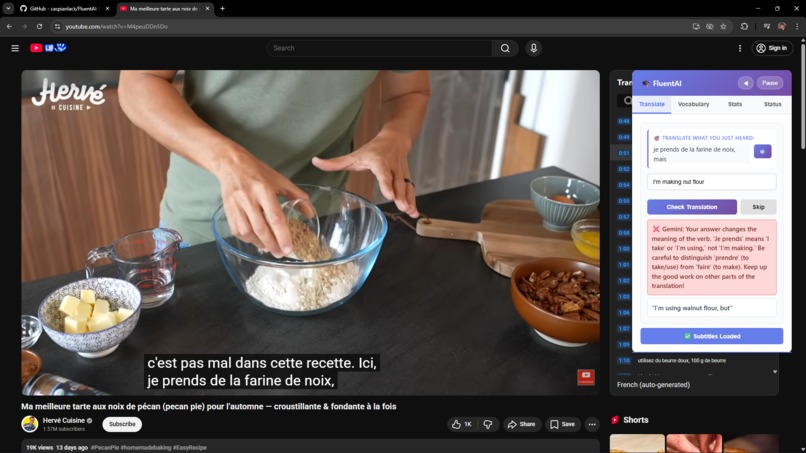
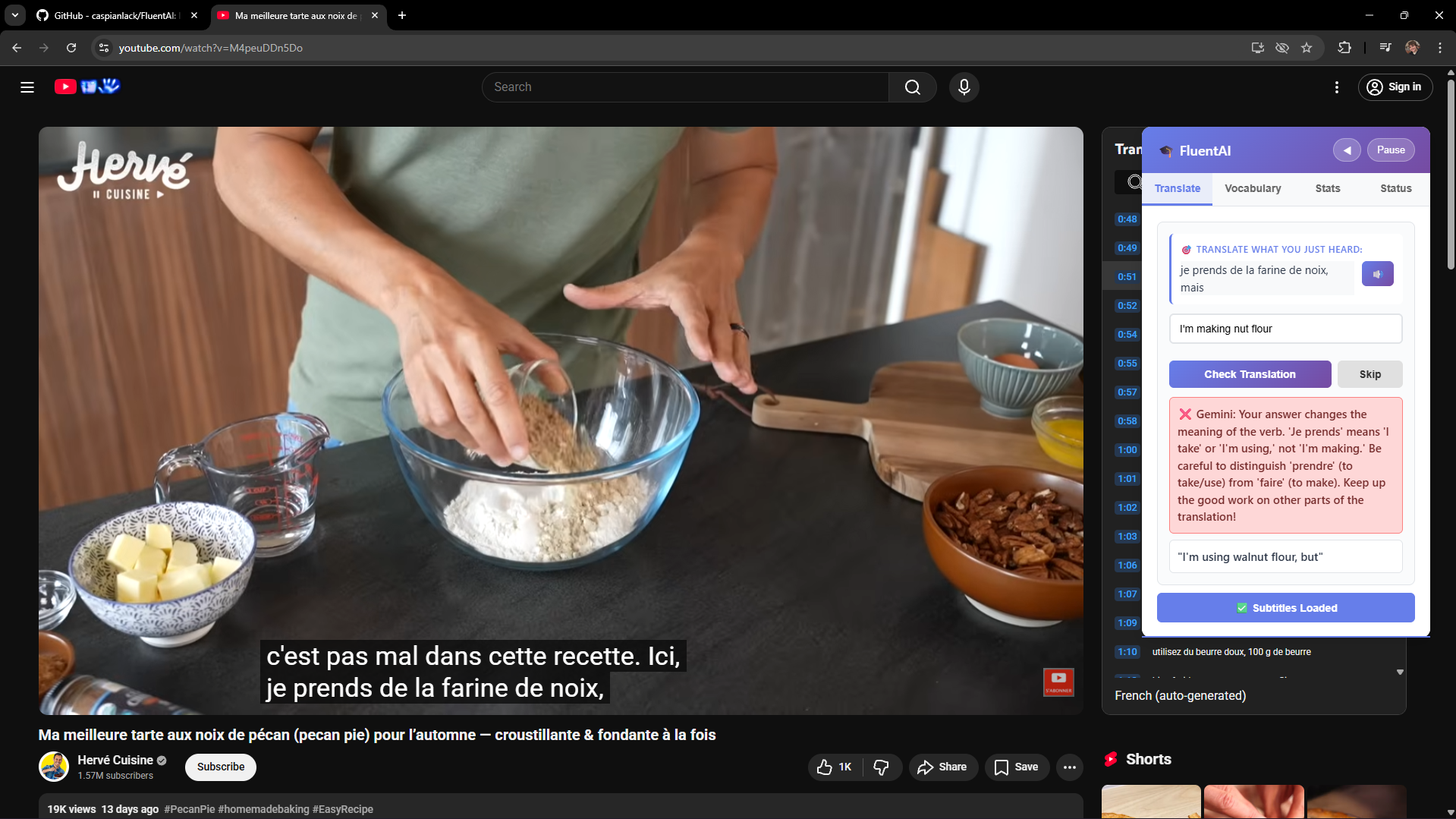
Gemini Validation 1
-
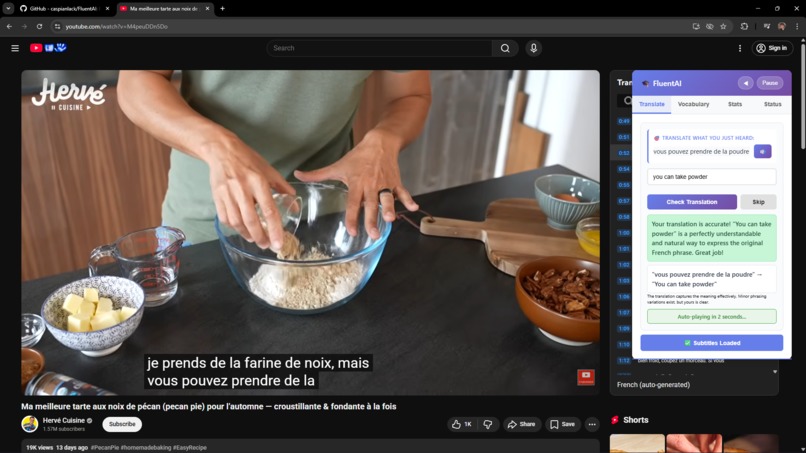
Initial Validation 2
-
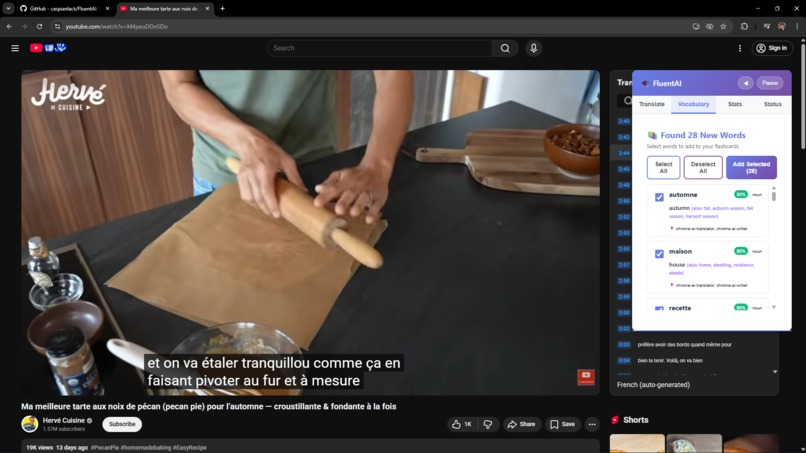
Smart Vocab Extraction
-
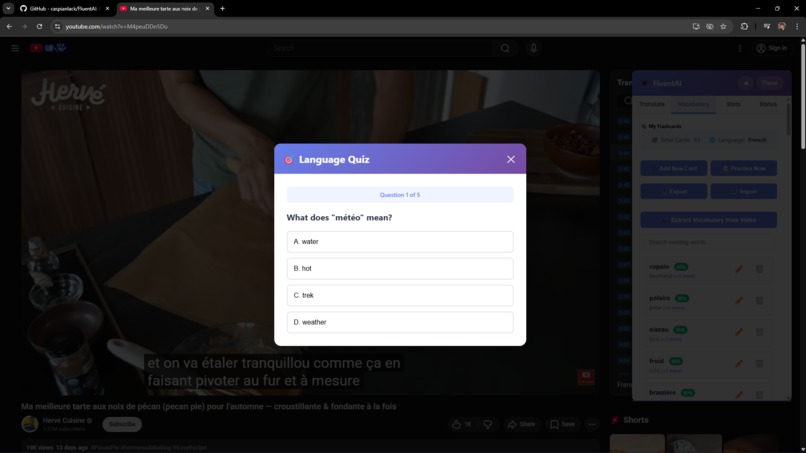
FlashCard Practice
-
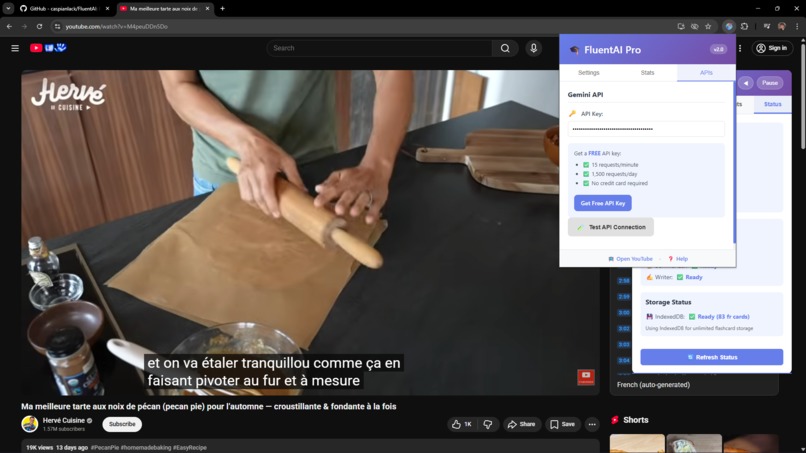
Setting API Key
Inspiration
I noticed there were benefits from both consuming content in the language you are learning as well as a more textbook approach, however I understand they both have their shortcomings, with learning through watching content you can go through a surprising amount of content in another language, with subtitles on without actually learning the language too well and when learning from a textbook or language learning apps there's a stark difference between what you learn and what you want to say. So FluentAI combines the best of both approaches.
What it does
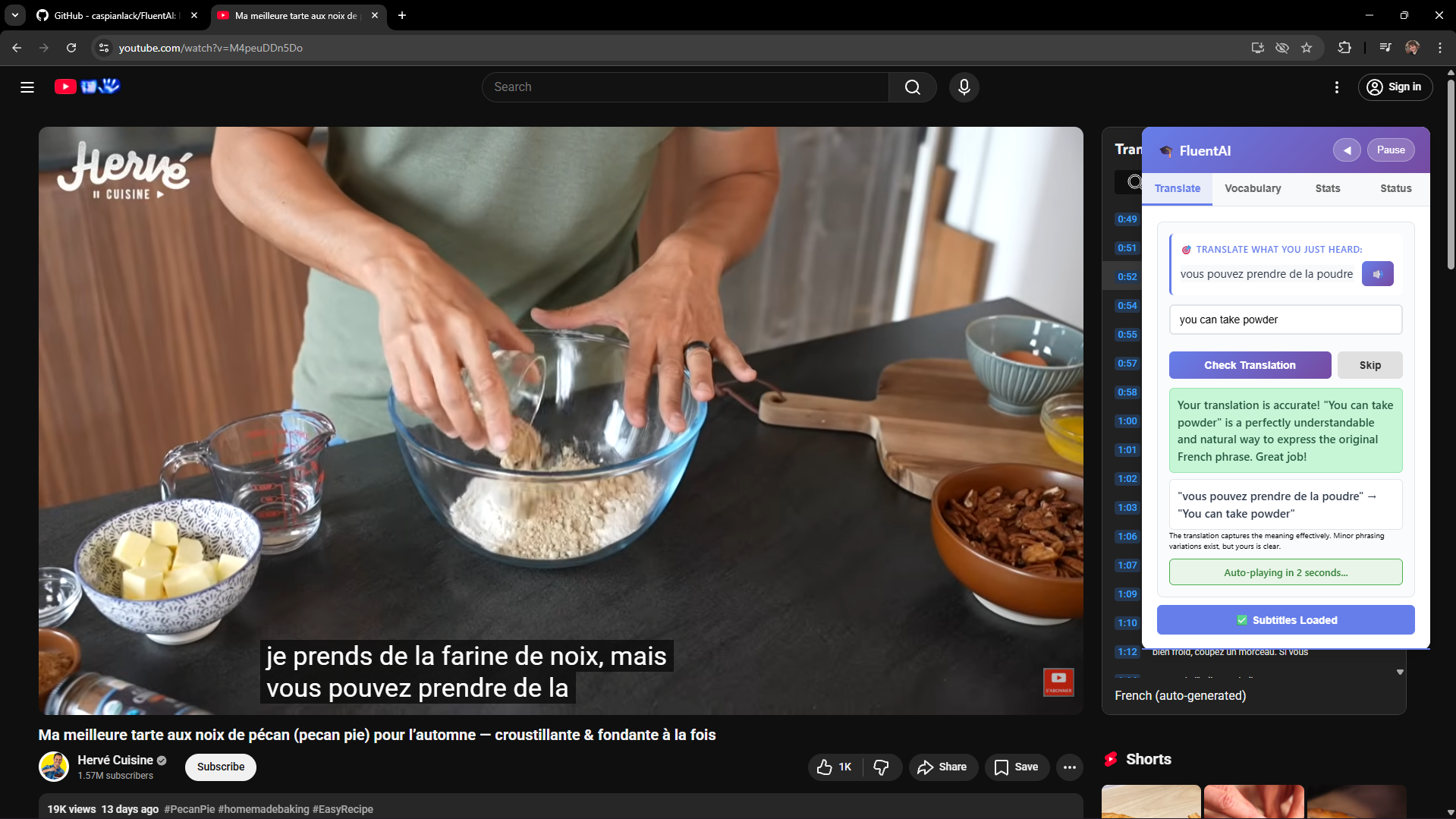
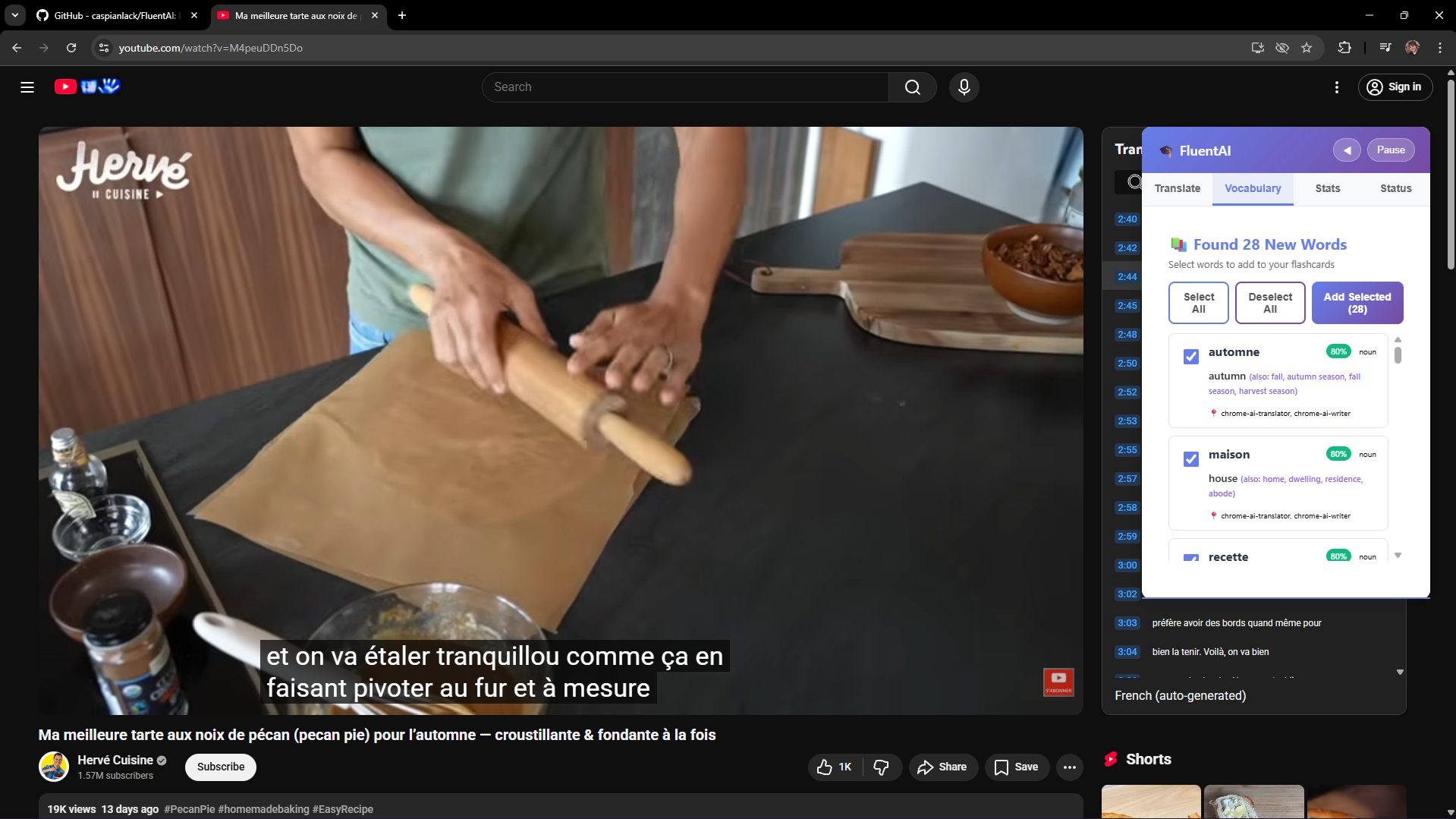
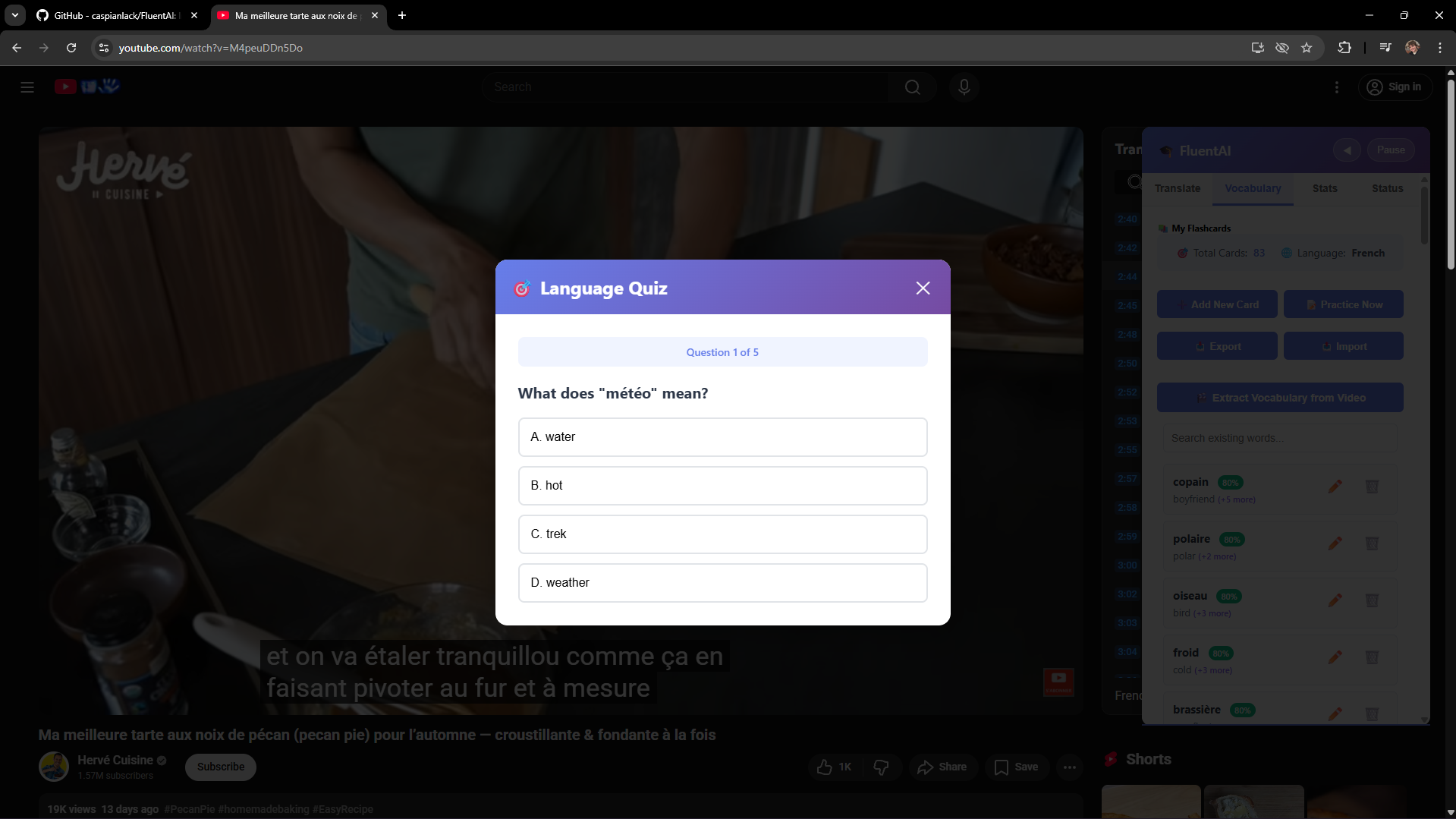
FluentAI is a persistent language tutor that will pause your video for you and get you to translate segments of it, he will then check your translation and give you feedback. He will also extract vocabulary from a video you are watching, adding them to your flashcard, and generate quizzes for you.
Prerequisites:
- Set language to the language you are learning in you tube settings or manually in the transcript as well as in FluentAIs popup settings.
- Download/ Enable chromes inbuilt AI and flags: Translator, Writer, Language Detector.
- Download the language translator you want to learn on chrome.
Optional but recommended (for translation grade validation and smart flashcard generation):
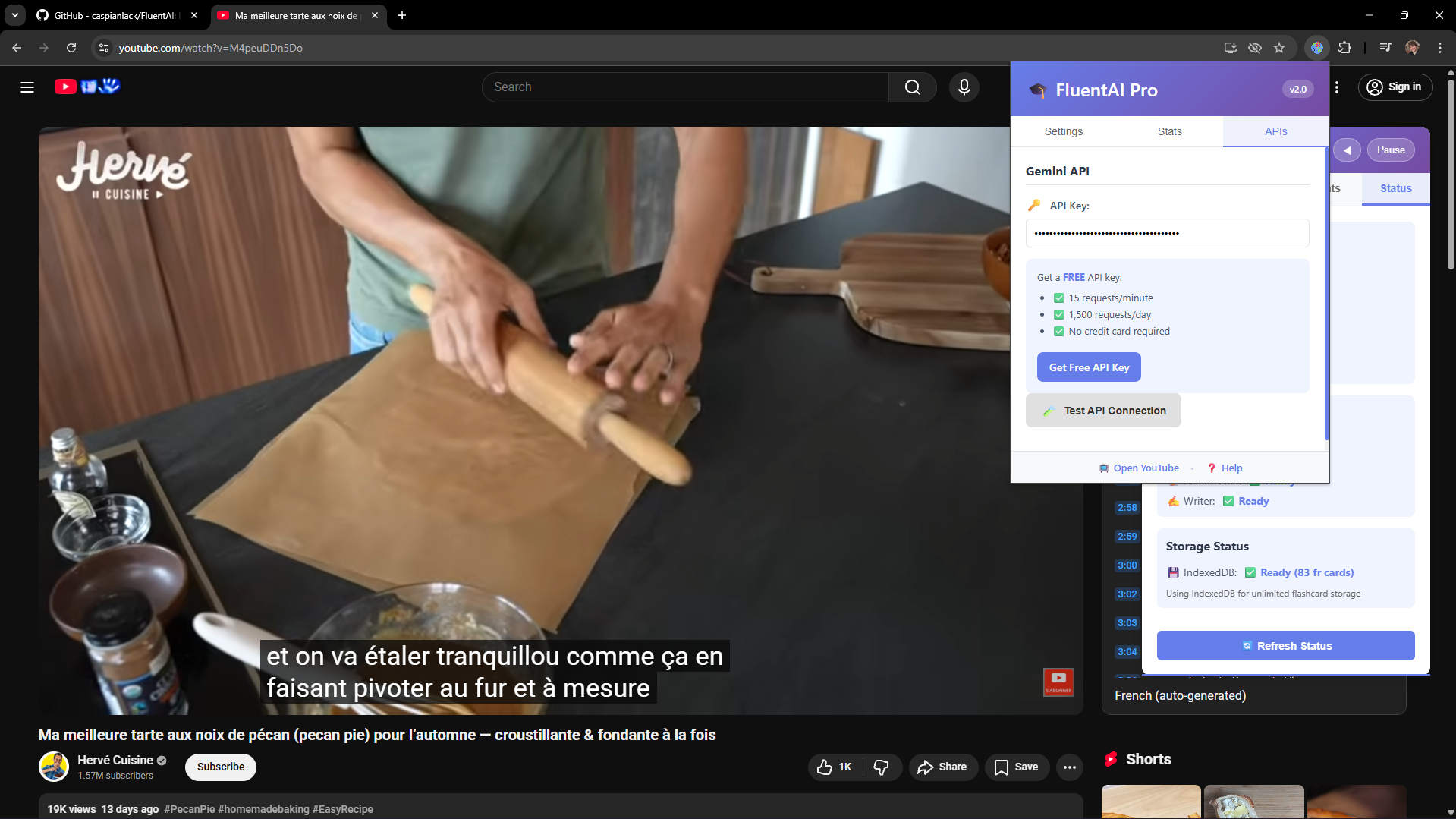
- in the popup, in the APIs tab follow the prompt to create a free google gemini key and copy it over.
Translator (as you watch a youtube video)
- Extract the subtitles from the transcript panel (Click Load Subtitles in the Overlay).
- Language detector on the scraped transcript to ensure it is in the correct language.
- Auto Pause the video after a subtitle segment is played to the user.
- Give the user the subtitle as well as a optional text to speech audio to help translate.
- Grade the users translation through levenshtein similarity, chrome translator and using chromes writer, giving feedback on what the user did well and what they can improve in their translation with an optional grading validation and feedback through geminis free LLM api if they are discontent with the inbuilt grading.
- Continue the video after the user gets a segment correct or skips.
FlashCards
Generation: A
- Extract the subtitles from the transcript panel (Click Load Subtitles in the Overlay)
- Language detector on the scraped transcript to ensure it is in the correct language.
- Extract vocabulary you dont already have in the video to learn (stored in IndexedDB).
- Use chromes translator and writer to get multiple translations of the vocabulary and then validate with gemini.
- Allow the user to select which words to add to their flashcards.
B
- Add flashcards manually through the overlay.
FlashCard Practice: Multiple choice from your native language for the foerign word to translate in a short quiz.
Quizzes: Additional fill in the blanks in the questions.
How we built it
Approached it from the stance of leveraging chromes inbuilt AI as best I could, using other measures where it fell short, for example originally attempted to do the translation validation locally, however it was apparent that there were limitations especially with semantic understanding of words in certain contexts and multiple translations to grade. So moved from full chorme ai translation and validation to using it in the processs where geminis more robust external API I implemented to validate translations. A similar situation appeared for flashcard generation, where as for the subtitle translation I enabled gemini as a fallback or optional AI however for flashcards as repeatedly learning even a few words could negitively affect your language learning.
Built on previous experience with chrome extensions as well as technologies already known such as indexdedDB.
Challenges we ran into
Storage Limitations:
kQuotaBytesPerItem: When generating flashcards, we hit Chrome's storage limits after 50-60 cards. The 100kb extension storage was insufficient for serious language learning.
Solution: Implemented IndexedDB for unlimited local storage with import/export functionality, ensuring users could save and transport their flashcards across devices.
AI Service Reliability:
Chrome AI Translation Validation Limitations: Chrome's AI often provided literal, word-for-word translations that missed semantic nuance and contextual meaning.
Solution: Implemented optional Gemini validation that users can trigger when they disagree with Chrome AI's feedback, providing more nuanced, context-aware evaluation.
AutoPause
Flashcard Quality Issues:
Literal Translations & Single Meanings: Chrome AI generated flashcards with overly literal translations and rarely provided multiple valid translations for polysemous words (words with multiple meanings).
Solution: Integrated Gemini for flashcard generation to ensure higher accuracy, multiple translation options, and better contextual understanding, crucial for building reliable learning materials.
Accomplishments that we're proud of
Tranlation validation works extremeley well, but when it doesnt its still a seemless user experience as we have the backup Gemini validation checker.
Flashcard extraction gets multiple translations, and allowing editing/ deleting and creating flashcards manually allows for easy corrections.
All together I am proud of how the extension leverages both chromes inbuilt AI and external APIs to create a tool to help people learn languages in a more interesting and engaging way.
What we learned
I learned that customisability is really important to building a tool that is both useful to you and feels good. And that you can achieve a lot of this but allowing the user to customise their experience through optional settings to tinker with.
Chromes built in AI tools are surprisingly capable but require some workarounds for some limitations.: I learned that graceful degradation is crucial when building with emerging AI APIs - having fallback strategies ensures the user experience remains smooth even when individual components fail.
I learned about Web Speech API.
What's next for FluentAI
There are a lot of improvements still to be made to fluentAI:
- English -> romantic languages has the best support (devloped for): So with further development, support for more languages would be ideal.
- Smart Tutor/ Quiz: Generate more advanced Quizes with use of chrome writer and leverage prompt ai to create a virtual personified tutor.
- Designated database for leaderboards and to sync settings and data between devices.
Built With
- gemini
- indexeddb
- javascript
- webspeechapi

Log in or sign up for Devpost to join the conversation.