-
-
main1
-
main4
-
-
-
-
-
-
-
Inspiration
At Fluention, we believe that everyone deserves to be heard and understood. Inspired by personal experiences with loved ones who have developmental and speech disorders, we saw firsthand the frustration of being unable to express thoughts clearly. Individuals with conditions such as autism, dysarthria, aphasia, and apraxia of speech often face significant barriers in pronunciation, articulation, and verbal expression. While traditional speech therapy is essential, it can be expensive, time-consuming, and difficult to access.
Despite advancements in AI, there is no comprehensive tool that both enhances speech clarity and simplifies communication for those with speech impairments. Many individuals struggle with verbal communication daily, affecting their social interactions, education, and career opportunities. The lack of accessible, structured training options forces many to rely on limited therapy sessions or struggle alone.
That’s why we built Fluention—an AI-powered platform designed to assist individuals in training their pronunciation, articulation, and speech clarity. By combining neuroscience-backed methods and cutting-edge AI, Fluention provides a personalized, structured approach to speech training, helping individuals express themselves with confidence in everyday life. Our goal is to bridge the gap between thought and communication, making verbal expression more natural, accessible, and empowering for everyone.
What it does
We offer two primary functionalities that work together to enhance speech clarity and aid communication:
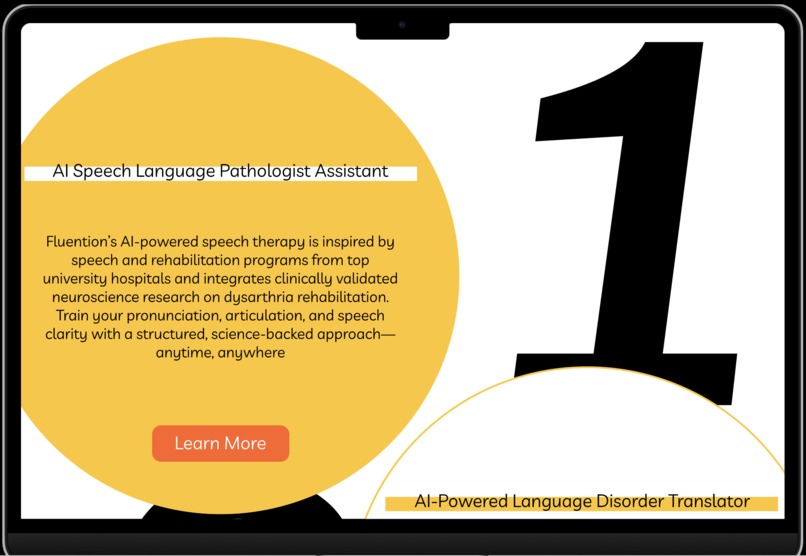
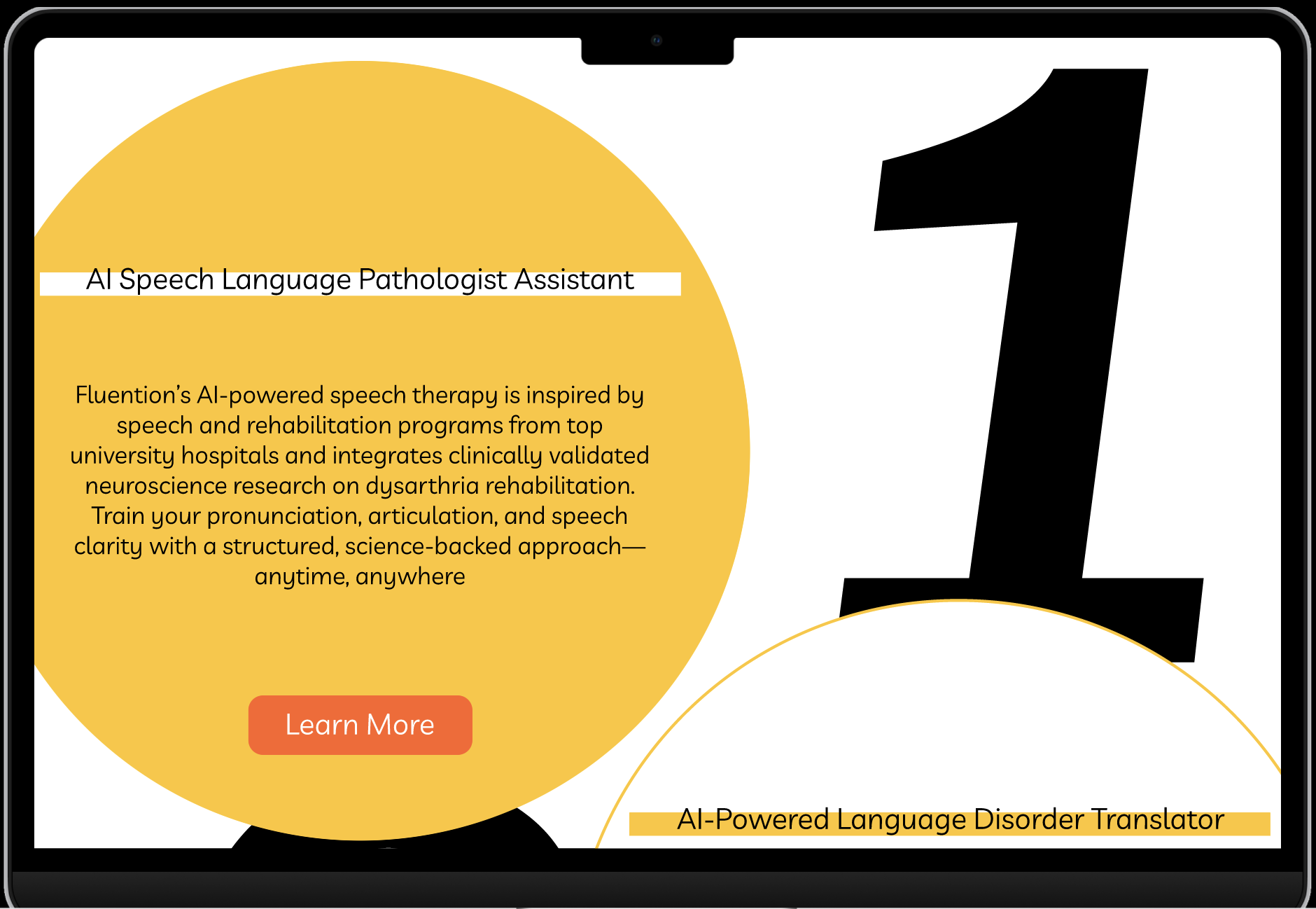
1. AI Speech Language Pathologist Assistant
Inspired by clinically validated research from top university hospitals, this module offers structured pronunciation training using AI-powered lip movement tracking, speech recognition, and interactive correction methods. It is designed to help users train their pronunciation, articulation, and speech clarity through a science-backed, structured approach that mimics professional speech therapy sessions.
Sub-functions:
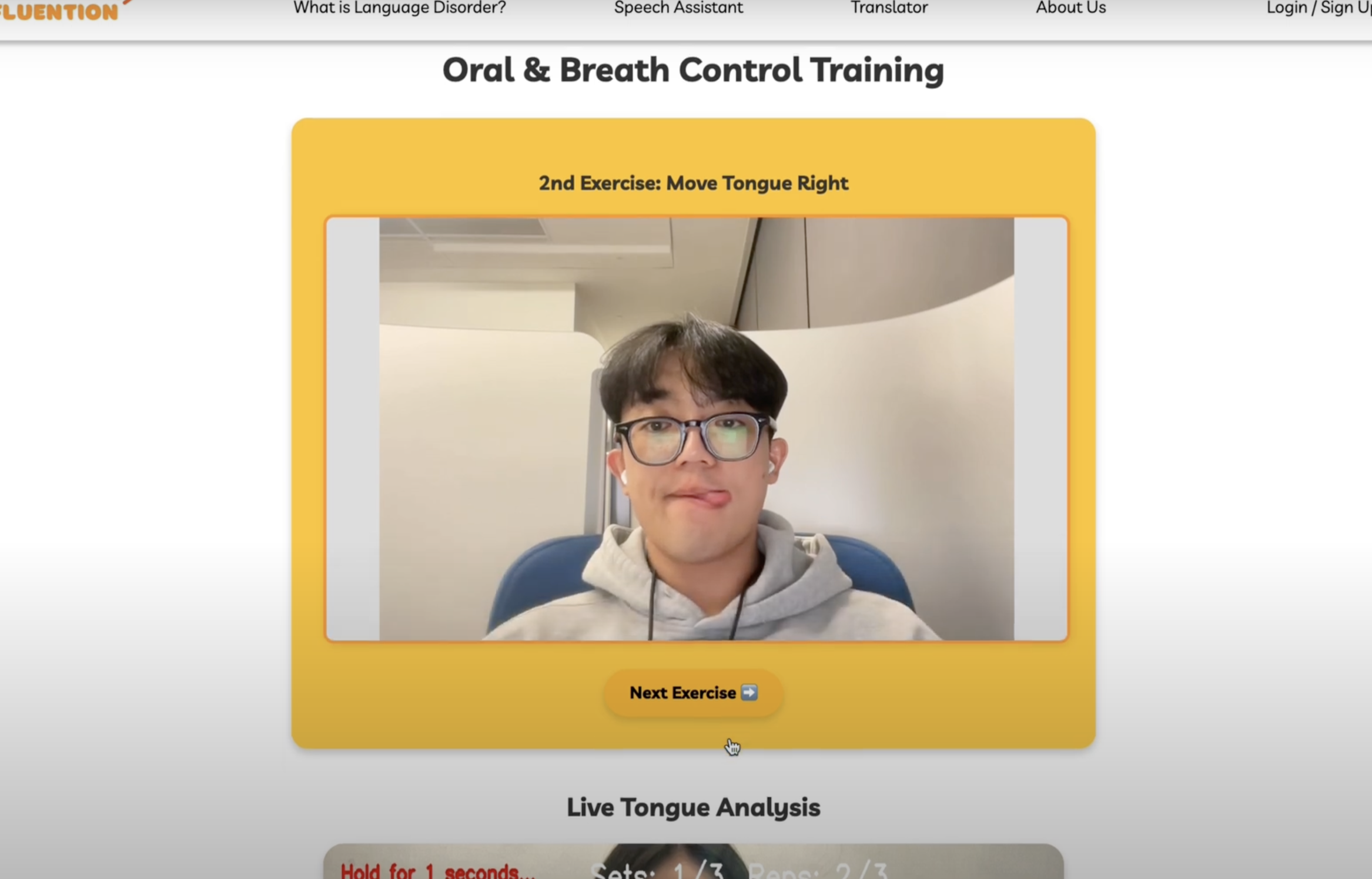
Oral & Breath Control Training
- Lip and Tongue Analyzer
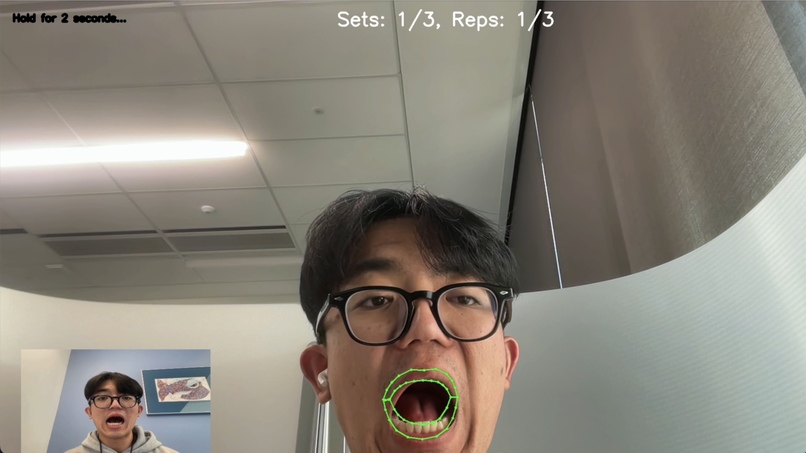
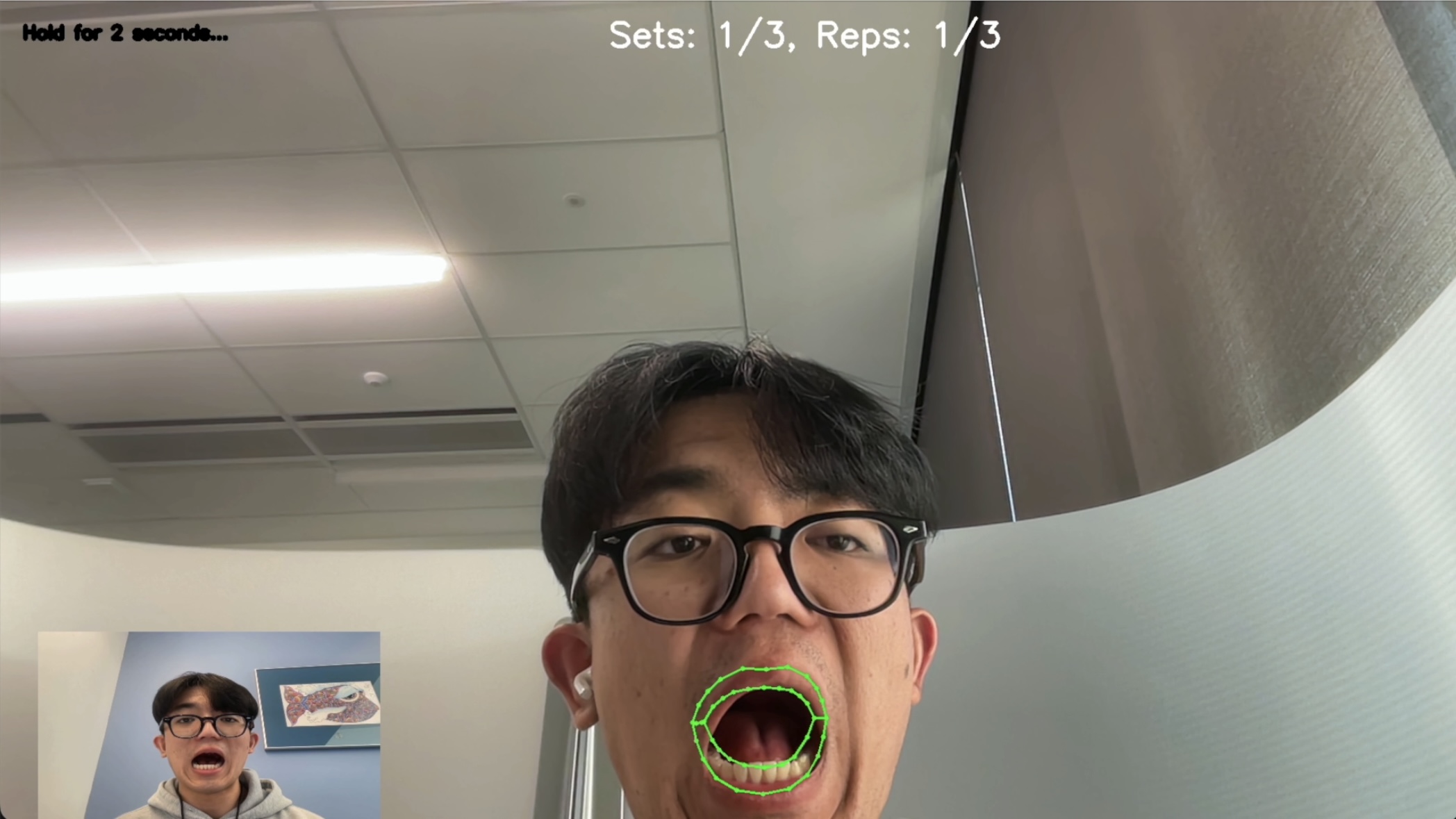
- Lip Training: Users follow three different lip shapes, each requiring them to hold the shape for two seconds and repeat it three times before progressing.
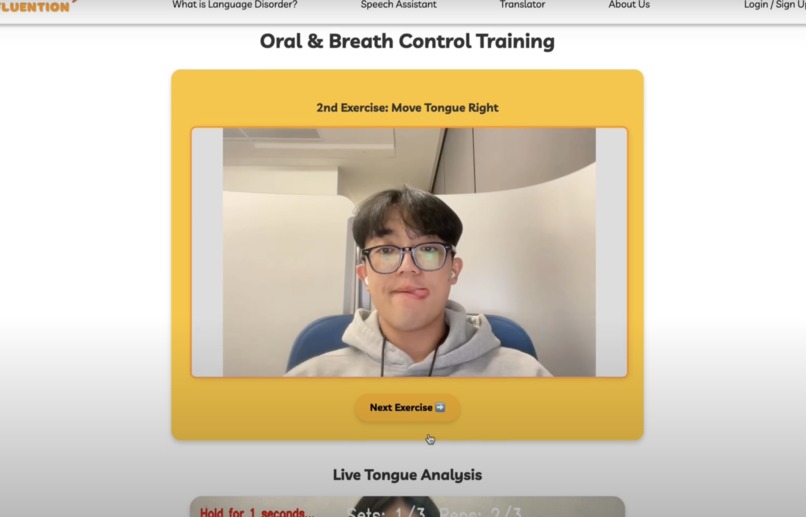
- Tongue Training: Users mimic three tongue positions, maintaining each for two seconds and repeating three times before moving to the next position.
- Lip and Tongue Analyzer
Receptive & Expressive Language Development
- Trains both listening and speaking abilities using AI-driven speech analysis.
- Users describe an image, and the AI converts speech to text, analyzes grammar, pronunciation, and sentence structure, and provides feedback.
- Trains both listening and speaking abilities using AI-driven speech analysis.
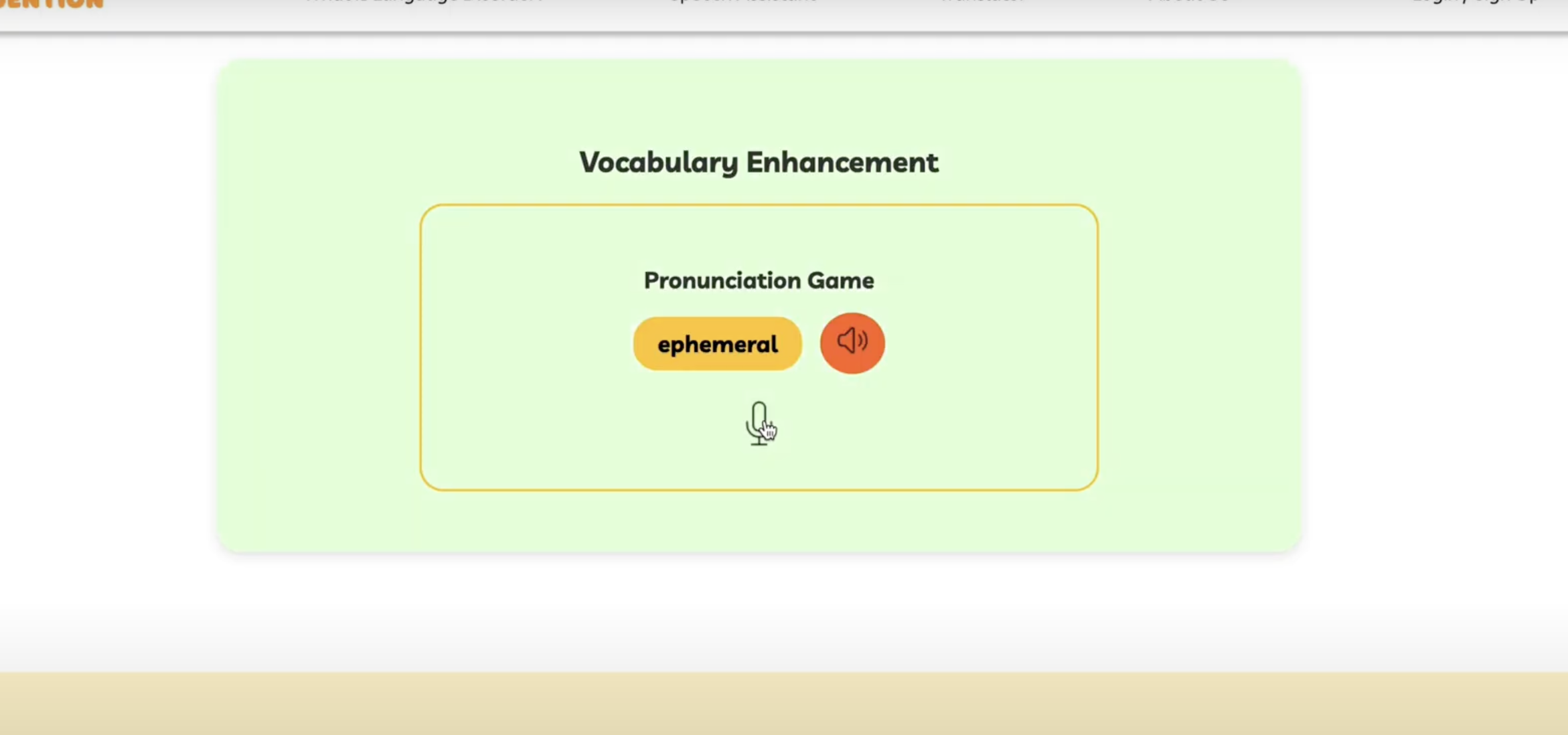
Vocabulary Enhancement
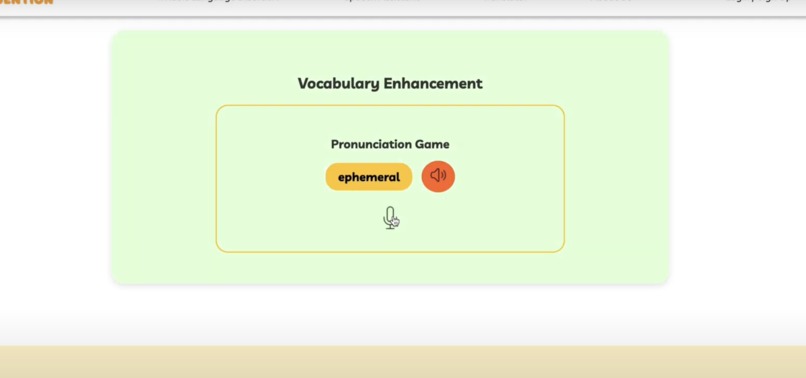
- A gamified approach to expand word recognition and usage skills.
- AI provides synonym recommendations and alternative word choices to improve linguistic diversity.
- A gamified approach to expand word recognition and usage skills.
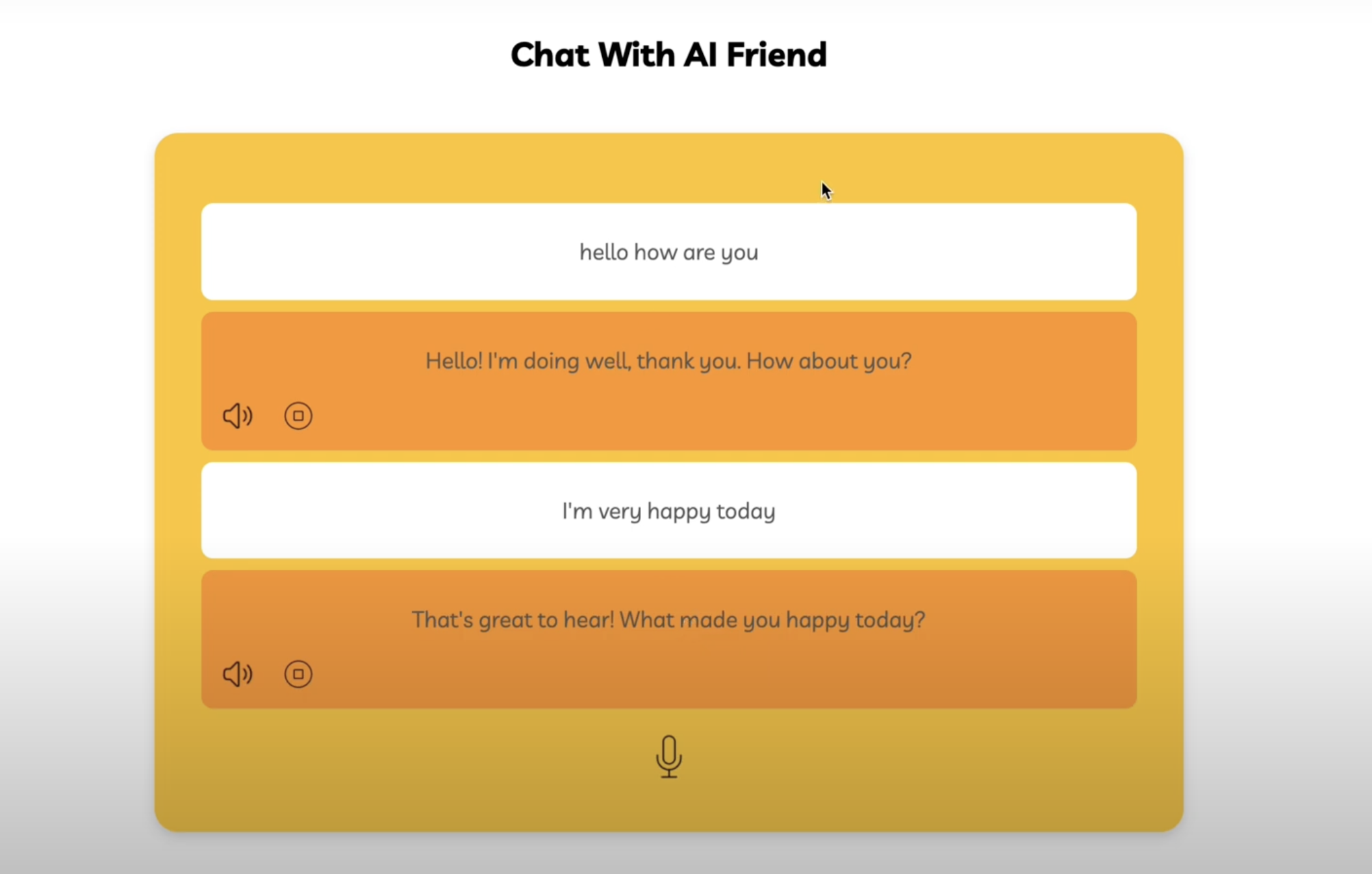
Contextual Communication Skills
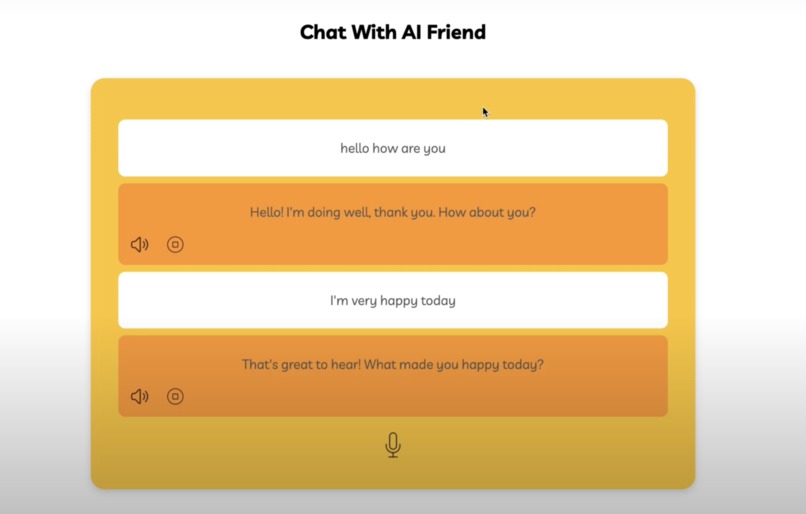
- Fluention offers a voice-enabled AI conversation partner that engages users in natural dialogues.
- Users can practice real-life conversations, receive real-time pronunciation and fluency corrections, and develop confidence in social interactions.
- Fluention offers a voice-enabled AI conversation partner that engages users in natural dialogues.
2. AI-Powered Language Disorder Translator
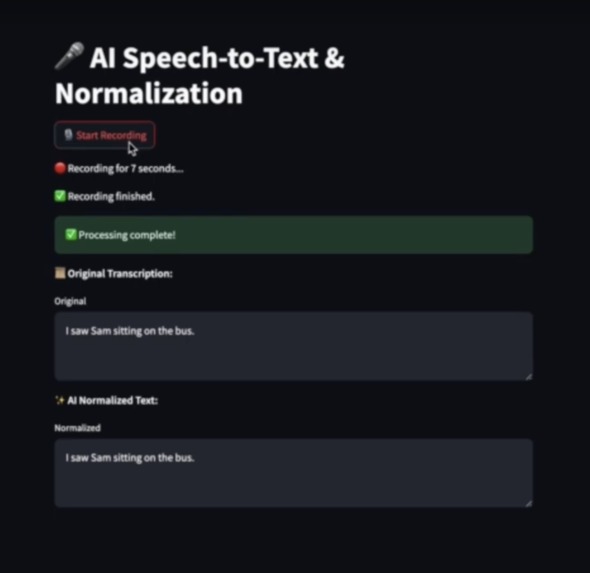
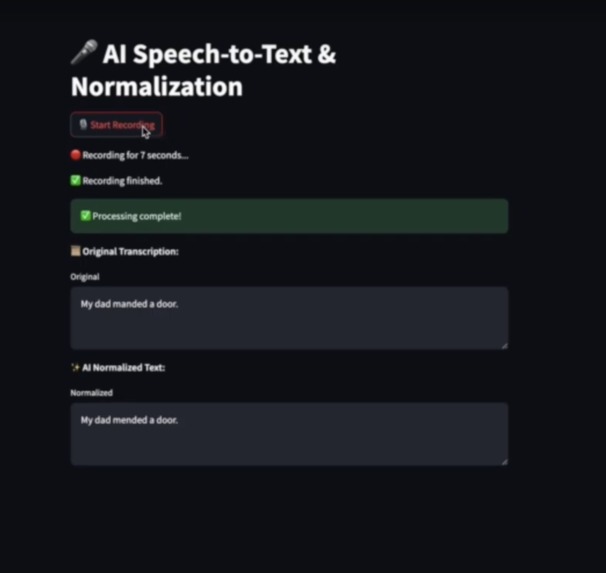
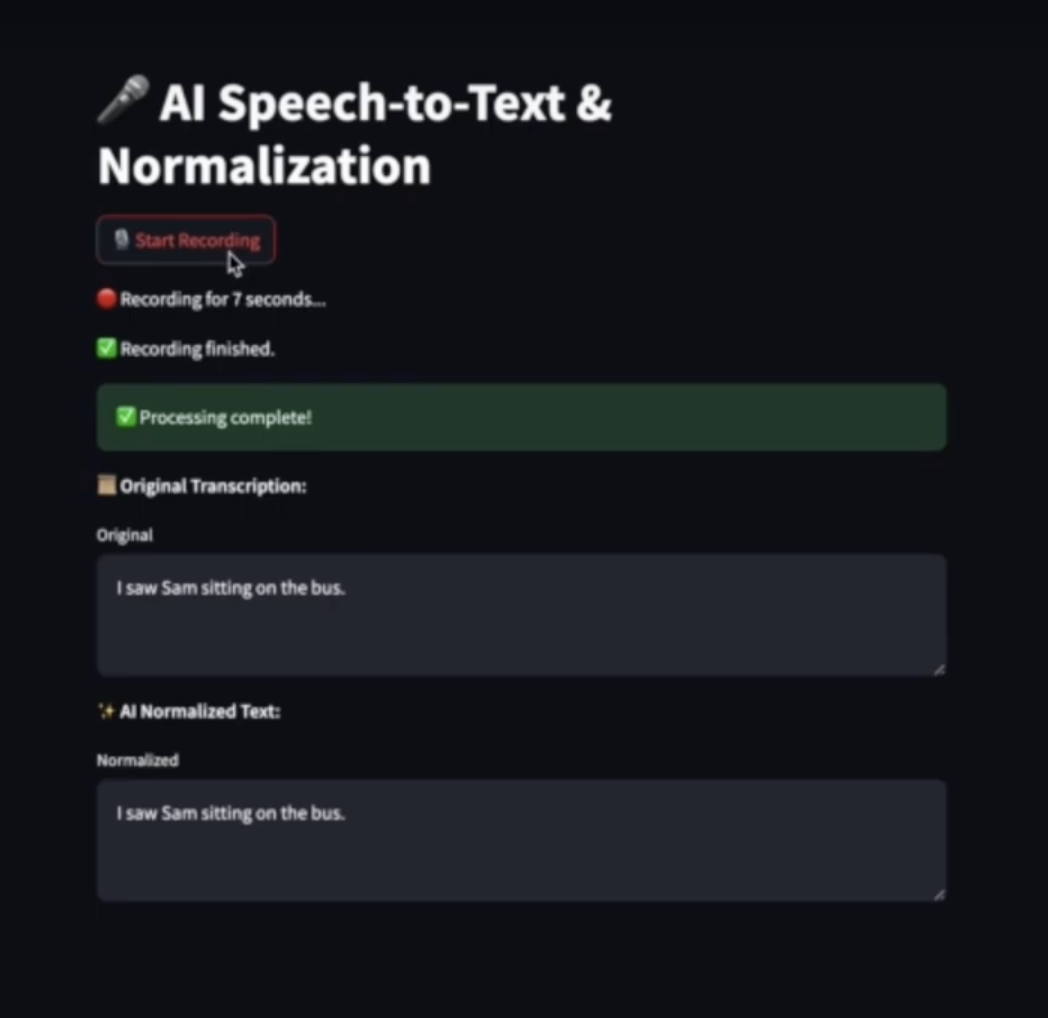
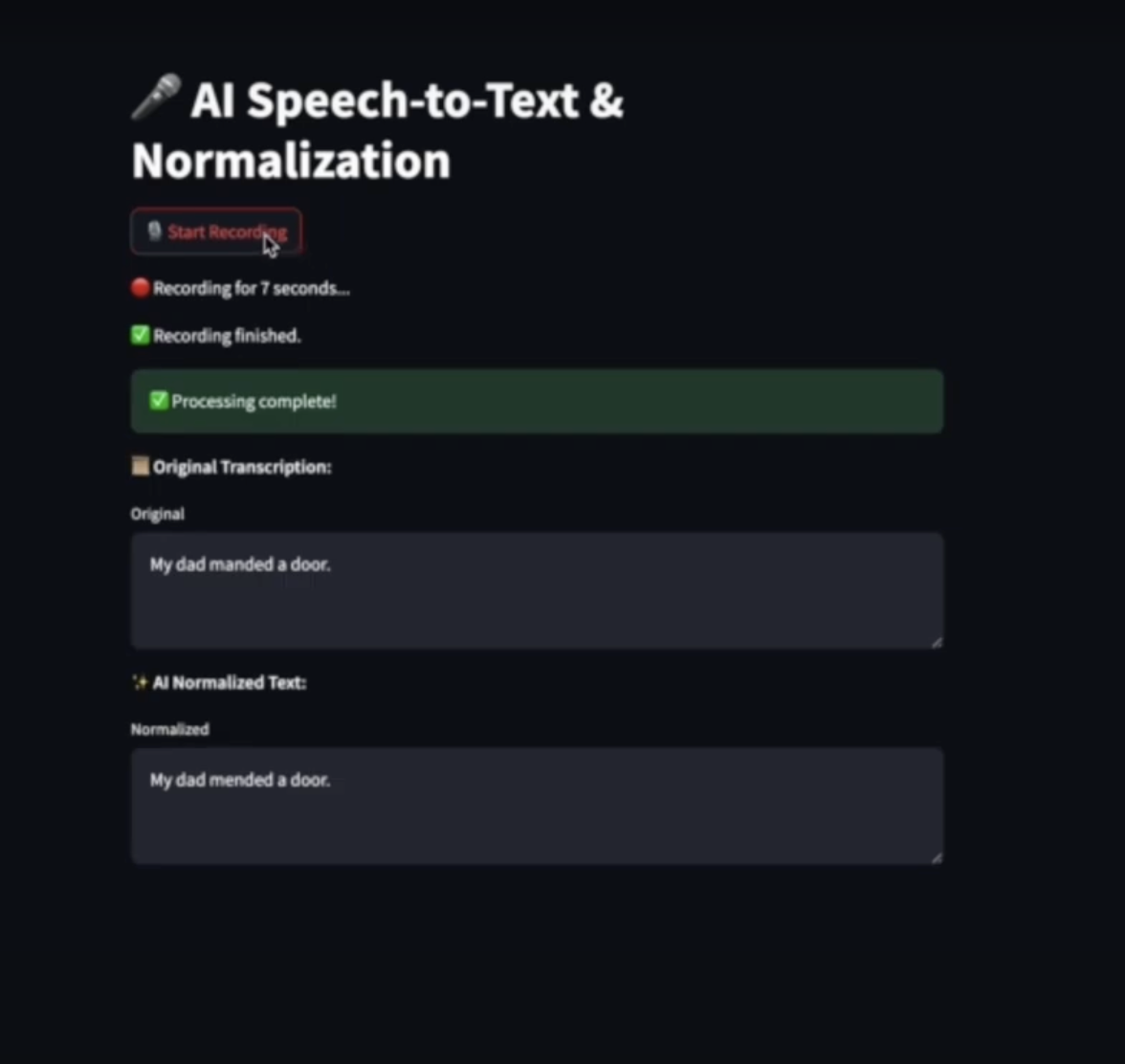
AI-powered speech assistance system designed to help individuals with speech disorders by accurately converting their spoken language into clear, understandable text and speech. It leverages state-of-the-art AI models for Speech-to-Text (STT), Text Normalization, and Text-to-Speech (TTS).
Speech-to-Text (STT) with OpenAI Whisper
- Converts speech into text, even for individuals with speech impairments.
GPT-4-Based Text Normalization
- Enhances the readability and structure of transcribed speech.
Text-to-Speech (TTS) with Google Cloud
- Converts normalized text back into clear and natural speech.
Real-time Speech Recording & Processing
- Users can record speech directly on the website for instant conversion.
How we built it
To create a seamless AI-powered speech therapy experience, we integrated multiple technologies across different components:
Lip and Tongue Analyzer Development
Lip Analysis:
- Mediapipe’s Face Mesh for real-time lip landmark detection.
- Lip height-to-width ratio tracking to recognize "oooo" and "eeeee" shapes.
- A progress bar system ensures the user holds the correct shape for a fixed duration.
- Real-time visual feedback overlays green tracking points for accuracy.
- Mediapipe’s Face Mesh for real-time lip landmark detection.
Tongue Analysis:
- HSV color filtering to isolate the tongue from the video feed.
- Contour detection to find the largest tongue shape.
- Movement tracking of the tongue tip to classify left, right, and downward positions.
- Real-time overlays and labels for immediate feedback.
- HSV color filtering to isolate the tongue from the video feed.
AI Speech Analysis (Receptive & Expressive Language Development)
- Speech-to-Text AI models to transcribe, analyze, and correct pronunciation, grammar, and fluency.
- Speech-to-Text AI models to transcribe, analyze, and correct pronunciation, grammar, and fluency.
Pronunciation Game (Vocabulary Enhancement)
- Designed using interactive gamification techniques to keep users engaged.
- Designed using interactive gamification techniques to keep users engaged.
AI Voice Assistant Friend (Contextual Communication Skills)
- A voice-interactive AI assistant using Voice API to simulate real-life conversations.
- A voice-interactive AI assistant using Voice API to simulate real-life conversations.
AI Language Disorder Translator
User Records Speech
- The user presses the "Start Recording" button on the web interface.
- The recorded audio is sent to the backend for processing.
Speech-to-Text (STT) Processing
- OpenAI Whisper transcribes the speech into text.
- The transcribed text is extracted and checked for accuracy.
Text Normalization with GPT-4
- The transcribed text is sent to GPT-4 for grammatical and structural improvements.
- The AI enhances clarity while preserving the speaker's original intent.
Text-to-Speech (TTS) Conversion
- The final, normalized text is converted into natural speech using Google TTS.
- The user receives an audio output that is easier to understand.
Challenges we ran into
- Lack of extensive audio datasets for speech impairments made AI training difficult.
- Fine-tuning AI to detect subtle pronunciation errors was challenging.
- Ensuring real-time feedback without lag while handling multiple AI processes.
- API integration difficulties for seamless real-time speech processing.
- Securing API keys and managing sensitive speech data responsibly.
Accomplishments that we're proud of
- Successfully built an AI-powered lip-sync pronunciation trainer.
- Integrated estimated five APIs for real-time speech analysis and voice interactions.
- Developed a fully functional AI-driven speech therapy assistant in under 36 hours.
What we learned
- How to train AI for speech recognition and pronunciation assessment.
- Challenges faced by individuals with speech impairments and how AI can assist them.
- Best practices for AI-powered speech rehabilitation tools.
What's next for Fluention
- Enhancing accuracy by implementing machine learning-based lip analysis instead of relying solely on ratio tracking.
- Improving tongue analysis by refining contour detection and integrating machine learning for better classification.
- Expanding AI training with larger and more diverse speech datasets.
- Enhancing real-time speech analysis for more personalized feedback.
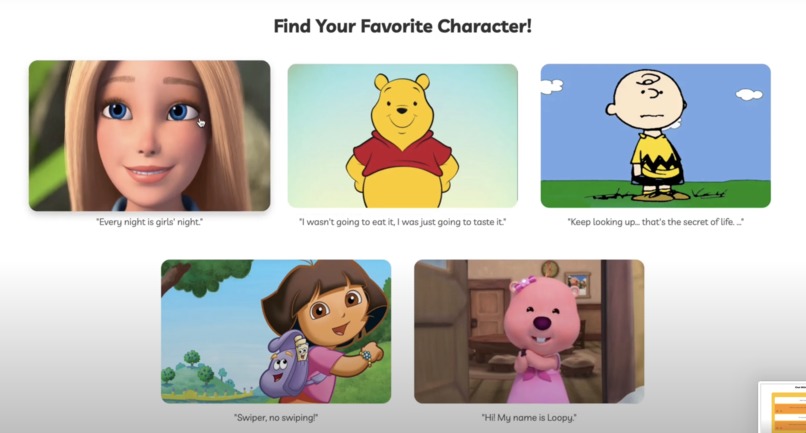
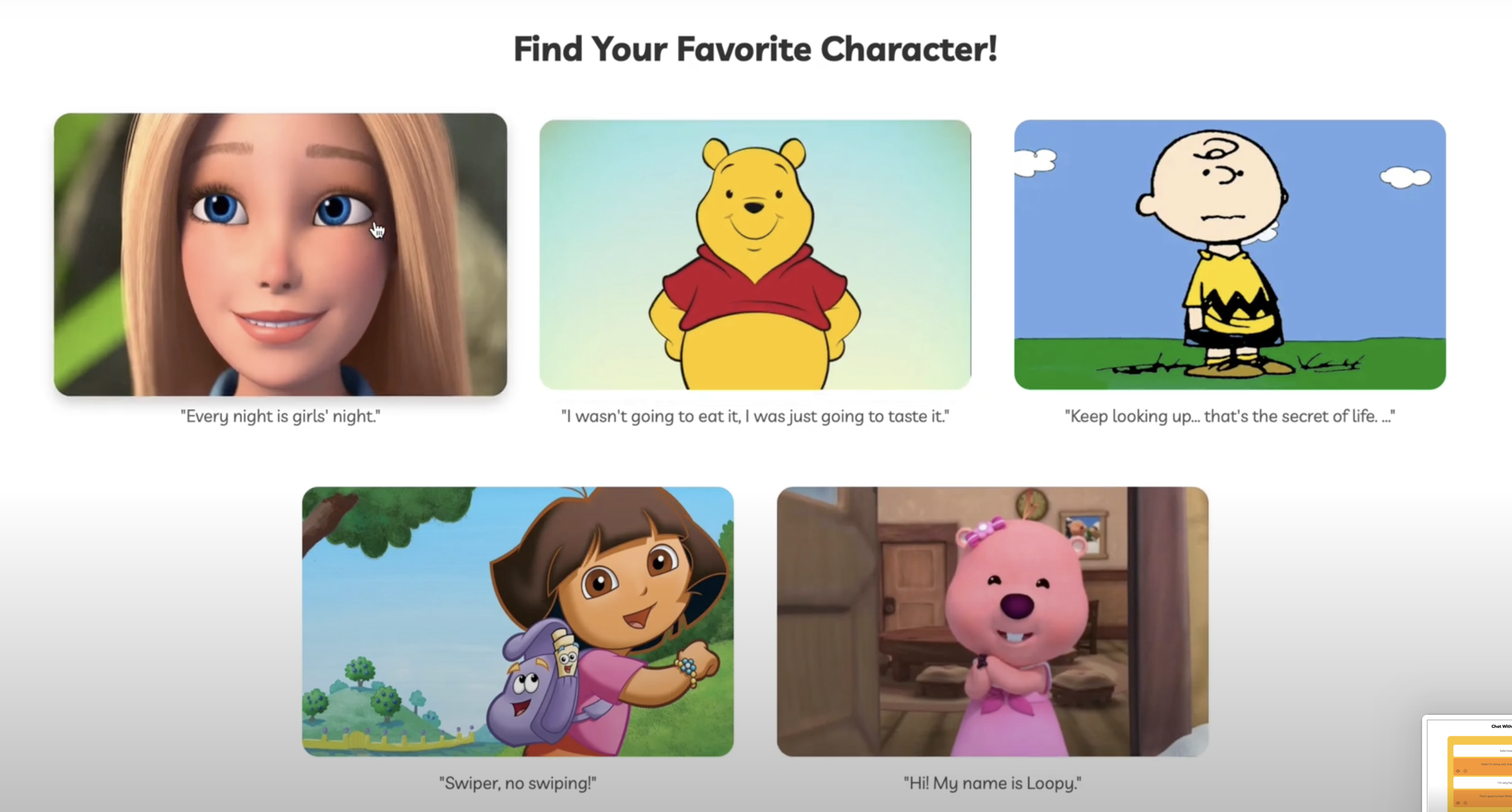
- Adding character-based AI voice assistants for interactive learning.
- Developing a competitive pronunciation game with rewards.
- Implementing slow-motion mouth movement analysis for users to visualize pronunciation in detail.
Built With
- css
- fastapi
- figma
- google-cloud
- gpt-4
- groq
- html
- javascript
- lipsync-api
- mediapipe
- next.js
- numpy
- openai
- opencv
- python
- pytt
- tensorflow
- time
- vscode


Log in or sign up for Devpost to join the conversation.